







Cloud Strife overlooking Midgar in the original Final Fantasy VII. The classic JRPG has been re-released on Steam with new features and improvements for modern PCs.
Final Fantasy 7 new Steam re-release explained
Square Enix has launched a new PC re-release of the original Final Fantasy VII on Steam, nearly 30 years after the RPG’s debut. This updated version isn’t a remake or a graphical remaster, but rather the 1997 classic with added quality-of-life features to modernize the gameplay experience. The re-release aims to bring the Steam edition in line with the console versions of FF7 by introducing options like 3× speed mode, the ability to disable random encounters, a battle enhancement “cheat,” and an autosave function.
These features help reduce grind and frustration, making the game faster-paced and more accessible without altering the story or core content. Importantly, players who already own the old 2013 Steam version of Final Fantasy VII receive this new version as a free upgrade in their libraries. In short, the original Final Fantasy VII is back on Steam in 2026 with some convenient tweaks, allowing both newcomers and longtime fans to enjoy the adventure with modern comforts.
SSquare Enix replaces the Final Fantasy VII 2013 Edition on Steam
In February 2026, Square Enix replaced the 2013 PC Edition of Final Fantasy VII on Steam with a new version titled “FINAL FANTASY VII.” The old version was renamed “Final Fantasy VII – 2013 Edition” and delisted for new purchasers. The new version, priced at approximately $11.99 USD, features an “improved gameplay experience” and was also released DRM-free on GOG.com for the first time.
Is Final Fantasy VII – 2013 Edition delisted on Steam?
Yes, the 2013 Edition was delisted on February 24, 2026, meaning it is no longer available for purchase. However, existing owners retain access to it in their Steam library under the name “FINAL FANTASY VII – 2013 Edition.” This dual-access allows players to finish existing playthroughs or continue using legacy mods on the older version.
How to get the Final Fantasy VII Steam free upgrade (2013 Edition owners)
Owners of the 2013 Edition receive a free upgrade to the new version, which is typically added to Steam libraries automatically. Users may need to restart their Steam client to see the new entry. This upgrade does not overwrite the old version; both will appear as separate titles in the user’s collection at no additional cost.
Can you keep both Final Fantasy VII versions in your Steam library?
Yes, Square Enix enabled “dual-version access,” allowing the 2026 and 2013 editions to coexist as distinct titles in a user’s library. They can be launched independently, which is useful because save files do not transfer between versions. New buyers will only receive the updated version, while prior owners effectively own both.
Final Fantasy VII new Steam version vs 2013 Edition differences
The 2026 version introduces several technical and gameplay changes:
- Quality-of-Life Features: Includes 3× speed gameplay, a random encounter toggle, a “battle boost” mode, and an autosave system.
- Performance and Framerate: Battle framerates increased from 15 FPS to approximately 30 FPS to match the original PlayStation experience. An initial bug that doubled combat speed has been patched.
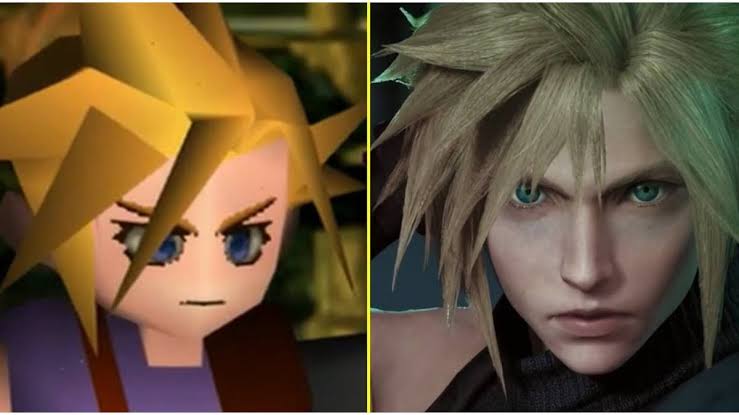
- Graphics and Visuals: Backgrounds are upscaled with filters, making them appear softer or more blurry than the 2013 version. Character models remain unchanged.
- Audio: Uses the same MIDI-based audio, but some users have reported new audio stuttering in cinematics.
- Language Support: Adds Japanese language support, which was previously unavailable in the 2013 Steam release.
- Steam Features: Adds Steam Trading Cards and a Points Shop badge.
- System Requirements and Engine: Requires Windows 10/11, 8 GB of RAM, and a modern GPU (GTX 750 Ti or RX 460). It now requires a Square Enix external launcher and login.
- File Size: Increased from 1.5 GB to 3.5 GB.
- Mod Compatibility: The new executable and file structure mean 2013 Edition mods are not natively compatible.
Final Fantasy 7 3x speed mode on PC (how it works)
The 3× Speed Mode acts as a fast-forward toggle for travel, battles, and select events, though it does not apply to FMVs or certain story scenes. While movement and ATB gauges are accelerated, the music typically plays at normal speed. Users should note that the in-game clock advances faster while this mode is active.
Turn off random encounters in Final Fantasy VII (Steam PC)
A new toggle allows players to disable random monster encounters on the world map and in dungeons. Scripted boss fights and story-mandatory battles still occur. While useful for exploration and backtracking, using this feature prevents players from earning experience (XP) and Ability Points (AP) from random battles.
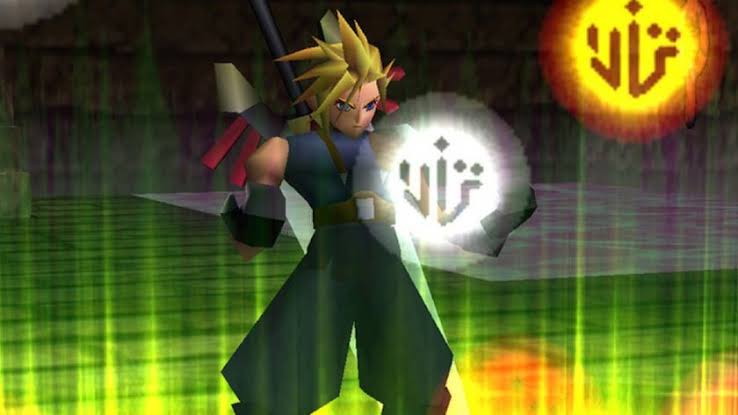
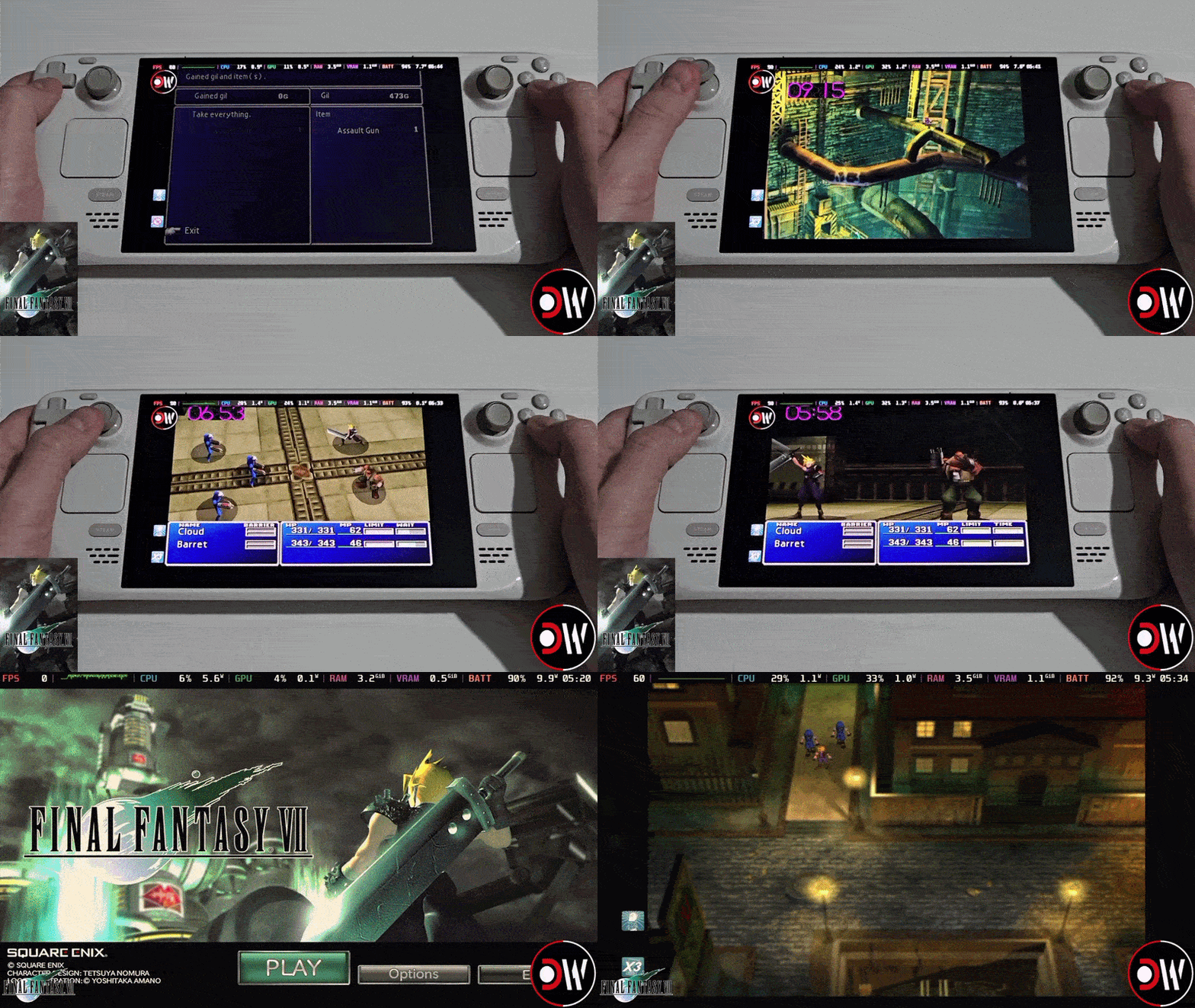
Final Fantasy VII battle enhancement mode (HP/MP refill + Limit gauge)
The Battle Enhancement Mode functions as a “God Mode” that restores HP and MP and maxes out the Limit Break gauge during combat. This allows for continuous use of Limit Breaks and makes the party nearly invincible. It has no effect outside of battle and carries no penalties or changes to the game’s ending, serving as an optional accessibility tool for players.
Final Fantasy VII autosave feature on Steam (what it does)
The new autosave feature provides a convenient safety net by automatically recording progress at specific checkpoints, such as moving between major areas or transitioning from towns and dungeons to the World Map. This system uses a dedicated “AUTO” save slot, ensuring that manual saves are not overwritten. While it offers protection against crashes or power loss, it does not function everywhere—it typically triggers only where saving is normally permitted and is not active during battles or cutscenes. Players can access these files via the “Continue” option on the main menu. It is intended as a modern amenity for short play sessions rather than a total replacement for manual saving at designated points.
Final Fantasy VII save data compatibility (can you transfer saves?)
Save files are not compatible between the 2013 Edition and the 2026 Steam version due to differences in file structures, directories, and underlying frameworks. Players cannot load 2013 saves in the new version or vice versa, effectively creating two parallel save ecosystems. Because the versions use different Steam IDs and storage folders, there is no risk of overwriting data, but players must either finish existing playthroughs on the old version or start over in the new one. No official workaround exists for migrating progress between the two editions.
Final Fantasy VII PC system requirements for the new Steam version
The updated version requires modern 64-bit operating systems and a DirectX 11 renderer, resulting in higher requirements than the 2013 port.
- Minimum Requirements:
- OS: Windows 10 64-bit or Windows 11
- Processor: AMD Ryzen 3 1200 / Intel Core i3-6100
- Memory: 8 GB RAM
- Graphics: AMD Radeon RX 460 / Intel Arc A380 / NVIDIA GeForce GTX 750 Ti
- DirectX: Version 11
- Storage: 5 GB available space
- Notes: 1920×1080 display recommended; Intel Arc GPUs require Resizable BAR support.
- Recommended Requirements:
- OS: Windows 11 64-bit
- Processor: AMD Ryzen 3 2300X / Intel Core i3-8100
- Memory: 8 GB RAM
- Graphics: AMD Radeon RX 5500 XT / RX 6400 / Intel Arc A380 / NVIDIA GeForce GTX 1630
- DirectX: Version 11
- Storage: 5 GB available space

Final Fantasy VII new Steam version performance problems and patches
The launch of the new version was marked by several technical issues that initially resulted in “Mostly Negative” reviews.
- Launch Day Missing Executable: The initial download lacked an executable file, preventing the game from running until Square Enix uploaded the missing files.
- Double-Speed Battle Bug: An uncapped battle framerate caused game logic to run at 2× speed, breaking the timing of animations and Limit Breaks. This was addressed in a launch-day patch (v1.0.1) that synced logic to 30 FPS.
- Audio and Visual Issues: Players reported music stuttering, sound effects cutting out, and laggy FMV cutscenes. Additionally, new background filters have caused the 2D art to appear blurry compared to the 2013 version.
- Stability and Launcher: Some users experienced crashes or failure to launch, often attributed to the new mandatory Square Enix launcher.
- Frame Pacing: Reports of screen tearing and inconsistent frame pacing persist, along with questions regarding whether the “music reset” bug from previous PC versions was ever fixed.
While the critical battle speed bug was fixed quickly, other issues regarding audio glitches and visual filtering remain unpatched as of early March 2026. The community’s reception has since shifted to “Mixed” as players wait for further official updates.
Is the new Final Fantasy VII Steam release a remaster or the same game?
The 2026 Steam release is the original 1997 game with modern UI and system tweaks, not a graphical remaster or the “Final Fantasy VII Remake.” It retains the original pre-rendered backgrounds, low-poly 3D models, music, and story without any additions or alterations. While it includes “quality-of-life” improvements like 3× speed and autosave, the visual assets remain unchanged, and some backgrounds may appear softer due to high-resolution scaling filters. It is essentially a polished re-packaging of the classic version designed to run on modern systems.
Final Fantasy VII Steam mods support (will old mods still work?)
The new version is initially incompatible with most existing mods and tools built for the 2013 edition because the file structure and executable have changed. Modding communities, including the developers of the 7th Heaven mod manager, are actively working on updates to restore support for the Steam and GOG releases. Until these tools are fully updated, players who prefer heavily modded experiences may want to continue using the 2013 Edition.
Final Fantasy VII Steam Achievements and Steam Cloud support
This release includes 31 Steam Achievements, mirroring the set from the 2013 version. Because the 2026 edition is treated as a separate application, players must earn these achievements specifically for this version. It also supports Steam Cloud for synchronizing saves across devices and introduces Steam Trading Cards, a feature not available in the previous edition.
Frequently Asked Questions (FAQs)
- When was the new Final Fantasy VII Steam re-release launched, and what is it?
It launched on February 24, 2026. It is the original 1997 turn-based RPG with modern enhancements, not the action-based Remake. - If I already own Final Fantasy VII on Steam, do I have to buy the new version?
No. Owners of the 2013 Edition receive the new version as a free upgrade, and it should appear automatically in their Steam library. - Can I still purchase or play the old 2013 Steam version of FF7?
The 2013 Edition is delisted and no longer available for purchase, but existing owners can still play it from their library. - What new features are included in this re-release of FF7?
Quality-of-life features include:- 3× Speed Mode
- No Random Encounters toggle
- Battle Enhancement (God Mode)
- Autosave at certain checkpoints
- Did they improve the graphics or remaster the visuals in this version?
No. It uses the original 90s assets. Some backgrounds may appear blurrier due to upscaling filters. - Is this new release the same as Final Fantasy VII Remake?
No, this is the original game with its original story and turn-based combat. - How do I activate the 3x speed, no-encounter, or god mode features on PC?
These are toggled via controller buttons (like analog stick clicks) or specific function keys (such as F1, F2, or F3). - Can I use my old save file from the 2013 version in the new version?
No. Save data is not compatible between the two versions; you must start a new game in the 2026 edition. - Will my mods for Final Fantasy VII work with the new Steam release?
Not out-of-the-box. Modding tools like 7th Heaven are being updated to support the new version. - What known issues does the new version have, and have they been fixed?
Known issues include:- Double-speed battle bug: Fixed via a day-one patch.
- Audio stuttering and laggy FMVs: Currently unfixed.
- Blurry backgrounds: A result of the design/filtering, with no official fix.
- Mandatory Square Enix launcher: Still required for play.

Conclusion
The 2026 Steam release of Final Fantasy VII provides modern convenience through features like speed boosts and autosaves while remaining a free upgrade for existing owners. Despite initial technical hurdles and temporary mod incompatibility, it offers a time-respecting way for both newcomers and veterans to experience the original story on modern hardware.
While purists may prefer the older version for specific mods or sharper visuals, this version serves as a practical official update for the classic title.t step into this retro world knowing it’s retro – the polish here is in the convenience, not the graphics. And as always with PC games, keep an eye out for patches (and community mods) that will only make the experience better over time. Happy gaming, and may your materia always be mastered!
Sources and Citation
- Weronika Winiarczyk (Feb 26, 2026). “FINAL FANTASY VII Re-Released on Steam: Free Upgrade for 2013 Edition Owners, New Features Included” – G2A News. https://www.g2a.com/news/game-spotlights/final-fantasy-vii-re-released-on-steam-free-upgrade-for-2013-edition-owners-new-features-included/
- ⚡Xe⚡ (Feb 24, 2026). “Final Fantasy VII Now Available DRM-Free on GOG; New Steam Version Replaces 2013 Edition” – xEzNaFF (Final Fantasy fan news site). https://www.xeznaff.com/post/final-fantasy-vii-now-available-drm-free-on-gog-new-steam-version-replaces-2013-edition
- Sal Romano (Jan 29, 2026). “New version of original Final Fantasy VII coming to PC” – Gematsu. https://www.gematsu.com/2026/01/new-version-of-original-final-fantasy-vii-coming-to-pc
- Square Enix (Jan 29, 2026). Official Announcement via Steam News – store.steampowered.com (Final Fantasy VII news update). https://store.steampowered.com/news/app/39140/view/514107648813039662
- Reddit user lurkingdanger22 (Feb 24, 2026). Reddit discussion – “FFVII updated version is available now on Steam” – r/pcgaming. https://www.reddit.com/r/pcgaming/comments/1rdlwzx/final_fantasy_vii_updated_version_is_available/
- Square Enix – Steam Store Page for Final Fantasy VII (Updated Version). Steam Features and Description. https://store.steampowered.com/app/3837340/FINAL_FANTASY_VII/
- GameFAQs (2015). “How does auto save work?” – FF7 iOS board (explaining autosave triggers). https://gamefaqs.gamespot.com/boards/168681-final-fantasy-vii/72369821
- Damien McFerran & Jack Yarwood (Feb 25, 2026). “Final Fantasy VII’s New & ‘Improved’ PC Version… Isn’t Off to the Best Start” – Time Extension. https://www.timeextension.com/news/2026/02/final-fantasy-viis-new-and-improved-pc-version-is-now-available-but-it-isnt-exactly-getting-off-to-the-best-start
- Semih Bilir (Feb 25, 2026). “Legacy Compromised: Technical Issues Plague Final Fantasy VII Steam Update” – Gameolog. https://gameolog.com/legacy-compromised-technical-issues-plague-final-fantasy-vii-steam-update
- George Young (Feb 25, 2026). ““Completely broken”: Square Enix rushes out Final Fantasy 7 patch…” – GamesRadar+ https://www.gamesradar.com/games/final-fantasy/completely-broken-square-enix-rushes-out-final-fantasy-7-patch-for-the-og-jrpgs-new-steam-version-following-fan-reports-of-dizzying-battle-speed-and-other-technical-issues/
Recommended
- How to Export MetaHuman to Blender: Comprehensive Step-by-Step Guide
- PixelHair vs. Manual Hair Grooming in Blender: Which is Better?
- The Best Bearded Video Game Characters: Iconic Facial Hair and Their Impact on Gaming
- Can I Improve My Metahuman in Blender? A Comprehensive Guide
- Apex Legends Plan With Two New Characters: The Road Ahead 2026 Roadmap (Season 29 Skirmisher + Season 32 New Legend)
- ALS Metahuman Motion Matching: How to Combine Realistic Movement and Character Animation in Unreal Engine 5
- OptiX vs CUDA: Comprehensive Comparison of NVIDIA’s Rendering Technologie
- Managing Blender Scenes with Multiple Cameras Using The View Keeper
- Managing Multiple Camera Settings in Blender with The View Keeper





















































































