







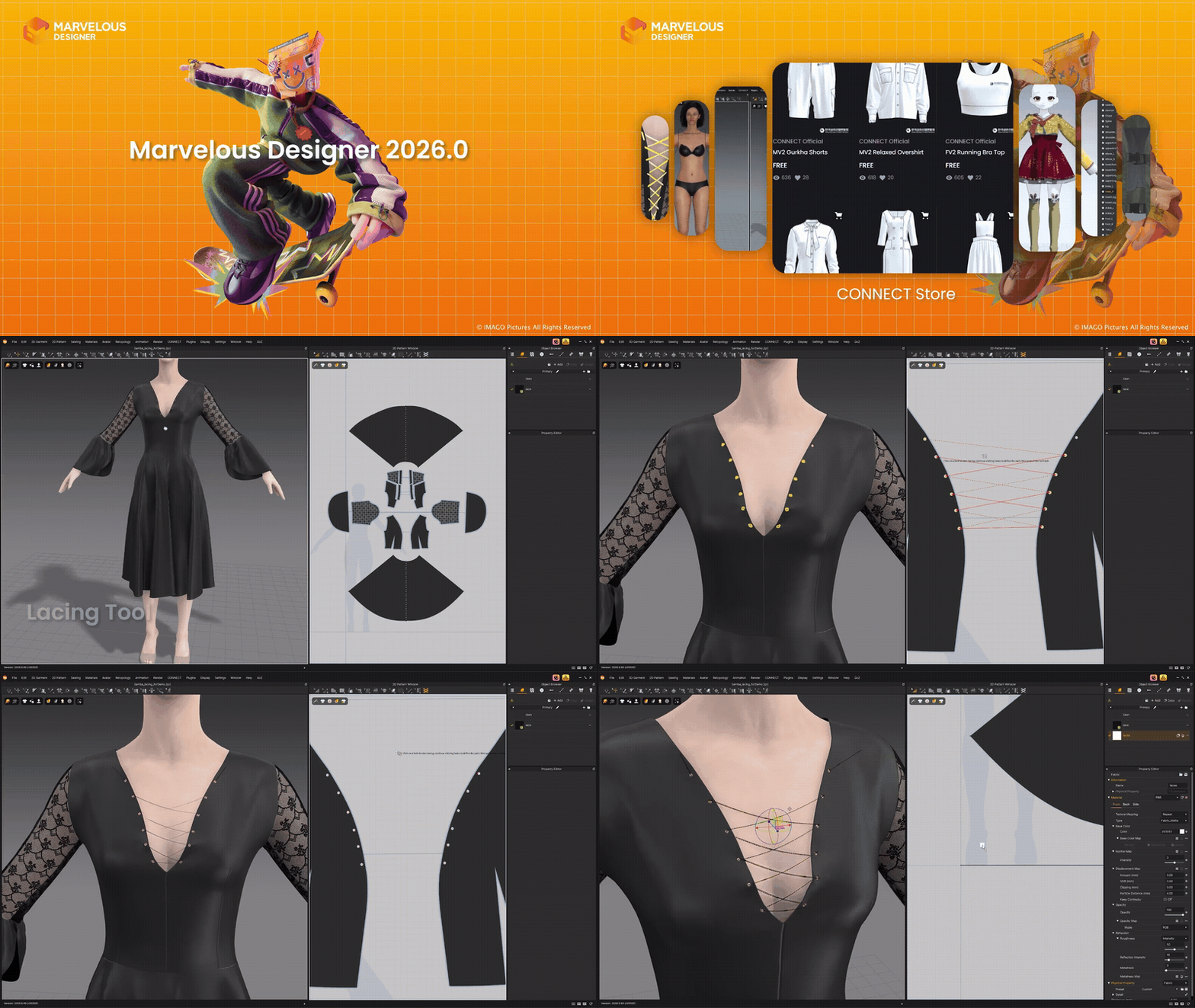
According to ’s official release notes and update announcements, Marvelous Designer 2026.0 is not a minor maintenance patch. It is a broad workflow release organized around four themes: key features, intuitive workflow improvements, asset-creation boosts, and seamless pipeline updates. The net result is a version focused on faster garment ideation, better avatar interoperability, cleaner export control, and more production-friendly downstream mesh handling.
For fashion designers, character artists, game teams, and VFX pipelines, the most important story in Marvelous Designer 2026.0 is the convergence of creative tools and technical controls. New direct-on-avatar sketching, automated lacing, shape-preserving pattern scaling, blend shape avatar handling, glTF support, VRM workflow support, refined FBX/glTF export range options, Alembic morph support, and export welding improvements all point to one clear goal: reducing friction between garment design and final asset delivery.
CLO Virtual Fashion releases Marvelous Designer 2026.0: what’s new
Marvelous Designer 2026.0 introduces a balanced mix of creative tools and pipeline upgrades. On the creative side, the headline additions are the Lacing Tool, 3D Pencil, Preserve 3D Garment Shape on 2D Scaling, EveryWear Template-Based Rigging in beta, and Toon Shader. On the workflow side, the release notes also call out Animation Timeline Marker, Blend Shape Avatar, Avatar UV Display, glTF support, VRM support, FBX/glTF play-region export, Alembic morph animation support, retopology improvements, and Weld Turned Seamlines.
That breadth matters because it changes where Marvelous Designer sits in a production pipeline. This is no longer just a cloth-sim and pattern-authoring update. Third-party coverage of the release highlights viewport isolation, selected-object UV inspection, pattern archiving, animation markers, and GPU-accelerated trim simulation as practical quality-of-life changes for complex scenes. In other words, 2026.0 improves both garment creation and the management of increasingly complicated character-and-clothing projects.
The release also has a clear real-time and avatar-pipeline bias. Official materials and independent coverage repeatedly emphasize modern interchange formats such as glTF and VRM, stronger animation export control, and better support for changing body shapes dynamically through blend shapes. That combination makes the update especially relevant for real-time engines, virtual avatar ecosystems, stylized character production, and cross-application garment workflows.
Marvelous Designer 2026.0 release date and official update overview
The safest way to date Marvelous Designer 2026.0 is to describe it as a late-March to mid-April 2026 public rollout. The official master feature list is indexed as March 31, 2026 in search results and carries an April 1, 2026 timestamp inside the Marvelous Designer support center. Separately, the official CLO-SET Connect announcement titled “Update to Marvelous Designer 2026.0 Today!” appears in search results with an April 12, 2026 date. Taken together, those timestamps indicate that April 1, 2026 is the clearest documentation-based release marker, while official promotional rollout continued afterward.
Officially, the update is framed as the first major release of the year and is presented as a feature-forward upgrade rather than a bug-fix build. The official announcement says the release delivers “brand new artistic tools” alongside performance upgrades that “eliminate friction,” while the support documentation groups the additions into creation, intuitive workflow, asset building, and seamless workflow categories. That framing is consistent with what the new tools actually do: they shorten the gap between garment ideation, avatar fitting, and export-ready delivery.
For SEO and factual clarity, the strongest date phrasing is this: Marvelous Designer 2026.0 entered official support documentation on April 1, 2026, with the public campaign continuing through at least April 12, 2026. That wording reflects the official timestamps without pretending there was one single globally uniform publication moment across every Marvelous Designer surface.
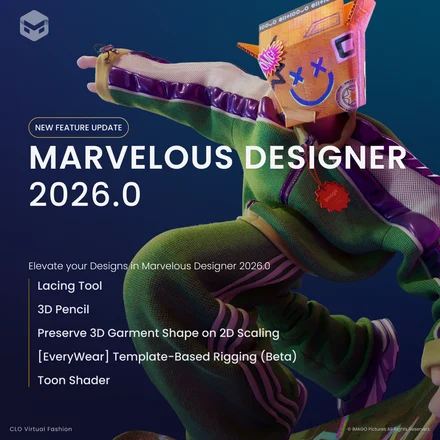
Marvelous Designer 2026.0 new features list explained
The 15 biggest Marvelous Designer 2026.0 features and workflow upgrades are best understood as a ranked set of practical production changes, not just a changelog dump:
- Lacing Tool automates lace routing through designated holes and generates an editable lace pattern for refinement.
- 3D Pencil lets artists sketch directly on an avatar and convert those strokes into editable 3D Pen data.
- Preserve 3D Garment Shape on 2D Scaling scales 2D patterns while preserving the garment’s 3D form, reducing manual readjustment after resizing.
- [EveryWear] Template-Based Rigging (Beta) adds experimental rigging support aimed at game-ready garment workflows.
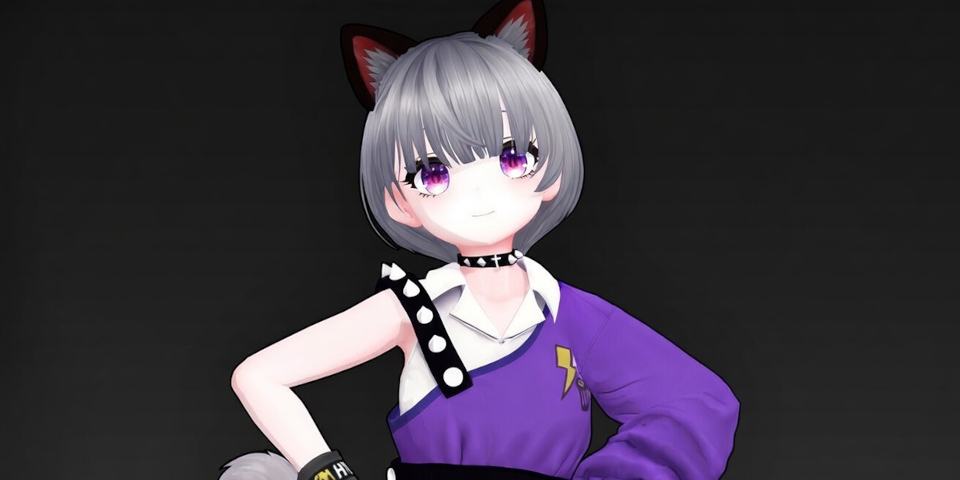
- Toon Shader — introduces stylized cartoon rendering for garments and avatars, making anime and stylized preview work easier inside the app.
- Animation Timeline Marker adds timeline markers with comments and API-trigger potential for clearer animation organization.
- Blend Shape Avatar supports avatars with blend shape data for fast body-shape changes and dynamic fitting.
- Avatar UV Display makes it possible to view all or only selected garment and avatar UVs in the UV Editor.
- glTF File Format Support adds native glTF/GLB import and export with animation, texture, and metadata options.
- VRM File Format Support expands avatar workflow compatibility toward the VRM ecosystem, a humanoid avatar standard built on glTF.
- Add Play Region for FBX/glTF Export lets artists export only a selected animation range instead of the full timeline.
- Bake Keyframes for Joint Animation Export generates keys on every frame for safer downstream animation playback.
- Morph Animation Support for Alembic Files expands Alembic workflows for animated morph and deformation use cases.
- Performance and Quality Improvements for Retopology improves a mesh workflow designed to produce lower-poly, animation-friendly edge loops.
- Weld Turned Seamlines keeps turned seamline garments compatible with welded export workflows.
Important honorable mentions include GPU-accelerated trim simulation, Isolate Selection, Pattern Archive, Graphic On/Off Toggle, rigged accessory registration, zipper usability improvements, and fabric-aware strain maps. Those may not be as headline-grabbing as 3D Pencil or glTF support, but they meaningfully improve everyday scene management and iteration speed.
Lacing Tool in Marvelous Designer 2026.0: how it works
The Lacing Tool in Marvelous Designer 2026.0 is a purpose-built system for routing cords through eyelets or holes without manually constructing every pass of the lace. The official manual says the tool automates the lacing process by guiding pattern and direction through designated holes, then automatically routes the cord and generates an editable lace pattern. That means the result is not a dead-end procedural effect. It becomes a real editable pattern element that can be customized afterward.
The workflow is straightforward. After selecting the Lacing Tool, the user clicks the starting hole, continues clicking the next holes in sequence, and finishes with a double-click or by pressing Enter. Once the route is finalized, Marvelous Designer automatically generates the editable lace pattern in the 2D window. There are also production-friendly controls for reversing the lacing direction at a chosen hole and adjusting curvature to help prevent collision or clipping during simulation.
This matters because laces are common details in footwear, hoodies, corsetry, accessories, and stylized costumes, but historically they have often been treated as tedious one-off tasks. Independent coverage describes the new tool as formalizing a common production detail into a dedicated workflow, while education-focused commentary points to its usefulness for teaching real garment construction logic in costume, footwear, and accessory design.
3D Pencil in Marvelous Designer 2026.0 for garment design workflows
3D Pencil is one of the clearest examples of Marvelous Designer shifting from purely pattern-first construction toward hybrid sketch-first garment ideation. The official manual describes it as a tool that lets users sketch directly on the avatar and then turn those lines into patterns instantly. In practice, the workflow begins in the 3D window, where the artist switches from 3D Pen to 3D Pencil and is placed into a front-view sketch mode. To preserve reliable conversion, the view is locked to the front or back, with zoom still available.
The feature includes more than simple freehand drawing. Users can erase strokes with a size-adjustable eraser, sketch symmetrically across the avatar center axis, preview a conversion guide before converting, and inspect where segment points are present so that corners do not unintentionally become smooth curves. After conversion, the strokes become editable 3D Pen data, and if front and back sketches are flattened together, Marvelous Designer automatically sews both sides.
That combination makes 3D Pencil especially useful for early-stage exploration. Instead of jumping immediately into detailed 2D pattern drafting, artists can establish silhouette and line placement on the body first, then convert that intent into editable garment structure. Independent workflow analysis describes it as a move toward “drawing first, pattern later,” which is exactly why it is likely to appeal to concept artists, costume designers, and stylized character creators as much as technical garment builders.
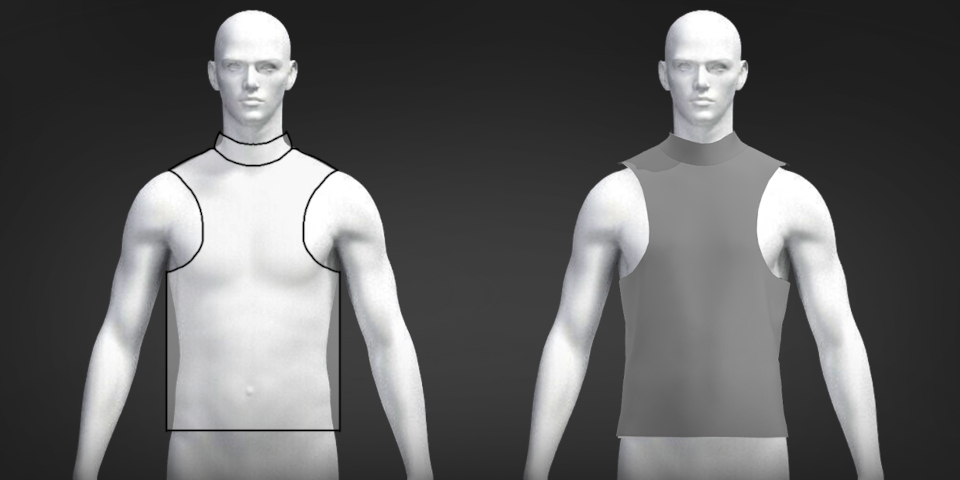
Preserve 3D garment shape on 2D scaling in Marvelous Designer 2026.0
Preserve 3D Garment Shape on 2D Scaling is one of the most practical features in Marvelous Designer 2026.0 because it addresses a longstanding pain point: resizing 2D patterns without throwing off the garment silhouette already established in 3D. The official feature description says the tool accurately changes the scale of 2D patterns while preserving the 3D garment’s shape, and the official release announcement adds that it is intended to eliminate manual 3D adjustments after resizing.
Why does that matter so much? Because garment resizing is not just a fashion-design problem. It is also a game and VFX problem, especially when one asset must fit multiple body types or avatars without losing volume, drape logic, or recognizable style lines. Education-focused independent coverage highlights the feature precisely in that context, noting how preserving garment silhouettes helps artists adapt clothing across multiple characters, which is a common challenge in film and game production.
From an SEO perspective, this is one of the most search-worthy Marvelous Designer 2026.0 changes because it speaks directly to upgrade intent. Users looking for “Marvelous Designer 2026.0 scaling,” “keep garment shape while resizing,” or “resize 2D pattern without ruining 3D drape” are effectively asking about this feature. Officially, it is positioned as a flagship addition rather than a minor utility.
Marvelous Designer 2026.0 glTF and VRM support for avatar workflows
Marvelous Designer 2026.0 adds explicit glTF 2.0 support and official VRM workflow support, and that is one of the strongest signs that the software is expanding deeper into modern avatar and real-time content pipelines. The glTF manual confirms that Marvelous Designer can import and export glTF/GLB files, import them as Avatar or Trim types, auto-generate arrangement points suitable for glTF/GLB, and export avatars, patterns, graphics, and trims with options for thickness, unified UVs, garment animation, avatar joint animation, avatar cache animation, baked keyframes, embedded textures, ZIP compression, and metadata extras.
That is significant because glTF, defined by the , is an API-neutral runtime asset delivery format designed to bridge content-creation tools and modern graphics applications. In plain terms, it is one of the most important interchange formats for real-time 3D content today. Marvelous Designer’s glTF support therefore improves handoff to engines, web-based viewers, and real-time character systems without forcing every project through older file routes alone.
VRM support matters for a related reason. VRM is described by the as a platform-independent 3D avatar file format, and its documentation notes that the format is based on glTF and is aimed at avatar portability across applications. Marvelous Designer’s release notes explicitly list VRM File Format Support, and independent trade coverage says the new release adds the option to import avatars in glTF and VRM formats. That makes 2026.0 more relevant for VTuber, metaverse, social-avatar, and cross-platform humanoid workflows, even though the public controls are documented more explicitly for glTF than for VRM itself.
Blend shape avatar support in Marvelous Designer 2026.0 explained
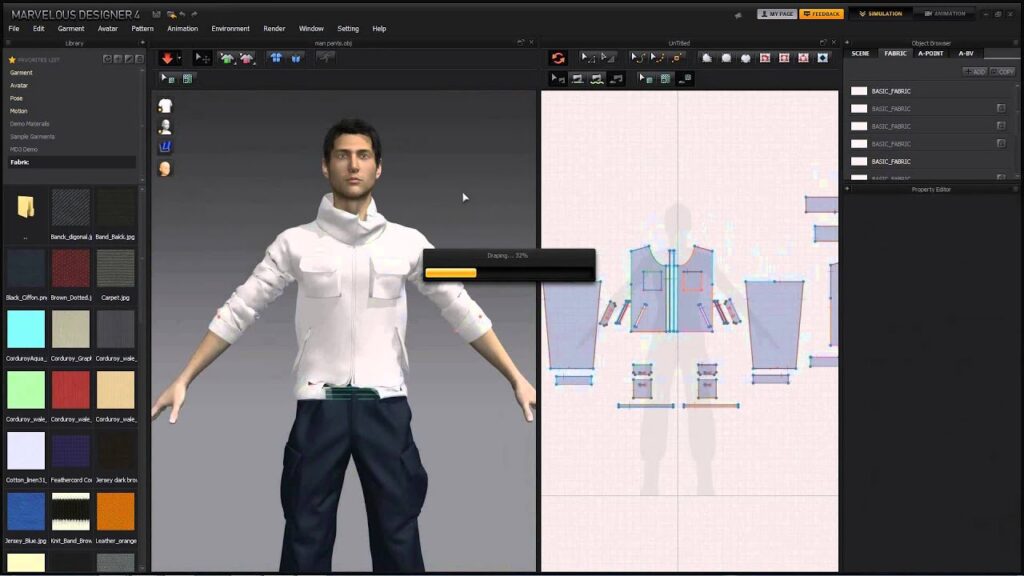
Blend shape avatar support is one of the most important avatar-side additions in Marvelous Designer 2026.0 because it enables body-shape variation inside the clothing workflow instead of forcing artists to solve those changes before import. The official manual explains that blend shape technology blends pre-made body types or facial expressions at chosen ratios, and Marvelous Designer now supports importing avatars that contain that blend shape data so users can make instantaneous body changes and perform precise dynamic fitting.
The workflow is simple but powerful. Users load a file containing blend shape data as an avatar, open the Avatar Editor, switch to the Blend Shape tab, and then adjust deformable parameters from 0 to 100. Each parameter can be favorited, grouped by mesh unit, and reset if needed. That makes the feature useful for more than novelty body morphing. It allows iterative fit checks against multiple body states using one avatar asset base.
Independent coverage adds a useful nuance here: the feature is described less as a facial-expression tool and more as a practical way to tune body shape and reduce clothing penetration issues. That is exactly why this update matters to production users. In garment simulation, the most valuable blend shapes are often the ones that help adjust chest, waist, hips, shoulders, or other fit-critical volumes while maintaining a stable avatar workflow.
Marvelous Designer 2026.0 Alembic morph animation support
Marvelous Designer 2026.0 adds Morph Animation Support for Alembic Files, and that is an important pipeline feature even though it sounds less flashy than 3D Pencil or Lacing Tool. The official release notes explicitly list the feature, while Marvelous Designer’s compatibility documentation describes Alembic as an interchange file format for computer graphics that saves both vertex and animation information. The updated Alembic import/export manual further confirms that Marvelous Designer handles object, cache, normal, and animation data in Alembic files.
In practical terms, that means Marvelous Designer is strengthening a format already associated with dense animated geometry exchange. For studios moving cloth, character caches, or deformation-heavy assets between DCCs and simulation tools, Alembic remains a common choice precisely because it preserves animated geometric states well. Adding explicit morph animation support improves Marvelous Designer’s place in those cache-driven workflows and makes the tool more attractive for character pipelines where body or surface deformation must travel alongside garment work.
The updated Alembic export options also expose controls such as Unweld, Weld, Thick or Thin output, Merge Vertex by Proximity, Include Avatar Shape, and animation range selection between Entire Region and Play Region Only. That broader export context shows that Alembic support in 2026.0 is part of a larger strategy: more controlled animation transfer, not just broader format compatibility on paper.
Retopology performance and quality improvements in Marvelous Designer 2026.0
The official Marvelous Designer 2026.0 feature list names “Performance and Quality Improvements for Retopology” as one of the seamless workflow updates. While the release notes do not publicly spell out every underlying optimization in detail, Marvelous Designer’s retopology documentation makes the importance of this area very clear: retopology is used to draw topology lines on existing patterns to create a new mesh with a lower polygon count and edge loops optimized for animation.
That matters because retopology is where raw garment simulation starts becoming downstream-friendly production geometry. Better retopology performance means less waiting during mesh cleanup. Better retopology quality means cleaner edge flow for rigging, deformation, and engine delivery. Marvelous Designer’s retopology toolset already supports face creation, topology editing, loop selection, merge operations, conversion to duplicate or replace meshes, topology ghost snapping across sewing relationships, and patch topology creation. Improving the performance and reliability of that stage directly benefits anyone turning simulated garments into animation-ready assets.
This is one of the upgrades that may not dominate marketing thumbnails but can have disproportionate value in production. If a pipeline regularly sends Marvelous Designer garments into rigging, sculpting, or engine optimization passes, retopology improvements often save more cumulative time than a single flashy creative tool. That is why this feature belongs in any serious Marvelous Designer 2026.0 upgrade assessment.
Weld turned seamlines in Marvelous Designer 2026.0 export settings
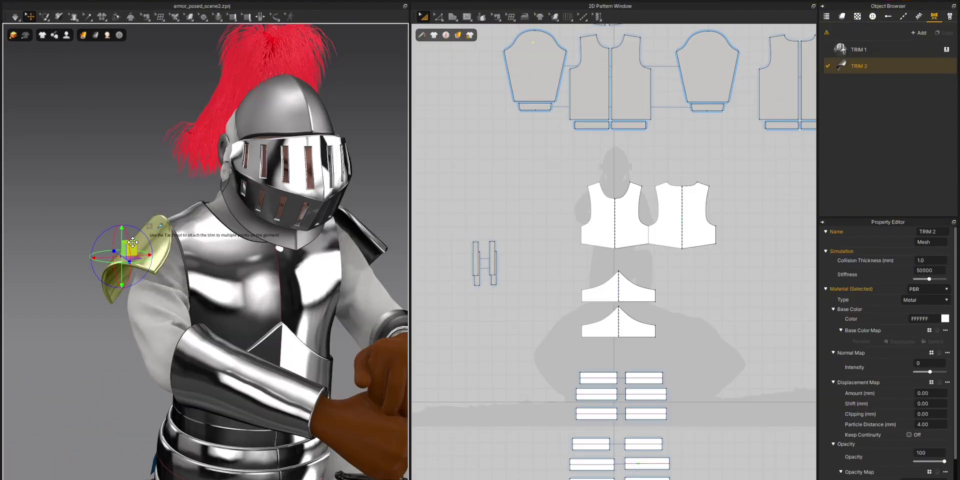
Weld Turned Seamlines is a deceptively important export change in Marvelous Designer 2026.0. Official documentation for OBJ, FBX, and Alembic export now states that even when the Sewing Line Type is set to Turned, users can still merge vertices for export. That means artists no longer have to treat turned seamlines as a special case that automatically blocks a welded export path.
Why is that a big deal? Because downstream tools often behave better with cleaner welded meshes, especially in real-time pipelines, rigging prep, or mesh cleanup stages where seam fragmentation can complicate editing. By preserving the option to weld turned seamlines, Marvelous Designer 2026.0 makes its exports more predictable for technical artists who need both garment-specific seam behavior and cleaner final geometry.
This is also a strong example of 2026.0’s overall philosophy. Many of the best upgrades are not flashy surface features; they are small technical changes that remove annoying edge cases in production. Weld Turned Seamlines belongs in that category. It reduces the mismatch between how garments are authored in Marvelous Designer and how meshes need to behave after export.
FBX and glTF export play region options in Marvelous Designer 2026.0
One of the most useful workflow upgrades in Marvelous Designer 2026.0 is the ability to export only a selected animation range rather than the entire keyed timeline. Both the FBX and glTF documentation now present two animation export choices: Entire Region and Play Region Only. In both cases, Play Region Only exports only the animation inside the specified playback range.
That sounds simple, but it affects day-to-day production more than many artists expect. Selective range export is valuable for shot work, simulation tests, looping clips, avatar idles, and versioned delivery. Instead of exporting long timelines and trimming them later in another application, users can narrow output at the source. On the glTF side, export options now also explicitly include Garment Animation, Avatar Joint Animation, Avatar Cache Animation, and Bake Keyframes. On the FBX side, Marvelous Designer documents that when Bake Animation is activated, keys are generated for every frame and exported, while Avatar Joint Animation and Garment or Avatar Cache Animation options have also been clarified and renamed.
These settings strengthen Marvelous Designer’s position as more than a simulation endpoint. They make it a better animation handoff tool. For teams passing garment and avatar motion into DCCs or engines, the ability to export only the relevant play range and to bake keys where needed reduces cleanup and minimizes ambiguous downstream playback behavior.
Avatar UV display tools in Marvelous Designer 2026.0
Avatar UV Display is a modest-sounding update with very practical value. The UV Editor documentation for the 2026.0 update adds UV Display controls that let users choose whether to show all objects or only selected objects, and whether the display should show garment UVs, avatar UVs, or both. In other words, the UV Editor is no longer limited to a one-size-fits-all view when complex scenes are open.
This is especially helpful in modern avatar workflows because a single project may include multiple garments, multiple avatars, trims, and imported assets. The ability to isolate only the selected objects’ UVs or explicitly toggle avatar UV display reduces visual clutter and makes inspection faster. Third-party release coverage specifically highlighted the ability to show only selected garments in the UV Editor as part of the version’s broader workflow and organization improvements.
For game artists and texture-focused users, this is one of those small additions that quietly improves every session. It is easier to verify overlaps, check packing logic, and focus on only the UVs that matter for the task at hand. In an update loaded with flashy headline tools, Avatar UV Display deserves more attention than it will probably get.
Animation markers in Marvelous Designer 2026.0 for timeline organization
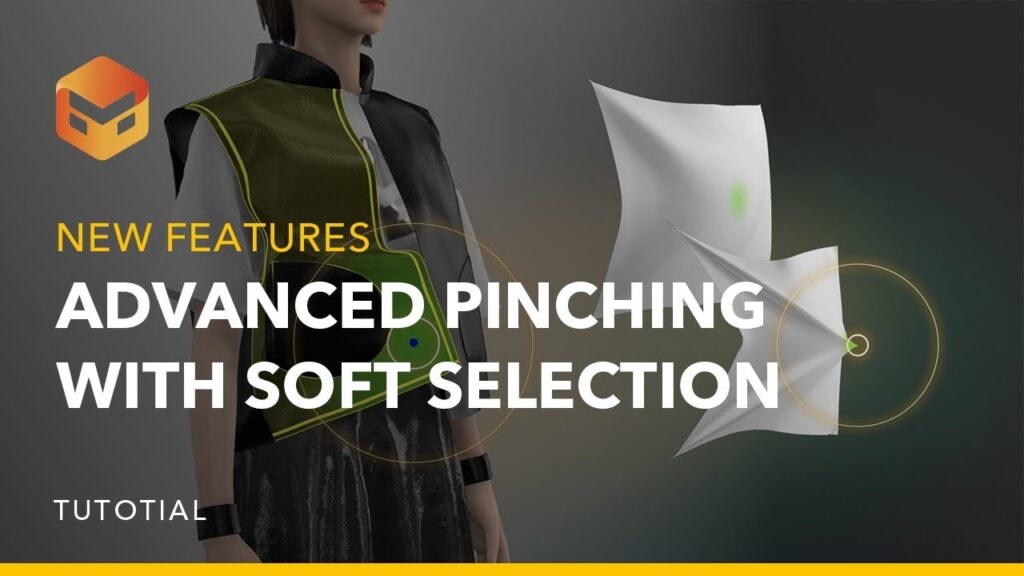
Animation Markers are new in Marvelous Designer 2026.0 and directly target timeline clarity. The official manual says markers indicate significant points on the timeline or in space, allowing users to quickly identify scene transitions, events, and keyframes. Markers can also store comments for editing notes or task instructions, and their names can be used as event triggers in the API.
That is a bigger deal than it first appears. A lot of garment work sits between simulation, animation review, and pipeline handoff. Timeline markers help organize those moments without forcing users to depend on external shot notes or memory. The official workflow covers adding markers by right-clicking the timeline ruler, editing them, copying and pasting them, and deleting them when no longer needed.
Taken together, comments plus API-trigger potential make Animation Markers one of the clearest signs that Marvelous Designer is evolving toward more structured, pipeline-aware project management inside the application itself. For solo artists, it improves recall and note taking. For teams, it creates a more legible timeline for handoff and review.
Is Marvelous Designer 2026.0 worth upgrading to for fashion and 3D artists
For most fashion designers and technical garment users, Marvelous Designer 2026.0 is a worthwhile upgrade if daily work involves repeated iteration on shape, trims, or avatar fit. Lacing Tool and 3D Pencil accelerate design ideation, while Preserve 3D Garment Shape on 2D Scaling addresses one of the most practical garment-resizing problems in the software. Blend Shape Avatar and Avatar UV Display also make custom-avatar fitting and inspection more efficient.
For 3D artists in games, VFX, VTuber, and real-time pipelines, the case is even stronger. glTF support, VRM workflow support, FBX and glTF play-region export, baked keyframe options, Alembic morph animation support, retopology improvements, and Weld Turned Seamlines are all the kinds of changes that reduce downstream cleanup and make asset transfer more predictable. If Marvelous Designer is part of a broader character pipeline rather than an isolated clothing app, 2026.0 is a meaningful production upgrade.
The only real caveat is cost-and-system fit. Official pricing snippets list the personal plan at $39 per month, the annual personal plan at $280, the business plan at $199 per month, and the academic personal plan at $99 per year. Official system requirements now center on Windows 11, Apple Silicon Macs on macOS 14 or newer, and Rocky Linux 9.5 or equivalent for Linux, with Linux availability reserved for Enterprise customers upon request. That means the upgrade is easiest to justify for regular production users, educators, studios, and serious freelancers, and less compelling for occasional hobby use on older hardware.
The bottom line is straightforward: Marvelous Designer 2026.0 is worth upgrading to if the workflow bottlenecks in your pipeline involve direct garment ideation, avatar compatibility, animation export control, or cleaner final handoff. It is not just prettier software. It removes real friction in both creative and technical stages of garment production.
Frequently Asked Questions (FAQs)
- What is new in Marvelous Designer 2026.0? Marvelous Designer 2026.0 adds major new tools and pipeline upgrades including Lacing Tool, 3D Pencil, Preserve 3D Garment Shape on 2D Scaling, Blend Shape Avatar, Avatar UV Display, glTF support, VRM support, play-region export for FBX/glTF, Alembic morph animation support, retopology improvements, and Weld Turned Seamlines.
- When was Marvelous Designer 2026.0 released? The clearest official documentation marker is April 1, 2026, because the master feature list carries that timestamp in the support center, although official search indexing shows March 31, 2026 and the CLO-SET Connect campaign post appears with an April 12, 2026 date.
- Does Marvelous Designer 2026.0 support glTF and VRM? Yes. Official release notes list both glTF File Format Support and VRM File Format Support. Public documentation clearly details glTF import and export, while independent coverage specifically describes avatar import in glTF and VRM formats.
- Can Marvelous Designer 2026.0 export only part of an animation? Yes. Both FBX and glTF export now include Entire Region and Play Region Only options, so users can export only the selected playback range.
- What does the Lacing Tool actually generate? It does not only simulate a route visually. The tool automatically creates an editable lace pattern in the 2D window after the user defines the hole sequence, and that generated lace can then be edited like a standard pattern piece.
- How is 3D Pencil different from older line tools? 3D Pencil is built for direct sketching on the avatar in front or back view, includes erasing and symmetry controls, previews conversion through a guide, and then converts strokes into editable 3D Pen lines.
- How does Blend Shape Avatar help garment fitting? It allows users to import avatars with blend shape data and adjust deformable parameters directly in the Avatar Editor, making fast body-shape variation and dynamic fit correction possible without changing the base avatar asset.
- Does Marvelous Designer 2026.0 support Alembic morph animation? Yes. The release notes explicitly add morph animation support for Alembic files, and Marvelous Designer’s Alembic documentation confirms the format’s role in carrying object, cache, normal, and animation data.
- Did Marvelous Designer 2026.0 improve retopology and seamline export? Yes. The release notes call out performance and quality improvements for retopology, and the export docs add Weld Turned Sewing Lines so turned seamlines can still be merged during export.
- What platforms and hardware does Marvelous Designer 2026.0 require? Official April 2026 system requirements center on Windows 11, Apple Silicon Macs running macOS 14 or newer, and Rocky Linux 9.5 or RHEL equivalent for Linux; Linux availability is limited to Enterprise customers on request. Recommended setups also scale much higher for heavy clothing scenes and animations.
conclusion
Marvelous Designer 2026.0 is one of the stronger recent version updates because it improves both the front end and the back end of garment production. On the front end, 3D Pencil, Lacing Tool, Toon Shader, and shape-preserving scaling make creation faster and more intuitive. On the back end, glTF, VRM, Alembic morph support, refined export ranges, baked keys, retopology improvements, UV inspection tools, animation markers, and seamline welding changes make the software easier to integrate into serious character pipelines.
For users searching “Marvelous Designer 2026.0 new features,” “Marvelous Designer 2026.0 release date,” “Marvelous Designer glTF support,” or “is Marvelous Designer 2026.0 worth upgrading,” the evidence points in the same direction: this release is not just broader in scope, but more aligned with how modern fashion, game, animation, and avatar teams actually work.
sources and citation
- Marvelous Designer 2026.0 New Feature List
- Lacing
- 3D Pencil (Avatar)
- Blend Shape Avatar
- glTF 2.0 / glTF / GLB File
- 3D File (FBX) Import/Export
- 3D File (Alembic) Import/Export
- UV Editor Mode: Edit UV Location
- Animation Marker
- System Requirements (April 2026)
- CLO-SET Connect: Update to Marvelous Designer 2026.0 Today!
- Marvelous Designer Official 2026.0 Feature Page
- Khronos glTF 2.0 Specification
- Khronos glTF Overview
- VRM Consortium
- VRM Documentation
- VRM 1.0 Specification
- CG Channel: CLO Virtual Fashion releases Marvelous Designer 2026.0
- Digital Production: Marvelous Designer 2026.0 adds 3D Pencil and lacing
- The Rookies: New Features for 3D Fashion Design, Games & Education
Recommended
- The Best Hair Grooming Tools for Unreal Engine
- Man Shot In Parking Lot In An Argument Over Pokémon Cards at Indianapolis Kroger: What We Know So Far
- How to Download MetaHuman: The Ultimate Step-by-Step Guide to Accessing Digital Humans
- Advanced Camera Switching Techniques with The View Keeper in Blender
- Cyberpunk 2077 Hair Mods: Top Custom Hairstyles, Installation Guides, and Community Favorites
- How BALL x PIT Helped Devolver Digital Triple Its Annual Revenue From New Games (FY2025 Breakdown)
- What Are the 7 Basic Camera Movements in 3D Animation? A Complete Guide
- Heroes of Might and Magic: Olden Era Early Access Release Date, Wishlist Milestone, and What to Expect
- Blender Add-Ons for Customizable Procedural Clouds: Best Tools for Volumetric Sky, Cloudscapes, and Fast Art Direction
- Marvel’s Wolverine Preorders Still Waiting on Insomniac’s Next Gameplay Reveal as PS5 Release Approaches




























































































