







Avatar: The Way of Water pushed the boundaries of visual effects, especially with its groundbreaking water VFX. From vast ocean environments to intimate underwater close-ups, Avatar 2’s aquatic scenes set a new benchmark for realism. In this comprehensive guide, we’ll explore how Avatar 2’s water effects differ from the original Avatar, the cutting-edge simulation techniques used, and how you can recreate similar effects in tools like Blender, Unreal Engine, Maya/Bifrost, and Houdini.
We’ll also dive into behind-the-scenes developer insights, community reactions, VFX innovations, and even peek at what’s rumored for Avatar 3 and 4. Whether you’re a budding VFX artist or a seasoned professional, this guide will immerse you in the world of Avatar 2’s water VFX and the broader landscape of water simulation technology in 2025.
In This Article (24 sections)
How Avatar 2’s Water VFX Differ from the Original Film
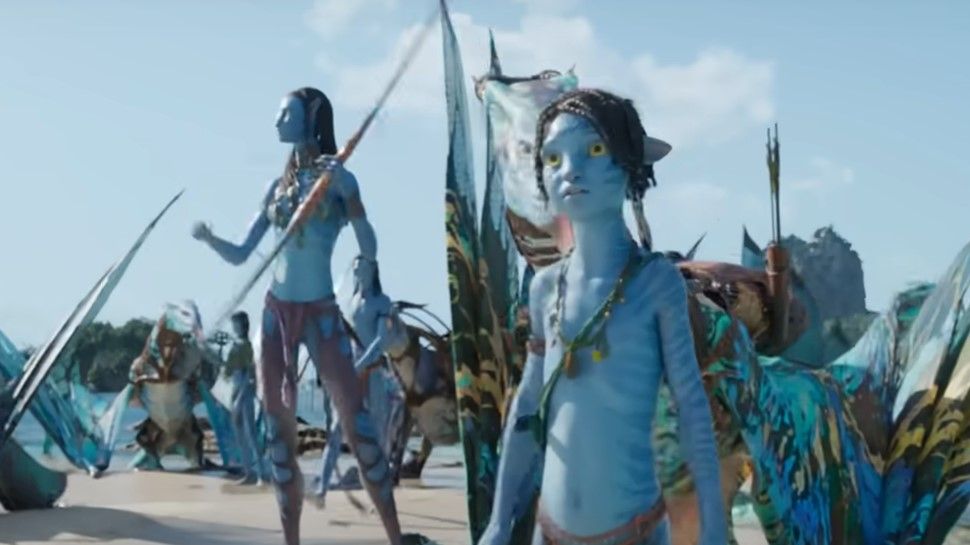
James Cameron’s Avatar (2009) was renowned for its lush jungles and floating mountains, but water scenes were minimal, with one shot taking two years to complete due to the challenges of large-scale CG water at the time (pocculture.com). In contrast, Avatar: The Way of Water (2022) dives into Pandora’s oceans, making water a central element and requiring a significant technological leap. The sequel features complex, realistic underwater environments with caustics, volumetric lighting, and marine life, alongside dynamic character interactions like swimming and splashing, captured through underwater motion capture in a giant tank (slashfilm.com).
Unlike the original’s simpler waterfalls and splashes, which used early fluid simulations with tools like Naiad (beforesandafters.com), Avatar 2 treats water as a narrative character, employing advanced simulations and rendering to create vast ocean sequences and intricate details. By 2022, Wētā FX’s expanded team and new water simulation pipeline enabled hundreds of shots with unprecedented fidelity, far surpassing what was possible in 2009 (pocculture.com).

Technological Advancements in Water Simulation for Avatar: The Way of Water
Wētā FX’s Water Development Project, launched in 2017, drove major innovations for Avatar 2’s oceanic visuals (beforesandafters.com).
- Loki Framework: Wētā developed Loki, an in-house simulation system integrated with Houdini, featuring a “state machine” to unify water behaviors like waves, spray, foam, and mist. This allowed automated effects, such as a boat’s splash transitioning to mist and foam, improving efficiency and consistency (slashfilm.com).
- Fluid Simulation Resolution and Scale: Over 3,000 water shots combined massive CG oceans with fine details like droplets on skin. Wētā used large FLIP simulations for waves and a thin-film solver for rivulets and droplets, with one shot taking eight days to compute, capturing intricate fluid adhesion on moving characters (beforesandafters.com).
- Rendering and Lighting: Enhanced rendering improved water’s optical properties—refraction, reflection, and scattering—using a high dynamic range global illumination approach. The “Gazebo” tool provided real-time pre-lighting visualization, including caustics and volume effects, ensuring seamless integration with live-action elements (theasc.com).
These advancements enabled Pandora’s oceans to appear lifelike, laying the foundation for future VFX-heavy films.
Recreating Avatar 2’s Water Scenes in Blender: A Step-by-Step Guide
Blender offers tools for solo artists or small teams to recreate Avatar 2-inspired water scenes, though without Wētā’s render farms.
- Scene Scale and Setup: Model a Pandora-like shore with ocean and interacting elements (e.g., rocks or creatures), using real-world scale (1 Blender unit = 1 meter). Set a cube as a Fluid Domain (Liquid) to encompass the water area (blenderartists.org).
- Ocean Surface (Calm Waves): Use the Ocean Modifier on a large plane for an infinite, animated water surface with adjustable wave scale and choppiness to mimic Pandora’s calm reefs, avoiding costly full simulations (blenderartists.org).
- Fluid Simulation (Interaction): Create a smaller FLIP simulation domain (Mantaflow) for interactions like a character diving, setting high resolution (200+ divisions) and enabling Mesh output. Animate collision objects (e.g., a body shape) as Effectors to generate splashes (reddit.com).
- Whitewater (Foam and Spray): Use the FLIP Fluids add-on for foam, spray, and bubbles, or fake foam in pure Blender with textures or dynamic paint in high-vorticity areas (reddit.com).
- Materials and Shading: Apply a Glass or Principled shader (IOR 1.33) with transparency and environment texture reflections. Add volumetric fog (Volume Scatter) with a blue tint for underwater density.
- Lighting and Rendering: Light with a sun lamp and HDRI, using glancing angles for specular highlights. Fake caustics with light textures or use Cycles’ caustics feature, rendering with high samples and optimized transparency bounces (reddit.com).
- Composite and Post-process: Blend ocean and splash layers, adding motion blur for droplets, bloom on wave peaks, and blue-green color correction for underwater scenes.
Example: Recreate a Na’vi diving scene with the Ocean Modifier for the sea and FLIP sim for the splash, starting with low-res tests for speed (blenderartists.org).

Utilizing Unreal Engine to Simulate Avatar 2’s Aquatic Environments
Unreal Engine 5 (UE5) offers real-time tools to simulate Avatar 2-style aquatic environments, though less physically accurate than offline renderers.
- Unreal Engine’s Water System: Use a Water Body Ocean actor with Gerstner waves for an infinite, performant ocean, tweaking amplitude and choppiness for Pandora’s reefs or stormy seas, with shoreline foam and LOD (yelzkizi.org).
- Underwater Environment: Apply an Underwater Post Process Volume for blue-green tint, bloom, Light Shafts, and volumetric fog, enhanced by Niagara particles for floating debris (yelzkizi.org).
- Interactive Water with Niagara: Use Niagara’s 2D Water Ripple solver for ripples and 3D fluid sim templates for splashes, spawning emitters for droplets and foam at collision points (yelzkizi.org).
- Buoyancy and Physics: Attach Buoyancy components to objects (e.g., boats or creatures) to sample wave motion, adjusting density and drag for realistic bobbing (yelzkizi.org).
- Material Tricks: Blend high-frequency ripple normals with Gerstner waves, use flow maps for currents, and apply caustics textures for seafloor light patterns, enhancing translucency (yelzkizi.org).
Example: A Metkayina lagoon uses Water Body Ocean/Lake, volumetric fog, and Niagara splashes for swimming characters, enabling rapid real-time iteration (yelzkizi.org).
Maya and Bifrost: Crafting Realistic Water Effects Inspired by Avatar 2
Maya’s Bifrost, evolved from Naiad (used in Avatar 2009), is ideal for Avatar 2-inspired water effects (beforesandafters.com).
- Bifrost FLIP Simulations: Create a Liquid node for high-res water sims with colliders (e.g., breaching creatures), generating millions of particles meshed for rendering (help.autodesk.com).
- BOSS (Bifrost Ocean Simulation System): Generate procedural oceans with wind-driven waves, combining with FLIP sims for localized interactions via guided simulations (help.autodesk.com, forum.realflow.com).
- Foam and Whitewater: Emit foam particles from turbulent areas using Bifrost’s Foam graph, rendering as points or meshes for bubbles and foam around objects (help.autodesk.com).
- Viscosity and Other Effects: Simulate low-viscosity water or thicker fluids (e.g., mud plumes), adjusting parameters for varied effects (help.autodesk.com).
- Integration with Maya Workflow: Animate characters as Bifrost colliders, caching sims (.bif or Alembic) for iterative workflows without re-simulation (help.autodesk.com).
- Rendering the Water: Use Arnold’s Standard Surface shader (IOR 1.33, transmission 1) with volume shaders for scattering and photon mapping for caustics, mimicking Pandora’s reefs (help.autodesk.com).
Example: Use Bifrost for creature splashes and BOSS for surrounding oceans, delivering film-quality results in Maya’s pipeline (platestudio.com.br).

Houdini Techniques for Replicating Avatar 2’s Water Simulations
Houdini’s flexibility makes it a top choice for Avatar 2-style water effects, used by Wētā FX in their pipeline.
- FLIP Fluid Simulations: Use a FLIP Tank with narrow-band FLIP for surface-focused high-res water, adding colliders (e.g., creatures) for splashes, optimized for large areas.
- Guided Oceans and Spectra: Combine Ocean Spectrum for procedural waves with FLIP sims for local disturbances, using ocean deformers for seamless tiling.
- Whitewater System: Emit foam, spray, and bubbles from turbulent areas, tuning lifespans to replicate Avatar 2’s spray-to-mist-to-foam transitions (slashfilm.com).
- Multiple Solvers & Custom Forces: Apply custom forces (e.g., currents via Volume Velocity) or POP solvers for mist, combining with FLIP for modular effects.
Example: A Tulkun breaching uses Ocean Spectrum for waves, FLIP for splashes, Whitewater for foam/spray, and VDB meshing for rendering, with node-based tweaks for precision (slashfilm.com).
Developer Insights: Behind the Scenes of Avatar 2’s Water VFX
Wētā FX’s behind-the-scenes efforts reveal the complexity of Avatar 2’s water VFX (pocculture.com).
- Water as a Character: Water conveyed narrative mood, with simulations tuned for calm or turbulent scenes, sometimes exaggerated for dramatic effect.
- Underwater Performance Capture Challenges: Underwater filming provided authentic motion, requiring CG water to match real footage, preserving actor nuances (slashfilm.com).
- Loki Simulation Framework: Enabled 127 artists, including juniors, to create consistent hero shots, automating complex effects (slashfilm.com).
- Rapid Iteration and Template Shots: Template sims for common scenarios (e.g., wave breaks) allowed quick approvals, some in one take (pocculture.com).
- Reference Gathering: High-speed footage of divers informed droplet and bubble behavior, inspiring the thin-film solver (pocculture.com).
- Collaboration Between Departments: Animation, FX, and rendering teams shared tools, with animators previewing water effects and FX tweaking motions.
- Hardware and Computing Feats: Local and AWS cloud farms with adaptive solvers managed heavy sims (e.g., 8-day droplet sims) (beforesandafters.com, reddit.com).
These insights highlight innovative tools and teamwork, with plans to push further in sequels (thedirect.com).

Community Feedback on the Visual Effects of Avatar: The Way of Water
The VFX community widely praised Avatar 2’s water effects.
- Universal Acclaim for Realism: Water was hailed as some of the best in film, with seamless CG-live-action integration, immersing audiences (reddit.com).
- Praise from VFX Peers: Professionals lauded wave physics and hair-water interactions, with the film winning the 2023 Oscar and VES Awards (wetafx.co.nz).
- Comparisons to the Original Avatar and Other Films: Avatar 2’s water outshone the original’s dated shots and films like Pirates of the Caribbean.
- Audience Emotional Connection: Viewers felt transported by the waterworld, connecting with scenes like kids swimming with Ilu.
- Critiques and Nitpicks: Minor HFR-related CG visibility and “too perfect” water comments were overshadowed by praise (reddit.com).
- Inspiration for Artists: Artists on forums like BlenderArtists attempted to recreate effects, inspired by Avatar 2’s achievements (blenderartists.org).
The water VFX set a new standard, fueling sequel anticipation (reddit.com).
VFX Developments and Innovations Introduced in Avatar 2
Avatar 2 introduced groundbreaking VFX innovations.
- Underwater Performance Capture Integration: Captured authentic underwater motions, integrated with CG water for realistic character movements (slashfilm.com).
- Modular FX Simulation (Loki Framework): Streamlined complex water sims for large teams, ensuring consistency (slashfilm.com).
- State Machine for Water Phenomena: Unified spray-mist-foam transitions in one simulation for realistic multi-phase behavior (slashfilm.com).
- Thin-Film Fluid Solver: Simulated droplets on skin, blending fluid and shader techniques (beforesandafters.com).
- Facial Performance and Water Interplay: Facial rigs accounted for water distortion and drag for accurate submerged expressions.
- Rendering Techniques and GPU Utilization: GPU-accelerated previews (Gazebo) and path tracing with denoisers managed complex scenes (theasc.com).
- Integration of Wētā Tools with Unity: Water tech is being adapted for Unity, broadening access to advanced VFX (beforesandafters.com).
These advancements redefine VFX possibilities (beforesandafters.com).

Speculations and Confirmed Reports on Water VFX in Avatar 3 and 4
Avatar 3 and 4 promise enhanced water VFX.
- Confirmed Developments for Avatar 3: Wētā FX aims to improve water and facial effects, building on Avatar 2’s techniques (thedirect.com).
- The Elemental Theme – Fire and Ash: Avatar 3’s fire/ash focus may reduce water’s role, but coastal volcanic scenes could combine water and lava, using Loki-like tools (people.com).
- Expect Even More Complex Simulations: Speculated multi-physics scenes (water, lava, steam) may extend Avatar 2’s multi-phase tech (synapsestudiovn.com).
- Use of High Frame Rate and its Impact: HFR requires refined simulations to avoid artifacts, adjusting spray rendering.
- Production Timeline and VFX Capacity: Extended post-production for Avatar 3 (late 2025) allows polish, possibly with ML-driven enhancements (people.com, synapsestudiovn.com).
- New Environments in Avatar 4: May revisit oceans or introduce ice-based water effects, leveraging existing tech (wetafx.co.nz).
- Rumors of a 9-hour Cut for Avatar 3 on Disney+: An unconfirmed rumor suggests a 9-hour cut, potentially expanding water scenes (nepalnews.com).
Water VFX will likely integrate with new elements, pushing boundaries (thedirect.com).
Best Software for Water Simulation and VFX in 2025
Water simulation is a challenging aspect of VFX, and selecting the appropriate software is critical for achieving desired results. As of 2025, the following are the leading software options for water simulation and visual effects, each tailored to specific project needs and user expertise.
- SideFX Houdini: Houdini is widely regarded as the premier tool for advanced water VFX, particularly in films and commercials. Its node-based, procedural workflow and robust FLIP fluid solver enable simulations ranging from delicate droplets to vast ocean storms (platestudio.com.br). Highly customizable, it allows technical directors to script or develop custom tools, making it a staple in blockbusters. Use Case: Ideal for high-end productions requiring precise control and integration with custom pipelines, such as studios working on projects like Avatar or Marvel films. Despite its steep learning curve, Houdini’s unmatched versatility makes it the top choice for VFX professionals.
- Autodesk Maya + Bifrost: Maya is a VFX industry standard for animation and lighting, and Bifrost enhances its fluid simulation capabilities. Originating from Naiad, Bifrost’s FLIP solver delivers high-quality liquids within Maya’s ecosystem (help.autodesk.com). Its visual programming interface and pre-built graphs for scenarios like ocean waves make it artist-friendly. Use Case: Suited for studios or individuals familiar with Maya who want to incorporate realistic water without switching tools. It’s effective for medium to large studios and has been used in films like Interstellar and Pirates of the Caribbean (via Naiad) (platestudio.com.br). While less flexible than Houdini for custom effects, Bifrost achieves top-tier liquid results.
- Maxon/Next Limit RealFlow: RealFlow is a standalone fluid simulation tool renowned for its use in films like The Day After Tomorrow and Pirates of the Caribbean (platestudio.com.br). It offers particle-based (FLIP, SPH) and grid-based solvers, with a user-friendly interface focused on fluids, including splashes and foam. Use Case: Perfect for smaller studios or freelancers seeking cinematic water without Houdini’s complexity, exporting meshes to tools like Maya or Cinema4D. It excels in commercials and product visualizations, such as slow-motion splashes, though its use in major films has waned due to integrated tools.
- Blender (Mantaflow and FLIP Fluids Add-on): Blender’s Mantaflow solver provides decent water simulations, but the FLIP Fluids add-on significantly enhances its capabilities, offering whitewater generation and improved meshing (reddit.com). Blender’s free nature and production-proven Cycles renderer make it accessible. Use Case: Ideal for indie filmmakers, hobbyists, or small studios on a budget. With the affordable FLIP Fluids add-on, Blender can produce near-industry-standard results, suitable for pre-visualization or final shots in smaller projects.
- Unreal Engine (Water & Niagara): Unreal Engine 5 excels in real-time water effects for games and virtual production. Its Water system creates large bodies with waves and shoreline interactions, while Niagara handles dynamic splashes and ripples (yelzkizi.org). Use Case: Best for game development, VR, or virtual production, allowing real-time visualization without long renders. Plugins like FluidFlux enhance its capabilities, making it a top choice for interactive water scenarios.
Other Notables: Cinema 4D with X-Particles is useful for motion graphics, Houdini Engine integrates simulations into other platforms, and proprietary tools like Wētā’s (potentially via Unity Wētā Tools) are studio-specific. Summary: Houdini and Maya+Bifrost lead for film realism, RealFlow suits specialized fluid work, Blender is ideal for independents, and Unreal excels in real-time. Combining tools (e.g., Houdini for simulation, Unreal for presentation) is common (platestudio.com.br).

Comparing RealFlow and Houdini for Advanced Water Simulations
RealFlow and Houdini are both powerful for fluid simulations but differ in workflow and application.
- Workflow and Flexibility: Houdini’s node-based, full 3D environment offers unparalleled customization, allowing complex setups and integration with other effects like destruction. RealFlow’s standalone, GUI-driven interface is simpler, focusing on fluids with emitters and daemons, but less flexible for non-standard scenarios (sidefx.com).
- Speed and Performance: RealFlow’s optimized solvers (FLIP, SPH, Hybrido) can be faster for straightforward fluid sims, sometimes leveraging GPU. Houdini’s FLIP solver is powerful but may be slower unoptimized due to its data accessibility. In 2025, Houdini’s distributed sims and performance improvements narrow the gap, excelling in complex scenes (sidefx.com).
- Control and Art Directability: Houdini provides granular control via microsolvers, enabling custom behaviors like sticky fluids or seamless ocean blending. RealFlow’s control is high-level via daemons and Python scripting, limiting precise art direction compared to Houdini’s data-level intervention (sidefx.com).
- Integration and Pipeline: RealFlow exports meshes to Maya, 3ds Max, or Cinema4D, fitting studios with existing pipelines. Houdini, a complete package, supports simulation and rendering internally or exports via Alembic, with Houdini Engine enabling integration into Maya or Unreal (sidefx.com).
Features:
- Both use FLIP solvers; RealFlow also offers SPH for small-scale fluids (platestudio.com.br).
- Houdini’s whitewater system is highly customizable; RealFlow’s foam generator is simpler but effective.
- Both support distributed simulations, with Houdini using HQueue and RealFlow its network render kit.
- RealFlow’s learning curve is gentler; Houdini’s is steeper but more powerful.
Summary: Houdini is preferred for complex, integrated VFX in major studios due to its versatility (platestudio.com.br). RealFlow suits smaller teams or fluid-focused projects for its speed and ease, integrating well with other apps. Some artists use both, leveraging RealFlow’s quick setups and Houdini’s refinement capabilities (sidefx.com).

Blender’s FLIP Fluids Add-on: Achieving Cinematic Water Effects
Blender’s FLIP Fluids add-on enhances its fluid simulation capabilities, enabling cinematic water effects within its ecosystem.
- What is the FLIP Fluids Add-on?: A plugin integrating a custom FLIP solver, offering better performance and features than Mantaflow. It provides an intuitive interface and presets for water effects, rivaling Houdini or RealFlow results (reddit.com).
- Key Features and Advantages:
- Whitewater Simulation: Generates spray, foam, and bubbles automatically in turbulent areas, enhancing realism (reddit.com).
- Surface Tension & Viscosity: Supports varied fluid types, from water to syrupy liquids.
- High Resolution and Stability: Handles millions of particles with stable, artifact-free results using C++ and multi-threading.
- Meshing: Produces smooth, detailed surfaces with customizable smoothing.
- Ease of Use: Integrates into Blender’s physics properties with presets and extensive documentation.
- Achieving Cinematic Effects:
- Scale and Setup: Use real-world scale for accurate physics.
- Resolution Settings: Lower Grid Size for high detail, requiring significant computation for cinematic shots.
- Whitewater: Enable for foam and splashes in wave crashes or object interactions.
- Guiding and Obstacles: Use animated obstacles and guide velocities to shape waves.
- Rendering: Apply a Principled BSDF or Glass shader (Transmission 1.0, IOR 1.33) in Cycles, with volumetric fog for underwater depth.
- Optimization: Crop domains to focus detail, use adaptive time stepping, and cache sims to disk.
- Real-world Use Case: A studio created a slow-motion fruit splash for a commercial, achieving detailed droplets. Another artist recreated a whale breach with cascading water and foam, resembling film-quality shots.
- Limitations and Tips: Lacks GPU acceleration, making large sims CPU-intensive. Use multiple computers for chunked sims and cache results for efficiency.
Summary: The FLIP Fluids add-on enables Blender users to create movie-like water effects, bridging the gap with pricier tools. It’s a game-changer for freelancers and indies, and useful for professionals for mock-ups or final shots, combining physics with artistic control (reddit.com).

Unreal Engine’s Niagara System: Real-Time Water Simulation Techniques
Unreal Engine’s Niagara system enables real-time water effects for interactive applications, complementing its Water system.
- 2D Water Ripple Simulations: Niagara’s 2D shallow water solver (Grid2D Water) simulates surface ripples, like raindrops or footsteps in puddles, rendered as normal maps or displacement (yelzkizi.org).
- 3D Fluid Simulations (Niagara Fluids): The 3D solver (Grid3D) simulates small water volumes, like splashes or fountains, on the GPU. Limited to localized effects due to performance, it’s ideal for dynamic bursts (yelzkizi.org).
- Splashes and Particle Effects: Use Niagara emitters for splashes triggered by collisions, spawning sprite particles for droplets and mist, combined with 2D ripples for comprehensive effects (yelzkizi.org).
- Foam and Trails: Spawn particles for foam trails behind moving objects, using ribbon renderers or bobbing particles to mimic wakes, enhancing realism (yelzkizi.org).
- Interactive Buoyancy with Niagara Data: Niagara’s 2D solver can apply forces to physics objects, enabling interactive floating responses to ripples (yelzkizi.org).
- Rendering Considerations: Use sprite particles with motion blur for spray or opaque materials for foam to optimize performance, minimizing overdraw (yelzkizi.org).
- Real-Time vs Offline: Niagara focuses on localized, dynamic effects for games or VR, not replacing offline film sims. It enables procedural interactions impossible to pre-bake (yelzkizi.org).
- Example Setup: A water spell spiraling and splashing uses Niagara’s vortex motion and 3D solver for the spiral, switching to radial spray and ripples on impact, creating a real-time effect.
Summary: Niagara’s real-time techniques—2D ripples, 3D fluid sims, and particle effects—enable dynamic water interactions in games and virtual production. While not matching offline sims, it delivers interactive, Avatar-like water effects, enhancing gameplay and visualization (yelzkizi.org).
Maya’s Bifrost Engine: Creating High-Quality Fluid Effects
Autodesk Maya’s Bifrost engine is a powerful toolset for simulating realistic water visuals directly within Maya, making it a compelling choice for artists seeking high-quality fluid effects integrated with Maya’s animation environment.
- Bifrost Overview: Bifrost is a simulation framework in Maya, utilizing a FLIP solver for liquids, originally based on Naiad technology used in films like Avatar. It includes solvers for smoke (aero) and granular materials (MPM), and features a visual Bifrost Graph editor for configuring emitters, colliders, and forces, alongside ready-made Maya commands for common tasks. BOSS (Bifrost Ocean Simulation System) facilitates realistic ocean surface creation.
- Setting up a Water Simulation in Bifrost: To begin, select an object to emit water or define an initial volume, then access the Bifrost menu to generate a liquid simulation. This action automatically constructs a Bifrost Graph with nodes for emission, solver, and gravity, producing visible water particles. For contained scenarios like a glass filling or pool splash, a rectangular domain confines the simulation; for open scenes like a coastline, a large domain allows water to flow freely.
- Quality Settings: Simulation quality is enhanced by reducing voxel size or particle density, where smaller voxels increase particle count for finer, film-quality results. Bifrost’s adaptivity settings optimize detail allocation, and the system supports large-scale simulations, such as kilometers of ocean using a base ocean shader combined with a FLIP simulation for detailed surface interactions.
- Interactions and Collision: Bifrost excels in seamless interaction with Maya objects, where any polygon mesh can be designated as a collider in the Bifrost Graph. This enables animated characters or rigid bodies to create splashes, supporting one-way or two-way coupling, allowing water to push objects (e.g., floating) or objects to displace water, such as a boat generating a wake while bobbing on waves.
- Foam and Bubbles: For realistic water, secondary effects like foam are crucial. Bifrost Graph can be configured to emit foam particles based on conditions like high water velocity near the surface, with Autodesk providing example graphs for foam and bubbles. Alternatively, foam masks can be generated via shading using mesh curvature or speed. For true 3D foam motion, simulating additional particles in Bifrost, shaded as white-water points or tiny blobs, is preferred.
- Rendering and Shading in Maya: Arnold renderer handles Bifrost liquids as implicit surfaces or meshed via a Bifrost Mesher node. A Standard Surface shader with Transmission = 1, IOR 1.333, zero diffuse, and some specular ensures accurate water appearance. Enabling caustics and increasing ray depth for refraction captures realistic reflections and refractions, while adaptive sampling reduces noise in complex water scenes.
- Large Scale Water via BOSS and Guided Sims: BOSS generates infinite ocean planes with displacement maps applied to large meshes, guiding Bifrost FLIP simulations to ensure continuity with detailed splashes. This hybrid approach, using BOSS displacement for broader areas and Bifrost for character interactions, is production-proven and supported by features like collider wave coupling.
Example scenario: To depict a human jumping into water near a dock, create a domain around the dock, use BOSS for gentle base waves, emit ocean water volume, designate the human’s geometry as a collider, simulate the splash and ripples interacting with waves, spawn foam particles at the splash site, mesh the water, and render in Arnold with daylight for a realistic splash, foam, and droplets effect.
Why choose Bifrost?: Bifrost’s integration within Maya streamlines workflows, leveraging Maya’s caching and animation rig compatibility. Its Naiad-derived solver delivers production-proven quality, and the visual programming of Bifrost Graph allows custom solutions without coding, though it’s less flexible than Houdini, suiting artists preferring Maya’s intuitive environment.
Performance and Iteration: Heavy Bifrost simulations benefit from region tuning and low-resolution scratch caches for initial motion tests, with final high-res caches for detail. Background caching or farm distribution enhances efficiency, and Bifrost supports particle output or built-in meshing, offering flexibility for external meshing if needed.
In summary, Maya’s Bifrost empowers artists to craft high-quality water simulations with film-grade physics, blending artist-friendly features and deep control within Maya’s ecosystem, suitable for everything from small splashes to vast ocean scenes.

Houdini’s Node-Based Workflow for Complex Water Simulations
SideFX Houdini’s node-based workflow offers unparalleled control for complex water simulations, leveraging a procedural approach for precision and flexibility.
- Everything is a Node: Houdini represents all scene elements as node networks, allowing visualization and modification of each simulation step, such as particle generation, gravity application, or particle deletion. This enables custom adjustments, like capping splash heights with a conditional node or keyframing gravity for slow-motion effects.
- Reusable Setups and Iteration: Node networks can be encapsulated into reusable digital assets, enabling consistent setups like beach waves with adjustable parameters (wave height, foam). Caching input waves allows repeated high-res simulations without regenerating inputs, streamlining iteration for multiple shots.
- Combining Different Simulation Types: Houdini’s DOP networks integrate multiple solvers, like FLIP for water and POP for particles, facilitating multi-physics scenarios. For example, a boat’s rigid body motion and water’s FLIP simulation can interact in a unified sim, or water and smoke can mix, with outputs feeding into subsequent simulations.
- Access to Microsolvers: FLIP solver’s microsolvers, handling pressure, viscosity, or vorticity, are accessible for customization. Artists can inject custom velocity fields for effects like explosions or apply wind forces to spray above specific heights, providing granular control over simulation behavior.
- Scripting and Expressions: Nodes support expressions to drive parameters, such as linking particle separation to a slider or varying foam density with a curve. Master controls can scale effects like splash size by adjusting multiple parameters, enabling coordinated large-scale simulations.
- Debugging and Problem Solving: Visualizing data at any node aids debugging, allowing artists to inspect collision or velocity fields for issues like leaks or spikes. The logical node layout simplifies pinpointing and resolving problems, resembling a flowchart.
- Scalability: Houdini scales simulations by increasing resolution or tiling regions, blending multiple sims or instancing splashes with variations. This approach manages large scenes, like war sequences, by reusing core simulations with different seeds.
- Case Study – Tsunami or Huge Wave: For a tsunami, separate node networks simulate the main wave, secondary splashes, and debris, merged in a master network. This organizes complexity, ensuring proper sequencing (wave, debris, secondary water, meshing).
- Learning the Node Mindset: Houdini’s node system requires adaptation from linear workflows but offers limitless flexibility, enabling fixes or enhancements via node insertions. Well-designed setups guide less experienced artists to execute complex tasks safely.
In summary, Houdini’s node-based workflow acts as a visual programming language for water simulations, ideal for complex, iterative scenarios, providing clarity and control that make it a top choice for VFX studios tackling chaotic water effects.

Tips for Optimizing Water VFX for Film and Animation Projects
Optimizing water VFX balances quality and computational efficiency, crucial for resource-heavy simulations in film and animation.
- Start Low-Res, Then Scale Up: Begin with low-resolution simulations to establish motion and timing, allowing rapid iteration on splash shapes or wave rhythms. Once approved, scale to high-res for detailed final runs, avoiding costly high-res tweaks early on.
- Use Adaptive Solvers: Adaptive solvers allocate more particles to turbulent areas like splashes while reducing density in calm regions. Narrow-band FLIP, simulating only near the surface, avoids computing deep, unseen water, significantly reducing particle counts in tools like Houdini and Bifrost.
- Split the Problem (Layering): Divide complex scenes into layers, simulating base water first, then secondary elements like foam or mist using base sim data. This allows independent optimization and re-running of specific layers, such as adjusting foam without re-simulating water.
- Limit the Sim Region: Restrict simulations to camera-relevant areas using bounded domains or colliders, culling off-screen particles with kill volumes. For dynamic scenes, a moving domain can follow characters, maintaining high detail locally without simulating the entire environment.
- Optimize Collision Geometry: Use simplified proxy meshes for colliders, like smoothed character models, to reduce computation and prevent issues like water leaking through complex geometry. These proxies, invisible to the camera, approximate shapes effectively.
- Use Motion Blur and Camera Tricks: Fast-moving water benefits from motion blur, reducing the need for ultra-fine simulation detail. For distant water, bump or normal maps can imply ripples, saving geometry, while depth of field or camera distance can mask minor imperfections.
- Caching and Checkpointing: Cache simulations to disk in segments for reuse and recovery, supporting scrubbing or restarting from checkpoints. Breaking long sims into chunks (e.g., frames 1-100, 101-200) enables parallel processing or resuming after crashes.
- Parallelize and Use Hardware Wisely: Distribute simulations across render farms or leverage GPU acceleration for previews. Optimize rendering by limiting bounce depth, using photon mapping for caustics, and applying denoising to reduce noise in transparent fluids, balancing sim and render efficiency.
- Utilize Post-Process for Fine Details: Enhance sims in compositing with 2D stock footage or procedural particles for mist or droplets, avoiding costly 3D simulations for minor details. Rendering non-physics-driven particles attached to motion further reduces overhead.
- Understand Physical Limits but Cheat When Needed: Maintain realistic scale to avoid syrupy water visuals, but apply artistic cheats like temporary gravity adjustments or velocity kicks to enhance dramatic effects, optimizing visual impact with controlled interventions.
By implementing these strategies, artists efficiently allocate resources, focusing detail on visible elements and breaking tasks into manageable components, delivering high-quality water VFX within production budgets.

Case Studies: Successful Water Simulation Projects Inspired by Avatar 2
Avatar 2’s groundbreaking water effects inspired diverse VFX projects, demonstrating innovative techniques across scales.
- Case Study 1: “Flow” – Indie Animated Feature: A two-person team used Blender’s FLIP Fluids add-on for ocean scenes in Flow, focusing computational detail on the protagonist’s wake and spray. Distant water used composited looping wave tiles, achieving a convincing, atmospheric ocean with limited resources, inspired by Avatar 2’s large-scale water visuals.
- Case Study 2: “Aquaman” – Underwater City: Weta Digital employed Houdini for targeted FLIP simulations of character-driven water displacements in Atlantis, complemented by volumetric lighting and particle debris. Layering practical dry-for-wet footage with CG and separate mist/foam sims for a tidal wave showcased efficient complexity management, aligning with Avatar 2’s layered approach.
- Case Study 3: “The Lion King” (2019) – The Flood Scene: MPC used Houdini for a dam break flood, amplifying gravity for a violent initial burst, then normalizing for slow-motion flow. Reference footage guided scale, with procedural flow maps extending the sim, focusing detail on the break, mirroring Avatar 2’s targeted high-detail strategy.
- Case Study 4: YouTube/Community Projects – “Recreating Avatar Water in Unreal”: A real-time VFX artist replicated Avatar 2’s underwater look in Unreal Engine 5, using its water system and custom HLSL shaders for caustics, combined with fog and colored lights for volumetric beams. This achieved a Pandora-like reef in real time, leveraging engine features for visual approximation.
- Case Study 5: “Pirates of the Caribbean: Salazar’s Revenge” (2017): ILM simulated water sheets parting for a trench using Houdini FLIP, augmented with procedural displacement and billions of mist/spray particles. This hybrid approach, simulating hero sections and extending procedurally, parallels Avatar 2’s balance of physical and procedural techniques for vast water scenes.
Learning from These Case Studies:
- Small teams can achieve impactful water effects with community tools and selective detail focus.
- Large productions manage complexity through layered simulations and hybrid practical-CG techniques.
- Real-time projects replicate high-end water aesthetics using engine-based lighting and shaders.
- Massive water phenomena blend limited simulations with procedural extensions, inspired by Avatar 2’s approach, driving innovation across the VFX industry.

Understanding the Role of Lighting and Rendering in Water VFX
Lighting and rendering are pivotal in transforming water simulations into photorealistic VFX, complementing physics with visual artistry.
- Water is a Mirror and a Lens: Water’s reflective and refractive properties demand a rich environment for realistic highlights, as seen in Avatar 2’s Pandora sky reflections. Artists must include environment maps or surrounding sets to ensure water picks up contextual colors and light, avoiding unrealistic black-background renders.
- Importance of Shading Parameters: Physically based shaders with zero diffuse, IOR ~1.33, and fresnel effects ensure accurate water appearance, reflecting more at glancing angles. Volumetric scattering adds underwater haze, with absorption tinting water blue-green over distance, critical for depth realism in Avatar 2’s underwater scenes.
- Caustics and Light Interaction: Caustics, the rippling light patterns from water, enhance realism and are enabled via render settings or projected textures. Avatar 2’s caustics on characters’ skin immersed them in the environment, requiring dedicated passes or solvers to avoid a synthetic look.
- Rendering Whitewater and Foam: Foam is rendered as diffuse particles or sheets, bright and slightly translucent, while spray benefits from backlighting for a misty effect, as in Avatar 2’s golden wave crashes. Separate passes for foam ensure proper shadowing and thickness, enhancing visual depth.
- Matching CG Water to Live Action Plates: CG water integrates with live footage using on-set HDRI for environment lighting, matching sky and sun intensity. Camera settings like shutter speed and depth of field align CG water blur with real water, ensuring seamless blending in set extensions.
- Scene Scale and Light Scale: Correct scene scale ensures appropriate highlight sizes, with microfacet roughness in shaders simulating small ripples. Tiny drops have sharp highlights, while ocean waves have broader, slightly blurry reflections, tuned to match the simulation’s scale.
- Render Optimization: Limit refraction bounces to 3-4 for shallow water, disable shadow casting for mist, and apply denoising to reduce noise. Rendering droplets separately allows higher sampling for noisy elements, composited back for efficiency, addressing water’s rendering challenges.
- Artistic Lighting Direction: Artistic lighting, like Avatar 2’s bioluminescent underwater fill, enhances storytelling. Dramatic backlighting or lightning flashes can emphasize wave scale or mood, amplifying sim impact while concealing minor flaws for narrative effect.
In summary, lighting and rendering elevate water simulations into immersive art, requiring meticulous shader tuning, environmental integration, and optimization to achieve photorealistic results that captivate audiences.

Future Trends in Water Simulation and Visual Effects Technology
Water simulation and VFX technology are advancing rapidly, with emerging trends set to transform how water effects are created and experienced in visual effects as of 2025.
- Real-Time Fluid Simulations & Virtual Production: Increasing computational power and photoreal game engines enable real-time fluid simulations, enhancing virtual production. Directors can preview water interactions on set via LED walls, and tools like Unreal Engine’s Chaos Fluids and Niagara support moderate-scale real-time water for previews or broadcast. This trend promises immersive VR experiences with dynamic water reactions.
- AI-Driven Fluid Behavior and Synthesis: Machine learning accelerates fluid simulations by predicting motion from trained high-res data, reducing computation time. AI can upscale low-res sims to high-res or guide fluids to form specific shapes, streamlining the art direction process currently reliant on manual adjustments.
- Cloud-Based Simulation Services: Cloud computing allows studios to run massive simulations with billions of particles on remote clusters, democratizing access to high-end VFX. Future platforms may offer simulation-as-a-service, similar to render farms, enabling small studios to compete with larger ones.
- Unified Multiphysics Simulations: Unified solvers integrating liquids, gases, and rigid bodies promise realistic interactions, like storms with air, water, and debris in one simulation. Early efforts in tools like Nvidia’s Flex and Houdini’s improved solver coupling hint at richer emergent behaviors.
- Volumetric Capture and Simulation Hybrids: Volumetric capture of real fluid motion, like water around scale models, can drive CG sims or blend with simulated surfaces. This hybrid approach enhances micro-details, blurring the line between filmed and simulated water.
- Higher Fidelity Rendering – Spectral and Wave Optics: Spectral rendering, simulating light wavelengths, and advanced ray tracing improve water’s optical accuracy, capturing effects like thin-film interference. Real-time ray tracing will enhance caustics and refractions in interactive content.
- More Automated Workflows and User-Friendly Tools: Smarter software with presets like “beach wave” or “boat wake” simplifies complex sims, incorporating AI and production feedback. This lowers the skill barrier, enabling juniors to achieve results previously requiring senior expertise.
- Cross-Pollination with Scientific and Engineering Fields: VFX borrows from computational fluid dynamics (CFD) for accuracy, while engineering adopts VFX’s efficiency. Converging solvers could combine CFD’s precision with VFX speed, enabling detailed simulations like water around complex geometry.
- Improved Human-Water Interaction Capture: Advanced capture techniques, like UV dye and specialized cameras, record water flow around actors, enhancing CG water integration with subtle motion data, building on Avatar 2’s underwater performance capture.
- Environmental and Large-Scale Simulations: Increased resources may enable holistic environmental sims, like rain-to-ocean cycles, for seamless long takes. This could unify scales in ambitious shots, like planetary ocean currents, by the 2030s.
In essence, future water VFX will leverage AI, cloud computing, and real-time tech to create faster, more realistic, and accessible simulations, meeting filmmakers’ ambitious visions with enhanced interactivity and integration.
Frequently Asked Questions (FAQs)
- How much of the water in Avatar 2 was CGI versus real footage?
Nearly all water in Avatar: The Way of Water is CGI, including oceans, waves, and splashes. A large water tank captured actor performances, but the water’s appearance was digitally crafted, with rare practical splashes for minor interactions. - What visual effects software was used to create Avatar 2’s water scenes?
Wētā FX used proprietary tools, including the Loki simulation framework and Manuka renderer, built around Houdini’s pipeline. Maya for animation, Nuke for compositing, and a real-time depth compositing system supplemented the workflow. - How did they film the underwater scenes for Avatar: The Way of Water?
Actors performed in a 36m x 18m x 9m water tank with motion-capture suits, recorded by dozens of cameras. Free-diving ensured clean footage, and Simulcam allowed real-time CG environment compositing, blending underwater cinematography with virtual production. - How are Avatar 2’s water effects different from the original Avatar (2009)?
Avatar (2009) had minimal water scenes, focusing on forests and characters, while Avatar 2 features extensive ocean simulations, underwater caustics, and interactions. Advances in computing and underwater motion capture enabled photorealistic water not feasible in 2009. - Can water effects like those in Avatar 2 be created in Blender or Unreal Engine?
Blender’s Mantaflow and Unreal Engine’s water tools can approximate Avatar 2’s water effects, but with limitations. Blender handles smaller-scale splashes, while Unreal uses shaders for real-time oceans. High-fidelity results require workarounds, combining offline sims with real-time playback. - What is the ‘Water Taskforce’ in the context of Avatar 2’s VFX?
The Water Taskforce was Wētā FX’s expert team, including fluid simulation specialists and Unity collaborators, tasked with developing advanced water tools. Their innovative toolset, refining solvers and workflows, won a VES Emerging Technology award. - Did Avatar: The Way of Water win any awards for its visual effects?
Yes, Avatar 2 won the 2023 Oscar for Best Visual Effects, BAFTA’s Special Visual Effects award, multiple VES Awards for water simulation, and Annie Awards for animation, recognizing its VFX advancements. - Will Avatar 3 have groundbreaking VFX like Avatar 2 did?
Avatar 3 is expected to feature innovative VFX, likely focusing on fire and volcanic effects for the “Ash People.” Water effects will be refined, building on Avatar 2’s tech, with potential real-time enhancements from Unity’s collaboration. - What software is best for water simulation in VFX projects?
Houdini is the industry leader for its powerful FLIP solver and flexibility, followed by Maya’s Bifrost for Maya-centric pipelines. RealFlow, Cinema 4D, Blender, and Unreal Engine suit specific needs, with Houdini excelling for complex film VFX. - How did Avatar 2 achieve such realistic water effects?
Wētā FX’s Loki framework, high-res FLIP sims, and thin-film solvers created detailed oceans and drips. Physically correct rendering, reference footage, and underwater performance capture ensured seamless integration and lifelike water visuals.
nd RealFlow. Blender with FLIP Fluids suits indie projects, and Unreal Engine excels for real-time VFX, with Houdini favored for top realism.

Conclusion
Avatar: The Way of Water set new benchmarks for water VFX through innovative simulation, underwater performance capture, and fluid dynamics R&D. Its success inspires advancements across films, games, and software, with techniques like the Water Taskforce’s tools influencing future projects. Avatar 3 and beyond will explore new VFX frontiers, building on this foundation. The film’s meticulous detail underscores the blend of technical and artistic excellence, driving innovation in digital content creation for years to come.
Sources and Citations
- Gizmodo / io9 – Avatar VFX team interviews
- befores & afters – Avatar: The Way of Water VFX articles
- HLK IP – Technology behind Avatar: The Way of Water
- Reddit – VFX community discussions and AMAs
- Wētā FX official Avatar: The Way of Water page
- SlashFilm – Interview with Avatar 2 VFX supervisors (Bill Bria, 2022)
- befores & afters – “The water droplets on the kids… took 8 days to simulate”
- POC Culture – Interview with Wētā FX team
- TheDirect – Avatar 3 VFX improvements interview
- Synapse Studio Blog – Fluid Simulation in VFX
- Plate Studio – Best Simulation Software for VFX
- BlenderArtists Forum – “Avatar 2 – The wave scene” discussion
- Reddit – Oscars 2023 Avatar 2 VFX discussion
- Autodesk Help – Bifrost Fluids documentation
- SideFX Forum – Houdini liquids vs RealFlow
- Unity Blog / Unity Wētā Tools coverage
- befores & afters – Simulation frame references and production images
Recommendations
- Blender and NVIDIA GeForce RTX 5090: Everything You Need to Know
- Philippines iGaming Revenue Overtakes Offline Gambling in 2025 for the First Time
- A Collaboration Between NARUTO Shippuden and EFootball Has Been Announced: Everything We Know so Far and Fan Reaction
- The Witcher Comics Comes to WEBTOON: Release Date, Where to Read, and What to Expect
- Call of Duty 2026 Xbox Game Pass Rumor: Will Microsoft Skip a Day-One Release?
- Unity Launches AI Beta Tools to Accelerate Game Development with Smart In-Editor Assistant and Automation Features
- Genshin Impact Next Update and Banners: Everything We Know About Version 6.5 and 6.6 (Release Dates, Characters, Reruns, and Leaks)
- Mortal Kombat Actor on Street Fighter Rivalry: Lewis Tan Reacts to Andrew Schulz’s Game Awards Jab
- Pokémon Scalpers Are Reselling Limited Edition Pop-Tarts: Target Exclusive Boxes, EBay Listings, and What’s Going On
- Banijay Group Acquires Tipico Group: Deal Details, New Banijay Gaming Division, and What It Means for European Sports Betting



































































































