





In This Article (25 sections)
Why use Blender for 3D data visualization and scientific visualization
Blender has become a powerful scientific visualization platform by combining advanced 3D graphics with professional animation techniques. Its flexible workspace allows users to generate models, apply complex textures/colormaps, and use photorealistic rendering (Cycles) or real-time engines (Eevee) to explore large, time-varying datasets. Blender’s open architecture and Python API have fostered a specialized ecosystem of toolkits like SciBlend and TRIDENT, allowing researchers to bring domain-specific data directly into a robust system featuring cinematic camera control, physics, and volumetric rendering.
Blender data visualization tool workflow for beginners
A beginner-friendly workflow follows eight manageable steps:
- Prepare Data: Clean and organize data into CSV formats.
- Import Data: Use Geometry Nodes (the built-in Import CSV node in version 4.5+) or specialized add-ons to bring data into Blender’s Spreadsheet.
- Create Geometry: Use Geometry Nodes to instance shapes (spheres, bars, or vertices) at data coordinates.
- Apply Materials: Encode data values using the Shader Editor and scientific colormaps like Viridis or Inferno.
- Add Context: Manually or procedurally generate axes, tick labels, and legends using tools like SciBlend’s Grid Generator.
- Lighting and Camera: Setup HDR environments or sun lights and position cameras for the best perspective.
- Animation: (Optional) Use the timeline to keyframe geometry parameters or camera paths.
- Render: Export high-resolution images or videos using Eevee for speed or Cycles for quality.
Best Blender data visualization add-ons in 2026 (SciBlend, TRIDENT, BlenderDataVis)
The 2026 ecosystem is led by three major tools:
- BlenderDataVis: A no-code, Geometry Nodes-based add-on for creating procedural 2D and 3D charts like bars, scatters, and pies.
- SciBlend: A toolkit designed for high-end simulation data (VTK, NetCDF) that bridges tools like ParaView with Blender, providing automated scientific legends and grid generators.
- TRIDENT: Specifically tailored for dimensionality reduction (PCA, t-SNE, UMAP), allowing researchers to navigate and label complex 3D point cloud clusters in real-time.

How to import CSV data into Blender for charts and graphs
Importing CSV is streamlined via three main methods: using the built-in Import CSV Geometry Node (Blender 4.5+), which turns rows into points with named attributes; utilizing the CSV Importer add-on for the Spreadsheet Editor; or using the BlenderDataVis internal loader. For success, users must ensure the CSV uses proper headers, avoid special characters, and match case-sensitive attribute names within Geometry Nodes.
How to import Excel spreadsheet data into Blender for 3D graphs
Blender does not support native .xlsx imports. The standard pipeline is converting Excel files to CSV or JSON. Alternatively, advanced users can use the Spreadsheet Importer add-on or write Python scripts using libraries like Pandas or OpenPyXL to read data directly into Blender objects. Data cleaning in Excel (removing titles and footnotes) is essential before conversion.
How to create 3D scatter plots in Blender from XYZ coordinates
To build a scatter plot, import coordinate data and use Geometry Nodes (specifically the “Instance on Points” node) to place mesh primitives like spheres at each XYZ location. For massive datasets (millions of points), using Blender’s native Point Cloud object with a specialized shader is more performant than instancing individual meshes. Attributes can be used to drive point color and scale for additional data dimensions.
How to create 3D bar charts and animated line graphs in Blender
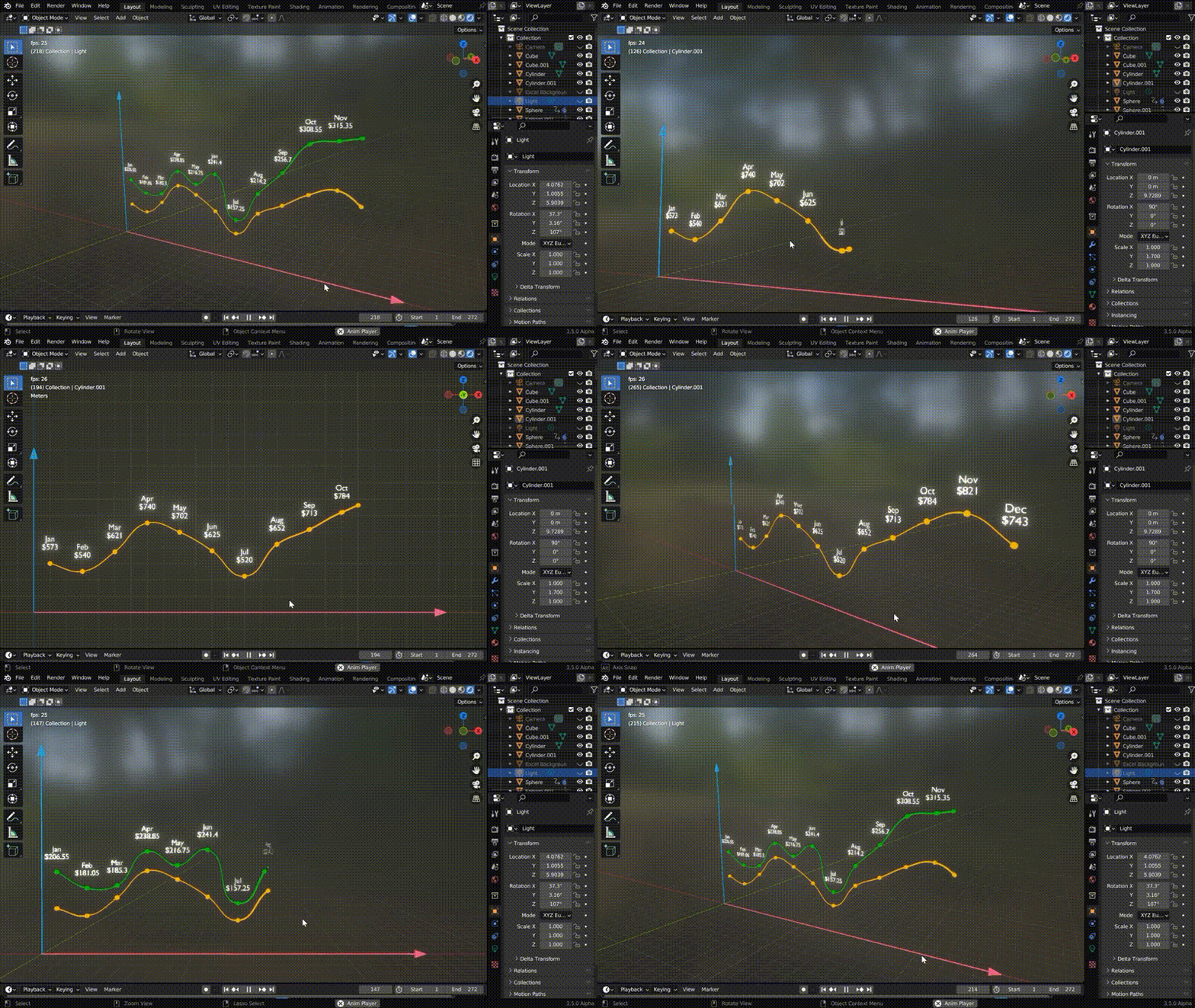
3D Bar Charts are created by instancing cubes and scaling them on the Z-axis based on data attributes, often automated by the BlenderDataVis add-on. Line Graphs utilize “Points to Curve” nodes to connect data points into a polyline, which is then given thickness via beveling or the “Curve to Mesh” node. Both can be animated: bars can grow from zero using keyframes, and lines can be “drawn” in real-time using the Trim Curve node.

How to make pie charts and categorical charts in Blender
Pie charts are constructed by calculating sector angles proportional to data values, often utilizing BlenderDataVis to handle the trigonometry. These can be enhanced with 3D depth, exploded slices for emphasis, and distinct materials for each category. While visually striking, users should use orthographic or modest camera angles to avoid 3D perspective distortion that could make data segments look misleading.
How to build procedural charts with Geometry Nodes in Blender
Procedural charting involves building a node network where data serves as the input. By using the Named Attribute node, users can link CSV columns to geometry properties like position and scale. This allows for reusable setups where updating the source data or adjusting a modifier slider automatically updates the entire visualization, including bars, lines, and even procedurally generated text labels.
How to animate data visualization in Blender with keyframes and time-series data
Animation brings data to life through direct keyframing of values, Shape Keys for transitioning between datasets, or using the #frame driver for time-series updates. Scientific storytelling is enhanced by “drawing” lines with the Trim Curve node or revealing bar segments sequentially. Blender’s Graph Editor allows for precise control over interpolation, letting users choose between smooth Bezier easing or literal linear/stepped data transitions.
How to plot NumPy arrays in Blender with a Matplotlib-like workflow (blender-plots)
Data scientists can use the blender-plots library to create visualizations in Blender using a Python workflow similar to Matplotlib. Installed via pip into Blender’s Python environment, the library allows users to import blender_plots as bplt to generate scatter plots, surfaces, lines, and vector fields using NumPy arrays. It automates the setup of meshes, geometry nodes, and materials, supporting features like individual point coloring and arrow-based vector fields. These plots are standard Blender objects that can be transformed or keyframed, and the tool even supports headless operation via Jupyter notebooks.

How to visualize ParaView simulation data in Blender (SciBlend workflow)
SciBlend serves as a bridge for importing scientific simulation data (CFD, FEM, etc.) from ParaView into Blender. The workflow involves using SciBlend macros in ParaView to export data as X3D or VTK files, which are then imported into Blender as meshes, point clouds, or volumes. SciBlend supports various formats including VTU, PVD, and NetCDF. Once imported, the toolkit provides a Shader Generator for scientific colormaps, a Legend Generator for scale bars, and a Grid Generator. It also automates the import of time-varying animations, allowing users to render high-quality simulation sequences using Blender’s engines.
How to visualize UMAP, t-SNE, and PCA embeddings in Blender (TRIDENT add-on)
The TRIDENT add-on enables the visualization of high-dimensional embeddings like PCA, t-SNE, and UMAP within Blender. Users import CSV files containing coordinates, and TRIDENT generates a 3D point cloud. The add-on supports categorical labeling, automatically coloring points based on cluster data. It leverages the Eevee engine for smooth, real-time navigation of large datasets and allows users to enhance visualizations with depth of field, volumetric lighting, and camera animations to tell compelling stories about complex data clusters.
How to apply scientific colormaps in Blender materials (viridis, plasma, inferno)
Blender users can apply perceptually uniform colormaps like Viridis, Plasma, and Inferno by using the ColorRamp node in the Shader Editor. Data attributes, such as pressure or density, are normalized and fed into the ColorRamp to drive the shader’s color output. While users can manually set RGB stops to match Matplotlib standards, SciBlend includes a curated library of these colormaps for convenience. These maps can be applied to meshes via attributes or to point clouds using the Point Info node, ensuring visualizations are colorblind-friendly and technically accurate.

How to add legends, axis labels, and annotations to Blender data visualizations
Adding explanatory elements in Blender can be done manually or through add-ons. Manual legends are created using mesh planes and text objects, while SciBlend’s Legend Generator automates the creation of color bars and tick marks. For axes, users can use mesh arrows and text, or rely on BlenderDataVis to generate procedural ticks and labels. Annotations can be added using text objects with “Track To” constraints to ensure they always face the camera, or by using the SciBlend Notes Generator to anchor 3D callouts to specific data points.
How to set up grids and coordinate axes for scientific scenes in Blender
To provide orientation and scale, users can create renderable coordinate axes by converting Empty Arrows into meshes or by using subdivided planes with the Wireframe modifier for grids. SciBlend’s Grid Generator automates this by creating coordinate lines and bounding boxes aligned with the data range. Additional tools like the MeasureIt add-on can assist in creating scale bars. Using emissive materials for these elements ensures they remain visible as a consistent reference frame regardless of the scene’s lighting.
Eevee vs Cycles for data visualization renders in Blender
Blender features two primary render engines: Eevee and Cycles. Eevee is a real-time rasterizer that is fast and GPU-optimized, making it ideal for interactive data exploration, large point clouds, and quick animation previews. Cycles is a physically based ray-tracing engine that provides superior accuracy for light scattering, transparency, and soft shadows, which is beneficial for complex volumetric data. Many workflows use Eevee for scene configuration and real-time interaction, then switch to Cycles for final, high-quality publication renders.
How to batch render multiple camera angles and aspect ratios in Blender (The View Keeper)
The View Keeper add-on simplifies the process of exporting multiple visualizations by storing different camera angles, lens settings, and render configurations on a single camera object. Users can save specific “views” with unique resolutions and file formats, such as a 4K widescreen shot for a presentation and a square crop for social media. This allows for batch rendering of all saved views in one step, ensuring visual consistency across various media formats without the need for multiple cameras or manual reconfiguration.

How to export Blender data visualizations for presentations, papers, and social media
Exporting visualizations requires tailoring settings to the specific medium:
- High-Resolution Stills for Papers: Use the Cycles engine for maximum quality and set a high resolution (e.g., 3600 pixels for a 300 DPI 6-inch figure). Export in lossless formats like PNG or TIFF. For the crispest text, consider adding labels in vector programs like Illustrator after exporting the 3D render.
- Presentations (Slides): Render at 1920×1080 or 4K in a 16:9 aspect ratio. If overlaying on slide backgrounds, use PNG with RGBA for transparency (enabled via “Film Transparent” in render settings).
- Social Media:
- Instagram: Use square (1:1) or portrait (4:5) ratios.
- X (Twitter): 16:9 or 1:1 ratios are preferred; keep files under 5MB to avoid heavy compression.
- YouTube: Export H.264 MP4 videos at 16:9.
- TikTok: Use a vertical 9:16 ratio (1080×1920).
- Animated Visualizations: Rendering an image sequence (PNG) is safer than direct video export because it prevents data loss during crashes. These sequences can be compiled into MP4 (H.264) afterward using Blender’s Video Sequencer.
- Color Management: Blender outputs in RGB (sRGB/Filmic). For print, you may need to convert the file to CMYK in external software.
- Compositing: Use the Blender Compositor for watermarks, data source labels, or combining different render passes before the final export.
How to optimize Blender performance for large datasets and dense point clouds
Handling millions of data points requires specific optimization strategies:
- Use Point Cloud Objects: Utilize Blender’s native Point Cloud object rather than individual meshes for better GPU instancing performance.
- Instancing: Use Geometry Nodes to instance geometry instead of creating unique duplicates, which significantly saves memory.
- Simplify Viewport: Set the viewport to display a downsampled version of the data or use “Bounds” display mode for heavy meshes.
- Layers and Collections: Hide or disable unused datasets in the viewport to reduce overhead.
- Hardware Acceleration: Use GPU rendering (CUDA/OptiX) and monitor RAM usage to prevent crashing during virtual memory swaps.
- Clipping and Culling: Tighten camera clipping planes to avoid rendering off-screen data and use shaders (clip shaders) rather than boolean modifiers for cross-sections.
- Data Reduction: Decimate or simplify datasets externally before importing them into Blender if the full density is not required for the visual narrative.
Blender data visualization troubleshooting for CSV imports, missing labels, and shading issues
- CSV Import Problems: If no objects appear, verify the data in the Spreadsheet Editor. Ensure the Geometry Nodes setup is actively instancing geometry based on the imported attributes. Check the system console for delimiter or parsing errors.
- Missing Labels: Ensure text objects are enabled for rendering in the Outliner. If using Grease Pencil for annotations, confirm they are converted to renderable objects or that “Use Annotation” is active.
- Shading Issues:
- Flat Gray appearance: Switch from Solid viewport to Material Preview or Rendered mode.
- Compressed Colormaps: Use a “Map Range” node to normalize data attributes to a 0-1 range before they enter a ColorRamp.
- Black Objects in Cycles: Ensure the scene has lights or that materials use an “Emission” shader.
- Transparency: In Eevee, enable Alpha Blend; in Cycles, increase “Transparent Bounces” if layered surfaces appear black.
- Flickering/Aliasing: Increase render samples, use motion blur, or slightly increase point size to prevent tiny data points from disappearing between pixels.

Frequently Asked Questions (FAQs)
- Can Blender import CSV or Excel data directly for visualization?
Blender 4.5+ includes a built-in Import CSV geometry node. Older versions require add-ons. Excel (.xlsx) files are not natively supported and must be converted to CSV or read via Python scripts using libraries like Pandas. - What are the benefits of using Blender over traditional tools like Matplotlib?
Blender provides a true 3D environment with photorealistic rendering, advanced animation, and the ability to integrate data with complex 3D models and cinematic lighting. - Which Blender version or add-ons do I need for scientific visualization?
Blender 4.x is recommended for its Geometry Nodes. Useful add-ons include BlenderDataVis for charts, SciBlend for simulation data and legends, and TRIDENT for 3D embeddings (PCA/UMAP). - How can I add axis labels and legends to my Blender visualization?
Labels are created using Text objects. While this can be done manually, SciBlend and BlenderDataVis offer automated generators for legends, ticks, and grids. - My imported points are all gray. How do I get the colors to show?
Switch the viewport to Material Preview or Rendered mode. Ensure your material uses an Attribute node to feed data into a ColorRamp. - Blender is getting very slow with my large dataset. What can I do?
Use the native Point Cloud object or instancing via Geometry Nodes. Reduce viewport density and use Bounding Box display mode for complex objects. - How do I make sure my Blender visuals are clear on different platforms?
Use high-resolution, lossless formats (PNG/TIFF) for print and standard sRGB JPEGs/MP4s for web. Tailor font sizes to the final viewing size (e.g., larger text for mobile screens). - What is SciBlend and do I need it for scientific visualization?
It is a toolkit that bridges ParaView and Blender. It is not mandatory but highly useful for importing scientific formats (VTK, NetCDF) and generating accurate color bars and annotations. - How can I animate a time-series data in Blender?
You can keyframe values, use Shape Keys for interpolation, or use Geometry Nodes to filter data based on the current frame number (e.g., “Year” <= “Current Frame”). - My labels or objects look wrong in the final render. How do I fix that?
For jagged text, increase render resolution. For flickering small objects, increase samples, use denoising, or render at double resolution and downscale.

Conclusion
By 2026, Blender has solidified its role as a “studio for data,” allowing users to treat datasets as characters in a cinematic scene. It bridges the gap between raw data science and compelling visual storytelling. While the learning curve is steeper than 2D plotting tools, the payoff is the ability to navigate 3D patterns, animate complex time-series, and produce publication-quality renders. With the integration of Geometry Nodes and specialized add-ons like SciBlend and TRIDENT, Blender provides a robust, professional environment for anyone looking to turn raw data into an impactful visual narrative without sacrificing scientific accuracy.
Sources and Citations
- SciBlend Toolkit & Research
- SciBlend GitHub Repository:
- https://github.com/m-p-m-m/SciBlend
- Covers: Toolkit capabilities (annotations, legends, grid generators), colormaps (viridis), and its use as a bridge between ParaView and Blender.
- SciBlend Research Paper (SoftwareX):
- SciBlend: A toolkit for scientific visualization and communication
- Covers: Motivation, bridging gaps in scientific data communication, and publishing-ready visuals.
- Data Visualization Add-ons
- TRIDENT Add-on (GitHub):
- https://github.com/B-L-S/TRIDENT
- Covers: Interactive plotting of UMAP, t-SNE, and PCA embeddings directly in the 3D viewport.
- BlenderDataVis (Blender Market):
- BlenderDataVis Product Page
- Covers: Procedural charts (bar, line, pie), performance for large datasets (~100k points), and Geometry Nodes integration.
- Blender-plots (Library):
- https://github.com/stefan-m-lenz/blender-plots
- Covers: Matplotlib-like Python API for generating Scatter and Surface plots.
- The View Keeper:
- https://blendermarket.com/products/the-view-keeper
- Covers: Storing camera views, world settings, and batch rendering.
- CSV & Geometry Nodes Integration
- CSV Importer (GitHub):
- https://github.com/hanshenrik/Blender-CSV-Importer
- Covers: Drag-and-drop CSV importing to the spreadsheet editor for use in Geometry Nodes.
- Blender Developer (Import CSV Node):
- Blender Projects – Geometry Nodes: Import CSV
- Note: Discussions regarding the native Import CSV node for versions 4.2/4.3+ and the roadmap for 5.0.
- Reddit Discussion on Point Clouds vs. Instancing:
- Geometry Nodes – Instances vs Point Clouds Performance
- Covers: Efficiency benefits of using the “Point Cloud” object type for massive datasets.
- Documentation & Reference
- Blender Manual: Point Clouds:
- Blender 4.2 Point Cloud Documentation
- Covers: Handling point cloud objects for large-scale scans and dataviz.
- Blender Manual: Shading Material Preview:
- Understanding Viewport Shading
- Covers: Fixing issues where materials don’t appear correctly in Solid view; switching to Material Preview or Rendered mode.
- Workflow & Examples
- SciBlend Grid & Legend Usage:
- SciBlend Wiki/Tutorials
- Covers: The specific “Heart” dataset example and how to utilize axes/grid generators.
- Reddit Q&A: CSV with Geometry Nodes:
Recommendations
- A Beginner’s Guide to The View Keeper Add-on for Blender
- Apple Arcade Just Got Two Indie Gems: DREDGE+ and Unpacking+ Arrive on iPhone, iPad, Mac, and Apple TV
- Blender Camera Angles: Capturing the Perfect Shot with The View Keeper
- Classic Cartoon Network Flash Games Return as Powerpuff Girls and Samurai Jack Become Playable Again
- Downloading 3D Models from Sketchfab: A Step-by-Step Guide
- How to Make a Movie with Blender: A Complete Beginner’s Guide to 3D Filmmaking
- PBR vs Hand-Painted Texturing: Differences, Workflows, and When to Use Each
- New Xbox CEO is Canceling Copilot on Consoles: Why Xbox Pulled the Plug and What Happens Next
- Project Rabbit Official Reveal Trailer: Everything We Know, Release Date, Gameplay Details, Leaks & Full Breakdown
- Brazil ’70: the Third Star Official Trailer Breakdown & Everything We Know



































































































