







In This Article (7 sections)
ChatGPT Wallet Launch Date, US Pro Eligibility, Supported Cards and How to Set Up Payments
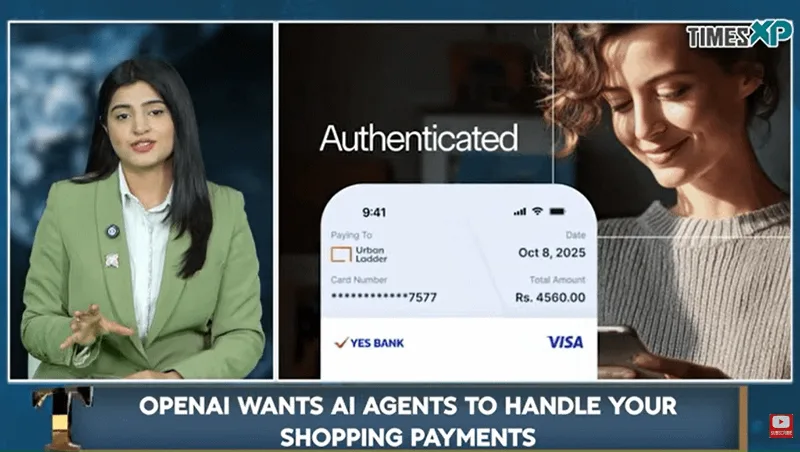
OpenAI launched ChatGPT Wallet on November 13, 2026, allowing eligible ChatGPT Pro subscribers in the United States to authorize purchases made through personal AI agents called dots. The feature enables a dot to research products, compare offers, prepare checkout and submit payments after receiving the user’s approval. Each new Wallet purchase requires biometric verification, giving users an opportunity to review the merchant, purchase amount and selected payment card before authorizing the transaction.
The initial rollout is limited to eligible ChatGPT Pro subscribers aged 18 or older who live in the United States and have a supported credit card issued in the US with a US billing address. Access began rolling out gradually on November 13, meaning some subscribers who meet the requirements may not immediately see Wallet in their accounts. OpenAI’s Wallet Privacy Notice took effect on November 12, 2026, one day before customer availability began. The company has indicated that broader access may follow as it evaluates early transactions, but it has not announced a specific expansion date for other subscription plans or countries.
ChatGPT Wallet changes how users can complete purchases after receiving shopping assistance. Instead of stopping after recommending an item or identifying a suitable hotel, a dot can continue through the seller’s checkout process when the website supports agent assisted purchasing. The user retains control over the final transaction by reviewing the purchase details and approving payment. The merchant remains responsible for fulfilling the order, setting prices, managing inventory, processing returns and providing customer service, while the card issuer continues to manage the underlying credit card account.
Wallet is a saved card payment feature rather than a separate bank account or stored balance. Users enroll an eligible credit card through a secure setup process. When they subsequently approve a purchase, Wallet provides a substitute payment credential associated with the selected card. The merchant processes that credential through its existing checkout system, and the charge is linked to the user’s credit card account. The underlying card does not need to be entered again for every purchase, although each new Wallet transaction requires its own security approval.
A practical example is a shopper looking for a winter coat. The dot can compare available sizes, prices, sellers and delivery estimates before preparing an order. Once the checkout is ready, the shopper can confirm that the correct color and size have been selected, review shipping charges and verify the final amount. The purchase proceeds only after the required approval. This distinction is important because a budget provided during the initial conversation guides the agent’s search but does not independently authorize payment.
ChatGPT Wallet purchases take place through dot conversations, not ordinary ChatGPT chats, Work sessions or standalone Codex threads under the documented initial release. Dots are personal AI agents that can continue working on tasks using their own computer and browser, along with applications users choose to connect. They can gather information, compare alternatives and prepare work for review. Wallet extends those capabilities by enabling an approved purchase to continue through a merchant’s checkout.
To check whether Wallet is available, sign in to the ChatGPT account associated with your Pro subscription and open a conversation with your personal dot. Ask it to help add a payment card. Eligible accounts with Wallet enabled can access the secure enrollment process. In the mobile app, users can also open Settings, locate Wallet and select Add Card. Card enrollment may also be offered during the first supported checkout.
If Wallet does not appear, confirm that the correct ChatGPT account is being used and that a personal dot has been configured. OpenAI also recommends using the latest mobile app when setting up a dot on a phone. Because Wallet is being introduced gradually, the absence of the feature does not necessarily mean an otherwise eligible account has been rejected. However, an error after entering payment details indicates a different problem, such as card eligibility, incorrect information or an unfinished verification process.
Adding a credit card to ChatGPT Wallet requires the secure enrollment form. The process involves the following steps:
- Open a conversation with your dot and request card enrollment, or navigate to Settings > Wallet > Add Card.
- Enter the eligible credit card’s number, expiration date and security code in the secure form.
- For American Express cards, provide the four digit security code located on the front.
- Review the applicable Wallet terms and privacy notice.
- Submit the enrollment request and complete any verification required by the card issuer.
- Wait for confirmation that the card has been successfully added.
Card numbers, security codes and one time verification codes should be entered only through the appropriate secure prompts. Users should not place these details directly into ordinary conversation messages. Once enrollment is complete, they can ask their dot to display saved payment methods and identify cards using their last four digits.
Eligible Chase credit cards require an additional verification step. OpenAI directs Chase cardholders to sign in to the Chase mobile application using biometric authentication and approve the Wallet connection there. If enrollment begins on a computer, the user can scan the displayed QR code with a phone, approve the request through Chase and return to Wallet to complete setup. This process verifies the connection between the credit card and Wallet. It is separate from the biometric approval required for each later purchase.
The initial launch supports eligible US issued credit cards associated with American Express, Chase, Mastercard and Visa. Chase is a card issuer, while Mastercard and Visa are payment networks, so the listed names represent different parts of the payment system. Individual card eligibility still matters, even when the issuer or network is supported. OpenAI also specifies that only the primary cardholder can enroll an eligible Chase credit card. Authorized users cannot enroll those Chase cards under the documented initial rules.
The supported and excluded payment categories are:
| Payment Method | Initial Wallet Support |
|---|---|
| Eligible US issued American Express credit cards | Supported |
| Eligible Chase credit cards | Supported for primary cardholders |
| Eligible US issued Mastercard credit cards | Supported |
| Eligible US issued Visa credit cards | Supported |
| Debit cards | Not supported |
| Virtual credit card numbers supplied by users | Not supported |
| Existing ChatGPT subscription payment cards | Require separate Wallet enrollment |
| ChatGPT gift cards or prepaid balances | Separate from Wallet |
Debit cards and user supplied virtual credit card numbers are excluded from the initial enrollment process. This should not be confused with Wallet’s own virtual payment credentials, which are generated for purchases after an eligible underlying credit card has been enrolled. A card used to pay for a ChatGPT subscription also does not automatically become available in Wallet. Subscription billing and Wallet enrollment are separate processes.
If enrollment fails, review the information entered in the secure form and complete any outstanding verification requests. Chase cardholders should also confirm that enrollment is being performed by the primary account holder. If the issuer has blocked the card or interrupted verification, the problem may need to be resolved through the bank’s official application or support channel. Persistent Wallet errors can be reported to OpenAI Support with the relevant error message and device information, without sharing full card numbers or security codes.

How ChatGPT Wallet Works for Shopping, Hotel Bookings, Biometric Approval and Payment Security
ChatGPT Wallet allows an eligible dot to prepare purchases while keeping the final payment decision with the user. A shopping request can specify the desired product, model, size, acceptable sellers, delivery deadline and maximum total price. The dot can use those preferences to search for suitable options and prepare checkout after the shopper chooses an offer. Once the payment approval request appears, the user reviews the transaction and authorizes it through a supported device.
For products, the approval process provides an opportunity to verify information that may have changed during the search. An advertised price might no longer apply, shipping could increase the total or the selected seller might have different return conditions from another retailer. The purchase review should therefore include the product description, quantity, seller, total cost, shipping information and payment card. The merchant’s return and delivery terms remain important because Wallet does not replace the seller’s obligations or policies.
Hotel booking is another purchase category described in OpenAI’s Wallet documentation. A traveler can ask a dot to compare properties based on destination, travel dates, number of guests, preferred neighborhood, room requirements and cancellation conditions. The dot can then prepare a reservation through a supported booking website or hotel checkout. However, the user should review the final cost for the entire stay rather than relying only on the advertised nightly rate.
Hotel reservations may contain payment conditions that are not immediately obvious from the initial search results. Some rates require advance payment, while others allow payment at the property. Additional charges may include deposits, incidental holds or fees collected separately during check in. Travelers should also confirm cancellation deadlines, room categories and whether the reservation is being processed directly by the hotel or by another booking company. The business accepting the booking is generally responsible for subsequent changes and refunds under its applicable terms.
The typical purchase process involves these stages:
- Describe the purchase: Give the dot product or travel requirements, preferred sellers and budget limits.
- Compare available options: Review prices, availability, delivery estimates or booking conditions.
- Choose an offer: Tell the dot which item or reservation should be prepared for checkout.
- Review the approval request: Confirm the merchant, selected product or service, total amount and payment card.
- Authenticate the purchase: Approve the specific transaction using biometrics on a supported device.
- Complete checkout: Allow the dot to submit the authorized payment through the merchant.
- Confirm the order: Check the merchant’s receipt, confirmation email or order history.
Not every retailer or booking website is guaranteed to support ChatGPT Wallet. OpenAI’s public launch information does not provide a comprehensive directory of compatible merchants. Successful checkout depends on whether the dot can navigate the seller’s website and whether the site’s payment processing and fraud prevention systems accept the transaction. A product appearing in ChatGPT recommendations does not establish that the seller will accept an agent assisted purchase.
OpenAI has described payment infrastructure relationships involving Adyen, Checkout.com and Stripe, but the participation of those processors does not automatically mean every merchant using them supports Wallet transactions. Merchant websites can impose additional authentication requirements or block automated checkout activity. Compatibility may therefore become clear only when the dot attempts to prepare or complete the transaction.
If a checkout attempt fails, users should verify the order status with the merchant before repeating payment. An interrupted conversation or failed confirmation message does not necessarily establish whether the seller received the order. This is particularly important for hotel bookings, limited availability products and purchases with restrictive cancellation conditions. Repeating checkout before confirming the original result could create an unwanted duplicate order.
Every new Wallet purchase requires biometric approval under the initial launch rules. When the approval request appears, the user can examine the merchant, order details, total amount and selected card. If everything is correct, the user selects Approve and completes the device’s biometric authentication process. Face ID and Touch ID are examples of supported biometric methods. If the current computer cannot perform the required verification, the approval flow can provide a link or QR code to continue on a supported device signed in to the same ChatGPT account.
The approval request should be treated as the final opportunity to correct the purchase. If a product size is wrong, the total has changed or the selected payment method is not the intended card, the user should decline the request and ask the dot to prepare a corrected checkout. After approval, the dot resumes the merchant’s transaction process and reports the result. The user should still obtain the merchant’s confirmation before treating the order as complete.
Saving a card or providing a shopping budget does not authorize unrestricted purchasing. The initial Wallet system requires specific approval for every new purchase. OpenAI has discussed possible future delegation features that could operate under user defined conditions involving spending limits, categories or time periods, but those capabilities were described as future plans rather than functions available during the November 2026 launch.
Recurring merchant payments are an important distinction. If a user approves a purchase that includes a subscription or another ongoing billing agreement, the merchant may charge the retained payment credential again according to the terms accepted during the original transaction. Those subsequent charges are governed by the merchant agreement rather than being treated as new Wallet purchases requiring fresh approval each time. Removing a card from Wallet prevents its use for new Wallet transactions but does not automatically cancel an existing merchant subscription.
ChatGPT Wallet uses substitute payment credentials to reduce exposure of the underlying credit card number. After a purchase is approved, the payment network provides a virtual credential containing the information needed for checkout. The credential is linked to the selected credit card, allowing the charge to reach the correct account while the dot and merchant receive the substitute details rather than the original card number.
This system also explains why a receipt may display card digits that differ from those printed on the physical credit card. The merchant may show the last digits of the substitute credential used to complete checkout. The transaction is still associated with the underlying card selected during approval, so users can identify the payment through the merchant’s order information and the issuer’s account records.
During enrollment, OpenAI says a service provider collects payment information through the secure form. OpenAI receives tokenized credentials and limited card details, including information such as issuer, network, last four digits and eligibility signals. The service also processes information about transactions and approvals, including purchase amounts and authentication outcomes. OpenAI’s Wallet terms state that it does not receive the underlying fingerprint or facial scan used during biometric authentication because that verification takes place through the supported device.
Tokenization does not eliminate the need to provide ordinary order information. Retailers may still require names, email addresses, telephone numbers and delivery addresses, while hotels may request guest information. These details allow merchants to fulfill purchases and provide customer service. The payment protection concerns the underlying credit card credentials rather than every piece of personal information associated with an order.
Existing credit card rewards and applicable dispute protections remain connected to the selected card. OpenAI says Wallet preserves the rewards and eligible protections associated with the underlying credit account. However, Wallet does not guarantee particular points rates, cashback percentages or promotional bonuses. Those benefits depend on the card issuer’s terms and the conditions attached to each transaction.
For example, a travel credit card may offer additional rewards only when a hotel reservation is made through a particular booking channel. Using Wallet to book the same property elsewhere does not automatically satisfy those requirements. Users should review the issuer’s applicable reward conditions before assuming that a purchase will qualify for a specific benefit.

ChatGPT Wallet Order Confirmation, Refunds, Subscription Cancellation and Payment Troubleshooting
The merchant’s confirmation is the most important evidence that a ChatGPT Wallet purchase was successfully completed. After approving payment, users should look for a confirmation page, receipt, email or entry in the seller’s order history. Retail purchases should include an order reference, correct products, quantities and delivery information. Hotel bookings should provide a reservation number, guest details, property name, dates and room information.
OpenAI’s Ready to check out message indicates that the approval stage has been completed. It does not independently prove that the merchant accepted the order. The dot must still complete the seller’s checkout process, and the merchant must successfully create the transaction or reservation. A user should therefore distinguish between authorizing payment and receiving confirmation that the purchase exists.
If the dot stops responding after approval, check the merchant’s website or order history before attempting another purchase. Search for a confirmation email and review the selected credit card account for transaction activity. A pending charge may represent a temporary authorization rather than a completed sale, so it should not be treated as conclusive evidence that an order was placed. The merchant can confirm whether an order exists, while the card issuer can provide information about the payment authorization or expected release of a hold.
For an order that was successfully placed but needs to be changed or canceled, the merchant is generally the first point of contact. The seller controls its cancellation rules, return procedures, delivery arrangements and refund policies. For hotel reservations, the booking confirmation should identify the business responsible for managing changes and the applicable cancellation deadline. Depending on the reservation terms, cancellation may be free, subject to a fee or unavailable after a specified time.
Customers requesting a refund should retain the order number, purchase date, amount and relevant correspondence. If the merchant agrees to a refund, the transaction is generally handled through the payment method associated with the original purchase. Wallet does not replace the merchant’s refund obligations or determine whether a product qualifies for return. The underlying credit card issuer remains responsible for managing the card account and any applicable dispute process.
Card disputes and unfamiliar charges should be addressed with the card issuer. A user who notices an unknown transaction should report it promptly rather than assuming it was caused by the AI agent. For qualifying US credit card billing errors, the Consumer Financial Protection Bureau advises contacting the issuer and submitting written notice within 60 calendar days of the statement containing the disputed charge to preserve applicable billing error protections. Other disputes, including problems involving defective goods or services, may follow different procedures.
OpenAI Support can assist with Wallet setup problems, account access issues and purchase experiences that appear inconsistent with what the user approved. However, merchant refunds and credit card chargebacks generally remain the responsibility of the seller and card issuer, subject to applicable law and any separate commitment made by OpenAI.
The appropriate support contact depends on the issue:
| Problem | Recommended Contact |
|---|---|
| Wallet does not appear in an eligible account | OpenAI Support |
| Card enrollment fails | Card issuer or OpenAI Support, depending on the error |
| Chase connection cannot be verified | Chase |
| Product arrives damaged or incorrect | Merchant |
| Hotel reservation requires modification | Hotel or booking company |
| Merchant cancellation or refund request | Merchant |
| Unfamiliar credit card charge | Card issuer |
| Pending authorization with no confirmed order | Merchant and card issuer |
| Wallet purchase details differ from approval | OpenAI Support |
| Existing recurring subscription needs cancellation | Merchant |
When reporting a Wallet problem, users should provide the merchant name, approximate transaction time, purchase amount, device information and any available order reference. Relevant error messages can also help identify where the process failed. Full credit card numbers, security codes and one time banking verification codes should not be included in ordinary support messages.
Removing a saved payment card does not automatically cancel subscriptions or recurring billing agreements already established with merchants. If a shopper previously approved a membership that renews monthly, the merchant may continue billing according to the accepted subscription terms. To stop those payments, the user must cancel the arrangement directly with the merchant. Removing the card from Wallet affects its availability for new Wallet payments but does not undo past purchases or existing agreements.
Users can manage their saved cards by asking their dot to display the available payment methods. Cards can be identified through their last four digits, and the dot can help change the default payment card. The selected card should still be checked at the final approval stage because the default setting does not replace the user’s responsibility to review the actual purchase request.
For hotel bookings, retaining the confirmation number and cancellation conditions is especially important. A reservation may include advance payments, deposits or additional charges collected by the property. Travelers should preserve the room type, dates, guest name, payment conditions and cancellation deadline so they can resolve discrepancies with the appropriate business. If the order confirmation is missing, the hotel or booking company should verify whether a reservation exists before the traveler attempts another booking.
The November 2026 launch establishes a payment process in which dots can handle much of the shopping and checkout work while users retain control over each new purchase. Eligible US Pro subscribers can authorize transactions using saved credit cards and biometric verification, with substitute payment credentials protecting the underlying card number during checkout. However, successful purchases still depend on merchant compatibility, accurate order information and confirmation from the seller. The distinction between agent assistance, payment authorization and merchant fulfillment remains essential for avoiding duplicate charges, handling refunds and understanding who is responsible when a transaction goes wrong.

Frequently Asked Questions (FAQs)
- Is ChatGPT Wallet available to ChatGPT Plus users?
No. The initial ChatGPT Wallet rollout, which began on November 13, 2026, is limited to eligible ChatGPT Pro subscribers aged 18 or older who live in the United States. Users must also have a supported US issued credit card and billing address. OpenAI has discussed expanding availability but has not announced a specific launch date for Plus subscribers or other plans. - Does the card I use for ChatGPT Pro automatically appear in Wallet?
No. ChatGPT subscription billing and Wallet enrollment are separate systems. Even if an eligible credit card is already used to pay for a Pro subscription, it must be added through Wallet’s secure enrollment process before it can be used for agent assisted purchases. The user may also need to complete verification requested by the card issuer. - Can I approve a purchase if my computer has no fingerprint reader?
Yes. If your computer cannot complete the required biometric verification, the Wallet approval flow can provide a link or QR code that allows you to continue on a supported device. Open that request on a device signed in to the same ChatGPT account and complete the authentication process using the available biometric method. The purchase will proceed only after the required approval succeeds. - Can I enroll a debit card or a virtual credit card number from my bank?
No. OpenAI’s initial Wallet documentation excludes debit cards and virtual card numbers supplied by users. Enrollment requires an eligible US issued credit card. Wallet generates its own substitute payment credential for checkout after the purchase receives approval, but that feature does not mean users can enroll an existing virtual credit card number from their bank. - Can an authorized user add a Chase credit card?
No. Under the initial Wallet rules, only the primary cardholder can enroll an eligible Chase credit card. The connection must also be approved through the Chase mobile application using the required authentication process. Someone listed only as an authorized user on the card account cannot complete that enrollment under the documented requirements. - Can I change the default credit card in ChatGPT Wallet?
Yes. Ask your personal dot to display the credit cards saved in Wallet, then identify the card you want to use by its last four digits. The dot can help change the default selection. Before approving any purchase, review the payment request to confirm that the intended card is selected, especially if several cards are stored. - Why does my receipt show a different card number?
ChatGPT Wallet uses a substitute payment credential when completing an approved purchase. The merchant may display the last digits of that credential on its receipt instead of the numbers printed on your physical credit card. The transaction remains linked to the underlying card selected during approval. The merchant’s order reference and transaction amount can help identify the purchase. - Can I cancel a Wallet order after approving it?
Yes, if the merchant’s cancellation policy allows it. Once a purchase has been submitted and accepted, the merchant controls cancellation and refund procedures, not Wallet. Contact the seller using the order confirmation and request cancellation under the applicable terms. If the checkout result is unclear, first confirm whether an order was actually created before attempting to cancel or repeat the purchase. - Does removing a saved card stop a merchant subscription?
No. Removing a credit card from Wallet prevents it from being used for new Wallet payments unless it is enrolled again. It does not automatically terminate subscriptions or recurring billing arrangements already authorized with merchants. To stop future subscription charges, cancel the recurring agreement directly with the merchant and retain confirmation of the cancellation. - Who should I contact if a charge appears but I cannot find an order?
Start by asking the merchant to check whether an order exists using the purchase amount, approximate time and any available transaction information. Contact your card issuer to determine whether the charge is completed or only a temporary authorization hold. If the transaction is unfamiliar, report it promptly to the issuer. OpenAI Support can also investigate Wallet related errors or discrepancies between the purchase request and what you approved.

Conclusion
ChatGPT Wallet allows eligible ChatGPT Pro users in the United States to complete purchases through conversations with their personal AI agents, known as dots. The feature connects product research, offer comparisons and checkout within a single workflow while keeping the final payment decision under the shopper’s control. Before each new purchase, users must review the transaction details and authorize payment through biometric verification. Wallet then provides a substitute payment credential, helping protect the underlying credit card number during checkout. Eligible credit card rewards and applicable dispute protections remain associated with the selected card, while merchants continue handling order fulfillment, cancellations and refunds.
The rollout, which began on November 13, 2026, depends on three important conditions: Wallet must be enabled for the user’s account, the merchant must support the agent assisted checkout process, and the seller must successfully confirm the transaction. These requirements apply whether a dot is purchasing an individual product or arranging a hotel reservation. Completing biometric approval does not independently guarantee that an order has been placed. The merchant’s confirmation, receipt or reservation record provides the clearest evidence of a completed purchase, along with the reference information needed for subsequent changes, returns or cancellations.
Sources and Citations
- OpenAI, November 13, 2026, Introducing ChatGPT Wallet: Official launch announcement identified as the source for Wallet eligibility, biometric purchase approval, substitute payment credentials, and participating payment infrastructure partners.
https://openai.com/news/ - OpenAI Help Center, Making Purchases With ChatGPT Wallet: Support resources relevant to Wallet enrollment, supported payment cards, transaction authorization, purchase confirmations, rollout eligibility, and troubleshooting.
https://help.openai.com/ - OpenAI Help Center, ChatGPT Release Notes: Official product update documentation for reviewing feature availability, gradual rollouts, supported platforms, and changes to ChatGPT purchasing capabilities.
https://help.openai.com/en/articles/6825453-chatgpt-release-notes - OpenAI, Introducing Dots: Official OpenAI product announcements relevant to personal AI agents, proactive assistance, website interaction, connected applications, and supported task workflows.
https://openai.com/ - OpenAI Help Center, Getting Started With Your Dot: Official support resources concerning personal agent setup, connected applications, permissions, browsing capabilities, and user controls.
https://help.openai.com/ - OpenAI, ChatGPT Wallet Privacy Notice and Wallet Terms: Official policy resources relevant to payment information handling, tokenization, biometric purchase authorization, merchant responsibilities, recurring charges, refunds, and dispute procedures.
https://openai.com/policies/
Recommendations
- Pokopia: Cooking Recipes and Flavors Guide
- Intel’s New Gaming CPUs Are Its Fastest and Cheapest Yet: Everything to Know About the Core Ultra 200S Plus Series
- CONFIRMED: Resident Evil Veronica Is a Third-Person Game, Full Details, Gameplay Perspective, and Remake Changes Explained
- Konami’s EFootball Celebrates 1 Billion Downloads with Master League Sprint, a Limited-Time PES Master League-Style Mode
- 11 Beginner’s Tips to Help You Trek Along in Big Walk
- Borderlands 4 Official Takedown and Bounty Pack 3 Teaser Trailer: Release Date, Hadron Abyss Raid, and a Zane to Kill for DLC
- Crimson Desert Fast Travel Locations: All Known Abyss Nexus Points & Map Teleport Guide (2026)
- Saros: Carcosan Modifiers Explained (Protections vs Trials, Balance Meter, and Best Builds for Easier Runs)
- How to Create a 3D Environment Like Arcane: A Step-by-Step Guide
- IBM Granite 4.1 LLMON Cuts Indirect Prompt Injection Success Below 6% in IBM Tests.



































































































