











The Blood of Dawnwalker PC Requirements Revealed: Full System Specs Breakdown
The Blood Of Dawnwalker PC Requirements Revealed has become a major talking point among PC players, especially given the industry’s shift toward demanding next-generation titles powered by advanced engines. Developed by Rebel Wolves, this dark fantasy RPG is designed with modern hardware in mind, leveraging cutting-edge rendering techniques and dense open-world systems.
The official system requirements are structured across three primary tiers: Minimum (1080p/30 FPS), Recommended (1080p/60 FPS), and Ultra (1440p–4K high fidelity). These tiers reflect the game’s ambition, particularly in areas like dynamic lighting, dense environments, and AI-driven NPC behavior.
Minimum PC Requirements for The Blood of Dawnwalker (1080p 30 FPS Explained)
The minimum requirements target players who want a playable experience at lower settings:
- CPU: Intel Core i5-8400 / AMD Ryzen 5 2600
- GPU: NVIDIA GeForce GTX 1060 / AMD RX 580
- RAM: 12 GB
- Storage: 80 GB HDD/SSD
- Target: 1080p at 30 FPS (Low settings)
This configuration focuses on accessibility, but compromises will be noticeable in texture quality, lighting fidelity, and draw distance.

Recommended PC Specs for The Blood of Dawnwalker at 1080p 60 FPS
For smoother gameplay and better visuals:
- CPU: Intel Core i5-12400 / AMD Ryzen 5 5600
- GPU: NVIDIA RTX 3060 / AMD RX 6700 XT
- RAM: 16 GB
- Storage: SSD required
- Target: 1080p at 60 FPS (High settings)
This tier represents the baseline for most modern gaming PCs and ensures stable performance with enhanced visuals.
Ultra Settings Requirements for The Blood of Dawnwalker PC Performance
Ultra settings introduce advanced graphical features:
- CPU: Intel Core i7-13700K / AMD Ryzen 7 7800X3D
- GPU: NVIDIA RTX 4080 / AMD RX 7900 XTX
- RAM: 32 GB
- Storage: NVMe SSD
- Target: 1440p Ultra / High FPS
This configuration enables full visual fidelity, including ray tracing, volumetric lighting, and advanced shadows.

Can Your PC Run The Blood of Dawnwalker? System Requirements Checker Guide
To determine compatibility:
- Compare your CPU and GPU against official specs
- Use tools like system benchmarking software
- Check VRAM (minimum 6 GB recommended)
- Ensure SSD availability
Players with mid-range hardware should prioritize GPU upgrades for the most noticeable improvements.
The Blood of Dawnwalker GPU Requirements: RTX 3050 to RTX 5090 Explained
GPU scaling is significant:
- RTX 3050: Entry-level performance (Low settings)
- RTX 3060–3070: Smooth 1080p High
- RTX 4080–4090: 1440p Ultra / 4K Medium
- Next-gen GPUs (e.g., RTX 5090): Expected 4K Ultra with ray tracing
The game heavily relies on GPU power due to advanced lighting systems and dense environmental rendering.

CPU Requirements for The Blood of Dawnwalker: Intel vs AMD Performance
CPU performance impacts AI, physics, and streaming:
- Intel CPUs excel in single-core performance
- AMD Ryzen CPUs provide strong multi-threading
The game benefits from at least 6 cores, with 8 cores recommended for higher settings.
RAM and Storage Requirements for The Blood of Dawnwalker on PC
Memory demands reflect modern AAA standards:
- Minimum: 12 GB
- Recommended: 16 GB
- Ultra: 32 GB
Storage requirements exceed 80 GB, with faster drives improving load times and streaming performance.

Does The Blood of Dawnwalker Require an SSD for Optimal Performance?
Yes. While the game may run on HDDs, SSDs are effectively mandatory for:
- Faster loading times
- Reduced texture pop-in
- Stable open-world streaming
NVMe SSDs provide the best experience, particularly at higher settings.
The Blood of Dawnwalker 1440p Ultra Settings PC Requirements Explained
1440p Ultra is the sweet spot for high-end PC gaming:
- Requires RTX 4070 Ti or higher
- Benefits from DLSS/FSR
- Demands strong CPU-GPU balance
This resolution delivers sharp visuals without the extreme overhead of 4K.
4K Gaming Requirements for The Blood of Dawnwalker PC Ultra Settings
4K gaming pushes hardware limits:
- GPU: RTX 4090-class or equivalent
- RAM: 32 GB
- Storage: NVMe SSD
- Upscaling: DLSS/FSR strongly recommended
Without upscaling, maintaining 60 FPS at 4K Ultra is challenging.

DLSS and FSR Support in The Blood of Dawnwalker Performance Optimization
The game supports:
- NVIDIA DLSS
- AMD FSR
These technologies improve performance by rendering at lower resolutions and upscaling to higher output, significantly boosting FPS with minimal visual loss.
Why The Blood of Dawnwalker PC Requirements Are So Demanding
Several factors contribute:
- Advanced lighting systems (ray tracing)
- Large open-world environments
- High NPC density and AI complexity
- Real-time physics and destruction
Modern game design trends prioritize realism and immersion, increasing hardware demands.

The Blood of Dawnwalker Unreal Engine 5 Performance Impact on PCs
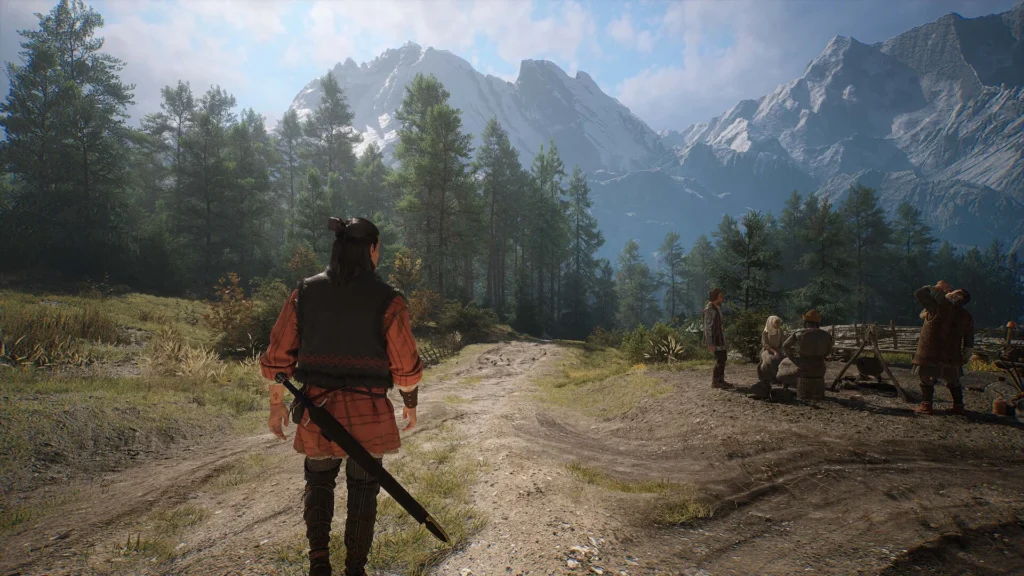
Built on Unreal Engine 5, the game utilizes:
- Nanite virtualized geometry
- Lumen global illumination
- High-detail assets
These features significantly enhance visuals but require powerful hardware to run efficiently.
Best PC Builds for Playing The Blood of Dawnwalker in 2026
Suggested builds:
Budget Build (1080p):
- RTX 3060
- Ryzen 5 5600
- 16 GB RAM
Mid-Range Build (1440p):
- RTX 4070
- Intel i5-13600K
- 32 GB RAM
High-End Build (4K Ultra):
- RTX 4090
- Ryzen 7 7800X3D
- 32–64 GB RAM
These builds balance performance and cost depending on target resolution.

Frequently Asked Questions (FAQs)
- What are the minimum PC requirements for The Blood of Dawnwalker?
A GTX 1060, i5-8400, and 12 GB RAM for 1080p/30 FPS. - Can I run The Blood of Dawnwalker without an SSD?
Technically yes, but performance issues are likely. - Is 16 GB RAM enough?
Yes, for recommended settings. - Does the game support ray tracing?
Yes, on supported GPUs. - What GPU is needed for 4K?
RTX 4080 minimum, RTX 4090 preferred. - Is DLSS supported?
Yes, along with FSR. - Will the game run on older CPUs?
Only at minimum settings with reduced performance. - How large is the game file?
Approximately 80 GB or more. - Is Unreal Engine 5 demanding?
Yes, especially with Lumen and Nanite enabled. - Can laptops run the game?
High-end gaming laptops can, but thermal limits may affect performance.
Conclusion
The Blood Of Dawnwalker PC Requirements Revealed highlights the ongoing evolution of PC gaming toward more demanding, visually advanced experiences. Powered by modern technologies and built on Unreal Engine 5, the game requires increasingly powerful hardware to achieve its full potential. While minimum specs allow basic access, recommended and ultra configurations are necessary for a truly immersive experience.
Sources and Citations
- Rebel Wolves Official Announcements
https://www.rebelwolves.com - Unreal Engine 5 Documentation
https://www.unrealengine.com - NVIDIA DLSS Technology Overview
https://www.nvidia.com/en-us/geforce/technologies/dlss - AMD FSR Technology Overview
https://www.amd.com/en/technologies/fidelityfx-super-resolution - PC Hardware Benchmark Comparisons
https://www.techpowerup.com
Recommended
- Evil Dead Rise Star Lily Sullivan Has a Sneaky (and Extremely Gross) Cameo in Lee Cronin’s The Mummy (2026)
- Vampire Crawlers: All Relics and Where To Get Them (Complete Relic Locations Guide)
- The Importance of Virtual Avatars, Influencers, and Mascots for Brands: Lessons from Duolingo
- Tom Holland Confirms Spider-Man: Brand New Day Reshoots Add More Humor and a New Mystery Villain Twist
- What is the camera’s field of view in Blender?
- Hello Kitty: Island Adventure’s Next DLC Focuses Less On Coziness, More On Fun – City Town DLC Release Date, Features, Gameplay Changes
- Howler 2026.5 Adds 3D Landscape Generator Fractal Garden: Procedural Low-Poly Terrain, Biomes, and Exports
- Uncharted 5? Fans Believe Cryptic Naughty Dog Dev Post Is Teasing The Game
- Blender Redistribute Curve Points Geometry Nodes Preset: A Comprehensive Guide
- Cyberpunk platformers, gallivanting geckos and other new indie games worth checking out (April 2026 roundup)



























































































