





What are the main differences between Daz Studio and Character Creator?
Daz Studio 4.21 (by Daz 3D) and Character Creator 4 (by Reallusion) are both powerful 3D character creation platforms, but they differ in design philosophy and target workflows. Daz Studio is a free-to-use application focused on allowing users to assemble scenes with pre-made content, morph characters, and render high-quality images. It has a long history and a vast content ecosystem. In contrast, Character Creator 4 (CC4) is a commercial tool (approx. $299) aimed at streamlined character generation for real-time engines and animation pipelines. Character Creator is part of the Reallusion ecosystem (tightly integrated with iClone for animation) and emphasizes optimized models for game development and real-time use.
For a GTA 6-inspired project, Daz Studio and Character Creator (CC4) differ in content and technical focus. Daz Studio, free with a vast library of figures, outfits, and props (often purchased via Daz Store or third-party marketplaces), emphasizes photorealistic offline rendering with NVIDIA Iray, ideal for stills but lacks real-time viewport and requires add-ons like Decimator ($99) for poly reduction. CC4 offers a robust base character system with tools like AccuRIG for auto-rigging and InstaLOD for LOD generation, prioritizing real-time PBR rendering, lower polygon counts, merged materials, and physics colliders for game/film pipelines. Daz excels in visual fidelity and content variety, while CC4 focuses on performance and animation-ready integration.
Which software offers better character customization: Daz Studio or Character Creator?
Daz Studio and Character Creator 4 (CC4) both offer robust character customization with distinct approaches. Daz Studio uses Genesis technology (Genesis 8, 8.1, 9) with a vast morph library, allowing detailed body and face adjustments via sliders. Its community provides numerous presets for realistic and fantastical looks (e.g., mixing Victoria 8 with creature morphs). Genesis 8 has the most morphs, ideal for beginners, while Genesis 9 offers a detailed unisex mesh but fewer morphs. Advanced users can sculpt custom morphs in ZBrush and re-import them, enabling precise control for expressions to alien anatomy.
CC4 provides artist-friendly customization with CC3+ base characters and morph sliders, though less extensive without Reallusion’s morph packs. Its SkinGen system allows non-destructive, real-time skin texture edits (e.g., wrinkles, scars, makeup), surpassing Daz, which requires manual texture swaps or external tools. For stylized looks, Daz’s extensive community-made models (e.g., anime, toon, anthropomorphic) give it an edge. CC4’s realistic base mesh supports stylization with add-on morph packs, but achieving Pixar or anime styles may need extra packs or sculpting, unlike Daz’s ready-made options. Both support ZBrush integration (CC4 via GoZ), but Daz excels in content variety, while CC4 shines in integrated morph and texture editing.

How do Daz Studio and Character Creator compare in terms of animation capabilities?
Daz Studio offers a basic timeline for keyframing movements, morphs, and cameras, plus plugins like AniMate2 and dForce for physics. However, its animation tools are clunky, lacking advanced rigging (IK/FK), with outdated lip-sync and slow Iray rendering that prevents real-time feedback. Most users treat it as a character builder and export to other tools for serious animation.
Character Creator 4 has no animation tools at all. It is purely a character creation tool. Animation happens in iClone 8 or external software like Unreal, Unity, or Maya. When paired with iClone 8, CC4 characters gain access to real-time rendering, physics, motion capture, puppeteering, and advanced lip-sync (AccuLips), making it the stronger animation pipeline overall.
Verdict: For simple animations, Daz can handle it alone but poorly. CC4 paired with iClone 8 delivers a far superior animation workflow.
What are the pros and cons of using Daz Studio for 3D character creation?
Daz Studio Pros
- Free software with professional features like Iray rendering and the Genesis character system
- Massive content library with thousands of ready-made characters, outfits, hair, and props across genres
- Beginner-friendly for scene setup, posing, and rendering without deep 3D expertise
- Photorealistic Iray rendering with minimal setup, popular for book covers and visual novels
- Strong community with tutorials, forums, and free add-ons
- Great for kitbashing, mixing and matching content from different sets to create unique characters
Daz Studio Cons
- Content costs add up, as most useful morphs, characters, and outfits require purchases
- No modeling or rigging tools, requiring external software like Blender or ZBrush for custom creation
- Advanced features are complex, with a dated UI and steep learning curve beyond basics
- Performance-heavy, demanding strong hardware (especially NVIDIA GPUs) for complex scenes and rendering
- Limited animation capability, making it unsuitable for professional animation or real-time/game use
- Game licensing restrictions, requiring per-asset Interactive Licenses (~$50 each) for 3D game use

What are the advantages and disadvantages of Character Creator for 3D modeling?
Pros
- Game-Optimized Characters | CC4 produces real-time ready characters with efficient topology, merged materials, and built-in physics colliders. Includes InstaLOD for automatic LOD generation in the Pipeline edition.
- Integrated Rigging | Characters come fully rigged with standard skeletons, weight painting, facial blendshapes (including 52 ARKit shapes for mocap), and importable humanoid rigs. No manual rigging needed.
- Advanced Facial Expressions | Extensive expression sliders, wrinkle maps (via SkinGen Premium), and a detailed facial rig enable precise control for cinematic animation, lip-sync, and Vtubing.
- Flexible Morph System | Non-destructive morph sliders for body, face, ethnicity, and age. Custom morphs can be added via GoZ or OBJ while maintaining topology compatibility.
- Photo-to-3D Head (Headshot Plugin) | Generates 3D heads from a single photo, projecting shape and texture onto a CC base mesh. Fast, though results may need cleanup.
- Strong Export and Pipeline Support | Exports to FBX, OBJ, Alembic, and USD with presets for Unreal, Unity, Maya, and more. Auto Setup plugins handle materials, and GoZ enables ZBrush round-tripping.
- iClone Integration | Seamless workflow with iClone for animation, mocap, and live-linking to Unreal or other DCC tools.
- Active Development | Regular updates adding features like AccuRIG and expanded engine support. Increasingly adopted in indie games, previs, and virtual production.
Cons
- Expensive | ~$299 standalone, $600+ bundled with iClone, plus extra costs for plugins (Headshot, SkinGen) and store assets. A significant investment compared to Daz Studio’s free software.
- Smaller Content Library | Only a few thousand items versus Daz’s tens of thousands. Niche or specific items (historical armor, unique creatures) may be hard to find, requiring imports or custom modeling.
- Restrictive Export Licensing | Store-purchased assets (“iContent”) require separate export licenses for use in external engines like Unity or Unreal, adding cost and complexity.
- Windows Only | No native Mac support. Mac users must use virtual machines or Boot Camp, which is impractical on Apple Silicon.
- Not a Standalone Solution | Requires iClone (additional purchase) or external software for animation and final rendering. It is a pipeline tool, not an all-in-one application.
- Steeper Learning Curve | Exposes technical details like PBR shader settings, LODs, polygon counts, and collision editors that may overwhelm users coming from simpler tools like Daz.
- Limited Extreme Morphs | Default morphs focus on realistic human variation. Highly stylized or non-human characters (creatures, exaggerated anime proportions) require add-on packs or external sculpting.

How does asset compatibility differ between Daz Studio and Character Creator?
Daz Studio Assets
Daz content targets specific Genesis figures (3, 8, 8.1, 9) using a proprietary DUF format. Older clothing can be adapted to newer figures via Auto-Fit, though results vary. Exporting to engines like Unity or Unreal requires manual material and rig adjustments, with bridges helping the process. Licensing requires an interactive license for game engine use.
Character Creator Assets
CC4 uses its proprietary CC3+ format but is designed to be export-friendly, retaining skin weights and morphs when exporting to FBX. The Transformer tool can import Daz Genesis 1 through 8 figures, converting materials to PBR and transferring weight maps. CC3+ assets share a common base mesh and rig, ensuring compatibility across characters built on that standard.
Cross-Compatibility
- Many users mix both ecosystems, using Transformer to bring Daz assets into CC4
- Daz Studio cannot read CC content directly; manual OBJ/FBX export and re-rigging would be needed
- Props and environments transfer easily as static OBJ meshes between either tool
- Characters and wearables are where complexity arises due to rigging and morph dependencies
- Native formats (.duf/.dsf for Daz, .ccProject/.ccAvatar for CC) are not cross-readable; FBX/OBJ serve as exchange formats
Materials and Shaders
Daz uses Iray shaders optimized for photorealistic offline rendering, which require conversion to standard PBR for game engines. CC4 uses PBR natively, making its materials translate more directly and consistently to Unity/Unreal. CC4 skin generally looks better in real-time lighting, while Daz skin excels in offline renders.
Clothing Fit
Both tools conform clothing to body morphs, but through different methods. Daz uses skeleton and morph projection; CC auto-adjusts to body shapes. Exporting morphed clothing outside either app is complex, though both offer pipeline tools (Unreal bridges/auto-setup) that can transfer morph sliders into engine.
Licensing Considerations
Compatibility is not just technical but also legal. A Daz asset brought into CC4 via Transformer and then into Unreal still requires Daz’s interactive license. Similarly, CC store assets purchased with only an iContent license cannot be exported to external tools without an export license.

Which platform provides more realistic rendering options: Daz Studio or Character Creator?
Daz Studio Rendering
Daz Studio includes NVIDIA Iray, a photorealistic offline path tracer that delivers near-photographic results with global illumination, caustics, subsurface scattering, depth of field, motion blur, and volumetric lighting. It excels at high-fidelity stills and offline animation out of the box. The tradeoff is speed: renders take minutes to hours, with no real-time capability. A Filament PBR viewport (DS 4.14+) offers faster but less realistic previews. Daz also includes 3Delight as an alternative renderer.
Character Creator 4 Rendering
CC4 uses a DirectX 11 real-time PBR viewport that resembles a game engine but lacks built-in path tracing. For high-quality output, users export to iClone 8 (real-time GI via VXGI), Unreal Engine 5 (Lumen), or Unity HDRP. An optional Iray plugin brings photorealistic offline rendering to CC4/iClone at extra cost. CC4’s Digital Human Shader supports real-time realism with detail maps, subsurface scattering approximation, and dynamic wrinkle normals. Community feedback notes CC4 skin looks better in real-time lighting than Daz’s Iray-optimized skin, which often needs material adjustments for game engines.
By Use Case
Offline/VFX Rendering: Daz Studio wins for self-contained photorealistic rendering. Its Iray integration is production-proven and requires no external tools. CC4 can match this quality with its Iray plugin or by exporting to path tracers like Cycles or Arnold, but that adds steps and cost.
Real-Time/Game Rendering: CC4 has a clear advantage. Its characters ship with lower polygon counts, merged materials, and PBR shaders that translate directly to Unity and Unreal. Auto-Setup tools apply proper skin shaders with subsurface scattering automatically. Daz content can work in engines but requires more optimization and material tweaking.
How do Daz Studio and Character Creator integrate with game engines like Unity and Unreal Engine?
Daz Studio
Daz offers free bridge plugins for Unity, Unreal, Blender, Maya, and 3ds Max. The Unreal bridge exports FBX/USD and runs a Python script to recreate materials, assign textures, and retarget the skeleton to Epic’s standard for animation compatibility. The Unity bridge targets HDRP with a skin shader, though setup is less standardized.
Strengths: Daz’s massive morph library exports as blendshapes in FBX, enabling in-game customization like facial expressions and body size adjustments. Content variety is a major asset.
Weaknesses: Models tend to be heavy (20-25k polys for Genesis 8 alone, up to 60k with hair and clothes) with multiple material zones that increase draw calls. Iray-based shaders often need manual adjustment for eyelashes, eyes, and translucency. Genesis 8 retargets well, but 8.1 and 9 may require updated profiles. Optimization through decimation or material merging is frequently necessary.
Character Creator 4
CC4 is built with game engine export in mind. Free Auto Setup plugins for Unity and Unreal handle materials, textures, digital human eye shaders, and masked eyelash materials automatically. Export presets tailored to each engine streamline the process.
Strengths: CC3+ skeletons are HumanIK-compatible, with a UE4 skeleton export option that aligns directly to Epic’s mannequin rig for immediate animation compatibility. Built-in LOD support and twist bones for smooth deformations minimize post-export work. The Unreal Live Link plugin (sold separately) enables real-time animation syncing with iClone for virtual production. USD export supports Omniverse live-sync.
Weaknesses: CC4 supports blendshape exports for in-game morphs, but the morph library is smaller than Daz’s. The Live Link plugin is an additional purchase.

What is the learning curve for beginners in Daz Studio compared to Character Creator?
Daz Studio
Daz Studio is highly approachable for beginners, especially non-3D artists. New users can quickly load a figure, apply poses, add preset lighting, and render with minimal knowledge. Premade content lets beginners focus on composition rather than modeling, and one reviewer called it “the easiest to use of all 3D software” for its basics.
Complexity grows with content management (navigating Daz Install Manager directories), adjusting materials and morphs across many sliders, and optimizing Iray render settings. Mastering custom characters, complex scenes, or render optimization is moderately to steeply challenging, but abundant tutorials and a large, long-established community (15+ years) make answers easy to find.
Character Creator 4
CC4 has a modern, intuitive interface for character shaping via sliders, similar to advanced video game character creators. Beginners can create characters easily at a basic level. However, CC4 assumes some 3D knowledge for tasks like adjusting PBR material properties, using SkinGen for layered textures, or exporting to game engines with correct settings and Auto Setup plugins.
CC4 also requires external tools (iClone or the Iray plugin) to produce rendered images, unlike Daz’s all-in-one approach. As paid software, it may deter casual newcomers. Reallusion provides tutorials and active forum support, though third-party learning resources are fewer than Daz’s.
CC4 excels at specific tasks like aging characters with wrinkle layers, which is simpler than Daz’s approach. But Daz offers premade, fully styled characters for instant professional results, while CC4 expects users to customize from a base.
Key Differences for a Total Novice
CC4 feels like designing a character from scratch: adjust sliders, understand the target platform, then export. More deliberate learning required upfront.
Daz feels like playing with dolls and outfits: load content, arrange a scene, render. Faster initial gratification.

How does PixelHair enhance hair realism in Daz Studio and Character Creator?
PixelHair is a strand-based hair solution that creates individual hair strands using particle systems (Blender) or grooms (Unreal Engine), producing far more realistic volume, light interaction, and movement than the traditional hair card or polygon mesh approaches used by Daz Studio and Character Creator.
How It Works with Daz Studio
Export a Daz character (without hair) to Blender via bridge or FBX, apply a PixelHair .blend file with pre-set particle systems for styles like afros or braids, and fit it to the character’s head using a shrinkwrap modifier. Render in Blender for photorealistic results, or export to Unreal as a groom for physics-driven animation. Daz’s own renderer struggles with the high strand counts, so external rendering is recommended.
How It Works with Character Creator
Export a CC character to Blender, apply PixelHair, and render there. Alternatively, import the character into Unreal and attach a PixelHair groom asset directly, parented to the head bone, with Unreal’s physics handling natural hair movement.
Key Benefits
- Lifelike volume, softness, and highlights that surpass the flat, stiff look of hair cards, especially in animation
- Compatible with Blender’s particle system and Unreal’s Groom system (via Alembic export)
- 18,000-polygon hair cap with shrinkwrap ensures a snug fit on any character
- Customizable settings for strand thickness, kink type, and styling
Considerations
Steeper learning curve for beginners, though Yelzkizi provides tutorials
Requires external tools (Blender or Unreal), adding workflow steps beyond Daz or CC’s native hair systems
High strand counts need optimization to avoid performance issues (e.g., limiting strand steps in Blender to meet Unreal’s 255-point limit)
Complex styles like dreadlocks are more demanding to optimize

Key Benefits
- Realism | Strand-based hair mimics real hair’s volume and light scattering, eliminating the flat, sheet-like appearance of traditional hair cards. The result is far more convincing, especially for complex styles like curly or afro-textured hair.
- Dynamics | Individual strand simulation produces natural movement with wind and character motion, unlike hair cards that typically move as rigid pieces.
- Modern Rendering Consistency | In Unreal Engine, PixelHair uses the Groom system with realistic shading models, allowing Daz or CC characters to reach hair fidelity comparable to Epic’s MetaHumans.
Trade-offs
- Performance-Heavy | Tens or hundreds of thousands of strands are demanding to render. Strand hair is best reserved for hero characters or cinematic close-ups, not crowds or lower-end real-time scenarios.
- Hybrid Approach Recommended | For games, artists often use strands for close-ups and switch to hair cards during gameplay. Yelzkizi suggests baking hair textures for LODs.
- Advanced Workflow | PixelHair requires grooming expertise in Blender or Unreal and comfort working across multiple software packages. It is not aimed at raw beginners.
How It Helps Daz and CC Users
Neither Daz Studio nor Character Creator produces strand-based hair natively, so PixelHair fills that gap as an external enhancement for both:
- A Daz artist doing high-end renders can export to Blender, apply PixelHair, and achieve realism that Iray trans-mapped hair cannot match.
- A CC user creating a short film in Unreal can attach a PixelHair groom to match MetaHuman-level hair quality.
Practical Example
A CC4 character destined for an Unreal Engine 5 cinematic could have a PixelHair afro styled in Blender with individual tight curls. Once in Unreal, the hair becomes a Groom Asset attached to the head with physics enabled for subtle bouncing. Under good lighting, the result is movie-quality hair far beyond what standard CC hair cards can deliver. The same workflow applies to Daz Genesis 8 characters.

What are the licensing considerations when using Daz Studio and Character Creator assets?
Daz Studio
- The software itself is free for commercial use
- Store assets include a standard license covering non-interactive media (2D renders, animations, book covers, artwork) with no royalties
- Interactive use (games, VR) requires a separate Interactive License per asset, typically costing $30-$50 each
- Even free Daz assets (including Daz Originals) often require this license for game use
- Visual novels using only 2D renders do not need Interactive Licenses
- Raw 3D assets must not be extractable from game files; reasonable protection is required
- Third-party freebies from sites like ShareCG or Renderosity may have custom terms that need individual verification
Character Creator 4
- Software costs ~$299 upfront
- Standard License (iContent) covers rendering within Reallusion software only
- Extended (Export) License is required for exporting to external engines like Unreal or Unity for games; costs more per asset
- The CC3+ base mesh is royalty-free for game use with the software purchase, unlike Daz’s Genesis base which still requires an Interactive License
Cost Comparison
Daz is free to start but Interactive Licenses accumulate across multiple assets. CC4’s higher upfront cost includes royalty-free base mesh use, potentially making it more economical for projects using many characters or extensive engine exports.
Shared Rules
- Always verify licenses on free assets before commercial use
- Neither platform allows redistributing raw 3D models outside of games or apps
- Both permit 2D output and limited 3D printing
- Neither requires attribution in projects, though it is appreciated

Real Examples:
- If making a Unity game: Using CC4, you buy the program, maybe buy one export-license content pack for some clothes, and then you can create many characters and send them to Unity. No royalties or further fees, and you’ve paid upfront. Using Daz, you could rely on the free base and some freebie clothes, but for each Daz Original piece you include, you’d need interactive licenses (and if freebies, ensure their creators allow game use – many freebies do allow it, actually, but it’s on a case by case basis outside of Daz’s own store items).
- Some devs decide to avoid the hassle by using only self-created or open assets (MakeHuman, etc.), but those have their own quality issues. Daz and CC are appealing because they accelerate development with high-quality assets.
One user’s breakdown (in 2022): They narrowed choices and said:
- MB-Labs: free but AGPL (which forces open-source distribution of the project if you include those meshes).
- Character Creator 4: “industry standard, everything we need, but expensive ($299)”.
- Daz3D: “free for images, but unclear for game use; must pay $50 per model, and most models are not optimized for games”.
This highlights how licensing and optimization both weigh in for a dev deciding which route to go.
So, summarizing licensing considerations:
- Daz Studio content: Standard license for renders, Interactive License needed for game/interactive use of 3D assets. No additional cost for the software itself; costs come per asset for game use. Ensure every asset (including base figures like Genesis 8 if used) has an interactive license if the 3D mesh is in your product.
- Character Creator content: Export License (Extended) needed for each content item if used outside Reallusion software. CC4 base and any Reallusion-included content can be exported and used royalty-free by the owner of CC4. Buying CC4 grants you that right for base characters you create. Additional marketplace purchases require checking you got the export version. No runtime royalties; just upfront purchase differences.
- In both cases, 2D output is fully covered by default – you can sell artwork/renders without extra license.
One more point: Sharing scene/project source files (e.g., Blender scene with Daz/CC assets) violates licenses unless collaborators own the assets. Avoid sharing proprietary content; each collaborator must own the asset, or bake assets down. For example, uploading a Daz character mesh to a public GitHub repo is illegal assets must be encrypted in final game builds, not shared as raw files. Daz licensing is “buy per asset for games,” while CC uses “buy export license per asset/bundle.” CC may be cost-effective for multiple assets across projects; Daz is cheaper for fewer assets, especially using the free Genesis base with a one-time interactive license and free community props. Both platforms offer legal commercial use pathways with proper budgeting.

How do community resources and support compare between Daz Studio and Character Creator?
The communities and support systems for Daz Studio and Character Creator have some overlap (both are popular among 3D hobbyists and indie creators), but there are differences given the age and focus of each platform.
Daz Studio Community & Resources:
Daz Studio has been around for decades and has a large, active community. The official Daz 3D Forum is bustling with users – you can find sections for new user help, technical help, galleries, scripting, and specific topics like animation or specific generations of figures. Users on the forum often answer questions quite fast, given how many enthusiasts are around. For example, a newbie having render issues might get multiple suggestions within hours. Daz’s forums also host discussions about upcoming releases, product feedback, and user showcases of artwork which can be inspiring and educational.
In addition to the forums:
- There’s an extensive knowledge base and documentation provided by Daz (covering how to install content, how to use various features, etc.).
- Many video tutorials: Daz 3D’s official YouTube channel and various PA (Published Artist) channels have tutorials on lighting, posing, using morphs, etc. Plus, countless community members have created YouTube content (if you search “Daz Studio tutorial,” you get everything from beginner guides to advanced tips).
- Third-party sites and forums: Sites like Renderosity have Daz sections, and there are Facebook groups, DeviantArt groups, etc., dedicated to Daz users.
- User-created documentation and scripts: The community has contributed things like free scripts, shaders, and even whole wikis (like the DS scripting documentation or guides on how to kitbash content).
- Marketplace and freebie sites: The community also contributes by making free assets. Websites like ShareCG, DeviantArt, and others often have free Daz props, poses, or characters posted by users (with their own usage terms). For paid content beyond the Daz store, Renderosity and Renderotica (for adult content) have large marketplaces for Daz-compatible content, reflecting a broad ecosystem.
Because of this large community, a new user has a wealth of resources – from guides on how to get better skin renders, to forums where common problems (like “why is my figure turning white when I render?” – oh that’s the NVIDIA Iray preview device issue; known and answered many times) are archived.
The tone of the Daz community is generally helpful. There’s a mix of hobbyists (some focus on fantasy art, some on erotic art, some on comics, etc.) and professionals using it for concept art. This diversity means you can find niche tips (like someone figuring out how to use Daz models in a novel way).

Character Creator Community & Support:
Daz Studio Community
- Large, long-established user base with highly active official forums
- Extensive third-party resources: thousands of YouTube tutorials, wikis, written guides, and sites like Renderosity and DeviantArt
- Strong freebie culture with community-shared morphs, shaders, props, and weekly free items from Daz’s store
- Community leans toward hobbyist art, still renders (fantasy, sci-fi), contests, and creative showcases
- Answers to most questions are easily found via forums or web searches due to 15+ years of accumulated knowledge
- Basic official documentation supplemented by forums acting as a knowledge base
Character Creator 4 Community
- Smaller, newer, but supportive community centered on Reallusion’s official forum covering CC and iClone
- Reallusion staff (marked “RL”) actively participate, responding to bug reports, answering questions, and clarifying licensing, often more visibly than Daz’s staff involvement
- Community focuses on technical workflows: Unity/Unreal integration, motion capture, real-time optimization, and indie animation/game development
- Fewer third-party tutorials but comprehensive official resources including step-by-step videos, an online manual, YouTube channel, and Reallusion Magazine articles
- Less freebie culture outside store promotions; users typically buy content or create their own, though presets (SkinGen layers, morph sliders) are sometimes shared on forums
Learning Resources
Daz benefits from sheer volume of user-made content covering beginner to advanced topics. CC4 has fewer fan-made tutorials but offers thorough official guides, with growing YouTube and streamer coverage. Both have active Facebook groups and Discord communities.
Company Support
Both offer formal support for technical issues. Reallusion is noted for being responsive to bug reports, often acknowledging and fixing issues in subsequent patches. Daz relies more on its forum knowledge base for how-to questions.
Community Culture
Daz’s community skews toward creative art-sharing and perfecting Iray renders. CC’s community, overlapping with iClone users, discusses animation pipelines, game engine workflows, and mocap integration. Both communities are mature and pragmatic, often recommending the other tool when it better fits a user’s needs.
Which software is more cost-effective for indie developers: Daz Studio or Character Creator?

Daz Studio
- Software: Free
- Content: Characters, morphs, and outfits typically cost $20-$50 each, with frequent sales (30-70% off) and weekly freebies that build a library over time
- Interactive Licenses: Required for game use at ~$50 per asset, which adds up quickly for projects using many Daz assets
- Updates: Always free
- Best for: Budget-conscious indies needing few characters, comfortable with manual optimization, and not requiring advanced animation. Total costs can stay under $200 with selective purchases and freebies.
Character Creator 4
- Software: ~$299 standalone, ~$599+ bundled with iClone 8
- Included Content: Base male and female characters, starter clothing, hair, morphs, and tools like SkinGen for creating diverse characters without extra purchases
- Additional Content: $10-$30 per item from Reallusion’s store, with export licenses roughly doubling the price for game use
- No Per-Character Royalties: Unlimited characters for unlimited projects after initial purchases, scaling well for NPC-heavy games
- Updates: Major version upgrades (e.g., CC4 to CC5) will likely be paid
Key Differences
- Daz’s free entry point is attractive, but micro-purchases and per-asset interactive licenses accumulate, especially for asset-heavy projects
- CC4’s higher upfront cost promotes self-sufficiency with built-in tools (auto-rigging, LOD generation, weight mapping) that reduce the need for external plugins or programs
- For still images and basic character design, Daz is generally cheaper
- For animation, multiple characters, or engine integration, CC4’s all-in-one features save time and money over the long run
Practical Approach
Some indie teams combine both: using Daz for affordable prototyping and community freebies during early development, then switching to CC4 for optimized final characters in the production pipeline. The right choice depends on project scope, team budget, and whether the priority is minimizing upfront cost or streamlining the overall workflow.
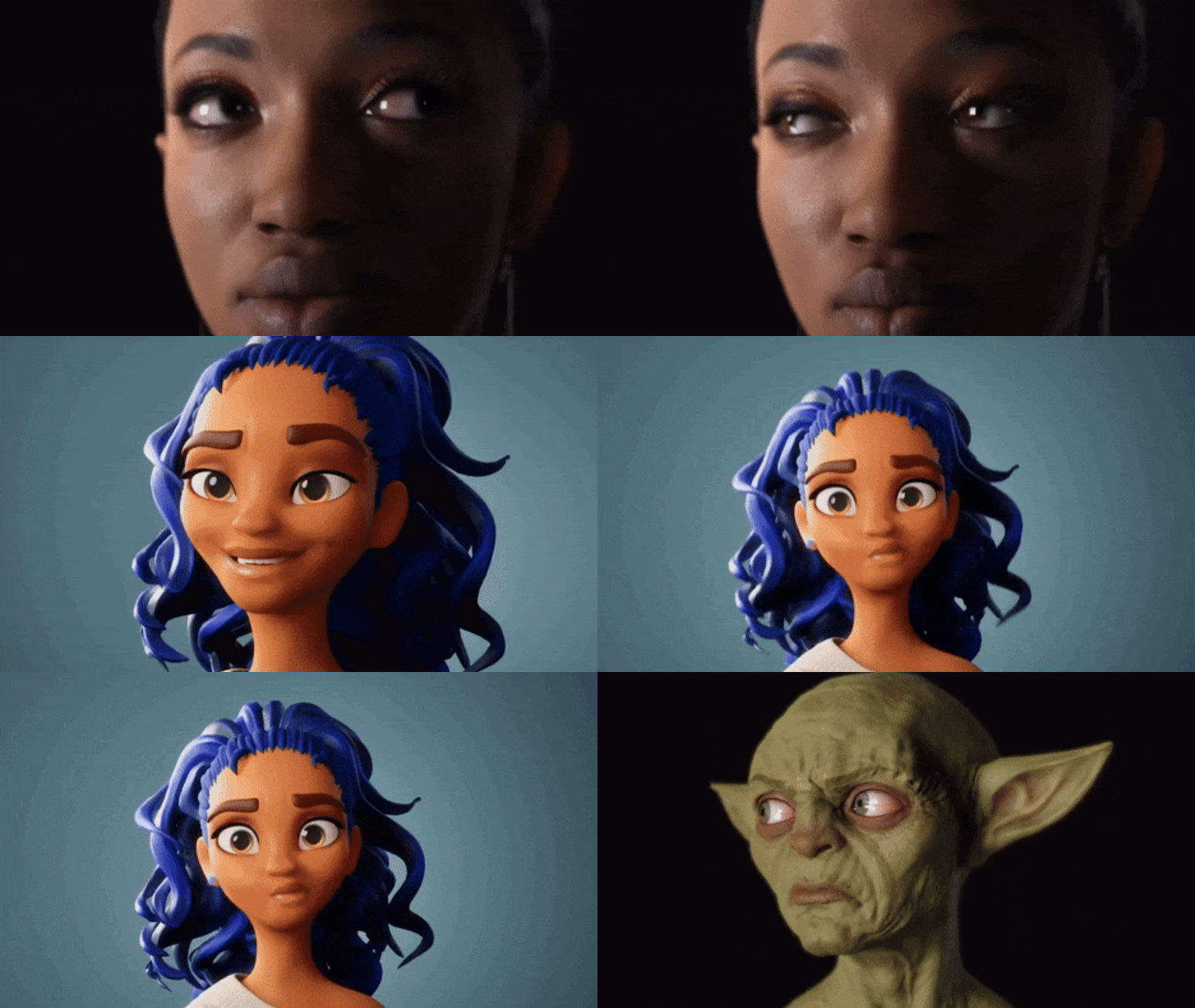
How do Daz Studio and Character Creator handle facial rigging and expressions?
Daz Studio (Genesis Figures)
- Morph-driven approach: Facial expressions rely primarily on blendshapes (smile, frown, phonemes, etc.) that can be combined, keyframed, and blended for complex performances
- Minimal facial bones through Genesis 8.1 (mainly jaw and eyes), with morphs handling all nuanced movement. Genesis 9 introduced more facial bones aligned with game industry standards
- Joint Controlled Morphs (JCMs) automatically trigger corrective deformations when joints move (e.g., jaw opening adjusts cheeks/lips), providing natural results that CC4 historically lacked
- Lip-sync via the dated Mimic/Lip Sync plugin using viseme morphs
- No native facial mocap support, requiring export to Unreal or third-party tools with manual morph mapping
- High-fidelity sculpted morphs excel for still renders with fine details like eye crinkles and smile lines, but require purchasing separate morph packs for full coverage
Character Creator 4 (CC3+ Characters)
- Hybrid bone + blendshape rig with 60+ blendshapes, including 52 ARKit-compatible morphs aligned with mocap industry standards
- Wrinkle map system in iClone activates normal/detail maps based on expressions (e.g., forehead wrinkles when brows raise), adding realism without extra morphs. Daz lacks an equivalent interactive wrinkle system.
- Robust animation tools via iClone 8: Face Puppet, Face Key, and real-time facial mocap support (iPhone ARKit, webcam plugins, Live Link Face)
- AccuLips lip-sync from audio/text input is widely considered more accurate and easier to tweak than Daz’s older system
- Expression Editor allows easy customization of morph and bone presets for expressions and visemes
Key Differences
| Area | Daz Studio | Character Creator 4 |
|---|---|---|
| Rig philosophy | Morph-heavy, fewer bones (until G9) | Hybrid bones + blendshapes |
| Expression quality (stills) | Superior sculpted detail | Slightly more generalized but effective |
| Animation tools | Basic, often requires export | Excellent via iClone (puppeteering, mocap, lip-sync) |
| Mocap compatibility | Requires third-party setup | Native ARKit support, real-time capable |
| Wrinkle maps | Baked into sculpted morphs | Dynamic, expression-driven system |
| Game engine export | Rich morph library but may need retargeting | ARKit-standard morphs align directly with engine expectations |
Export to Game Engines
Daz characters export with all selected expression morphs as blendshapes in FBX, providing a large library but potentially requiring retargeting to match standards like ARKit. CC4 characters export via Auto Setup with a standardized morph set (ARKit 52+) that aligns directly with tools like Live Link Face in Unreal, requiring less initial configuration.

What are the system requirements for running Daz Studio and Character Creator efficiently?
Both are Windows-based 3D apps that benefit from gaming/workstation-grade hardware.
Daz Studio 4.21
- OS: Windows 8/10 64-bit (also has a Mac version, no Linux)
- CPU: Multi-core recommended; i5 minimum, i7/i9 preferred for heavy scenes
- RAM: 8 GB min, 16–32 GB recommended for complex scenes
- GPU: NVIDIA strongly recommended (CUDA-only Iray renderer); 8+ GB VRAM ideal. AMD GPUs can’t accelerate Iray.
- Storage: SSD recommended; content libraries can grow to hundreds of GBs
- Key takeaway: Low barrier to entry for basic use, but an NVIDIA RTX card is essential for efficient rendering.
Character Creator 4
- OS: Windows 10/11 64-bit only (no Mac version)
- CPU: i5 minimum, i7/i9 or Ryzen 7/9 recommended
- RAM: 8 GB min, 16–32 GB recommended
- GPU: NVIDIA GTX 900+ or AMD Radeon R7 300+ minimum (DirectX 11); 6–8 GB VRAM preferred. Works with both NVIDIA and AMD.
- Storage: ~20 GB install + up to 200 GB for texture caching; SSD strongly recommended
- Key takeaway: Requires a capable GPU for real-time viewport performance, but doesn’t demand NVIDIA specifically (unless using the Iray plugin).
Bottom Line
- An SSD and ample disk space are highly recommended for both.
- Both run well on a mid-range gaming PC (e.g., i7, 32 GB RAM, RTX 3060).
- Daz’s main bottleneck is GPU rendering (NVIDIA required for Iray).
- CC4’s main bottleneck is real-time GPU display (brand-agnostic).
- Mac users can use Daz (with limitations) but cannot use CC4 natively.

How does the content library size and variety compare between Daz Studio and Character Creator?
Daz Studio: Massive & Diverse
- Thousands of products across characters, clothing, hair, props, environments, creatures, and more accumulated over many years.
- Covers nearly every genre and niche: realistic humans of all types, fantasy races, sci-fi, anime, animals, historical costumes, modern wear, etc.
- Multiple marketplaces (Daz Store, Renderosity, etc.) plus a large free content ecosystem (weekly freebies, community-made assets).
- Downside: Quality varies (older/free content may be dated), and content is segmented by generation (Genesis 8 assets don’t natively work on Genesis 9 without conversion). Library management can get complex.
- Genesis 8 has the largest back-catalog, making it the best starting point for beginners.
Character Creator 4: Smaller but Focused
- Newer, more curated library with fewer ready-made assets overall.
- Emphasizes customization over collection users create variety through morph sliders, skin shaders, and texturing rather than buying many distinct characters.
- Clothing and prop selection is noticeably limited compared to Daz, especially for niche genres.
- Upside: Content is consistently high quality and works reliably with the CC3+ base. Reallusion’s Transformer tool allows importing Daz content into CC, effectively using Daz’s library as an extension.
Key Takeaways for Indie Devs
Daz excels at kitbashing from a vast catalog; CC excels at deep customization from a smaller, adaptable base.
Need quick, diverse, ready-to-use assets? → Daz wins decisively.
Prefer building custom characters with fewer purchases? → CC’s morph/texture tools are strong.
Best of both worlds: Many CC users leverage Daz’s library via Transformer, treating Daz as an extended content source.
Daz offers far more free content; CC’s free offerings are limited.
What are the export options available in Daz Studio and Character Creator?
Daz Studio Export Options
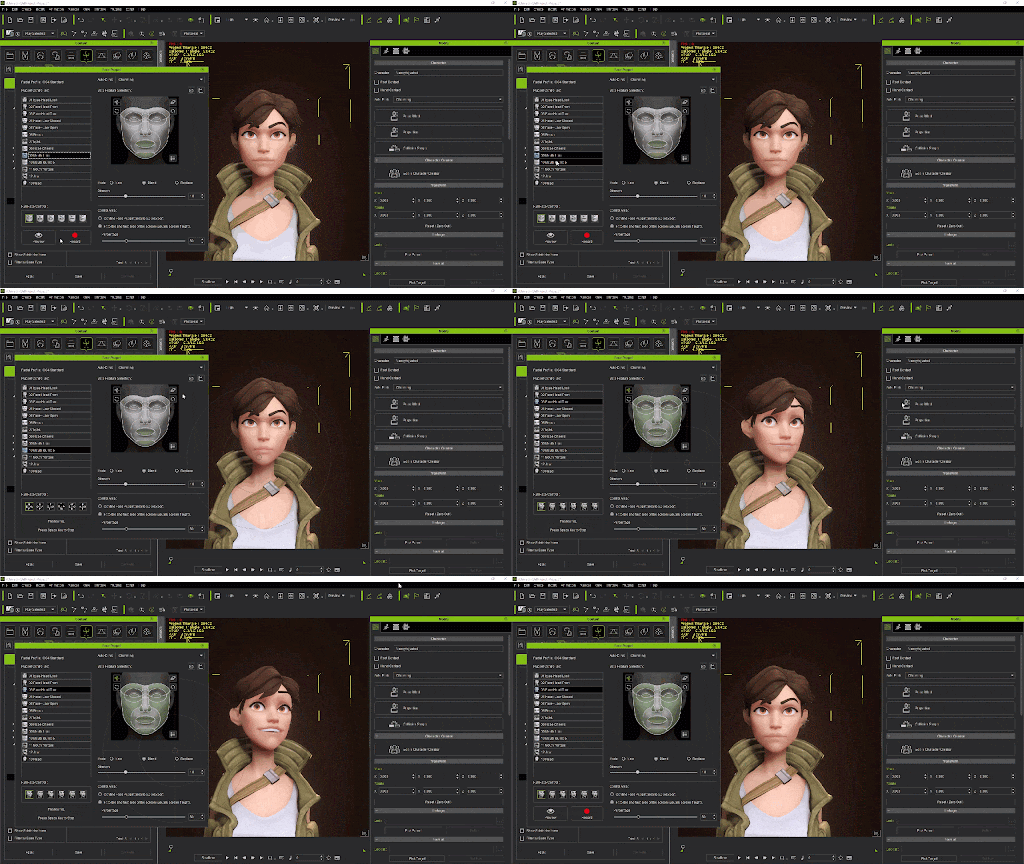
- FBX :Primary format for rigged characters, morphs (blendshapes), and animations into game engines and DCC tools.
- OBJ :Static geometry only (no rig/animation); used for sculpting or 3D printing.
- Other formats: Collada (DAE), USD (for NVIDIA Omniverse), Alembic (baked animation caches), BVH (motion capture data).
- Bridges :One-click export plugins for Unreal, Unity, Blender, Maya, etc. that automate FBX export and set up materials in the target app.
- Extras: Decimator plugin for reducing poly count; rendered image/sequence export; morph and texture baking options.
Character Creator 4 Export Options
- FBX : Main format with advanced presets tailored for specific targets (Unity, Unreal, Maya, 3ds Max) that adjust rig, pose, and morph settings automatically.
- OBJ :For static geometry (sculpting, texturing in external tools).
- USD :Supported for modern pipelines (Omniverse).
- Alembic :Available through iClone 8 (not CC4 directly).
- Extras: InstaLOD integration for exporting multiple LOD levels in one FBX; Auto Setup companion plugins for Unity/Unreal that automatically configure materials and shaders on import.
Key Differences
| Aspect | Daz Studio | Character Creator 4 |
|---|---|---|
| Format variety | More formats (FBX, OBJ, DAE, USD, Alembic, BVH) | Fewer (FBX, OBJ, USD) |
| Engine workflow | Bridges automate export but are separate installs; historically required manual material fixes | Streamlined FBX presets + Auto Setup plugins very polished out-of-the-box |
| LOD support | None natively; requires external decimation | Built-in InstaLOD for multi-level LOD export |
| Animation export | Direct from Daz (FBX, Alembic, BVH) | Via iClone 8 (CC4 itself isn’t an animation tool) |

Which software is better suited for creating stylized characters: Daz Studio or Character Creator?
“Stylized characters” can mean anything from cartoonish, anime-inspired characters to highly unique art styles that depart from realistic human proportions. Both Daz Studio and Character Creator can create stylized characters, but they have different strengths and approaches in this area:
Daz Studio for Stylized Characters:
- Daz’s ecosystem includes a variety of stylized content. There are figure lines specifically made for toon/anime styles, such as Aiko and Hiro series (anime-style base characters) and the Toon Generations series (cartoony figures with exaggerated proportions). These are separate figures or morph sets that can instantly give you a non-realistic look. For example, Aiko 8 is a stylized anime female for Genesis 8, which has larger eyes, smaller mouth, etc., and there are numerous add-on morphs and outfits in that style.
- Furthermore, Genesis base itself is very flexible. Artists have made extreme morphs turning Genesis into chibi characters (very small, big heads), anthropomorphic animals, or other highly stylized forms. The availability of extreme morph targets (or the ability to sculpt custom ones) means you can push a Daz figure into many art styles. And if the morphs you need don’t exist, you can manually create them via modeling tools.
- Daz content also includes cartoon shaders and NPR (non-photoreal) render options. With line render shaders or toon shading, you can achieve a 2D cartoon look using 3D characters. So it’s not just the shape but the final render style that Daz can cater to.
- One caveat: If you want a completely unique style (say Tim Burton-esque long-limbed characters or very specific stylizations), you might have to create morphs or even use an older generation figure that suits it. But because of Daz’s openness, many have done so. The community often shares stylized morph sets (e.g., making Genesis look like Pixar-style characters).
- There are also third-party figures like Star! (an anime figure), Manga style morphs, etc. Essentially, Daz’s long history means almost any popular style has been attempted by someone. Even things like “realistic Disney princess” style morphs exist, and cartoon animal characters like various dogs, cats (there’s the “Toonimal” series), etc.
- A user who wanted anime characters noted considering Daz’s Aiko/Hiro vs CC option. They found Daz had known anime style bases, whereas CC did not at that time have an out-of-box anime base.

Character Creator for Stylized Characters:
- Character Creator is inherently built around one base mesh (CC3+). That base mesh is proportioned as a realistic human. However, Reallusion has provided morph packs to extend its range. Notably, they released a “Stylized Character Morphs” pack which includes sliders to achieve more cartoonish proportions (bigger heads, larger eyes, etc.). They also have packs for specific styles, like Stylized Kids and Teens, and some characters in their store that are more comic-hero styled or toon styled.
- Using these morphs, you can push the CC base to semi-stylized realms (think along the lines of Disney or DreamWorks CGI characters still human, just exaggerated). CC, however, does have some limits because it aims to keep the mesh usable. Extreme distortions might not look as good or might break the rig (for example, very large heads on a small body might cause issues with existing skin weights unless adjusted).
- That said, CC’s morph sliders for stylization allow a fair range: you can adjust eye size, iris size, limb lengths, head size, etc. The “Stylized” pack has about 10 iconic styles that you can blend, giving a starting point for cartoon characters.
- Another route in CC is to use GoZ (ZBrush) to sculpt custom shapes. An artist can take the CC base into ZBrush, reshape it however extremely they want (say into a super-deformed toon), and bring that morph back. CC can handle that as a custom morph, as long as the topology remains. So, technically CC can do very stylized looks too, but it requires the artist to create them if they go beyond provided morphs.
- Where CC might fall shorter is if you want an entirely different topology for stylized characters. For example, animals or very non-human toons are not CC’s focus. Daz has separate models for e.g. a cartoon dog; CC would require you import an external model (and possibly rig with AccuRIG if humanoid or treat it as a prop if not).
- The Reallusion community has indeed produced some cartoony characters (with oversized heads or more cel-shaded looks) by leveraging morphs and custom textures. CC4 and iClone 8 also introduced an NPR shader capability for rendering, which can emulate 2D styles (similar to Daz’s toon render).
- A challenge: One Reallusion forum member mentioned difficulty in achieving anime-like faces in CC as easily as Daz’s Aiko, saying they hadn’t yet completed a morph that satisfies them in CC4. This suggests that while possible, it might take more effort.
- If one specifically wants anime style, Daz’s ecosystem historically catered to that more (with Aiko, various anime hairs, etc.). CC could do it by morphing the eyes bigger and tweaking, but it may not have things like the “2D anime eye shader” or certain stylized hair by default (though you can import hair).
Workflow for Stylization:
- Daz: simply buy/download a stylized character or morph set, apply to Genesis, done. Or dial existing morphs to exaggerate (for instance, exaggerate head size, shrink torso, etc.). For example, you could combine a “Toon Head Proportions” morph with an “Anime Eyes” morph on Genesis 8 and get a stylized figure in minutes.
- CC: if you have the Stylized Morph pack, similarly you can dial those sliders (like “Head – Big” etc.). If not, you might manually sculpt or kitbash. Reallusion likely observed user demand and that’s why they created official stylized packs. They even showcase some content like “La Familia” cartoon character pack on their marketplace.
- Also consider how each handles non-human stylization: Daz has a ton of creature morphs (turn Genesis into orcs, elves, monsters) and also standalone cartoon creatures. CC is primarily human-focused; for creatures or furries you’d need to model or import something.
FAQ
- Daz Studio vs Character Creator 4: which is better for Unreal Engine and Unity?
Character Creator 4 is usually better for games. It exports cleaner FBX, uses PBR, and aims for real-time.Daz Studio can work, but you often need more cleanup and optimization after export. - Can you use Daz Studio characters in a game commercially?
Yes, but you must check licensing. If the game includes the 3D meshes/textures, you may need an Interactive License per asset (not for 2D renders only). - Does Character Creator 4 include animation tools?
Character Creator 4 is mainly for making characters. Animation is done in iClone or other apps. So it’s a pipeline tool, not a full animation suite. - Which is better for photoreal renders: Daz Studio Iray or Character Creator?
Daz Studio is stronger for “render inside the app” photoreal, because it uses NVIDIA Iray directly. Character Creator looks great in real-time, but top-end renders often happen in iClone or a game engine. - Is Character Creator 4 still worth it if Character Creator 5 exists?
Yes, because CC4 content is forward-compatible with CC5. Also, CC4 pricing has been around $299 for a perpetual license in official coverage. - Can Character Creator import Daz Genesis characters and clothing?
Yes. Many users import Daz characters and assets into Character Creator using the Transformer workflow. This is a common “best of both worlds” setup. - Daz Studio vs Character Creator: which one is better for making lots of NPCs fast?
Character Creator is better for large NPC counts. It’s built around a consistent base and export flow. Daz Studio is faster for kitbashing with huge content variety, but it can be heavier for games. - What export formats do Daz Studio and Character Creator support?
Both commonly export FBX and OBJ for moving characters to other tools. Character Creator is very export-focused for real-time pipelines. - Is Daz Studio 4.21 still the latest version?
No. Daz Studio 4.21 is an older release (2022). Newer releases exist (like 4.23+ and 4.24 listed by third-party compatibility notes). - How do you get realistic strand hair for Daz Studio or Character Creator characters?
Both tools mostly rely on hair cards/mesh hair. For strand realism, export your character to Blender or Unreal and use PixelHair.

Conclusion:
If an artist’s goal is highly stylized or cartoon characters, Daz Studio is generally quicker to deliver that out-of-the-box due to the wealth of pre-made stylized content and morph. It has dedicated anime/toon figures and lots of creative morphs that can be mixed. Character Creator 4 can also create stylized characters, especially if one invests in the morph packs or is willing to do custom sculpting, but it’s oriented around its realistic base. Stylizing CC characters often requires more manual effort or purchasing specific packs.
For example, an indie making a cartoony game might find Daz an easier starting point because they can license a cartoon character model and use it, whereas with CC they’d have to shape one themselves. On the flip side, CC’s consistent base means you can blend between realistic and stylized in one character if needed and have uniform rigging. Some users might prefer CC if their stylization isn’t too extreme because they can get a semi-stylized look and still retarget motions easily.
In essence:
- Daz Studio – better suited for out-of-the-box stylization, with many toon/anime style content ready to use and the ability to drastically morph figures into non-realistic styles with existing asset.
- Character Creator – capable of stylized characters, but often requires the user to create the look either by dialing provided stylized morphs or custom sculpting. It shines if your stylized needs are moderate (e.g., Pixar-esque humans) and you want to keep the production pipeline (facial rig, etc.) intact. For very extreme or niche styles, CC might not have a turnkey solution like Daz does.
Many users actually use both: they might prototype a style in Daz (because it’s easy to try a look with morphs) and then recreate or refine it in CC for use in a game. But strictly speaking, Daz has the edge in sheer variety for stylized character creation due to its content library, whereas CC offers a controlled way to implement stylization on a single robust base (with possibly less variety readily available).
Citation
- Daz Studio is a free 3D scene creation and rendering software where users assemble premade characters, morph them and render images using built-in tools → Daz Studio official page
- Character Creator is a production-pipeline character generator designed for creating characters that integrate into animation and real-time engines like Unreal and Unity → Character Creator official page
- Daz Studio focuses on rendering workflows and scene building with ready-made assets → Daz Studio overview
- Character Creator is built as a full character generation and pipeline system connecting rigging, animation and external DCC tools → Character Creator documentation description
- Daz Studio can be downloaded and used at no cost while monetization comes from asset purchases → Download Daz Studio free
- Character Creator characters are designed for compatibility with game engines and animation software pipelines → Character Creator product description
- Daz Studio allows users to create 3D images and animations using integrated render engines → Daz Studio software information
- Character Creator provides tools for generating and customizing realistic or stylized digital humans → Character Creator feature description
Recommended
- How to Create Your Own Metahuman in Unreal Engine 5: Complete Step-by-Step Guide
- The Witcher 4: Everything We Know About CD Projekt Red’s Next Epic RPG
- The View Keeper Add-on: Why Every Blender Artist Needs It
- Blender 3D: How to Make a Character from Scratch – The Ultimate Step-by-Step Guide
- Devil May Cry Netflix Series: Release Date, Plot, Cast, and Everything We Know So Far
- Blender Camera Angles: Capturing the Perfect Shot with The View Keeper
- Hellblade 2 and Unreal Engine 5: What Makes the Sequel a Visual Breakthrough
- How The View Keeper Speeds Up Animation Rendering in Blender
- Top 10 Cyberpunk 2077 Mods to Transform Your Night City Experience
- The View Keeper vs. Manual Camera Switching: Which is Better?



























































































