







DJV 3.5 expands the free image-sequence viewer with SVG reading, unfinished-render playback, stronger A/B comparisons, audio export, and additional OpenTimelineIO capabilities. The update also improves multilingual text rendering, although custom-font support itself first appeared in DJV 3.4. These distinctions matter when evaluating the release or following instructions written for a different version.
DJV 3.5.0 was released on August 17, 2026. As of September 24, 2026, the official release listing identifies DJV 3.6.0, released on September 6, as the newer version. This article focuses specifically on the features DJV Image Sequence Viewer and Playback Tools
DJV is a free, open source application for reviewing image sequences, movies, and editorial timelines, with a focus on visual effects, animation, and film production. It is designed for artists who need to inspect rendered frames directly rather than depend only on compressed preview movies, combining image playback with comparison, color management, and inspection tools. An image sequence stores individual frames as separate files, and DJV allows those frames to be reviewed in motion while preserving access to each underlying image. A lighting artist, for example, can evaluate the movement of a shot and then stop on a specific frame to inspect a highlight, shadow, compositing edge, or other visual detail.
DJV includes forward and reverse playback, frame stepping, adjustable playback rates, and in and out points. Its documented keyboard controls include J for reverse playback, K for stop, and L for forward playback. The heads up display can also distinguish between the requested playback rate and the rate the application is actually achieving, while reporting dropped frames. This is important during review because an apparent animation hitch should not automatically be treated as a rendering problem until the viewer’s playback performance has been checked. Likewise, a smooth real time preview should not replace frame by frame inspection when investigating a possible single frame issue.
When discussing DJV 3.5 specifically, the focus should remain on the features and workflows that were actually available in that version rather than attributing additions from later releases to it.
In This Article (8 sections)
DJV Development, DJV 3.5 Changes, SVG Support, and Custom Fonts
Darby Johnston is the developer associated with DJV, while Grizzly Peak 3D publishes and distributes the application. The publisher describes Johnston as a former Lucasfilm software engineer and traces DJV’s history back to 2004, meaning the project predates its recent 3.x releases by many years. DJV also draws on related open source components. Its documentation identifies tlRender as the timeline rendering foundation and feather-tk as the user interface toolkit, with tlRender providing media playback and timeline rendering capabilities that help explain why DJV supports more than isolated still image viewing.
For studios evaluating the software, the open source model matters beyond the absence of a purchase price. A publicly available codebase and tagged releases provide a basis for investigating behavior, reproducing a particular installation, or assessing integration requirements. However, access to the source does not guarantee that every precompiled package contains every optional feature. DJV itself uses the BSD three clause license, which permits use and redistribution, including modified versions, subject to the stated conditions. Those permissions apply to DJV itself, while external libraries, codecs, and production assets still require their own licensing review where applicable.
The clearest difference between DJV 3.4 and DJV 3.5 is that 3.4 established several customization and compatibility improvements, while 3.5 expanded review functionality. DJV 3.4 introduced custom fonts and decoding through an external FFmpeg command line application. It also added playback on open settings, thumbnail cache controls, and improvements to text selection and log viewing. Version 3.4.2 later fixed an FFmpeg command issue on macOS.
DJV 3.5 adds several distinct capabilities, including:
- SVG reading.
- Partial image sequences.
- Butterfly comparison.
- Comparison export.
- Difference gain.
- Audio export.
- Additional OTIO media reference and spatial coordinate information.
The update also includes practical fixes for sequences containing a hyphen immediately before the frame number, movie duration reporting through the FFmpeg command plugin, and exported sequences incorrectly beginning their numbering at zero. These changes can matter in production environments where naming conventions and frame numbers need to stay aligned with shot records. A sensible upgrade test should therefore use representative files rather than a single sample movie. Testing a numbered render sequence, a partially completed shot, an established color configuration, and a comparison export provides a better indication of whether the release fits a studio’s actual workflow.
SVG reading is another new feature in DJV 3.5. SVG, or Scalable Vector Graphics, is an XML based format capable of describing vector shapes, text, and embedded raster images, making it relevant to graphics interchange, interface artwork, illustration, motion graphics, and compositing pipelines. An SVG can be opened through DJV’s File interface or dragged directly into the main window. Once loaded, it should be treated as review media rather than as content for vector editing.
A useful SVG evaluation is to compare a representative file against an approved reference from the originating design application and inspect text, transparency, clipping, thin strokes, and embedded images. The scope of the 3.5 announcement is important, however. SVG reading does not imply complete support for every part of the wider SVG standard, which can include scripting, animation, filters, and interactive behavior. The release notes do not promise browser equivalent execution, complete SVG conformance, or vector authoring tools.
Custom font support, meanwhile, was introduced in DJV 3.4 rather than 3.5. Version 3.5 builds on that foundation by including NotoSansCJKsc-Regular for basic Chinese, Japanese, and Korean text rendering. Font configuration is located in the Style section of the Settings tool, accessible through the Tools interface or the documented F10 shortcut. Fonts can be added to the available collection and then selected for use, so adding a font and activating it are separate steps.
The Noto CJK project provides language specific variants for Simplified Chinese, Traditional Chinese, Japanese, and Korean. This distinction matters because character coverage and preferred regional glyph forms are not the same issue. A font can technically contain a character without being the preferred typographic choice for every language. Multilingual studios should therefore test the actual filenames and text used in production rather than assuming that successful Latin alphabet rendering proves the full configuration is correct. Font rendering should also be distinguished from interface localization, since making characters readable does not translate menus, and selecting a custom interface font does not guarantee that every SVG will reproduce its original typography exactly.
DJV 3.5 Partial Image Sequences and Missing Frame Review
Partial image sequence support in DJV 3.5 makes it possible to review renders before every expected frame is available. This addresses a common production scenario in which frames arrive progressively or a distributed render produces them out of numerical order. Rather than requiring a complete sequence before review can begin, DJV provides explicit behavior for handling frames that are not yet present.
The first step is to identify the intended shot range rather than assuming that the earliest and latest files currently on disk represent the final boundaries. DJV’s Files tool allows the sequence range to be edited, while its command line interface accepts an explicit range. For example, djv render.#.exr -frameRange 1-100 requests frames 1 through 100 instead of relying only on the frames currently discovered. This matters because an incomplete render may contain only a small portion of a shot while still needing to be reviewed in its intended timing context.
The missing frame policy should then be selected according to the purpose of the review. A lighting artist may prefer to focus only on completed frames, while an animator may need the timeline to preserve the intended duration even when several frames are missing. DJV exposes five behaviors through its Image Sequences settings:
- Error treats the unavailable frame as a read failure and reports the problem in the status bar. This is useful when missing media should remain an explicit error rather than being concealed by a substitute image.
- Hold repeats the nearest available preceding frame. This can make an incomplete render easier to watch, but the repeated frame should not be mistaken for an image that was actually rendered.
- Black substitutes a blank frame, making missing points visually obvious. Reviewers still need to distinguish those placeholders from intentionally dark images.
- Skip removes unavailable frames from playback so that only existing frames are shown. This shortens the effective playback relative to the intended range.
- Gaps preserves missing intervals in their original timeline positions, allowing available frames to remain aligned with the intended timing rather than being packed together.
Consider a sequence intended to contain frames 1001 through 1005, with only 1001, 1002, and 1005 currently available. Using Skip produces three displayed frames rather than preserving all five time slots. That can be useful when the purpose is simply to inspect completed images, but it does not accurately represent the intended five frame movement. Gaps, by contrast, retains the missing temporal positions so that the sequence structure remains visible.
Refresh behavior also needs to be understood. Skip and Gaps construct a timeline from the frames available at the time the sequence is opened, which means newly written frames require the sequence to be reopened. The other missing frame policies are evaluated as frames are read within the requested range. This behavior should not be described as a fully automatic watch folder system that continuously expands every open sequence as new files appear.
For Hold and Black, DJV also provides an Indicate missing option that marks substituted images. The heads up display can identify the source frame being held, helping prevent placeholders from being mistaken for completed work. Enabling this indication is a sensible review practice because a smooth looking sequence is not proof that every expected frame has finished rendering.

DJV 3.5 Comparison Tools, Export, Image Formats, and Color Management
DJV 3.5 adds several tools that make A/B shot review more practical, including Butterfly comparison, comparison export, and Difference gain. Butterfly differs from a normal side by side comparison by placing the left half of image A beside a mirrored left half of image B, joining them at the center. This can make lighting or grading differences easier to judge because corresponding regions appear directly beside each other. To use it, open both versions, set the intended reference as A, mark the second file as B in the Files tool, and enable Butterfly from the comparison controls.
Comparison modes behave as mutually exclusive toggles in 3.5, so enabling one disables another, while turning the active mode off returns to image A alone. Butterfly should still be used alongside full frame inspection because it does not show both complete images, and temporal alignment should be confirmed before interpreting any visible difference. DJV can synchronize sources by file start or timecode so differently timed media can be compared appropriately.
The Export tool, available through the Tools interface or F2, can save the currently displayed A/B comparison as an Image, Sequence, or Movie. The exported result follows the visible comparison arrangement, so a side by side view exports both images instead of only A. Output dimensions need to be checked carefully because the Default render width in 3.5 refers to the unscaled content width, including the combined width of a comparison when applicable. Preset and custom widths are also available, with the height derived from the output aspect ratio. After export, reopen the file and verify its duration, framing, and visual appearance so the delivered result matches what was reviewed interactively.
Difference mode serves a different purpose by exposing pixel level variation between sources. DJV 3.5 adds a gain control that amplifies the difference signal, making subtle changes easier to locate. Higher gain can also push larger differences toward white, so the amplified view should not be treated as a direct measurement of the original error magnitude. A practical workflow is to increase gain to locate suspicious regions and then lower it again to judge their importance. Frame alignment, resizing, and color management should also be considered before interpreting the result, since a resized proxy compared with a full resolution source may show resampling differences even when both represent the same underlying shot.
DJV supports a broad range of image sequence formats, including OpenEXR, DPX, Cineon, PNG, TIFF, JPEG, PPM, SGI, TGA, and BMP, with SVG reading added in version 3.5. Reading support should not automatically be assumed to mean identical export capabilities, and available formats can vary with the application build. OpenEXR is especially important for VFX review because it can contain high dynamic range image data, multiple channels, and production metadata.
A visible difference between an EXR render and a PNG reference does not automatically indicate a rendering problem because the EXR may contain scene linear data while the PNG may already include a display transform. Representative pipeline files should therefore be tested rather than assuming that all files sharing the same extension behave identically.
DJV also includes Color Picker, Magnify, and Information tools for closer inspection of loaded media. These can help isolate a localized artifact or inspect media properties that are difficult to evaluate from a fit to window view. Color interpretation is handled through OpenColorIO, or OCIO, which should not be confused with OpenTimelineIO. OCIO controls color transformations, while OTIO describes editorial structure and media relationships. In DJV 3.5, the Color tool can be opened with F4 and provides access to built in configurations, a configuration referenced through the OCIO environment variable, or a specified configuration file. LUT processing can also be positioned before or after the color configuration.
The correct workflow is to establish the relationship between the source image and the intended display rather than choosing settings simply because they look plausible. OCIO separates the display, representing the output device or target, from the view, which describes how imagery should be presented through the selected configuration. An EXR file should not be assigned a working space based only on its extension. Instead, use the project’s declared pipeline interpretation and a trusted reference. Automatic OCIO input color space handling belongs to DJV 3.6, so version 3.5 workflows should explicitly verify the configuration and relevant selections rather than relying on later automation.
DJV 3.5 OpenTimelineIO, FFmpeg, Hardware Decoding, and AV1 Support
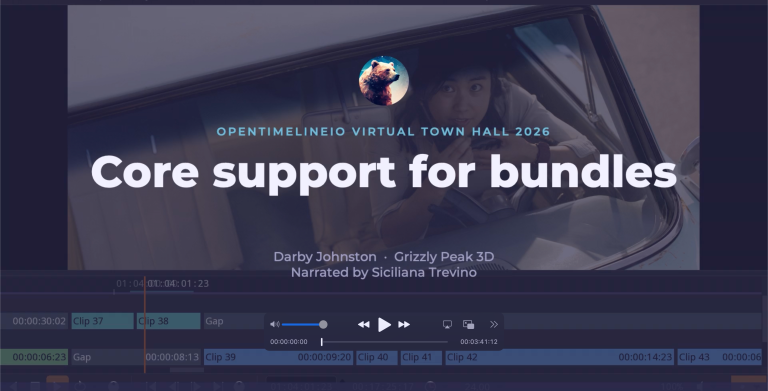
DJV 3.5 expands its OpenTimelineIO support with multiple media references and spatial coordinate information. OTIO is designed to describe editorial structures such as clips, timing, tracks, and references to media rather than embedding all source images and movies directly in the timeline. As a result, media paths and alternate representations remain an important part of a reliable handoff. Multiple media references allow a clip to contain alternative versions, such as a proxy and a full resolution render. In DJV 3.5, named alternatives can be selected through File/Media References, switching applicable clips to the chosen representation while clips without that alternative retain their authored reference.
This makes it possible to move between lighter and heavier media without rebuilding the editorial timeline, but the alternatives still need to be authored consistently. A proxy with different timing, framing, or composition is not automatically equivalent simply because it belongs to the same clip. Spatial coordinates address a related issue by describing where an image belongs on a shared canvas.
OTIO uses unitless spatial bounds and a coordinate system with the vertical axis pointing upward, separating layout from raw pixel dimensions. DJV includes settings for using that spatial information, so a practical test should compare proxy and full resolution versions and confirm that intended framing remains consistent. Successful interpretation of spatial data does not mean every editorial effect or compositing operation from another application will necessarily be reproduced.
DJV’s external FFmpeg workflow should also be treated separately from its packaged codec support. External FFmpeg decoding was introduced in DJV 3.4, allowing additional supported media to be decoded without rebuilding DJV. The available capabilities depend on the particular FFmpeg executable selected rather than on unrelated codec packs installed elsewhere in the operating system. In DJV 3.5, Settings includes separate FFmpeg and FFmpeg Command sections where the paths to ffmpeg and ffprobe can be configured. Media should then be reopened or reloaded so the new settings take effect. The later change that merges the command plugin into an automatic fallback belongs to version 3.6 and should not be described as part of 3.5.
DJV 3.5 also introduces an option for hardware decoding of compatible media. The documented implementations use VideoToolbox on macOS and Direct3D 11 on Windows, with software decoding available when the hardware path is incompatible. Hardware decoding should not be presented as a universal performance improvement because support depends on the codec, profile, device, and available decoding implementation.
AV1 support also requires a platform specific distinction. DJV 3.5 adds the aom library for AV1 decoding on macOS and Linux, while functioning Windows AV1 support is listed as a DJV 3.6 addition. AV1 therefore should not be described as uniformly supported across all DJV 3.5 packages. Decoding and encoding should also be kept separate: successfully opening a format through an external FFmpeg executable does not guarantee that the same codec is available through DJV 3.5 export. Any delivery format should be tested independently before it becomes part of a production workflow.
Add a practical DJV 3.5 workflowClarify version differences more visiblyTurn key procedures into bullets

Frequently Asked Questions (FAQs)
- Is DJV 3.5 free for commercial VFX work?
Yes. DJV is free and open source under the BSD three clause license, which permits commercial use, modification, and redistribution as long as the license conditions are followed. This makes it suitable for individual artists and studios that want to incorporate it into professional VFX or animation workflows. However, DJV’s license does not automatically cover external codecs, third party libraries, fonts, or production assets, so those components may still have separate licensing requirements. - Is DJV 3.5 the latest version?
No. As of September 24, 2026, the official release page identifies DJV 3.6.0 as the latest published version. DJV 3.5.0 remains available and may still be useful for studios or artists maintaining a version specific pipeline. Features added in 3.6 should therefore not be described as part of 3.5 simply because they are available in the current application line. - Did DJV 3.5 introduce custom fonts?
No. Custom font support was introduced in DJV 3.4, where users gained the ability to add fonts through the Style settings and select them for the interface. DJV 3.5 builds on that feature by includingNotoSansCJKsc-Regular, improving basic Chinese, Japanese, and Korean character rendering. The distinction matters when documenting which release originally introduced a particular capability. - Can DJV 3.5 edit SVG artwork?
No SVG editing features are confirmed for DJV 3.5. The documented addition is SVG reading, meaning supported SVG files can be opened and reviewed alongside other media. The release notes do not describe path editing, object manipulation, vector authoring, scripting, or complete browser style SVG animation support. DJV should therefore be treated as an SVG review tool rather than a replacement for dedicated vector graphics software. - Does CJK font support translate DJV’s interface?
No. Character rendering and interface translation are separate functions. The included CJK font helps DJV display Chinese, Japanese, and Korean characters where supported, including text that might otherwise lack appropriate glyphs. It does not automatically translate menus, settings, or interface labels into those languages, and it should not be interpreted as confirmation of complete CJK localization. - Can DJV 3.5 review a render that is still running?
Yes. DJV 3.5 adds partial image sequence support, allowing artists to inspect frames that have already finished rendering before the complete sequence exists. Users can specify the intended frame range and select how unavailable frames should be handled through options such as Error, Hold, Black, Skip, or Gaps. However, when using Skip or Gaps, newly arriving frames require the sequence to be reopened because those modes build their timeline from the files available when the sequence is initially loaded. - What is the difference between Skip and Gaps?
Skip removes unavailable frames from playback entirely, so only completed frames are shown and the resulting playback becomes shorter than the intended sequence. Gaps keeps the missing intervals in their correct temporal positions, preserving the original timing structure even though those frames are unavailable. Skip can be useful when the goal is simply to inspect completed renders, while Gaps is more appropriate when maintaining the shot’s intended timing is important. - How is Butterfly different from side-by-side comparison?
Butterfly combines corresponding halves of two images around a central seam, placing the left half of image A beside a mirrored left half of image B. A conventional side by side comparison instead displays both complete images next to each other. Butterfly can make subtle lighting, grading, or surface differences easier to judge because matching regions appear directly beside one another, but the complete frames should still be inspected separately before approving a shot. - Why might a movie still fail after FFmpeg is installed?
Simply installing FFmpeg somewhere on the system does not guarantee that DJV is using it or that the installed build can decode the required format. DJV 3.5 needs the correctffmpegandffprobeexecutable paths configured in its settings, and the selected FFmpeg build must contain support for the movie’s codec and profile. After changing the configuration, the media may also need to be reopened or reloaded before the new decoding path takes effect. - Can DJV 3.5 export a comparison movie with audio?
Yes. DJV 3.5 supports exporting comparisons and can create movie exports containing source audio. Before exporting, check the comparison arrangement, output dimensions, codec, in and out range, and audio settings because the saved result follows the configured export rather than simply copying what appears on screen. Reopening the completed movie is a useful final check to verify its duration, framing, visual comparison, and audio before delivering it to another reviewer.

Conclusion
DJV 3.5 is a significant review-focused update: SVG reading broadens supported artwork, partial sequences make unfinished renders inspectable, and improved comparison and export tools help communicate changes. Its font improvements also make the application more practical for multilingual workflows, while building on functionality introduced in 3.4.
The strongest workflow is not simply to enable every new option. Choose missing-frame behavior according to whether timing must be preserved, align comparison sources before judging differences, use the correct color configuration, and verify exported results independently.
Version awareness remains essential. Evaluate DJV 3.5 against its own release documentation, platform packages, and tested codec configuration. That approach keeps useful new capabilities separate from assumptions about later releases and makes the viewer a more dependable part of production review.
Sources and Citations
- DJV, Official GitHub Releases: Version history, release dates, downloadable installers, operating system packages, architecture-specific builds and technical changes across the 3.4 and 3.5 release series.
https://github.com/grizzlypeak3d/DJV/releases - DJV, Version 3.5.0 Release Notes: Partial image sequence support, SVG decoding, audio export, Butterfly comparison, A/B export, difference gain, OTIO media references, high-quality scaling, additional OpenEXR attributes and performance fixes.
https://github.com/grizzlypeak3d/DJV/releases/tag/3.5.0 - Grizzly Peak 3D, September 5, 2026: DJV 3.5.0 announcement highlighting incomplete render sequence playback, improved A/B comparisons, Butterfly mode, OpenTimelineIO support, hardware decoding, SVG support and audio export.
https://grizzlypeak3d.com/2026/09/05/djv-v3-5-0-review-renders-in-progress-even-when-frames-are-still-missing/ - DJV, Official Changelog: Historical comparison of versions 3.4 and 3.5, including FFmpeg command-line decoding, playback settings, thumbnail caching, sequence handling, comparison tools, export improvements and updated software libraries.
https://grizzlypeak3d.github.io/DJV/changelog.html - DJV, Official User Documentation: Professional image and movie playback, high-bit-depth media support, timeline navigation, A/B comparison, OpenColorIO color management, audio synchronization and Linux, macOS and Windows compatibility.
https://grizzlypeak3d.github.io/DJV/ - DJV, Export Documentation: Image, image sequence, movie and audio export settings, output formats, frame ranges, playback speed, comparison rendering, timecode handling and color management behavior.
https://grizzlypeak3d.github.io/DJV/export - DJV, Version 3.5.0 Source Documentation: Version-specific implementation and documentation for playback controls, comparison modes, application settings, color processing, installation and supported media formats.
https://github.com/grizzlypeak3d/DJV/tree/3.5.0 - W3C, Scalable Vector Graphics 2 Specification: SVG document structure, vector geometry, paths, text rendering, coordinate systems, transformations and standards governing scalable graphics.
https://www.w3.org/TR/SVG2/ - Academy Software Foundation, OpenEXR Documentation: High-dynamic-range image formats, floating-point pixel data, image channels, compression methods, metadata attributes and professional visual effects workflows.
https://openexr.com/en/latest/ - Academy Software Foundation, OpenColorIO Documentation: Color space configuration, display transforms, look-up tables, color conversions and consistent image presentation across visual effects and animation pipelines.
https://opencolorio.readthedocs.io/en/latest/ - Pixar Animation Studios, OpenTimelineIO Documentation: Editorial timeline interchange, clips, tracks, media references, time ranges, spatial transformations and interoperability between editing and visual effects applications.
https://opentimelineio.readthedocs.io/en/latest/ - Google, Noto Fonts Project: Multilingual font families, Unicode character coverage, CJK typography and open-source font resources relevant to DJV’s expanded international text rendering.
https://fonts.google.com/noto - FFmpeg, Official Technical Documentation: Multimedia decoding and encoding, hardware acceleration, audio streams, container formats, command-line processing and supported video codecs.
https://ffmpeg.org/documentation.html
Recommendations
- Mafia: Definitive Edition Comes to PS5 and Xbox Series With 60 FPS Upgrade
- Pokémon Go Dataminers Discount Early Launch for Pokémon Winds and Waves Creatures Despite Earlier Hopes
- How do I reset the camera position in Blender?
- Culdcept Begins: Best Item Cards Ranked for Every Deck and Strategy
- Backrooms Director Already Planning Sequel While Searching for New Screenwriter
- Rhythm Heaven Groove got a surprise free demo on the Nintendo eShop ahead of its July 2 launch
- Star Trek: Starfleet Academy Review (2026): Cast, Plot, Trailer, Episodes, and What Critics Are Saying
- How to Get a Tadpole Submarine in Subnautica 2: Full Blueprint, Crafting Guide, and Fragment Locations Explained
- All Horizon Decades Series 2 Challenges And Rewards In Forza Horizon 6
- ARC Raiders has sold over 16 million copies



































































































