












In This Article (15 sections)
Understanding Hyper-Realistic CGI Steam in 3D Animation and VFX
Hyper-realistic CGI steam refers to digitally simulated volumetric vapor effects that replicate the physical behavior of real-world steam in high fidelity. In 3D animation and visual effects, steam is not simply a static texture or particle overlay. It is a complex fluid phenomenon involving heat dissipation, density variation, turbulence, buoyancy, and light scattering.
Modern CGI steam is typically generated using volumetric simulations rather than traditional particle systems. These simulations model how hot gases rise, cool, and disperse into the surrounding environment. The realism comes from accurately mimicking physical laws such as thermodynamics and fluid dynamics. The key to achieving believable results lies in volumetric rendering, where steam is represented as a 3D density field rather than a flat surface. This allows light to scatter naturally, producing soft, diffused, and physically accurate visuals.
In production environments, hyper-realistic steam is used in several areas, including:
- Film VFX for explosions, magical effects, and environmental atmosphere
- Game development for immersive weather systems
- Product visualization, such as hot beverages and industrial machines
- Architectural renders to simulate environmental conditions
Best Software for Creating CGI Steam
Choosing the right software for CGI steam depends on production needs, budget, and the desired level of realism. Each tool has its own strengths in volumetric simulation, procedural effects, and real-time rendering, making some options better suited for film, games, motion graphics, or learning purposes.
Blender is a powerful free tool that offers Mantaflow for fluid and smoke simulation. It is widely used for indie production and for learning volumetric effects, making it one of the best entry-level options for artists who want to create CGI steam without investing in expensive software.
Houdini is considered the industry standard for procedural VFX. Its Pyro FX system is one of the most advanced tools for smoke, fire, and steam simulation in film production. For artists and studios aiming for film-grade realism, Houdini is often the strongest choice.
Cinema 4D provides user-friendly volumetric tools such as Pyro and Volume Builder. Its approachable workflow makes it ideal for motion graphics artists and mid-level production pipelines that need convincing steam effects without the complexity of a full procedural VFX setup.
Unreal Engine specializes in real-time rendering through the Niagara VFX system. It is widely used in games and virtual production for interactive steam effects, making it especially useful when performance and real-time feedback are important.
Comparison highlights:
- Blender: Best free entry-level option
- Houdini: Best for film-grade realism
- Cinema 4D: Best for motion graphics artists
- Unreal Engine: Best for real-time rendering and games
Each tool can also be integrated into hybrid pipelines for maximum efficiency, depending on the needs of the project.

Creating Realistic Steam Simulations in Blender
Blender uses Mantaflow for fluid and smoke simulations, which can also generate realistic steam effects. It is ideal for beginners, but it can still produce production-quality steam when optimized correctly.
A basic Blender steam simulation workflow includes the following steps:
- Set up the domain
Create a cube and assign it as a fluid domain. This defines the simulation space where the steam will be calculated. - Add an emitter
Add a mesh object, such as a sphere or plane, and set it as a flow object with “Smoke” or “Fire + Smoke” enabled. - Configure the physics settings
Adjust the key simulation settings to control how the steam behaves:
- Temperature Difference: Controls buoyancy and how strongly the steam rises.
- Density: Controls the thickness and visibility of the steam.
- Vorticity: Adds turbulence and swirling motion.
- Bake the simulation
Bake the data and noise caches to generate realistic steam movement. This step allows Blender to calculate the fluid behavior before rendering. - Set up the material
Use the Principled Volume shader to create a volumetric steam material. Adjust the density to control visibility, and add blackbody emission if heat effects are needed. - Light and render the scene
Use HDRI lighting or area lights to create natural volumetric interaction. Proper lighting is essential because realistic steam depends heavily on how light scatters through the volume.
Houdini and Cinema 4D Techniques for Volumetric Steam Effects
Houdini is known for procedural VFX workflows and is widely used in Hollywood productions. Its Pyro system allows artists to simulate smoke dispersion, heat turbulence, and steam interaction with environments. Key concepts in Houdini steam simulation include voxel grids, which represent volumetric space; the Pyro Solver, which calculates fluid motion; temperature fields, which drive buoyancy; and dissipation, which controls how quickly steam fades.
Beginners in Houdini typically start with a basic container and emitter setup, then refine the simulation using Gas Resize and Gas Turbulence nodes. Houdini excels in scalability because simulations can be cached and reused across shots, making it ideal for large-scale production pipelines.
Cinema 4D offers a more artist-friendly approach to volumetric simulation. Its Pyro system allows for quick setup of smoke and steam effects without deep technical configuration, while Volume Builder adds procedural control over volumetric shapes. A typical Cinema 4D steam workflow involves creating an emitter object, applying a Pyro simulation tag, adjusting density and temperature, and using Volume Builder to shape the steam motion.
Cinema 4D is often used in motion graphics, advertising, and broadcast design, where speed and visual appeal are prioritized over physical accuracy. Its integration with the Redshift renderer further enhances volumetric realism through fast GPU rendering.

Real-Time Steam Simulation in Unreal Engine Niagara
Unreal Engine provides real-time steam simulation through the Niagara VFX system. Niagara allows developers to create dynamic particle and volumetric systems that react to gameplay or environmental changes, making it especially useful for interactive scenes where steam must respond to player movement, wind, or explosions.
Key features of Niagara for steam and VFX simulation include:
- Real-time particle simulation
- GPU-based fluid approximation
- Volumetric fog integration
- Blueprint-driven control systems
Steam in Unreal Engine is often created using sprite particles with soft alpha, volumetric fog cards, and Niagara fluid emitters. These methods allow artists and developers to build convincing steam effects while maintaining real-time performance, which is especially important for games, virtual production, and interactive environments.
Free and Professional Tools for CGI Steam and Volumetric Effects
Several free tools are available for creating CGI steam, making it easier for beginners to learn the foundations of fluid simulation and volumetric rendering. Blender remains the most complete free solution because it includes modeling, simulation, rendering, and compositing in one package. Its Mantaflow system can be used for smoke and steam simulation, while its rendering tools support volumetric effects.
Other free or beginner-friendly tools include:
- Blender, using the Mantaflow system
- Natron, for compositing volumetric passes
- OpenVDB tools, for volumetric data handling
- EmberGen Indie, through its free tier for real-time VFX learning
Open-source and free tools allow beginners to learn core concepts such as fluid dynamics, volumetric rendering, and particle simulation before moving into more advanced production pipelines.
Professional studios rely on higher-end tools for maximum realism and control. These tools are commonly used in film studios, AAA game development, and high-end commercial production, where simulation quality, scalability, and pipeline integration are critical.
Professional-level tools include:
- Houdini FX by SideFX
- Cinema 4D Studio
- Unreal Engine with Megascans and advanced Niagara workflows
- EmberGen Pro, a real-time VFX simulation tool
These paid or professional tools typically offer higher simulation resolution, faster caching systems, better production pipeline integration, and advanced shader and rendering support. While free tools are excellent for learning and smaller projects, paid software is often essential for large-scale production work that requires high-quality steam and volumetric effects.
Real-Time and Offline Rendering Workflows for Hyper-Realistic Steam
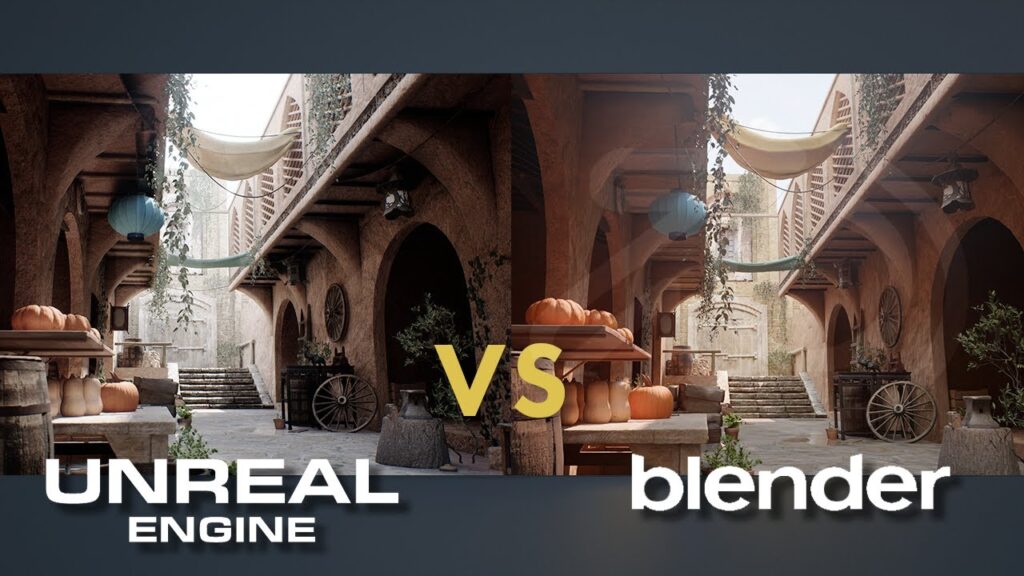
Real-time rendering and offline rendering represent two fundamentally different workflows for creating hyper-realistic steam simulations. Real-time rendering is commonly used in Unreal Engine and is designed for instant feedback, making it ideal for games and interactive media. However, it usually delivers lower simulation fidelity compared to offline rendering because performance must be maintained while the scene runs live.
Offline rendering is used in tools such as Blender Cycles, Houdini Mantra, and Arnold. This workflow supports high-quality volumetric detail and is ideal for films and cinematic VFX, but it often involves long render times. Real-time systems often fake volumetrics using particle sprites, while offline systems compute full voxel-based simulations.
Optimization also depends heavily on the target platform. For games, artists typically use low-resolution particle systems, bake simulations into textures, apply LOD systems, and limit volumetric resolution to maintain performance. For films, production pipelines can rely on high-resolution voxel grids, multi-pass rendering, deep compositing workflows, and physically accurate lighting. Game pipelines prioritize performance, while film pipelines prioritize realism.
Fluid Dynamics and Optimization Principles for CGI Steam and Smoke
Fluid dynamics is the foundation of realistic steam and smoke simulation in CGI. These systems approximate the Navier-Stokes equations to simulate fluid movement in 3D space, allowing steam to rise, swirl, fade, and react naturally within an environment.
Key physical principles include:
- Buoyancy: Hot steam rises.
- Dissipation: Steam fades over time.
- Vorticity: Steam develops swirling motion.
- Temperature gradients: Differences in temperature drive motion direction.
Artists control these behaviors using density fields, velocity fields, and pressure grids. Understanding fluid dynamics improves realism significantly, both in simulation quality and artistic control. When combined with the right rendering workflow, these principles help determine whether a steam effect is better suited for real-time gameplay, cinematic VFX, or high-end film production.
Lighting and Rendering Techniques for Realistic CGI Steam
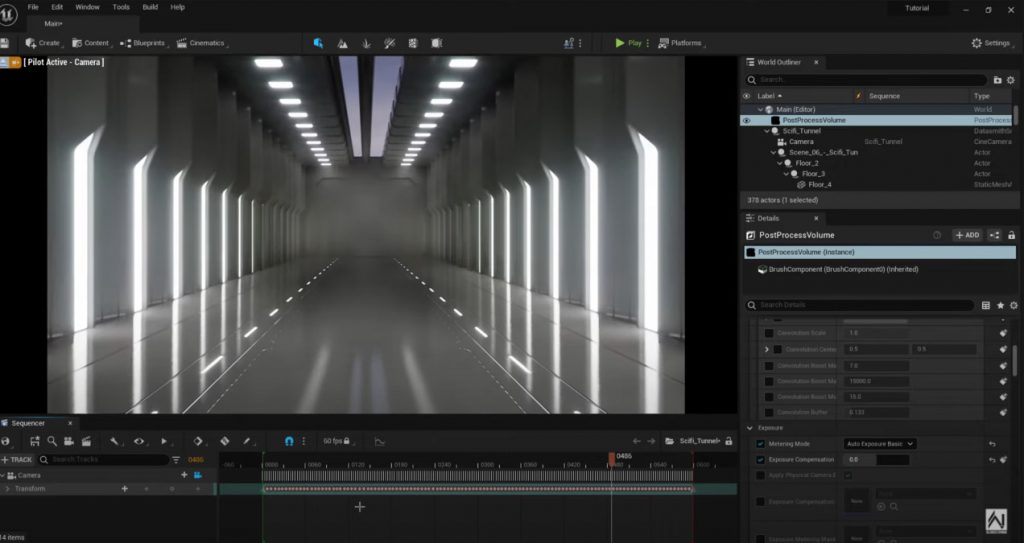
Lighting is critical for believable steam because steam becomes visible primarily through light interaction, not geometry. Strong lighting choices help reveal the depth, softness, and volume of the effect, making the steam feel naturally integrated into the scene.
Best practices for lighting realistic steam include:
- Backlighting the steam to reveal depth and shape
- Using volumetric scattering to create softness
- Applying HDRI environments for natural illumination
- Varying color temperature to distinguish warm steam from colder vapor
Rendering techniques also play an important role in enhancing realism. Volumetric ray marching helps calculate how light travels through the steam volume, while multiple scattering passes create a softer and more physically accurate look. Adaptive sampling can also reduce noise, which is especially important when rendering dense volumetric effects.
Common Mistakes and Advanced Techniques in Volumetric Steam Simulation
Several common mistakes can make CGI steam look unrealistic, but most can be corrected through better simulation, lighting, and rendering controls.
Common issues and fixes include:
- Overly dense steam: Reduce density values.
- Unrealistic motion: Increase turbulence and vorticity.
- Flat lighting: Add volumetric light scattering.
- No dissipation: Adjust decay settings.
- Repeating simulation patterns: Introduce noise fields.
Avoiding these mistakes improves realism significantly, especially when combined with more advanced VFX techniques. High-end studios often use multi-layer volumetric simulations, hybrid particle and voxel systems, deep compositing integration, temperature-driven shading models, and secondary turbulence fields to create more complex steam behavior.
Advanced techniques include:
- Multi-layer volumetric simulations
- Hybrid particle and voxel systems
- Deep compositing integration
- Temperature-driven shading models
- Secondary turbulence fields
By combining multiple simulation layers, studios can create more convincing effects, such as interacting heat zones or layered atmospheric steam.

Industry Workflow for Steam Simulation Pipelines
Modern VFX pipelines often combine multiple tools to create realistic and flexible steam simulations. Houdini is typically used for high-resolution simulation creation, Blender can support secondary refinement and asset integration, and Unreal Engine is used for real-time preview or final interactive rendering.
This hybrid workflow allows productions to take advantage of each tool’s strengths:
- Houdini: Maximum realism through advanced volumetric simulation
- Blender: Accessibility for refinement, asset work, and integration
- Unreal Engine: Interactivity for real-time previews and interactive rendering
Data is typically exchanged using OpenVDB formats to maintain volumetric consistency across the pipeline.
Frequently Asked Questions (FAQs)
- What is CGI steam in VFX?
It is a simulated volumetric gas effect used to replicate real steam in digital environments. - Which software is best for CGI steam?
Houdini is best for film, while Unreal Engine is best for real-time applications. - Is Blender good for steam simulation?
Yes, Blender’s Mantaflow system is capable of realistic steam effects. - What is volumetric rendering?
It is a method of rendering 3D density fields like smoke and steam. - Can Unreal Engine simulate real steam?
Yes, using Niagara and volumetric fog systems. - What is the difference between smoke and steam in CGI?
Steam is typically hotter, more transparent, and dissipates faster than smoke. - Do I need paid software for realistic steam?
Not necessarily, but paid tools provide higher precision and control. - What is Mantaflow in Blender?
It is Blender’s fluid and smoke simulation system. - Why is my CGI steam not realistic?
Usually due to poor lighting, low resolution, or incorrect density settings. - What file format is used for volumetric simulation?
OpenVDB is commonly used in professional pipelines.

Conclusion
Hyper-realistic CGI steam is a cornerstone of modern VFX, combining physics-based simulation, volumetric rendering, and advanced lighting techniques. Whether using Blender for accessibility, Houdini for film-grade realism, Cinema 4D for motion graphics, or Unreal Engine for real-time applications, each tool provides unique strengths for creating believable steam effects. Mastery of fluid dynamics, rendering optimization, and pipeline integration is essential for achieving professional-level results in both games and cinematic production environments.
Sources and Citations
- Blender Official Documentation: Fluid Simulation (Mantaflow)
https://docs.blender.org/manual/en/latest/physics/fluid/index.html - SideFX Houdini Documentation: Pyro FX
https://www.sidefx.com/docs/houdini/pyro/ - Unreal Engine Documentation: Niagara VFX System
https://dev.epicgames.com/documentation/en-us/unreal-engine/niagara-effects-system - Maxon Cinema 4D Documentation: Pyro and Volume Builder
https://www.maxon.net/en/cinema-4d - OpenVDB Library Overview
https://www.openvdb.org/
Recommended
- Arc Raiders Avian Alarm Project Guide: All Steps, Bird Cage Requirements, Locations & Rewards Explained (Riven Tides Update)
- James Bond 007: First Light Title Track by Lana Del Rey – Song Meaning, Lyrics, Release Date & Game Details Explained
- Monster Hunter Outlanders Preview: Hands-on Impressions and What to Expect
- Mesh2Motion Animation App Introduces Spider and Snake Rigs in Release 10
- Metahuman and NVIDIA Omniverse Audio2Face : Create Real-Time Facial Animation for Unreal Engine 5
- App Store Gaming Revenue in 2025 Outpaces Google Play and Steam Combined: Apple’s $52.5B Explained
- How to Animate Metahuman in Unreal Engine 5: The Ultimate Step-by-Step Guide to Bringing Digital Characters to Life
- The Expanse: Osiris Reborn Official Gameplay Trailer Breakdown, Release Date, Beta, and Game Pass Details
- GTA V Source Code Leak and the Canceled Rockstar Spy Game Explained
- How do I focus the camera on an object in Blender?



































































































