









In This Article (8 sections)
Nvidia RTX Spark vs M5 Max MacBook Pro: What the Qwen Benchmarks Actually Show
Nvidia’s RTX Spark delivered a strong result in local AI testing, with Microsoft’s Surface Laptop Ultra finishing ahead of a 14-inch M5 Max MacBook Pro in two Qwen agent benchmarks published by Tom’s Hardware on October 15, 2026. The comparison is meaningful because it measures complete local inference systems rather than isolated processor specifications. A laptop’s AI performance depends on the processor, memory, cooling, operating system, drivers, inference engine, model configuration, context length, and acceleration settings working together.
That makes elapsed task-completion time more useful than comparing theoretical AI throughput alone when the practical question is how long a user must wait for a demanding local workflow to finish. The reported advantage is therefore best understood as evidence for the tested configurations rather than proof that the Surface is universally faster for every AI workload.
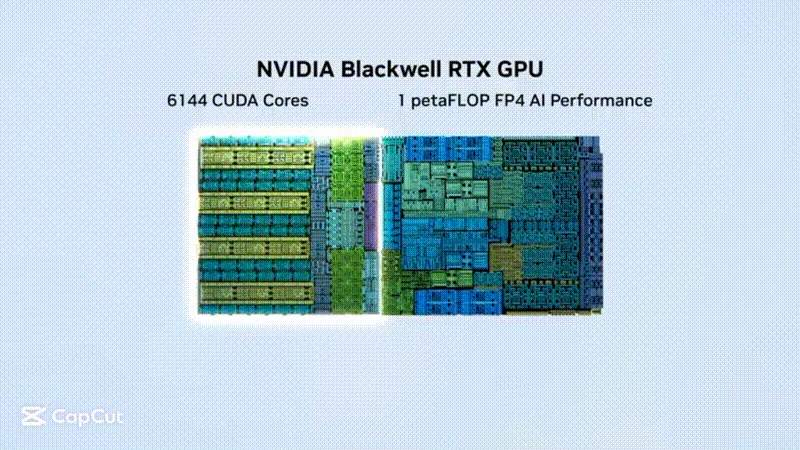
Nvidia describes RTX Spark as combining a Blackwell RTX GPU with an Arm-based Grace CPU and unified memory, with the announced maximum configuration including 20 CPU cores, 6,144 GPU cores, and 128GB of unified memory. CUDA support and fifth-generation Tensor Cores are central to Nvidia’s developer proposition, while Apple’s M5 Max also uses unified memory and is available in different GPU and bandwidth configurations, including a 40-core GPU option with 614GB/s of memory bandwidth.
These specifications establish capabilities and constraints, but they do not directly determine how quickly a model will complete a real workload. The meaningful comparison is whether an equivalent deployment can complete the same task at an acceptable level of model quality in less time. This distinction also prevents a narrow local language-model result from being incorrectly extended to unrelated workloads such as video editing, software compilation, battery endurance, or gaming.
The often-repeated claim of a 25% advantage also requires careful interpretation because “faster” and “less time” are not interchangeable. If one system finishes a workload in eight minutes and another takes ten minutes, the quicker machine saves two minutes, which is a 20% reduction relative to the slower system’s ten-minute completion time. Measured as completed workloads per unit of time, however, the quicker machine is 25% faster because ten divided by eight equals 1.25. Similarly, if one system requires 20 minutes and another takes 25 minutes, the slower machine takes 25% longer while the faster one uses 20% less time. For buyers, elapsed minutes should therefore be the starting point, with percentages explained using a clear denominator.
That distinction becomes especially important when the benchmark result is repeated throughout a working day. Saving several minutes once may have little practical significance, while saving the same amount across many daily coding, research, or document-analysis tasks could materially reduce waiting time. The value depends on whether the benchmark resembles the user’s real deployment and whether the faster result preserves the required model quality. A system that completes inference faster but produces output requiring more correction may not save human time overall. The strongest interpretation is therefore narrow: the Surface Laptop Ultra completed the tested local Qwen agent workloads faster than the tested 14-inch M5 Max MacBook Pro under the reported configurations.

AgentPerf, Qwen 3.8 and Qwen 3.6: How the Local AI Tests Were Run
Artificial Analysis developed AA-AgentPerf-Local to replay recorded agent sessions against local inference servers, providing a more demanding workload than a single short prompt. Its published launch methodology describes eight tasks spanning 168 model turns, with conversation context growing as each replay progresses and recorded output lengths helping to keep the amount of inference work comparable. Tool execution is skipped by default, although other execution modes are available.
This matters because agents repeatedly examine instructions, process tool responses, and generate follow-up decisions, so their serving requirements differ from isolated token-generation tests. The benchmark therefore measures how efficiently a local deployment can serve a controlled sequence of requests rather than asking each model to independently solve a new real-world task from scratch.
That difference is important when interpreting the phrase “task completion.” AgentPerf replay controls the workload so the timing comparison remains consistent, but it does not prove that different model deployments will make equally good decisions in an unrestricted environment. It also does not include every delay that might appear in a real business workflow involving websites, downloads, external services, human approvals, or tool execution. Artificial Analysis distinguishes full comparable runs from reduced-context and miniature installation checks, which means any reproduction should identify the replay mode, output policy, context settings, and serving configuration. The benchmark is therefore most useful as a controlled serving-performance comparison rather than a complete simulation of every real-world agent workflow.
For Qwen 3.8 27B, Tom’s Hardware reported that the tested M5 Max MacBook Pro required approximately 25% more time than the Surface. The test used Unsloth’s Q4KM quantization and DFlash2 speculative decoding on both systems, so the result belongs specifically to that model representation and acceleration configuration. Changing the model file, inference engine, context behavior, or speculative-decoding settings creates a different experiment. A user running short conversational prompts may therefore experience a different relative advantage from someone replaying long multi-turn agent sessions. Useful follow-up tests would vary prompt length, repeat runs, and disable speculative decoding to help separate the contribution of hardware from the contribution of the serving method.
The second Qwen workload produced a similar ordering. In the Qwen 3.6 35B A3B test, Tom’s Hardware described completion times of roughly eight minutes for the Surface, ten minutes for the MacBook Pro, and thirteen minutes for the Ryzen AI Halo comparison system. That test used Q4KM quantization and multi-token prediction, again showing that the result belongs to a specific deployment rather than the model name alone.
Hardware comparisons should ideally hold the model constant, while broader workflow comparisons should also consider whether the output quality is sufficient for the job. For coding, useful outcome measures might include whether proposed changes compile and tests pass, while document-analysis workflows may care more about whether the requested evidence is correctly identified.

Blackwell, CUDA, Metal, Quantization, Memory, and Speculative Decoding
RTX Spark’s local AI proposition depends not only on its Blackwell hardware but also on how effectively software uses the available resources. Language-model inference repeatedly performs numerical operations across very large collections of parameters, and GPUs can accelerate suitable work through parallel execution. Nvidia’s CUDA ecosystem, fifth-generation Tensor Cores, and advertised low-precision capabilities create opportunities for high performance, but vendor peak figures do not establish that every inference engine uses those capabilities equally well.
Applications may spend time waiting on memory, launching small kernels, executing operations elsewhere in the system, or processing parts of the workload that do not approach advertised arithmetic limits. The measured benchmark result therefore reflects the combined hardware and software outcome rather than proving how much of the lead comes from any single architectural feature.
The same caution applies when comparing CUDA with Apple’s Metal backend in projects such as llama.cpp. Llama.cpp supports both environments, but a common application does not guarantee that the underlying execution paths, kernels, or optimization strategies are identical. Benchmarks must confirm that the intended acceleration backend was enabled and that the model actually used it.
One valid comparison asks which laptop performs better when both use the same application configured as similarly as possible, while another asks which performs best when each platform uses the fastest suitable software available to it. A CUDA lead in one deployment does not prove that Metal is universally slower, just as an alternative Apple-focused engine cannot be assumed to reverse the result without measurement.
Quantization adds another important variable because it reduces the numerical precision used to represent model information, lowering storage and memory requirements while introducing trade-offs involving speed and task performance. A simple calculation shows why this matters: 27 billion values stored at four bits each require 13.5 billion bytes before metadata, caches, runtime allocations, and other components are included. The model’s download size is therefore not the same as its total working-memory requirement. A system may successfully load the model yet encounter pressure as context grows or other applications consume memory. Comparisons should therefore match not only the model name but also the quantization variant, cache precision, context settings, and offloading behavior.
Speculative decoding can further change the result by reducing the cost of sequential token generation. In its basic form, a cheaper approximation proposes several tokens that a larger target model then evaluates, allowing faster progress when enough proposals are accepted. The benefit depends on the cost of generating proposals relative to the amount of accepted progress, so more aggressive speculation does not automatically produce a larger speedup. Code, prose, structured output, and unusual vocabulary can also behave differently. A benchmark achieved with DFlash2, multi-token prediction, or another speculative method should therefore document that acceleration rather than presenting the result as ordinary token-by-token decoding performance.
Memory bandwidth is similarly important without being sufficient on its own to predict the winner. Nvidia’s inference documentation distinguishes prompt processing from autoregressive decoding and discusses the increasing memory demands of key-value caches, showing that different phases place different stresses on the system. If only part of a workload benefits from higher memory performance, improving that part does not proportionally reduce total runtime. Context length, batching, caching, model structure, and speculative execution can all shift the balance. Observed completion time for a specified deployment remains stronger evidence than selecting a single specification such as bandwidth and treating it as the explanation for the entire result.

Laptop Configuration, Cooling, Gaming Limits, and What Buyers Should Take Away
Tom’s Hardware tested a high-end Surface configuration with 128GB of LPDDR5X-9400 memory against a 14-inch MacBook Pro, and the review identified a 140W Surface adapter and a 96W MacBook adapter. Those details are useful, but reproducibility requires substantially more information, ideally including operating-system versions, GPU drivers, inference-engine commits, compiler settings, model checksums, context capacity, cache precision, and exact launch arguments. A similarly named model file can use different quantization, a newer software build can select different kernels, and altered context settings can change memory behavior.
Memory capacity must also be distinguished from performance because more memory can make a larger workload possible without necessarily making an already resident model faster. Buyers should therefore ask whether the specific configuration they intend to purchase can run the desired model and context while still leaving enough resources for everyday applications.
Cooling and sustained power behavior introduce another layer of uncertainty in laptop testing. A long inference run can behave differently from a short burst because temperatures, clocks, and operating limits change over time, but charger wattage does not directly reveal processor power consumption. A rigorous comparison would record wall power, battery behavior, operating mode, ambient temperature, fan activity, and clock stability across repeated warm runs. Energy efficiency also needs separate measurement because one laptop may finish sooner while drawing more power, whereas another may take longer while using less total energy. Battery operation should likewise be tested independently because a plugged-in result does not establish unplugged completion time or endurance.
Tom’s Hardware also raised the untested possibility that a 16-inch M5 Max MacBook Pro could perform differently because its chassis and power characteristics differ from those of the tested 14-inch system. That question cannot be settled through dimensions alone because a larger enclosure only matters if sustained operating limits are actually constraining the smaller machine. A valid test would need the same workload, same model files, equivalent software, and documented operating conditions, while avoiding simultaneous changes to GPU configuration or memory that would obscure the effect of chassis size. Until that experiment exists, neither a closed gap nor an unchanged gap should be assumed. The existing benchmark answers only the narrower question of how the tested configurations compared.
The Surface result should also not be generalized to gaming simply because the machine carries RTX branding. Tom’s Hardware’s initial gaming assessment was less favorable than its local AI findings, and Windows 11 on Arm introduces another layer through x86 and x64 application emulation. Microsoft’s Prism technology translates instruction blocks into Arm instructions and caches translated code, improving compatibility without making an emulated title identical to a native Arm build. Games can encounter limitations involving CPU execution, graphics, drivers, supporting software, frame pacing, latency, or compatibility. Buyers expecting one machine to handle both local AI and gaming therefore need separate application-specific evidence for each role.
For local AI buyers, the strongest lesson is to prioritize measured performance in the deployment they actually expect to use. Start by identifying the model, application, operating environment, and context requirements, then determine whether the hardware configuration has enough capacity before comparing speed. After that, evaluate successful work per hour rather than inference time alone, because installation problems, incompatible dependencies, or repeated output corrections can eliminate the benefit of faster raw serving.
Cost should also include hardware, electricity, cloud usage, setup time, and maintenance over the expected ownership period. The Qwen results make RTX Spark a credible option for demanding local inference, but broader claims about the “best AI laptop” require more software, model, power, battery, quality, and workload testing than these two benchmarks provide.

Frequently Asked Questions (FAQs)
- What does it mean for one laptop to be 25% faster?
Saying that one laptop is 25% faster usually refers to its rate of completing work rather than saying it takes 25% less time. If one system completes a workload in eight minutes and another takes ten minutes, the faster system completes work at 1.25 times the rate of the slower one. However, it uses 20% less elapsed time because the two-minute saving is measured against the slower system’s ten-minute result. This is why “25% faster” and “25% less time” are not mathematically identical statements. Benchmark articles should therefore provide the actual completion times and explain which reference point is used for the percentage. - Does a faster inference result mean the model is more intelligent?
No. Inference speed measures how quickly a particular hardware and software deployment processes the model’s workload. It does not establish whether the model reasons better, provides more accurate answers, or succeeds more often at difficult tasks. Two systems can run the same model at different speeds while producing essentially equivalent output under comparable settings. Capability should instead be evaluated using measures such as task success, correctness, reliability, and the amount of human correction required. Speed and intelligence are related to different parts of the overall user experience and should be assessed separately. - Why benchmark an agent replay instead of a short conversation?
An agent replay can better represent workloads involving many consecutive inference requests rather than a single short question and answer. As an agent works through a task, the conversation context can grow, instructions may be reconsidered, and multiple decisions may need to be generated. These repeated turns can place different demands on the system than a short prompt with a brief response. Replaying a recorded trajectory also helps keep the amount of work more controlled when comparing different deployments. It therefore provides useful insight into sustained multi-turn serving performance, although it does not reproduce every aspect of a completely independent real-world agent task. - Does unified memory guarantee strong local AI performance?
No. Unified memory can make large models easier to run by allowing the processor and graphics hardware to access a common memory pool, but capacity alone does not determine speed. Performance also depends on memory bandwidth, computation resources, inference software, quantization, context length, caching, and how efficiently the workload uses the hardware. A system with more unified memory may be able to load a larger model without necessarily completing an already supported workload faster. Software optimization can also cause two systems with impressive memory specifications to perform very differently. Unified memory is therefore an important capability, but benchmarked completion time remains necessary for judging actual performance. - Should every laptop comparison use identical inference software?
Not necessarily, because identical software and platform-optimized software answer different questions. Using the same application and similar settings helps show how two laptops compare under a common software environment. This is useful for buyers who intend to use that exact application regardless of platform. Testing the fastest suitable engine available for each laptop instead shows the best performance a user may realistically achieve when optimizing around the hardware. Both methods are valid, but the benchmark should clearly explain which approach it uses so readers do not confuse one type of comparison with the other. - Can a smaller model be the better practical choice?
Yes. A smaller model can be the better option when it provides sufficient accuracy while running faster, consuming less memory, and requiring less waiting time. The goal of a real workflow is usually to complete useful work rather than simply run the largest model that fits into memory. A larger model that produces somewhat stronger answers may still be less efficient if it adds substantial latency without materially improving the task result. Human correction effort also matters because a fast model that frequently needs fixing can lose its apparent advantage. The best practical model is therefore the one that meets the required quality threshold with an acceptable combination of speed, resource use, and human effort. - Why does context length matter?
Context length affects how much previous information the model must manage while generating each new response. A short prompt may place much less pressure on memory and processing than an extended agent session containing many earlier instructions, outputs, or tool results. As the conversation grows, key-value caches and other runtime memory requirements can also increase. This means a laptop that performs very well on short prompts may behave differently during long-running workflows. Benchmarks should therefore report context conditions when they are relevant so readers understand what kind of usage the result represents. - Can charger ratings establish energy efficiency?
No. A charger rating indicates the maximum power the adapter is designed to provide, not the amount of energy consumed during a specific AI workload. Some of that power may support the display, processor, memory, battery charging, and other components at the same time. Energy efficiency must instead be measured by recording actual power or total energy consumption while equivalent work is being completed. The result should then be considered alongside completion time because a faster laptop may draw more power yet still use similar or even less total energy. Adapter wattage alone cannot answer that question. - Should gaming buyers rely on local AI benchmark results?
No. Local AI inference and gaming stress different parts of a laptop’s hardware and software stack. A system that performs extremely well with a Qwen model may still encounter gaming limitations involving drivers, CPU behavior, graphics performance, frame pacing, latency, or application compatibility. This is especially important when operating-system emulation or platform-specific software requirements are involved. Gaming performance should therefore be tested with the actual titles, resolutions, settings, and features relevant to the buyer. Local AI benchmarks can help evaluate AI workloads, but they cannot substitute for dedicated gaming tests. - What is the most useful personal benchmark?
The most useful benchmark is a repeatable task that closely resembles how the laptop will actually be used. The model, quantization, context length, inference engine, acceleration settings, and operating conditions should remain documented so repeated results are meaningful. Completion time should be recorded, but the benchmark should also include a clear success criterion such as whether the output is correct, whether code passes tests, or whether the requested evidence is found. Human correction time is also valuable because a fast result that requires extensive fixing may not improve the overall workflow. Measuring useful work completed with acceptable quality provides a more practical comparison than timing raw output alone.

Conclusion
The Nvidia RTX Spark comparison demonstrates why local AI laptops should be evaluated as complete deployments. Hardware specifications establish potential, while models, inference engines, acceleration methods, and operating conditions determine the experience.
The reported advantage is meaningful within the tested scope. It should be explained through completion times and clearly defined percentages, then assessed against model quality, software compatibility, capacity, and cost.
Further comparisons involving alternative inference engines, battery operation, and additional laptop configurations would strengthen the evidence. For buyers today, the most reliable decision comes from matching a measured workload to the work they intend to perform.
Sources and Citations
- Tom’s Hardware, Jeffrey Kampman, October 15, 2026: Independent evaluation of NVIDIA’s RTX Spark platform in Microsoft’s Surface Laptop Ultra. Covers local AI performance, Windows on Arm, gaming limitations, and the supplied Qwen model comparison.
- Source: Tom’s Hardware — We Test the RTX Spark Superchip in Microsoft’s Surface Laptop Ultra
- Citation: Jeffrey Kampman, “We test the RTX Spark Superchip in Microsoft’s Surface Laptop Ultra,” Tom’s Hardware, October 15, 2026. Tom’s Hardware
- Artificial Analysis — AA-AgentPerf-Local: Official benchmark methodology and repository for evaluating local AI agents. Explains recorded agent-task replay, workload consistency, reproducibility, and how to run the benchmark on local hardware.
- Source: Artificial Analysis — AA-AgentPerf-Local
- Additional source: GitHub — AA-AgentPerf-Local Repository
- Citation: Artificial Analysis, “AA-AgentPerf-Local: Benchmarking local AI agents on laptops and workstations,” official benchmark documentation and repository. Artificial Analysis+1
- NVIDIA — RTX Spark Platform Announcement: Official vendor announcement describing RTX Spark hardware, the NVIDIA Blackwell RTX GPU, Grace CPU, CUDA support, unified memory, and local AI capabilities. These are manufacturer specifications, not independent benchmark results.
- Source: NVIDIA Blog — NVIDIA, Microsoft Kick Off a New Beginning for Windows PCs With RTX Spark and AI Agents
- Additional source: NVIDIA Newsroom — RTX Spark PCs Available Today
- Citation: Gerardo Delgado, “NVIDIA, Microsoft Kick Off a New Beginning for Windows PCs With RTX Spark and AI Agents,” NVIDIA Blog, October 7, 2026. NVIDIA Blog
- Additional citation: NVIDIA, “NVIDIA RTX Spark PCs Available Today — A New Beginning for Windows PCs,” NVIDIA Newsroom, October 16, 2026. NVIDIA Newsroom
- Apple — MacBook Pro Technical Specifications: Official specifications for the M5 Max MacBook Pro, including CPU and GPU configurations, unified memory capacities, memory bandwidth, and storage options. Useful for comparing Apple’s hardware with RTX Spark systems.
- Source: Apple — MacBook Pro Technical Specifications
- Additional source: Apple Support — MacBook Pro (16-inch, M5 Pro or M5 Max) Technical Specifications
- Citation: Apple, “MacBook Pro — Tech Specs,” official product specifications. Apple
- Additional citation: Apple, “MacBook Pro (16-inch, M5 Pro or M5 Max) — Tech Specs,” Apple Support, 2026. Apple Support
- ggml-org — llama.cpp Official Repository: Official open-source repository documenting local LLM inference, quantization, hardware acceleration, and supported backends, including CUDA, Metal, Vulkan, HIP, and SYCL.
- Source: GitHub — ggml-org/llama.cpp
- Additional source: llama.cpp — Build Documentation
- Citation: ggml-org, “llama.cpp,” official GitHub repository and README documentation. GitHub
- Additional citation: ggml-org, “Build llama.cpp locally,” official build documentation. GitHub
- Uygar Kurt — Quantization Research: Research paper evaluating llama.cpp quantization formats on Llama-3.1-8B-Instruct. Examines model size, compression, inference throughput, perplexity, and performance across different quantization levels.
- Source: arXiv — Which Quantization Should I Use? A Unified Evaluation of llama.cpp Quantization on Llama-3.1-8B-Instruct
- Citation: Uygar Kurt, “Which Quantization Should I Use? A Unified Evaluation of llama.cpp Quantization on Llama-3.1-8B-Instruct,” arXiv, January 11, 2026. arXiv
- Yaniv Leviathan, Matan Kalman, and Yossi Matias — Speculative Decoding: Foundational research paper explaining speculative decoding, a technique that accelerates autoregressive language-model inference by generating and verifying multiple tokens in parallel while preserving the original output distribution.
- Source: arXiv — Fast Inference from Transformers via Speculative Decoding
- Additional source: Proceedings of Machine Learning Research — Published Paper
- Citation: Yaniv Leviathan, Matan Kalman, and Yossi Matias, “Fast Inference from Transformers via Speculative Decoding,” Proceedings of the 40th International Conference on Machine Learning, PMLR 202, 2023. arXiv+1
- NVIDIA Developer Technical Blog — Inference Optimization: Technical explanation of LLM inference bottlenecks and optimization techniques, including prefill and decoding phases, memory consumption, KV caching, and model parallelism.
- Source: NVIDIA Developer — Mastering LLM Techniques: Inference Optimization
- Citation: Shashank Verma and Neal Vaidya, “Mastering LLM Techniques: Inference Optimization,” NVIDIA Developer Technical Blog, November 17, 2023. NVIDIA Technical Blog+1
- Microsoft Learn — How Emulation Works on Arm: Official documentation explaining Windows on Arm application compatibility, x86 and x64 emulation, Prism, and how translated instructions allow traditional Windows applications to run on Arm-based devices.
- Source: Microsoft Learn — How Emulation Works on Arm
- Citation: Microsoft, “How emulation works on Arm,” Microsoft Learn. Microsoft Learn
Recommendations
- CULTIC Console Release Guide: PS5, Xbox Series X|S, and Switch 2 Details
- Pokémon Champions Fans Criticize Free-to-Play Launch Over Missing Features, Switch 2 Performance Issues, and Limited Roster
- Ridley Scott Denies Paul Mescal Gladiator 2 Masculinity Rumor
- Tachyon Flow Cool Parkour Game With Gymnastics Tricks: Release Date, Gameplay, and Everything We Know (Steam)
- Dishonored Creator Raphael Colantonio Says GTA Is a “Stab in the Heart” for Immersive-Sim Fans
- Double Dragon, River City Creator Yoshihisa Kishimoto Passes Away at 64
- Online: 404 Early Access Launches October 16, 2026 on PC
- Avowed Gets New Game+ And A Photo Mode Alongside PS5 Launch: Everything New in the Anniversary Update 2.0
- Crisol: Theater of Idols Developers Shut Down Five Months After Release: What Happened to Vermila Studios?
- Best Cities: Skylines Mods in 2026: Must-Have Traffic, Building, and Quality-of-Life Tools



































































































