




In This Article (7 sections)
How Players Are Performing Popular Songs in the Ocarina of Time Remake
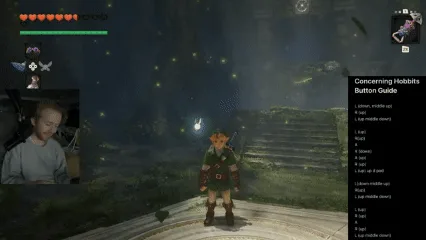
The Legend of Zelda: Ocarina of Time remake on Nintendo Switch 2 has inspired players to recreate popular songs using Link’s musical instrument, turning a familiar gameplay feature into an unexpected musical playground. Nintendo released the remake on November 5, 2026, and players began experimenting with its ocarina almost immediately. On November 6, Steven, who posts as @StevenxTCG, shared a performance of the piano introduction to Linkin Park’s “In the End.” Another player, Seven, followed on November 7 with Howard Shore’s “Concerning Hobbits” from The Lord of the Rings: The Fellowship of the Ring, humorously naming the performance “Concerning Hylians.”
These performances demonstrate how players can use the remake’s musical mechanics to reproduce melodies that were never originally part of the game. Once Link obtains an ocarina, players can use the controller to produce individual notes, combining different buttons and directional inputs to create recognizable arrangements. The five main note buttons provide the foundation, while additional directional inputs introduce intermediate pitches. This makes it possible to recreate music originally written for piano, guitar, vocals, or other instruments. Steven’s “In the End” arrangement, for example, uses a shoulder button together with an upward movement of the left stick to produce an important note that would otherwise be unavailable through the basic button combinations.
The microphone offers another way to interact with Link’s instrument, although it serves a different purpose from controller based performances. Nintendo designed the microphone feature to recognize melodies Link has already learned during the adventure. Players can hum familiar Zelda songs or perform them using physical instruments, allowing Link to respond with the corresponding in game melody. For original covers of outside music, the controller provides more direct control over individual notes, repetitions, and pauses. The distinction is important because a video showing Link performing a popular song does not necessarily reveal whether the player used controller inputs, microphone recognition, or a combination of both.
Nintendo also incorporated environmental audio characteristics into the remake. Its sound team recorded a real ocarina and adjusted the instrument’s resonance according to Link’s location. Consequently, playing the same melody in different environments can produce different lingering effects after the final note. Players can experiment by holding the same note in two locations and comparing how the sound fades. Although the musical notes and fingering remain unchanged, the surrounding environment influences the resulting audio presentation.
Seven’s performance of “Concerning Hobbits” works particularly well because the original composition already incorporates instruments associated with the sound of the Shire. Howard Shore’s arrangement includes tin whistle, Irish fiddle, hammered dulcimer, and nylon string guitar. The wind instrument characteristics make the melody particularly suitable for Link’s ocarina, even without the additional strings and rhythmic elements that give the original film recording its distinctive movement. Players attempting to reproduce the tune by ear can begin with the recognizable opening phrase, identify its natural resting point, and find a comfortable starting pitch within the controller’s available range. Once the main melody sounds recognizable, faster connecting notes can be introduced to restore the original rhythm.
Steven’s “In the End” performance presents a different challenge because its opening melody is closely associated with the piano. The ocarina produces a softer, more sustained sound, making the spaces between individual notes especially important. A piano note has a distinctive attack followed by a fading sound, whereas Link can maintain a tone for a longer period. Steven’s arrangement preserves enough of the original opening figure to make the musical reference immediately recognizable. Mike Shinoda has also discussed how “In the End” originated as a piano and vocals demonstration, providing additional context for why its opening works as an ocarina arrangement.
Players using the Normal controller layout can reproduce Steven’s demonstrated sequence through the following inputs:
- Press L.
- Press A twice.
- Press R.
- Hold the left stick upward.
- Press L four times while maintaining the stick position.
- Release the stick.
- Press R to complete the phrase.
The upward stick movement raises the pitch of L from D to E. Players should practice this transition separately because leaving the stick tilted while pressing R changes the final note and makes the ending sound different. The repeated notes should also be played as individual taps rather than one prolonged tone. Their separate beginnings create the recognizable rhythm of the original piano introduction. Playing slowly at first makes it easier to identify mistakes before increasing the tempo.
The two early performances encouraged other Zelda fans to experiment with familiar music. Sabrina Carpenter’s “Manchild” appeared in early cover roundups, while other examples documented by NME included Los del Río’s “Macarena,” Eiffel 95’s “Blue (Da Ba Dee),” and “WannaCry” by Ninajirachi and Porter Robinson. The “Macarena” performance, posted by @chef_spin, directly responded to Steven’s Linkin Park clip with the title “Macarena of Time.” These exchanges transformed individual musical experiments into a continuing community activity, with each player finding another recognizable song to recreate.
Other performances extended beyond contemporary pop music. Players shared melodies from Pokémon, Final Fantasy, and Super Mario Bros., alongside Darth Vader’s theme from Star Wars. Brazilian football club Flamengo also published its anthem performed on Link’s ocarina. These examples demonstrate that a successful cover does not necessarily need to reproduce an entire composition. A few recognizable seconds can be enough for listeners to identify a melody and mentally supply the remaining music.
The remake also supports an unusual interaction between two Nintendo games. On November 5, Supper Mario Broth demonstrated that Dry Bones from Super Mario Maker 2 could provide the sound for Link’s ocarina through the Nintendo Switch 2 microphone. When Dry Bones lands on a Music Block, it produces a flute like tone. The height of a Music Block determines its pitch, while the object landing on it influences the instrument sound. By arranging Music Blocks at different heights, players can create a sequence of musical notes using the same enemy.
This experiment differs from manually playing a Mario melody through Link’s controller. In Steven’s performance, the player reproduces the tune using button inputs. In Supper Mario Broth’s experiment, Super Mario Maker 2 provides the actual sound that the Zelda game recognizes through its microphone. Nintendo Life identified the Switch 2’s built in microphone as the connection between the two games. The experiment demonstrates how the remake’s audio recognition feature can interact with sounds generated by another game rather than relying exclusively on a human voice or physical musical instrument.

How to Get the Ocarina, Enable Microphone Input, and Play Songs Using Different Controls
Players do not need to complete the entire adventure before experimenting with musical covers in Ocarina of Time. Nintendo estimates that obtaining the first ocarina takes approximately one to two hours, although the actual time depends on how quickly someone progresses through the opening sections of Ocarina of Time. The important story requirement is completing the opening Great Deku Tree dungeon and leaving Kokiri Forest. Saria meets Link on the bridge and gives him the Fairy Ocarina before he enters Hyrule Field in Ocarina of Time. This is the first instrument available for musical experimentation, so players do not need to wait for the later ocarina associated with the game’s title.
Microphone recognition in Ocarina of Time becomes available through a separate story progression milestone. After reaching Hyrule Castle and meeting Princess Zelda, Link receives instruction from Impa, who teaches him “Zelda’s Lullaby.” Nintendo’s microphone prompt appears after learning the first song in Ocarina of Time. This provides a convenient opportunity to test the feature because the melody has just been introduced and its opening phrase is relatively easy to recognize. Players who have obtained the Fairy Ocarina but have not encountered the microphone prompt should continue toward the castle rather than assuming that the feature is unavailable in Ocarina of Time.
To enable microphone input after learning the first song in Ocarina of Time, follow these steps:
- Load the game and press the + button.
- Open System.
- Select Options.
- Scroll to Ocarina Mic Input.
- Choose Humming to use your voice or Instruments to use a physical musical instrument.
- Press B twice to return to the game.
- Press left on the directional controls to bring out Link’s ocarina.
- Perform a song Link has already learned in Ocarina of Time.
The game provides three microphone settings. Humming is designed for players who want to sing or hum a melody, while Instruments supports sounds produced by physical musical instruments. Selecting None disables microphone recognition, allowing players to use the controller exclusively. Both Humming and Instruments can produce the same in game response when the correct melody from Ocarina of Time is recognized.
The distinction between the two active settings reflects producer Eiji Aonuma’s original intentions for the feature. He wanted players to hum songs they had learned during their adventures in Ocarina of Time and hear Link reproduce them. He also considered people who already played real ocarinas and wanted to perform familiar Zelda melodies using their own instruments. Whistling is another supported input method, although some players have found that changing from Humming to Instruments improves recognition. Testing the same short phrase in both settings provides a practical way to determine which option works more consistently when playing Ocarina of Time.
When humming or singing, players should give each note a clear beginning and maintain enough separation between consecutive pitches. “Zelda’s Lullaby” is a useful starting point because its recognizable three note figure repeats in Ocarina of Time. Hum the opening notes individually before attempting the complete melody, taking a breath between phrases. Players who struggle to distinguish consecutive notes while humming with their mouths closed can use a light “da” sound for each pitch. This creates clearer transitions without requiring a separate breath between every note.
The performance screen in Ocarina of Time provides moving visual lines that help players understand how the microphone interprets their voices. If the displayed line barely changes when attempting to sing a higher note, isolate that transition and make the difference between the pitches more noticeable. If the screen registers the expected changes, attempt the entire phrase again at its natural tempo. Whistling requires similar attention to consistency. A sliding whistle can make individual pitches difficult to distinguish, so players should aim for steady notes with clear transitions when performing songs from Ocarina of Time.
Physical instruments provide another way to perform learned Zelda songs in Ocarina of Time. Select Instruments under Ocarina Mic Input, bring out Link’s ocarina, and play a recognizable melody within the selected microphone’s range. Acoustic ocarinas are the most obvious choice, but Nintendo Life’s reviewer successfully tested several songs using a guitar. Flutist @mayuflu also demonstrated the feature by performing into the microphone and creating a duet with Link in Ocarina of Time.
Guitar players should consider using one string at a time rather than playing chords, as multiple simultaneous pitches can make recognition more difficult. Allowing one note to fade before playing the next can also improve clarity. Flute and ocarina players should articulate repeated notes separately, especially when two consecutive notes use similar fingering. The HORI Electric Ocarina of Time accessory operates differently from an acoustic instrument. Its player covers touch controls and uses a Play Button to generate sound rather than blowing into the device. Consequently, anyone using it with microphone recognition must ensure that the accessory itself produces audible sound.
The controller in Ocarina of Time provides an alternative for players who want to reproduce outside songs without relying on microphone recognition. On the Normal layout, the five main note buttons produce the following pitches:
| Controller Input | Musical Note |
|---|---|
| L | D |
| R | F |
| A | A |
| Y | B |
| X | Higher D |
“Zelda’s Lullaby” provides a simple test of these controls because it uses only three face buttons. Press Y, X, and A, then repeat the same sequence. Players can also hold ZL to consult the songs Link has learned while using the Normal layout.
Additional pitches become available through directional inputs. Holding a note while pressing up or down on the directional pad changes its pitch by a half step. Using up or down on the left stick changes the pitch by a whole step. For example, pressing L produces D, while holding the left stick upward changes the pitch to E. These additional notes allow players to reproduce melodies that cannot be performed using only the five primary buttons.
Players who prefer another arrangement can open System, select Options, and activate Swap Ocarina Playing Controls. The alternative Classic one handed layout places the basic notes on the right shoulder and face buttons, allowing the right hand to reach them all. Anyone following another player’s musical arrangement should check which control layout was used because identical button inputs can produce different notes when the settings change.
Practice Mode provides a more detailed way to check musical accuracy. Press the minus button while the ocarina performance screen is open to display the score of a learned song. The feature allows players to examine the pitch and duration detected through microphone input. These are separate aspects of a performance. Someone may sing the correct higher note but end it too early, or maintain the appropriate duration while gradually drifting toward a lower pitch. The displayed score helps identify the specific mistake rather than encouraging players to repeat the entire song without understanding what went wrong.
Players can practice individual transitions instead of restarting every time. For a phrase containing two short notes followed by a longer one, perform only that section and examine the result. If the pitches are correct but the final note ends too early, repeat it with a steadier breath. If two short notes appear merged, introduce a small pause between them.
Once the individual sections register correctly, perform the complete melody and listen for a more natural result. Practice Mode is especially useful for learned Zelda songs because their scores provide a reference against which microphone input can be compared. For outside covers such as “Manchild” or “In the End,” recorded gameplay is more useful for reviewing the timing of individual notes.
Switch 2 Microphone Troubleshooting, Scarecrow’s Song, and Recording Ocarina Covers
Microphone recognition in Ocarina of Time can become less reliable when playing in docked mode because the Nintendo Switch 2’s built in microphone is positioned on the top of the console. When the system is connected to a television, the microphone remains near the dock, potentially several feet away from the player holding the controller. Nintendo recommends staying within eight feet, approximately 2.4 metres, in TV or tabletop mode while maintaining a clear path to the microphone. Players who experience reliable recognition in handheld mode but struggle when docked should move closer to the console and repeat the same short melody from Ocarina of Time before increasing their singing volume.
If moving closer does not resolve the issue, the console’s microphone input settings should be checked. Open the HOME Menu, select System Settings, choose Audio, and locate Input Microphone. Nintendo’s United States instructions identify the built in option as System Microphone, while the United Kingdom guide calls it Console Microphone. Connecting a headset directly to the Switch 2 or a Switch 2 Pro Controller can change which microphone is active. The input displayed in the Audio settings indicates which device the console is using, allowing players to direct their voices toward the correct microphone when playing Ocarina of Time.
Nintendo also provides a Test Microphone option within the console’s Audio settings. This feature records the input and plays it back, helping players determine whether the microphone can hear them clearly. If the recording is faint or silent, the problem may involve microphone placement, an incorrect input selection, or the connected headset. If the recording captures the voice clearly but Zelda still fails to recognize a particular phrase in Ocarina of Time, Practice Mode can help identify problems involving pitch and note duration. Separating these tests prevents players from repeatedly changing their melody, microphone settings, and physical position without understanding which factor is responsible.
The microphone feature in Ocarina of Time also creates opportunities to interact with another unusual musical mechanic involving the Scarecrow’s Song. Players can create an original melody for Bonooru, the scarecrow found near the shore of Lake Hylia. Visit the lake as child Link and locate Pierre and Bonooru. While Pierre responds to improvised performances, Bonooru is the character responsible for remembering the tune in Ocarina of Time. Take out the ocarina and play a short original composition. An eight note melody using two or three different pitches is a convenient choice because it is relatively easy to remember and reproduce.
After becoming Adult Link, return to Bonooru and perform the same sequence. He recognizes the melody, which becomes the Scarecrow’s Song in the Song Book in Ocarina of Time. The remake identifies locations where the song can be used through a visual effect involving swirling straw and musical notes. Playing the tune at these locations summons Pierre, allowing Link to use the Hookshot to reach him. One example involves the route toward the Fishing Hole when Lake Hylia’s water level is low.
Creating an original melody in Ocarina of Time is particularly interesting for players with musical experience because they must remember their own composition throughout the adventure. A simple sequence involving repeated notes and a different ending can be easier to reproduce several dungeons later. Players can also reserve more elaborate arrangements for recordings while giving Bonooru a short signature melody. The original performance can be preserved in the Nintendo Switch 2 Album, while the scarecrow remembers the specific sequence required for gameplay in Ocarina of Time.
The Capture Button provides another important feature for players interested in sharing their musical performances in Ocarina of Time. Supported software allows Nintendo Switch 2 to save up to the previous 30 seconds of gameplay when the Capture Button is held. This means players should perform their chosen phrase before activating the capture rather than pressing the button immediately before playing. For a short arrangement such as “In the End,” it is useful to perform one or two clean repetitions, allow the final note to finish, and then hold the Capture Button.
Once the recording has been saved, open Album from the HOME Menu and select the video. Press A to open the available editing options, then choose Clip Video in the United States interface or Trim Video in the United Kingdom interface. Move the left marker to establish the beginning of the desired recording, confirm the selection, and then position the right marker where the video should end. Select Save to create the edited version. The original recording remains available, allowing players to produce additional edits without losing their initial Ocarina of Time capture.
Listening to the recording before finalizing the edit can help prevent important notes from being cut off. A visually attractive opening might still remove the first note of Steven’s arrangement, while “Concerning Hobbits” benefits from allowing its final sustained tone to fade naturally. Players whose Ocarina of Time performances exceed the 30 second capture window should concentrate on recording the most recognizable section rather than attempting to preserve the entire arrangement.
Nintendo Switch 2 also allows players to extract still images from recorded Ocarina of Time performances. Open the video in Album, press Y to pause near the desired frame, and use the right stick to move through the recording. Press A and select Save as Screenshot. This makes it possible to preserve both the full performance and a particular image showing Link playing the ocarina in Ocarina of Time. Players can also create multiple edited versions of the same recording, including one that begins immediately with the melody and another that includes Link raising the instrument before performing.

Frequently Asked Questions (FAQs)
- Who played the Linkin Park cover in Ocarina of Time?
Steven, who posts as @StevenxTCG, shared the performance of “In the End” on November 6, 2026, one day after the remake launched. His arrangement recreates the recognizable opening piano melody using Link’s ocarina. The sequence includes an upward left stick movement while holding L to produce the higher pitch needed for the arrangement. - What is the Lord of the Rings song in Seven’s clip?
Seven, who posts as @MGylseth, performed Howard Shore’s “Concerning Hobbits” from The Lord of the Rings: The Fellowship of the Ring on November 7, 2026. The performance was humorously titled “Concerning Hylians.” The original composition includes tin whistle, Irish fiddle, hammered dulcimer, and nylon string guitar, making its melody particularly suitable for the wind instrument sound of Link’s ocarina. - Which Sabrina Carpenter song did Zelda fans play?
The early Zelda ocarina cover roundups included Sabrina Carpenter’s “Manchild.” Other performances featured “Macarena” by Los del Río, “Blue (Da Ba Dee)” by Eiffel 95, and “WannaCry” by Ninajirachi and Porter Robinson. The “Macarena” performance was posted by @chef_spin as a direct response to Steven’s Linkin Park cover. - Can you play a cover with the microphone turned off?
Yes. Select None under Ocarina Mic Input to disable microphone recognition, then use the controller to perform individual notes. This method is particularly useful for reproducing complicated melodies because players can directly control pitches, repetitions, and pauses without relying on the game to recognize external sounds. - Can Link learn a new quest song if you already know how to hum it?
No. Microphone recognition is designed for melodies Link has already learned during the current save. Remembering a song from an earlier version of the game does not automatically make it available for microphone input. Players must reach the appropriate story event, learn the melody, and then use the microphone to perform it. - Can someone play along with Link using a flute or a guitar?
Yes. The Instruments microphone setting supports physical musical instruments, including acoustic ocarinas, flutes, and guitars. A flutist identified as @mayuflu demonstrated a duet with Link, while Nintendo Life’s reviewer successfully tested several songs using a guitar. Playing individual notes clearly generally makes recognition easier than producing several pitches simultaneously. - Can the ocarina play sharps and flats?
Yes. The Normal controller layout provides access to additional pitches through directional inputs. Holding a note while pressing up or down on the directional pad changes its pitch by a half step, while using the left stick produces whole step changes. These controls expand the available musical range beyond the five main note buttons. - What shows where to play the Scarecrow’s Song?
The remake marks suitable locations with a visual effect involving swirling straw and musical notes. Once Bonooru remembers the original melody as child Link, players can return as Adult Link and perform the same sequence to unlock the Scarecrow’s Song. Playing it at a marked location summons Pierre, allowing Link to use the Hookshot to reach otherwise difficult positions. - Can you keep two edits of the same ocarina performance?
Yes. Nintendo Switch 2 creates a new video whenever a trimmed recording is saved, preserving the original capture. Players can therefore create several versions of the same performance, such as one beginning immediately with the melody and another showing Link raising the ocarina before playing. - Can you take a still picture from a recorded cover?
Yes. Open the recorded performance in Album, press Y to pause near the desired frame, and use the right stick to move through the video. Press A and choose Save as Screenshot to preserve the selected image separately. This allows players to share a still image alongside their original musical recording.

Conclusion
The Ocarina of Time remake on Nintendo Switch 2 has transformed Link’s musical instrument into a creative platform for players to recreate popular songs. From Linkin Park’s “In the End” and Howard Shore’s “Concerning Hobbits” to “Macarena” and Sabrina Carpenter’s “Manchild,” these performances demonstrate the versatility of the game’s expanded musical controls and the creativity of the Zelda community.
With adjustable pitches, microphone recognition, Practice Mode, and gameplay recording, players can experiment with familiar melodies and share their performances. The Scarecrow’s Song also allows players to preserve an original composition within Hyrule itself, giving the ocarina a purpose beyond its traditional role in solving puzzles and progressing through the adventure.
Sources and Citations
- Nintendo, “The Legend of Zelda: Ocarina of Time – Nintendo Switch 2 Exclusive,” November 5, 2026: Official product information confirming the release and describing the updated ocarina feature, including traditional button controls, humming, and playing real instruments through the Nintendo Switch 2 microphone.
- Nintendo, “Ask the Developer Vol. 24: The Legend of Zelda: Ocarina of Time – Part 4,” November 2, 2026: Developer interview explaining the game’s sound design, realistic ocarina recordings, environmental audio, microphone recognition development, and the technical challenges involved in recognizing musical input.
- GIGAZINE, “Ocarina Performances of Popular Songs Become a Hit in The Legend of Zelda: Ocarina of Time on Nintendo Switch 2,” November 9, 2026: Covers community performances using the game’s microphone-enabled ocarina, including Linkin Park’s “In the End,” The Lord of the Rings music, and other popular songs.
- NME, Ali Shutler, “‘Ocarina Of Time’ Players Are Covering Linkin Park, ‘Macarena’, Sabrina Carpenter and More With In-Game Instrument Function,” November 9, 2026: Reports on viral player performances featuring Linkin Park, Sabrina Carpenter, movie soundtracks, and other popular music recreated through the game’s ocarina feature.
- Nintendo Support US, “How to Use Mic Input to Play the Ocarina”: Official instructions for enabling microphone input, selecting instrument or humming recognition, checking microphone settings, and using Practice Mode to test note pitch and duration.
- Nintendo Support UK, “Using Mic Input to Play the Ocarina”: Regional support documentation explaining microphone setup, compatible input options, Practice Mode, pitch recognition, and traditional controller-based ocarina controls.
- Nintendo Support US, “How to Capture and Edit Gameplay Video on Nintendo Switch”: Official instructions for recording gameplay, trimming saved footage, and extracting screenshots from recorded videos.
- Nintendo Support UK, “How to Capture and Edit Gameplay Video on Nintendo Switch”: Provides additional regional documentation for capturing gameplay clips, editing recordings, and saving screenshots.
- VULKK, “The Legend of Zelda: Ocarina of Time Controls Guide,” November 6, 2026: Explains the ocarina’s Normal and Classic controller layouts, microphone input, external instrument compatibility, and the use of different musical notes.
- Citation: VULKK – Ocarina of Time Controls Guide
- VULKK, “Important Options to Change in The Legend of Zelda: Ocarina of Time,” November 6, 2026: Covers adjustable gameplay settings, microphone input, ocarina control schemes, and other options available in the Nintendo Switch 2 version.
- Video Games Chronicle, Dave Aubrey, “Zelda OOT Remake: Scarecrow Song Explained, How to Get and Use It,” November 7, 2026: Explains how to unlock and compose the Scarecrow’s Song, add it to the Song Book, and use it to access shortcuts throughout the game.
- Citation: VGC – Scarecrow Song Guide
- Super Mario Wiki, “Music Block”: Documents Music Block mechanics, including how different objects produce distinct musical notes and instrument sounds. Its entry identifies Dry Bones as producing a flute sound in Super Mario Maker.
- Citation: Super Mario Wiki – Music Block
Recommendations
- Ghost of Yotei star Erika Ishii says she’d “jump” at the chance to play Atsu again
- Adobe Photoshop 27.10 Adds Powerful AI Editing and Light Controls
- Forensics: Crime Scene Detective Official Launch Trailer: Gameplay, Platforms, and Release Details
- Tencent Registers Honor Of Kings: Ace For PC: What The New Game Trademark Could Mean
- Nintendo Developers Obsessed Over Getting Farting Right in Tomodachi Life Here’s Why It Took Years
- Crystal Lake Ending Explained: Jason Voorhees’ Missing History
- Thick as Thieves Review: Plot, Cast, Ending Explained & Full Movie Breakdown (2009 Heist Thriller)
- Westlanders Is a Wild West Open-World Survival Game About Building a Legacy
- How to Transfer Daz 3D Hair to Unreal Engine: Groom Workflow for Metahuman Integration
- Underrated Magic Mythic Card Sees Massive Price Spike After Secrets of Strixhaven Commander Release



































































































