






In This Article (8 sections)
Orbitals Co-Op Options on Nintendo Switch 2 Explained
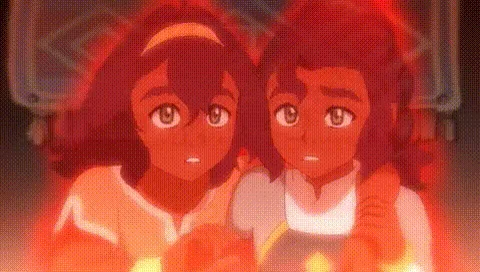
Orbitals was designed from the ground up as a two-player cooperative adventure rather than a conventional single-player game with optional multiplayer attached. Nintendo describes it as an asymmetric two-player co-op experience in which Maki and Omura must combine tools, communicate, and work together to overcome puzzles and hazards. Shapefarm gives players several ways to form that two-person team on Nintendo Switch 2: two people can play together on one Switch 2 through local split-screen, use local GameShare across two nearby systems, connect remotely through online GameShare, play online with two owned copies, or use the free Orbitals Global Friend’s Pass while only the host owns the complete game.
The distinctions matter because hardware and Nintendo Switch Online requirements change depending on the method. Local split-screen requires one Switch 2, one copy of Orbitals, and two sets of controllers. Local GameShare can send the game from a Switch 2 to a nearby compatible Nintendo Switch family system, including an original Nintendo Switch, Nintendo Switch Lite, or OLED model. Online GameShare is more restrictive because it works through GameChat, which means both players need Nintendo Switch 2 systems and Nintendo Switch Online for internet play.
Nintendo’s official store lists Orbitals for two players on a single system and two players online, with both local and online GameShare support. Players who each have a console therefore have several options. Nearby users can use local GameShare, allowing the Switch 2 owner to share the compatible game with another system. Two Switch 2 users in different locations can use online GameShare through GameChat. Remote partners can also play through two owned copies or by combining one full copy with the free Global Friend’s Pass.
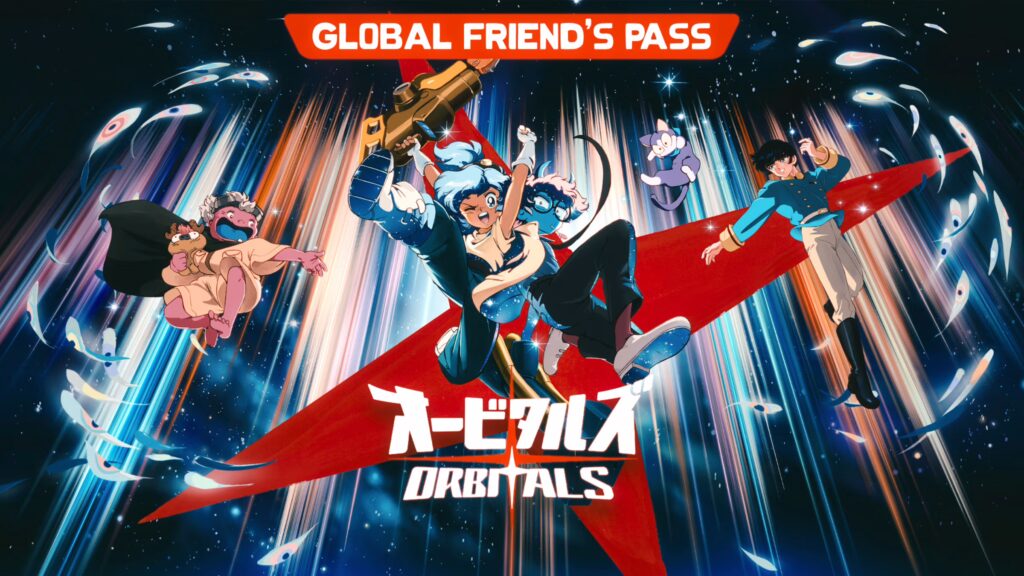
The Global Friend’s Pass creates another one-copy option. The guest downloads a free Switch 2 application, receives an invitation from the person who owns Orbitals, and can then accompany that owner through the complete adventure without buying another copy. Nintendo also confirms that the Friend’s Pass application contains a separate local-only demo.
Local Co-Op, Controllers, and Local GameShare
Local co-op puts both Maki and Omura on a single Nintendo Switch 2 and displays their perspectives through local split-screen. Only one copy of Orbitals is required. Shapefarm’s official multiplayer instructions state that the setup requires one Switch 2 and two sets of controllers. This is the most direct way to play because there is no second console, Friend’s Pass installation, or GameShare connection involved. Both players use the same machine while retaining separate gameplay perspectives, which is important because Orbitals frequently sends Maki and Omura down different routes or assigns them different tool responsibilities.
Nintendo Switch Online is not required for normal local split-screen play on one Nintendo Switch 2. Shapefarm states that the paid membership requirement applies to players using online play and online GameShare through GameChat, while local co-op requires only a copy of the game, a Switch 2, and two sets of controllers. This distinction is important because “co-op” does not automatically mean “online co-op.” When both people are using the same Switch 2, the session is being run locally rather than through Nintendo’s internet multiplayer infrastructure.
Shapefarm’s official controller requirement is “two sets of controllers” for local co-op. The game’s original multiplayer announcement specifically demonstrated local split-screen using two pairs of Joy-Con 2 controllers on one Switch 2, meaning each player receives a full pair rather than the game being designed around one sideways Joy-Con per person. The safest confirmed Joy-Con configuration is therefore two Joy-Con 2 pairs: one full left-and-right pair for Player One and another full pair for Player Two.
This fits the game mechanically because both players need full character movement, camera control, jumping, dodging, and tool operation throughout the campaign. Players should not assume that the two Joy-Con 2 included with a single Switch 2 automatically provide everything required for two-player couch co-op.
Local GameShare is useful when both players are in the same physical location but would rather use separate consoles than split one screen. The person sharing Orbitals must be using Nintendo Switch 2 because Nintendo permits only Switch 2 systems to initiate GameShare. The receiving device is more flexible: Shapefarm confirms local Orbitals GameShare compatibility with Nintendo Switch 2 as well as the original Nintendo Switch, Nintendo Switch Lite, and Nintendo Switch OLED model. Nintendo describes the underlying system similarly, stating that Switch 2 can share compatible GameShare titles locally with either another Switch 2 or an original Nintendo Switch-family system, even when the receiving user does not own the software.
The major limitation is that GameShare provides access during the sharing session rather than transferring ownership of Orbitals to the second player. Nintendo’s regional documentation makes clear that software received through GameShare is playable only while the GameShare session is active. For households with a Switch 2 and an older Switch, this is one of Orbitals’ most useful features because it allows each player to have a separate display without requiring two Switch 2 systems for an in-person session.
Orbitals itself is a Nintendo Switch 2 game. Nintendo’s official store identifies the platform as Nintendo Switch 2, and the developer markets the full release as a Switch 2 exclusive. An original Nintendo Switch therefore cannot independently purchase and run the native full game as a standard Switch title. However, an original Switch can participate through local GameShare when a nearby Nintendo Switch 2 is hosting Orbitals. The critical word is “local.”
Online GameShare works through GameChat, and Nintendo states that GameChat is available only on Nintendo Switch 2. The Global Friend’s Pass is also listed as Nintendo Switch 2 software, so an original Switch owner looking to join an Orbitals session should use local GameShare from a nearby Switch 2 rather than attempting to install the Friend’s Pass.
Online Co-Op, Nintendo Switch Online, Friend’s Pass, and Online GameShare
Online Orbitals requires two Nintendo Switch 2 systems. Shapefarm confirms that remote players can connect when both own the game, when one player owns the game and the other uses the Global Friend’s Pass, or when one owner shares the game through online GameShare. The conventional two-copy route is straightforward: both partners own Orbitals on their respective Switch 2 systems and connect through its online co-op functionality. The one-copy alternatives are more unusual and are a major part of Orbitals’ multiplayer accessibility.
Both players need Nintendo Switch Online for Orbitals online play. Shapefarm states this directly in its official Ways to Play documentation: a Nintendo Switch Online membership is required for both participants to play online and to use online GameShare through GameChat. Nintendo’s store page reaches the same conclusion from the platform side, noting that online functionality requires internet access, a Nintendo Account, and Nintendo Switch Online, while online GameShare additionally requires GameChat. This means the Global Friend’s Pass removes the need for the guest to purchase a second copy of Orbitals, but it does not remove Nintendo’s subscription requirement for remote multiplayer.
The Global Friend’s Pass is a free Nintendo Switch 2 application designed specifically to let a non-owner join someone who owns the complete version of Orbitals. Nintendo’s official listing states that the main-game owner sends an invitation to the person using the Global Friend’s Pass, after which the invited player can accompany them through the entire adventure without purchasing the full game. This is not merely a short trial. The full co-op campaign becomes available to the Friend’s Pass user while they are playing with the owner, so the ownership requirement applies to the pair as a whole: at least one participant must have the full game.
To set up the Friend’s Pass, the guest should open Nintendo eShop on their Nintendo Switch 2 and locate Orbitals: Global Friend’s Pass. Shapefarm confirmed that the standalone application became available free through the eShop when Orbitals launched on September 3, 2026. The guest should download and install the application on the profile that will be used for online play.
Nintendo currently lists its file size as 13.4 GB, so the receiving Switch 2 should have sufficient free storage before the session begins. The owner launches the full version of Orbitals, while the second person uses the Global Friend’s Pass. The owner must then send an invitation to the Friend’s Pass user, and once it is accepted, the guest can join the full adventure without owning a second copy.
The Friend’s Pass application also includes a separate free demo. That demo supports local co-op only and covers the opening portion of Orbitals, allowing two people to sample the game before purchasing anything. Shapefarm announced that the demo lets two local players try the opening chapter on Nintendo Switch 2. The local demo is different from the full Friend’s Pass invitation system: players using the trial on one system are not accessing the complete campaign through an owner’s invitation.
Online GameShare is another way for two Switch 2 owners to play Orbitals remotely even though only one owns the game. Shapefarm explains that the owner can connect with a friend on another Switch 2 through GameShare and GameChat. Nintendo’s official GameShare documentation confirms the technical distinction between local and online sharing: local GameShare can reach either Switch generation, while remote GameShare is conducted through GameChat between Switch 2 systems. Both participants need Nintendo Switch Online, internet access, and Nintendo Accounts for this arrangement.
The host remains the game owner, while the second Switch 2 receives access only for the active GameShare session rather than receiving a permanent licence. Online GameShare is therefore best understood as temporary multiplayer sharing, not digital game lending or permanent account sharing.
The Global Friend’s Pass and GameShare can produce the same practical benefit: two people can play while only one owns Orbitals. However, they are different technologies. The Global Friend’s Pass is specific to Orbitals; the guest downloads a free standalone Switch 2 application, and the owner of the complete game sends that player an invitation. GameShare is a Nintendo Switch 2 platform feature supported by selected games. For Orbitals, the host uses their Switch 2 to share access with another console. Local GameShare can send the game to a nearby Switch 2, original Switch, Switch Lite, or OLED system, while online GameShare works only between Switch 2 consoles and uses GameChat.
For same-room players with separate systems, local GameShare is particularly attractive. For remote players where only one person owns the game, the Global Friend’s Pass provides a dedicated Orbitals-specific path. For two Switch 2 users already comfortable using GameChat, online GameShare is another valid one-copy option.

One-Copy Play, Character Roles, Tools, and the Best Way to Play
Two people can play Orbitals with only one copy in several different ways. Two players sitting at one Switch 2 need only one copy for local split-screen. Two nearby users can also use local GameShare, with the Switch 2 owner sharing the game to a compatible second Nintendo system. Remote Switch 2 players can use online GameShare or combine one full copy with the free Global Friend’s Pass. The Global Friend’s Pass is the clearest option when two Switch 2 owners live apart and one person does not want to purchase Orbitals, because Nintendo explicitly says the pass lets the guest join the full co-op adventure at no cost as long as their friend owns the complete game.
Online GameShare achieves a similar “one purchase, two players” outcome but uses Nintendo’s system-level GameShare and GameChat technology instead of the Orbitals-specific Friend’s Pass application. As a result, there is no requirement for a co-op pair to purchase Orbitals twice unless they specifically prefer for both Nintendo Accounts to own independent copies.
Maki and Omura are not built around rigid permanent classes where one character always has a fixed ability set and the other always performs one specific role. Reviews consistently describe the asymmetry as coming primarily from the tools and responsibilities assigned during a section rather than a fundamental “main character versus sidekick” split. Orbitals’ principal equipment includes devices such as the Beam Cannon or laser, Scrap Hook or grapple, and Liquid Launcher or water cannon. Different combinations create co-op puzzles: one person may soften or activate something while the other pulls it into position, or one may cool a dangerous surface while their partner crosses it.
Forbes’ review specifically notes that both characters have considerable freedom rather than being permanently ring-fenced by unique character abilities. Source Gaming reports that tools cannot always be switched within an individual level, but that players are encouraged to change which tools they use from level to level. GamingTrend similarly reports that the characters’ basic abilities are largely alike and that the tool a player chooses determines their immediate route or responsibility. This means a player does not need to worry that choosing Maki at the beginning automatically locks them into one style of gameplay for the entire campaign. Orbitals repeatedly changes responsibilities and tool combinations, helping both partners experience different sides of its co-op mechanics.
The best way to play depends mostly on where both players are and what hardware they have:
- Same room, one Switch 2: Local split-screen is the least complicated option. It requires one full copy and two controller sets, has no Nintendo Switch Online requirement, and keeps both partners close enough to discuss puzzles directly.
- Same room, separate systems: Local GameShare is the most flexible arrangement. One Switch 2 hosts, while the second player can receive the game on another Switch 2 or even an original Switch, Switch Lite, or OLED model.
- Different locations, one owned copy: The Global Friend’s Pass is especially useful. The guest downloads the free application, receives an invitation from the game owner, and can join the complete campaign. Both players need Switch 2 systems and Nintendo Switch Online for remote play.
- Different locations, using GameChat: Online GameShare is a strong alternative when both players already use Switch 2 GameChat. It also requires only one copy, but both players must be on Switch 2 and have the required Nintendo online services.
- Different locations, two owned copies: Both players can simply use the standard online co-op route if they each own Orbitals on their own Switch 2 systems.
There is no universal reason to purchase two copies purely to complete the game together. Orbitals was deliberately released with multiple one-copy co-op routes, making hardware location (same console, nearby separate consoles, or remote Switch 2 systems) the more important factor when choosing how to play.

Frequently Asked Questions (FAQs)
- Is Orbitals a two-player game?
Yes. Nintendo and Shapefarm describe Orbitals as a two-player asymmetric co-op adventure built around Maki and Omura working together. The game is designed around cooperation rather than treating multiplayer as an optional extra, with puzzles and hazards requiring both players to use tools, communicate, and support each other. Nintendo also lists support for two players on one system and two players online. - Can Orbitals be played locally on one Nintendo Switch 2?
Yes. Orbitals supports local split-screen on a single Nintendo Switch 2. This setup requires one Switch 2, one copy of Orbitals, and two sets of controllers. Both players use the same console while controlling Maki and Omura separately, which lets them play through the co-op adventure together without needing a second system or another copy of the game. - Does local Orbitals co-op require Nintendo Switch Online?
No. Nintendo Switch Online is not required for standard local split-screen play on one Nintendo Switch 2. The subscription requirement applies to online multiplayer and online GameShare through GameChat. If both players are sitting together and playing on the same console, the session is handled locally and does not use Nintendo’s online multiplayer services. - Do both players need to buy Orbitals for online co-op?
No. Two players do not necessarily need to buy separate copies for online co-op. One player can own the full game while the other uses the free Global Friend’s Pass, which allows the guest to join the complete co-op adventure by invitation. Two Switch 2 users can also use supported online GameShare, provided the necessary online and GameChat requirements are met. Buying two copies is only required if both players want to own the game independently. - Do both players need Nintendo Switch Online when using the Friend’s Pass online?
Yes. Shapefarm states that both players require Nintendo Switch Online to play Orbitals online, including when using the Global Friend’s Pass. The Friend’s Pass removes the need for the guest to buy a second copy of the game, but it does not remove Nintendo’s subscription requirement for remote online play. Both players should also be signed into their Nintendo Accounts and have a stable internet connection before starting. - Can an original Nintendo Switch play Orbitals?
An original Nintendo Switch cannot run Orbitals independently as a normal purchased game because Orbitals is a Nintendo Switch 2 title. However, an original Switch can participate through local GameShare when a nearby Nintendo Switch 2 is hosting the game. Shapefarm specifically lists original Nintendo Switch, Nintendo Switch Lite, and Nintendo Switch OLED systems as supported receivers for local GameShare. - Can an original Nintendo Switch use Orbitals online GameShare?
No. An original Nintendo Switch cannot use Orbitals online GameShare. Nintendo says online GameShare uses GameChat, and GameChat is available only on Nintendo Switch 2. That means original Switch hardware is limited to the local GameShare route for Orbitals, where it can receive the game from a nearby Switch 2 during an in-person sharing session. - Does the Orbitals Global Friend’s Pass include the whole game?
The Global Friend’s Pass lets its user join the complete co-op adventure when invited by someone who owns the full version of Orbitals. In that situation, the pass user can play through the full campaign with the owner without buying another copy. However, the pass itself also contains a separate local-only demo for players who simply want to try the opening portion of Orbitals before committing to the full game. - Can one pair of Joy-Con 2 be divided between two players for Orbitals local co-op?
The officially documented local setup calls for two sets of controllers, and launch promotional material specifically described two pairs of Joy-Con 2 for single-system split-screen. The safest confirmed setup is therefore one complete controller set per player rather than relying on one sideways Joy-Con 2 each. This also fits the game’s design, since both players need full movement, camera control, and tool operation throughout co-op play. - Are Maki and Omura permanently locked to different tools?
No. Maki and Omura are not presented as permanently fixed classes with one character locked to one toolset for the whole campaign. Their co-op differences are driven largely by the tools and responsibilities each player takes during a particular section. Reviews report substantial freedom in tool choice and encourage players to change roles and equipment across the campaign, so both players can experience different parts of the game’s co-op design.

Conclusion
Orbitals offers one of the more flexible co-op arrangements available around a Nintendo Switch 2 exclusive. Two players sharing a room can use one Switch 2 and local split-screen with one game copy and two controller sets. Nearby players who prefer separate screens can use local GameShare, and the receiving console can even be an original Nintendo Switch, Switch Lite or OLED model.
Long-distance play provides even more choices. Two Switch 2 owners can both own Orbitals and connect normally; one owner can share the title through online GameShare and GameChat; or the second player can install the free Global Friend’s Pass and join the complete campaign after receiving an invitation from the owner. Both participants need Nintendo Switch Online when playing remotely.
The difference between Friend’s Pass and GameShare is especially important. Friend’s Pass is Orbitals-specific software for Switch 2 and provides a free guest route into an owner’s full campaign. GameShare is Nintendo’s broader system-level technology: it works locally between Switch 2 and compatible older Switch hardware, while its online version operates between Switch 2 systems through GameChat.
Maki and Omura also avoid the problem of one player being permanently stuck with an unwanted job. Their fundamental movement is broadly similar, while tools such as the Beam Cannon, Scrap Hook and Liquid Launcher create the moment-to-moment asymmetry. Reviews indicate that partners can experience different tools and responsibilities as the adventure progresses.
For most pairs, the best Orbitals co-op setup therefore depends on distance rather than ownership. Same-room partners should favour local split-screen or local GameShare. Remote Switch 2 partners who own only one copy can choose between the Global Friend’s Pass and online GameShare. Whichever method is used, the underlying experience remains the same deliberately interdependent adventure: Orbitals is designed around two human players communicating, experimenting with complementary tools and solving its journey as Maki and Omura together.
Sources and Citations
- Shapefarm — “Ways to Play Orbitals” — Official breakdown of local co-op, local GameShare, online GameShare, Global Friend’s Pass, and Nintendo Switch Online requirements.
Shapefarm — Ways to Play Orbitals - Nintendo — Orbitals Official Store Listing — Confirms two-player local/online play, local and online GameShare, Nintendo Switch 2, and GameChat requirements.
Nintendo — Orbitals - Nintendo — Orbitals: Global Friend’s Pass — Confirms the free application, owner invitation system, full co-op access, local-only demo, GameShare/GameChat requirements, and Nintendo Switch 2 availability.
Nintendo — Orbitals: Global Friend’s Pass - Nintendo UK — Orbitals — Regional official page confirming two-player co-op, Global Friend’s Pass, the free local-co-op demo, and Nintendo Switch 2 release details.
Nintendo UK — Orbitals - Nintendo South Africa — Orbitals — Regional official Orbitals page with the same Friend’s Pass and two-player co-op information. Nintendo ZA — Orbitals
- Nintendo Support — GameShare — Official GameShare documentation covering local sharing between Switch 2 and original Switch hardware, plus the online GameChat-based GameShare system.
Nintendo Support — GameShare - Nintendo Support — Local GameShare — Confirms that the sharing console must be a Nintendo Switch 2, while the receiving console can be a Switch 2 or original Nintendo Switch; local GameShare does not require Nintendo Switch Online.
Nintendo Support — Local GameShare - Nintendo Support — GameChat GameShare — Confirms online GameShare is available between Nintendo Switch 2 systems and requires Nintendo Switch Online for GameChat.
Nintendo Support — GameChat GameShare - Source Gaming — “Orbitals | Review” — Covers Maki and Omura, their tools, cooperative level design, and the ability to switch tools between levels.
Source Gaming — Orbitals Review - Forbes — “‘Orbitals’ Review (Switch 2): A Stunning Co-Op Masterpiece” — Specifically identifies the Scrap Hook, Liquid Launcher and Beam Cannon as the game’s three core tools and describes how they combine during co-op.
Forbes — Orbitals Review - GamingTrend — “Orbitals review” — Describes Maki and Omura using different tools, including the water gun, and explains how tool selection changes routes and cooperative roles.
GamingTrend — Orbitals Review - Game Informer — “Orbitals Review – Space For Improvement” — Covers the asymmetric co-op structure and the laser, grappling hook and water cannon tool set used by Maki and Omura.
Game Informer — Orbitals Review
Recommendations
- AMD Launches FSR 4.1 on Radeon RX 7000 GPUs: What it Means for PC Gamers
- The Jackbox Party Pack 12 Release Date Window and Launch Platforms
- How Mega Cat Studios Adapted God of War Into a Retro Pixel Art Game
- Fields of Mistria 1.0 Is Out Now: Marriage, Children, and Full Release Features
- US Government Forces Global Shutdown of Anthropic Fable 5 and Mythos 5 in Frontier AI Recall
- Capcom is Reportedly Not Interested in Remaking Resident Evil 5 and 6
- Valve Accused of Monopoly in the PC Gaming Market in the Netherlands: Steam Antitrust Lawsuit Explained (2026 Update)
- What is the camera’s field of view in Blender?
- Drone Strikes On AWS Servers Coincide With Fortnite Server Issues: UAE and Bahrain Outage Explained
- Dragon’s Dogma 2: Dark Arisen Lets You Explore the Snowy Region of Norgan (Everything We Know)



































































































