






In This Article (9 sections)
Silo 2026.1 Release Notes, Download Links, and Viewport Performance Boost
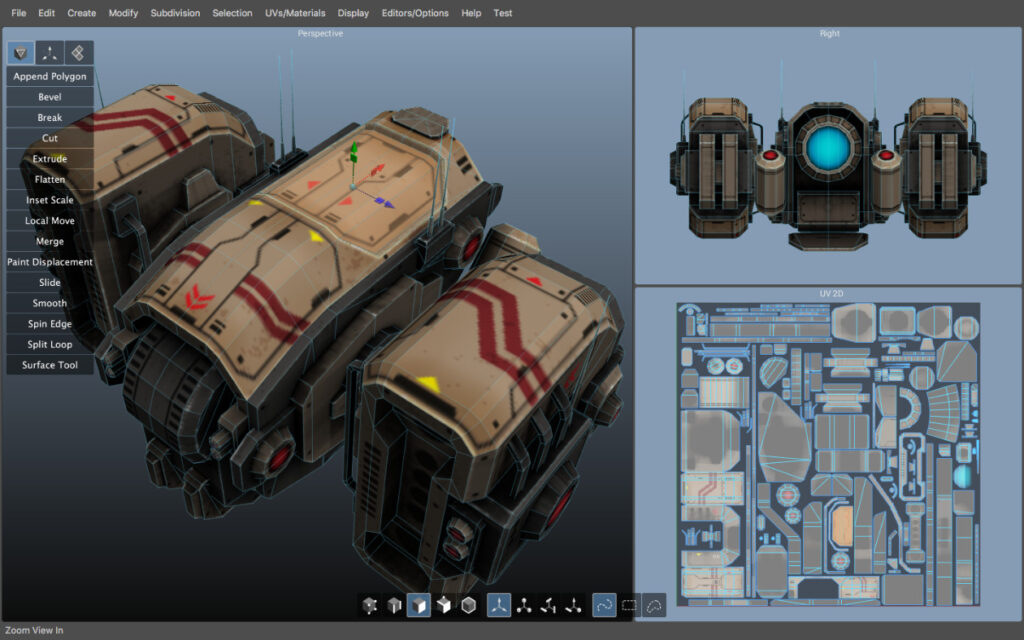
Nevercenter has officially released Silo 2026.1, one of the most significant updates in the software’s modern development cycle. The lightweight polygon modeling and UV mapping application receives a dramatic viewport performance overhaul, full glTF and GLB support, and a long-requested tool for converting triangulated geometry back into quad-based topology. According to Nevercenter, the update is available immediately and represents a major leap forward for artists working with high-density meshes, game assets, and real-time workflows.
The company has made Silo 2026.1 available through its official download page, with update eligibility depending on license status. Users who purchased or renewed their license within the past year can update at no additional cost.
Official resources include:
- Download Silo: Nevercenter Silo Download Page
- Upgrade Information: Nevercenter Upgrade Portal
- Official Release Notes: Nevercenter Development Blog
For many users, Silo 2026.1 represents the biggest update since the software’s return to active development and the recent introduction of features such as USD support, UDIM workflows, and Blender Bridge integration.
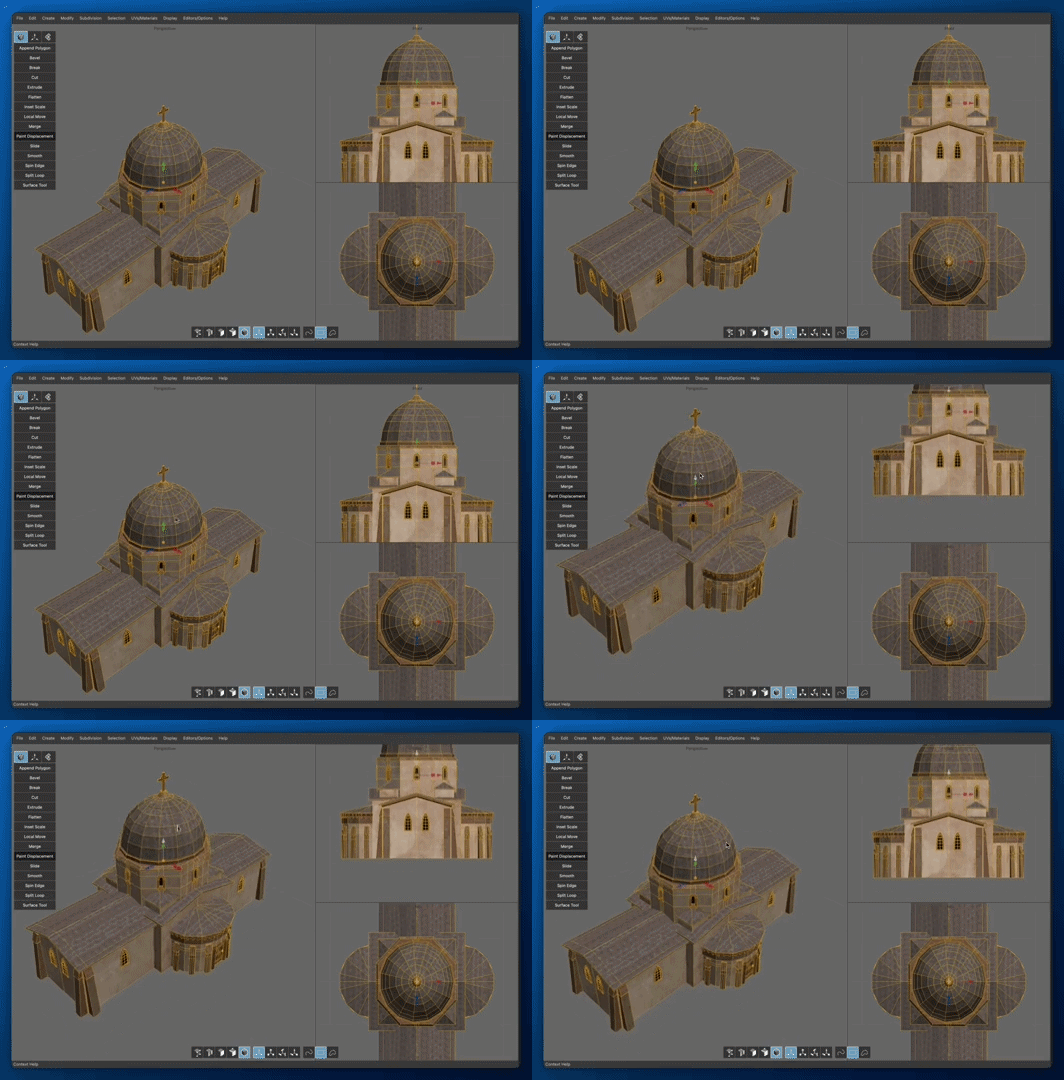
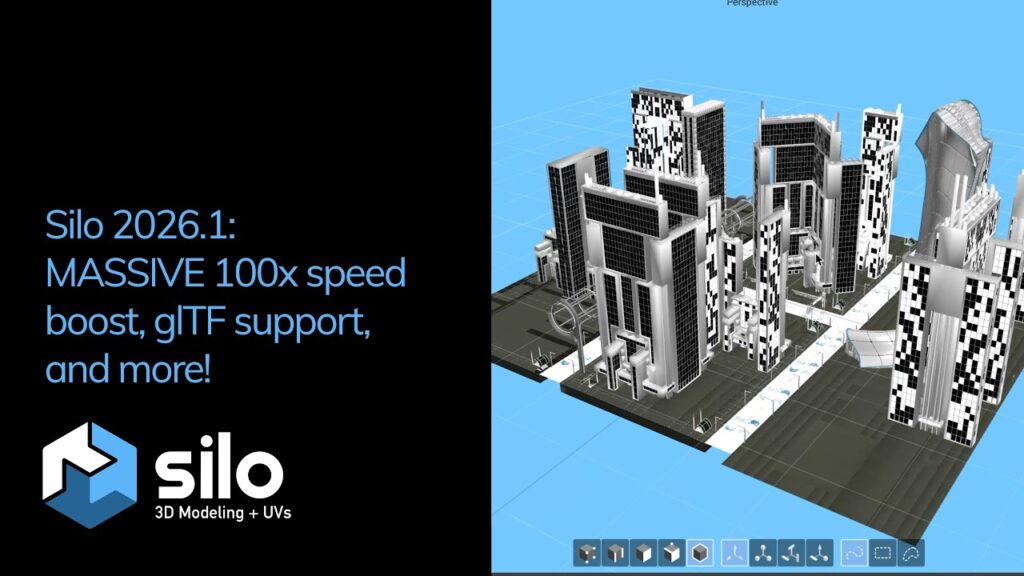
The headline feature of Silo 2026.1 is its claimed 100x viewport rendering speed increase. Nevercenter states that viewport drawing operations are now approximately 100 times faster than in previous versions, allowing users to interact with extremely dense meshes far more smoothly.
According to the company, the optimization affects viewport drawing, object rotation, scene navigation, and selection responsiveness. High-polygon scenes that previously caused lag or reduced responsiveness can now be manipulated with significantly improved fluidity.
The optimization is especially important because Silo has historically positioned itself as a focused modeling tool rather than a feature-heavy, all-in-one content creation suite. Performance has always been one of the software’s major selling points, and the 2026.1 update reinforces that philosophy.
Nevercenter describes the improvement as a game-changing optimization that allows millions of polygons to be displayed with smooth viewport interaction, even on relatively modest hardware configurations.

glTF and GLB Support, De-Triangulate Tool, and Blender/Unreal Pipeline Improvements
Another major addition in Silo 2026.1 is comprehensive support for the glTF ecosystem. The update introduces support for both ASCII-based glTF files and binary GLB files, expanding interoperability with modern real-time engines, web-based rendering systems, game development pipelines, and asset marketplaces that increasingly rely on glTF as a standard exchange format.
The implementation goes beyond basic import and export functionality. Nevercenter notes that embedded textures inside GLB files are automatically extracted into a neighboring directory when imported. This allows users to immediately access texture assets for editing, reorganization, or export to other software packages. As glTF continues gaining adoption across game development, web visualization, AR applications, VR experiences, and real-time rendering pipelines, native support significantly increases Silo’s usefulness in contemporary production workflows.
The new De-triangulate function is another standout addition. Because glTF assets are commonly stored as triangulated geometry, many artists importing assets into Silo immediately face the challenge of editing dense triangle meshes. Silo 2026.1 addresses this with a new tool that intelligently reconstructs quad topology from triangulated models. The De-triangulate command appears within the Modify menu and can automatically analyze edge relationships to identify optimal quad reconstruction opportunities. The result is cleaner geometry that is easier to edit, unwrap, subdivide, and integrate into professional modeling workflows.
For artists performing retopology, game asset cleanup, or CAD conversion tasks, the tool may become one of the most frequently used additions in the update. It also strengthens Silo’s role as a specialized modeling application inside larger production pipelines. The addition of glTF support allows assets to move more easily between Silo, Blender, Unreal Engine, and other real-time platforms. This becomes particularly valuable when combined with the Silo Blender Bridge introduced in Silo 2026.0, which allows Blender users to send geometry into Silo for modeling work and then return the edited results back into Blender.
For Unreal Engine creators, glTF support provides another exchange option alongside FBX and USD-based workflows. Together, glTF/GLB support, automatic texture extraction, Blender Bridge integration, and De-triangulate quad reconstruction make Silo 2026.1 more useful for artists working across multiple tools rather than staying inside a single application.
Viewport Performance Benchmarks and Best Settings for Faster Workflows
Nevercenter’s published benchmark claims are centered around a roughly 100-fold increase in viewport rendering speed. The company specifically highlights smoother interaction with models containing millions of polygons. While independent benchmark databases are still limited because the release is extremely new, early reports indicate that the viewport improvements affect several key areas:
- Scene navigation remains responsive with significantly larger meshes.
- Selection operations feel noticeably faster.
- Viewport rotation experiences reduced stuttering.
- Dense subdivision models are easier to inspect.
- Large imported glTF assets become more manageable.
For artists accustomed to older Silo builds, the performance gains may represent the most immediately noticeable change after upgrading. The improvement is especially important for users working with high-poly models, imported game assets, subdivision-heavy meshes, and complex production scenes that previously caused slower interaction.
To maximize the benefits of the viewport overhaul, users should still optimize several settings. Keeping subdivision levels reasonable during active modeling sessions remains important, especially when working with extremely dense assets. Limiting unnecessary viewport overlays can reduce visual clutter, while efficient shading modes can help maintain responsiveness in demanding scenes. Managing texture display settings appropriately may also prevent unnecessary GPU overhead, and organizing scenes into logical components can improve interaction with large environments.
The good news is that many users may find significantly improved performance without changing any settings at all because the viewport optimization occurs at the rendering engine level. Even so, artists working on heavy production scenes should combine the new performance improvements with sensible scene organization and display settings to get the best results.
Modeling Tools, UV Mapping, Stability Updates, and System Requirements
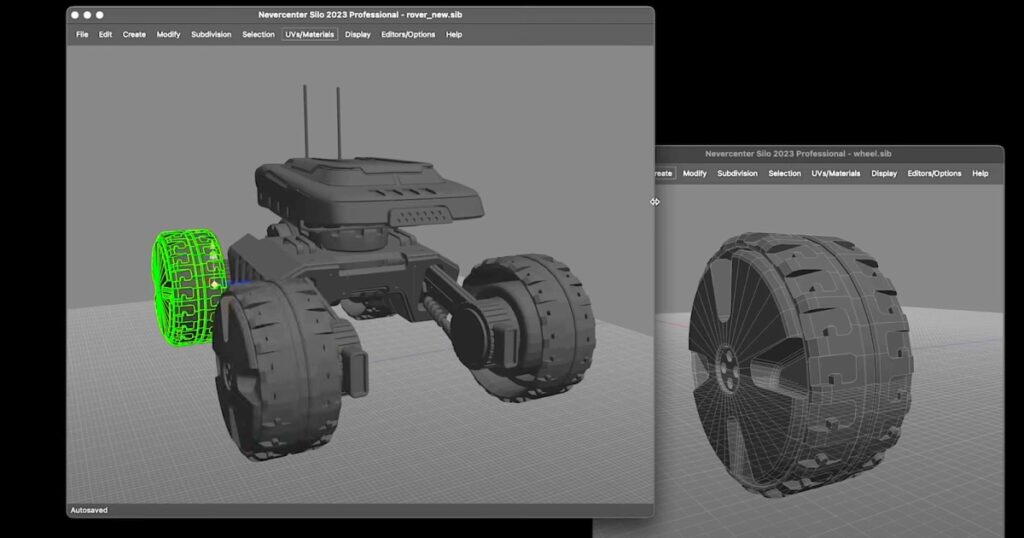
Beyond viewport optimization, Silo 2026.1 expands practical modeling functionality. The De-triangulate tool is the most visible workflow enhancement, but it complements an increasingly capable modeling toolkit that has grown substantially over the past several release cycles. Recent Silo versions introduced non-destructive modifiers, radial mirroring, subdivision modifiers, auto UV systems, Boolean improvements, path extrusion workflows, array modifiers, and Blender integration. Silo 2026.1 builds upon that momentum rather than functioning as a purely performance-focused release.
For artists creating game assets, hard-surface models, props, environments, or subdivision-ready character meshes, the combination of viewport speed and topology reconstruction tools provides tangible workflow improvements. The update is not only about making Silo faster; it is also about making imported, dense, or triangulated assets easier to prepare for professional modeling and production use.
Although UV mapping is not the headline feature of the 2026.1 release, the update arrives after a period of significant UV workflow improvements throughout the Silo 2025 and 2026 development cycle. Recent versions introduced:
- UDIM support.
- Improved automatic UV generation.
- Enhanced UV projection methods.
- Expanded UV layout functionality.
- Refinements to live UV workflows.
Because imported glTF assets often arrive with existing texture coordinate data, the new file format support indirectly strengthens UV workflows by making it easier to preserve and modify UV layouts from external applications. Artists moving assets between Silo, Blender, Unreal Engine, and other tools benefit from a more modern UV pipeline than earlier generations of the software provided.
Nevercenter has also continued emphasizing stability improvements across successive releases. Although the official announcement focuses heavily on viewport speed and file format support, Silo’s recent development history includes fixes for viewport issues, UV-related crashes, multi-monitor behavior, geometry editing bugs, numerical editor problems, extrusion crashes, and selection system inconsistencies. The cumulative effect is a more mature application than the versions many artists remember from the software’s earlier development era.
Silo 2026.1 supports both Windows and macOS platforms. Current official requirements include:
- Windows 10 or newer 64-bit operating systems.
- macOS 12 or newer.
- Apple Silicon support, including M-series processors.
Nevercenter recommends downloading the trial version to verify compatibility because performance characteristics can vary significantly across hardware configurations. The viewport optimization update may allow older systems to handle more demanding scenes than before, but actual performance will still depend on CPU, GPU, memory capacity, and scene complexity. As with any major release, users should still test mission-critical workflows before migrating active production projects entirely to the newest version.
Pricing, Known Issues, Version Comparison, and Safe Upgrade Advice
Silo continues to use a perpetual licensing model. According to CG Channel, perpetual licenses have a suggested retail price of approximately $159 and include Milo, Nevercenter’s real-time renderer. Users who purchased or renewed their software within the last year receive the 2026.1 update free of charge. Existing users outside the update window may need to purchase an upgrade. This licensing approach remains attractive to artists who prefer ownership-based software rather than recurring subscriptions.
No major release is entirely free of potential issues. Because glTF support is brand new, users should verify material assignments, texture extraction behavior, and export settings when integrating assets into production pipelines. Blender Bridge workflows may still present edge cases involving modifiers and certain imported scene structures, something Nevercenter previously acknowledged when introducing the feature. Artists should also maintain backup copies of important projects before converting files into new formats or applying topology reconstruction tools to production assets. Testing workflows on duplicate files remains the safest approach during the early adoption period.
Compared with Silo 2025.2, the new release focuses more heavily on performance and interoperability. Silo 2025.2 introduced USD support, UDIM UV mapping, synchronized viewports, and measurement improvements. Silo 2026.0 introduced the Blender Bridge, improving communication between Silo and Blender. Silo 2026.1 then builds upon those foundations with:
- 100x viewport speed improvements.
- Native glTF and GLB support.
- Automatic texture extraction.
- De-triangulate quad reconstruction.
- Improved handling of high-density scenes.
Taken together, the 2025–2026 releases represent one of the most substantial feature growth periods in Silo’s history. The safest upgrade path begins with backing up all active project files. Users should archive important scenes before installing the update and verify plugin compatibility where relevant. Testing existing projects in Silo 2026.1 before committing fully to production remains best practice.
Artists working across Blender, Unreal Engine, USD pipelines, or glTF workflows should validate exports and imports during the transition process. Creating duplicate project directories for testing purposes allows users to evaluate the new version’s advantages while preserving a rollback option if unexpected issues arise. Fortunately, because Silo’s core workflow philosophy remains consistent, most users should find the transition relatively straightforward while benefiting immediately from the viewport performance improvements and new interoperability features.

Frequently Asked Question (FAQs)
- What is the biggest feature in Silo 2026.1?
The biggest feature is the reported 100x viewport rendering speed improvement for high-polygon scenes. This is especially important for artists working with dense meshes, sculpted models, or complex assets, as it should make navigation, editing, and previewing much smoother. Instead of slowing down heavily with large models, Silo 2026.1 is designed to handle more geometry in the viewport with better responsiveness. - Does Silo 2026.1 support glTF?
Yes. Silo 2026.1 adds support for both glTF and GLB file formats. This makes it easier to move 3D assets between Silo and other modern 3D tools, game engines, and real-time applications. GLB is especially useful because it packages the model and related data into a single compact file. - What is the De-triangulate tool?
The De-triangulate tool is a new feature that automatically converts triangulated geometry into quad-based topology. This can be helpful when importing models from formats or software that create triangle-heavy meshes. Quad topology is often easier to edit, subdivide, deform, and use in traditional modeling workflows. - Is Silo 2026.1 free?
Silo 2026.1 is free for users who purchased or renewed their license within the last year. If your license falls outside that period, you may need to renew or upgrade to access the latest version. Users should check their Nevercenter account or license details to confirm eligibility. - Does Silo 2026.1 support Blender workflows?
Yes. Silo 2026.1 supports Blender workflows through its glTF support and the previously introduced Blender Bridge. This gives artists more flexibility when moving assets between Silo and Blender, whether they are modeling in Silo, refining in Blender, or using both tools as part of a larger production pipeline. - Can Silo handle millions of polygons now?
Nevercenter states that the new viewport system allows smooth interaction with models containing millions of polygons. This does not mean every scene will perform the same on all computers, since hardware still matters, but it should make Silo much more capable when working with highly detailed models than previous versions. - What operating systems are supported?
Silo 2026.1 officially supports Windows 10+ and macOS 12+. Users running older operating systems may need to update their system before installing or using the latest version. It is also recommended to check hardware requirements to ensure the best performance, especially for high-polygon scenes. - Does the update improve UV workflows?
Indirectly, yes. While the update may not be focused mainly on new UV editing tools, improved asset interchange and modern format support can make UV workflows smoother. Better compatibility with formats like glTF and GLB helps preserve asset data more reliably when moving models between different applications. - Is glTF useful for Unreal Engine projects?
Yes. glTF has become increasingly useful for real-time asset pipelines and engine interoperability. While Unreal Engine users often rely on formats like FBX, glTF can still be valuable for transferring real-time-ready assets, materials, and scene data between compatible tools. Its growing adoption makes it a practical addition to Silo’s export and import options. - Should users back up projects before updating?
Yes. Backing up active projects is always the safest approach before installing a major software update. Even when an update is stable, file compatibility, plugin behavior, or workflow changes can sometimes cause unexpected issues. Keeping a backup ensures you can return to your previous project files if needed.
Conclusion
Silo 2026.1 is one of the most important releases Nevercenter has delivered in years. The combination of a claimed 100x viewport speed increase, full glTF and GLB support, automatic texture extraction, and intelligent triangle-to-quad conversion addresses several long-standing workflow requests from artists. Combined with recent additions such as USD support, UDIM workflows, and Blender integration, the update significantly expands Silo’s relevance in modern game development, real-time rendering, and content creation pipelines. For existing users, the performance improvements alone may justify immediate adoption, while new users gain a lightweight modeling package that is increasingly capable of fitting into contemporary Blender and Unreal Engine workflows.
Sources and citation
- Nevercenter Official Silo 2026.1 Release Announcement. (nevercenter.com)
- CG Channel – Nevercenter Releases Silo 2026.1. (CG Channel)
- Nevercenter Official Features and Release Notes Documentation. (nevercenter.com)
- Silo3D Official Social Media Announcement. (X (formerly Twitter))
Recommended
- Marvel’s Wolverine Gameplay Goes Brutal and Reveals Jean Grey: Trailer Breakdown and Theories
- Hamlet: 13 Movies Based on Shakespeare’s Greatest Tragedy Ranked from Classic to Modern Adaptations
- Pokemon Pokopia Withered Wastelands Guide: How To Increase The Humidity, Trigger Rain, And Rescue Onix
- Sonic the Hedgehog Production Company Story Kitchen is Bringing Broken Sword to the Big Screen After Years of Failed Attempts: What We Know so Far
- Mountain Climbing Sim Cairn Is Getting Free DLC This Summer With On the Trail
- Mario Kart World Update 1.6.0 Adds Bob-omb Blast Battle Mode, Balance Changes, and Bug Fixes
- inZOI vs The Sims 4: A Comprehensive Comparison of Life Simulation Games
- The Witcher 3 New DLC Timeline Explained (Songs of the Past)
- Where Winds Meet, Official Imperial Palace Gameplay Trailer Explained: Release Date, Story, Combat Details & Everything We Know
- Essential Fallout Tips: Supply Lines, VATS, Ammo, Power Armor Training, Fallout TV Lore, and More



































































































