








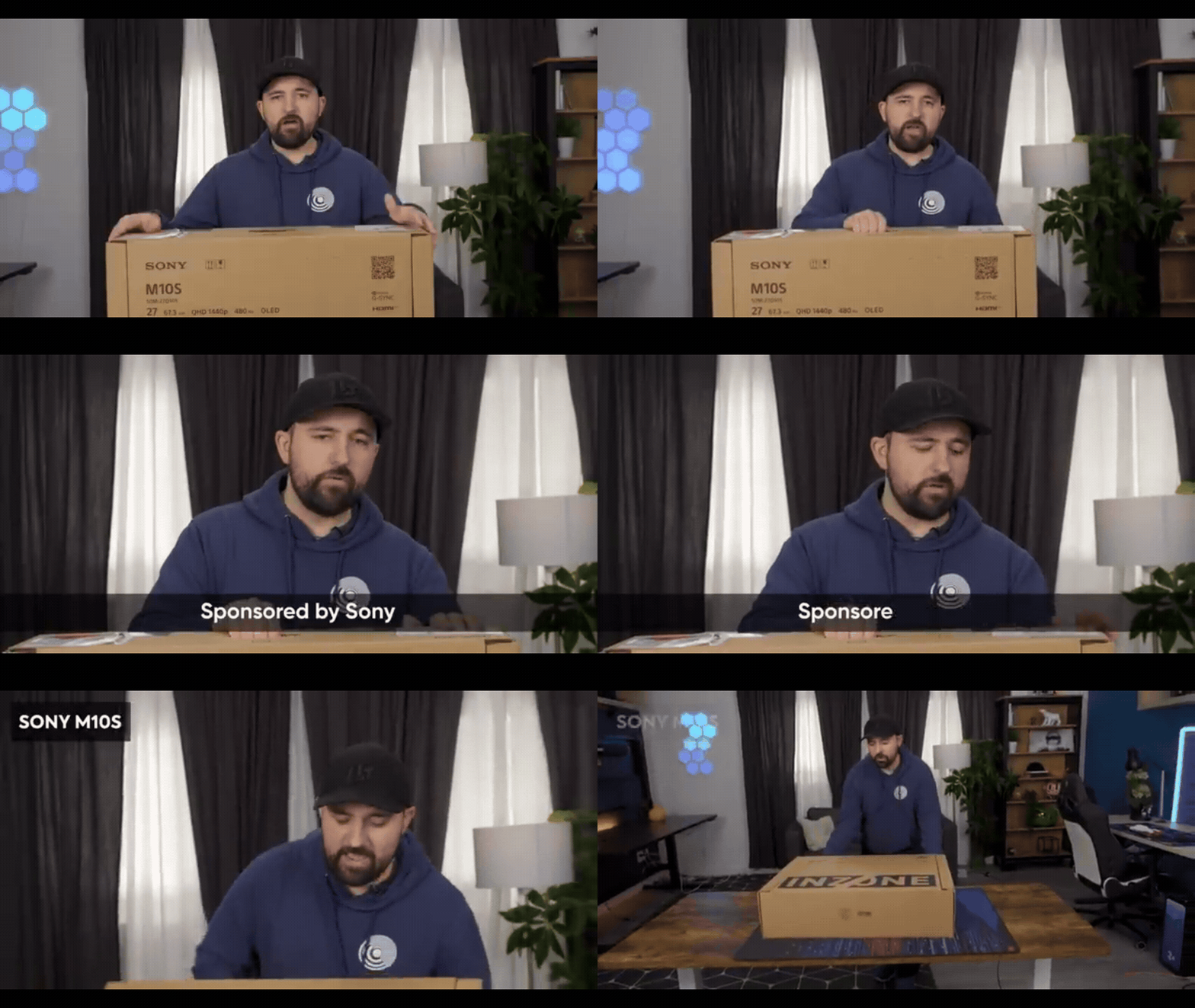
Sony INZONE M10S II 720Hz monitor specs
The Sony INZONE M10S II is a 27-inch OLED gaming monitor (26.5 inches viewable) with a native QHD (2560×1440) resolution. It uses a 4th-generation Tandem WOLED panel with 10-bit colour and covers 99.5% of DCI-P3. The native refresh rate is an ultra-fast 540 Hz at QHD, upgradable to 720 Hz in a reduced-resolution mode, and the gray-to-gray response time is just 0.02 ms. Typical contrast is 1,500,000:1 (native to OLED), SDR brightness about 335 nits, and it supports HDR10/HLG (up to 1,500 nits peak HDR). Other specs include a low input lag (via its 0.02 ms response), a “Super Anti-Glare” matte coating, a 3-year warranty, and a custom heatsink for OLED longevity.
What is Sony INZONE dual-mode 540Hz / 720Hz and how it works
The INZONE M10S II offers a Dual-Mode feature that switches between high resolution or high refresh rate. In full 27″ QHD mode it runs at 540 Hz (via DisplayPort 2.1), but you can drop the output to 1080p (24.5″ 4:3 “tournament” size) to achieve up to 720 Hz. Effectively, the monitor downsamples the image to a smaller 1920×1080 area when dual-mode is enabled, pushing pixels faster for a higher frame rate.
This is aimed at competitive shooters where top speed is more important than screen real estate. Switching modes is typically done via a monitor menu or software, yielding a very fast but lower-resolution view. The two modes allow players to prioritize either detail (540 Hz QHD) or speed (720 Hz HD) as needed.
720Hz gaming monitor benefits for competitive FPS players
High refresh rates give competitive FPS players smoother motion and lower latency. At 720 Hz, the image updates up to 720 times per second, which means gun flashes, target movements and screen changes appear with less motion blur and smaller temporal gaps. This results in sharper on-screen targets and can help with tracking enemies more easily.
The M10S II’s 0.02 ms OLED response ensures virtually no pixel ghosting, and its Motion Blur Reduction mode (with a custom brightness booster) further sharpens moving objects. In practice, fast-paced games like Overwatch 2 can hit 500+ FPS on mid-range PCs, and esports titles like CS:GO (CS2) or Valorant can approach such frame rates on high-end rigs. The resulting advantage is smoother gameplay and potentially improved aim precision. In addition, Sony includes features like NVIDIA G-SYNC compatibility and even a built-in system latency analyzer, so the full 720 Hz potential can be used with minimal added input lag.

720Hz vs 540Hz vs 360Hz refresh rate comparison for esports
Standard competitive monitors have ranged up to 360–480 Hz in recent years. The jump to 540 Hz (QHD) and 720 Hz (HD) pushes beyond what most setups can fully exploit. In normal use, diminishing returns appear past ~360 Hz for many players. Most games and GPUs can rarely sustain >400 FPS at high settings, so ultra-high rates benefit only top-tier esports scenarios.
However, in pure reflex-based shooting games where players can run minimal settings, even 540–720 Hz may yield a smoother feel. Professional players may notice slightly crisper frame pacing with the 720 Hz mode, whereas 540 Hz is already beyond the reach of many systems in QHD. In short, 360 Hz is still an excellent competitive rate for most, but 540/720 Hz panels like the M10S II aim to serve the few who demand every possible edge.
Sony INZONE M10S II resolution modes: QHD 540Hz and 720p 720Hz explained
The M10S II supports two main display modes. In the default mode it uses the full 2560×1440 QHD resolution at up to 540 Hz (using DisplayPort 2.1). Alternatively, there is a “24.5-inch” mode that runs at 1920×1080 (1080p) while displaying only the central 24.5″ of the panel. In this mode, the refresh rate can be driven up to 720 Hz. This 4:3 aspect mode essentially crops and downscales the picture to achieve a higher frame rate.
The 1080p mode is described as the “official tournament size” configuration and is useful when every millisecond counts. Both modes retain OLED quality, with the 540 Hz mode giving higher resolution and the 720 Hz mode giving maximum speed. Users can toggle between these resolutions via the monitor’s settings or INZONE Hub software.

OLED response time for esports: 0.02ms on the INZONE M10S II
OLED panels inherently switch pixels almost instantly. The M10S II’s panel specification lists a 0.02 ms grey-to-grey response time, which is among the fastest available. This means individual pixels change colour in just a few hundred nanoseconds, greatly reducing motion blur or ghosting compared to LCDs. In fact, Sony claims this is even marginally faster than many competing OLEDs (roughly 0.01 ms better than previous gen WOLEDs). The practical result is that the picture stays very sharp during rapid camera pans or object movement. For esports, this ultra-fast response ensures that at 540–720 Hz, pixel transitions are not the limiting factor for smoothness, leaving only the signal and processing chain as potential bottlenecks.
Best settings for 720Hz gaming: PC requirements and recommended FPS targets
Driving a 720 Hz monitor requires extreme hardware. To meaningfully benefit from 720 Hz, the game must produce hundreds of frames per second. Even a top-end GPU like an NVIDIA RTX 5080/5090 will struggle to hit 600–700 FPS at high detail in many modern titles. In practice, competitive players often use low or minimal graphics settings and ensure the CPU and RAM are not bottlenecks (fast DDR5, high single-core CPU speed) so the GPU can pump frames.
Mid-range cards can reach 500+ FPS in lightweight shooters and aim trainers, but for sustained 720 FPS you typically need an optimized system (overclocked CPU, ultra-fast RAM, and lowest settings). In general, aim for a frame rate as high as possible – ideally several hundred FPS – in relevant games. For example, Overwatch 2 can surpass 500 FPS on modest PCs, and esports games like Valorant or CS2 can approach the 600+ FPS needed to feel the difference between 540 and 720 Hz. In summary, use very high (competitive) settings and ensure v-sync or frame limiting is off to match the 720 Hz refresh with as many incoming frames as possible.

DisplayPort 2.1 vs HDMI 2.1 for high refresh rate gaming monitors
To reach the maximum refresh rates, interface bandwidth is critical. The INZONE M10S II includes one DisplayPort 2.1 (UHBR 13.5, ~54 Gbps) and two HDMI 2.1 ports. Of these, only DisplayPort 2.1 can carry the full 540 Hz at QHD. HDMI 2.1 is limited to 48 Gbps, which is not enough for 540 Hz QHD or 720 Hz without compression.
In practice, running 720 Hz often requires either DP 2.1 or DisplayPort 1.4 with Display Stream Compression. For now, DP2.1 is preferred: it provides far more headroom (up to 80 Gbps in future revisions) for ultra-high refresh modes. HDMI 2.1 is still useful (for consoles or other devices) but will typically cap out at 120–240 Hz at 1440p. In short, use DisplayPort 2.1 to drive the M10S II at its native speed; HDMI 2.1 on this monitor is best suited for 240–360 Hz at high resolutions or 720 Hz at 1080p only with compression.
Motion blur reduction and black frame insertion on INZONE M10S II
Sony has enhanced its motion blur reduction (MBR) system for this model. Unlike simple interpolation, the M10S II’s MBR inserts timed black frames and boosts backlight (or panel brightness) between frames to greatly reduce visible blur. With MBR enabled, you get much sharper moving objects with only a modest brightness cost. In fact, Sony says their MBR keeps the image brighter than typical blur reduction modes.
The new monitor also finally adds a full black-frame-insertion (BFI) feature. In BFI mode, the monitor alternates frames with black screens; this can cut perceived blur further. However, the top refresh in BFI is limited – Sony reports up to 240 Hz with BFI on the M10S II. In normal high-speed play you might use MBR (up to 270 Hz at QHD) to maintain brightness, and switch to BFI sparingly if extreme clarity is needed. Overall, both MBR and BFI are available with optimizations (brightness compensator, reduced flicker) so that motion clarity is improved without making the image too dim.
Anti-reflection and glare control on the Sony INZONE M10S II
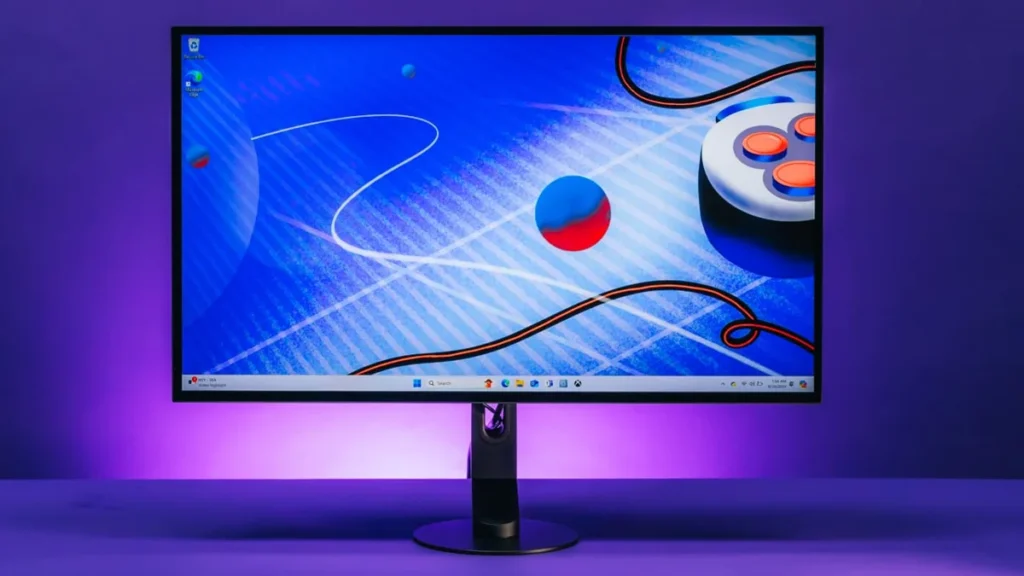
To combat glare in bright environments, the INZONE M10S II uses a “Super Anti-Glare” matte coating on its panel. This texture diffuses harsh reflections, unlike a glossy screen which can cause eye distraction under lights. Sony’s new coating is an improvement over the old matte: it further minimizes distracting reflections while keeping clarity high. Reviews note that in practice this super anti-glare film does make the display very usable under strong lighting.
The combination of the matte finish and anti-reflective film ensures that bright ambient lights or lamps have much less impact on visibility. This is crucial for esports setups where overhead lights are common. In short, the monitor’s screen is optimized to stay crisp in indoor arena conditions, and virtually eliminates bothersome glare for competitive play.
INZONE M10S II input lag and competitive gaming performance
Official input lag figures for the M10S II are not published. However, the monitor is engineered for minimal latency: its 0.02 ms pixel response time and G-SYNC support imply end-to-end lag is effectively negligible. Sony even lists “Low Latency” as a gaming feature. In practice, the monitor should add only a fraction of a millisecond of lag on top of the game’s frame render time.
Combined with NVIDIA Reflex (supported in compatible games) and the panel’s speed, the INZONE M10S II delivers performance on par with the fastest esports monitors. Gamers and testers so far report no noticeable lag issues beyond the usual 1–2 ms of any high-end display. Overall, the INZONE M10S II provides the instantaneous feedback that competitive players demand.
Sony INZONE M10S II vs LG dual-mode OLED esports monitor comparison
LG’s answer in this space is the UltraGear 27GX790B-B, a 27″ OLED with the same dual-mode concept. It also offers 2560×1440 at 540 Hz or 1920×1080 at 720 Hz with 0.02 ms response. In fact, the M10S II and LG’s 27GX790B use virtually identical 4th-gen Primary-RGB Tandem OLED panels. Key differences: the Sony has a matte anti-glare finish and 3-year warranty, while the LG is glossy (TrueBlack) and HDR400 (True Black 500 certified).
The LG monitor typically launched around $999 (often on sale for ~$749) whereas Sony’s M10S II is $1,099. The LG panel hits about 335 nits typically, similar to Sony’s brightness; color and contrast are effectively the same. In summary, both monitors share core speeds and tech, but Sony’s model includes Esports-tuned extras (Fnatic collaboration, custom stand tilt range) and matte coating, whereas LG offers slightly lower cost.
Sony INZONE M10S II vs ASUS ROG esports OLED monitor comparison
ASUS’s top competitor is the ROG Swift OLED PG27AQWP-W, which also does 540 Hz QHD and 720 Hz HD at 0.02 ms. The ASUS is a 26.5″ panel (with a glossy TrueBlack finish) that uses 4th-gen Tandem OLED for about 15% higher peak brightness. Both monitors use DisplayPort 2.1 and have similar high-end specs.
The price is effectively the same ($1,099). Differences: the ASUS has an anti-burnin sensor and delivers higher contrast under HDR, but uses a glossy coating (which can reflect more). Sony’s INZONE is matte and includes features like a dynamic crosshair overlay and slightly wider tilt range. In short, performance (speed, resolution, response) is nearly identical, but choice may come down to screen coating (matte vs glossy) and minor feature tweaks.

Is the Sony INZONE M10S II worth $1,099 for competitive gamers
At $1,099, the INZONE M10S II is very expensive for a 27″ monitor. It’s on par with (or higher than) most rivals, though Sony targets pro gamers who demand the bleeding edge. If you need the absolute fastest response and refresh (and features like 3-year warranty, Fnatic input, super-AG coating), the price is justified. However, several reviewers note that equivalent OLED dual-mode panels exist for less: e.g. LG’s 27″ OLED with the same 540/720 Hz spec can be found for ~$800.
So, in terms of pure specs-per-dollar, the M10S II is a premium option. Competitive players who value its niche benefits may find it worth the investment, while more casual users might prefer a lower-priced 360–540 Hz monitor. In summary, it is a high-end, pro-focused tool: top-tier users will get their money’s worth, but budget-conscious buyers have cheaper alternatives that almost match its performance.
Best use cases for 720Hz mode: Valorant, CS2, Overwatch and aim training
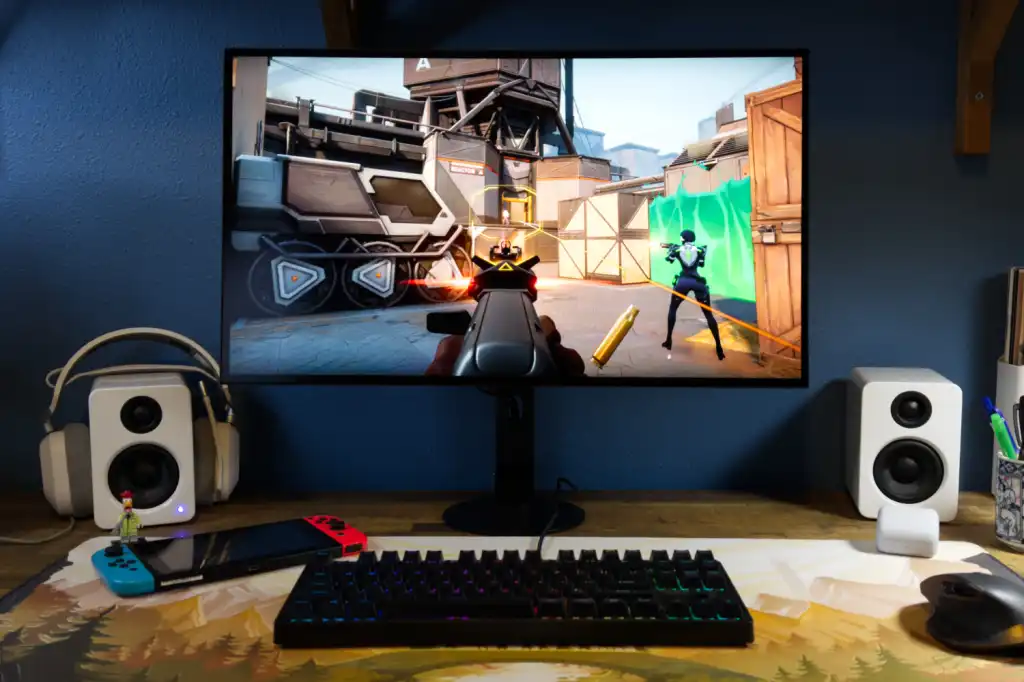
The 720 Hz mode shines in games that can reach super-high frame rates. Fast tactical shooters like Valorant, CS2 (Counter-Strike 2), and Overwatch 2 are ideal because they can easily hit 500+ FPS on good hardware. In such games, lowering graphics settings lets players saturate even 720 Hz and feel the difference in fluidity.
Aim training applications (Kovaak’s, Aim Lab) and lightweight titles (like esports Minecraft PvP or Quake) are also perfect for stress-testing 720 Hz. Basically, any scenario where the GPU delivers hundreds of FPS will benefit. By contrast, slower-paced or graphically heavy games (modern RPGs, open-world shooters) usually run well below 240 FPS, so they see little change at 720 Hz. In practice, turn on 720 Hz mode for pure reflex-based play and practice sessions; switch back to 540 Hz QHD for better image quality in more visual games.

Frequently Asked Questions (FAQs)
- What is the refresh rate and resolution of the Sony INZONE M10S II?
It is a 27″ (26.5″ viewable) OLED monitor with 2560×1440 (QHD) resolution. It runs at up to 540 Hz in QHD mode and up to 720 Hz in a lower-resolution (1920×1080) mode. - How does the dual-mode 540Hz/720Hz feature work?
Dual-mode means you can switch between full-screen QHD at 540 Hz or a smaller 24.5″ 1080p area at 720 Hz. The monitor internally crops to 1080p when 720 Hz is enabled, increasing frame rate at the cost of resolution. - Why is a 720Hz refresh rate beneficial for FPS games?
Higher refresh rates make motion appear smoother and reduce input latency. At 720 Hz, the image updates extremely quickly, making it easier to track fast-moving targets. For esports shooters (e.g. Overwatch, Valorant), this can improve aim precision. The M10S II’s 0.02 ms response OLED panel further minimizes motion blur. - How does 720Hz compare to 540Hz or 360Hz in esports play?
While 360–540 Hz is already very fast, 720 Hz is an extra step for the most demanding players. In practice, frame rate and hardware limits mean few gamers see benefits beyond 360–540 Hz. Only elite setups can utilize 720 Hz fully. For most, 360 Hz is already excellent, but 720 Hz can give a slight edge if you can sustain very high FPS. - What resolution modes are supported on the M10S II?
The monitor supports full QHD (2560×1440) at up to 540 Hz and an optional 1080p mode at up to 720 Hz. The 1080p mode is effectively a 24.5″ cropping of the panel for maximum speed. - What is the response time of the INZONE M10S II panel?
It uses an OLED panel with a 0.02 ms gray-to-gray response time, which is extremely fast. This near-instant response keeps moving images very clear. - What PC hardware do I need for 720Hz gaming?
You need a very powerful rig. Aim for one of the fastest GPUs (e.g. NVIDIA RTX 5080/5090) and CPU, with high-speed DDR5 RAM. Even then, only lightweight or esports-focused games will push close to 720 FPS. Turn on 720 Hz mode when playing ultra-fast shooters on low settings. Otherwise, most modern games will top out well below 300 FPS. - Should I use DisplayPort 2.1 or HDMI 2.1?
Use DisplayPort 2.1 to get the full 540 Hz at QHD or 720 Hz at 1080p. HDMI 2.1 (48 Gbps) cannot carry 540 Hz at 1440p (it’s limited to ~240 Hz at that resolution). DisplayPort 2.1 (up to 80 Gbps in future versions) has the bandwidth for these extreme modes. - Does the monitor have motion blur reduction or black frame insertion?
Yes. The M10S II offers a Motion Blur Reduction mode that inserts black frames and boosts brightness for sharper motion. It also includes a true black frame insertion option (up to 240 Hz) for even clearer motion, at the cost of halving the maximum frame rate in that mode. - How effective is the anti-reflection coating?
Sony’s “Super Anti-Glare” film is very effective at cutting reflections. The monitor has a matte textured finish (an advanced AG layer) that significantly reduces glare under bright lights. In esports environments with overhead lighting, this lets you see the image clearly without distracting reflections.

Conclusion
The Sony INZONE M10S II is a specialized 27″ OLED esports monitor that pushes the envelope with its 540 Hz native refresh (540 Hz at QHD) and a unique 720 Hz mode at 1080p. It offers class-leading specs – a 0.02 ms response, 4th-gen WOLED panel, super anti-glare coating, and esports-focused features (motion blur reduction, dynamic crosshair, Fnatic-tuned stand). While its $1,099 price is high, it’s targeted at competitive gamers who can fully utilize its extreme performance.
Compared to similar LG and ASUS OLED monitors, the M10S II matches them spec-for-spec but stands out with its matte finish and Fnatic collaboration. Ultimately, if you’re chasing every millisecond in competitive FPS and can afford it, the INZONE M10S II delivers a true next-gen experience. Casual players or those on a budget might find that slightly cheaper dual-mode OLEDs offer nearly the same core performance.
Sources and Citations
- Sony Electronics Official Product Info:
https://www.sony.com/ng/gaming-gear/products/inzone-m10s-ii - Notebookcheck (news announcement):
https://www.notebookcheck.net/Sony-announces-new-OLED-gaming-monitor-with-a-720Hz-refresh-rate.1274030.0.html - Tom’s Hardware (news):
https://www.tomshardware.com/monitors/gaming-monitors/sony-launches-720-hz-dual-mode-oled-qhd-gaming-monitor-27-inch-inzone-m10s-ii-is-aimed-at-hardcore-esports-gamers - GamesRadar+ (feature):
https://www.gamesradar.com/hardware/tvs-monitors/the-sony-m10s-ii-is-a-super-speedy-sequel-to-last-years-killer-qhd-oled-thats-absolutely-not-a-ps5-monitor/ - Pofarigaming analysis:
https://pofarigaming.com/we-tested-540-600-720hz-is-it-hype-or-real-need/ - The Verge (news)
https://www.theverge.com/news/907924/sony-inzone-m10s-ii-oled-tandem-gaming-monitor-specs-price-features - LG UltraGear 27GX790B-B Product Page:
https://www.lg.com/us/monitors/lg-27gx790b-b-gaming-monitor - ASUS ROG Swift OLED PG27AQWP-W Product Page:
https://rog.asus.com/us/monitors/27-to-31-5-inches/rog-swift-oled-pg27aqwp-w/
Recommended
- Everwind Early Access Launch Explained: Why This Minecraft-Like Voxel Sandbox RPG With Flying Islands Is Getting Attention
- Blender Shrinkwrap Hair Curves Geometry Nodes Preset: Complete Guide
- Blender Redistribute Curve Points Geometry Nodes Preset: A Comprehensive Guide
- All Shared Watch Rewards and Event Details in ARC Raiders (Feb 10–24, 2026) — Merits, Reward Track, and Fastest XP Farms
- Call Of Duty’s Iconic Ghost Shows Up In New Fanta Ad, Making People Wonder About 2026’s Call Of Duty
- Battlefield 6’s New Patch 1.2.1.5 (March 3, 2026): Full Patch Notes, Crash Fixes, Spawn Updates & REDSEC Changes
- How To Create Hexagon Fans Blender: Step-by-Step Hexagon Fan Grill (Honeycomb Fan Cover) Tutorial























































































