







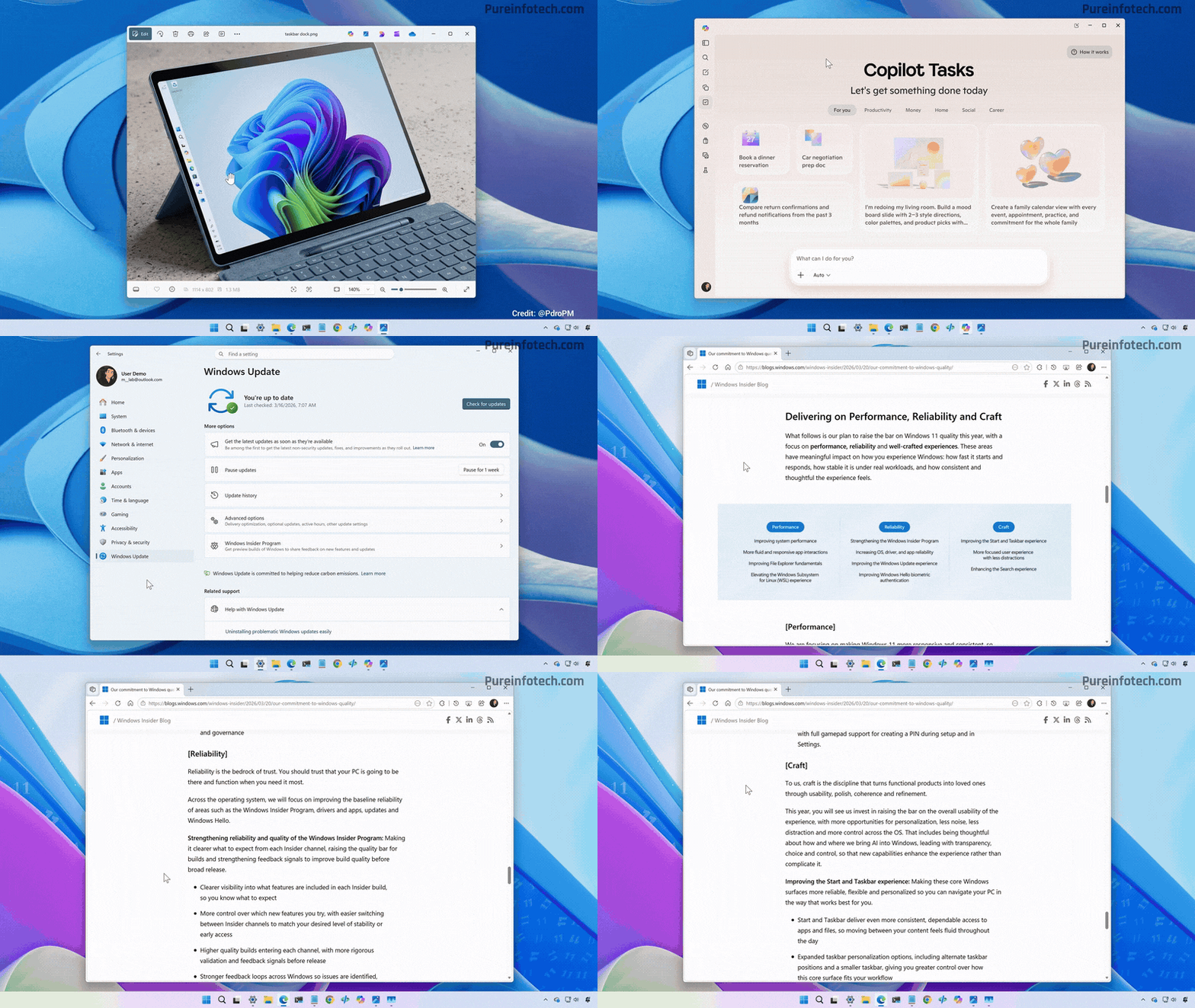
Windows 11 2026 Improvements Overview
Microsoft is planning to refine Windows 11 in 2026 based on user feedback, focusing on rolling back unpopular AI integrations and increasing user control. The roadmap includes a less intrusive Copilot, performance upgrades, UI enhancements, and a reduction in system clutter and advertisements.
Windows 11 Updates Reducing Copilot Integration
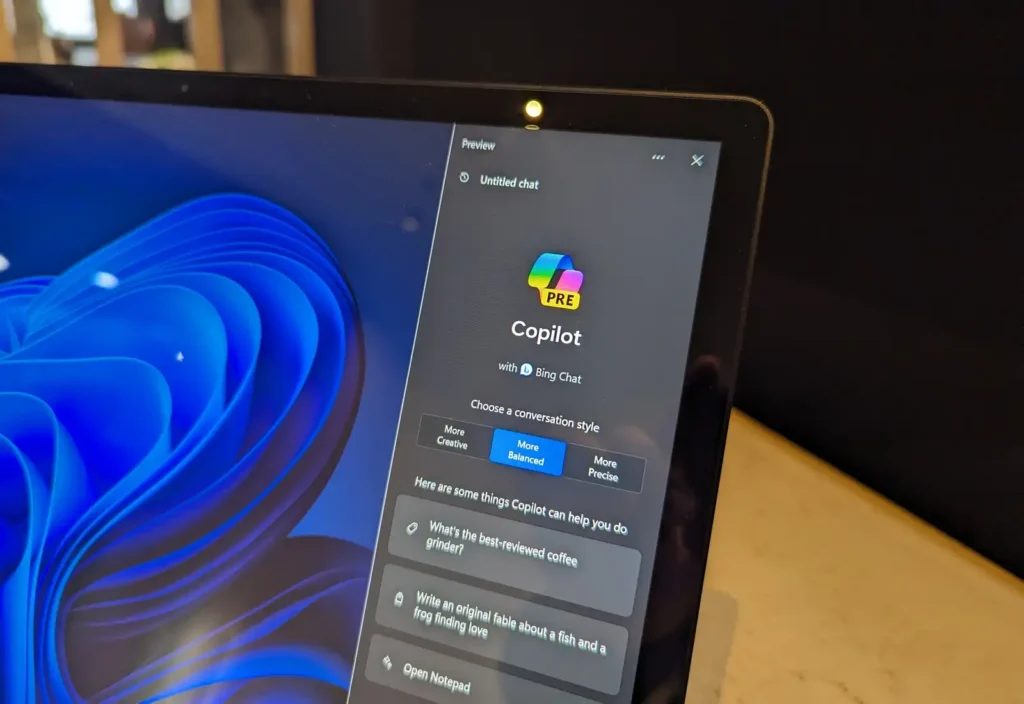
Microsoft is pivoting to a “less is more” approach for its AI assistant, Windows Copilot. Following feedback regarding AI “bloat,” the company will reduce Copilot entry points in built-in utilities like the Snipping Tool, Photos, Widgets, and Notepad. Copilot will no longer suggest actions by default in these simple apps.
Pavan Davuluri, Microsoft’s EVP of Windows, confirmed the team will be more intentional about AI integration. Plans to weave Copilot into system-level interfaces like File Explorer and notification toasts have been shelved to make the OS feel more lightweight.
How to Disable Copilot in Windows 11
Windows 11 offers several methods to limit or remove Copilot functionality:
- Hide the Copilot Button: Users can toggle off the Copilot icon via Taskbar settings, though this is primarily a cosmetic change.
- Group Policy Editor: Pro and Enterprise users can use the “Turn off Windows Copilot” policy to prevent the feature from running entirely.
- Registry Editor: Home users can set a specific registry value (
TurnOffWindowsCopilotto 1) to render the feature inert. - Uninstall the App: In recent builds, the “Microsoft Copilot” app can be uninstalled via Settings.
- AppLocker Policy: Microsoft recommends using AppLocker to block the “Microsoft.Copilot” package from being re-installed.
Microsoft has stated that all AI features will be optional. If disabled, dedicated Copilot keyboard keys will revert to standard functions like Search.
Windows 11 Taskbar Movable to Top or Sides
Microsoft has confirmed that the ability to move the taskbar to the top or sides of the screen will return in 2026. This feature is expected to enter preview for Windows Insiders in early 2026, with a public rollout later that year.
The taskbar was initially fixed at the bottom because it was rebuilt from scratch using modern UI frameworks. Microsoft is now reengineering the infrastructure to handle vertical and top-side layouts, ensuring Start menu animations and notification toasts function correctly in new positions.
Start Menu Improvements: Performance and Less Distraction
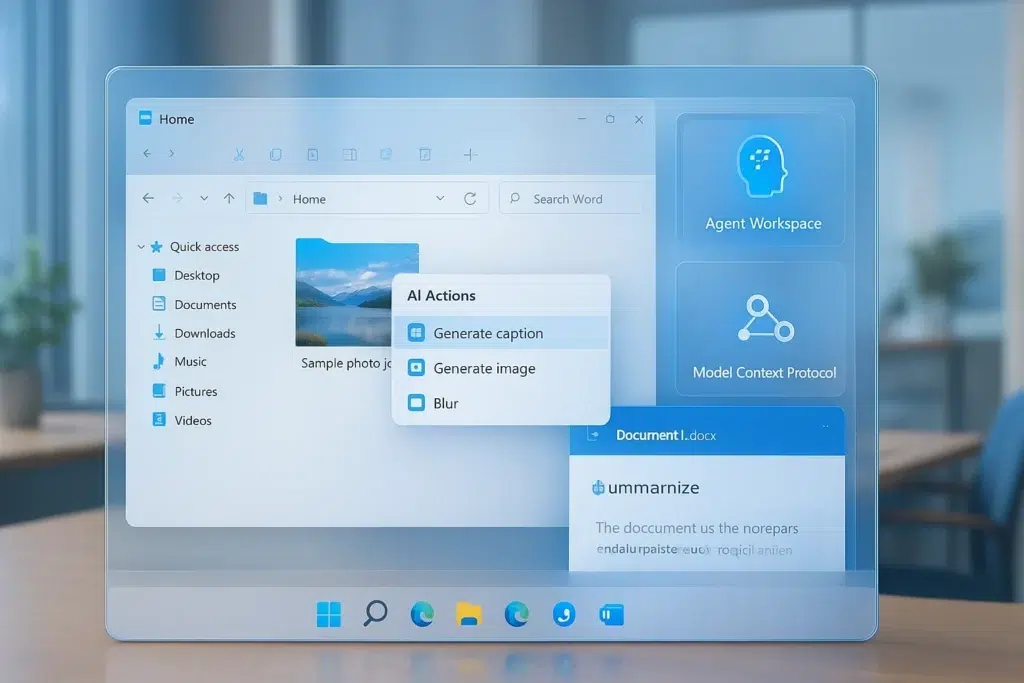
The Start menu is being modernized using the WinUI 3 framework to improve responsiveness and reduce latency.
- Faster Search: Microsoft is refining indexing to surface apps and files faster while clearly distinguishing between local and web results.
- Reduced Recommendations: The “Recommended” section will feature clearer controls, allowing users to fine-tune or entirely disable app and file suggestions.
- Fewer Ads: Microsoft plans to reduce promotional “badges” and upsell messages (such as Microsoft 365 or OneDrive prompts) to create a “calmer” user experience.
Fewer Ads and Suggestions in System Surfaces
Microsoft is addressing complaints regarding “ads” disguised as recommendations across the OS:
- Start Menu: Users will have an opt-out for promotional tiles and tips.
- Notifications: The system will generate fewer “nagging” notifications pushing Microsoft Edge or mobile apps.
- Widgets and Search: The Widgets board will move to “quieter defaults,” reducing automatic slide-outs and trivial news flashes.
- Streamlined Setup: The initial device setup (OOBE) will feature fewer pages and upsell screens for a faster path to the desktop.
Performance Upgrades: Reduced RAM and Responsiveness
Microsoft claims that baseline RAM usage will be reduced by optimizing background services and making AI features like Copilot run on-demand.
- CPU Scheduling: Improvements to the CPU scheduler and I/O prioritization aim to keep the UI responsive even under heavy loads, such as gaming or video exporting.
- Background Management: The system will better detect high-priority activities to hold off on heavy background tasks like indexing or Defender scans.
- Lower Latency: File Explorer is being optimized for faster search, navigation, and context menu interactions.

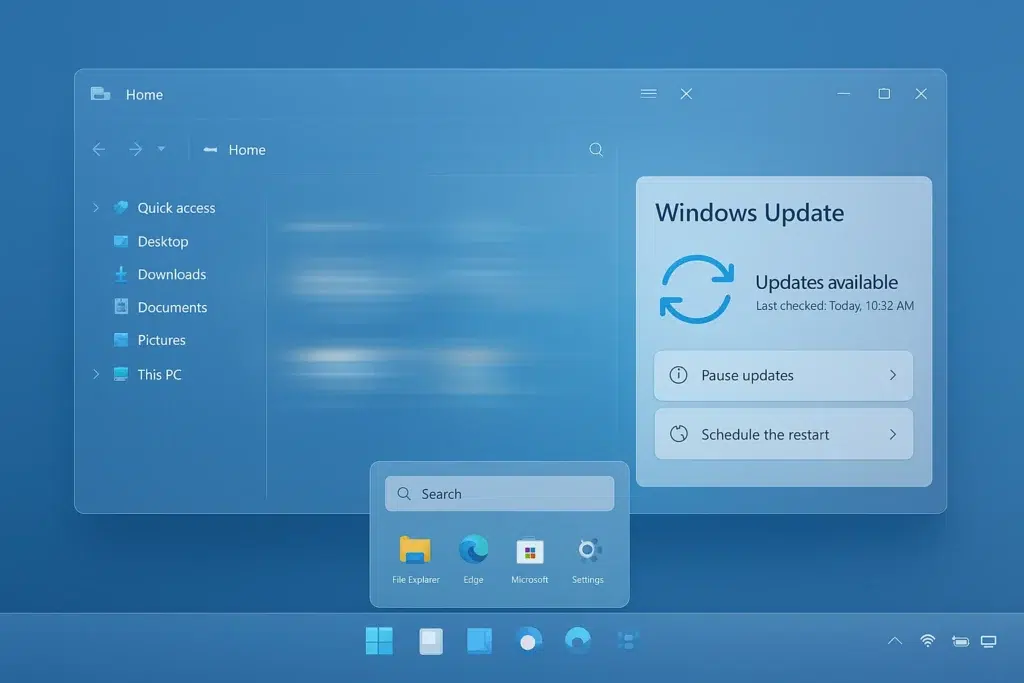
Windows Update Controls: Fewer Restarts
Microsoft is moving toward a “single monthly reboot” model to minimize disruptions.
- Update Consolidation: The system will attempt to combine multiple updates into one monthly restart.
- Setup Flexibility: Users will be able to skip mandatory updates during initial device setup to reach the desktop immediately.
- Override Options: New options will allow users to “Shut Down” or “Restart” without installing pending updates.
- Extended Pausing: The ability to pause updates will be made more flexible for users on metered connections or critical project timelines.
Windows 11 “Debloat” Options and App Management
New options will allow users to uninstall previously locked core applications, including the Microsoft Store and Edge (initially in specific regions). This “debloat” initiative provides users and IT administrators more power to remove pre-installed software and manage default application associations.
The 2026 roadmap for Windows 11 focuses on refining and simplifying the user experience. Key goals include:
- Removing Annoyances: Eliminating AI spam, taskbar immobility, unexpected updates, and system slowdowns.
- Restoring Features: Reintroducing user-requested options like the movable taskbar and greater app control.
- Boosting Performance: Increasing speed and stability. These changes are confirmed through Microsoft’s official communications and early builds, indicating active implementation rather than theoretical plans. For the everyday user, the takeaway is a PC that feels faster, offers more choice, interrupts less, and allows for greater customization.
Windows 11 vs. Copilot+: What “Less AI Integration” Means
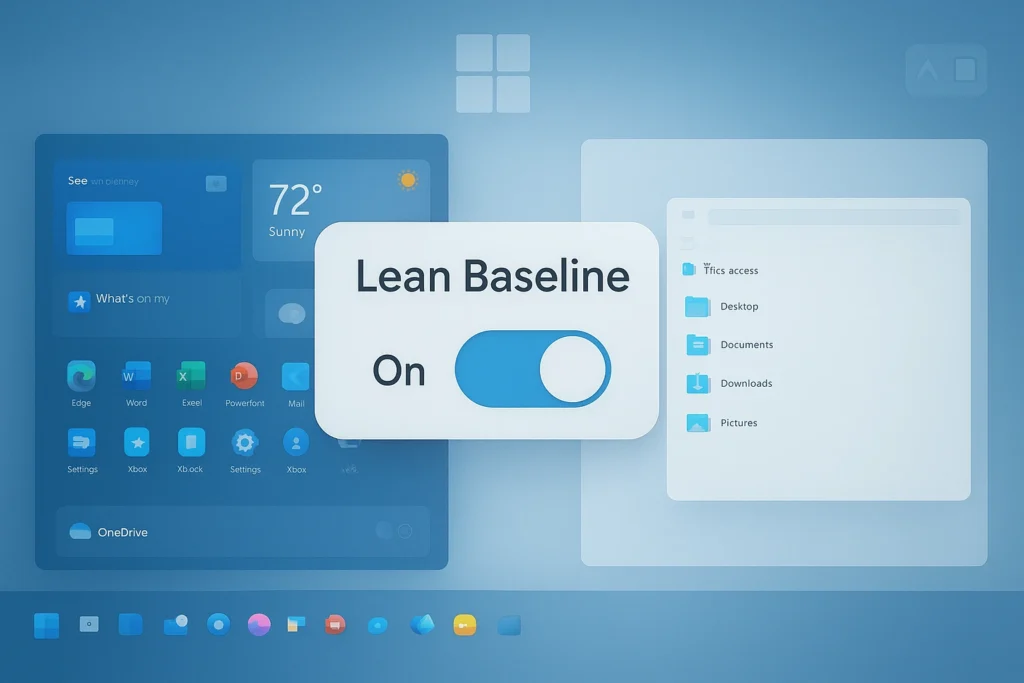
The original “Copilot+” vision from 2024 depicted an AI-first OS where Copilot was omnipresent, proactively suggesting files for meetings or creating reminders by monitoring user context. This raised concerns regarding system complexity, performance, and user trust.
In contrast, the current Windows 11 approach treats AI as an optional tool. Key differences for the user include:
- User-Initiated Action: AI will not notice or suggest actions unless the user explicitly invokes it. The Copilot icon can be removed from the taskbar entirely.
- Manual Features: Actions like extracting text from a screenshot will be available via a button press rather than being a forced, automatic process.
- System Familiarity: Windows 11 will function as a regular operating system where users can manage files and apps normally without navigating AI-driven workflows.
- Resource Efficiency: Fewer AI processes running in the background may result in better battery life and CPU performance.
Microsoft has also clarified the distinction between products: Microsoft 365 Copilot remains a paid subscription for business and Office integration, while the Windows Copilot in the OS provides a baseline, free experience for web and system queries. This “less integrated” model ensures that AI remains a helper for specific tasks—such as drafting emails or summarizing PDFs—rather than a monitoring presence, addressing privacy concerns and maintaining a gentler learning curve for non-technical users.
In conclusion, for the everyday user “less AI integration” means a more predictable, user-driven experience on Windows 11. You won’t have to alter how you use your PC to accommodate AI features; instead, the PC will accommodate you, with AI ready in the wings if you call for it. Windows 11 will essentially feel like a polished version of Windows with a handy AI Swiss-army knife in the toolbox – as opposed to Copilot+ vision, which would have made Windows an AI assistant that also runs an OS.
This shift really underscores Microsoft’s realization that Windows is ultimately a tool for users, and any AI must serve the user quietly and usefully, not dominate the experience. Everyday computing stays familiar, and AI becomes a choice, not a mandate.
Frequently Asked Question (FAQs)
- Why is Microsoft reducing Copilot integration in Windows 11?
Microsoft is scaling back Copilot due to user feedback regarding “AI bloat” and a cluttered UI. The company aims to make the OS cleaner and faster by focusing on genuinely useful scenarios rather than forcing AI into every corner. This shift reflects a move toward an OS that is more predictable, utilizing AI only when it adds clear value through on-demand assistance. - Can I completely disable or uninstall Windows Copilot on my PC?
Yes, users have several ways to manage Copilot:- Hide: Toggle the button off via Taskbar settings.
- Disable: Windows 11 Pro/Enterprise users can use Group Policy or the registry (
TurnOffWindowsCopilotset to 1) to prevent it from running. - Uninstall: In newer builds, Copilot is a separate app that can be removed via Settings > Apps > Installed Apps.
- Block: Enterprise admins can use AppLocker policies to prevent the app from being installed or activated.
- When will I be able to move the Windows 11 taskbar to the top or side of the screen?
This highly requested feature is part of the 2026 roadmap. Previews are expected for Windows Insiders by early 2026, with a public rollout likely following in a major update or “Moment” update later that year. Internal builds already demonstrate the taskbar functioning on the top and sides of the screen. - What improvements are coming to the Start menu in Windows 11?
The Start menu is being re-engineered using the WinUI 3 framework to increase responsiveness and reduce search latency. Microsoft is addressing high CPU spikes and making the “Recommended” section more relevant and optionally hideable. Users will be able to turn off suggestions to transform the Start menu into a faster, distraction-free productivity hub. - How is Microsoft reducing ads and suggestions in Windows 11?
Microsoft is dialing back promotional content, such as banners for OneDrive or Microsoft 365 that resemble system alerts. The 2026 goal is a “quieter” experience with fewer app recommendations and pop-ups for Microsoft services. Users will be provided with toggles to disable suggestion features entirely for a more neutral operating system. - Will Windows 11 run faster on my current PC after these 2026 updates?
Yes, performance is a primary focus. Microsoft is reducing the OS’s memory and CPU footprint by cutting unnecessary background processes and optimizing core UI elements like Settings and File Explorer. These efficiency tweaks aim to make Windows 11 feel as lightweight as Windows 10, even on mid-range or older hardware. - How are Windows Update experiences changing in Windows 11?
Updates are becoming more user-controlled and less disruptive:- Fewer Restarts: Aiming for a maximum of one automatic reboot per month.
- Pause Updates: Flexibility to delay updates for longer than the current 7-day limit.
- Shutdown Options: Ability to shut down or restart without being forced to install pending updates immediately.
- Setup: Option to skip updates during initial device setup to reach the desktop faster.
- Transparency: Clearer progress indicators and built-in rollbacks for failed updates.
- Can I remove pre-installed apps (“bloatware”) in Windows 11 more easily now?
Yes. Microsoft is expanding the list of removable “inbox” apps (such as Weather, Movies & TV, and even the Microsoft Store in certain regions). The OS is becoming more modular, allowing users to manually uninstall stock apps they deem unnecessary, including those previously considered integral to the system. - What is PixelHair by Yelzkizi and how is it used by 3D creators?
PixelHair is a library of nearly 200 high-quality, pre-made 3D hair assets for Blender and Unreal Engine. It allows artists to add realistic hair to characters without creating it from scratch. Key features include:- Blender Integration: Uses Geometry Nodes for procedural adjustments and physics.
- Unreal Engine Support: Optimized for the MetaHuman framework and real-time game engine efficiency.
- Time Savings: Provides production-ready hairstyles that democratize high-quality character creation for indie developers.
- What is The View Keeper Blender addon and what are its benefits?
The View Keeper is a Blender plugin for camera management and batch rendering. It allows artists to:- Consolidate Views: Save unlimited camera positions and lens settings under a single camera object to reduce scene clutter.
- Batch Render: Automatically render multiple saved angles and compositions in one sequence.
- Improve Workflow: Quickly switch between wide shots and close-ups to check compositions without manually moving cameras.

Conclusion
The Windows 11 of 2026 is shaping up to be a more refined, user-focused operating system that addresses many early criticisms. Microsoft’s roadmap isn’t about flashy new gimmicks, but about polishing the core experience – reducing unnecessary AI clutter, boosting performance, and returning control to the user. Windows 11 will let you work the way you want: taskbar where you prefer it, Start menu free of distractions, updates that obey your schedule, and an OS that’s faster and more responsive on the same hardware.
In practice, these improvements mean fewer frustrations in day-to-day use. The system will interrupt you less with ads or forced restarts, and you’ll spend less time waiting on slow menus or file operations. Power users and casual users alike will find it easier to make Windows their own – whether by uninstalling bloat, choosing default apps freely, or leveraging optional tools like Copilot only when needed.
Crucially, Microsoft is learning from feedback and, importantly, from missteps. The retreat on Copilot overreach and the revival of beloved features (like a movable taskbar and lighter updates) indicate a company course-correcting to prioritize usability and trust. By complying with regulations like the EU’s DMA, Microsoft also opens Windows 11 up, making it a more open platform for competition and user choice, which ultimately benefits everyone worldwide.
For the everyday user planning their computing over the next few years, the message is positive: sticking with (or upgrading to) Windows 11 will bring tangible quality-of-life upgrades. By 2026, Windows 11 will likely feel like a more mature and elegant version of itself – much as Windows 7 did after Vista, or Windows 10 did after 8. It’s an OS that’s getting out of the way, letting you be productive (or play) without unnecessary friction.
Whether you’re a professional trying to squeeze efficiency out of your workflow, a gamer needing every ounce of performance, or a casual user who just wants a pleasant experience, the upcoming improvements aim to deliver. Microsoft is essentially future-proofing Windows 11 with these updates so it can carry users through the rest of the decade on a solid foundation. And if features like Copilot AI do prove useful, they’ll be there – just in a thoughtful, opt-in manner.
In summary, the 2026 roadmap for Windows 11 is all about “less is more”: less unwanted AI, fewer annoyances, less resource hogging – resulting in more speed, more control, more stability, and more productivity. It’s Windows 11 growing into the OS that users hoped it would be. If you’ve been on the fence or frustrated with certain Windows 11 quirks, know that relief is in sight. The Windows 11 experience is only getting better from here, focusing on what users truly value in a modern operating system: speed, simplicity, and flexibility.
Sources
- Sarah Perez, “Microsoft rolls back some of its Copilot AI bloat on Windows.” TechCrunch, March 20, 2026, https://techcrunch.com/2026/03/20/microsoft-rolls-back-some-of-its-copilot-ai-bloat-on-windows/
- Zac Bowden, “Microsoft quietly scraps plans to bring Copilot to notifications and Settings on Windows 11.” Windows Central, March 15, 2026, https://www.windowscentral.com/software-apps/windows-11/microsoft-scraps-copilot-notifications-settings-windows-11
- Pavan Davuluri, “Our commitment to Windows quality.” Windows Insider Blog, March 20, 2026, https://blogs.windows.com/windows-insider/2026/03/20/our-commitment-to-windows-quality/
- Bruno Ferreira, “Microsoft promises major improvements to Windows 11 performance, reliability, and updates.” Tom’s Hardware, March 21, 2026, https://www.tomshardware.com/software/windows/microsoft-promises-major-improvements-to-windows-11-performance-reliability-and-updates
- Paul Thurrott, “Microsoft Tells Business to Uninstall Copilot, Remap the Copilot Key.” Thurrott.com, December 13, 2024, https://www.thurrott.com/windows/windows-11/312000/microsoft-tells-business-to-uninstall-copilot-remap-the-copilot-key
- Microsoft Insider Staff, “Updates to Windows for the Digital Markets Act.” Windows Insider Blog, June 2, 2025, https://blogs.windows.com/windows-insider/2025/06/02/updates-to-windows-for-the-digital-markets-act/
- Microsoft Support, “Policy-Based Removal of Pre-installed Microsoft Store Apps.” Microsoft Tech Community, 2025, https://techcommunity.microsoft.com/t5/windows-it-pro-blog/policy-based-removal-of-pre-installed-microsoft-store-apps/ba-p/
- Bruno Ferreira, Tom’s Hardware – comment reference within article, https://www.tomshardware.com/software/windows/microsoft-promises-major-improvements-to-windows-11-performance-reliability-and-updates
- Yelzkizi, “The View Keeper – Camera Management Addon.” ArtStation, 2025, https://www.artstation.com/artwork/view-keeper-camera-management-addon
- Yelzkizi, “PixelHair – pre-groomed 3D hair assets.” Blog reference, https://yelzkizi.com/pixelhair
Recommended
- Clair Obscur: Expedition 33 – Sales Milestones, Developer Insights, and Community Reactions
- How Mega Cat Studios Adapted God of War Into a Retro Pixel Art Game
- Pokémon XD: Gale of Darkness Now Available on Nintendo Switch 2 – How to Play, Features, and Everything You Need to Know
- Resident Evil Requiem is likely the series’ biggest launch ever — 5 million units sold in under a week
- Is Arcane 3D Animated? Unveiling the Secrets Behind Its Revolutionary Style
- Dead By Daylight Anime Is Reportedly On The Way: What We Know About the Animated Series
- Helldivers 2 Charity Challenge Leads To Death Threats After D10 Dev Challenge Spirals
- Realistic Character Creation Process in Blender: Step-by-Step Workflow for Artists
- Photoshop Beta Gets a New Tool That Transforms 2D Objects Into 3D Images: Rotate Object Explained
- All Shared Watch Rewards and Event Details in ARC Raiders (Feb 10–24, 2026) — Merits, Reward Track, and Fastest XP Farms




















































































