







Creating a high-quality 3D character for Unreal Engine involves a multi-stage workflow from modeling and optimization to rigging, exporting, and engine integration. In this comprehensive guide, we’ll walk through each step of the character creation process using Blenderas the primary tool: from initial modeling to adding realistic hair withPixelHair, and finally importing the character into Unreal Engine. Whether you’re aiming for real-time game characters or cinematic-quality models, this step-by-step guide will provide practical insights and tips. We’ll also highlight the advantages of using Blender (a free, all-in-one 3D suite) and explain how PixelHair can save time while achieving professional results. Let’s dive in!– ×1
In This Article (18 sections)
How to Create a 3D Character for Unreal Engine
Creating a 3D character for Unreal Engine involves distinct stages to ensure quality and performance. The workflow includes concept design, high-poly sculpting, retopology, UV unwrapping, texturing, rigging, and exporting to Unreal Engine.
- Concept & Reference: Use concept art or reference images to define proportions and details, guiding the modeling process.
- High-Poly Modeling/Sculpting: Sculpt a detailed high-resolution model in Blender’s Sculpt Mode, using dynamic topology or multi-resolution modifiers for anatomy and fine details like wrinkles.
- Game-Ready Low Poly Model: Retopologize the high-poly sculpt into a low-poly mesh with clean topology for animation and real-time rendering, detailed in Section 4.
- Texturing and Baking: Bake high-poly details (normals, ambient occlusion) onto the low-poly model using Blender or Substance Painter, creating PBR maps (albedo, roughness, metalness, normal, subsurface) for Unreal Engine.
- Rigging & Skinning: Add an armature in Blender, skin the mesh to bones, and ensure smooth animation deformations, covered in Section 5.
- Export to Unreal: Export as FBX with proper settings for scale and axis, importing as a Skeletal Mesh in Unreal Engine for material and animation setup, detailed in Sections 6 and 7.
Blender’s unified pipeline supports modeling, rigging, and animation, streamlining character creation for Unreal Engine’s real-time rendering. PixelHair integration for realistic hair will be covered later.
What Are the Best Tools for Making 3D Characters for Unreal Engine?
Various tools excel for creating 3D characters for Unreal Engine, each serving specific purposes.
- Blender: Free and open-source, Blender handles sculpting, retopology, UV unwrapping, texturing, rigging, and animation, ideal for indie artists and studios with its Python scripting and add-ons like Rigify.
- Autodesk Maya: Industry-standard for animation and rigging, Maya is robust but subscription-based, often used for final retopology and rigging in studio pipelines.
- ZBrush: Specialized for high-resolution sculpting, ZBrush creates detailed models for normal map baking, paired with Blender or Maya for retopology.
- Substance Painter (Adobe): Dedicated to PBR texturing, Substance Painter enables direct 3D painting, exporting maps like albedo and roughness for Unreal Engine.
- Marvelous Designer: Simulates realistic clothing with natural folds, importable into Blender for character integration.
- MetaHuman Creator (Epic Games): Generates rigged human characters for Unreal Engine, limited to human styles but compatible with PixelHair assets.
- Blender Add-ons & Pipeline Tools: Epic’s Send to Unreal and UE to Rigify add-ons simplify Blender-to-Unreal workflows, ensuring compatibility with Unreal’s skeletons and animations.
Blender’s comprehensive, cost-free pipeline is central to this guide, supplemented by tools like Substance Painter and PixelHair for enhanced texturing and hair.

How to Model a Game-Ready 3D Character for Unreal Engine
Modeling a game-ready character in Blender requires an optimized mesh with good topology, starting from a base or high-poly sculpt.
- Block Out the Basic Shape: Use primitive shapes (cubes, spheres) to establish proportions, aligning with reference images for accurate silhouette.
- Sculpt High-Poly Details: Use Sculpt Mode with Dyntopo or Multiresolution modifier to add anatomy, facial features, and clothing details, ignoring topology initially.
- Outline Clothing & Gear: Model separate clothing or armor meshes, extracting from sculpts or using polygon modeling with Solidify modifier for thickness.
- Topology Considerations: Plan edge loops for deformable areas (joints, face), using quads to avoid deformation issues, addressed in retopology.
- Stay Efficient with Polygons: Allocate polygons to detailed areas (face, hands) and simplify others, using mirror modifiers for symmetry.
- Combine Modeling Techniques: Mix sculpting, Edit Mode poly modeling, and early retopology for flexible workflows, e.g., sculpting knuckles then adjusting edges.
The result is a high-poly sculpt for baking and a low-poly mesh (tens of thousands of polygons) ready for retopology, UV unwrapping, and texturing.
How to Retopologize and Optimize a 3D Character for Real-Time Use
Retopology transforms high-poly sculpts into clean, low-poly meshes suitable for animation and real-time rendering, addressing chaotic topology from sculpting.
- Understand Good Topology: Use quad polygons in loops following anatomy (eyes, mouth, joints), optimizing density for deformation areas and minimizing elsewhere.
- Manual Retopology Workflow: Use Blender’s Shrinkwrap and Snap to Face to draw quads over the high-poly sculpt, ensuring clean loops for animation.
- Use Retopology Add-ons: Employ RetopoFlow or free add-ons like Bsurface to streamline polygon placement on the sculpt’s surface.
- Automated Remeshing (with caution): Use Voxel Remesher or QuadriFlow for quick meshes, requiring manual cleanup for hero characters.
- Polygon Budget: Target 20,000–50,000 triangles for main characters, less for NPCs, removing hidden faces to save polygons.
- Optimize for Deformation: Add loops around joints (shoulders, knees) to distribute bends, maintaining volume during animation.
- UV Mapping Considerations: Unwrap UVs with minimal stretching, hiding seams and prioritizing space for key areas like the face.
- LOD and Further Optimization: Create manual LODs by simplifying meshes or use Unreal’s auto-LOD for distant rendering.
Retopology balances quality and performance, producing an efficient mesh for rigging and rendering in Unreal Engine.
How to Rig and Skin a 3D Character for Unreal Engine
Rigging creates a bone structure, and skinning binds the mesh to it for Unreal Engine animation.
- Create an Armature (Skeleton): Add an armature in Blender, extruding bones for spine, limbs, and head, using X-Axis Mirror for symmetry and aligning to anatomy.
- Use a Rigging Helper (Optional): Use Rigify’s human meta-rig for prebuilt skeletons, exporting only deform bones for Unreal compatibility.
- Skinning (Weight Painting): Parent mesh to armature with Automatic Weights, refining in Weight Paint mode for smooth deformation (2–4 bones per vertex).
- Bone Hierarchy and Naming: Set pelvis as root, attach limbs logically, and use clear names (e.g., “upperarm_l”) for Unreal retargeting.
- Inverse Kinematics (IK) and Helpers (Blender side): Use IK constraints for posing in Blender, excluding them from Unreal export.
- Facial Rigging (if needed): Use bone-based rigs or shape keys for expressions, exporting as morph targets for Unreal.
- Testing Deformations: Pose character to check joint bends, adding loops or corrective shape keys to fix issues.
- Maintain T-Pose or A-Pose: Rig in A-pose or T-pose for natural deformation and animation retargeting.
- Rigging for Unreal Mannequin (optional): Match Unreal’s mannequin skeleton for animation compatibility, using UE to Rigify addon.
A well-rigged mesh deforms naturally, ready for animation in Blender or Unreal Engine.

How to Export a 3D Character to Unreal Engine with Correct FBX Settings
Exporting a rigged character from Blender to Unreal Engine requires precise FBX settings.
- Apply Transforms: Apply scale and rotation (Ctrl+A) in Blender, matching Unreal’s unit scale (1 Blender unit = 1 cm).
- Position and Pose for Export: Set character in T-pose/A-pose at world origin, with armature in rest position.
- Blender FBX Export Settings:
- Limit to Selected Objects: Export only mesh and armature.
- Object Types: Include Mesh, Armature; exclude Camera, Lamp.
- Transform: Set Forward = -Y, Up = Z for Unreal’s X-forward, Z-up alignment.
- Apply Unit: Enable for correct scaling.
- Apply Scalings: Use FBX All or Unit Scale if transforms applied.
- Bake Animation: Disable for mesh+rig export without animation.
- Armature Options: Disable “Add Leaf Bones”; set Primary Bone Axis = Y, Secondary = X.
- Geometry: Set Smoothing to “Face”, enable “Apply Modifiers” for final geometry.
- Materials and Textures: Export material slots; import textures separately in Unreal.
- Exporting Morph Targets (if any): Enable Shape Keys for morph targets, ensuring compatible modifiers.
- Double-Check Armature Naming: Use clear names (e.g., “Armature”) matching vertex groups.
These settings ensure a clean FBX import into Unreal Engine as a Skeletal Mesh, ready for material and animation setup.
How to Import a Custom 3D Character into Unreal Engine
Importing a character into Unreal Engine (UE) creates a Skeletal Mesh, Skeleton, and optional Animation assets. The process ensures correct integration of geometry, rig, and materials.
- Open Unreal Engine and Your Project: Use a project, ideally a Third Person Template, for a suitable character setup.
- Import the FBX: Drag the FBX into the Content Browser’s character folder, opening the FBX Import Options for Skeletal Mesh.
- FBX Import Options – Skeletal Mesh:
- Skeletal Mesh: Enable for rigged characters.
- Import Mesh: Enable to include geometry.
- Skeleton: Set to “None” for a new skeleton; select an existing one (e.g., UE mannequin) for matching bone names.
- Import Animations: Enable only if animations are included in the FBX.
- Import Morph Targets: Enable for shape keys to create morph targets.
- Import Materials: Enable to create material assets from Blender slots; textures may need separate import.
- Transform: Use default; adjust scale in Blender if needed.
- Normal Import Method: Choose Import Normals and Tangents to preserve baked normals, avoiding shading seams.
- Physics Asset: Enable for automatic generation or disable for custom setup.
- Finalize Import: Import to create Skeletal Mesh, Skeleton, Material, and optional Animation assets.
- Verify the Skeletal Mesh: Check in Persona editor for correct scale (~180 cm), orientation (+X axis), bone hierarchy, and material slots.
- Apply Materials & Textures: Import texture files (PNG/TGA), link to material pins (Base Color, Normal, Roughness), and set NormalMap compression for normal maps.
- Check Skinning/Weights in UE: Test weights with animations or Persona’s Animation Preview; adjust in Blender if needed, or use UE’s weighting tools for minor fixes.
- Physics Asset (Optional): Verify generated physics bodies align with limbs for ragdoll simulations.
The imported character is ready for animation blueprints, level placement, or gameplay integration, with materials manually set up for textures.
What is PixelHair and Why Use it in 3D Characters for Unreal Engine?
PixelHair is a library of pre-made, high-quality 3D hair assets for Blender and Unreal Engine, simplifying realistic hair creation.
- Realistic Hair Grooms: Uses Blender’s particle hair system for strand-based hair, offering natural volume and appearance, e.g., “Afro 005” for afro-textured hair.
- Hair Cap and Mesh Integration: Includes a high-poly hair cap mesh that shrinkwraps to character heads for seamless hairline blending.
- Ease of Use in Blender: Append PixelHair .blend files, position the cap, and adjust as needed, requiring minimal grooming expertise.
- Highly Customizable: Edit hair color, thickness, length, or comb in Particle Edit mode, with full control over particle settings.
- Compatibility with Unreal Engine: Export via Alembic for UE’s Groom system, compatible with MetaHumans for custom hairstyles.
Why use PixelHair?
- Saves Time: Pre-made hairstyles reduce grooming time significantly.
- Quality: Crafted by specialists, PixelHair offers professional-grade hair for realistic results.
- Focus on Character, not Hair Tech: Allows artists to prioritize other character aspects, using pre-made hair assets.
- Consistent Results: Optimized for Blender and Unreal, ensuring proper density and lighting behavior.
- Variety of Styles: Offers diverse hairstyles like cornrows, afros, and braids, enhancing character variety.
PixelHair streamlines high-quality hair creation, ideal for cinematic or detailed Unreal Engine projects.
How to Add PixelHair to a 3D Character in Blender
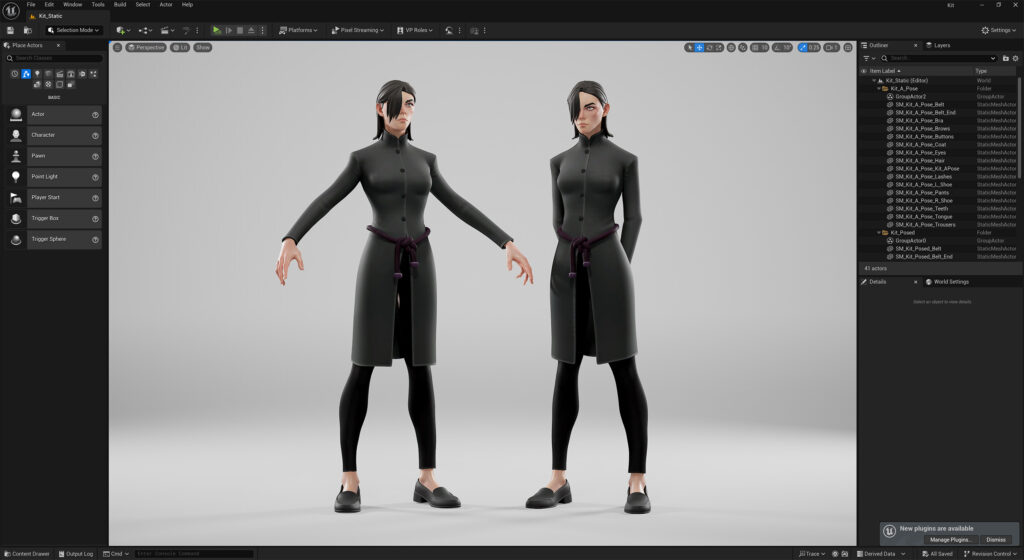
Adding PixelHair to a Blender character involves appending and fitting the hair asset to the character’s head.
- Obtain the PixelHair Asset: Acquire the PixelHair .blend file (e.g., PixelHair_Afro005.blend) from its source.
- Open Your Character in Blender: Load the character’s Blender file with head mesh and armature.
- Append the Hair to Your Scene: Use File > Append to add the PixelHair collection or objects (hair cap and particle system).
- Position and Fit the Hair Cap: Align the cap to the character’s head, matching ear cutouts, and use the Shrinkwrap modifier to snap it to the head’s shape.
- Adjust Particle Hair if Needed: In Particle Edit mode, tweak hair length, density, or combing; adjust material for color changes.
- Parent Hair to Head (if rigged): Parent the hair cap to the head bone (Ctrl+P > Bone) to follow head movements.
- Fine-Tune Hair Placement: Test with extreme poses to ensure no scalp gaps or bald spots appear.
The character now has a realistic PixelHair hairstyle, ready for Blender rendering or Unreal export via Alembic.
How to Export PixelHair with Your 3D Character to Unreal Engine
Exporting PixelHair to Unreal Engine uses Alembic for hair and FBX for the character, integrating them in UE.
- Exporting the Character’s Hair (Groom) via Alembic:
- Prepare the Hair for Export: Isolate the hair cap and particle system, excluding the character mesh.
- Alembic Export Settings:
- Format: Alembic (.abc).
- Selected Objects: Enable, selecting only hair cap and system.
- Apply Scale: Set to 1.0 or match FBX scale.
- Hair Export: Enable “Export Hair” for particle hair as curves; use render resolution for density.
- Frame Range: Export current frame for static hair.
- File Name: Name clearly (e.g., MyCharacter_Hair.abc).
- Export Alembic: Save the .abc file containing hair strand curves.
- Exporting the Character Mesh (FBX): Export the character (without hair) as FBX per Section 6, optionally including a scalp mesh.
- Importing into Unreal Engine:
- Import the Skeletal Mesh (Character): Import FBX as a Skeletal Mesh, as in Section 7.
- Import the Alembic Groom to Unreal: Import .abc as a Groom asset, adjusting density or width settings.
- Create a Groom Binding Asset: Bind the Groom to the Skeletal Mesh or head bone using a Groom Binding asset.
- Add Groom Component to Character: Add a Groom Component to the Skeletal Mesh or Character Blueprint, assigning the Groom and Binding assets.
- Apply Hair Material: Use Unreal’s Hair Shading Model, assigning a material (e.g., DefaultHair) with color or texture variations.
- Position and Scale Check: Ensure hair fits the head; adjust binding or re-export if misaligned.
The character now has a realistic PixelHair groom in Unreal, leveraging UE’s Groom system for strand-based rendering and optional physics.
What Are the Benefits of Using PixelHair for Characters in Unreal Engine?
PixelHair enhances Unreal Engine characters with several key advantages:
- Improved Realism: Strand-based PixelHair provides natural volume, silhouette, and light response, far surpassing flat textures or polygonal hair. For example, afros or braids achieve cinematic quality, elevating character fidelity.
- Time and Effort Savings: Pre-made hairstyles eliminate days of manual grooming, allowing focus on other tasks like animation or modeling, crucial for indie developers or tight deadlines.
- Consistent High Quality: Professionally crafted, PixelHair ensures uniform quality across styles, maintaining visual coherence and reliable strand behavior in Unreal.
- MetaHuman and Cross-Project Compatibility: PixelHair integrates with MetaHumans and Unreal’s groom system, ensuring usability across projects and engine versions (UE5+).
- Customization Flexibility: Adjust color, length, or style in Blender, enabling unique variations from a single asset, ideal for diverse NPCs.
- Optimized for Real-Time: With adjustable strand counts and LODs, PixelHair balances performance, supporting diverse hairstyles like braids without excessive overhead.
- Enhanced Animation and Physics: Unreal’s groom system enables dynamic hair movement (e.g., braids swaying) and realistic anisotropic lighting, adding lifelike details.
- Accessible for All Skill Levels: Beginners and pros alike can achieve professional hair results, leveling the playing field without requiring grooming expertise.
PixelHair delivers high-quality, efficient, and versatile hair solutions, enhancing character realism in Unreal Engine.
How to Apply Materials and Shaders to PixelHair in Unreal Engine
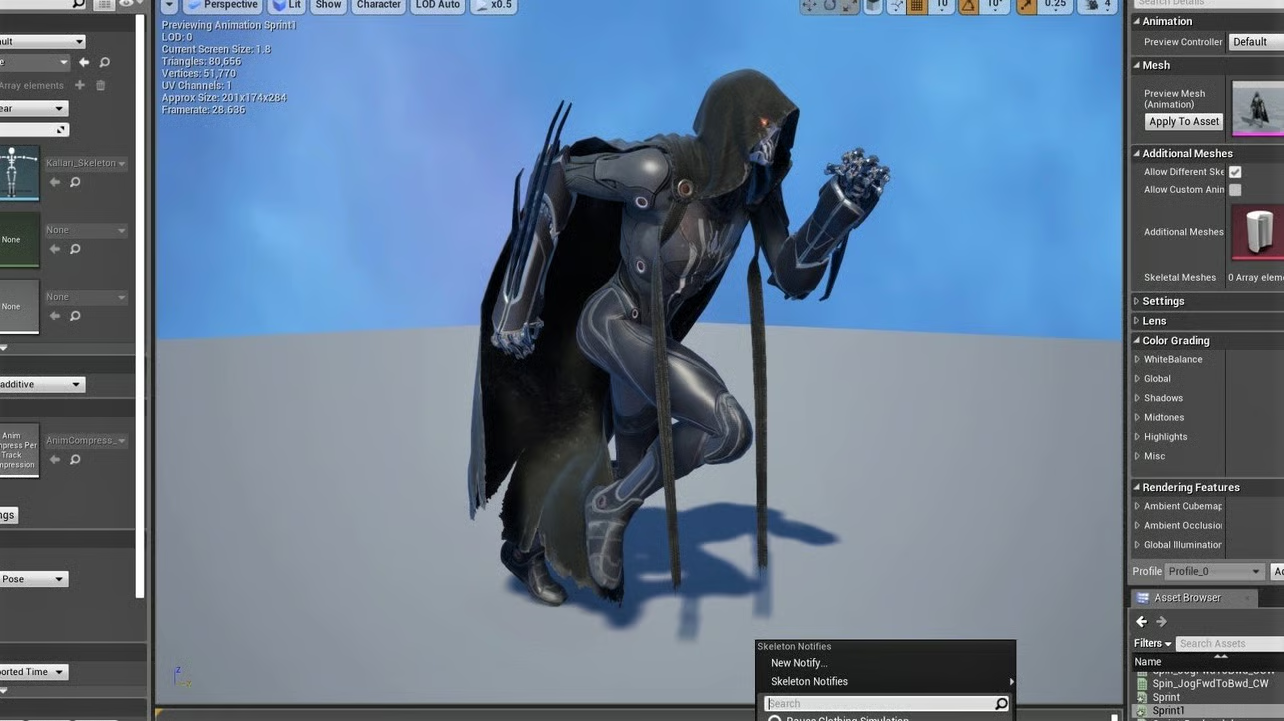
Applying materials to PixelHair in Unreal Engine ensures realistic rendering using the Hair shading model.
- Use the Hair Shading Model: Create a material with the Hair shading model for anisotropic highlights and translucent effects, avoiding solid wire-like appearance.
- Base Color and Melanin: Use melanin values for natural colors or a root-to-tip gradient texture for variation, leveraging Unreal’s hair-specific UVs.
- Roughness and Specularity: Adjust scatter and specular controls for shiny highlights; use primary and secondary lobes for realistic light interaction (e.g., blonde hair with reddish tint).
- Assign the Material to the Groom: Set the material in the Groom Asset editor for immediate rendering with anisotropic highlights.
- Double-Sided and Depth Settings: Enable ray-traced shadows if needed; use the Hair shader’s optimized opacity mask to avoid sorting issues.
- Physics and Material Interaction: Adjust strand thickness in Groom Asset for fuller appearance; material simplicity ensures performance.
- Additional Effects: Apply root darkening, per-strand color randomization, or dithered LOD transitions for realism and smooth LOD switches.
- Testing Under Lighting: Test with strong lights to verify highlights and tweak specular/scatter for desired sheen (e.g., sharper for black hair, glowing for blonde).
- Skin-Hair Match: Color the scalp mesh or texture to blend with the hairline, preventing visible gaps.
This setup ensures PixelHair looks lifelike with optimized performance in Unreal.
How to Set up Animation and Blueprints for a 3D Character in Unreal Engine
Animating a character with PixelHair in Unreal Engine involves setting up Animation and Character Blueprints.
- Rig and Skeleton in UE: Use a custom skeleton or Unreal’s mannequin skeleton; import custom animations or retarget existing ones.
- Animation Blueprint (AnimBP): Create an AnimBP with a state machine (Idle, Walk, Run, Jump) or simple animation nodes, using blendspaces for smooth transitions based on speed.
- Character Blueprint (BP): Assign the Skeletal Mesh and AnimBP to a Character Blueprint, setting up movement inputs (WASD) or AI logic.
- Retargeting Animations: Map bones in Retarget Manager to use mannequin animations, creating compatible animation sequences.
- Facial Animations (if needed): Use morph targets or face bones for expressions, animated via AnimBP or Sequencer.
- Blueprint for Hair: Toggle hair physics via Blueprint if needed, typically unnecessary unless optimizing performance.
- Testing the Setup: Place the Character BP in a level, test movement, and verify PixelHair follows the head bone, with optional physics for dynamic motion.
- Cinematic Animation: Use Sequencer for cinematics, keyframing or importing animations, with PixelHair integrated via Groom Component.
The character moves dynamically with realistic PixelHair, ready for gameplay or cinematics.
How to Optimize a 3D Character with PixelHair for Game Performance
Optimizing a PixelHair-equipped character ensures smooth performance in Unreal Engine.
- Polycount LOD: Create LODs (e.g., LOD0 at 30k triangles, LOD1 at 15k, LOD2 at 7k) manually in Blender or via Unreal’s auto-LOD for distant rendering.
- Texture Optimization: Use 2K or 1K textures for body/clothing; keep hair textures small and compressed (e.g., DXT for color, BC5 for normals).
- Material Draw Calls: Limit to 2-3 material slots; keep hair material simple to reduce draw calls.
- Hair LOD and Density Reduction: Use Unreal’s Groom LODs to reduce strand count at distance, switching to hair cards for far LODs via Epic’s Hair Card Generator.
- Hair Physics Optimization: Disable physics for gameplay or limit to guide hairs; adjust physics update rate for efficiency.
- Shadow Optimizations: Use optimized hair shadow settings or disable hair shadows for lower-end platforms.
- Reduce Bone Influences: Limit vertex influences to 4 bones for performance.
- Limit Bone Count: Keep bone count below 100, removing unnecessary facial bones for gameplay.
- Animation Blueprint Optimization: Optimize AnimBP ticks and use Animation Sharing for multiple characters.
- Use Profiling Tools: Check Stat GPU/Anim for bottlenecks; use Quad Overdraw Viewmode to identify hair overdraw.
- Fallback for Low-End: Provide hair cards or simplified meshes for low-spec platforms, toggling via quality settings.
These optimizations balance PixelHair’s high quality with efficient real-time performance.

Frequently Asked Questions (FAQs)
- Can I use Blender for the entire character creation process for Unreal Engine?
Yes, Blender handles modeling, sculpting, rigging, and animation, exporting via FBX with tools like Send to Unreal for seamless integration. - What are the benefits of using Blender over Maya or 3ds Max?
Blender is free, open-source, and unified, offering comparable results to paid software with a large community and fast updates. - What is PixelHair, and how do I get it?
PixelHair is a library of pre-made hair assets (Blender files with particle hair and caps), available from Yelzkizi or marketplaces like BlenderMarket. - Can PixelHair be used for animals or creatures?
Primarily for human hairstyles, PixelHair is less suited for animal fur but can be adapted with significant modification. - Does PixelHair work with MetaHumans?
Yes, PixelHair exports via Alembic to Unreal’s groom system, attachable to MetaHuman heads for custom hairstyles. - Why is my character tiny/huge in Unreal?
Fix scale by applying transforms in Blender (Ctrl+A) and setting unit scale to 0.01 (cm) or adjusting FBX export scale to 100. - Do Blender materials transfer to Unreal?
No, only material slots transfer; recreate materials in Unreal with imported textures (color, normal, roughness). - Why does my character look distorted in Unreal?
Check bone orientation, applied transforms, modifiers, and export axes (e.g., Forward = -Y, Up = Z); re-export with corrections. - How can I create facial animations?
Use shape keys (morph targets) or face bones in Blender, exported to Unreal for animation via AnimBP or Sequencer. - Is strand-based hair viable for games?
Yes, for hero characters or cinematics with optimization (LODs, reduced strands); use hair cards for distant or low-end platforms.

Conclusion
Creating high-quality 3D characters for Unreal Engine is streamlined with Blender’s unified pipeline and PixelHair’s realistic hair assets. The process, concept design, modeling, retopology, texturing, rigging, and export, produces optimized, visually stunning characters. PixelHair saves time, enhances realism with strand-based grooms, and integrates seamlessly with Unreal’s groom system, including MetaHumans. Optimization strategies (LODs, material simplicity, hair density reduction) ensure performance across platforms. By leveraging Blender’s free tools and PixelHair’s professional hairstyles, artists of all levels can craft engine-ready characters that balance quality and efficiency, delivering believable, dynamic results for games or cinematics.— ×2
Go ahead and bring your unique characters to life and don’t forget to have fun during the process. Happy character creating!– ×1
Sources and Citations
- Blender on Steam –
- Blender description:
- https://store.steampowered.com/app/365670/Blender/
- Blender Manual –
- Retopology definition and importance:
- https://docs.blender.org/manual/en/latest/modeling/meshes/retopology.html
- Unreal Engine Blog –
- Blender add-ons: Send to Unreal and UE to Rigify:
- https://www.unrealengine.com/en-US/blog/download-our-new-blender-addons
- Medium –
- Animation Blueprint explanation in Unreal Engine:
- https://medium.com/search?q=Animation%20Blueprint%20Unreal%20Engine
- Reddit / r/Blenderhelp –
- messy vs. clean topology / retopology discussion:
- https://www.reddit.com/r/blenderhelp/search/?q=messy%20clean%20topology%20retopo&restrict_sr=1
- 80.lv –
- PixelHair realistic pre-made hair groom assets for Blender and Unreal:
- https://80.lv/articles/pixelhair-realistic-hair-grooms-for-blender-unreal-engine/
Recommendations
- Farm to Table Grow Your Own Food & Make Fine Dishes in Cozy Restaurant Simulator: Complete Gameplay Guide
- How to Turn Any 3D Model into Minecraft 3D Models in Blender
- Helldivers 2 Dev Promises Action and Better Communication After “Painful” Reddit AMA Criticism
- Witch Hat Atelier Premiere Review: Episode 1–2 Impressions, Animation Quality, and Crunchyroll Release Details
- Genki Covert Dock 3 Solves the Switch 2’s Clutter Problem in One Plug
- How to Create Professional Textures and Materials with Blender and Substance Painter
- The Blood of Dawnwalker PC Requirements Revealed Full Minimum, Recommended & Ultra Specs Explained
- James Cameron Reportedly Wants Avatar 4 and 5 Cheaper and Shorter After Avatar 3 Lost Cultural Momentum
- How to Recruit All Terran Armada Crewmates in Starfield (Delta, Roxanne Bourreau, Muria Siarkiewicz)
- Downloading 3D Models from Sketchfab: A Step-by-Step Guide



































































































