









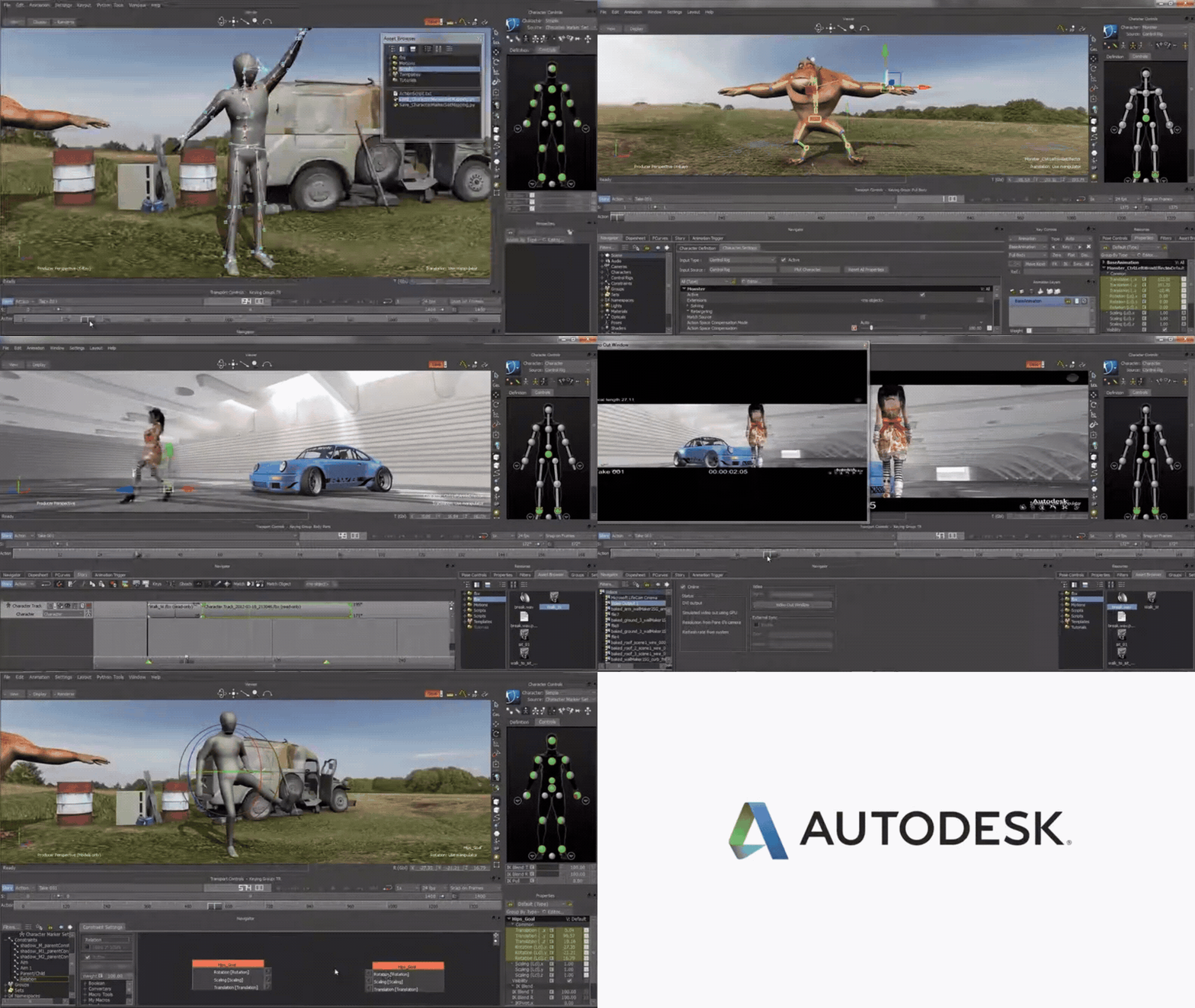
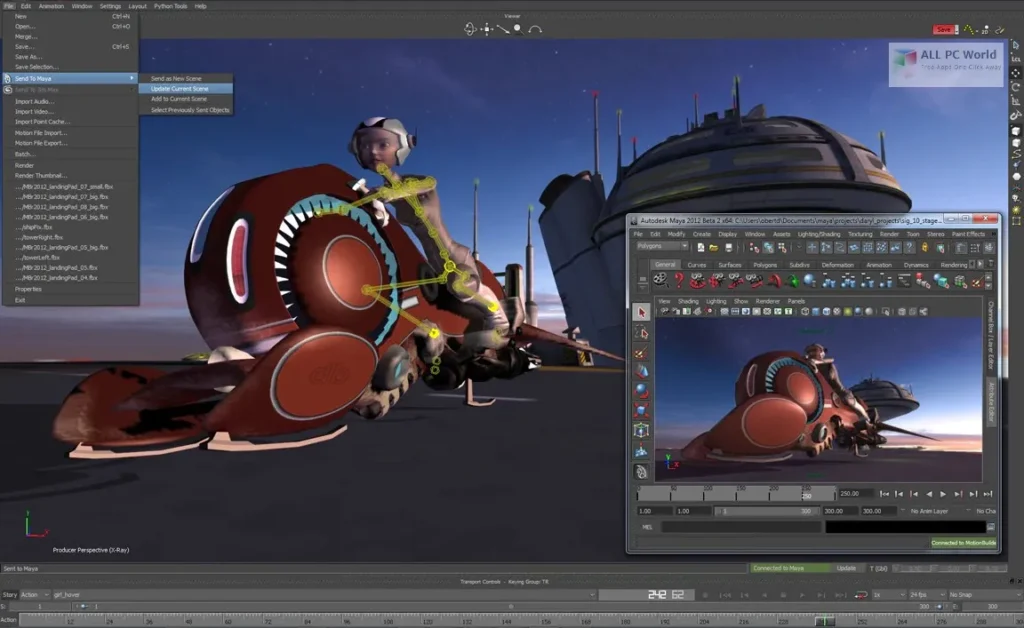
MotionBuilder 2027 is the latest annual release of Autodesk’s real-time character animation and motion-capture (mocap) editing toolset, with the headline changes focused on multi-view review workflows and more technical rig-building options inside Relations constraints.
The 2027 release centres on three practical production themes: (a) faster and clearer animation review via flexible Viewer pane layouts, (b) more robust rotation-driven rig logic via new quaternion math tools, and (c) day-to-day pipeline quality-of-life updates such as improved scene organisation, device-recording behaviour aligned to scene frame rate, and faster merging.

Release highlights and workflow improvements
MotionBuilder 2027 was reported as released on 26 March 2026 by CG Channel, aligning with Autodesk’s annual Media & Entertainment release cadence.
Autodesk’s own “What’s New” documentation states that MotionBuilder 2027 can be accessed from an Autodesk Account (the standard entitlement and download channel for subscribers and eligible users).
Autodesk summarises MotionBuilder 2027’s key additions as: flexible Viewer pane layouts, quaternion math tools for Relation constraints, improved scene organisation, and broader workflow enhancements across the application.
In practice, these map cleanly to high-frequency production needs:
- Animation review and shot context (more view layouts, stronger multi-angle comparison).
- Technical animation/rig logic (new quaternion converters and operations inside Relations).
- Scene hygiene and speed (Navigator ordering, faster merge, more predictable recording defaults).
MotionBuilder 2027 flexible Viewer pane layouts (multi-view workflow)
MotionBuilder 2027 expands the Viewer into configurable multi-pane layouts, enabling side-by-side or quad comparisons for tasks like checking motion arcs, comparing takes, reviewing constraints, or keeping the Schematic visible while animating.
Key workflow details documented by Autodesk include:
- Presets for two-pane (vertical/horizontal), three-pane (split top/bottom/left/right), and four-pane quad layouts.
- Keyboard cycling shortcuts (Ctrl+2 for two-pane options and Ctrl+3 for three-pane options), plus menu access via Viewer Layout options.
- Resizable panes, with pane sizes and Schematic placement saved with the scene to restore the review layout on reopen.
- A configurable default via
DefaultViewerLayoutunder[Display]inApplication.txt, supporting studio-standard layouts on launch (useful for lab machines or shared workstations).

MotionBuilder 2027 quaternion math tools for Relation constraints
MotionBuilder 2027 adds new quaternion “boxes” in Relation constraints to provide direct access to rotation math operations—important for rigs and constraint graphs that require stable blending and predictable orientation logic (especially where Euler-based evaluation risks discontinuities).
Autodesk documents two main categories:
- Converters, including Axis Angle ⇄ Quaternion and Euler ⇄ Quaternion (with rotation order support).
- Quaternion operations, including addition/subtraction/product, spherical interpolation (slerp), and standard operations such as inverse, conjugate, negate, and normalise.
Most operations are also exposed as expression functions (for example, Euler-to-quaternion conversion and quaternion slerp/product functions), and MotionBuilder 2027 adds Macro Input/Output quaternion boxes to pass quaternion data into and out of macro Relation constraints.
MotionBuilder 2027 improved scene organization tools
MotionBuilder 2027 strengthens scene organisation in ways that target real-world scene complexity: multiple character sets, layered takes, and dense constraint graphs.
Two changes are especially production-facing:
- Reorder objects in the Navigator via drag-and-drop, with explicit above/below placement prompts. Autodesk notes this applies across Scene, Groups, Sets, and also to lists like Constraints, Poses, and Takes.
- Reordering via Python is supported through
FBPlug.MoveSrcAtwith an additional placement parameter—relevant for teams maintaining custom scene-build scripts and layout tools.
MotionBuilder 2027 workflow enhancements and UI productivity changes
MotionBuilder 2027 introduces several “small but expensive-to-live-without” workflow changes:
- F2 as a unified renaming hotkey across many parts of the UI (Navigator, Schematic, properties, layers, Story tracks, folders/groups, filters, and more), encouraging consistent naming discipline during shot work and reducing friction when iterating.
- Configurable device recording sample rate: device recording now defaults to the current scene frame rate, rather than always sampling at a fixed 30 fps; preferences also add control over the Constant Key Reducer filter applied after device recording.
- Faster scene merging, with Autodesk noting significant speed-ups particularly for complex character setups and multi-file merge sequences, benefiting both interactive workflows and SDK usage via
FBApplication.FileMerge.
System requirements and supported platforms
Autodesk’s published system requirements for MotionBuilder 2027 list baseline hardware expectations consistent with professional character animation tools:
- CPU: 64‑bit Intel or AMD multi-core processor.
- GPU: Autodesk directs users to certified/validated graphics guidance (via Autodesk’s certified hardware resources), reflecting that actual GPU suitability is driven by driver stability and viewport demands rather than a single headline spec.
- RAM: 8 GB minimum; 16 GB or more recommended.
- Disk: 4 GB free space for installation (minimum).
- OS: MotionBuilder 2027 is positioned for Windows 11 and specific enterprise Linux distributions (details below).
MotionBuilder 2027’s supported platforms are narrowed compared to earlier releases, with Autodesk and third-party reporting aligning on:
- Windows: Windows 11.
- Linux: Red Hat Enterprise Linux (RHEL) and Rocky Linux, specifically called out at versions 8.10 and 9.7.
For teams maintaining mixed-OS farms or older workstation images, this platform targeting is a key “upgrade note”: it affects not just installation, but also reproducibility of viewport behaviour, plugin ABI expectations, and IT patch baselines.
Download, installation, and upgrade notes
Autodesk’s guidance for obtaining MotionBuilder is consistent across products: access is managed through Autodesk Account entitlements, with product downloads selected by version, platform, and language.
Autodesk’s MotionBuilder download FAQ for individuals describes the expected flow:
- Sign in to Autodesk Account (or the education access site where applicable).
- Locate the product and select View Downloads, then choose the version, platform, and language, and finally select a download method.
For organisations and pipeline teams, Autodesk additionally positions two practical update channels:
- Download updates via Autodesk Account.
- Use Autodesk Access (Windows-only) to discover and apply installed-product updates and components from a central desktop utility.
Upgrade-oriented checks that materially reduce rollout risk include: confirming workstation OS eligibility (notably Windows 11), validating key plugins against the 2027 SDK dependency set, and running a short “representative scene” regression pass (multi-character, Relations constraints, Story clips, and any USD stages) before broad deployment.

MotionBuilder 2027 release notes: resolved issues and known limitations
Autodesk’s MotionBuilder 2027 release notes provide a “What’s Fixed” list across core areas—stability, animation curve tooling, file I/O, UI, Story, SDK samples, USD rendering, and Viewer performance.
Examples of resolved issues explicitly listed by Autodesk include:
- Crash fixes in areas such as Actor operations, character mesh merging, and applying filters in edge conditions.
- File I/O improvements, including improved performance when merging scenes with multiple instances open, and fixes around FBX import behaviours (such as take start/end time changes for certain motion files).
- USD-specific stability: a fix addressing a USD renderer crash with certain curve shapes.
- Viewer responsiveness: a fix addressing an FPS regression in idle and playback.
Regarding “known limitations”, the release-notes page states that it covers known limitations and issues, but the published page content primarily enumerates fixes; operationally, the most consequential constraints to treat as limitations during rollout are the supported OS scope (Windows 11; specific RHEL/Rocky versions) and SDK build/dependency expectations for compiled extensions.
MotionBuilder 2027 vs MotionBuilder 2026.1: what changed
MotionBuilder 2026.1 and MotionBuilder 2027 represent two different upgrade profiles:
MotionBuilder 2026.1 was characterised as a workflow and interoperability update, with emphasis on USD and interface quality-of-life items, including:
- USD pipeline improvements (retaining animation when loading USD stages, plus controls to retime/time-warp via an animatable frame offset property and tooling to reload USD stage proxies).
- Relations-constraint usability improvements such as grid snapping and additional node-connection styling options for readability.
- UI productivity improvements including Property View search, configurable default scene frame rate at launch, and safer Python Editor behaviour (auto-saving unnamed scripts).
- 2026.1 platform support described as Windows 10+ and a broader spread of RHEL/Rocky variants than 2027.
MotionBuilder 2027 shifts the centre of gravity towards:
- Review and layout workflows via multi-pane Viewer layouts (two/three/four pane configurations, resizable panes, and saved layout state).
- Technical rig logic via new quaternion tools inside Relations constraints (converters and operations such as slerp and normalisation, plus macro I/O support).
- Scene organisation efficiencies (Navigator drag/drop ordering; unified rename shortcut) and recording/merge behaviour tuned to production defaults (scene-rate sampling for device recording; faster merge).
- A narrower platform framing (Windows 11; RHEL/Rocky 8.10/9.7).
For studios already standardised on USD stage workflows introduced and expanded in 2025–2026, MotionBuilder 2027 can be evaluated as a “workflow acceleration + rig-logic capability” release rather than a USD headline-feature release, with USD improvements appearing primarily in stability fixes.

SDK, USD, and pipeline guidance
Autodesk’s MotionBuilder 2027 SDK documentation specifies a modernised build toolchain for compiling samples and new plugins, centred on CMake and Ninja.
The 2027 SDK dependencies list highlights:
- Windows development targeting Windows 11 with Visual Studio 2022 (including Desktop C++ and CMake tools components).
- Linux development targeting RHEL/Rocky 8.10/9.7 with gcc-toolset-14.
- Common build requirements including CMake (3.19+) and Ninja, plus updated language/runtime baselines such as Python 3.13.9 and FBX SDK 2020.3.9.
For context, Autodesk’s MotionBuilder 2026 SDK documentation already described CMake+Ninja as required for compiling samples and new plugins, indicating continuity of the toolchain direction but materially updated dependency versions by 2027.
MotionBuilder 2027 supported SDK dependencies (Qt, PySide2, Boost, USD)
Autodesk documents optional-but-supported dependency versions for plugin developers targeting MotionBuilder 2027, including:
- Qt 6.8.3 and PySide2 6.8.3 for UI and Python integration patterns.
- Boost 1.88.0 for C++ extension development where used by plugins/tools.
- USD 0.25.11 as an optional dependency, relevant to pipelines building USD-adjacent tooling or extensions.
These version pins are practical upgrade notes in their own right: any compiled plugin that links against these components should be treated as requiring a compatibility review and, where applicable, rebuild/retest against the 2027 SDK environment.
MotionBuilder 2027 USD workflow updates and interoperability considerations
In MotionBuilder 2027, Autodesk’s release notes document USD-related stability work, including a fix for a USD renderer crash with particular curve shapes.
The broader USD workflow story for recent MotionBuilder releases is that USD support was introduced and then expanded in earlier cycles, with MotionBuilder 2026/2026.1 described as improving USD stage loading so that animation is retained and rendered, plus adding controls to retime or reload USD stage proxies.
Interoperability planning in MotionBuilder-centric pipelines typically hinges on deliberate format boundaries:
- Autodesk positions MotionBuilder as a tool to take a mocap performance “from capture to completion” and then carry animation forward into finishing tools via FBX or OpenUSD.
- For FBX interchange specifically, Autodesk’s Maya FBX plug-in documentation describes FBX as an interchange hub enabling exchange of animation data and character rigs between Maya and MotionBuilder (and other Autodesk tools), preserving overall behaviour.
A key practical consideration when round-tripping rotation-heavy animation between tools is quaternion handling. Autodesk’s Maya FBX documentation notes that quaternion interpolation may be evaluated differently between applications, and the FBX import options include conversion/resampling choices intended to maintain visual equivalence when moving data from MotionBuilder into Maya-based workflows.

MotionBuilder 2027 best practices for mocap editing and character animation pipelines
A stable MotionBuilder pipeline is rarely built on “one feature”; it is built on repeatable defaults plus clear boundaries between capture cleanup, character solving, editing, and export. Autodesk’s documentation and legacy-but-still-relevant guidance supports a practical set of best practices:
Motion-capture cleanup should be approached at the right level of the stack. MotionBuilder’s Flexible Mocap guidance emphasises that modifying input markers enables low-level corrections (for example, constraining markers to correct sliding), and that more complex operations (like combining markers) can support real-time averaging/filtering rather than relying solely on proprietary offline cleanup tools.
Character setup discipline reduces downstream retargeting instability. Autodesk’s character setup guidance outlines the core steps: author and export a character as FBX, load it, add a Character asset, map bones, and characterise—while explicitly recommending MotionBuilder-recognised bone naming conventions to enable automatic mapping/characterisation in many cases.
A robust editing workflow separates driving sources from editable control. Autodesk’s character animation tutorial describes a “standard” MotionBuilder workflow: choose a motion source (Control Rig, Actor with data, or another character), plot to Control Rig for editability, refine with editing and filtering, then plot back to the skeleton for export.
Filtering should be applied deliberately, not automatically. The Constant Key Reducer filter is explicitly described as reducing redundant keyframes, and Autodesk documents situations where it can remove all keys if values are identical—mitigated by enabling “Keep At Least One Keyframe”.
MotionBuilder 2027 adds two release-specific best practices that affect mocap sessions:
- Align device recording to show-rate by default: MotionBuilder 2027 changes device recording sampling to use the current scene frame rate by default, and exposes preferences to set a custom recording rate and control post-recording filtering. This supports cleaner editorial alignment (for example, 24/25/30/60 fps pipelines) without immediate resampling steps.
- Exploit review layouts in production: multi-pane Viewer layouts can be treated as a repeatable “review preset”, supporting multi-angle checks and simultaneous Schematic monitoring during cleanup and polishing.
Finally, define interchange boundaries and keep them consistent:
- Use FBX when the pipeline requires broad tool compatibility and predictable interchange of rigs/animation between MotionBuilder and Maya-based workflows.
- Use OpenUSD where the studio’s pipeline standardises on USD stage composition and downstream polish workflows, consistent with Autodesk’s positioning of MotionBuilder export into finishing tools via FBX or OpenUSD.
Frequently Asked Questions (FAQs)
- What is the simplest description of MotionBuilder 2027’s headline upgrade?
MotionBuilder 2027’s headline additions are multi-pane Viewer layouts for animation review and new quaternion math tools inside Relations constraints for rig/constraint logic. - When was MotionBuilder 2027 released?
MotionBuilder 2027 was reported as released on 26 March 2026 by CG Channel. - Where is MotionBuilder 2027 available for download?
Autodesk’s “What’s New” documentation indicates access via Autodesk Account, and Autodesk’s download guidance describes selecting the product/version/platform from Account downloads. - Which operating systems are supported for MotionBuilder 2027?
MotionBuilder 2027 is positioned for Windows 11 and for RHEL/Rocky Linux distributions at versions 8.10 and 9.7. - How does the Viewer pane layout system work in practice?
Autodesk documents presets for two-, three-, and four-pane layouts, pane resizing, saved layout state per scene, and keyboard cycling shortcuts (Ctrl+2/Ctrl+3) for quick switching. - What new quaternion capabilities were added to Relations constraints?
Autodesk lists quaternion converters (Axis Angle and Euler conversions) plus operations including slerp, product, inverse, conjugate, negate, and normalise, with many available as expression functions and macro I/O support. - What changed in device recording behaviour in MotionBuilder 2027?
Autodesk states that device recording now defaults to sampling at the current scene frame rate (not a fixed 30 fps), with preferences for custom recording rate and post-recording filter control. - Where are MotionBuilder 2027 fixes documented?
Autodesk publishes a MotionBuilder 2027 Release Notes page listing fixes across major areas including file I/O, FCurves, Story, Viewer performance, SDK samples, and USD renderer stability. - What are the most important SDK build changes to know about for 2027?
The 2027 SDK dependency list calls out CMake (3.19+) and Ninja as required build tools, with updated baseline dependencies including Python 3.13.9 and FBX SDK 2020.3.9. - How should 2027 be positioned versus 2026.1 in pipeline planning?
MotionBuilder 2026.1 was described as emphasising USD workflow improvements and UI quality-of-life (USD stage animation retention, retiming controls, Relations UI improvements), while 2027 emphasises multi-view review workflows and quaternion-based rig tooling, plus merge/recording/navigation productivity.

Conclusion
MotionBuilder 2027 is best characterised as a production workflow release aimed at improving day-to-day animation review and technical rig logic: multi-pane Viewer layouts support faster, more contextual shot review, and new quaternion tools inside Relations constraints enable more robust rotation-driven setups.
For rollout planning, the highest-impact upgrade notes are the platform targeting (Windows 11 and specific RHEL/Rocky versions), the SDK dependency/toolchain expectations for plugin developers, and the operational changes that affect capture sessions—especially scene-rate device recording defaults and post-recording filter controls.
Sources and citation
- What’s New in MotionBuilder 2027
https://help.autodesk.com/view/MOBK/2027/ENU/?guid=GUID-what-s-new-in-motionbuilder-2027
MotionBuilder 2027 Release Notes
https://help.autodesk.com/view/MOBK/2027/ENU/?guid=GUID-release-notes
What’s New in the MotionBuilder 2027 SDK
https://help.autodesk.com/view/MOBK/2027/ENU/?guid=GUID-whats-new-in-the-motionbuilder-2027-sdk
Update Autodesk software (Autodesk Account / Autodesk Access)
https://www.autodesk.com/support/download-install/install-update
MotionBuilder Free Trial (download & install guidance)
https://www.autodesk.com/products/motionbuilder/free-trial
MotionBuilder motion-capture workflow (export to Maya / 3ds Max via FBX or OpenUSD)
https://www.autodesk.com/products/motionbuilder/motion-capture
Legacy but still relevant core workflows
Setting up a character
https://help.autodesk.com/view/MOBK/2027/ENU/?guid=GUID-setting-up-a-character
Animating characters
https://help.autodesk.com/view/MOBK/2027/ENU/?guid=GUID-animating-characters
Flexible mocap pipeline workflow
https://help.autodesk.com/view/MOBK/2027/ENU/?guid=GUID-flexible-mocap-pipeline-workflow
Constant Key Reducer filter
https://help.autodesk.com/view/MOBK/2027/ENU/?guid=GUID-constant-key-reducer-filter
Filters preferences
https://help.autodesk.com/view/MOBK/2027/ENU/?guid=GUID-filters-preferences
Maya FBX plug-in (interchange of rigs & animation data)
https://help.autodesk.com/view/MAYAUL/2027/ENU/?guid=GUID-maya-fbx-plug-in
Maya FBX import options – quaternion interpolation & interoperability
https://help.autodesk.com/view/MAYAUL/2027/ENU/?guid=GUID-fbx-import-options
Independent reporting
CG Channel – “Autodesk releases MotionBuilder 2027”
https://www.cgchannel.com/2026/03/autodesk-releases-motionbuilder-2027/
CG Channel – “Autodesk releases MotionBuilder 2026.1”
https://www.cgchannel.com/2025/09/autodesk-releases-motionbuilder-2026-1/
Recommended
- Devil May Cry Anime on Netflix: Release Date, Storyline, Cast, and What to Expect
- Resident Evil Requiem: Japanese Players Fight “Immersion-Breaking” Censorship — Why Gore Is Blacked Out in Japan
- The Outer Worlds Mods – Best Mods, Installation Guide, and Community Insights
- How to Save Time in Blender Animations with The View Keeper: A Comprehensive Guide
- What Is a Foley Artist? A Complete Guide to the Art of Sound Design
- Mastering Customization of PixelHair Assets for Any 3D Character in Blender
- Marathon Open Beta Announced: Everything We Know About the Server Slam Dates, How to Join, Rewards, and Launch Details
- Live Link Face with Metahuman: How to Capture Real-Time Facial Animation in Unreal Engine 5
- How Do I Set Up Multiple Cameras in Blender?
- What Are the 7 Basic Camera Movements in 3D Animation? A Complete Guide


























































































