








mGear 5.3.0 is a free, open-source character rigging and animation framework for Maya that adds Maya 2027 support, updates its compiled solvers for Python 3.13, and introduces a set of new workflow tools spanning rigging, deformation, logging, and usability.
mGear 5.3 free download for Maya (official GitHub release)
mGear 5.3.0 is distributed as a free and open-source release, with official downloads hosted via the project’s public releases page on GitHub.
The 5.3.0 release announcement explicitly frames this version as a major update: eight new tools, Maya 2027 support, and broad enhancements across rigging and deformation workflows.
Licensing is MIT, meaning the framework source code and its compiled binaries are provided under an open-source licence that generally permits commercial use and redistribution, subject to the MIT terms.
How to install mGear 5.3 in Autodesk Maya
The baseline installation approach described in the official documentation uses Maya’s module system: download the latest release, unzip it, copy the contents of the release into the local maya/modules directory, then launch Maya; a dedicated mGear menu should appear in the interface.
A practical, cross-platform interpretation of the documented module folder locations is:
- Windows: within the user Documents Maya folder (commonly under a
maya/modulesdirectory). - macOS and Linux: within the user’s Maya preferences folder (commonly
~/maya/modules).
For studio or pipeline setups—especially where multiple artists must share the same tool version—the documentation also recommends a path-based configuration approach using Maya.env and MAYA_MODULE_PATH, pointing Maya to a central mGear directory rather than copying scripts into local preferences.
mGear also supports pipeline extensibility via environment variables for custom Shifter modules and build steps, including MGEAR_SHIFTER_COMPONENT_PATH and MGEAR_SHIFTER_CUSTOMSTEP_PATH, enabling teams to keep shared components and custom build logic in version-controlled locations.
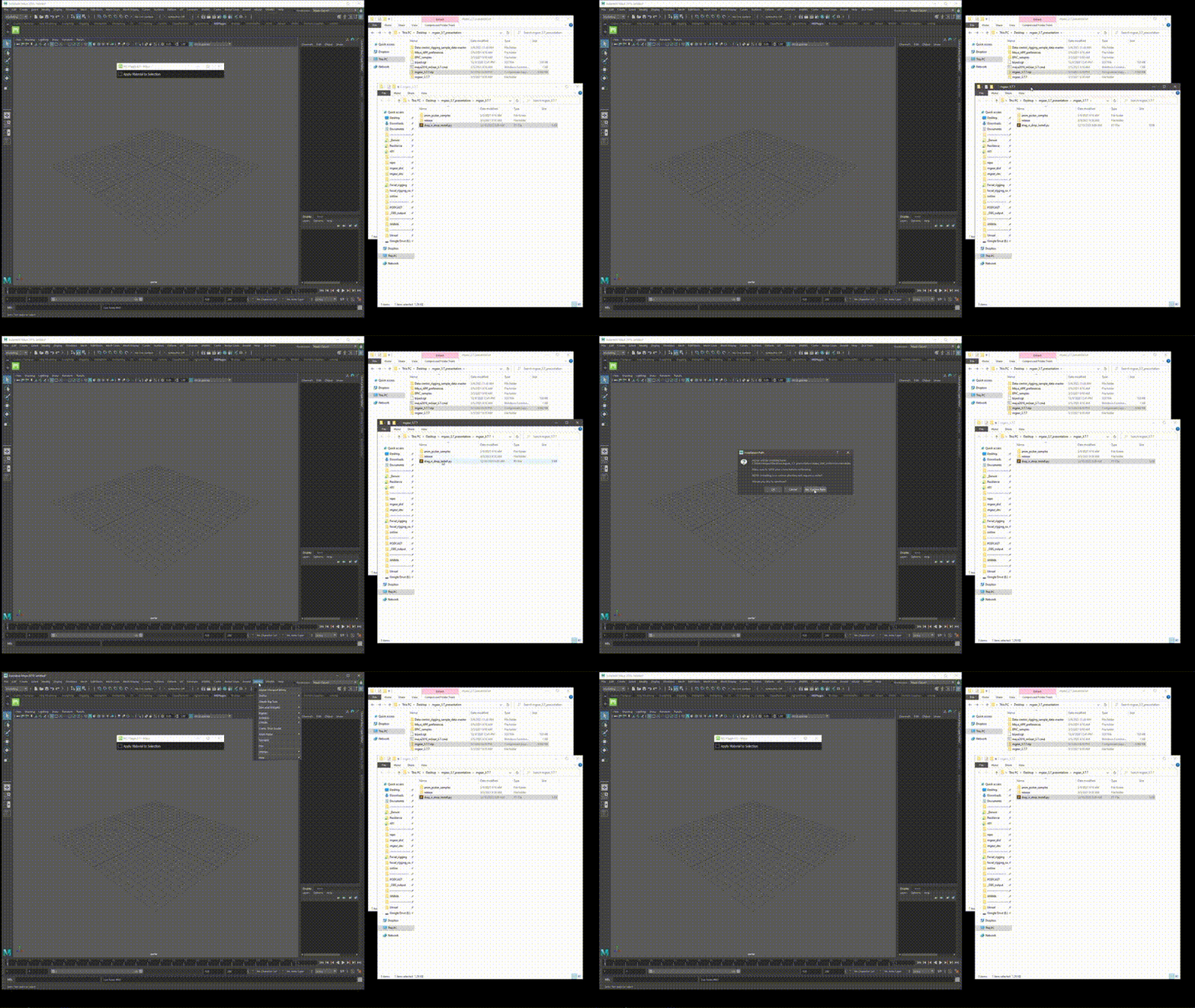
An additional, optional method exists in the repository: a drag-and-drop installer script (drag_n_drop_install.py) that presents an “Install mGear” UI and is intended to work with Maya’s dropped-Python-file mechanism (noted as supported since Maya 2017 Update 3 in the script).
Dependency-wise, mGear 5 explicitly removes PyMEL dependencies (replacing PyMEL usage with a project-specific wrapper approach), reducing reliance on external Python packages that are not consistently bundled with Maya.

mGear 5.3 supported Maya versions (Maya 2022 to 2027)
mGear 5.3.0 is explicitly stated to support Maya 2022 through Maya 2027, with full Maya 2027 compatibility included in the release.
The detailed changelog further clarifies the compatibility work for Maya 2027: updated solvers, updated C++ acceleration modules, and updated .mod files aligned to Maya 2027’s Python 3.13 environment.
Backward-compatibility work is also documented in the same release log: several fixes and replacements are aimed at maintaining Maya 2022/2023 compatibility in areas where Maya 2024.2+ introduced nodes not available in earlier versions, with mGear swapping those nodes for more universally available equivalents for Maya 2022+.
mGear 5.3 Python 3.13 support explained
mGear 5.3.0’s headline compatibility change is Python 3.13 alignment: the project states that its solvers and C++ acceleration modules have been updated and recompiled for Python 3.13 to match Maya 2027.
The release also documents removal of legacy Python 2/3 compatibility infrastructure, including replacing older Python mechanisms (for example, removing six.py and replacing the deprecated imp module with importlib) as part of compatibility with Python 3.12+ and Maya 2027.
This Python 3.13 target also aligns with the broader VFX ecosystem: the VFX Reference Platform CY2026 specification lists Python 3.13.x as the platform year’s Python baseline. The platform itself is maintained in collaboration with the Visual Effects Society technology community.
What is mGear Shifter modular rigging system
Shifter is the character rigging system inside mGear, built around assembling reusable rig components—arms, legs, spines, chains, and more—into a rig that can be built, rebuilt, and iterated in a structured workflow.
The Quick Start documentation describes Shifter as the “character rigging part of mGear” and positions it as a component-based system used to build a basic human biped (and beyond).
The Shifter component reference further stresses scale and flexibility, stating that Shifter comes with over 40 components used to build rigs from modular parts.
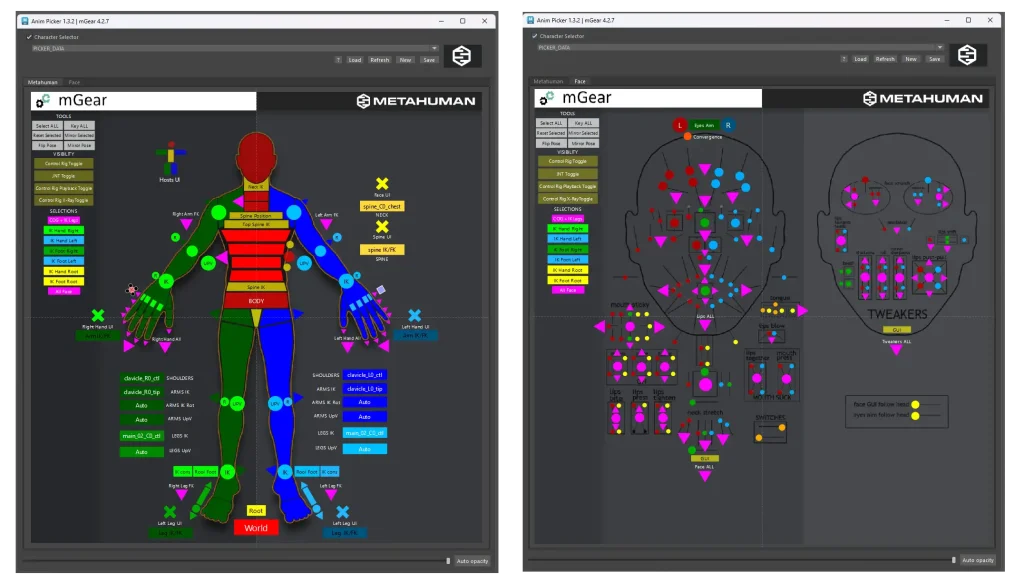
In the broader mGear ecosystem, Shifter is complemented by other rigging and animation-adjacent tools such as Anim Picker and RBF tooling, positioning mGear as more than a single autorigger.
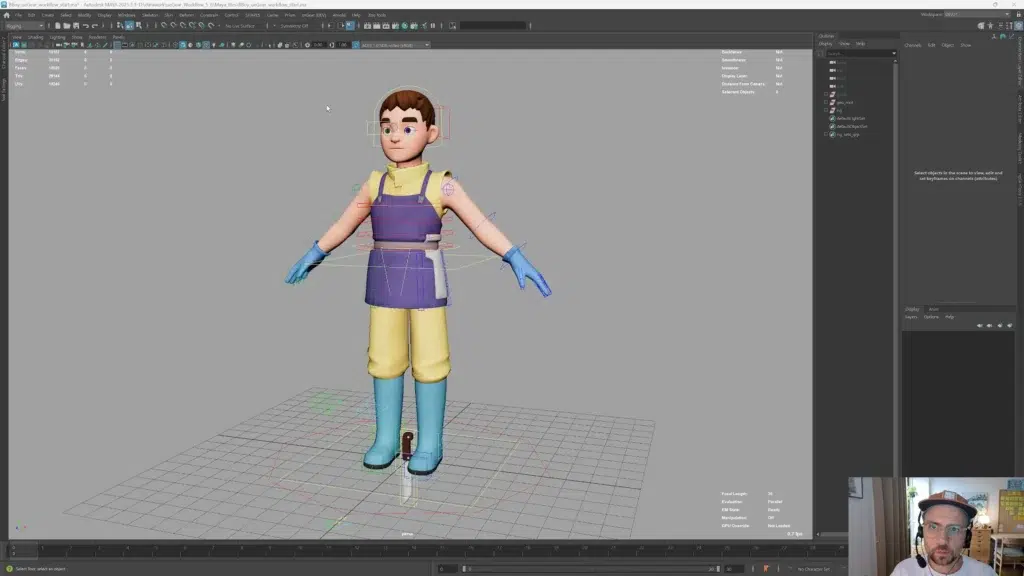
mGear 5.3 Shifter UI overhaul (drag-and-drop and templates)
Some of the most notable UI and workflow improvements associated with “mGear 5.3” actually arrived across the 5.2 → 5.3 line, with mGear 5.3 explicitly bundling features introduced in 5.2.3 that were not formally announced in a dedicated post at the time.
In mGear 5.2, Shifter’s Custom Steps interface received a “complete overhaul” (versioned as Custom Steps UI 2.0), including drag-and-drop reordering, collapsible sections and grouping, JSON configuration I/O for sharing/version control, and a template selection dialog for common tasks (such as importing skin packs and SDK configs).
In mGear 5.3, Shifter’s template workflow is advanced further with the new Guide Template Manager: a browsable template library with thumbnails, metadata, search, custom source folders, and drag-and-drop interaction, plus partial import modes that can select subsets of components.
mGear 5.3 rigging workflow for biped characters in Maya
The canonical biped workflow described in the mGear documentation is deliberately short and iterative: load a biped guide template, place and adjust guides to match anatomy, build the animation rig, optionally adjust control curves, skin the character to the deformer joints, and then animate.
A key production concept emphasised in the Shifter documentation is rebuildability: testing rigs early, deleting and rebuilding as guides and build steps evolve, and externalising data (for example, skinning and configuration) rather than storing everything in a single monolithic file.
mGear 5.3 new rigging tools list (what’s new in 5.3.0)
mGear 5.3.0 is framed by the maintainers as the most feature-rich 5.x release to date, with eight new workflow tools and multiple pipeline-focused enhancements.
Across the official release write-up and the full release log, the major “tool-level” additions and upgrades include:
- Blendshape Setup Transfer (Rigbits).
- SDK Creator (Rigbits).
- Guide Template Manager (Shifter).
- Build Log Window (Shifter).
- Wire to Skinning (Rigbits; introduced in 5.2.3, enhanced in 5.3.0).
- Evaluation Partition (Rigbits).
- Bookmarks (Utilbits).
- Matcap Viewer (Utilbits).
Additional “platform-grade” enhancements include a new skin cluster localisation function to address floating-point issues far from world origin, plus multiple core utility additions and compatibility fixes.

Automated blendshape transfer tools in mGear 5.3
The Blendshape Setup Transfer tool targets a common production pain point: when meshes change (topology updates, shape revisions, LOD swaps), blendshape setups often require extensive manual re-hooking—especially for combination shapes and more complex driver networks.
In mGear 5.3.0, the tool is described as supporting multiple source meshes, rebuilding combo blendshape networks, and automatically removing “zero-delta” targets (targets that exist but do not produce visible deformation).
The full release log adds implementation-level detail that matters in pipeline contexts: the tool can transfer from multiple sources into a single target node, includes combo network rebuild and zero-delta cleanup, and supports a .bst configuration format for repeatable setups.
Set Driven Key generator in mGear 5.3 (SDK Creator)
In Maya rigging terminology, “Set Driven Key” (SDK) refers to driving one attribute’s value by another attribute (rather than by timeline time), typically to automate dependent behaviour (for example, corrective shapes, pose-based tweaks, mechanical linkages, and UI-driven control relationships).
mGear 5.3’s SDK Creator is designed to automate the creation of Set Driven Key networks by generating them from timeline poses, replacing repetitive “one attribute at a time” SDK authoring with a pose-and-generate workflow.
The tool’s documented capabilities include mirror support (building left/right setups from one side’s poses), a dedicated configuration format (.sdkc) with export/import, and a scripting API intended for integrating SDK generation into automated build pipelines.
Wire to Skinning tool in mGear 5.3 (convert wire deformers to skin clusters)
Wire deformers are commonly used in Maya as a fast deformation sketching tool, but production deformation stacks typically rely on skin clusters for consistency, performance, and integration with joint-based rigs.
mGear’s Wire to Skinning tool converts wire deformers to skin clusters, described as bridging the gap between exploration and production-ready deformation.
The release log provides the most operationally useful detail: the tool includes a UI, configuration export/import, drag-and-drop support, and—specifically in 5.3.0—custom wire processing order with drag reordering, preserved across config export/import.
mGear 5.3 build log window features (filtering, search, export)
Rig building in modular systems often produces lengthy output: component build steps, warnings, and errors are scattered across script editor logs, which can slow debugging and make issues easy to miss in production.
mGear 5.3 introduces a dedicated, Qt-based Shifter Build Log Window that replaces reliance on generic script editor output, with logs colour-coded by severity and equipped with filtering, search, and export capabilities.
The full release log extends this with additional features that matter for large builds: severity filtering, search, font-size control, log export and comparison, live progress reporting during build, and a right-click convenience action to open source files.
mGear 5.3 documentation and release notes (where to read them)
The three primary official documentation vectors for mGear 5.3 are:
- The live release post for 5.3.0 on the mGear framework site (a curated overview of major changes).
- The full, structured release log (a detailed changelog across versions, including 5.3.0).
- The broader documentation site hosting Quick Start, workflow guidance, Shifter user docs, and API/module references.
For independent coverage that summarises the update’s positioning and highlights, the April 2026 write-up by CG Channel provides an overview of the 5.3 tool additions (blendshape transfer, SDK Creator, Wire to Skinning, Guide Template Manager, Bookmarks, Matcap Viewer) and situates the Python 3.13 move relative to the VFX Reference Platform CY2026 target.
mGear vs AdvancedSkeleton vs HumanIK for Maya rigging
mGear, AdvancedSkeleton, and HumanIK occupy overlapping but distinct territory in Maya rigging pipelines: modular rig building frameworks, autorigging toolsets, and built-in IK/retargeting systems.
mGear is positioned as an open-source rigging and animation framework for Maya, including Shifter for modular rigging plus additional tooling (for example, UI pickers and deformation utilities). It is maintained by Miquel Campos via mcsGear with broader community contribution, and distributed under an MIT licence.
AdvancedSkeleton, by contrast, is described in its Autodesk App Store listing as “a collection of tools for Autodesk Maya doing character setup”, with features emphasising flexible creature/body configurations, rebuildability from a “FitSkeleton”, and bundled animator-facing UI tools (SelectorDesigner and AnimationLibrary) plus FaceSetup.
Licensing in the same listing specifies free use for non-commercial, students, and independent film makers, while the vendor purchase page states commercial licensing terms (including a company commercial licence and a separate freelancer licence).
HumanIK is Autodesk’s full-body inverse kinematics solver and retargeting system integrated into Maya, providing full-body and body-part manipulation modes, auxiliary effectors, pivots, pinning, and an animation retargeting engine intended to transfer motion between differently proportioned characters.
A practical decision rule used in many pipelines is:
- Choose mGear when a modular rig-building framework and customisable, scriptable build process is required, especially when standardised guide templates, build steps, and pipeline integration matter.
- Choose AdvancedSkeleton when an autorigging-centric toolset with a FitSkeleton-driven rebuild path and bundled animator UI tools is the primary requirement, and licensing terms fit the production context.
- Choose HumanIK when the core need is full-body IK solving and/or retargeting across characters, with Maya-native tooling and characterisation requirements.

Common mGear 5.3 install issues and troubleshooting (modules, paths, dependencies)
Most mGear “installation failures” in production environments reduce to one of three root causes: module path resolution, version/platform mismatch, or environment-variable conflicts.
A module-path sanity checklist grounded in the official docs is:
- Confirm the release content was copied into Maya’s modules directory (or that the module path is otherwise discoverable by Maya), then restart Maya and confirm the presence of the mGear menu.
- Prefer adding a path in
Maya.env(viaMAYA_MODULE_PATH) for managed installs, instead of copying scripts into per-user preferences folders; this is specifically recommended in the workflow documentation as the “tl;dw” best practice. - If using custom Shifter components or custom build steps, set
MGEAR_SHIFTER_COMPONENT_PATHandMGEAR_SHIFTER_CUSTOMSTEP_PATHinMaya.envso Shifter can discover extensions without manual copying.
For version mismatches:
- Use mGear 5.3 when working across Maya 2022–2027; the release explicitly targets those versions, including updated
.modfiles and solvers for Maya 2027’s Python 3.13 runtime. - If upgrading to Maya 2027, ensure the installed mGear build is 5.3.0 (or newer), because that is the first stated release with explicit Maya 2027 support and Python 3.13-compiled modules.
For dependency confusion:
- mGear 5 removes PyMEL dependencies, which can reduce failure modes associated with PyMEL not being bundled or not matching a studio Python environment.
- The 5.3.0 changelog documents removal of Python 2/3 compatibility code and updates for Python 3.12+ semantics, which is relevant if older pipeline scripts assume legacy compatibility scaffolding inside mGear.
Frequently Asked Questions (FAQs)
- What is mGear 5.3.0 and what does it add?
mGear 5.3.0 is a major update to the open-source rigging framework for Maya, adding Maya 2027 support and introducing multiple new tools including Blendshape Setup Transfer, SDK Creator, Guide Template Manager, Build Log Window, Evaluation Partition, Bookmarks, and Matcap Viewer. - Is mGear 5.3 really free to download?
Yes. The project distributes 5.3.0 as a free and open-source release, with official downloads published via its releases pages. - Which Maya versions does mGear 5.3 support?
mGear 5.3.0 supports Maya 2022 through Maya 2027. - Why does mGear 5.3 mention Python 3.13?
mGear 5.3.0 updates and recompiles solvers and C++ acceleration modules for Python 3.13 to support Maya 2027, while also removing legacy Python 2/3 compatibility code. - How is Python 3.13 connected to VFX pipelines?
The VFX Reference Platform CY2026 specification lists Python 3.13.x as the platform year’s Python baseline, and independent coverage notes mGear 5.3’s Python update as aligned to that CY2026 target. - What is Shifter in mGear?
Shifter is mGear’s modular character rigging system: it assembles rigs from reusable components and supports guide templates (such as biped templates) to accelerate setup. - Does mGear include a biped template workflow?
Yes. The Quick Start documentation describes building a biped via a guide template, guide placement, rig build, control adjustment, skinning, and animation. - What does the Blendshape Setup Transfer tool actually do?
It transfers blendshape setups between meshes, supporting multiple source meshes, rebuilding combo blendshape networks, and cleaning zero-delta targets; the release log also documents.bstconfiguration support. - What does “SDK” mean in “SDK Creator” for mGear 5.3?
In this context it refers to Set Driven Key, Maya’s system for driving one attribute’s value with another attribute rather than timeline time. - Where can reliable help and updates be found?
The official release post and “Get mGear 5.3.0” section link to downloads, documentation, and issue reporting locations for the release.

Conclusion
mGear 5.3.0 is a tightly pipeline-oriented update that combines forward-looking platform support (Maya 2027 and Python 3.13-compiled modules) with practical production tools that target high-friction tasks: blendshape setup migration, Set Driven Key network generation, deformation stack “productionisation” (wire-to-skin), guide/template management, and build-time observability via a dedicated log window.
Sources and Citations
- mGear 5.3 release announcement and feature overview.
https://mgear-framework.com/mgear-5-3-release/ - mGear 5.3.0 full release log with detailed changelog and feature list.
https://mgear4.readthedocs.io/en/master/releaseLog.html - mGear repository README covering licensing, PyMEL dependency removal, and official documentation links.
https://github.com/mgear-dev/mgear/blob/master/README.md - mGear Quick Start covering installation and basic biped workflow.
https://mgear4.readthedocs.io/en/master/quickStart.html - mGear rigging workflow documentation covering pipeline installation guidance and build-process framing.
https://mgear4.readthedocs.io/en/master/official-unofficial-workflow.html - CG Channel coverage of mGear 5.3 covering feature summary, Python 3.13 context, and licensing notes.
https://www.cgchannel.com/2026/04/get-free-maya-character-rigging-toolset-mgear-5-3/ - VFX Reference Platform CY2026 comparison/spec context.
https://vfxplatform.com/platform_history.html - Autodesk documentation on Set Driven Keys.
https://help.autodesk.com/cloudhelp/CHS/MayaCRE-Tech-Docs/CommandsPython/setDrivenKeyframe.html - AdvancedSkeleton Autodesk App Store listing covering feature summary and free-use terms.
https://apps.autodesk.com/en/Detail/Index?id=62613408649661561 - AdvancedSkeleton publisher licensing page covering commercial and freelancer license terms.
https://animationstudios.com.au/purchase/ - Autodesk HumanIK documentation covering full-body IK solver and retargeting context.
https://help.autodesk.com/view/MAYAUL/2024/ENU/index.html?guid=GUID-EDBDA3DB-4715-40EF-9ADF-412F78BFF98E
Recommended
- Goat Review: GOAT (2026) Movie — Plot, Voice Cast, Age Rating, Scores & Where to Watch
- The House of Hikmah Guide: Beginner Tips, Puzzle Mechanics, Story Themes, and How Long It Takes to Beat
- Gears Of War Actor’s Gears 6 Fanfic Involves Marcus Fighting His Zombie Son
- Stalker 2: Cost of Hope – Official Announcement Trailer | Xbox Partner Preview Showcase 2026: Release Date, Story, Duty vs Freedom, and New Locations
- The Studio Behind GreedFall Has Been Put Up for Sale: Why Nacon Is Selling Spiders and What Happens Next
- After Killing Off Microtransactions, RuneScape Raises Subscription Prices: What the New Membership Changes Mean
- Wonder Dynamics: VFX with AI-Powered Wonder Studio
- How do I change the camera aspect ratio in Blender?
- Cascadeur: The Ultimate AI-Powered 3D Animation Software for Game Developers and Animators
- New Poppy Playtime Figures From McFarlane Toys Revealed: Huggy Wuggy (Ruined), Killy Willy, Kissy Missy & The Doctor
























































































