









Best Laptops for Gaming and Schoolwork in 2026
If you’re searching for The best laptops for gaming and schoolwork in 2026, the “right” choice is rarely the absolute fastest GPU, it’s the laptop that stays portable enough for class, lasts long enough for library sessions, and still delivers smooth FPS when you’re back at the dorm. In 2026, that balance is shaped by three big shifts:RTX 50 series gaming laptops with heavy AI upscaling features, a surge of Ryzen AI chips with stronger integrated graphics, and the mainstreaming of Copilot+ PC requirements (notably 40+ TOPS NPUs, 16GB RAM, and 256GB SSD baselines).— ×1
Below are research-backed “best-fit” picks by student use-case (portability, battery life, budget, and workload), followed by deeper dives into RTX 50 series options, the RTX 5070 12GB question, and Ryzen AI student laptops.
Top “best overall” student balance (portable + strong gaming):
- ASUS ROG Zephyrus G14 (2026) GA403 (Ryzen AI 9 + RTX 5060 Laptop GPU): a modern 14-inch “do-everything” size that can handle both coursework and modern games without being a backpack burden.
- Lenovo LOQ 15 / 15 Gen 10 (RTX 5060 configs): one of the strongest “value” lines for students who want solid gaming performance and a lower entry price than premium flagships.
Top “no-dGPU needed” approach for students who value battery + simplicity:
- ASUS TUF Gaming A14 (2026) FA401EA(Ryzen AI Max+ 392 + Radeon 8060S iGPU): a notable 2026 direction, strong integrated graphics paired with a big AI-focused CPU platform aimed at efficiency and portability.
Top “engineering / heavy apps + high FPS” (bigger, stronger cooling):
- ASUS ROG Zephyrus G16 class (thin-and-light but high-end configs can reach RTX 5090 tiers): best suited to demanding CAD + simulation workloads alongside high-refresh gaming, if you can tolerate higher price and charger dependence.
What Specs to Look for in a Gaming Laptop for Schoolwork in 2026 (CPU, GPU, RAM, SSD, Battery)
A student gaming laptop in 2026 should be spec’d like a productivity machine first, then upgraded for gaming because schoolwork punishes weak keyboards, small SSDs, and short battery life more often than it punishes a midrange GPU.— ×1
CPU (schoolwork + creation):
- Prioritize modern “AI-class” mobile CPUs if you multitask heavily (many browser tabs, coding tools, note apps, video calls). Copilot+ era laptops often pair these CPUs with capable NPUs.
- If you do engineering or creator work (CAD, compiles, video editing), choose higher-core options with sustained cooling (larger chassis helps).
GPU (gaming target + lifespan):
- For 1080p esports and light AAA gaming: midrange RTX or strong integrated graphics can be enough.
- For 1440p/QHD gaming, ray tracing, and texture-heavy titles: prioritize more VRAM headroom (this is where the RTX 5070 12GB discussion matters).
RAM (smooth multitasking):
- 16GB is the baseline for modern student use, and it’s also part of the Copilot+ “minimum specs” guidance many vendors align around.
- 32GB is the practical upgrade if you run VMs, large datasets, heavy IDEs, Adobe apps, or engineering software.
SSD (real-world speed):
- 1TB is the “stress-free student” capacity in 2026 (games + projects + media add up fast).
- If you must buy 512GB, confirm a second M.2 slot or easy SSD replacement.
Battery (the hidden limiter):
- Expect “real gaming on battery” to be limited; aim instead for excellent class-day battery in iGPU/eco modes, plus fast USB-C charging where possible.
- Efficiency-focused designs (APU-heavy or Max-Q tuned) tend to feel better for student life.

Best Gaming Laptops for Students in 2026
The best student gaming laptops are the ones you’ll actually carry: solid build, comfortable keyboard, usable webcam/mics for group work, and performance that doesn’t collapse the moment you unplug.
Best student all-rounders (recommended starting shortlist):
- ROG Zephyrus G14 (2026): strong “portable gaming + school” identity with modern RTX 5060 configurations and updated platform support.
- Lenovo LOQ 15 (Gen 10): consistently positioned as a value-forward gaming line, making it easier to hit student budgets while still getting a real dGPU tier.
- ASUS TUF Gaming A14 (2026): a student-friendly direction if you like the idea of fewer moving parts (no dedicated GPU) and efficiency-first design with strong integrated graphics.
When to step up to heavier “performance-first” models:
- If you’re doing engineering simulation, rendering, or heavy creation work and want higher sustained power, 16-inch performance models (with better cooling and higher-watt GPUs) become worth the weight tradeoff.
Best Lightweight Gaming Laptop for College in 2026
A lightweight college gaming laptop usually means 14-inch (or a lean 16-inch), because it’s the best compromise between screen space for study and portability for daily carry.
Best lightweight picks to prioritize:
- ASUS ROG Zephyrus G14: repeatedly positioned as a “sweet spot” 14-inch gaming ultrabook category choice.
- Razer Blade 14: a premium portability-first option; note that older RTX 5070 laptop configurations with 8GB VRAM are exactly why the 12GB RTX 5070 conversation exists.
- Thin-and-light 16-inch class (for bigger screen without a brick): models like the Zephyrus G16 are often ranked among the best ultraportable gaming notebooks when configured appropriately.
Best Battery Life Gaming Laptop for School in 2026
“Battery life gaming laptop” really means battery life for schoolworkplus smart power profiles because sustained AAA gaming still drains fast on almost any machine. In 2026, the battery winners are typically:— ×1
- Efficiency-tuned RTX laptops (Max-Q approaches), and
- Strong APU-based laptops that can stay on integrated graphics for class and only ramp up when needed.
Best battery-friendly student picks:
- ASUS TUF Gaming A14 (2026): marketed around lower combined power draw versus traditional CPU+GPU designs, which directly supports longer unplugged time for school routines.
- Premium creator-class laptops for “school-first” battery: Apple’s MacBook Pro M5 line is noted for long battery life under lighter workloads; gaming compatibility is the tradeoff, not the battery.
- Copilot+ class Windows laptops: the platform messaging emphasizes all-day battery life as a core design goal, but gaming varies widely by GPU and architecture.
Best Budget Gaming Laptop Under $1000 for Students in 2026
Under $1000 is still possible in 2026, but the “best value” often comes from:
- last-gen but proven GPUs (frequently RTX 4060-tier machines), and
- sale pricing cycles rather than MSRP.
Research-backed budget picks frequently cited in 2026 guides:
- MSI Katana 15 HX (often featured as a budget leader in sub-$1000 gaming laptop roundups).
- Dell G16 (7630) as a common alternative under $1,000 depending on deals and configuration.
Budget strategy that avoids regret:
- Aim for 16GB RAM minimum and at least 512GB SSD (prefer 1TB if your library includes big games).
- Don’t overpay for high-refresh panels if the GPU can’t feed them in modern AAA titles.
Best Gaming Laptop Under $1500 for School and Gaming in 2026
The $1,200: $1,500 zone is often thebest student value band: strong enough for modern games, still realistic for scholarships/savings/seasonal deals, and less likely to feel obsolete quickly.– ×1
Best under-$1500 student buys to prioritize:
- Lenovo LOQ 15 (Gen 10) with RTX 5060 configurations: frequently positioned as a budget/value highlight in 2026 buying guides, especially compared to premium thin-and-lights.
- Deal-driven picks: rotating sales often place RTX 5050/5060 tier laptops under $1,000–$1,500, making it one of the most price-sensitive categories.
What to check before buying in this tier:
- Dual-channel memory (or at least upgradeable RAM), thermals, and whether the laptop has a usable “quiet class mode.”
Best 14-Inch Gaming Laptop for Schoolwork in 2026
14-inch is the modern student “sweet spot” because it’s easier to carry daily, fits lecture hall desks, and still provides enough screen real estate for split-screen notes + research.
Best 14-inch student gaming picks (2026):
- ROG Zephyrus G14 (2026) GA403: a flagship 14-inch gaming-class laptop built around a modern Ryzen AI platform and RTX 5060 configs.
- ASUS TUF Gaming A14 (2026) FA401EA: notable for using Ryzen AI Max+ 392 with Radeon 8060S integrated graphics, an alternative route to “gaming + school” without a dedicated GPU.
- Razer Blade 14 (RTX 5070 laptop variants): premium build and OLED models exist, but earlier RTX 5070 laptop configurations being limited to 8GB VRAM is a real consideration for longevity.
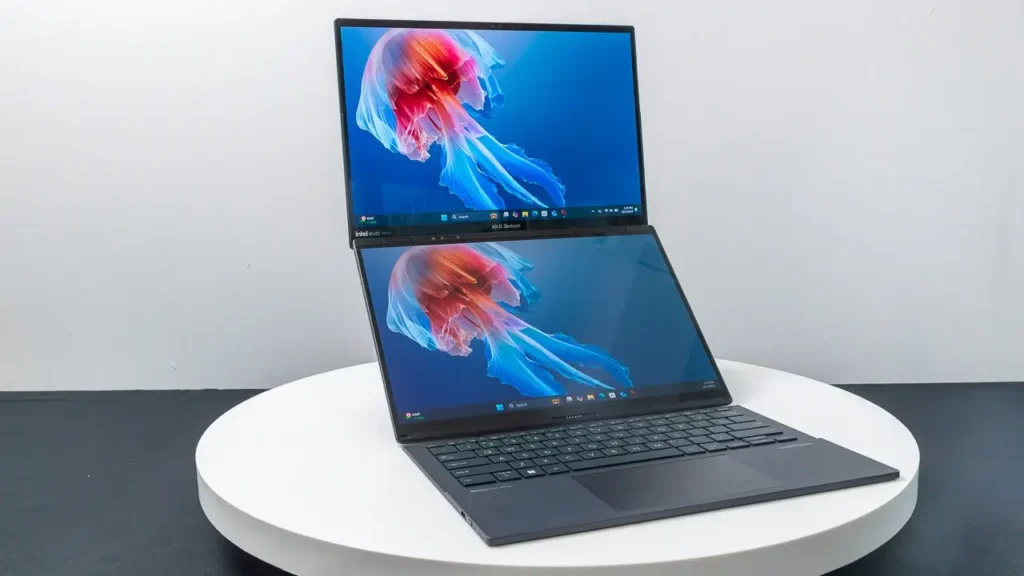
Best 16-Inch Gaming Laptop for Engineering Students in 2026
Engineering students often need sustained CPU performance (compiling, simulations), lots of RAM, and a bigger display for CAD timelines, code, or data dashboards. The 16-inch class is ideal because it’s large enough to work on without an external monitor but still portable.— ×1
Best 16-inch engineering-friendly gaming picks:
- HP OMEN MAX 16 (2025): frequently cited as a powerful 16-inch gaming platform with upgrade options; battery life is often the compromise on high-power builds.
- Lenovo Legion Pro 5 (Gen 10) (Intel or AMD variants): a performance-oriented chassis class that commonly pairs modern CPUs with RTX 5070-tier GPUs, well-suited to heavier student workloads.
- ASUS Zephyrus G16 class: often ranked among top thin-and-light gaming laptops when configured with high-end RTX 50 series GPUs.
Best 2-in-1 Laptop for School with Light Gaming in 2026
A 2-in-1 is the best choice if your school day includes handwriting notes, sketching, presenting, or reading-heavy coursework. For gaming, the goal is usually light-to-moderate gaming without turning the device into a heavy “desktop replacement.”
Best 2-in-1 student picks that can still game:
- ROG Flow Z13: frequently cited among the most powerful small-form-factor options for multitasking and gaming in a compact, flexible design.
- ASUS ProArt PX13 (convertible): positioned as a rugged creator-oriented convertible with modern Ryzen AI Max+ platforms; great for creation-heavy students who also want casual gaming capability.
RTX 50 Series Gaming Laptops for Students in 2026
The RTX 50 series era matters to students for two reasons:
- modern AAA games increasingly rely on AI upscaling and frame generation to hit high FPS at higher resolutions, and
- many student laptops now blur “gaming + creator + AI” workflows.
NVIDIA positions GeForce RTX 50 Series Laptop GPUs as Blackwell-based parts built around AI performance, with DLSS 4.5 and Max-Q optimization messaging focused on thin-and-light designs.
Practical student takeaways:
- RTX 50 series laptops can deliver excellent “class mode” efficiency when tuned properly, but gaming still favors plugged-in use for peak performance.
- If you plan to keep your laptop for 4+ years, prioritize a configuration that won’t be VRAM-limited too quickly (especially for QHD gaming and ray tracing).

RTX 5070 12GB Gaming Laptop Upgrade Worth it in 2026
For many students, this is the most important “midrange longevity” question: Is RTX 5070 12GB meaningfully better than RTX 5070 8GB in real life?
What’s confirmed across multiple 2026 reports:
- NVIDIA introduced a 12GB variant of the RTX 5070 Laptop GPU using 3GB GDDR7 modules, increasing VRAM headroom for texture-heavy gaming and creation workloads.
- Several outlets note that detailed specs (like bandwidth differences) depend on the exact implementation; coverage frequently suggests the capacity increase is the headline change, with pricing potentially close to RTX 5070 Ti options in some laptops due to memory costs.
When the RTX 5070 12GB upgrade is worth it (most students who play AAA games should care):
- You play modern AAA titles at QHD/1440p, use high-resolution texture packs, or enable ray tracing.
- You do creative work (video editing, 3D) where VRAM headroom prevents stutters and slowdowns.
When you can safely stick with 8GB (and save money):
- You mostly play esports titles at 1080p.
- You’re buying under $1500 and the 12GB model forces you into a worse overall laptop (weaker CPU, less RAM/SSD, worse screen).
Decision rule:
- If the price gap is small and the laptop is otherwise identical, 12GB is the safer 2026 buy for longevity. If the 12GB version pushes you near RTX 5070 Ti pricing, compare the full laptop value (cooling, screen, RAM/SSD) before paying extra.
AMD Ryzen AI Laptop for Gaming and Schoolwork in 2026
AMD’s Ryzen AI direction in 2026 is especially relevant for students because it combines:
- strong CPU performance,
- a dedicated NPU for on-device AI workloads, and
- in the “AI Max” tier, unusually powerful integrated graphics that reduce the need for a dedicated GPU in some student-friendly designs.
A standout example is AMD Ryzen AI Max+ 392, listed with 12 Zen 5 CPU cores and Radeon 8060S Graphics on a 256-bit LPDDR5x memory interface, targeting high-performance AI PCs.
Student implications:
- For schoolwork, the value is smooth multitasking and on-device AI features where supported.
- For gaming, the best Ryzen AI platforms can be “good enough” for many students, especially if you prioritize portability and battery over absolute FPS.
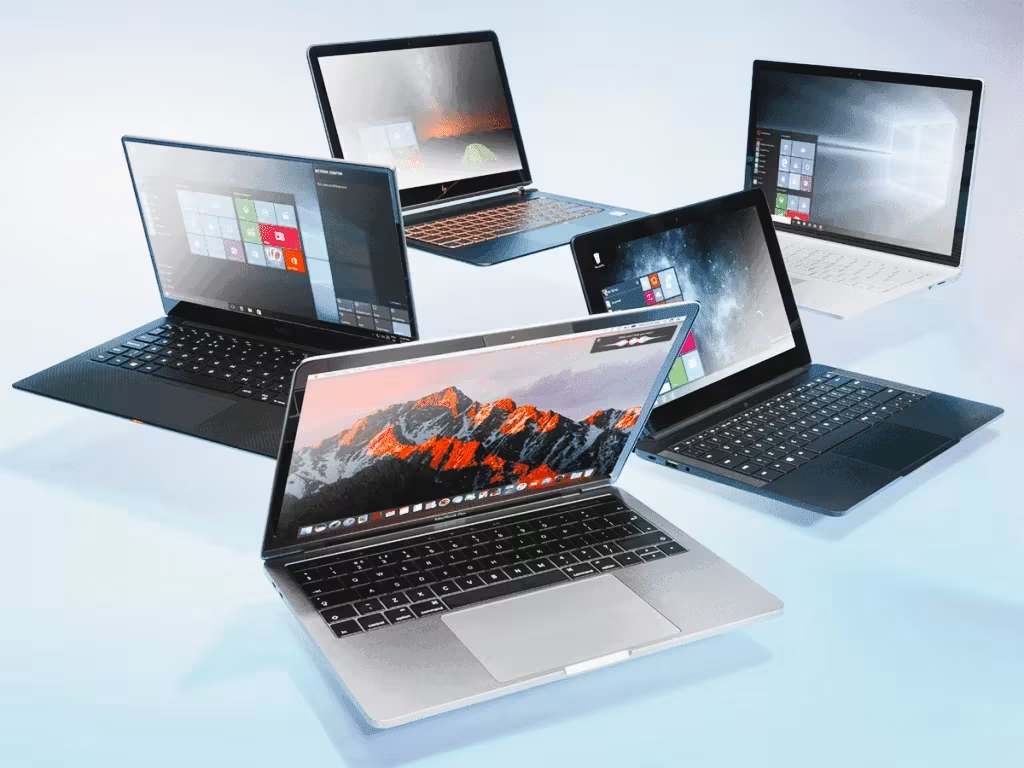
ASUS TUF Gaming A14 (2026) Ryzen AI Max+ 392 Student Gaming Laptop
The ASUS TUF Gaming A14 (2026) FA401EA is one of the clearest examples of the 2026 “student gaming without a dedicated GPU” concept: it pairs Ryzen AI Max+ 392 with Radeon 8060S integrated graphics and is marketed around efficiency advantages versus a separate CPU+GPU setup.
Why it’s a strong student pick:
- Fewer compromises for portability: less reliance on high-watt discrete GPUs can help with noise, heat, and class-day usability.
- Serious multitasking headroom: the platform is positioned for AI-era workflows and modern productivity.
- Simpler ownership: for many students, this means fewer “gaming laptop” headaches (charger obsession, constant fan ramps) while still having real gaming capability.
Who should choose it:
- Students who want one laptop for everything and value portability and battery behavior as much as FPS.
- Students whose gaming is a mix of esports, older AAA titles, and moderate settings on newer games.
Who should skip it:
- Students committed to high-FPS QHD gaming with ray tracing in the newest AAA titles (a strong RTX dGPU laptop will still win).
Copilot+ PC Laptops for Students in 2026 (gaming-Friendly Picks)
A Copilot+ PC is defined as a Windows 11 AI PC built around an NPU capable of 40+ TOPS, and Microsoft lists minimum specs of 16GB RAM and a 256GB SSD (plus Windows 11 24H2 or newer) for consumer Copilot+ systems.
For students, Copilot+ matters because it shapes baseline hardware quality in 2026 and influences which laptops get the newest on-device AI features.
Gaming-friendly Copilot+ strategy (what to buy):
- Prefer Copilot+ laptops that also include a gaming-class GPU (RTX 50 series) if gaming is a priority. RTX 50 series laptop positioning emphasizes AI-driven performance features that benefit gaming.
- If you want maximum portability and still want gaming, consider modern 14-inch platforms that pair strong NPUs with efficient GPUs, or strong iGPU designs like the TUF A14 concept depending on your game library.
What to be careful about:
- Some Copilot+ PCs use architectures that can be less straightforward for gaming compatibility depending on the game and anti-cheat support; if gaming is central to your laptop choice, prioritize mainstream gaming laptop ecosystems and verify your most-played titles.
Frequently Asked Questions (FAQs)
- What is the best student laptop for gaming and schoolwork in 2026?
A strong default is a 14-inch performance laptop that balances portability, battery behavior, and GPU power, models like the Zephyrus G14 class often fit that student “all-rounder” niche. - Should college students prioritize a 14-inch or 16-inch gaming laptop?
14-inch is easier to carry daily; 16-inch is better for engineering apps, multitasking, and sustained performance (cooling + screen space). - Is RTX 50 series overkill for students?
Not always: RTX 50 series laptops are positioned around AI-driven features (like DLSS 4.5 and Max-Q efficiency) that can extend usable performance over time. - Is 16GB RAM enough for gaming and schoolwork in 2026?
Yes for most students, and it aligns with common Copilot+ minimum guidance; 32GB is the upgrade for heavy creation, VMs, and engineering workloads. - Is the RTX 5070 12GB laptop GPU upgrade worth it?
If you play AAA games at QHD, use high textures, or do VRAM-heavy creation work, the extra VRAM can reduce stutters and improve longevity, provided the price jump doesn’t destroy the laptop’s overall value. - What’s the best gaming laptop under $1000 for students in 2026?
Look for models repeatedly featured in sub-$1000 roundups (often RTX 4060-tier machines), then buy based on deals and upgradeability. - What’s the best gaming laptop under $1500 for students in 2026?
Value lines like Lenovo LOQ with RTX 5060-class configs frequently appear as top picks, especially when sales land in the $1,200–$1,500 band. - Can I game well on an AMD Ryzen AI laptop without a dedicated GPU?
On the right platform, yes: Ryzen AI Max-class parts pair modern CPUs with notably stronger integrated graphics, enabling real gaming for many students. - What are Copilot+ PC requirements students should know?
Microsoft defines consumer Copilot+ PCs around NPUs capable of 40+ TOPS, and lists minimum specs including 16GB RAM and a 256GB SSD (plus Windows 11 24H2 or newer). - How much battery life should I expect from a gaming laptop in class?
Plan for strong battery life in efficiency modes for schoolwork; don’t expect long AAA gaming sessions on battery. Choose laptops that advertise good class-day behavior and strong power profiles, then treat gaming as mostly “plugged-in.”

Conclusion
The best laptops for gaming and schoolwork in 2026 are the ones that match your student routine: portable enough to carry daily, efficient enough to survive long study sessions, and powerful enough to deliver the games you actually play. For most students, the safest route is a modern 14-inch performance laptop (balanced CPU, real GPU, 16, 32GB RAM, and at least a 1TB SSD).
If you prioritize portability and battery over maximum FPS, 2026’s Ryzen AI platforms, especially designs like the TUF A14 concept, offer a compelling alternative to traditional “hot and heavy” gaming laptops. And if you’re buying midrange, the RTX 5070 12GB conversation is simple: if the price difference is reasonable, more VRAM is usually the smarter long-term student buy.—/– ×3
Sources and Citations
- NVIDIA GeForce RTX 50 Series Laptop GPUs Overview official overview covering Blackwell architecture DLSS 4.5 and Max Q positioning
- NVIDIA RTX 5070 Family Overview official feature positioning for the RTX 5070 family including DLSS 4.5 and Blackwell era technologies
- Microsoft Copilot Plus PC Requirements official Copilot Plus PC definition and hardware minimums including 40 plus TOPS NPU 16GB RAM 256GB SSD and Windows 11 24H2 requirements
- AMD Ryzen AI Max Plus 392 Specifications official specifications covering CPU core count memory support and Radeon 8060S integrated graphics
- ASUS TUF Gaming A14 2026 FA401EA official product page covering Ryzen AI Max Plus 392 Radeon 8060S positioning and efficiency claims
- ROG Zephyrus G14 2026 GA403 official product and specification references including RTX 5060 Laptop GPU configurations
- Tom’s Hardware reporting on RTX 5070 12GB laptop GPU introduction and broader market implications
https://www.tomshardware.com - Notebookcheck reporting and benchmark coverage for RTX 5070 laptop GPUs and thin gaming laptops
https://www.notebookcheck.net - TechSpot reporting on RTX 5070 laptop GPU positioning and Blackwell laptop rollout
https://www.techspot.com - PC Gamer coverage of RTX 5070 laptop GPUs and 2026 gaming laptop market trends
https://www.pcgamer.com - GamesRadar coverage discussing RTX 5070 laptop GPU positioning and gaming laptop value discussions
https://www.gamesradar.com - Tom’s Hardware “Best Gaming Laptops Under 1000 Dollars” January 2026 update
https://www.tomshardware.com/best-picks/best-gaming-laptops-under-1000 - PC Gamer Best Gaming Laptop guide with value tier positioning for 2026 recommendations
https://www.pcgamer.com/best-gaming-laptop/ - Ultrabookreview thin and light gaming laptop guidance and portable student focused rankings
https://www.ultrabookreview.com - Notebookcheck rankings and reviews for portable gaming laptops relevant to student focused recommendations
https://www.notebookcheck.net/Best-Gaming-Laptops.98628.0.html
Recommended
- TexturingXYZ’s SKAP Now Available: Generate 16K Skin Displacement, Cavity, and Advanced Maps From Your Input
- Reviews Praise New Steam Controller Performance but Debate Its $99 Price Tag in 2026
- The Ivors Academy Announces Ivors Composer Awards With New Video Game Music Category – Everything You Need to Know
- All Playable Characters in Marathon: Bungie’s New FPS – Community Reactions, Developer Insights, and Unique Visual Style
- Nearly Done Games’ Roll Together: Everything We Know About the Upcoming Online Co-Op Physics Adventure
- Paramount Pictures at CinemaCon 2026: Full Reveal Guide
- Last Flag Free Weekends Explained: Why the Imagine Dragons Shooter Is Going Free Every Weekend to Boost Player Numbers
- Camera View Preservation in Blender: Why Use The View Keeper?
- Manhunt 2 Remake Mod 2026: Unreal Graphics Ultimate Visuals Install Guide, Requirements, and Best Add-On Mods
- Why Does Hair Look Bad in Video Games? Exploring the Challenges of Realistic Hair Rendering




























































































