







In This Article (7 sections)
Final Fantasy XVI Steam Deck Verified Status and Compatibility Explained
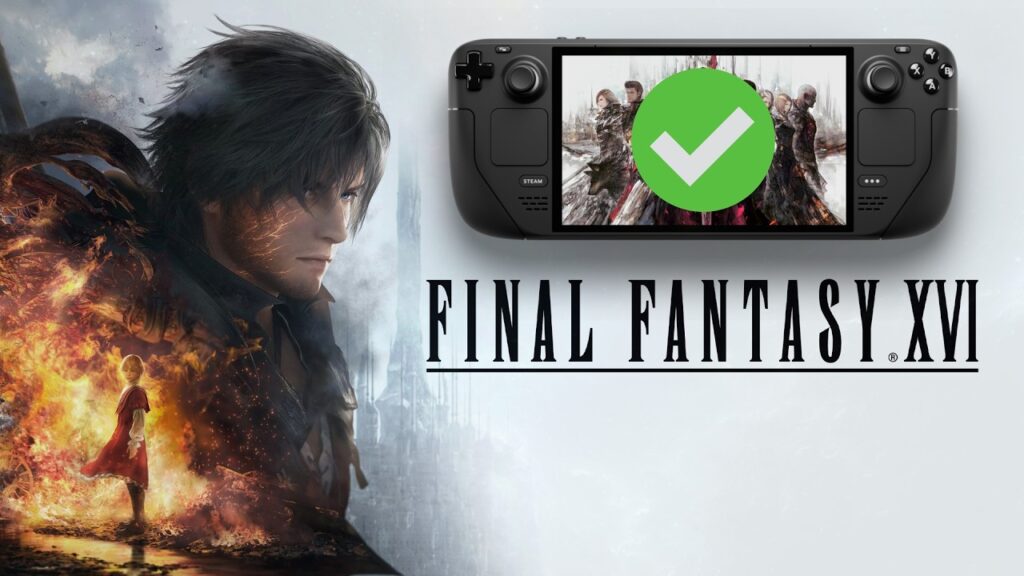
Final Fantasy XVI originally arrived on PC in September 2024 and has now officially received Valve’s Steam Deck Verified rating. The designation means Valve has tested the PC version and determined that it meets the company’s primary compatibility requirements for Steam Deck. Final Fantasy XVI and its Complete Edition can run through SteamOS using Proton, support the handheld’s integrated controls, and provide an interface that can be used on the Deck without requiring major compatibility work from the player.
Steam Deck Verified should not be interpreted as a guarantee of consistently high frame rates. Valve’s compatibility program primarily establishes whether a game launches correctly, supports the device’s controls, presents readable interface elements, and avoids major compatibility problems that would prevent normal play. Final Fantasy XVI meets those requirements, but its demanding graphics still push the Steam Deck hardware considerably.
The Verified designation arrived after the PC version had already been available for roughly two years. Players previously had to rely more heavily on community reports and experimentation when deciding whether to run the game on the handheld. The official rating now confirms that Valve considers the game functionally compatible, even though independent performance testing continues to reveal substantial limitations.
Final Fantasy XVI was designed around controller input, which makes the transition to Steam Deck relatively straightforward. The handheld presents its controls similarly to a conventional gamepad, allowing its analog sticks, buttons, triggers, and other inputs to work naturally with the game’s existing controller configuration. Players should not need to switch repeatedly between controller and keyboard inputs simply to navigate menus or progress through normal gameplay.
SteamOS handles the Windows version through Proton, Valve’s compatibility layer. Players therefore do not need to purchase another edition of the game or manually install a special Steam Deck version. Keeping SteamOS updated and installing Final Fantasy XVI normally through Steam should provide the required compatibility environment.
The Complete Edition works through the same setup and includes the main game alongside the Echoes of the Fallen and The Rising Tide expansion chapters. Its additional content does not fundamentally change how the game operates on Steam Deck. Players receive the same handheld performance characteristics while gaining access to the additional story content included in the package.
Final Fantasy XVI also received a substantial Steam discount during an October 2026 promotion. From October 1 through October 8, the Complete Edition was discounted by 60 percent, reducing its listed price from approximately $69.99 to around $27.99 in the United States. The promotion was temporary, and the price was scheduled to return to its normal level after October 8.
The Verified badge therefore makes the situation relatively straightforward from a compatibility perspective. Final Fantasy XVI can be installed through Steam, launched under SteamOS through Proton, and controlled using the Steam Deck’s built in inputs. The more important question is not whether the game works, but how well the handheld can maintain acceptable performance once its demanding environments, combat effects, and cinematics begin placing pressure on the hardware.
Final Fantasy XVI Steam Deck Performance, Frame Rates, and Best Settings
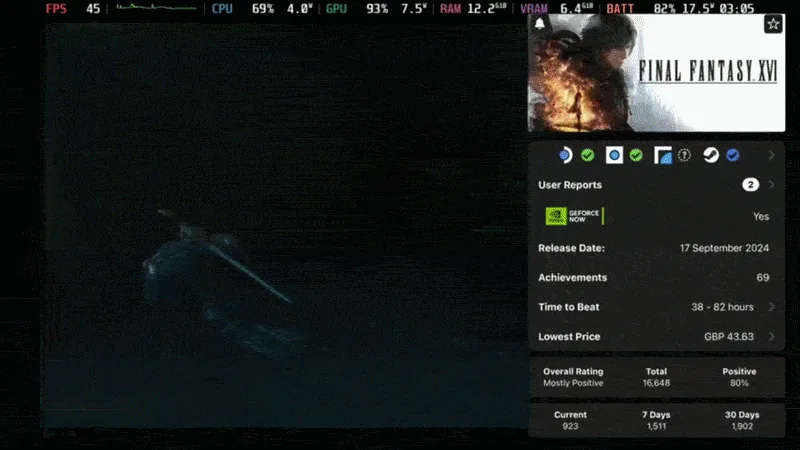
Final Fantasy XVI runs on Steam Deck, but independent testing indicates that players should expect significant performance compromises. The game can approach approximately 30 FPS during combat, but performance is considerably less stable during exploration and cinematic sequences. Tests have reported frame rates falling to approximately 18 FPS in some environments and around 13 FPS during certain cutscenes.
These fluctuations are particularly noticeable because Final Fantasy XVI is an action focused RPG where responsiveness and smooth animation can substantially affect the experience. Combat may feel relatively playable when the system remains close to 30 FPS, but moving into larger environments can introduce stuttering as the handheld struggles with the increased CPU and GPU workload.
Visual quality must also be reduced considerably to give the Deck the best opportunity to maintain acceptable performance. Lower resolution, reduced shadows, simpler effects, and aggressive graphics settings can decrease the rendering workload, but they cannot completely eliminate the performance problems. Textures and distant details can appear noticeably softer than they would on a more powerful gaming PC or console.
Players attempting to achieve the most consistent Steam Deck experience should concentrate on reducing the most demanding graphics options. Useful adjustments include:
- Resolution: Use the Steam Deck’s 1280 × 800 resolution or reduce the game to approximately 1280 × 720 if additional performance is needed.
- Graphics quality: Use Low or the lowest practical preset.
- Shadows: Reduce shadow quality because higher settings can add substantial rendering load.
- Effects: Lower demanding visual effects wherever possible.
- Anti aliasing: Reduce its quality or use a less demanding option when available.
- Upscaling: Use a performance focused upscaling option such as AMD FSR when supported and appropriate.
- Frame rate: A 30 FPS limit can provide a more consistent target than allowing performance to fluctuate freely.
- Power settings: Avoid restrictive battery saving configurations when maximum performance is the priority.
Even with aggressive reductions, players should not expect a completely locked 30 FPS experience throughout the game. The underlying hardware remains the primary limitation. Lowering graphical settings can reduce GPU pressure, but some demanding scenes can still be limited by other aspects of the system.
This distinction helps explain how Final Fantasy XVI can simultaneously be Steam Deck Verified and experience severe performance drops. Verification confirms that the game functions appropriately within Valve’s compatibility requirements. It does not establish that every scene will maintain a specific performance target.
The Steam Deck OLED does not substantially change this situation. Although the OLED revision provides an improved display, better efficiency, a larger battery, and thermal advantages, its fundamental gaming performance remains close to the original Steam Deck. Final Fantasy XVI should therefore produce broadly similar frame rates on the OLED and LCD models.
The OLED model does provide several quality of life improvements. Its display can make the game’s darker environments and dramatic visual effects appear richer, while its improved battery capacity and efficiency allow longer portable sessions. Better thermal behavior can also help the device manage sustained workloads, but players should not purchase the OLED version expecting it to transform Final Fantasy XVI into a consistently smooth experience.
The practical performance expectations are therefore relatively clear:
- Combat can approach approximately 30 FPS.
- Large exploration areas can fall into the high teens.
- Some cinematics can drop even further.
- Low graphical settings are recommended.
- Upscaling and lower resolutions can help but cannot remove every performance bottleneck.
- A 30 FPS cap can improve consistency when the hardware is capable of reaching that target.
- Steam Deck OLED provides display, efficiency, and battery improvements rather than a major frame rate increase.
Players who prioritize portability may find those compromises acceptable. Final Fantasy XVI is a large action RPG, and being able to play it on a handheld remains an attractive option. Players who prioritize consistently smooth performance or high graphical fidelity, however, will receive a substantially better technical experience from more powerful hardware.

Final Fantasy XVI Steam Deck Experience, Complete Edition, and Whether It Is Worth Playing
Whether Final Fantasy XVI is worth playing on Steam Deck depends largely on the player’s expectations. The Verified designation removes much of the uncertainty surrounding basic compatibility, but it does not eliminate the limitations created by running such a demanding game on handheld hardware.
The strongest advantage is portability. Steam Deck allows players to continue Final Fantasy XVI away from a desktop gaming PC, making it possible to progress through its story and combat encounters in situations where a conventional setup would be inconvenient. The Complete Edition provides the same advantage while adding Echoes of the Fallen and The Rising Tide.
Controller support also makes portable play relatively natural. Final Fantasy XVI was already designed around gamepad controls, so its combat and navigation systems translate well to the Steam Deck’s layout. Players do not need to depend on keyboard and mouse input or create complicated custom mappings simply to play.
The disadvantage is that portability comes with substantial visual and performance sacrifices. Players who are accustomed to running the game on stronger PC hardware or a console will notice reduced graphics quality, softer image presentation, and much less consistent frame rates. Exploration can be particularly demanding, while certain cinematic sequences can fall well below the 30 FPS target.
The experience therefore differs depending on what matters most to the player:
- For portability: Steam Deck provides a convenient way to experience Final Fantasy XVI away from a traditional gaming setup.
- For controller support: The game works naturally with the Deck’s built in controls.
- For compatibility: Valve’s Verified designation confirms that the game is officially supported within the Steam Deck ecosystem.
- For stable performance: The experience is compromised because demanding scenes can fall substantially below 30 FPS.
- For visual quality: Low settings and upscaling may be necessary, producing a noticeably less detailed presentation.
- For Steam Deck OLED: Players gain a better screen, improved efficiency, and longer battery life, but not substantially higher frame rates.
- For Complete Edition owners: The base game and additional DLC can be played through the same Steam Deck setup.
The October 2026 discount also made the Complete Edition considerably less expensive for players purchasing during the promotion. A 60 percent reduction brought the price down to approximately $27.99 before the offer ended on October 8. That promotion did not affect compatibility or performance, but it provided a less expensive opportunity to obtain the complete package.
Final Fantasy XVI is therefore technically viable as a Steam Deck game without being an ideal match for the hardware. The Verified rating means players can expect the game to launch, recognize the controls, and function through SteamOS without major compatibility obstacles. It does not mean that Valve has somehow eliminated the performance limitations associated with the Deck’s hardware.
For players comfortable with low settings, approximately 30 FPS during better performing sections, and potentially much lower frame rates during demanding scenes, the portability can make those compromises worthwhile. Players seeking consistently fluid action and stronger visual quality will find the experience more suitable on a gaming PC or console.
Ultimately, Final Fantasy XVI’s new Steam Deck Verified status is most useful as confirmation that the handheld can properly run the game. Performance testing provides the equally important second half of the picture: it runs, but it pushes the Steam Deck hard enough that substantial compromises remain necessary.

Frequently Asked Questions (FAQs)
- Has Final Fantasy XVI been marked as Steam Deck Verified?
Yes. Valve has officially marked the PC version of Final Fantasy XVI as Steam Deck Verified, confirming that it meets the company’s primary compatibility requirements. The game can launch through SteamOS using Proton, recognizes the Deck’s built in controls, and provides an interface suitable for the handheld. The rating confirms compatibility, although it should not be interpreted as a guarantee of consistently smooth performance. - What does Steam Deck Verified mean for FFXVI?
Verified means Valve has determined that Final Fantasy XVI works appropriately with the Steam Deck’s core features. Players can use the integrated controller, navigate menus without relying on unsupported inputs, and run the game through SteamOS. However, Valve’s rating primarily addresses compatibility rather than guaranteeing a particular frame rate, which is important because Final Fantasy XVI can still experience substantial performance drops. - How does Final Fantasy XVI perform on Steam Deck?
Performance varies considerably depending on what is happening on screen. Combat can often operate around 30 FPS, making many battles reasonably playable, but larger exploration areas and demanding cinematics can perform significantly worse. Independent testing has recorded drops into the teens, meaning players should expect stuttering and inconsistent smoothness despite the game’s Verified designation. - What frame rates can I expect in FFXVI on Deck?
Around 30 FPS is possible during better performing combat sections, but it should not be considered a guaranteed target throughout the game. Tests have shown exploration falling to approximately 18 FPS in some locations, while certain cinematic sequences have reached roughly 13 FPS. The exact result varies by scene, but the important point is that Final Fantasy XVI cannot maintain a consistently locked 30 FPS across the entire experience. - What settings should I use for FFXVI on the Deck?
Use Low or similarly reduced graphics settings and keep the resolution around 1280 × 800 or 1280 × 720. Lower shadows, effects, anti aliasing, and other demanding options, while using a performance focused upscaler such as AMD FSR if available. A 30 FPS limit can also reduce unnecessary fluctuations. These changes can improve consistency, although demanding scenes may still fall below the target. - Does Steam Deck require anything special to run FFXVI?
No additional hardware or separate Steam Deck edition is required. SteamOS uses Valve’s Proton compatibility technology to run the Windows PC version automatically. Players can install Final Fantasy XVI normally through Steam and use the Deck’s existing hardware and controls. Keeping SteamOS updated is advisable, but the Verified designation means extensive manual compatibility modifications should not be necessary. - Can I use the Deck’s controller to play FFXVI?
Yes. Final Fantasy XVI was designed with controller gameplay in mind, making it well suited to the Steam Deck’s integrated gamepad layout. The analog sticks, buttons, triggers, and other relevant controls are recognized through Steam. Players can navigate menus and participate in combat without switching to a keyboard and mouse, which is one of the important compatibility requirements behind its Verified rating. - How do graphics settings affect FFXVI on Deck?
Graphics settings have a substantial effect because Final Fantasy XVI already places heavy demands on the Steam Deck’s hardware. Higher shadows, effects, resolution, and other visual options increase GPU workload and can make existing frame rate problems worse. Lower settings and upscaling reduce that pressure and provide the best opportunity to approach 30 FPS, although they also produce softer visuals and less detailed environments. - Is there any performance difference for FFXVI on the Steam Deck OLED?
The Steam Deck OLED offers improvements such as a higher quality display, greater efficiency, better battery life, and improved thermal characteristics, but it does not provide a major increase in CPU or GPU performance for Final Fantasy XVI. Frame rates should therefore remain broadly similar to the LCD model. The primary benefits are a richer looking image, potentially longer sessions between charges, and improved overall handheld efficiency. - Is Final Fantasy XVI worth playing on the Steam Deck?
It depends on whether portability is more important to you than technical performance. The Steam Deck provides a convenient handheld way to play Final Fantasy XVI, with proper controls and official compatibility, but demanding sections can suffer from significant frame rate drops and reduced graphical quality. Players comfortable with those compromises may appreciate having the game available anywhere, while those prioritizing smooth performance and higher visual fidelity will receive a stronger experience on more powerful hardware.

Conclusion
Final Fantasy XVI is now officially supported on Steam Deck, which means you can run the full PC version on Valve’s handheld. However, being Verified doesn’t mean it runs flawlessly. Performance tests show that the game struggles to maintain high frame rates except in short bursts of combat. Players should play on low settings and may have to accept a choppier experience in exchange for portability. In terms of pricing, the game was on a 60% Steam sale through October 8, 2026, which made the Complete Edition much cheaper during that limited period.
The Deck OLED model will offer longer battery life and cooler operation, but otherwise the gameplay remains the same. Ultimately, FFXVI on Deck is a trade off: it’s great to have Final Fantasy anywhere you go, but keep in mind it’s a demanding title that will stretch the Deck’s capabilities.
Sources and Citations
- Valve — Steam Deck Verified — Official Valve documentation explaining the Deck Verified, Playable, Unsupported and Unknown compatibility categories and the criteria used to evaluate games.
Steam Deck — Deck Verified - Valve — Steamworks Steam Deck Compatibility Documentation — Official developer documentation detailing the requirements for a game to receive the Verified badge.
Steamworks — Steam Deck Compatibility Review - Square Enix — FINAL FANTASY XVI PC Updates — Official Square Enix update history covering PC patches, including performance improvements, frame-rate fixes and graphics-setting changes.
Square Enix — FINAL FANTASY XVI Updates - PCGamesN — Final Fantasy XVI Steam Deck Demo Performance — Technical testing of the Final Fantasy XVI PC demo on Steam Deck, including FSR settings and observed frame rates.
PCGamesN — Final Fantasy XVI Is Rough on Steam Deck - Forbes — Will Final Fantasy 16 Run on Steam Deck? — Performance testing of the Final Fantasy XVI demo on Steam Deck, including native-resolution and FSR results.
Forbes — Final Fantasy XVI on Steam Deck - Steam Deck HQ — Final Fantasy XVI Steam Deck Performance — Hands-on testing of the PC demo with low settings, 720p, FSR 3 and observed performance drops.
Steam Deck HQ — Final Fantasy XVI Performance - SteamDB — FINAL FANTASY XVI Configuration — Current Steam Deck compatibility data showing FINAL FANTASY XVI as Verified, including the compatibility test results and August 25, 2026 test timestamp.
SteamDB — FINAL FANTASY XVI Configuration - Steam Deck and Streaming — FINAL FANTASY XVI Steam Deck OLED Performance Test — Detailed performance testing across Low, Medium, High and Ultra presets with different FSR configurations.
YouTube — FINAL FANTASY XVI Steam Deck OLED Performance Test
Recommendations
- DREADMOOR Explained: Dark First-Person Fishing Horror Game in a Submerged Post-Apocalyptic World
- Thief: the Dark Project Remaster Confirmed by Nightdive Studios
- Rockstar Game Workers Union Goes Public: What the First Rockstar Developer Union Means for GTA
- Miya Cech Toph Avatar: the Last Airbender Contacts Vision Restriction Explained
- Mina the Hollower Review Scores Explained: Why Critics Are Calling it 2026’S Best Game
- How to Make a MetaHuman Talk: Ultimate Guide to Voice and Facial Animation
- Dragon’s Dogma 2: Dark Arisen Lets You Explore the Snowy Region of Norgan (Everything We Know)
- Star Wars Writers Say Lucasfilm Keeps Blocking Mara Jade’s Return — What We Know So Far
- Worms: Galactic Tactics. 2027 Release, Isometric Gameplay, and Platforms
- The Crew Motorfest RC Frenzy: Ubisoft’s RC Playground Explained



































































































