







Godot 4.7’s Final Development Snapshot marks a critical milestone in the engine’s release cycle, signaling feature completion and a shift toward stabilization. The Dev 5 snapshot introduces meaningful upgrades across rendering, asset management, editor workflows, and performance—making it one of the most impactful pre-release builds in the 4.x series.
Godot 4.7 dev 5 release notes and highlights
Godot 4.7 Dev 5 represents the final development snapshot before the engine transitions fully into release candidates. This build includes:
- A redesigned asset store system
- New rectangular area lights for improved 3D realism
- Inline shader previews for faster iteration
- Multiple rendering optimizations
- Editor usability improvements
- Bug fixes across core systems
The snapshot is considered feature-complete, meaning no major features will be added beyond this point.
How to download and install the Godot 4.7 dev 5 snapshot
To install Godot 4.7 Dev 5:
- Visit the official Godot website
- Navigate to the “Downloads” or “Latest builds” section
- Select the Dev 5 snapshot for your platform (Windows, macOS, Linux)
- Download the executable (no installation required)
- Run the binary directly or extract if compressed
Developers are encouraged to install this alongside stable versions to avoid project conflicts.
Godot 4.7 feature freeze explained (what it means for releases)
Feature freeze means:
- No new features will be added
- Focus shifts to bug fixing and stability
- APIs are mostly finalized
- Developers can begin preparing production pipelines
This stage is crucial for testing compatibility and ensuring the engine is ready for production use.
Godot 4.7 asset store overhaul: what changed and why it matters
The asset store overhaul introduces:
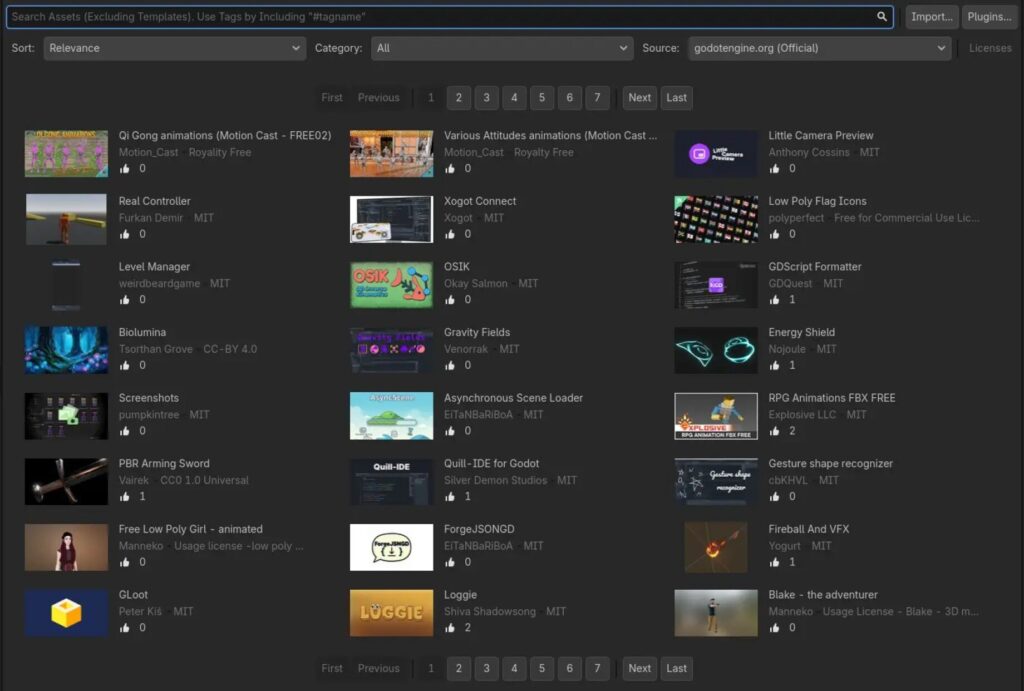
- Improved UI for browsing and searching assets
- Better filtering and categorization
- Enhanced backend performance
- More reliable asset downloads and updates
This change is significant because it streamlines workflow for developers relying on community assets, plugins, and tools.
Rectangular area lights in Godot 4.7: lighting upgrades for 3D
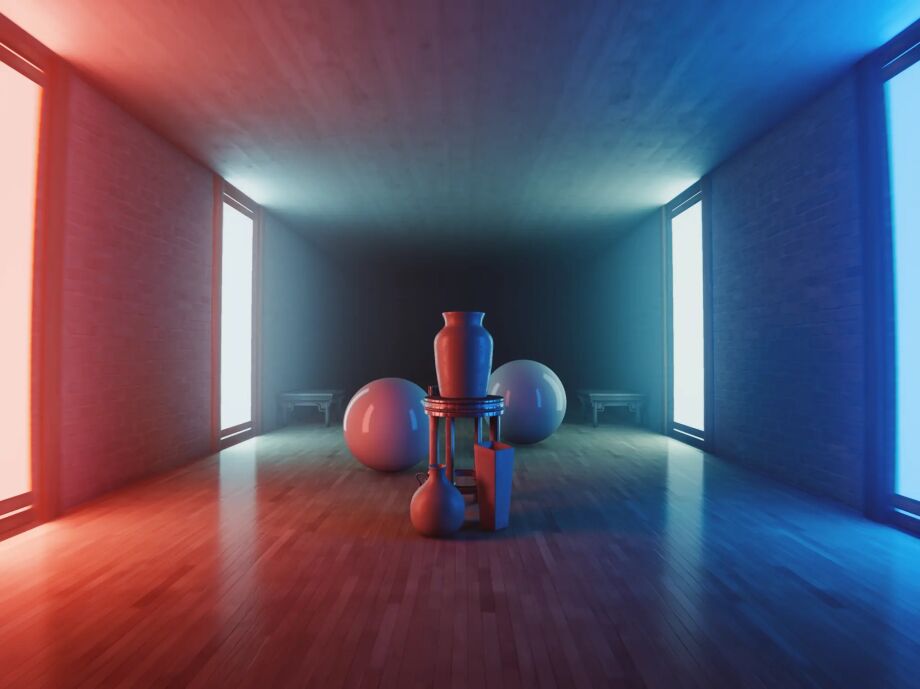
Rectangular area lights bring:
- More realistic lighting simulations
- Better soft shadow rendering
- Improved reflections in physically-based rendering (PBR)
Unlike point or directional lights, rectangular lights allow developers to mimic real-world light sources like windows, screens, and panels.
Inline text shader previews in Godot 4.7: faster shader debugging
Inline shader previews allow developers to:
- View shader output directly in the editor
- Debug visual effects in real-time
- Reduce iteration time significantly
This feature is especially valuable for artists and technical developers working with custom shaders.
Godot 4.7 rendering improvements in dev 5 (what to test)
Rendering updates include:
- Optimized Vulkan backend performance
- Improved shadow rendering accuracy
- Enhanced global illumination behavior
- Reduced GPU overhead in complex scenes
Developers should test:
- Scene lighting consistency
- Shader compatibility
- Performance across different hardware
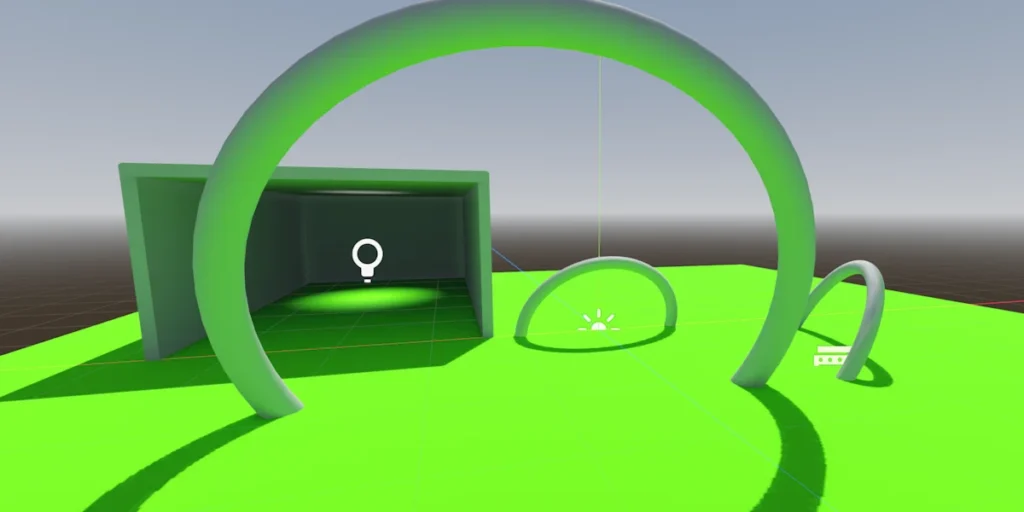
Godot 4.7 GUI and editor workflow improvements (dev snapshot overview)
Editor enhancements focus on usability:
- Faster scene loading times
- Improved node hierarchy management
- Better inspector responsiveness
- Enhanced docking and layout customization
These updates reduce friction in daily development workflows.
Godot 4.7 dev snapshot known issues and common bugs
As a pre-release build, Dev 5 includes known issues:
- Occasional crashes in complex 3D scenes
- Shader preview inconsistencies
- Asset store sync errors in some environments
- Minor UI glitches in editor panels
These are expected and should be reported for resolution before final release.
Godot 4.7 dev 5 performance changes and stability expectations
Performance improvements include:
- Reduced CPU overhead in physics calculations
- Better multithreading efficiency
- Faster scene instancing
- Improved memory management
However, stability is still being refined, and developers should not rely on this build for production.
Godot 4.7 changelog breakdown: biggest PRs in dev 5
Key pull requests in Dev 5 include:
- Asset library backend redesign
- Area light implementation for 3D renderer
- Shader editor preview integration
- Rendering pipeline optimizations
- Editor UX refinements
These PRs define the core improvements of the 4.7 release cycle.
Godot 4.6 to 4.7 upgrade notes: compatibility and migration tips
When upgrading from 4.6:
- Check shader compatibility due to rendering changes
- Validate lighting setups with new area lights
- Review asset dependencies after store overhaul
- Test input mappings and scripts
Always back up projects before upgrading.
Godot 4.7 input, animation, and gameplay changes in recent snapshots
Recent updates include:
- Improved input handling responsiveness
- Animation system optimizations
- Better state machine performance
- Enhanced scripting flexibility
These changes improve gameplay consistency and responsiveness.
How to report bugs for Godot 4.7 dev builds (best practices)
To report bugs effectively:
- Use the official GitHub issue tracker
- Provide detailed reproduction steps
- Include logs and system specs
- Attach minimal test projects when possible
Clear reports help developers resolve issues faster.
Godot 4.7 release date expectations after the final development snapshot
Following Dev 5:
- Release Candidates (RC builds) are expected next
- Final release likely within weeks after RC stabilization
- Timeline depends on bug severity and community feedback
The release is approaching, but stability remains the priority.
Frequently Asked Questions (FAQs)
- What is Godot 4.7 Dev 5?
It is the final development snapshot before release candidates, marking feature completion. - Is Godot 4.7 Dev 5 stable?
No, it is not production-ready and may contain bugs. - What is the biggest feature in Dev 5?
The asset store overhaul and new rectangular area lights are among the most significant. - Can I use Dev 5 for production projects?
It is not recommended due to potential instability. - What does feature freeze mean?
It means no new features will be added—only bug fixes and optimizations. - How do rectangular area lights improve rendering?
They provide more realistic lighting and softer shadows. - What are inline shader previews?
A feature that allows real-time shader visualization in the editor. - Will projects from Godot 4.6 work in 4.7?
Mostly yes, but compatibility testing is recommended. - When will Godot 4.7 be fully released?
Shortly after release candidates, depending on stability. - Where can I report bugs?
On the official Godot GitHub repository.
Conclusion
Godot 4.7’s Final Development Snapshot (Dev 5) signals a mature and feature-complete engine ready for final polishing. With major improvements to rendering, asset management, and developer workflows, this release sets a strong foundation for both indie and professional developers. While not yet production-ready, it offers a clear preview of what the final version will deliver.
Sources and citation
- Godot Engine Official Website
https://godotengine.org - Godot GitHub Repository (Changelog and PRs)
https://github.com/godotengine/godot - Godot Documentation
https://docs.godotengine.org
Recommended
- Overwatch April Fools 2026 Event Explained
- After More Than 50 Years, Kolchak: The Night Stalker Is Finally Getting an Action Figure (Wandering Planet Toys Kickstarter)
- Bethesda Acknowledges Starfield PS5 Crashes, Hotfix Coming Soon: What Players Need to Know
- The Director Of The Next Resident Evil Movie Has Already Beaten Requiem Twice – What It Means for the Film
- How to Fix Blender Unsupported Graphics Card or Driver Error: A Step-by-Step Guide
- Sony Honda Mobility Wants Game Devs To Build Apps for the Afeela EV: AFEELA Creator Hub, SDK, and In-Car App Platform Plans
- Pokemon and Palworld Clone Pickmos Removed From Steam: “We Are Revising the Game to Ensure a Controversy-Free Experience”
- Venom Animated Movie From Final Destination: What Fans Mean, Rumors Explained, and What Could Actually Happen
- Can you have multiple cameras in one Blender scene?
- The Elder Scrolls: Blades Will Shut Down on June 30, 2026: Shutdown Time, Delisting, and What Players Need to Know (Nintendo Life)


























































































