



How to hide YouTube Shorts on iPhone (YouTube app)
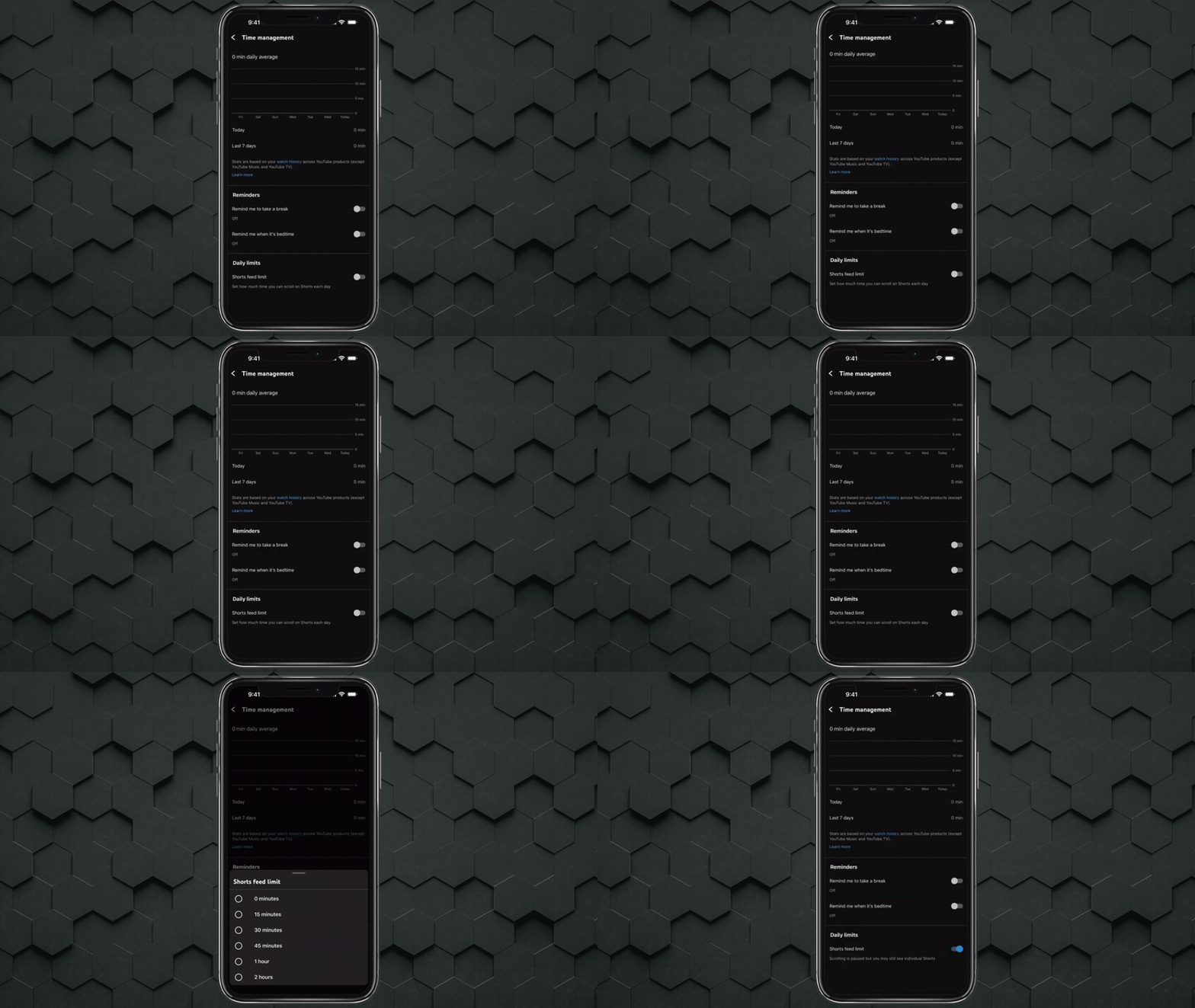
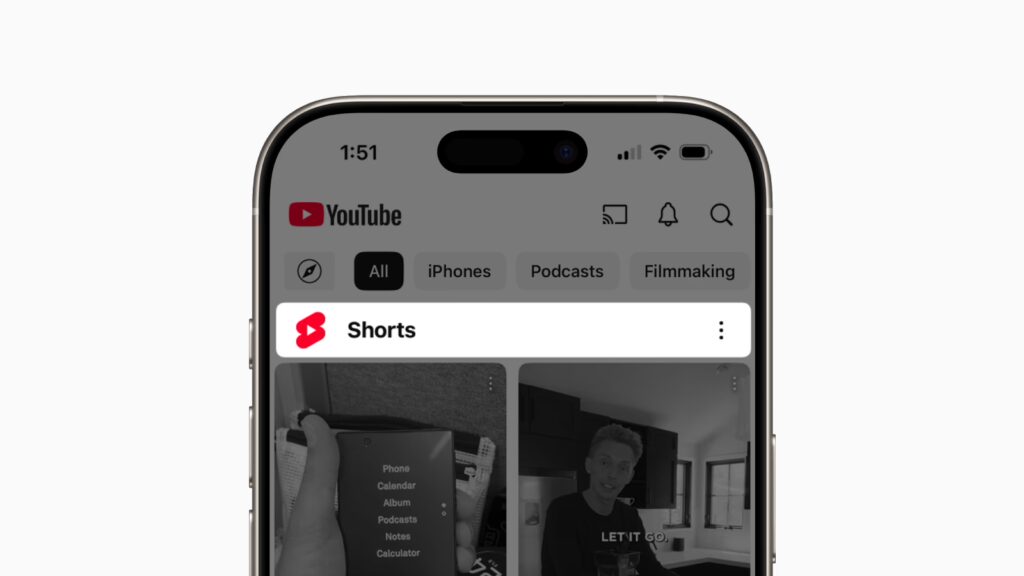
To hide YouTube Shorts on an iPhone using the official YouTube app, users can leverage the newer “Time management” tools introduced to reduce short-form content exposure.
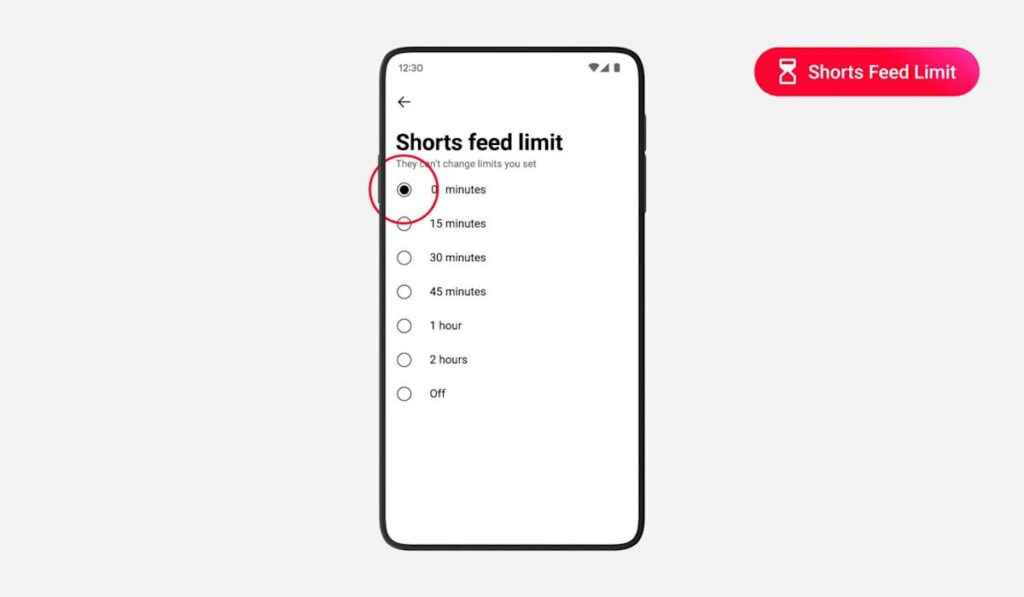
Open the YouTube app and tap your profile picture in the top-right corner. Navigate to Settings → Time watched → Time management. From here, locate the Shorts limit option. Set the limit to 0 minutes to effectively disable the Shorts feed from appearing in your app.
Once enabled, the Shorts shelf will no longer dominate your Home feed, and autoplay of Shorts content will be restricted. However, some Shorts may still appear in other areas such as search or subscriptions.
How to hide YouTube Shorts on Android (YouTube app)
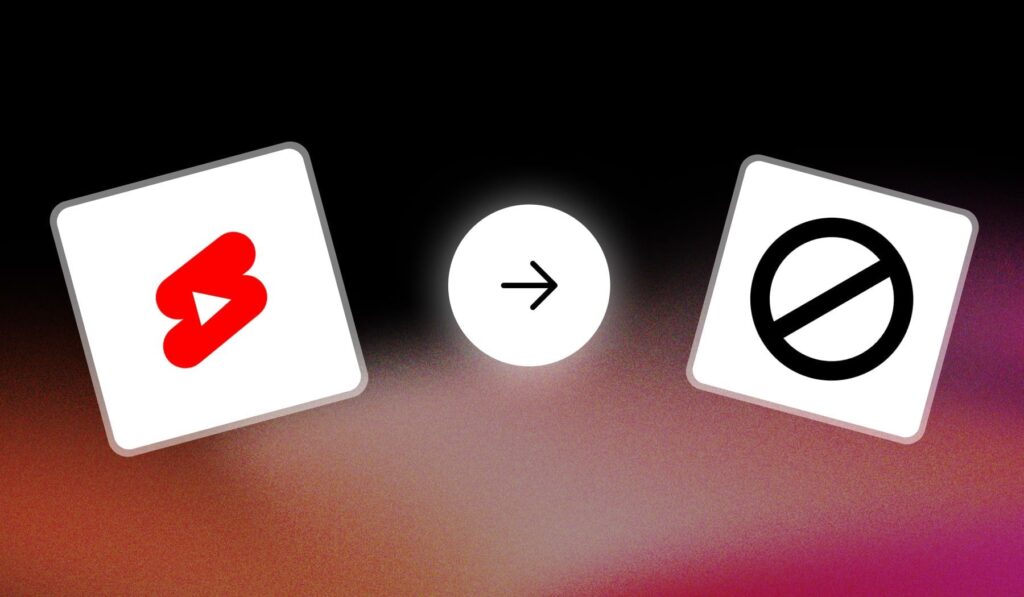
On Android, the process mirrors the iPhone method within the YouTube app.
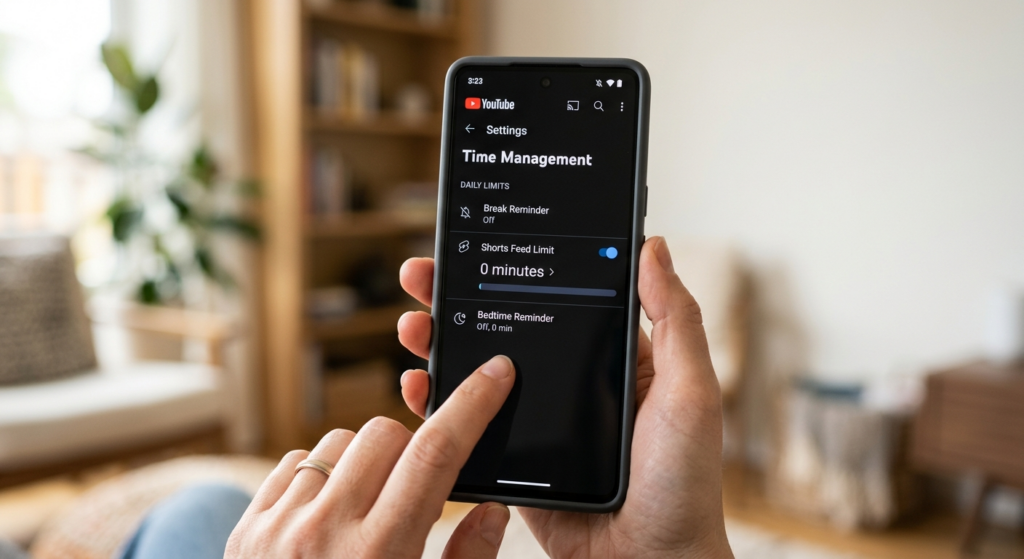
Tap your profile icon, go to Settings, then Time watched, and access Time management. Under Shorts controls, set the daily Shorts limit to 0 minutes.
This effectively removes the Shorts feed from your primary browsing experience. It’s important to ensure your app is updated to the latest version, as older versions may not include this feature.
YouTube Shorts feed limit “0 minutes” explained
The “0 minutes” Shorts limit is a new control designed to let users opt out of short-form content entirely. By setting the daily Shorts consumption time to zero, the algorithm interprets this as a preference to avoid Shorts.
This doesn’t delete Shorts from YouTube—it simply stops the app from pushing them into your feed. It acts as a behavioral signal to YouTube’s recommendation system, reducing visibility and autoplay of Shorts content.
Where to find “Time management” in YouTube settings
To access Time management in YouTube:
- Tap your profile icon
- Select Settings
- Tap Time watched
- Open Time management
This section includes tools like break reminders, bedtime reminders, and now Shorts limits. It centralizes user control over how content is consumed.
How to turn off the Shorts tab on YouTube (mobile)
Currently, YouTube does not allow users to fully remove the Shorts tab from the bottom navigation bar on mobile.
However, by setting the Shorts limit to 0 minutes and repeatedly marking Shorts as Not interested, the tab becomes less intrusive over time. While the tab remains visible, its content becomes less prominent.
Why YouTube Shorts still show up after you hide them
Even after applying the 0-minute limit, Shorts may still appear in certain contexts. This is because YouTube’s ecosystem integrates Shorts across multiple surfaces.
Shorts can still show up in:
- Search results
- Channel pages
- Subscription feeds
- External embeds
The limit primarily affects the Home feed and autoplay recommendations, not the entire platform.
Can you still watch Shorts from search or channel pages after disabling the feed
Yes, disabling the Shorts feed does not remove access to Shorts content entirely.
Users can still:
- Search for Shorts directly
- Watch Shorts from a creator’s channel
- Access Shorts via shared links
The feature is designed for control, not restriction, allowing intentional viewing while limiting passive consumption.
How to hide YouTube Shorts on desktop (web) for 30 days
On desktop browsers, YouTube provides a temporary workaround.
Scroll to the Shorts shelf on the Home page and click the “X” or “Not interested” option. This hides the Shorts shelf for approximately 30 days.
After this period, the shelf may reappear, requiring users to repeat the process.
How to remove the Shorts shelf from the YouTube Home page
To remove the Shorts shelf from your Home page:
- Locate the Shorts section
- Click the three-dot menu or “X”
- Select Not interested
This trains the algorithm to deprioritize Shorts content. Repeating this action consistently improves results over time.
“0 minutes” option not showing in YouTube Shorts limit — fixes to try
If the 0-minute option is missing, try the following:
- Update the YouTube app
- Clear app cache (Android)
- Reinstall the app
- Check if the feature is available in your region
- Switch accounts or sign out and back in
Feature rollouts are often gradual, so availability may vary.
How to set YouTube Shorts limits for kids and supervised accounts
For supervised accounts and children, Shorts controls may be managed through parental settings.
Using YouTube Kids or Family Link, parents can:
- Restrict content types
- Set screen time limits
- Limit exposure to Shorts-like content
While the exact 0-minute toggle may not be available, broader controls achieve similar outcomes.
How to stop YouTube from recommending Shorts (Not interested / Don’t recommend)
To further reduce Shorts recommendations:
- Tap the three-dot menu on any Short
- Select Not interested
- Choose Don’t recommend this channel when necessary
This provides direct feedback to YouTube’s recommendation engine, helping refine content suggestions.
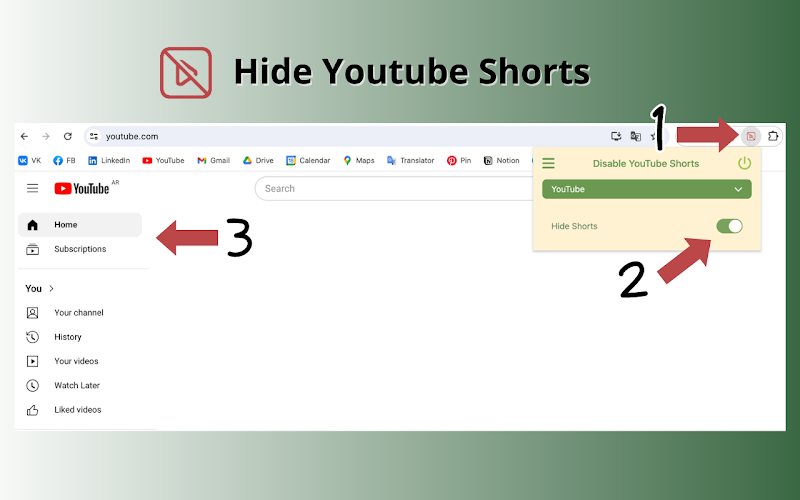
Best Chrome extensions to remove YouTube Shorts from the website
Several browser extensions can fully remove Shorts from the desktop experience:
- Unhook – Remove YouTube Recommended Videos
- Enhancer for YouTube
- DF Tube (Distraction Free for YouTube)
These tools allow users to hide Shorts shelves, disable autoplay, and customize the interface for a distraction-free experience.
How to block YouTube Shorts on mobile browser (m.youtube.com)
When using a mobile browser instead of the app, you can limit Shorts visibility by:
- Requesting the desktop site
- Using ad-blockers or script blockers
- Installing browser extensions (on supported browsers like Kiwi or Firefox)
This approach provides more control compared to the native app.
Does disabling Shorts affect subscriptions, notifications, or watch history
Disabling or limiting Shorts does not affect:
- Subscriptions
- Notifications
- Watch history
These systems operate independently. Your engagement with long-form videos, channels, and alerts remains unchanged.
Frequently Asked Question (FAQs)
1. Can I completely remove YouTube Shorts?
No, you cannot fully remove Shorts, but you can significantly reduce their visibility using the 0-minute limit and preference controls.
2. Does the 0-minute limit work instantly?
It takes some time for the algorithm to adjust, but effects are usually noticeable quickly.
3. Will YouTube remember my Shorts preferences?
Yes, your preferences are tied to your account and persist across sessions.
4. Is the Shorts limit available worldwide?
It is rolling out gradually, so availability may vary by region.
5. Can I re-enable Shorts later?
Yes, simply increase the Shorts limit from 0 minutes.
6. Do Shorts affect my data usage?
Yes, frequent autoplay of Shorts can increase data consumption.
7. Are Shorts the same as TikTok videos?
They are similar in format but exist within the YouTube ecosystem.
8. Can creators disable Shorts on their channels?
No, creators cannot fully disable Shorts but can choose not to upload them.
9. Do extensions work on mobile?
Most do not, but some browsers support limited extensions.
10. Is YouTube forcing Shorts on users?
YouTube promotes Shorts heavily, but user controls are improving with features like the 0-minute limit.
Conclusion
The introduction of the 0-minute Shorts limit marks a significant shift in how users can control their experience on YouTube. While it does not completely eliminate Shorts from the platform, it provides a powerful way to reduce distractions and focus on long-form content. Combined with manual feedback tools, browser extensions, and parental controls, users now have multiple strategies to tailor their YouTube experience to their preferences.
Sources and citation
- YouTube Help – Manage your time on YouTube
https://support.google.com/youtube/answer/6341405 - Google Support – Control recommendations on YouTube
https://support.google.com/youtube/answer/6342839 - YouTube Official Blog – Product updates and features
https://blog.youtube - Tech coverage on YouTube Shorts controls (various outlets)
https://www.theverge.com - Chrome Web Store – YouTube extensions
https://chrome.google.com/webstore
Recommended
- Town of Zoz: Become a Shaman Chef & Uncover the Mystery of a Town in This Action Adventure
- Nipsey Hussle’s Braids: A Symbol of His Legacy
- The Boys Returns for Season 5: Release Date, Cast, Trailer, Episode Schedule, and Final Season Story Details
- The Steam Deck Is Out of Stock – What Does It Mean? (US, Canada & Asia Shortage Explained)
- How to Convert Hair Curves and Geometry Nodes to Mesh in Blender: A Complete Workflow Guide
- The Carousel Will Return in TFT Set 18: Release Date, Why It Left, and What Changes Next
- Mortal Kombat 2 Theory: Is Cole Young Dying on a Classic Stage—and Being Reborn as a New Character?

























































































