










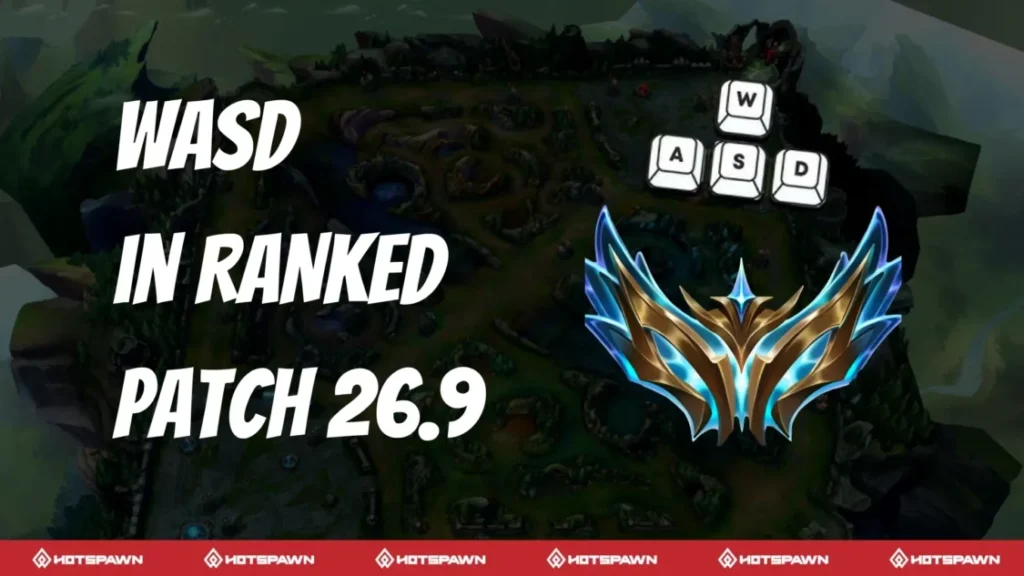
Riot Games has scheduled patch 26.9 for April 29, 2026. This patch marks the start of the new Season 2 and will introduce the WASD movement control option into Ranked games. The official patch schedule confirms that “26.09” (Season 2 / Patch 26.9) is set to go live on April 29, 2026. Riot’s developer update explicitly stated that WASD will be enabled in Ranked play with patch 26.9, coinciding with the start of the new season.
How to enable WASD movement in League of Legends
WASD movement can be toggled on in the in-game Hotkeys settings. During a game (or in Practice Tool), press Esc to open Options, then go to the Hotkeys menu. In the Hotkeys menu you can select the “Keyboard (WASD)” input scheme to enable it. Once enabled, the WASD keys will control champion movement (W = up, A = left, S = down, D = right). All other actions such as attacking, casting abilities, and camera movement can also be remapped under this WASD scheme.
Each time you enable WASD for the first time, the camera defaults to Dynamic Camera (always centered on your champion), although you can change this in the Camera settings. After configuring your settings (including any champion-specific keybinds), save them and they will persist for future games.
League of Legends WASD vs point-and-click win rate difference
Before enabling WASD in Ranked, Riot analyzed win-rate data between the WASD and classic point-&-click control schemes. The goal was clear: WASD should not outperform point-and-click. Riot’s dev team set benchmarks ensuring WASD’s win rate was not greater than traditional controls, and that any performance gap would be small. After months of testing, data showed WASD’s performance now closely matches point-and-click.
The dev blog notes that point-and-click players currently hold a slight win-rate advantage over WASD users. In practical terms, this means there is no demonstrated win-rate boost from using WASD – if anything, the traditional control method remains marginally stronger. Riot expects this gap to shrink as more players master WASD. In short, the two control schemes are now roughly equivalent in outcomes, and neither provides a clear statistical advantage in games.

Will WASD controls give an advantage in ranked League of Legends
Riot’s testing indicates that WASD does not provide an inherent advantage. As Riot reported, WASD was brought to Ranked only after confirming it was “not overpowered” and closely matched point-and-click performance. Blind player surveys reinforced this balance: players could rarely tell if opponents were using WASD or traditional controls. In one analysis, over 60% of participants couldn’t distinguish which control method the opposing player was using, suggesting WASD introduces no obvious exploitation. Overall, Riot’s balance goals have been met – there is no evidence that adopting WASD gives a gameplay edge in Ranked. Riot will continue to monitor data post-release, but current metrics show WASD users performing on par with classic players, ensuring competitive integrity.
Riot Games dev update on WASD controls coming to ranked
Riot’s official developer update confirmed the timeline and rationale for WASD in Ranked. The April 2026 dev blog (published April 14, 2026) announced that after months of iteration, WASD is ready for Ranked and will become a permanent, supported feature. The dev notes explain that the feature reached a “similar performance level” to point-and-click after extensive adjustments. Riot also highlighted the behind-the-scenes work: they overhauled pathfinding and follow-up attack logic so that WASD movement feels polished and fair. In summary, Riot’s dev update made it clear that WASD is now a full-fledged control option. Beginning in patch 26.9 (Season 2), ranked games will allow WASD, and Riot will treat it as part of the live game moving forward.
What game modes support WASD controls in League of Legends
Prior to patch 26.9, WASD was only available in non-competitive modes. Riot’s support article specifies that Tutorial (Practice Tool), Swiftplay, ARAM, Draft Pick, and rotating modes (like ARURF) support WASD. Ranked and Clash were not enabled yet. With patch 26.9, however, Ranked queues will gain WASD as an option. (The developers confirmed that all modes which already support WASD will keep it, and Ranked will be added starting Season 2.) In other words, once 26.9 launches, players can use WASD in all standard queues including Ranked, in addition to the modes already listed.

League of Legends WASD control scheme settings and keybind menu
WASD control settings are managed under the Hotkeys section of the in-game menu. When you choose Keyboard (WASD), you are presented with a full set of keybindings that you can customize. This includes all the usual actions (attacks, skills, summoner spells, movement, camera, etc.), plus additional WASD-specific options. Notably, Riot has added champion-specific keybind profiles for WASD (and also for point-and-click).
This means you can save a unique set of hotkeys and casting preferences for each champion. For example, you could enable smart-cast on one champion and turn it off on another, all within the WASD control scheme. To configure these, open the Hotkeys menu, bind the actions as desired (you can reassign the left mouse button, ability keys, etc.), and then save your settings. All custom WASD hotkeys will then apply to your future games, with the option to edit them on a per-champion basis.
Dynamic Camera setting when enabling WASD in League of Legends
By default, enabling WASD activates Dynamic Camera mode, which locks the camera to follow your champion. This choice ensures that your character stays in view as you move with WASD. If you prefer a different camera style, you can change this in the Camera menu. The WASD FAQ specifically notes that the first time you turn on WASD, the camera is set to Dynamic; you can uncheck it for a fixed or semi-fixed view.
Additionally, the Dynamic Camera’s speed can be adjusted: if it feels too jarring, use the speed slider (in the Camera settings) to slow it down. In short, Riot provides controls to fine-tune the camera response. You can choose to keep Dynamic Camera on or off, and adjust camera move speed, to suit your preference while using WASD.
Champion-specific keybinds in League of Legends (Patch 26.9)
The option to use different keybinds and cast settings for each champion launched in patch 26.8, right before WASD went to Ranked. Starting April 15, 2026 (Patch 26.8), Riot enabled per-champion keybinding profiles for both control schemes. In practice, this means that with WASD enabled, you can configure one set of hotkeys (and smart cast/quick cast settings) for Champion A, and a different set for Champion B, and the game will remember these when you play them.
Riot highlighted this feature by noting you can “customize more than just ability hotkeys,” and even toggle smart cast on or off per champion. These champion-specific binds are fully functional by Patch 26.9, so ranked players can arrive with their ideal bindings already set for each champion they choose.
Quick Cast per champion changes in League of Legends WASD update
One of the notable benefits of champion-specific profiles is that Quick Cast (smart cast) can be toggled per champion. Riot’s update allows players to save instant-cast preferences for each champion separately. For example, if you normally play Zilean with Quick Cast but prefer to turn it off for Kayle, you can do so and the game will recall each setting automatically.
The sheepesports report summarizes that players can “customize hotkeys and toggle Quick Cast on a per-champion basis,” with this feature going live on April 15 (Patch 26.8). In other words, after patch 26.8 you do not have to manually switch Quick Cast settings mid-game—your saved champion profile will handle it. This makes switching between champions much smoother, especially when using an alternate control scheme like WASD.
How WASD movement changes kiting and spacing in League of Legends
WASD introduces a new feel to basic movement and kiting, which players are just beginning to master. Some high-level players have observed that WASD can make kiting (attacking while moving away) feel different. Former pro Caedrel noted that WASD makes it “easier to keep enemies at the perfect distance,” effectively granting strong ADC spacing at high levels. In other words, WASD allows you to fine-tune your positioning without constantly repositioning a mouse cursor. On the flip side, community tests have revealed a learning curve: holding movement keys while attacking can limit attack speed, reducing DPS unless you “stutter-step” with short taps.
In one experiment, fully holding WASD while kiting resulted in noticeably lower DPS, whereas alternating taps on the movement keys restored normal output. This suggests that WASD users may need to adjust their technique (tapping instead of holding) to optimize kiting. Overall, WASD changes the micro of spacing; it can make some aspects of kiting feel more accessible, but it requires practice to match the efficiency of traditional attack-move commands.
Why Riot waited to enable WASD controls for ranked play
Riot spent nearly six months testing WASD before adding it to Ranked. This cautious approach was to ensure it wouldn’t upset the long-established balance of the game. Riot set strict conditions: WASD must not give a higher win rate than point-and-click, and the difference between the two schemes must be minimal. Achieving those conditions required multiple rounds of adjustments (pathfinding around walls, attack follow-up logic, etc.) and extensive playtesting. Only after WASD met Riot’s fairness goals did they announce its Ranked rollout. In short, Riot “waited” until they were confident WASD wouldn’t break the competitive experience.
Does WASD affect pro play and competitive integrity in League of Legends
At present, WASD’s impact on pro play is largely theoretical. No official tournaments have allowed it yet, so competitive players have not been using it in live matches. Riot’s stance is that WASD was introduced only after rigorous testing, with an emphasis on fairness. The devs will continue to monitor its effects on high-level play to maintain integrity.
Some analysts and players have noted potential changes: for example, pro caster Caedrel suggested that WASD could grant easier “Grandmaster-level” spacing for AD carries. Riot is aware of these concerns and has overhauled movement and collision logic to keep WASD from being too “perfect.” Ultimately, any effect on pro play will depend on how teams adapt. Riot’s continuing balance reviews and the community’s feedback will determine if further tweaks are needed to uphold competitive integrity.

Patch 26.9 ranked changes: WASD rollout details and what to expect
Patch 26.9 (April 29, 2026) will bring several Ranked-related changes, chief among them the official rollout of WASD controls. According to previews, the patch not only starts Season 2 but also “adds WASD controls” to live play. Players can expect to see the new WASD options in Ranked settings after updating. In addition, many of the supporting features have already been delivered: champion-specific binds and per-champion quick-cast toggles went live on April 15 (patch 26.8), so they will be ready to use in ranked too. Patch 26.9 will also include other season changes (new items, skins, etc.), but from the WASD perspective, the key takeaway is the full Ranked rollout on April 29.
Frequently Asked Questions (FAQs)
- What are the default WASD keybindings?
When you switch to “Keyboard (WASD)” mode, League assigns default keys as follows: W/A/S/D for movement, QWER for abilities (Q=Summoner1, W=Summoner2, E=Ability1, R=Ability2), left-click to confirm casts, and right-click as Ability 1 (if unbound). These defaults can be changed freely in the Hotkeys menu. - How do I enable WASD movement?
To turn on WASD, press Esc in-game, open Options → Hotkeys, and select the Keyboard (WASD) control scheme. This immediately switches your movement to the WASD keys. - Which game modes support WASD controls?
As of patch 26.9 and later, WASD is available in all standard modes: Tutorial (Practice Tool), Quick and Normal (including Draft) modes, ARAM, rotating game modes, and Ranked. - How do I adjust the camera when using WASD?
By default, enabling WASD switches to Dynamic Camera (camera follows your champion). If you prefer a locked or semi-fixed camera, go to Options → Camera and disable Dynamic Camera. You can also use the camera speed slider to reduce how quickly it moves. - Can I customize keybinds for each champion?
Yes. League’s new input system lets you save different keybind and smart-cast settings for each champion. In the Hotkeys menu, choose global WASD binds or per-champion binds; each champion’s profile will remember its own configuration. - How do I toggle Quick Cast (Smart Cast) per champion?
With champion-specific profiles enabled, you can set Quick Cast on or off for individual champions. Riot added this in patch 26.8. Once you configure smart-cast in the Keybinds menu for a champion, the setting is saved with that champion’s profile. - What is the “Align Movement with Map” option?
There’s an option to rotate the WASD input to match the map’s orientation. If you prefer, you can remap your W/A/S/D so that “W” moves you along the top-left direction of the minimap (or any rotation you like). Riot described this as “map-oriented input rotation,” and players can adjust it in the settings (the support article hints that simply pressing any movement key will move you at a 45° angle relative to the map). - How do I switch back to point-and-click?
You can freely switch between WASD and the classic mouse control outside of a live game (for example, by editing your settings before queuing). However, you cannot switch control schemes mid-game. Make sure to choose your preferred input before the match starts. - Can I play WASD with a controller or custom device?
Riot allows some custom input binding (including joysticks) by remapping inputs, but there is no native controller support planned. You can assign any button to move the cursor or champion, but official play still assumes keyboard + mouse. - Will enabling WASD change how I use my mouse?
Enabling WASD replaces most movement with keys, but you still use the mouse for targeting and camera. By default, left-click is used to confirm abilities and auto-attacks. You can rebind mouse buttons (for example, assigning left-click to an ability and right-click to attack) in the Hotkeys settings if you prefer different behavior.

Conclusion
League of Legends will officially allow WASD keyboard movement in Ranked games starting with patch 26.9 on April 29, 2026. Riot’s decision follows extensive testing and tuning to ensure WASD is balanced against the traditional mouse control scheme. Players can enable WASD through the in-game Hotkeys settings and can fully customize their keybinds—including saving different setups per champion. Dynamic Camera mode is applied by default when WASD is first turned on (though it can be adjusted).
Overall, Riot believes WASD will offer an alternative playstyle without compromising fairness. The introduction of WASD in Ranked is a major rollout detail for patch 26.9, and it will be accompanied by the new Season 2 content and quality-of-life improvements. Gamers should prepare by trying out the WASD scheme in practice modes, configuring their keybinds, and getting comfortable with any differences in spacing and kiting. Riot will continue to support and refine WASD just like any other live feature moving forward.
Sources and Citations
- Official Riot Games developer update “/dev: WASD’s Ranked Release” explaining the addition of WASD controls to ranked play and design reasoning (Apr 14, 2026).
https://www.riotgames.com/en/news/dev-wasds-ranked-release - Riot Games Support FAQ covering League of Legends keyboard (WASD) input, hotkeys, configuration, and settings guidance.
https://support-leagueoflegends.riotgames.com/hc/en-us/articles/wasd-input-faq - Inven Global report detailing that LoL will introduce WASD controls to ranked play starting with Patch 26.9 (Apr 15, 2026).
https://www.invenglobal.com/articles/lol-wasd-controls-ranked-patch-26-9 - Sheep Esports coverage on WASD entering ranked queues in Patch 26.9 alongside champion-specific keybind updates (Apr 14, 2026).
https://www.sheepesports.com/articles/lol-wasd-ranked-26-9-keybinds - Riot Games Support patch schedule page listing official 2026 League of Legends patch release dates.
https://support-leagueoflegends.riotgames.com/hc/en-us/articles/patch-schedule - Scorenews article summarizing all new and changed items from Season 2 Patch 26.9 (16.9) PBE in League of Legends (Apr 16, 2026).
https://scorenews.com/en/lol/news/patch-26-9-pbe-changes-items - Shane The Gamer coverage quoting ex-pro Caedrel on WASD controls improving spacing and gameplay performance (Aug 17, 2025).
https://www.shanethegamer.com/esports/caedrel-lol-wasd-controls-spacing - Reddit (r/leagueoflegends) community discussion thread testing WASD kiting efficiency, DPS, and movement optimization (Mar 2026).
https://www.reddit.com/r/leagueoflegends/comments/wasd_kiting_tests_dps_analysis/
Recommended
- Interactive Materials in Unreal Engine: How to Create Dynamic and Responsive Surfaces in Real Time
- How do I set up a tracking shot with a camera in Blender?
- Uncharted 5? Fans Believe Cryptic Naughty Dog Dev Post Is Teasing The Game
- How do I change the camera’s near and far clipping distances in Blender?
- Halfbrick cuts 41 jobs: what happened at the Fruit Ninja and Jetpack Joyride studio (March 2026)
- All Playable Characters in Marathon: Bungie’s New FPS – Community Reactions, Developer Insights, and Unique Visual Style
- The Ultimate Guide to Hair for Games: Techniques, Tools, and Trends
- Can I use real-world camera settings in Blender?
- How to Avoid Hair Intersecting with Character Faces
- How To Recruit All Terran Armada Crewmates In Starfield (Delta, Roxanne Bourreau, Muria Siarkiewicz)



























































































