









In This Article (27 sections)
Best Red Dead Redemption 2 mods for story mode (2026)
Red Dead Redemption 2’s story mode is significantly enhanced by community mods in 2026. Top picks include:
- WhyEm’s DLC: Adds over 2,000 cosmetic items including outfits, haircuts, and weapon carvings.
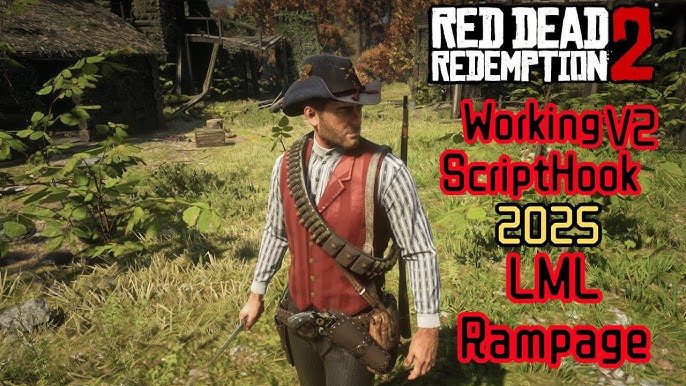
- Rampage Trainer: A comprehensive debug-style menu for spawning companions, teleporting, and editing stats.
- Bank Robberies & Heists: Enables robbery activities for major banks and stagecoaches.
- Crime and Law Rebalance: Overhauls the wanted system to be more realistic and challenging.
- Bounty Hunting Expanded: Adds rival hunters and new mission locations.
- Basic Needs: Introduces survival mechanics like hunger, thirst, and exhaustion.
- Duels: Allows players to challenge any NPC to a cinematic duel.
- Dynamic Seasons: Implements a visual and environmental seasonal cycle.
- Companion System: Allows gang members or dogs to travel with the player.
Best RDR2 trainer mods (Rampage Trainer)
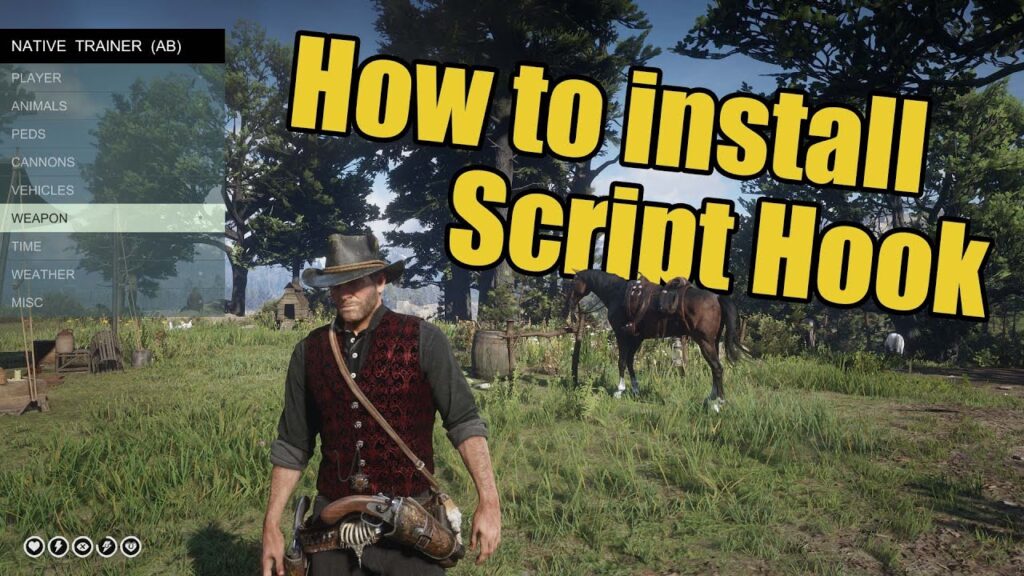
Rampage Trainer is the leading utility menu in 2026, offering developer-level control. Key features include spawning any character or animal, switching player models (e.g., playing as Dutch or a bear), instant teleportation to locations like Guarma, and world setting adjustments for weather and gravity. While powerful, it should be used cautiously as it can bypass story progression or cause instability. It is strictly for single-player use to avoid bans.
Best RDR2 graphics mods (ReShade, lighting mods, texture packs)
Visual enhancements in 2026 push the game toward photorealism:
- Visual Redemption: Improves draw distance, shadows, and atmospheric clarity.
- ReShade Presets: Enhances color grading and contrast (e.g., Photorealistic ReShade).
- Texture Packs: Uses AI upscaling to provide high-resolution details for terrain and NPCs.
- Lighting/Weather Mods: Fixes shadow flickering and improves environmental effects like rain and snow.
These mods often perform best using the Vulkan API.
Best RDR2 realism mods (crime and law overhaul, survival needs)
Realism mods make the game more authentic:
- Crime and Law Rebalance: Prevents instant identification when masked and intensifies law responses for major crimes.
- No Bounty While Masked: Ensures no lingering bounty if the player escapes while disguised.
- Basic Needs (Final Cut): Adds customizable survival cores for hunger, thirst, and fatigue.
- Ped Damage/Weapon Ballistics: Increases combat lethality and bullet physics accuracy.
- True Hardcore: Removes HUD and UI elements for maximum immersion.
Best RDR2 quality-of-life mods (lantern fixes, UI improvements, convenience)
QoL mods resolve minor frustrations:
- Stash That Lantern: Allows Arthur to store his lantern on his belt or horse.
- Perfect Pelts: Guarantees 3-star pelts regardless of the hunting method.
- Skip Intro: Bypasses legal screens and opening cinematics.
- UI Improvements: Enhances menu readability and provides numerical stat values.
- Open All Interiors: Unlocks buildings that are normally inaccessible.
- Misc: Includes faster weapon swaps and improved horse/companion AI.
Best RDR2 gameplay mods (bank robberies, jobs, companions)
These mods expand available activities:
- Heists: Adds repeatable bank and stagecoach robberies.
- Jobs & Professions: Allows Arthur to earn money as a ranch hand, driver, or miner.
- Companion/Dog System: Provides followers that can fight, camp, and be petted.
- Buyable Properties: Enables the purchase of safehouses and cabins.
- Undead Nightmare II: A total conversion mod that introduces a zombie apocalypse scenario.
Where to download Red Dead Redemption 2 mods (Nexus Mods vs RDR2Mods.com)
- Nexus Mods: The largest, most user-friendly platform with virus scanning and community feedback.
- RDR2Mods.com: A dedicated site hosting essential tools like Lenny’s Mod Loader and various script hooks.
Players are cautioned against using unofficial file-sharing links to avoid malware.

How to install Red Dead Redemption 2 mods (step-by-step for beginners)
- Prepare: Update the game and back up save files.
- Prerequisites: Install Script Hook RDR2 (
ScriptHookRDR2.dll) and an ASI Loader (dinput8.dll) into the game’s root directory. - Lenny’s Mod Loader (LML): Copy LML files into the game folder, creating an
lmlsubfolder. - Install Files: Drop
.asimods into the root folder. Place asset-replacement mods into thelmlfolder. - Launch: Start the game in Story Mode and verify mod activation (e.g., pressing F5 for Rampage).
Lenny’s Mod Loader (LML) installation guide for RDR2
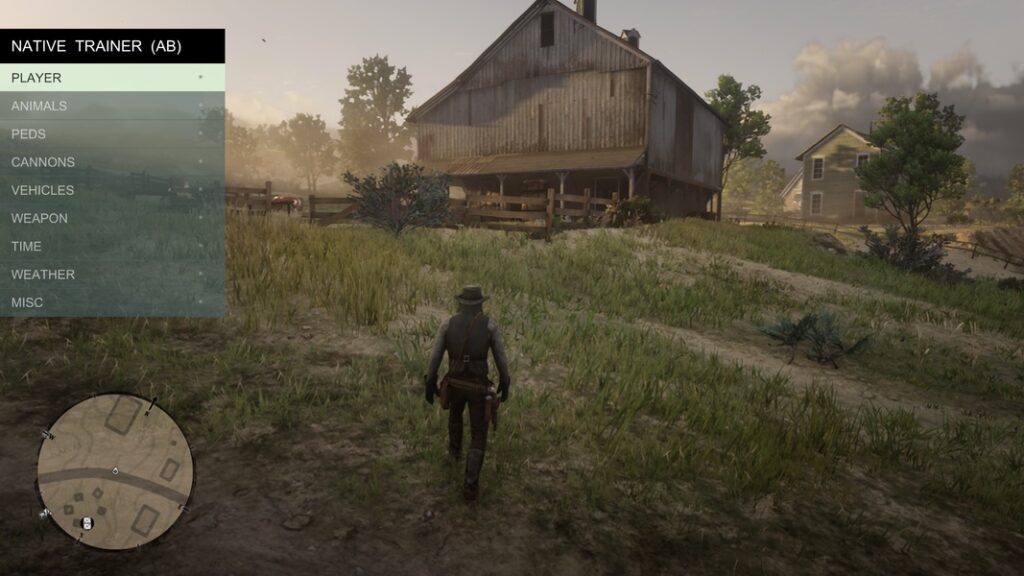
LML uses a Virtual File System (VFS) to override game assets without permanently changing original files. Installation requires placing ModManager.asi, vfs.asi, NLog.dll, and the lml folder into the RDR2 directory. Users can manage load priority through the LML Mod Manager GUI. Modern setups typically use dinput8.dll rather than the older version.dll for asset loading.
Script Hook RDR2 installation guide (ScriptHookRDR2.dll and dinput8.dll)
Script Hook is required for .asi plugins. Installation involves copying ScriptHookRDR2.dll and dinput8.dll to the game’s root directory. It is designed to disable itself in Red Dead Online. If the game is updated by Rockstar, Script Hook usually requires a corresponding update to remain functional.
ScriptHookRDR2 V2 vs Alexander Blade Script Hook (which one to use)
In 2026, ScriptHookRDR2 V2 is recommended over the original Alexander Blade version. V2 fixes a “spawn pool” bug that caused empty towns, offers better stability, and is more frequently updated for game patches. Both use the same API, but only one should be installed at a time.
RDR2 mod load order explained (LML priority and overwrites)
For LML mods, the load order is determined from top to bottom in the Mod Manager. Mods at the bottom of the list have the highest priority and will overwrite any conflicting files from mods listed above them. Script mods (.asi) generally do not require manual ordering but may conflict if they edit the same memory addresses.
WhyEm’s DLC install guide for Red Dead Redemption 2
This mod requires LML and the Online Content Unlocker. Installation involves merging the mod’s lml folder with the game’s lml folder. It is highly recommended to equip Arthur’s standard equipment (satchel, bandolier) before installing to prevent glitches. New items appear at barbers, tailors, and trappers.
Online Content Unlocker for RDR2 story mode (use Red Dead Online assets offline)
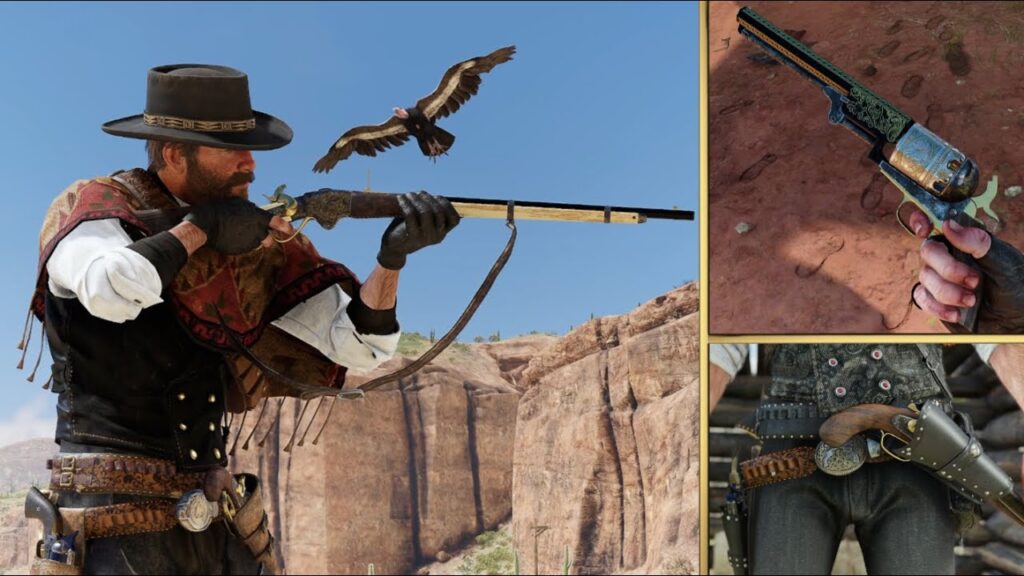
The Online Content Unlocker (OCU) allows multiplayer-exclusive items (like the Navy Revolver) to be used in Story Mode. It functions by removing engine restrictions at runtime via LML. It is more stable than the obsolete version.dll method and does not break story missions. It should be used alongside mods like Red Dead Offline to access the new content.
Red Dead Offline mod setup (RDO items in story mode)
The Red Dead Offline (RDO) mod brings Red Dead Online content into single-player story mode. It provides access to online-exclusive clothing, outfits, weapons (like the LeMat Revolver), horses, saddles, and certain camp provisions. Some versions allow playing as online character models.
Installation requires Online Content Unlocker (OCU) and Lenny’s Mod Loader (LML). Files are typically placed in the lml folder. If using WhyEm’s DLC, players must use a merge mod like Eastern’s Epic Extras or specific compatibility patches to avoid conflicts, as both modify shop catalogs. In-game, items appear in standard stores and wardrobes. Issues like invisible items usually indicate OCU is missing. Users should back up saves, as removing the mod later can cause issues with saves containing modded items.
Can you use mods in Red Dead Online?
No, mods should not be used in Red Dead Online. Rockstar Games has a zero-tolerance policy, and detection can lead to permanent account bans. Tools like Script Hook are designed to disable themselves in multiplayer to prevent accidental use. To play online safely, players must remove or disable mods by renaming or deleting dinput8.dll.
Are Red Dead Redemption 2 mods safe to use?
Mods are generally safe if downloaded from reputable sources like Nexus Mods or RDR2Mods.com. Single-player modding does not result in bans. While mods can cause game instability or crashes, they do not typically damage hardware or game files permanently. Using LML is safer than manual file replacement. Users should maintain multiple save slots and monitor PC performance when using heavy graphics mods.
RDR2 mods not working after an update (common fixes)
Game updates often break Script Hook RDR2. The primary fix is updating to the latest version, specifically ScriptHookRDR2 V2, as the original version is rarely updated. Other tools like LML may also require updates. If no update is available, players can play vanilla by removing dinput8.dll or by verifying game files through Steam or Epic to ensure base file integrity.
How to fix RDR2 crashes caused by Script Hook or version.dll
Crashes are frequently caused by outdated Script Hooks or the use of version.dll. Replacing Alexander Blade’s Script Hook with the community-maintained V2 version often resolves startup crashes. Players should delete version.dll, as it is an outdated method that causes mission bugs and instability; Online Content Unlocker should be used instead. Ensure only one ASI loader (dinput8.dll) is present to avoid conflicts.
How to troubleshoot RDR2 mod conflicts and missing textures
Conflicts occur when multiple mods edit the same files, such as shop inventories. These can be identified by disabling mods one by one. Missing textures or invisible body parts usually mean the Online Content Unlocker is not functioning correctly or assets are missing. For better stability with mods, it is recommended to use the Vulkan API instead of DX12. Checking vfs.log can help identify specific loading errors.

How to uninstall RDR2 mods and restore vanilla files
To uninstall, delete ScriptHookRDR2.dll, dinput8.dll, all .asi files, and the lml folder from the game directory. After deleting these, use the “Verify Integrity of Game Files” option on your launcher to restore any original files. To avoid save corruption, revert the player character to vanilla clothing and items before saving and uninstalling the mods.
Red Dead Redemption 2 modding FAQ (PC requirements, backups, best practices)
Modding requirements match vanilla specs, though high-res textures require more VRAM and an SSD is recommended. Users should always back up their Profiles folder (saves) before modding. Best practices include adding mods one at a time, reading all descriptions, and keeping mods updated. A quick way to toggle mods is to rename dinput8.dll to something else when wanting to play unmodded.
Can you install RDR2 mods on Steam Deck?
Mods can be installed on Steam Deck via Desktop Mode by placing files in the game’s Proton compatdata path. To make mods function, players must add a specific launch option in Steam: WINEDLLOVERRIDES="dinput8.dll,ScriptHookRDR2.dll,NLog.dll=n,b" %command%. This forces Proton to load the necessary DLL files. While most content mods work, heavy graphics mods may impact the Deck’s performance.

Frequently Asked Questions (FAQs)
- Do RDR2 mods disable achievements?
No, using mods in story mode does not disable achievements. Achievements are only disabled if you enable the built-in cheats from Rockstar. Mods operate separately, so you can still earn achievements/trophies on PC while playing with mods. (Of course, if a mod makes something significantly easier or auto-unlocks stuff, that might affect the “spirit” of earning it, but the game will still award it.) - Can I mod RDR2 if I bought it from Steam/Epic/Rockstar Launcher?
Yes. Modding works on all PC versions, regardless of store. The file structure is the same. Just locate your installation folder. On Steam, it’s under SteamLibrary; for Epic, under Epic Games\RDR2; for Rockstar, under Rockstar Games\RDR2. The only difference is launching – but you always launch the game through its normal launcher and Story Mode, and mods will load if their files are in place. - Is Lenny’s Mod Loader necessary for all mods?
Not for all, but for many. Script mods (trainers, etc.) don’t require LML – they just need Script Hook. However, any mod that adds or replaces game assets (like new clothes, guns, maps) will typically need LML. LML is the safest way to avoid permanently replacing files. So while it’s not strictly “required” for every mod, you’ll find that a huge number of mods use LML. It’s highly recommended to install it as part of your mod setup. - What’s the difference between an .asi mod and an LML mod?
An .asi mod is a compiled script or plugin that the game runs (enabled by Script Hook and the ASI loader). It usually provides new gameplay logic or trainer functions. An LML mod, on the other hand, is typically a collection of asset files (models, textures, meta files) that LML swaps into the game’s file system. Sometimes a mod will have both components: e.g., a bank robbery mod might have a .asi for the mission logic and LML files for new map props or UI. But generally, .asi = code mod, LML = data/asset mod. - My antivirus flagged a mod file (or the injector). Is it a virus?
Most likely it’s a false positive. Tools like ScriptHook or Asi loaders might be flagged by generic heuristics because they inject into a game process (which is similar behavior to some malware). If you downloaded Script Hook from the official site or Nexus, it’s safe – tens of thousands of users use these. Always download from official links. If uncertain, you can ask the community or scan the file on VirusTotal. But as long as you stick to trusted sources, you can safely whitelist those files in your antivirus. - Can I have both a realistic mod setup and a fun “crazy” mod setup at the same time?
You can mix mods freely, but if you want to, say, sometimes play with hardcore realism mods and other times with wacky superhero mods, you might want to separate them. One way is to manually swap out mod files depending on what you feel like playing. Another way is to maintain two copies of the game (but that’s 200GB+). A practical method is using the LML mod manager – enable the group of realism mods when you want that experience, then disable them and enable the crazy mods for the other. You have to be careful with overlapping mods, but it’s doable. Just keep different profiles by maybe storing different mod configs and switching them. - My game is crashing and I don’t know which mod is the cause. What should I do?
Start by removing all mods (move them out of the folder or rename dinput8.dll). Run the game vanilla to ensure the game itself is fine. Then add back mods one by one. The one that triggers the crash is the culprit. Common culprits are outdated Script Hook, version.dll, or a specific .asi. Also, check if you installed the correct versions (for example, using a mod made for game version 1232 on a newer 1436 version might crash). If you identify a problematic mod, see if there’s an update or if others reported the issue. It might be a known bug with a solution in posts. - Are there any must-have mods you’d recommend to every player?
This depends on taste, but some broadly appreciated ones are:- WhyEm’s DLC (for tons of cosmetic content),
- Rampage Trainer (for its utility and fun factor),
- Crime and Law Rebalance (if you want a more sensible wanted system),
- Advanced Graphics Settings mod (if available, to fine-tune beyond menu limits),
- Teleport/Fast Travel mods (to save time when needed),
- Photographer mod (some exist to enhance Photo Mode beyond limits).
And simple QoL ones like SkipIntro and Stash That Lantern. Most players at least use a trainer and some QoL fixes.
- Will there be any updates or new mods in the future for RDR2?
The modding community is still active, though slower now. We might not see as many new mods as in the first couple of years, but talented modders still occasionally release big projects (like the Undead Nightmare II mod in recent times, or updates to WhyEm’s). Also, with the rise of AI upscaling, we saw new texture packs even in 2025. RDR2 doesn’t officially support mod tools, so it’s more limited than, say, Skyrim, but expect continued support for compatibility and some new content mods to trickle out. And of course, the existing library is huge – so even if no new mods came, you have plenty to choose from. - I heard about “PixelHair” and “The View Keeper” in a mod context – what are those?
These are actually not RDR2 mods, but rather tools/assets for 3D modeling and game development in general:- PixelHair is a collection of high-quality 3D hair assets for Blender and Unreal Engine, created by a developer named Yelzkizi. It provides pre-made hairstyles that artists can use instead of creating hair from scratch, and it plans to incorporate Blender’s new geometry nodes hair system for even easier use. While not directly an RDR2 mod, a resource like PixelHair could be used by modders or developers who want to add realistic hair to characters in projects (for example, if someone were making a custom model for RDR2, they might style it in Blender using PixelHair assets). It’s more of a behind-the-scenes asset library than an in-game mod.
- The View Keeper is a Blender add-on by Yelzkizi that helps 3D artists save and manage camera views. Again, not related to RDR2 gameplay, but if you were, say, creating a cinematic video in RDR2 and using Blender for some post-processing or scene setup, The View Keeper could assist in maintaining consistent camera angles between sessions. For the average RDR2 player, this isn’t relevant – it’s a tool for content creators.
In summary, these terms might pop up if you’re reading modding forums or developer blogs (especially from Yelzkizi’s site), but they are peripheral to RDR2 modding itself. They illustrate the broader creative community that surrounds games – modders and artists share techniques and tools (like PixelHair) to make mod development easier and more professional.

Conclusion
Modding Red Dead Redemption 2 can elevate an already phenomenal game into an endlessly customizable experience. In 2026, the modding scene offers everything from subtle realism tweaks and performance improvements to wild new gameplay modes and massive content packs. We’ve discussed the best mods for enhancing story mode, whether you want a grittier, more realistic frontier or a more convenient, free-roaming playground (or both).
Crucially, we’ve covered how to install mods safely, using tools like Script Hook RDR2 and Lenny’s Mod Loader, which form the backbone of most mods. Following the installation guides and best practices provided will help you avoid common pitfalls. Remember to keep your game updated, use the community-maintained Script Hook V2 for stability, and always backup your saves. We also delved into troubleshooting tips so if you encounter a crash or a conflict, you have a roadmap to fix it, whether it’s a quick load order adjustment or removing an outdated file.
For those looking to unlock everything the game has to offer, mods like WhyEm’s DLC and Red Dead Offline (with the Online Content Unlocker) bring a treasury of new outfits, weapons, and horses into single-player. Just imagine riding through Valentine on a fancy Online-exclusive horse, decked out in clothes no one’s seen in story mode before that’s possible now without breaking the game. And if you’re a creative type, trainers such as Rampage open up machinima possibilities, letting you stage scenes with any character or teleport to Grand Theft Auto-level hijinks in an otherwise grounded western world.
We touched on some niche but important topics too. Want to mod RDR2 on the go with a Steam Deck? It’s a bit technical, but absolutely feasible with the right Proton tweaks. Concerned about online play? Keep the mods for story mode only and your account is safe. Performance worries? Stick to mods appropriate for your rig, there are plenty that improve gameplay without tanking FPS.
One of the wonderful things about RDR2 modding is that it caters to all kinds of players:
- If you’re a lore-friendly immersion player, you can install mods that make the game world even more authentic and challenging, from realistic law response to survival mechanics.
- If you’re a casual player who just wants some quality-of-life enhancements, you can grab a few fixes and maybe a trainer for the occasional fun (who hasn’t wanted to turn into an eagle and fly over Ambarino?).
- And if you’ve finished the story and yearn for new content, mods have you covered with new missions (bounty hunts, heists), the ability to buy properties or play mini-games, and even total conversions like Undead Nightmare II for a taste of the supernatural.
The modding community has effectively kept RDR2 alive and evolving, even as Rockstar’s official support moved on. With GTA6 on the horizon, RDR2 modders have stepped in to ensure the game remains fresh for years to come. By following this guide, you’ll join a community of players extracting every drop of potential from Rockstar’s epic. Just picture it: riding at sunset with a custom soundtrack playing (yes, there are mods for custom music), your personalized outfit and horse, a faithful dog by your side thanks to a companion mod, headed back to your purchased ranch after a day of robbing a bank and outrunning enhanced Pinkertons… The possibilities are vast.
As a final note, always keep an eye on modding forums and communities for the latest updates or cool new releases. Modding is a continuously learning experience, part of the fun is discovering a new tweak and seeing the impact in-game. Don’t hesitate to experiment (safely, with backups). And remember, the frontier is a lot more fun when you’re in control.
Now saddle up, back up your files, and dive into the wild world of RDR2 mods, an open range of creativity where you truly become the author of Arthur Morgan’s (or John Marston’s) journey. Happy modding, and see you in the vast, modded West!
Sources and Citations
- Broadwell, J. (2025).
- Best Red Dead Redemption 2 Mods To Improve The Game In 2025.
- GameSpot — includes mods such as Rampage Trainer and WhyEm’s DLC.
- PC Gamer — Rockstar’s policy on mods and Take-Two’s stance on single-player mods:
- Rockstar explains its stance on PC mods for GTA 5
- Relevant Rockstar language: “unofficial modifications … may result in being banned from online.”
- Also useful: Take-Two explains why it banned OpenIV modding tool
- PCGamesN —
- Nexus Mods — Online Content Unlocker:
- Online Content Unlocker at Red Dead Redemption 2 Nexus
- This page includes the mod description and installation/FAQ details about unlocking multiplayer assets without breaking story mode.
- Reddit /r/PCRedDead — Community advice on ScriptHookRDR2 V2 vs Alexander Blade’s version:
- Search link: Reddit search: /r/PCRedDead ScriptHookRDR2 V2 Alexander Blade spawn issue
- I’d recommend verifying the exact thread before citing, because Reddit thread URLs can vary and posts may be removed.
- Reddit /r/RedDeadMods — Steam Deck mod setup using Proton launch overrides:
- Steam Community Guide — 2025 comprehensive RDR2 modding guide:
- Search/results page: Steam Community guides for Red Dead Redemption 2
- Search link: Steam Community search: Red Dead Redemption 2 modding guide ScriptHookRDR2 V2 Ultimate ASI Loader Vulkan version.dll
- Please verify the specific guide URL/title, since Steam guide URLs are user-generated.
- GameSpot Gallery — details on specific mods:
- Best Red Dead Redemption 2 Mods To Improve The Game In 2025
- Covers examples such as Crime & Law Rebalance, Basic Needs, Duels, and WhyEm’s DLC.
- Reddit /r/reddeadredemption — LML load order explanation:
- Yelzkizi.org — PixelHair overview:
- PixelHair by Yelzkizi
- Covers pre-made 3D hair assets for Blender and Unreal Engine 5.
- Yelzkizi.org — The View Keeper Blender add-on:
- The View Keeper
- Contextually relevant as a Blender camera/view management tool.
Recommendations
- Dragon Ball Xenoverse 3 Finally Revealed: Akira Toriyama’s Last New Designs, Age 1000 Story, and 2027 Release
- How to Make Mind-Blowing Anime FX in Blender and After Effects
- The iGaming Market in Alberta Will Begin to Be Regulated as Canada’s Next Big Online Gambling Market Opens
- Lows Adventure 2: How to Play, All Levels Guide, Controls, Walkthrough, and Unblocked Tips
- Invincible VS Review: is the 3v3 Tag Fighter Worth Buying? Combat, Roster, Story Mode, and Rollback Netcode Breakdown
- Mixtape Studio Explains Why There is No Streamer Mode: Licensed Music is the Game’s ‘Soul’
- Delta Executor Explained: How It Works, Features, Safety, and Download Guide (2026)
- Sony’s Spider-Man Universe Headed For Reboot After Disastrous Morbius, Madame Web, And Kraven Movies: What Tom Rothman Confirmed
- Director Kane Parsons’ Backrooms Film Concept Art Was Made in Blender: How A24 Built the Liminal Maze for the Upcoming Movie
- Top 10 Physically Strongest Marvel Characters (Ranked by Raw Strength)



































































































