










In This Article (18 sections)
What Unreal Engine 5.8 Means for CG Artists: Terrain, Procedural Tools, Digital Humans, Animation, Lighting, and Rendering
Unreal Engine 5.8 is here, and its key features are especially important for environment artists, character artists, riggers, lighting artists, animators, virtual production teams, and cinematic rendering teams. Epic Games positions Unreal Engine 5.8 as a performance and customization-focused update, with major additions across terrain creation, procedural generation, vegetation authoring, MetaHuman workflows, animation, real-time rendering, stylized shading, and final-frame output. The release also matters because Epic identifies UE 5.8 as the last planned major Unreal Engine 5 release on its roadmap while work ramps up on Unreal Engine 6, although Epic says it will continue supporting UE5 with bug fixes and regressions and may add another official release if needed.
For CG artists, Unreal Engine 5.8 is not only a game-development update; it is a production workflow update. The headline changes include Mesh Terrain for true 3D terrain shapes, stronger Procedural Content Generation workflows, a more capable Procedural Vegetation Editor, MetaHuman crowd creation, full-body Mesh to MetaHuman, Direct Mesh Controls for animator-friendly rig manipulation, Control Rig Dynamics for secondary motion, production-ready MegaLights, Lumen Lite for faster global illumination, an experimental Toon Shader, and a production-ready Movie Render Graph. These tools push Unreal Engine further into real-time visualization, cinematic animation, previs, virtual production, architectural visualization, digital humans, and stylized CG.
The most important theme is that Unreal Engine 5.8 gives artists more control without forcing them to abandon procedural, real-time, or in-editor workflows. Mesh Terrain can generate shapes that traditional heightfield systems struggle with, PCG now allows manual art direction without breaking procedural logic, and Movie Render Graph gives render teams a more formal node-based output system. For studios, that means the upgrade is less about one flashy feature and more about reducing the friction between procedural systems and human art direction.
The five most important Unreal Engine 5.8 features for CG artists are Mesh Terrain, MetaHuman Crowd and Mesh to MetaHuman improvements, Direct Mesh Controls with Control Rig Dynamics, MegaLights with Lumen Lite, and Movie Render Graph with new rendering workflows. These are not the only additions, but they are the changes most likely to affect daily production work for artists who build scenes, light shots, animate characters, create digital humans, or render cinematic output.
The Five Key Features in Detail
Mesh Terrain is the major environment creation feature. Epic describes it as a brand-new experimental 3D mesh-based system for authoring larger and more complex terrains. Unlike the existing Landscape tool and other 2.5D heightfield systems, Mesh Terrain is a true 3D mesh model, which means it can support arbitrary terrain forms such as overhangs, tunnels, and floating islands. Artists can create terrain in the editor or begin from imported meshes or heightmaps, then use nondestructive modifiers to keep the terrain editable.
The second major feature area is procedural worldbuilding. Unreal Engine 5.8 improves the PCG framework by letting artists make manual edits on procedurally generated content without breaking the underlying procedural system. This is a significant production improvement because art direction often requires hand-tuned composition after procedural placement. Epic also adds complex attribute support and example PCG graphs for spatial operations, opening the door to more procedural buildings, streets, biomes, and large environments.
The third major area is digital human creation and crowds. MetaHuman Collections are introduced as an experimental asset type for populating real-time worlds with crowds of MetaHumans, scaling to hundreds of characters on mobile and thousands on higher-end platforms. The workflow uses high-fidelity individual Actors near the camera and lower-fidelity Instanced Skinned Meshes farther away, helping balance realism, memory, and performance.
The fourth area is animation and rigging. Direct Mesh Controls let Control Rig controls be represented directly on sections of a skeletal mesh, so animators can manipulate the character surface rather than only selecting traditional rig shapes. Control Rig Dynamics adds a particle-based solver for runtime secondary motion and is described by Epic as evaluating at five times the speed of the original solver, allowing artists to trade some accuracy for real-time performance.
The fifth area is rendering. MegaLights is now production-ready, Lumen gains a Lumen Lite mode, the Toon Shader appears as an experimental Substrate-based shading model, and Movie Render Graph becomes production-ready. Together, these features make Unreal Engine 5.8 more useful for real-time cinematic scenes, lighting-heavy environments, stylized animation, virtual production, and final output workflows.

Unreal Engine 5.8 Environment Creation: Mesh Terrain, PCG, and Procedural Vegetation
Mesh Terrain changes environment creation in Unreal Engine 5.8 by moving terrain away from the limits of a heightfield-only mindset. Traditional terrain tools are often efficient for hills, valleys, slopes, and broad landscapes, but they are less natural for complex 3D forms. Mesh Terrain is designed as a true 3D mesh model, so an environment artist can think in terms of sculptural geography rather than only elevated surfaces. This has direct implications for cliffs, caves, tunnels, floating islands, undercuts, arches, and terrain that wraps around gameplay or cinematic paths.
The key creative advantage is shape freedom. A CG artist designing a fantasy canyon, alien cave system, stylized platform world, or cinematic establishing shot can build terrain that has vertical, suspended, or enclosed forms without relying as heavily on separate static mesh kits to fake the missing geometry. Mesh Terrain does not remove the need for traditional modular environment art, but it gives studios another layer of control when the terrain itself needs to behave like a sculpted asset.
Unreal Engine 5.8 Mesh Terrain is most valuable when the environment requires geometry that heightfields do not naturally express. Open worlds often need mountain passes, cave entrances, cliff shelves, eroded arches, tunnels, ravines, and terrain that folds over itself. A heightfield can represent elevation, but a true mesh terrain system can represent shapes that have undersides, vertical faces, and more complex topology.
For cinematic scenes, this means the camera may fly through a cave mouth, under a natural stone bridge, past a floating island, or along a cliff face. In older workflows, an artist might combine landscape terrain with separate rock meshes and manually blend them. That workflow remains useful, but Mesh Terrain can reduce the conceptual split between “landscape” and “mesh set dressing” when the terrain must become a more expressive 3D form.
Nondestructive Editing and Large-World Integration
Another major benefit is nondestructive iteration. Epic notes that Mesh Terrain uses nondestructive modifiers, so when a landscape feature changes, the terrain can regenerate automatically. In production, this matters because terrain is rarely final after the first pass. Directors, level designers, environment leads, and lighting artists often request changes to scale, pathing, silhouettes, camera composition, or terrain landmarks. Nondestructive terrain tools help keep those changes manageable instead of forcing destructive rebuilds.
Mesh Terrain is also built with large-world production in mind. Epic says the system is tightly integrated with World Partition and One File Per Actor, giving it automatic distance-based streaming, data management, and collaborative workflow advantages. This matters to studios because large environments are not only an art problem; they are also a data, streaming, and team-collaboration problem. When terrain is part of a streaming open-world pipeline, editing and collaboration become as important as visual quality.
Mesh Terrain should still be treated carefully because it is marked experimental. Experimental features can be suitable for testing, look development, early prototypes, and pipeline evaluation, but studios should validate stability, performance, asset compatibility, source-control behavior, and export needs before relying on them in a locked production schedule. Epic’s own release article notes that some UE 5.8 features are Beta or Experimental and should not be considered production-ready.
PCG Manual Edits and Art Direction
Procedural Content Generation in Unreal Engine 5.8 also becomes more artist-friendly because it now supports manual edits on top of procedural output while preserving the underlying procedural logic. This is a major change for environment art because procedural tools are powerful, but they often fail when artists need to art direct specific moments. A forest may be procedurally distributed, but a path, camera angle, hero tree, gameplay lane, or cinematic silhouette may need manual adjustment.
In older procedural workflows, hand editing often meant baking or breaking the procedural relationship. Unreal Engine 5.8 helps solve that by allowing artists to keep procedural control upstream while making local artistic corrections downstream. Epic describes this as enabling artists to art direct system results while continuing to adjust upstream parameters.
This is valuable for worldbuilding at multiple scales. For a small scene, it helps an artist place stones, plants, debris, or architectural details quickly and then fine-tune composition by hand. For a large scene, it helps technical artists generate roads, districts, biomes, buildings, or city streets while still allowing human-directed edits at key locations. Epic also notes new support for complex attribute types such as arrays, structures, sets, and maps, plus new example PCG graphs for spatial operations. For studios, the best use of PCG improvements is to create reusable art-direction systems rather than one-off procedural graphs.
A technical artist can expose simple parameters for density, biome type, height range, slope response, building category, street width, or foliage variation, while hiding deeper graph logic from general artists. This lets a team scale procedural worldbuilding without making every artist become a procedural systems expert.
Procedural Vegetation Editor Workflows
The Procedural Vegetation Editor, or PVE, becomes more relevant in Unreal Engine 5.8 because it helps artists create realistic, high-quality, Nanite-ready vegetation directly inside the engine. Epic’s documentation describes PVE as a graph-based tool integrated within Unreal Engine that uses real-world botanical principles, including hormone distribution and adaptive responses, to produce diverse and believable vegetation. For CG artists, the value is speed and consistency. Vegetation is one of the most time-consuming parts of environment production because it requires variation, believability, performance optimization, wind support, material consistency, and placement logic. PVE helps by giving artists a procedural graph and preset-based workflow. Epic’s documentation says PVE can generate Nanite-ready vegetation, customize presets, create variations, and streamline complex plant creation.
In Unreal Engine 5.8, Epic highlights that PVE can grow high-quality, biologically correct, Nanite-ready vegetation from scratch. Trees can react symbiotically, compete naturally for light, form clusters, and grow around external meshes. Artists can also art direct nature with sculpting tools and add or remove branches. Epic also says meshes can be imported from DCC sources and converted into PVE-compatible assets with extracted skeletons, while 2D sketches and photographs can be used as input to move faster from reference to production.
This makes PVE especially useful for open-world foliage, fantasy forests, natural cinematic environments, architectural visualization landscapes, and stylized vegetation libraries. It also strengthens the bridge between procedural generation and manual art direction because PVE can feed PCG workflows, while PCG’s embedded subgraphs can help technical artists package vegetation tools for production teams.

Unreal Engine 5.8 MetaHuman Workflows for Crowds and Custom Characters
MetaHuman Crowd is one of the biggest Unreal Engine 5.8 updates for digital human workflows. MetaHumans have traditionally been associated with hero characters, close-ups, and high-fidelity digital doubles. Unreal Engine 5.8 expands that idea by introducing MetaHuman Collections as an experimental asset type that enables real-time worlds to be populated with crowds of MetaHumans. Epic says the system can scale to hundreds of characters on mobile and thousands on higher-end platforms.
The production significance is clear: crowds are expensive. A scene with a stadium, city square, battlefield, concert, marketplace, train station, classroom, or populated street needs variation, animation, memory control, LOD strategy, and rendering efficiency. MetaHuman Crowd addresses that by transitioning between high-fidelity individual Actors near the camera and lower-fidelity Instanced Skinned Meshes based on distance. This helps maintain close-up realism while keeping distant characters more efficient.
Artists can control the visual mix by creating collections of modular components such as heads, bodies, hair, and clothing, then composing characters manually or procedurally with Blueprints. The workflow also relies on Mass for crowd orchestration and can use Nanite virtualized geometry where available. Animation can be handled through Animation Blueprints or simple sequences depending on distance. For CG studios, this is valuable for previs, virtual production, episodic animation, real-time broadcast graphics, cinematic game trailers, and interactive visualization. It does not eliminate crowd pipeline planning, but it gives artists a more direct path to using recognizable MetaHuman quality beyond the hero-character range.
Expanded Mesh to MetaHuman Full-Body Workflow
Mesh to MetaHuman becomes much more flexible in Unreal Engine 5.8 because it now supports full-body character conversion. Previously, Mesh to MetaHuman worked for heads. In MetaHuman 5.8, Epic says the workflow is fully integrated into MetaHuman Creator and can conform bodies separately from or simultaneously with heads. It accepts input meshes of any topology and can generate results powered by the MetaHuman database.
For artists, this expands the range of usable source characters. A studio might begin with a scanned performer, a sculpted character from ZBrush, a model from Blender or Maya, a stylized humanoid, or a DCC-generated mesh. Mesh to MetaHuman can turn a human character mesh with arbitrary topology into a fully rigged MetaHuman with MetaHuman topology in one workflow, as long as the character remains within the humanoid constraints of the system.
This matters because character pipelines often lose time during retopology, rigging, deformation setup, facial animation preparation, and conversion between tools. Mesh to MetaHuman reduces that barrier by mapping custom meshes into the MetaHuman ecosystem, where they can use MetaHuman topology, rigging, animation, and performance capture workflows. It is especially relevant for studios that want custom-looking characters without building every aspect of a digital human pipeline from scratch.
The feature also supports stylized character workflows. Epic notes that while the workflow is constrained to humanoids, it can handle stylized characters. This is important because not every CG project aims for photorealism. Many animation, advertising, visualization, and game cinematics projects need characters that are realistic enough to animate well but stylized enough to match an art direction.

Unreal Engine 5.8 Animation and Rigging: Direct Mesh Controls and Control Rig Dynamics
Direct Mesh Controls are designed to make animation more intuitive by letting animators interact directly with sections of the character mesh. In Unreal Engine 5.8, Epic describes DMC as an experimental system that enables Control Rig controls to be represented directly on sections of the skeletal mesh. This lets animators manipulate rigs by interacting with the actual character surface, which is especially useful for facial animation.
The production benefit is speed. Traditional rig controllers are powerful, but they can clutter the viewport, especially on complex facial rigs. Direct Mesh Controls reduce the distance between the animator’s intent and the character’s visible surface. Instead of selecting abstract shapes around a face or body, the animator can select a region that corresponds more closely to the area being posed. For facial animation, this can be particularly helpful because a brow, cheek, eyelid, mouth corner, or jaw region is easier to understand when the control lives on or near the mesh region it affects.
For stylized characters, DMC may also help animators pose broad shape changes more naturally, because the workflow can feel closer to sculpting performance than managing a dense rig control set.
Direct Mesh Controls do not replace all traditional controls. Some rigs still benefit from visible controllers, especially for body mechanics, tails, props, and complex IK or FK setups. The best use is likely hybrid: DMC for animator-facing surface interaction, traditional controls for structural rig logic, and Control Rig systems for procedural or reusable behavior.
Control Rig Dynamics for Faster Secondary Motion
Control Rig Dynamics gives Unreal Engine 5.8 artists a faster way to create secondary motion inside real-time character workflows. Epic describes Control Rig Dynamics as a new particle-based solver for runtime use that evaluates at five times the speed of the original solver, allowing users to trade accuracy for real-time performance. Secondary motion is essential for believable characters. Hair strands, ponytails, cloth panels, straps, tails, ears, soft tissue, accessories, and loose clothing all need motion that responds to the character’s movement. Full simulation can be expensive or too heavy for runtime use, while hand-keying every motion can be slow. Control Rig Dynamics offers a middle ground for artists who need responsive motion that can be layered into the rig.
The feature is especially useful when combined with modular physics rigs. Epic says physics rigs can now be modular, can be used with custom rigs, can be layered over existing animation, and can have weighting keyframed over time. This means artists can decide when physics should dominate and when hand animation should remain in control. For cinematic artists, Control Rig Dynamics can help create quick believable movement during previs and layout, then be refined later if needed. For game artists, it offers a runtime-oriented solution where performance matters. For technical animators, it provides another layer of procedural rig behavior inside Unreal Engine rather than requiring every motion to be solved in an external DCC package.

Unreal Engine 5.8 Rendering Workflows: MegaLights, Lumen Lite, Toon Shader, and Movie Render Graph
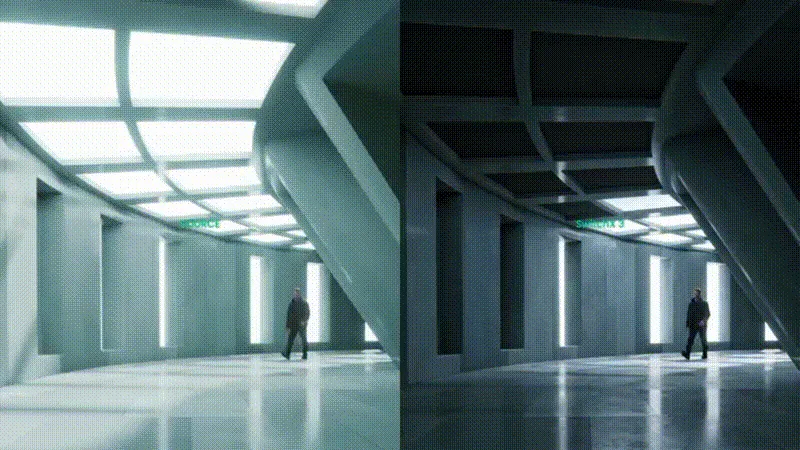
MegaLights is one of the most important rendering upgrades in Unreal Engine 5.8 because it is now production-ready. Epic describes MegaLights as empowering artists to place a vast number of dynamic and shadowed area lights into scenes while delivering greatly reduced noise to maximize visual fidelity. Epic also says MegaLights improves overall performance toward a 60 fps target on current-generation consoles and includes new debugging and optimization tools.
For lighting artists, this is a major workflow improvement. Complex CG scenes often require many lights: practical lights in buildings, neon signage, street lamps, vehicle lights, stage lights, interior fixtures, sci-fi panels, and cinematic accent lights. Traditional real-time lighting budgets can force artists to fake, bake, merge, or simplify those lights. MegaLights aims to make dynamic, shadowed area lighting more scalable. Epic’s documentation describes MegaLights as a direct lighting path that lets artists place orders of magnitude more dynamic and shadowed area lights than before. It is designed for current-generation consoles and uses ray tracing to enable realistic soft shadows from area lights.
MegaLights also gives artists control over shadowing methods. Epic’s documentation notes that Ray Tracing is the default and recommended method because it does not add extra cost per light and can achieve correct area shadows, while Virtual Shadow Maps can capture full Nanite mesh details but add significant per-light CPU, GPU, and memory overhead.
Lumen Lite for Performance-Sensitive Global Illumination
Lumen Lite is a major Unreal Engine 5.8 feature for teams that need dynamic global illumination but must hit tighter performance targets. Epic says Lumen Lite is designed to preserve much of Lumen’s visual impact at significantly lower GPU cost by using irradiance fields with probe occlusion. Epic also says it is twice as fast as Lumen High Quality and supports PC in addition to enabling artistic global illumination workflows on Nintendo Switch 2 at 60 fps.
For CG artists, Lumen Lite is useful because lighting decisions often depend on fast iteration. Full-quality global illumination can be visually impressive but expensive, especially in dense scenes with many lights, materials, reflections, and moving objects. Lumen Lite gives teams a medium-quality option that can preserve the broad mood of dynamic bounce lighting while improving performance. The feature is particularly relevant for real-time previs, interactive visualization, mobile or handheld targets, stylized games, and performance-sensitive projects. It also matters for large studios that need consistent scalability across hardware. A project may use higher-quality Lumen settings for cinematic capture or high-end platforms, while using Lumen Lite for performance targets that require faster frame rates.
Artists should still test the visual tradeoff. Lumen Lite is not simply “free Lumen.” Lower-cost GI modes can change contact shadow softness, indirect lighting detail, bounce precision, and response in complex interiors. The best practice is to evaluate hero scenes under both Lumen High Quality and Lumen Lite, then define platform-specific lighting standards early.
Experimental Toon Shader for Stylized Rendering
The Unreal Engine 5.8 Toon Shader is an experimental feature built on the Substrate framework, designed for projects that need 2D, stylized, hand-drawn, anime, or cartoon-like shading. Epic says the new Toon Shader supports the full range of UE5 target platforms. This is important because stylized rendering has historically required custom material setups, post-process tricks, hand-built ramps, outline techniques, or project-specific shader work. A native Toon Shader gives artists a more direct route to non-photorealistic rendering inside the Unreal material ecosystem. It can help teams create stylized characters, animation shorts, anime-inspired game cinematics, branded motion graphics, and illustrative real-time experiences.
Because the feature is experimental, production teams should test it before committing. Artists should evaluate how it behaves with Lumen, shadows, post-processing, skeletal mesh deformation, facial animation, transparency, outlines, reflections, and platform-specific rendering paths. Substrate itself is Unreal Engine’s more modular material framework, replacing fixed shading models with a more expressive approach to surface definition. The biggest artistic opportunity is consistency. Stylized projects often suffer when environments, characters, props, FX, and lighting use different shading tricks. A native Toon Shader can help unify the look, especially when combined with art-directed lighting, carefully managed color palettes, and controlled post-processing. For animation teams, this may make Unreal Engine 5.8 more attractive for real-time stylized production.
Movie Render Graph Goes Production-Ready
Movie Render Graph becomes production-ready in Unreal Engine 5.8, making it one of the most important upgrades for cinematic, virtual production, and offline-style rendering workflows. Epic says the redesigned Queue Window introduces a graph-based configuration that gives artists control of render settings directly in the panel. UE 5.8 also adds support for nDisplay and for isolating lights to render shots with different values for intensity, color, or other light properties.
Movie Render Graph matters because final-frame output requires repeatability and control. A cinematic team may need beauty passes, matte passes, holdouts, render layers, EXR sequences, versioned settings, camera-specific adjustments, shot-specific overrides, and compositing-friendly output. A graph-based system makes those operations easier to structure, reuse, and scale across sequences. Epic’s documentation describes Movie Render Graph as a node-based system for managing render settings while creating high-quality image sequences and movie renders with Movie Render Queue. Graphs can be simple or complex, can handle single shots or complex multi-shot workflows, and can be saved as reusable assets for flexible production pipelines.
The new Accumulation Depth of Field feature also matters for cinematic rendering. Epic says it delivers film-style focus effects similar to the Path Tracer at lower time and performance cost, reducing artifacts while preserving real-time look development. This gives artists another option when trying to achieve cinematic depth of field without fully moving to slower rendering paths.

Frequently Asked Questions (FAQs)
- What is the biggest Unreal Engine 5.8 feature for CG artists?
Answer: The biggest feature depends on the artist’s role, but Mesh Terrain is likely the most visible environment-art upgrade because it introduces true 3D mesh-based terrain for complex shapes such as overhangs, floating islands, and tunnels. For artists building worlds, cliffs, caves, or cinematic environments, that can change how terrain is planned and edited. For lighting artists, MegaLights becoming production-ready may be equally important because it supports many dynamic and shadowed area lights. Character and animation teams may find the MetaHuman, Direct Mesh Controls, and Control Rig Dynamics updates more transformative, especially if their work depends on digital humans or real-time character performance. - Is Mesh Terrain production-ready in Unreal Engine 5.8?
Answer: Mesh Terrain is experimental in Unreal Engine 5.8, so it should be evaluated carefully before use in final production. It is excellent for testing, prototyping, look development, and early pipeline research because it allows artists to explore true 3D terrain forms that traditional heightfield systems do not handle naturally. However, studios should validate stability, performance, collaboration, asset-management needs, source-control behavior, and compatibility with their environment pipeline before relying on it for locked deliverables. - Can Unreal Engine 5.8 create caves and overhangs more easily than older landscape tools?
Answer: Yes. Mesh Terrain is a true 3D mesh-based system, unlike traditional 2.5D heightfield terrain, so it can support arbitrary shapes such as caves, tunnels, floating islands, and overhangs more naturally. This makes it easier for environment artists to think of terrain as sculptural geometry rather than only as elevated ground. Older workflows can still combine landscape terrain with separate rock meshes, but Mesh Terrain reduces the split between terrain and set dressing when the landscape itself needs more complex 3D form. - What does PCG improve for artists in Unreal Engine 5.8?
Answer: PCG now allows manual edits on procedurally generated content without breaking procedural logic. This helps artists art direct procedural worlds while still keeping upstream parameters adjustable. In practical terms, an artist can generate forests, debris, roads, buildings, biomes, or other world elements procedurally, then refine important areas by hand for composition, gameplay, camera framing, or cinematic silhouettes without losing the benefits of the procedural setup. - What is the Procedural Vegetation Editor used for?
Answer: The Procedural Vegetation Editor is used to create realistic, high-quality, Nanite-ready vegetation inside Unreal Engine. It uses graph-based controls and botanical principles to generate variations, customize plants, and streamline vegetation production. For artists, this is useful because vegetation usually requires many believable variations, consistent materials, performance awareness, and placement logic. PVE helps speed up plant creation while still allowing art direction through presets, sculpting tools, branch editing, and integration with procedural workflows. - Can Unreal Engine 5.8 create large MetaHuman crowds?
Answer: Yes. MetaHuman Collections and MetaHuman Crowd workflows can scale real-time populations to hundreds of characters on mobile and thousands on higher-end platforms by transitioning between high-fidelity Actors and lower-fidelity Instanced Skinned Meshes based on camera distance. This allows scenes to keep detailed MetaHumans close to the camera while using more efficient representations farther away. It is especially useful for crowds in stadiums, city streets, markets, train stations, battlefields, virtual production scenes, previs, and cinematic trailers. - Can Mesh to MetaHuman convert a full body in Unreal Engine 5.8?
Answer: Yes. Mesh to MetaHuman can now conform bodies separately from or simultaneously with heads, accepting input meshes of any topology and producing fully rigged MetaHumans with MetaHuman topology within a single workflow. This expands the tool beyond head-only conversion and makes it more useful for custom character pipelines. Artists can start from scans, sculpted meshes, DCC-generated characters, or stylized humanoids, then bring them into the MetaHuman ecosystem for rigging, animation, and performance workflows, as long as the character fits the system’s humanoid constraints. - Is MegaLights ready for production in Unreal Engine 5.8?
Answer: Yes. Epic describes MegaLights as production-ready in Unreal Engine 5.8, with support for many dynamic and shadowed area lights, reduced noise, improved performance, and new debugging and optimization tools. This is important for lighting-heavy scenes with practical fixtures, neon signs, stage lights, street lamps, vehicle lights, interior lights, or cinematic accents. It gives lighting artists more room to work with dynamic area lighting without relying as heavily on fake, baked, or simplified lighting setups. - What is Lumen Lite best for?
Answer: Lumen Lite is best for projects that need the artistic impact of dynamic global illumination at lower GPU cost. It is useful for performance-sensitive real-time scenes, handheld or console targets, interactive visualization, previs, stylized games, and projects where frame rate is more important than the highest possible GI quality. Artists should still test the visual tradeoff because lower-cost GI can affect indirect lighting detail, contact shadow softness, bounce precision, and complex interior lighting response. - Should studios upgrade to Unreal Engine 5.8 immediately?
Answer: Studios should evaluate Unreal Engine 5.8 immediately, but they should only upgrade active production projects after testing. The production-ready features are compelling, especially MegaLights and Movie Render Graph, and the broader workflow improvements can be valuable for environment art, digital humans, animation, lighting, and rendering. However, experimental tools such as Mesh Terrain, MetaHuman Collections, and Toon Shader should be tested in copies of projects before being used in final production. A careful upgrade plan should include benchmarking real scenes, checking plugins and custom tools, validating render output, and confirming source-control and collaboration workflows.

Conclusion
Unreal Engine 5.8 is one of the most important UE5 releases for CG artists because it strengthens the entire creative pipeline rather than only adding isolated features. Environment artists gain Mesh Terrain for more complex 3D terrain and improved procedural worldbuilding. Technical artists gain stronger PCG workflows that preserve procedural logic while allowing manual art direction. Vegetation artists gain a more capable PVE workflow for Nanite-ready plants. Character artists gain full-body Mesh to MetaHuman and scalable MetaHuman crowd tools. Animators gain Direct Mesh Controls and Control Rig Dynamics. Lighting artists gain production-ready MegaLights and faster Lumen Lite global illumination. Stylized teams gain an experimental Toon Shader. Rendering teams gain a production-ready Movie Render Graph for cinematic output.
The best way to understand the release is through the main keyword itself: Unreal Engine 5.8 is here: see its 5 key features for CG artists. Those five key areas are terrain and worlds, procedural content and vegetation, MetaHuman digital humans, animation and rigging, and real-time rendering for final output. The upgrade is especially valuable for studios that want more work to happen inside Unreal Engine rather than constantly moving between separate DCC, rendering, procedural, and animation tools.
The only caution is production status. MegaLights and Movie Render Graph are production-ready, while several headline tools remain experimental. For individual artists, Unreal Engine 5.8 is worth downloading and testing now. For studios, it is worth starting structured evaluation immediately, but active production migration should happen only after compatibility checks, render comparisons, performance benchmarks, and pipeline validation.
Sources and Citations
- Unreal Engine 5.8 Is Now Available (Official Epic Games Announcement)
- Unreal Engine 5.8 Is Now Available
- Supports: Worldbuilding, Mesh Terrain, PCG, Procedural Vegetation Editor, MegaLights, Lumen Lite, Toon Shader, Movie Render Graph, virtual production, rendering, and character workflow improvements.
- Unreal Engine 5.8 Released (Epic Developer Community)
- Unreal Engine 5.8 Released Forum Post
- Supports: Official release confirmation and feature overview including terrain creation, vegetation authoring, lighting workflows, and character tools.
- MetaHuman 5.8 Is Now Available (Official MetaHuman Release Notes)
- MetaHuman 5.8 Is Now Available
- Supports: MetaHuman Collections, crowd scaling, Mesh to MetaHuman full-body conforming, full-character performance capture, and character workflow enhancements.
- MetaHuman 5.8 Preview Released (Epic Developer Community)
- MetaHuman 5.8 Preview Released
- Supports: MetaHuman Collections, MetaHuman Crowds plugin, scaling from tens to thousands of characters, and Mesh to MetaHuman body support.
- Unreal Engine 5.8 Preview (Epic Developer Community)
- Unreal Engine 5.8 Preview Forum Post
- Supports: PCG improvements, Mesh Terrain interoperability, and procedural content workflow updates.
- (Procedural Vegetation Editor, MegaLights, Lumen, Substrate, PCG, and MovieRender Graph)
Recommendations
- Dreamlight Valley Treasure Hunt Event Guide: How Treasure Trove Clues Work and How to Finish
- Game of Thrones: Kingsroad, Exploring the Development, Unreal Engine Integration, and Gameplay Features
- Witch Hat Atelier Premiere Review: Episode 1–2 Impressions, Animation Quality, and Crunchyroll Release Details
- Path of Exile 2: Return of the Ancients Release Time, Countdown, and Full Launch Details
- Grave Seasons: 11 Minutes of Gameplay Reveals Farming, Horror, Romance, and Ashenridge Mysteries
- How do you change the render resolution of a Blender camera?
- Director Kane Parsons’ Backrooms Film Concept Art Was Made in Blender: How A24 Built the Liminal Maze for the Upcoming Movie
- Slay the Spire 2 China Review Bombs Explained: Why Top Players Hate Doormaker and How Save Loading Runs Changed Everything
- How VFX Shaped the World of The Witcher Season 4: VFX Breakdown, Studios, Creatures, and Magic
- Tales of Arise: Beyond the Dawn Edition Nintendo Switch 2 Release Date Trailer, Gameplay, Story Expansion, and Everything We Know (2026 Update)



































































































