











In This Article (15 sections)
V-Ray 7.4 Gaussian Splat Relighting, Z-Depth, and Core Workflow Improvements
V-Ray 7.4 for Cinema 4D, officially released as V-Ray 7 for Cinema 4D Update 4, version 7.40.00, is a workflow-focused update rather than a redesign of the Cinema 4D integration. It expands hardware compatibility and makes scanned environments, real-time visualization, caustics, indirect-light denoising, scattering, displacement, compositing, and image finishing more practical. The most visible changes concern Gaussian Splats, Chaos Vantage viewport rendering, AMD GPU support, improved bitmap loading, Apple Metal shader compatibility, Quick Sun Caustics, Light Cache denoising, Scatter Clustering, Z-depth output, VFB controls, and out-of-frustum displacement quality.
Gaussian Splat relighting is one of the headline additions because it helps artists combine photographed environments with newly created geometry. Gaussian Splats represent a captured location through large numbers of translucent, spatially oriented primitives instead of conventional polygonal surfaces. This approach can preserve a considerable amount of photographic detail while remaining efficient to display, but the colors stored in the capture also contain the illumination visible when the source photographs or video were recorded.
That baked lighting is useful when a splat is presented as an unchanged representation of a real location. It becomes more difficult when the captured environment must share a Cinema 4D scene with replacement architecture, animated characters, vehicles, product models, set extensions, or a different time-of-day treatment. A bright daytime scan can conflict with a darker artificial setup, while shadows and highlights contained in the capture may disagree with the new CG lighting.
V-Ray 7.4 allows Gaussian Splats to respond to lights placed in the Cinema 4D scene. V-Ray evaluates the splat within the surrounding lighting context instead of treating its recorded colors only as a fixed display result. Artists can therefore create a more consistent relationship between the captured location and conventional V-Ray geometry, helping both appear to occupy the same illuminated space.
Relighting does not convert a Gaussian Splat into a perfectly reconstructed physical asset. A captured splat normally lacks the clean topology, UV coordinates, separated material definitions, measured reflectance values, and controllable surface parameters of a purpose-built CG model. Strong shadows, reflections, or specular highlights recorded in the original photographs may still be difficult to remove or reinterpret. The feature nevertheless provides considerably more control than a capture whose appearance remains completely fixed.
Gaussian Splat Relighting Workflow
A reliable relighting workflow begins with a well-prepared capture. The source should have adequate photographic coverage, consistent exposure, limited movement between images, and enough detail to reconstruct the intended area. Relighting cannot fully repair missing viewpoints, severe reconstruction noise, clipped highlights, moving people or vegetation, or large gaps in the captured environment.
After loading the supported Gaussian Splat asset through V-Ray’s Gaussian geometry workflow, confirm its scale, position, orientation, camera relationship, and visibility. Correct scale is particularly important because physically based light falloff, depth of field, atmosphere, shadows, and other effects depend on meaningful scene dimensions. A splat placed at an arbitrary scale may respond inconsistently even when the lighting settings appear correct.
Begin the lighting test with one dominant source rather than several competing lights. A V-Ray Sun, directional source, area light, or environment can provide a clear reference for determining whether the splat is responding correctly. Once the basic relationship is established, adjust light direction, softness, color temperature, exposure, contrast, and intensity while comparing the capture with nearby polygonal assets.
The objective is not simply to brighten or darken the splat. The captured environment and new geometry should share a consistent lighting direction and tonal structure. Moderate changes will normally appear more convincing than extreme transformations. Converting a diffusely lit capture into a slightly warmer afternoon scene is more achievable than turning a strongly sunlit scan into a physically perfect midnight environment. Captures recorded under soft, overcast illumination provide more flexibility because they contain fewer sharp baked shadows and highlights.
Artists should examine silhouettes, semi-transparent regions, reflective surfaces, vegetation, fences, glass, and places where ordinary geometry overlaps the splat. V-Ray 7.4 includes corrections involving Gaussian Splats behind opacity-mapped objects, matte surfaces, procedural clipping masks, translucent materials, and other layered configurations. These fixes are important when scanned environments are combined with cutout foliage, holdout objects, windows, and conventional scene geometry.
Gaussian Splat Z-Depth Output
The update also allows Gaussian Splat depth information to be written into the Z-depth render channel. A beauty render shows the visible image but does not explain the distance between the camera and each part of the environment. Z-depth stores distance values that can be used for atmospheric haze, fog, selective grading, focus treatments, depth-based masks, and the placement of additional elements during compositing.
Without proper depth output, a visually convincing splat could behave like a flat background in post-production. Fog might cover a nearby wall and a distant mountain equally, or a depth-based correction might fail to distinguish foreground and background regions. Including the splat in the Z-depth channel allows its captured structures to participate more naturally in spatial compositing.
The pass still requires careful configuration. Near and far camera ranges determine how the values are distributed, while translucent or anti-aliased boundaries should be inspected closely. Gaussian Splats consist of overlapping transparent primitives, so their depth representation may not behave exactly like the hard surface of a polygon mesh. V-Ray 7.4 also resolves Z-depth artifacts involving splats behind opacity-bearing objects and addresses deep-image samples whose alpha values could create compositing problems.
Chaos Vantage Viewport Rendering, AMD GPU Support, Metal Shaders, and Faster Bitmap Loading
Chaos Vantage can now render directly inside the Cinema 4D viewport, reducing the separation between scene construction, real-time exploration, and final-frame visualization. Artists previously had to treat interactive Vantage work and production rendering as more distinct stages, sometimes involving a separate application window or a more disruptive transfer between tools. V-Ray 7.4 brings the real-time Vantage result closer to the environment in which the scene is already being built.
The workflow requires a compatible Vantage installation, license, operating system, and graphics configuration. After selecting Vantage as the relevant viewport rendering option, the Cinema 4D viewport becomes a hardware-accelerated ray-traced presentation surface for the V-Ray scene. Artists can navigate environments, test camera positions, inspect reflections, balance interior and exterior lighting, assess materials, review asset placement, and identify missing objects without repeatedly leaving Cinema 4D.
Architectural visualization artists can explore several viewpoints before committing to high-resolution output. Motion designers can examine how reflective materials behave during camera movement. Virtual-production teams can check whether a scene is ready for real-time display, while supervisors and clients can review composition and lighting direction earlier, when changes are less expensive.
Viewport rendering does not remove the need for production-frame tests. A Vantage result and a final V-Ray render can differ when unsupported features, complex shaders, sampling behavior, displacement, volumetrics, quality settings, or other renderer-specific functions are involved. Vantage is best used as a fast decision-making environment, with important shots still validated through the renderer intended for final delivery.
Chaos describes Update 4 as bringing real-time evaluation and final-frame rendering into a more connected workflow. Its release messaging emphasizes viewport access, virtual-production readiness, Gaussian Splat relighting, and performance improvements across CPU and GPU rendering. The benefit is not that every stage becomes identical, but that artists can make more informed creative decisions without repeatedly interrupting the Cinema 4D workflow.
AMD GPU Support and Evaluation
AMD GPU support is another major addition. V-Ray GPU has traditionally been closely associated with NVIDIA hardware through its established CUDA and RTX paths. Update 4 expands the rendering options by allowing supported AMD graphics cards to be used with V-Ray GPU, giving eligible Windows artists and studios another hardware route.
This is particularly relevant to users who already own high-performance Radeon hardware or are planning workstations around AMD GPUs. It can also help studios that want more flexibility when availability, memory capacity, power requirements, procurement rules, or component pricing make a single-vendor hardware policy undesirable.
AMD support does not mean that every Radeon card will perform identically or that every feature available through NVIDIA CUDA and RTX is automatically reproduced in exactly the same form. Performance depends on the GPU architecture, driver, available video memory, rendering backend, scene construction, and the V-Ray features being used. Studios should verify the current compatibility list and test representative production files before changing a rendering pipeline.
GPU memory remains an important limitation regardless of vendor. Complex Cinema 4D projects can include high-resolution textures, displacement, volumetrics, dense geometry, large scattering systems, caches, and Gaussian Splats. A fast GPU with insufficient memory may still struggle with a demanding scene. V-Ray’s out-of-core texture capabilities can reduce texture pressure by allowing some data to use system memory, but geometry and other scene resources must also be considered.
A useful AMD evaluation should compare render correctness, time to first pixel, sustained rendering speed, feature coverage, memory consumption, driver stability, interactive responsiveness, and denoising behavior. The addition is a meaningful expansion of V-Ray GPU rather than a guarantee of identical performance across every hardware configuration.
Faster Bitmap Loading and Multi-GPU Efficiency
V-Ray 7.4 also improves bitmap loading by deferring color corrections to the GPU when a bitmap is accessed. Large scenes may reference hundreds or thousands of maps for base color, roughness, normal detail, opacity, displacement, lighting, masks, and other material functions. Before rendering begins, those images must be found, decoded, transformed, and made available to the rendering device. Reducing CPU-side preparation can shorten the time required before useful rendering begins.
Bitmap loading is also improved across multiple GPUs. Multi-GPU rendering becomes less attractive when every device spends too much time preparing the same texture data during short interactive sessions. More efficient loading can make repeated look-development and lighting iterations feel more immediate, particularly in texture-heavy architectural and product projects.
The improvement will not produce the same gain in every scene. Results depend on texture count, file format, resolution, storage speed, network location, color transformations, cache state, and available GPU memory. A project containing only a few small maps may show little difference, while a large environment using many 4K and 8K textures may benefit substantially.
Studios can support these improvements by maintaining organized asset paths, avoiding unnecessarily large textures, selecting appropriate image formats, and comparing local storage with network-based asset loading. Faster bitmap preparation is especially valuable when artists frequently restart interactive rendering after changing assets, shaders, or render settings.
Metal Shader Language Support on macOS
On macOS, V-Ray 7.4 adds OSL, GLSL, and MDL support to the Metal-based V-Ray GPU engine. Open Shading Language is widely used for procedural and renderer-oriented shading. GLSL is commonly associated with graphics and viewport shader programming, while Material Definition Language describes physically based materials in a more portable format.
Supporting these languages through Metal can reduce the need to simplify or reconstruct materials when projects move between Windows and Apple workstations. This is particularly useful in mixed-platform studios that want the same material libraries to remain available across different systems.
Language support does not guarantee that every third-party shader, external dependency, renderer-specific assumption, or custom function will compile and behave identically. Complex materials should still be tested for visual accuracy, numerical differences, compilation time, and rendering performance. The feature builds on earlier Metal improvements reported for M3 and M4 hardware and makes Apple-based V-Ray GPU workflows more useful for real production materials rather than only basic scenes.
Quick Sun Caustics, Light Cache Denoising, Scatter Clustering, Displacement, and VFB Enhancements
V-Ray 7.4 contains several rendering and scene-management improvements that are less visually dramatic than Gaussian Splat relighting but can have a substantial effect on daily production. These additions address difficult light paths, noisy indirect illumination, procedural distribution, displacement memory, and image evaluation inside the V-Ray Frame Buffer.
- Quick Sun Caustics: Caustics are concentrated patterns formed when light is refracted or reflected by surfaces, such as the moving illumination at the bottom of a swimming pool, focused highlights from glass, or curved reflections created by polished metal. They are difficult to render because relatively few light paths pass through or reflect from the relevant object before reaching a visible surface. The Quick Sun caustics solver specializes in sunlight-driven effects, using knowledge of the dominant source and its direction to find useful paths more efficiently than a completely general calculation. It is useful for exterior pools, glass façades, water features, bottles, transparent sculptures, gemstones, and interiors receiving direct sunlight through refractive objects. The solver does not compensate for incorrect scene scale, refractive index, roughness, thickness, normals, or geometry. Materials and models must still be physically credible. Update 4 also corrects a difference in caustic intensity between V-Ray CPU and V-Ray GPU, improving consistency when scenes move between rendering devices.
- Light Cache denoising: Light Cache estimates indirect illumination by tracing paths through the scene and storing reusable lighting information. Insufficient sampling can introduce noise, blotches, or unstable illumination. Light Cache denoising reduces unwanted variation at this intermediate stage instead of waiting until the final beauty image is complete. A cleaner cache gives the remaining rendering process a more stable foundation and can allow the final denoiser to work less aggressively. This is particularly useful for interiors, where much of the visible illumination arrives after bouncing from walls, floors, ceilings, and furniture. Animation can also benefit because noisy cached illumination may otherwise change between frames. Denoising is not a substitute for sufficient sampling. Extremely low settings can omit necessary lighting information, and a denoiser cannot reliably reconstruct every missing light path. Production teams should compare faster denoised frames with clean reference renders before establishing final settings.
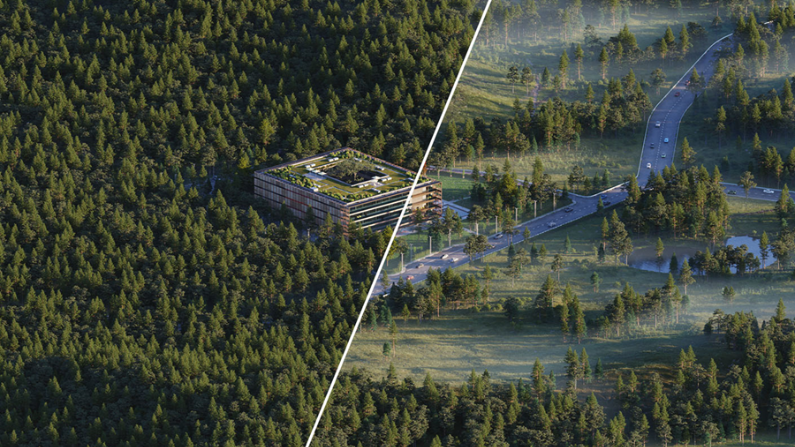
- Scatter Clustering: A conventional scatter places objects according to density, masks, slope, elevation, and randomized variation. Clustering introduces a larger organizational structure, allowing objects to gather into recognizable groups. This better reflects natural distributions, where trees form groves, flowers grow in patches, stones collect in particular areas, and undergrowth changes around paths or larger vegetation. Architectural artists can create more believable landscaping around buildings, roads, parks, and courtyards. The same system can be used for debris, crowds, product arrangements, and abstract motion-design compositions. Clustering works best when combined with multiple source objects, scale variation, rotation, color changes, exclusion zones, and density masks. Artists should inspect the result from ground level and elevated viewpoints because repeated group patterns may become visible from a distance. Update 4 also includes smaller optimization work affecting 2D displacement and scatter-heavy rendering.
- Out-of-frustum displacement quality: Displacement converts texture information into geometric surface detail at render time, allowing relatively simple meshes to become stone, terrain, brickwork, fabric, bark, or sculpted surfaces. Full displacement quality across a large scene can consume considerable memory. The camera frustum defines the region directly visible to the camera, but off-camera geometry may still cast shadows, appear in reflections, contribute to indirect light, or move into the frame during animation. V-Ray 7.4 allows artists to control displacement quality outside the camera frustum, reducing unnecessary subdivision while preserving important off-screen contributions. Large landscapes and extensive architectural surroundings may benefit from a lower off-camera setting. Aggressive reduction can still become visible in mirrors, shadows, silhouettes, global illumination, or camera moves, so still images with limited reflections can normally use stronger reductions than animation or mirror-heavy interiors.
- VFB histogram and layer changes: The V-Ray Frame Buffer now includes a histogram for visualizing how pixel values are distributed across the tonal range. It can reveal clipped highlights, crushed shadows, underexposure, narrow contrast, and imbalanced channels that may be difficult to judge on an uncalibrated display. Product artists can inspect whether studio highlights have exceeded the useful range, while interior artists can compare bright windows with dark room areas. The graph must still be interpreted in relation to exposure, viewing transforms, color management, and delivery requirements. V-Ray 7.4 also adds Foreground and Background folders to the fixed VFB layer stack to prevent Lens Effects problems when a separate image is used behind the render. Background handling is improved and clarified through the Image layer. The release also includes faster VFB Layers processing, a smaller Cryptomatte performance gain, and a correction for LightMix producing slightly negative pixel values near zero.
These features share a practical objective: they reduce the amount of unnecessary work required to reach a stable result. Quick Sun Caustics targets a difficult class of light paths, Light Cache denoising cleans indirect illumination earlier, clustering creates more natural procedural environments, displacement controls reduce off-camera memory pressure, and the VFB additions provide better analytical and compositing tools.
None of these improvements removes the need for scene evaluation. Caustics depend on credible materials and geometry. Denoising still needs sufficient source information. Clustering can create obvious patterns if variation is poorly controlled. Reduced displacement can become visible through reflections or animation, while a histogram cannot determine whether an artistic exposure choice is appropriate. Their value comes from giving experienced users more precise control over quality, performance, and presentation.
V-Ray 7.4 Compatibility, Production Testing, Bug Fixes, and Upgrade Value
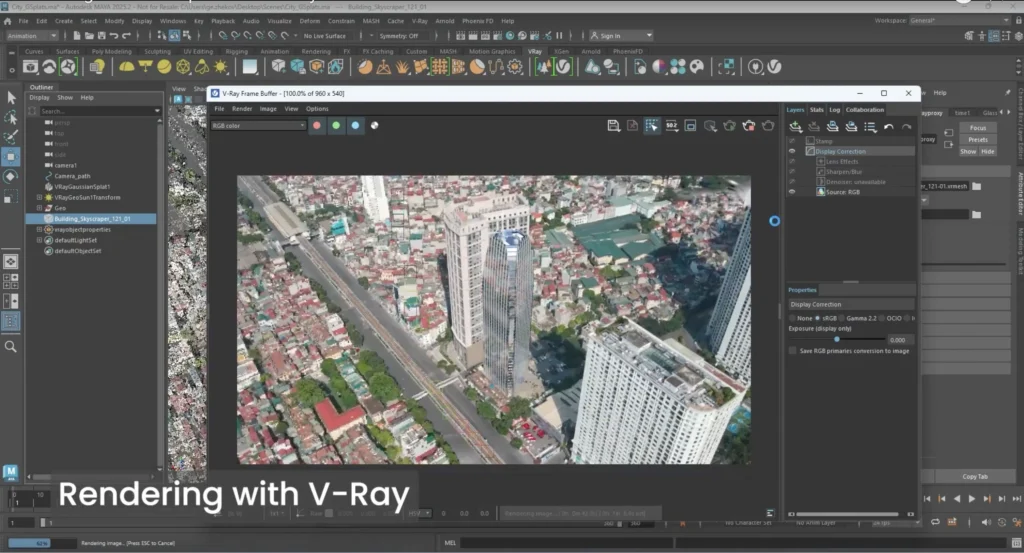
V-Ray 7.4 should be installed only after confirming compatibility with the current Cinema 4D release, operating system, graphics hardware, drivers, Chaos licensing components, render nodes, and third-party plug-ins. Supported combinations can change through maintenance builds, so the latest Chaos documentation and installer information should be treated as authoritative.
CPU rendering requires a supported 64-bit processor and enough system memory for the project. Dense displacement, volumetrics, extensive scattering, large architectural environments, Gaussian Splats, and high-resolution textures can require considerably more memory than a small product scene. Workstations must also leave headroom for Cinema 4D itself, caches, compositing applications, and other software running simultaneously.
GPU requirements depend on the chosen backend. NVIDIA users should verify supported CUDA or RTX hardware and current driver versions. AMD users should confirm that their exact GPU is covered by the new implementation rather than assuming that every Radeon model is eligible. Apple users require compatible hardware and a supported macOS release for the Metal engine.
Chaos Vantage has its own platform and hardware considerations because it depends on advanced real-time ray tracing. A computer capable of completing a V-Ray CPU render does not automatically provide the ideal configuration for Vantage inside the viewport. Artists intending to use the integrated workflow should evaluate viewport responsiveness, scene transfer, supported materials, memory use, and output consistency.
Before upgrading a production system, archive the current installer and test copies of active projects. Render farms and distributed-rendering nodes should run compatible builds. Custom scripts, OSL materials, asset libraries, render elements, color-management settings, plug-ins, and automated submission tools should also be checked.
Representative frames should be compared for lighting, materials, Gaussian Splats, displacement, motion blur, denoising, transparency, render elements, and compositing metadata. Even an update containing extensive corrections can alter output or reveal differences in scenes created under an older build. Studios in the middle of delivery should prioritize reproducibility and complete validation before replacing a stable production version.
Release Notes Fixes and Workflow Benefits
The V-Ray 7.40.00 release notes document fixes involving Gaussian Splats, opacity, Z-depth, procedural clipping masks, translucent materials, GPU caustics, Night Sky controls, textures, motion blur, distributed rendering, and deep-image samples. These corrections matter because several of the new workflows depend on Gaussian geometry being combined with traditional materials, render elements, holdouts, and layered compositing.
The upgrade is especially compelling for artists using Gaussian Splats. Relighting and proper Z-depth participation move scanned captures closer to normal production assets rather than limiting them to fixed photographic backgrounds. Architectural visualization, location reconstruction, virtual production, cultural-heritage work, and visual-effects set extensions can all benefit from the ability to place captured environments within a more controllable lighting and compositing pipeline.
Supported AMD GPU owners also have a strong reason to evaluate the release. The update may make existing hardware significantly more useful for V-Ray GPU rendering, although users should test performance, stability, memory limitations, and feature coverage before assuming that every scene will behave like an equivalent NVIDIA setup.
Chaos Vantage users gain a more immediate viewport workflow for lighting, camera development, material evaluation, and client review. Reduced switching between applications can save time even when the final images still require conventional V-Ray rendering.
The smaller additions can also justify upgrading within established pipelines. Light Cache denoising can stabilize indirect illumination, Quick Sun Caustics makes certain sunlight-driven effects easier to develop, out-of-frustum displacement controls can reduce memory consumption, and Scatter Clustering gives procedural environments more convincing structure. Faster bitmap loading and the improved VFB further reduce friction during everyday iteration.
Should You Upgrade?
A CPU-only artist working on stable projects without Gaussian Splats, Vantage, heavy displacement, difficult caustics, or large scatter systems may experience a less dramatic change. Such users do not necessarily need to replace a proven production build immediately. Testing remains more important than adopting the update solely because it is newer.
V-Ray 7.4 is best understood as a practical modernization release. It expands the available GPU hardware, brings real-time rendering closer to the primary Cinema 4D workspace, makes Gaussian Splats more controllable, and adds a collection of quality, performance, and compositing improvements that strengthen the renderer without replacing its established production workflow.
Frequently Asked Questions (FAQs)
- What is V-Ray 7.4 for Cinema 4D?
V-Ray 7.4 is V-Ray 7 for Cinema 4D Update 4, officially identified as version 7.40.00. It is a workflow-focused update that improves captured-environment integration, real-time visualization, hardware compatibility, lighting calculations and image finishing. Its major additions include Gaussian Splat relighting, AMD GPU support, Vantage rendering inside the Cinema 4D viewport, Quick Sun Caustics, Light Cache denoising, Scatter Clustering and several VFB and performance improvements. - Can V-Ray 7.4 relight Gaussian Splats?
Yes. Supported Gaussian Splats can respond to lights placed in the Cinema 4D scene, helping captured environments share a more consistent lighting direction, exposure and color treatment with newly created CG objects. Relighting does not turn a splat into a fully editable polygonal asset, however. Strong shadows, reflections or highlights captured in the original photographs may still remain visible and limit extreme lighting changes. - Does V-Ray 7.4 for Cinema 4D support AMD GPUs?
Yes. V-Ray 7.4 expands V-Ray GPU support to compatible AMD graphics cards, giving eligible Windows users an alternative to established NVIDIA CUDA and RTX workflows. Support and performance can differ according to the specific Radeon model, driver, available video memory and scene features. Artists should consult Chaos’s current compatibility information and test representative projects before changing workstation hardware or a studio rendering pipeline. - Can Chaos Vantage render inside the Cinema 4D viewport?
Yes. Update 4 allows Chaos Vantage to display its hardware-accelerated ray-traced rendering directly inside the Cinema 4D viewport. This makes it easier to explore cameras, adjust lights, evaluate materials and review environments without continually switching to a separate application window. A compatible Vantage installation, Chaos license, supported operating system and suitable ray-tracing graphics hardware are still required. - What is the Quick Sun caustics solver?
Quick Sun Caustics is a specialized solver for caustic light patterns created by sunlight passing through or reflecting from suitable surfaces. It can help produce effects such as moving light beneath water, focused illumination through glass and bright patterns from polished or curved materials more efficiently. Correct geometry, scene scale, refractive settings, surface roughness and light direction are still necessary for believable results. - What does Light Cache denoising do?
Light Cache denoising reduces noise and blotchy variation within V-Ray’s cached indirect-lighting solution before that information contributes to the completed image. Cleaning the global-illumination data at this earlier stage can produce more stable interiors and animation frames while allowing the final-image denoiser to work less aggressively. It does not replace proper Light Cache sampling, since extremely low settings may omit lighting information that denoising cannot accurately reconstruct. - Do Gaussian Splats appear in the Z-depth pass?
V-Ray 7.4 can write Gaussian Splat distance information into the Z-depth render channel. This allows captured environments to participate more naturally in depth-based compositing effects, including atmospheric fog, selective grading, focus adjustments and distance masks. Artists should still inspect translucent boundaries and configure suitable near and far depth ranges because splats consist of overlapping transparent primitives rather than solid polygonal surfaces. - What is Scatter Clustering in V-Ray 7.4?
Scatter Clustering allows procedurally distributed objects to gather into recognizable groups or patches instead of appearing evenly randomized across a surface. It can create more believable groves of trees, groups of flowers, clusters of rocks, debris fields, crowds and product arrangements. Combining clustering with different source objects, scales, rotations, colors, masks and exclusion areas helps prevent obvious repetition. - Does V-Ray 7.4 improve rendering performance?
Yes. The update improves GPU bitmap loading, including texture preparation across multiple GPUs, and adds smaller performance gains for VFB layers, Cryptomatte and 2D displacement. Out-of-frustum displacement controls can also reduce unnecessary geometric detail outside the camera’s direct view. The actual improvement depends on the project, with texture-heavy scenes, multi-GPU systems, extensive displacement and large procedural environments likely to benefit more than simple renders. - Should studios install V-Ray 7.4 during an active project?
Studios should first test V-Ray 7.4 on copies of representative production scenes rather than immediately replacing a stable installation. Tests should cover lighting, materials, Gaussian Splats, displacement, transparency, motion blur, denoising, render elements, distributed-rendering nodes and custom scripts or shaders. Once output consistency, plug-in compatibility and render-farm behavior have been confirmed, the update can be deployed with much lower risk to an active project.

Conclusion
V-Ray 7.4 for Cinema 4D adds Gaussian Splat relighting, AMD GPU support, and Vantage viewport rendering as part of a broad update aimed at modern production workflows. Its most important achievement is not any single rendering effect but the way it brings captured environments, conventional CG assets, real-time visualization, and final-frame rendering closer together.
Gaussian Splat relighting makes photographic reconstructions easier to integrate with Cinema 4D lighting, while Z-depth output extends their value into compositing. Vantage viewport rendering creates a faster route from scene editing to real-time evaluation. AMD support broadens GPU choice, and Metal shader-language support improves material workflows on macOS.
Quick Sun Caustics, Light Cache denoising, Scatter Clustering, VFB analysis tools, displacement controls, and texture-loading optimizations strengthen the release further. These features address recurring production concerns: lighting noise, scene complexity, memory pressure, slow startup, unnatural procedural distributions, and unnecessary movement between applications.
The upgrade offers the greatest value to artists working with Gaussian Splats, GPU rendering, Vantage, complex environments, or high-volume visualization. More conservative users can continue testing before deployment, but V-Ray 7.4 represents a meaningful step toward a more flexible, hardware-inclusive, and interconnected Cinema 4D rendering pipeline.
Sources and Citations
- Chaos Documentation V Ray for Cinema 4D 7.40.00 Release Notes
https://documentation.chaos.com/space/VC4D/993624093/7.40.00 - Chaos Forum V Ray 7 for Cinema 4D Update 4 Announcement and Changelog
https://forums.chaos.com/t/v-ray-7-for-cinema-4d-update-4/185958 - Chaos V Ray 7 for Cinema 4D What’s New
https://www.chaos.com/vray/cinema-4d/whats-new - Chaos V Ray for Cinema 4D Official Product Page
https://www.chaos.com/vray/cinema-4d - Chaos V Ray for Cinema 4D Key Features
https://www.chaos.com/vray/cinema-4d/features - Chaos V Ray 7 for Cinema 4D Official Release Overview
https://blog.chaos.com/v-ray-7-for-cinema-4d - Chaos V Ray GPU What’s New
https://www.chaos.com/vray-gpu/whats-new - Chaos V Ray for Cinema 4D Official Tutorials and Getting Started Resources
https://www.chaos.com/vray/cinema-4d/getting-started - Chaos Forum V Ray for Cinema 4D Announcements
https://forums.chaos.com/c/v-ray/v-ray-for-cinema-4d/v-ray-for-cinema-4d-announcements/166 - Maxon Cinema 4D Official Product Page
https://www.maxon.net/en/cinema-4d
Recommendations
- Kingdom Come: Deliverance 2 Devs Hope to Be the “New Kings” of the RPG Genre
- Stranger Things Star Millie Bobby Brown Loves GTA but Plays it Like a Law-Abiding Citizen
- Freefall ’95 Explained: Go Out in Style as You Plummet 30,000 Feet in this Roguelite Skydiving Chaos Game
- PlayStation Says God of War Laufey is Coming Soon to PS5 as New Release-Date Clue Emerges
- Paralives: How to Split a Household (step-by-Step Guide, Move Out & Manage Families Easily)
- Helldivers 2 Performance Update: Arrowhead Calls it the “Opening Salvo” for More Optimization
- Yoshi and the Mysterious Book, Even with Cute Creatures, Some Extremely Creative Ideas, and Loads to Do, There’s Something Missing at the Heart of Yoshi’s Latest Adventure
- Capcom Confirms Dragon’s Dogma 2 Expansion is Based on Wide Player Feedback
- Duskfade: Official Gameplay Demo Launch Trailer Breakdown, Release Date, Story Details, Gameplay Features and Everything We Know
- Freelance and Indie Commercial License



































































































