






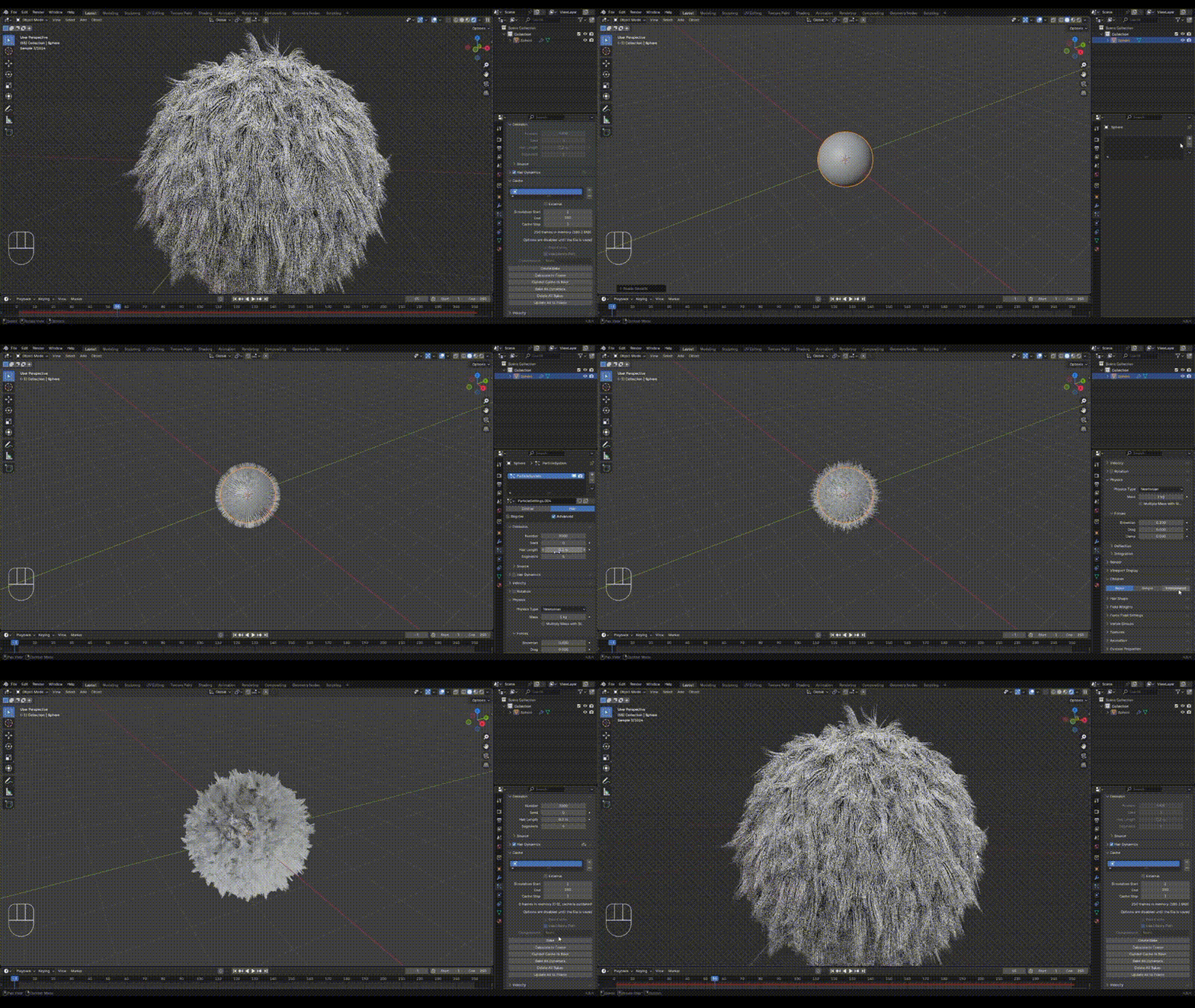
This guide detail techniques for achieving extremely soft, touchable fur and hair in Blender’s Cycles renderer by balancing particle settings, grooming, shading, and lighting.
In This Article (13 sections)
What Makes Fur and Hair Look “extremely Soft” in Blender Renders
Softness is a visual perception created by fine detail and light behavior. To achieve this, several factors must align:
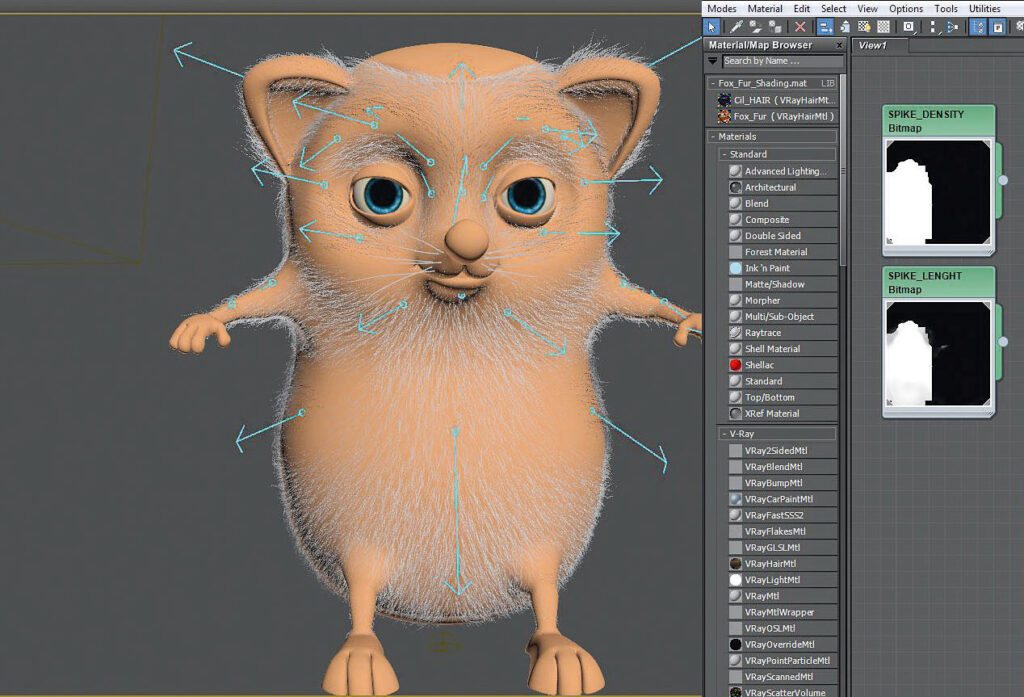
- Fine, Dense Strands: Real soft fur consists of thousands of very thin fibers. Using a high count of thin hair particles creates a continuous soft mass rather than coarse, individual spikes.
- Even Distribution and Variation: Soft fur is generally uniform but contains subtle random variations in direction, length, and color to avoid a “synthetic” look.
- Light Scattering: Soft fur often features a “halo” effect. The Principled Hair BSDF in Cycles simulates light scattering within fibers, diffusing highlights and softening shadows.
- Soft Lighting: Large area lights or HDRIs produce low-contrast shadows, enhancing the fluffy appearance, whereas small, hard lights make fur look rough.
- Depth of Field: A slight camera blur on out-of-focus strands helps blend the fur fringe into a soft silhouette.
How to Create Fluffy Fur in Blender Using Hair Particles
The particle system is the foundation for fur volume and distribution:
- Parent Hairs: Start with a few thousand parent strands to act as guides for the overall shape and flow.
- Interpolated Children: Enable Interpolated children to multiply the density (e.g., 50–100 children per parent) without slowing down the viewport.
- Initial Puff: Use Normal Velocity in the particle settings to make hairs stand up or “poof” out from the surface.
- Hair Shape: Adjust the Diameter Root and Tip. For soft fur, use very small values (e.g., 0.001m) and ensure the tip tapers to a fine point.
- Smooth Curves: Enable B-Spline and increase Steps in the Render settings to ensure every strand is a smooth curve rather than a jagged line.
Best Blender Hair Particle Children Settings for Smooth, Dense Fur
Tuning the children settings is critical for avoiding a “stringy” look:
- Display vs. Render Amount: Keep these values somewhat balanced to avoid surprises. If the render count is drastically higher than the display count, the fur may appear lumpier than expected in the final image.
- Clumping: For fluffy fur, keep Clump at or near 0. A negative clump value can make the tips fan out, increasing the “poof” factor.
- Roughness: Apply a small amount of Random or Endpoint Roughness. Endpoint roughness adds “random negative clumping” at the tips, breaking up the silhouette for a fuzzier look.
Simple vs Interpolated Children in Blender Hair Particles
- Interpolated: Emits children between parent guides across the entire mesh. This is the best mode for fur as it provides a uniform “carpet” of hair and avoids bald spots.
- Simple: Emits children in a radius strictly around each parent. This often leads to a “tufted” or “picket-fence” look unless the parent density is extremely high.
How to Stop Hair Particles from Looking Clumpy or “lumpy” in Cycles
If your fur looks “patchy” or “chunky,” try these fixes:
- Increase Parent Count: Closer parents mean children don’t have to stretch as far to fill gaps, leading to smoother interpolation.
- Zero Out Clump: Ensure the Clump setting isn’t accidentally pulling hairs into tight bundles.
- Apply Scale: Always press Ctrl+A > Scale on your model. If the scale is unapplied, hair thickness and length calculations will be inconsistent.
- Vertex Groups: Use Weight Paint to create a density map, ensuring an even distribution of parents across the mesh surface.
How to Make Fur Softer at the Tips in Blender
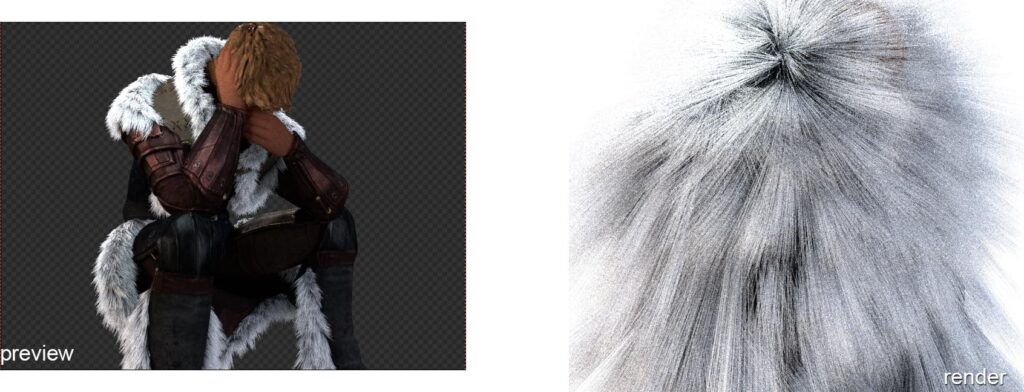
The tips define the “touchability” of the fur:
- Thin Tips: Set the Tip Diameter to a fraction of the root diameter.
- Negative Clump: Use a value like -0.2 to diverge the tips away from each other.
- Tip Fading: Use a Hair Info node in the Shader Editor to drive the transparency of the tips, making them visually “fade” away.
How to Groom Fur and Hair in Blender Particle Edit Mode
Grooming provides the artistic “flow” of the fur:
- Consistent Direction: Use the Comb tool to follow the natural growth patterns of an animal’s coat.
- Smooth Brush: Use the Smooth tool to relax any sharp bends or kinks in the guides, which prevents harsh highlights.
- Puff Tool: Use this to restore volume if the hair has been combed too flat against the surface.
How to Create Soft Fur Using Blender Hair Curves and Geometry Nodes
Blender’s modern Hair Curves (3.3+) offer procedural control via Geometry Nodes:
- Interpolate Curves Node: Procedurally generates dense child hairs between guides.
- Smooth Hair Curves Node: This node “relaxes” the control points of the hair, evening out the shape and reducing harshness.
- Noise and Frizz: Add controlled randomness to the tips using a Noise node, keeping the roots stable while the ends look soft and organic.
Principled Hair BSDF Settings for Realistic Soft Hair and Fur
The Principled Hair BSDF is essential for realistic Cycles renders:
- Melanin Mode: Use Melanin to define color (0 for white/blonde, 1 for black) for physically accurate light absorption.
- Roughness: Set Longitudinal Roughness between 0.3 and 0.5 for a soft, diffused sheen.
- Randomization: Add small amounts of Random Color and Random Roughness (e.g., 0.1) to ensure every strand is slightly different, breaking up uniform “plastic” highlights.
- Backlit Glow: The shader handles Transmission automatically, which is vital for the soft, glowing look of light-colored fur when backlit.
By recognizing these mistakes, you can check your work: Does my fur look a bit like nylon fibers? Maybe thickness is off or shading is wrong. Does the hair have a weird shine? Possibly a shader/roughness issue. Do the strands look like clumps of geometry? Could be not enough count or clumping too high. A good practice is to compare with reference photos of similar fur/hair – if your render’s hair doesn’t capture the soft light the way reference does, trace back through these factors to find what’s missing or overdone. Often, making hair look soft is about avoiding these pitfalls and using all the techniques we’ve described in balance.
Below we provide a quick FAQ to answer some burning questions related to creating soft fur and hair in Blender:
This FAQ summary covers technical solutions for optimizing the appearance, performance, and realism of fur and hair within Blender’s Cycles and Eevee engines.

Frequently Asked Questions (FAQs)
- How can I make my fur look fluffier without drastically increasing render time?
Use Interpolated Children with a render amount of 50–100 instead of increasing the parent particle count. Adding a small amount of Endpoint Roughness spreads the tips to create a fluffy look at a low computational cost. You can further optimize by using a vertex group to reduce hair density in areas outside the camera’s focus. - Which hair shader should I use for the softest-looking hair in Cycles?
The Principled Hair BSDF is the best choice for Cycles because it is physically based and simulates light scattering within the fibers. For natural results, combine this shader with Random Color and appropriate Roughness settings. While Eevee requires a manual mix of Diffuse, Translucent, and Glossy shaders, the dedicated hair shader in Cycles remains superior for photorealism. - My hair looks too shiny and plastic – what did I do wrong?
This is typically caused by low roughness or an incorrect shader. Increase the Radial Roughness in the Principled Hair BSDF to diffuse highlights. Additionally, ensure the hair has color variation and that the Clump setting isn’t grouping hairs into thick, flat surfaces that reflect light like plastic. - Why is my fur render so noisy, and how can I fix it without losing detail?
Fur creates many fine highlights that require high sample counts. Use Adaptive Sampling and a denoiser like Intel OIDN or OptiX to clean the image while preserving detail. Ensure your light sources use Multiple Importance Sampling, and consider disabling caustics to reduce “fireflies.” - My hair/fur flickers in animation. How do I get rid of that?
Flicker is usually caused by insufficient samples or inconsistent denoising between frames. To fix this:- Increase samples and lower the noise threshold.
- Use temporal denoising (such as OIDN in the Compositor with stabilization).
- Enable Persistent Data in Cycles to maintain consistency.
- Ensure children particles are not using a random seed that changes per frame.
- How can I add subtle color variations to animal fur (like darker roots or patterned fur)?
Use the Hair Info node’s Intercept output to drive a ColorRamp, mapping darker colors to the roots (0) and lighter colors to the tips (1). For patterns like spots or stripes, use an image texture mapped to the emitter’s UVs. The Random Color parameter in the Principled Hair BSDF can also be used to vary the melanin per strand for added realism. - How can I add subtle color variations to animal fur (like darker roots or patterned fur)?
Use the Hair Info node’s Intercept output to drive a ColorRamp, mapping darker colors to the roots (0) and lighter colors to the tips (1). For patterns like spots or stripes, use an image texture mapped to the emitter’s UVs. The Random Color parameter in the Principled Hair BSDF can also be used to vary the melanin per strand for added realism. - What’s the best way to make hair tips look fine and not jagged?
Set the Tip Diameter to zero or a very small fraction of the root to ensure the geometry tapers correctly. Increase Curve Subdivisions (Steps) and enable B-Spline for smoother curves. If aliasing persists, use the Intercept output to gradually fade the alpha transparency at the very tip of the hair. - What is PixelHair and can it help me if I struggle with making hair?
PixelHair is a professional collection of ready-made hair grooms (braids, afros, etc.) created by Yelzkizi. These assets come with pre-configured particle systems and materials, allowing you to add realistic hair to a character without manual grooming. They are highly customizable and can even be exported to Unreal Engine’s MetaHumans. - Do I need to upgrade to Geometry Nodes hair now for soft fur, or is the old particle hair still fine?
Both systems are currently viable for creating soft fur. Particle hair is often simpler for basic grooms and is still widely used in professional pipelines. Geometry Nodes (Hair Curves) offers more procedural control and non-destructive flexibility, representing the future of Blender’s workflow. You can achieve high-quality, soft results with either system as long as you use the Principled Hair BSDF for rendering.
Conclusion
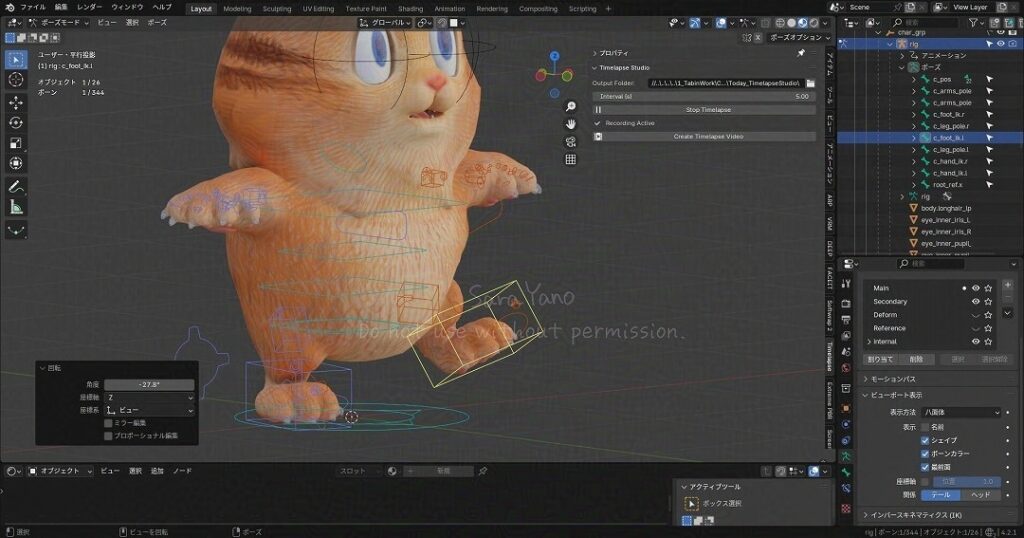
Creating extremely soft fur and hair in Blender is a multi-faceted task, but with the right approach, you can achieve stunningly realistic results. We started by understanding that softness comes from many fine strands, gentle lighting, and proper shading that mimics how real hair fibers scatter light. Using Blender’s hair particle system, we can generate fluffy fur by leveraging children particles (especially interpolated children for even coverage) and tweaking clump and roughness settings to keep the fur loose at the tips and non-lumpy overall. Grooming in Particle Edit mode further refines the softness – a smooth comb here, a puff there, and your fur gains a natural, airy flow.
With continuous improvements in Blender (like newer hair systems and better render algorithms) and third-party resources, artists have more tools than ever to create convincing soft fur and hair. Keep practicing these methods, observe real references, and don’t be afraid to use the assistance of assets or add-ons. Soon you’ll have a workflow that makes even the furriest creature or the most elaborate hairstyle appear wonderfully soft, whether it’s a still portrait or an animated sequence. Happy grooming and rendering!
Sources and Citations
- Blender StackExchange – Blender hair particles clumping in Cycles render (cause of lumpy hair with children)
- Blender 2.6 Wiki Manual – Children particles, Interpolated vs Simple description and clump/roughness definitions
- Reddit (r/blenderhelp) – Advice on making hair less rough vs soft fluffy fur (thickness, curl, color variation)
- Blender Manual (5.0) – Principled Hair BSDF documentation (melanin, random color, roughness)
- Blender Artists Community – Is it possible to have good looking fur in Eevee? (recommendations: Curves Info, Translucent shader for softness)
- Yelzkizi’s PixelHair FlippedNormals listing – Description of PixelHair using Blender particle system, volume and appearance, customizable, UE5 export
- Yelzkizi’s Blender Artists post – PixelHair release announcement (premade hairstyles, saves time)
- The View Keeper (Yelzkizi site) – Add-on features: save multiple camera shots, batch render, one camera infinite shots
- Reddit (r/blenderhelp) – Hair flicker issue advice (temporal denoising via SID, more samples)
- Blender StackExchange – Why is the root diameter not changing? (importance of being in rendered mode/Eevee hair settings)
- Blender StackExchange – How to render soft edge with hair in Cycles? (mentioned B-Spline and Steps for smoother strands)
- Blender Manual – Smooth Hair Curves Node (geometry nodes for relaxing curves, reducing irregularities)
- Reddit – General tip: if colors too even, looks synthetic; add randomness
- Blender Artists – Hair shape explanation (root, tip, scale relationships)
- Instagram/Yelzkizi – PixelHair info snippet (built on particle system today; future updates to new hair system)
Recommendations
- In 2022, Riot Games Considered a $250–$500 Million Deal to Acquire the Creators of Ashes of Creation
- Goro Abe, the Director Behind WarioWare, Has Parted Ways with Nintendo After 25+ Years
- Acer Unveils Next-Gen Predator Helios Neo Laptops Featuring RTX 50 Series GPUs and Intel Core Ultra CPUs: Full Specs, Performance, and Release Details
- Invincible VS Official Rex Splode Towel Skin Trailer: Price, How to Get the DLC, What’s Included, and Fan Reaction to the “Not Micro” Cosmetic
- How To Create A Dynamic Rain System – Unreal Engine 5 (Niagara Rain, Splashes, and Global Wetness)
- The Odyssey Trailer: Odysseus’ Dog Argos, Charlize Theron’s First Look, Tom Holland vs Robert Pattinson, and Everything We Know
- For the Second Month, Square Enix Shuts Down a Japanese Content Creator for “Harassing” Final Fantasy XIV Staff
- The 100 Greatest Video Game Quotes of All Time: Iconic Lines, Memes, and Legendary One Liners
- How do I set a camera to render in orthographic mode in Blender?
- Ved: Recure – Official Demo Launch Trailer: Steam Demo, Gameplay Breakdown, and Release Date Updates



































































































