










What is Model Context Protocol (MCP) and how it connects AI agents to Blender
Model Context Protocol (MCP) is a structured communication standard that enables AI agents to interact with external tools in a consistent and secure way. Instead of generating raw code blindly, AI systems use MCP to call predefined tools with clear inputs and outputs.
When applied to Blender, MCP acts as a bridge between an AI agent (such as Claude or Cursor) and Blender’s Python API (bpy). The AI does not directly execute arbitrary scripts; instead, it calls structured MCP tools that internally run Blender operations.
This approach allows AI-driven workflows like procedural modeling, rendering automation, and scene manipulation while maintaining control and predictability.
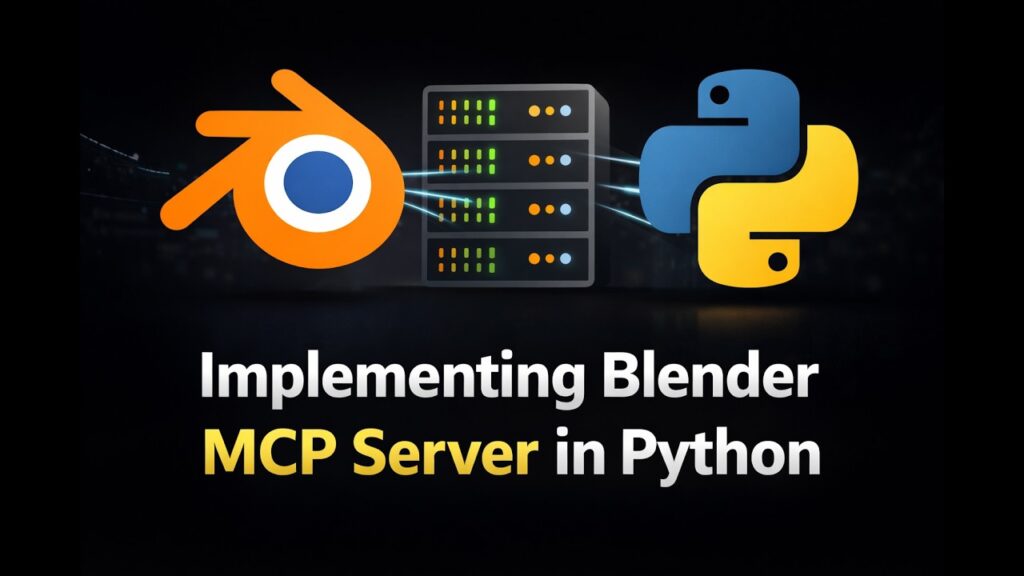
Blender MCP server architecture: Python MCP server plus Blender add-on listener
A typical Blender MCP system consists of two main components:
- Python MCP server
Runs outside Blender and exposes tools using the MCP protocol. It handles requests from AI clients and translates them into structured commands. - Blender add-on listener
Runs inside Blender and listens for incoming commands (usually via sockets or HTTP). It executes those commands usingbpy.
The architecture flow is:
- AI agent sends a tool request → MCP server
- MCP server processes and forwards → Blender add-on
- Blender executes via
bpy - Result is serialized and returned → MCP server → AI
This separation ensures Blender remains stable and prevents direct unsafe execution from AI environments.
How to install the MCP Python SDK and set up FastMCP
To begin, install the MCP Python SDK and a framework such as FastMCP.
Step-by-step:
- Install dependencies:
pip install mcp fastmcp
- Create a basic MCP server:
from fastmcp import FastMCPmcp = FastMCP("blender-mcp-server")@mcp.tool()
def ping():
    return {"status": "ok"}if __name__ == "__main__":
mcp.run()- Run the server:
python server.py
FastMCP simplifies tool registration, request handling, and transport setup.
How to create MCP tools that call Blender’s bpy API in Python
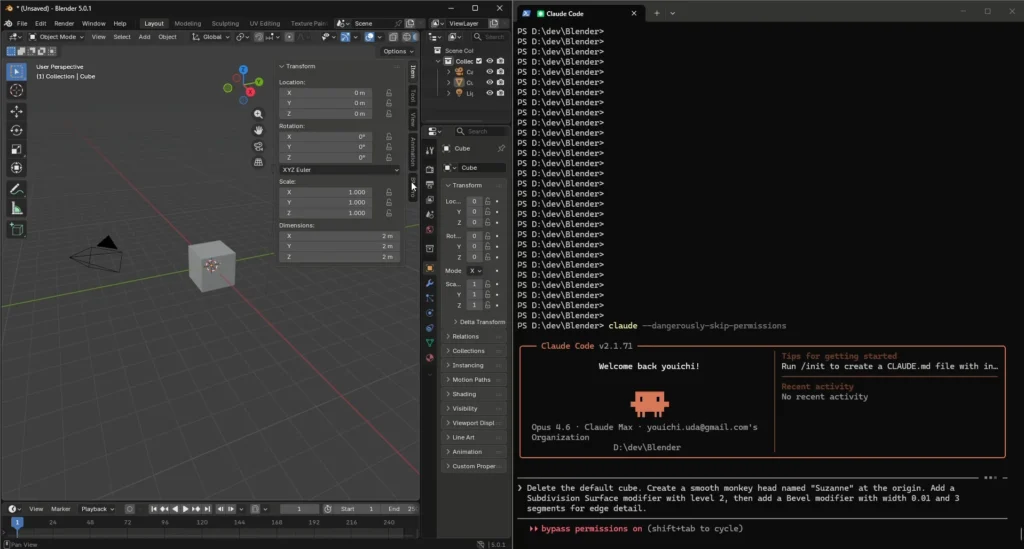
MCP tools define structured functions that the AI can call.
Example tool:
@mcp.tool()
def create_cube(location: list):
    send_to_blender({
        "action": "create_cube",
        "location": location
    })
    return {"status": "cube created"}
Inside Blender:
import bpydef handle_command(cmd):
    if cmd["action"] == "create_cube":
        bpy.ops.mesh.primitive_cube_add(location=cmd["location"])
This pattern ensures the AI interacts with Blender indirectly through controlled commands.
MCP transports for Blender: stdio vs HTTP vs SSE
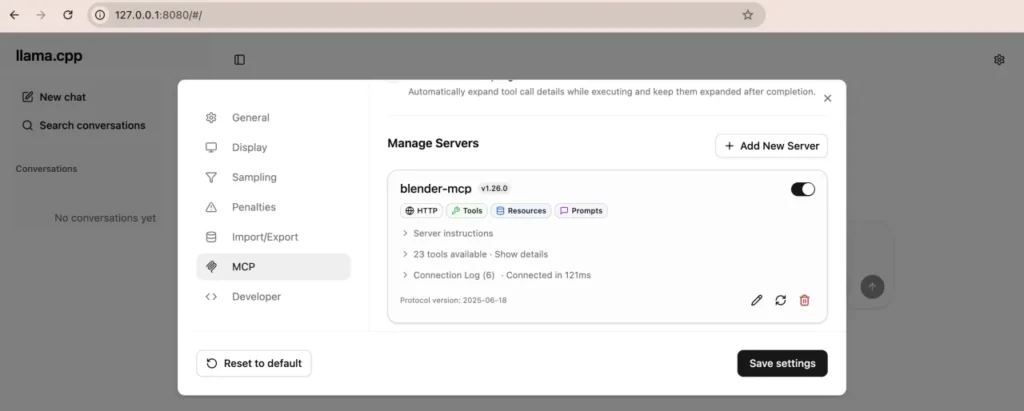
MCP supports multiple transport methods:
- stdio
Simple and local. Best for development and CLI tools. - HTTP
Suitable for remote or networked setups. Easy integration with web services. - SSE (Server-Sent Events)
Enables streaming responses, useful for long tasks like rendering.
Choosing the right transport depends on whether your setup is local, remote, or requires real-time updates.
How to build the Blender-side socket server add-on for MCP commands
Inside Blender, create an add-on that listens for MCP commands.
Example:
import socket
import threading
import bpydef listen():
    s = socket.socket()
    s.bind(("localhost", 9000))
    s.listen(1)    while True:
        conn, _ = s.accept()
        data = conn.recv(4096)
        cmd = eval(data.decode())
        handle_command(cmd)threading.Thread(target=listen, daemon=True).start()
Register this script as an add-on so it runs automatically when Blender starts.
How to serialize Blender data (objects, materials, scenes) for MCP responses
Blender data must be converted into JSON-compatible formats.
Example:
def serialize_object(obj):
    return {
        "name": obj.name,
        "location": list(obj.location),
        "scale": list(obj.scale)
    }
For materials:
def serialize_material(mat):
    return {
        "name": mat.name,
        "use_nodes": mat.use_nodes
    }
Avoid sending raw Blender objects—always convert to dictionaries or lists.
How to expose Blender operators (bpy.ops) as MCP tools safely
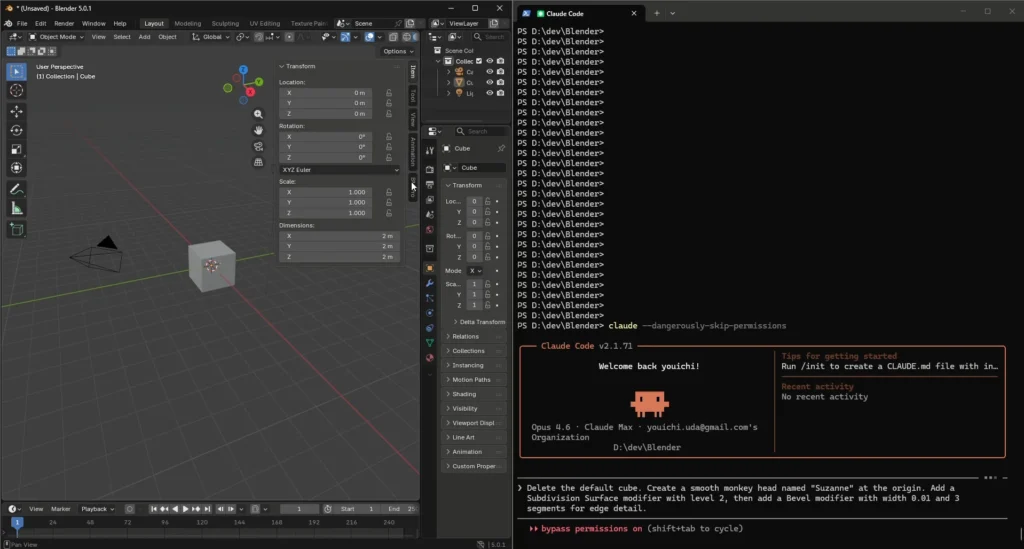
Direct exposure of bpy.ops is risky. Instead:
- Wrap each operator in a controlled function
- Validate inputs before execution
- Restrict allowed operations
Example:
@mcp.tool()
def safe_add_cube(x: float, y: float, z: float):
    if not (-100 <= x <= 100):
        return {"error": "invalid range"}    send_to_blender({
        "action": "add_cube",
        "location": [x, y, z]
    })
This prevents destructive or unintended operations.
Security risks of AI code execution in Blender and how to reduce them
Key risks include:
- Arbitrary code execution
- File system access
- Scene corruption
Mitigation strategies:
- Whitelist tools only
- Disable direct script execution
- Validate all inputs
- Run Blender in a sandboxed environment
- Use limited permissions for file access
Security is critical when exposing Blender to AI systems.
How to test a Blender MCP server with MCP Inspector
MCP Inspector is used to test tools interactively.
Steps:
- Start MCP server
- Open MCP Inspector
- Connect to the server
- Call tools manually
- Verify responses
This helps debug tool schemas and ensure correct communication.
How to connect Cursor or Claude Desktop to your Blender MCP server
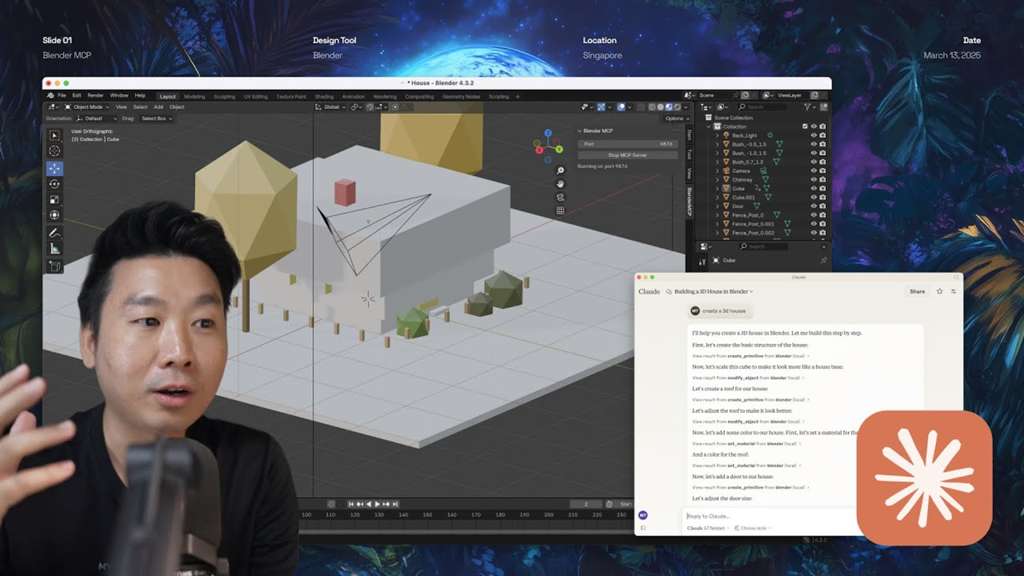
To connect an AI client:
- Add MCP server configuration:
{
  "name": "blender-mcp",
  "command": "python server.py"
}- Restart the AI client
- Ensure tools appear in the interface
- Test with simple commands like creating objects
Once connected, the AI can call Blender tools seamlessly.
Common Blender MCP automation tasks: modeling, UVs, materials, and modifiers
Typical use cases include:
- Creating primitives and procedural geometry
- Applying modifiers like subdivision or boolean
- UV unwrapping automation
- Assigning and editing materials
MCP enables batch operations and AI-assisted workflows that significantly speed up production.
How to automate rendering and progress reporting through MCP tools
Rendering can be automated with tools like:
@mcp.tool()
def render_image(filepath: str):
    send_to_blender({
        "action": "render",
        "filepath": filepath
    })
Inside Blender:
bpy.context.scene.render.filepath = filepath
bpy.ops.render.render(write_still=True)
Progress reporting can be implemented using SSE or periodic status updates.
Automating camera view switching with The View Keeper via MCP
The View Keeper can be integrated into MCP workflows to automate camera switching.
Example workflow:
- AI selects keyframes or animation moments
- MCP tool triggers camera changes
- The View Keeper ensures smooth transitions between cameras
This is especially useful for cinematic animations and automated editing pipelines.
Automating character hair workflows with PixelHair using MCP tools
PixelHair can be automated through MCP by:
- Loading preset hairstyles
- Applying them to characters
- Adjusting parameters via tool inputs
This eliminates manual grooming setup and accelerates character creation workflows, especially when generating multiple variations.
Frequently Asked Questions (FAQs)
- What is MCP in Blender?
MCP is a protocol that allows AI tools to safely interact with Blender using structured commands. - Do I need coding knowledge to use Blender MCP?
Yes, basic Python knowledge is required to set up and customize MCP tools. - Can MCP control all Blender features?
It can control most features exposed through bpy, but should be restricted for safety. - Is MCP real-time?
Yes, especially when using SSE for streaming updates. - Can I use MCP with cloud Blender setups?
Yes, using HTTP transport enables remote workflows. - Is MCP secure by default?
No, security must be implemented through validation and restrictions. - What AI tools support MCP?
Tools like Claude Desktop and Cursor support MCP integration. - Can MCP automate rendering pipelines?
Yes, including batch rendering and progress tracking. - Does MCP slow down Blender?
Minimal overhead if implemented correctly. - Can MCP be used for game asset pipelines?
Yes, it is highly useful for automating asset creation and export.

Conclusion
Implementing a Blender MCP server in Python creates a powerful bridge between AI agents and Blender’s full feature set. By combining a structured MCP server with a Blender add-on listener, developers can safely automate complex workflows such as modeling, rendering, camera control, and character setup.
With proper security, serialization, and tool design, MCP transforms Blender into an AI-augmented production environment capable of scaling workflows far beyond manual limits.
Sources and Citations
- modelcontextprotocol.io/docs FastMCP Python SDK documentation
- gofastmcp.com/getting-started/welcome Blender Python API (bpy) official documentation
- docs.blender.org/api/current Blender add-on development documentation
- developer.blender.org/docs/handbook/extensions Claude MCP integration documentation
- platform.claude.com/docs/en/agents-and-tools/mcp-connector Cursor MCP integration guides
Recommeded
- How to Create Realistic Hair Clumping in Blender: A Step-by-Step Guide
- Marvel Rivals Character Design: A Deep Dive into Visual Aesthetics and Gameplay Integration
- IO Interactive and Build A Rocket Boy End MindsEye Partnership as Hitman Crossover DLC Is Canceled
- All katsu curry recipes in Romeo Is a Dead Man: complete list, ingredients, buffs, and how to unlock them
- Hollywood Is Trying Again To Make A Metal Gear Solid Movie – Everything We Know About The New Film Adaptation
- The Animal Crossing Where Villagers Bully You Is Now (Unofficially) Available On PC: How It Works, Download Guide, and What’s Different


























































































