











Why Valve’s New $100 Steam Controller Rings Like a Phone Explained
Valve’s latest Steam Controller includes a playful “Find My Controller” feature that makes the device emit an old-fashioned phone ringtone. When you activate the ping in Steam’s interface, the controller literally rings like a telephone to help you locate it. Valve engineers say this was intentional and even humorous – one noted that the team agreed “that is a good noise and funny” and decided to keep it. In practice, it’s simply a practical convenience: if you misplace the controller under a couch cushion or in another room, the phone-like ring alerts you to its location.
Why There Is No 3.5mm Headphone Jack on Valve’s New Controller
One of the first things many players noticed is the lack of a built-in headphone jack. Valve’s designers deliberately omitted the 3.5mm port because they judged it unnecessary for most PC gamers. As Valve engineer Jeremy Slocum explains, most people already use wireless headsets or PC headsets with USB dongles, so adding a jack would “encumber the complexity of audio” without much benefit. In a technical interview, Valve admitted that including a headphone jack would be “very, very hard to productize” – it requires extra audio bandwidth and circuitry, increasing cost and design complexity. They evaluated the trade-off and ultimately chose to prioritize other features, acknowledging that while a jack has value, it “didn’t make the cut” this time.
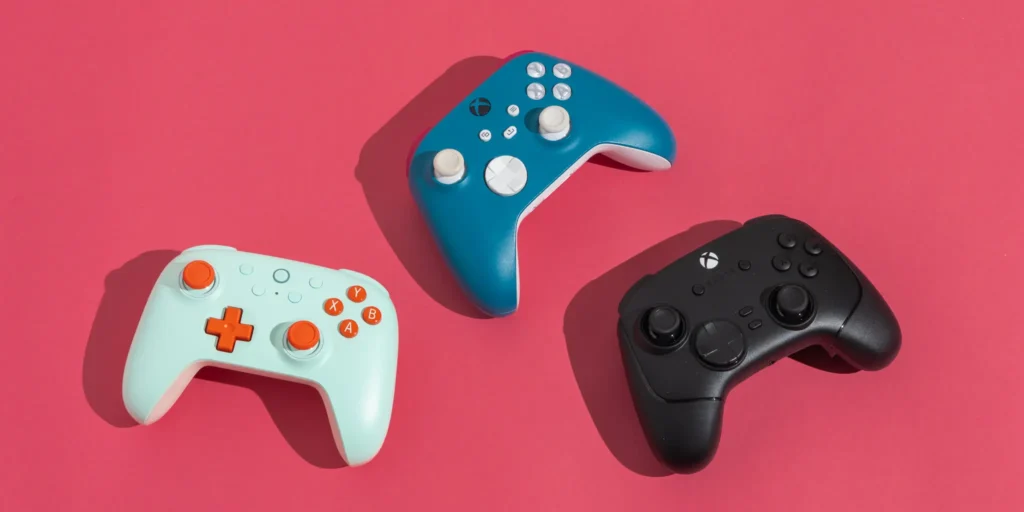
Why Valve Didn’t Call It Steam Controller 2 Despite Being a Sequel
Despite being a successor to the original 2015 Steam Controller, Valve intentionally avoided naming it “Steam Controller 2.” According to Valve’s hardware team, the new controller is essentially a ground-up redesign with a very different layout and input set. As engineer Lawrence Yang explained, the team discussed adding a “2” to the name but decided it felt like a fresh product, so they simply call it “Steam Controller” again. In their words, it’s not just an incremental update but “like a completely new product” with “a different suite of inputs,” so rebooting the name made more sense.
Full Specs and Features of Valve’s $99 Steam Controller (2026)
Valve’s 2026 Steam Controller is a feature-packed $99 gamepad designed for PC gaming. Its key specifications include:
- Price: $99 (MSRP).
- Battery and Weight: Built-in 8.39 Wh battery (~35+ hours claimed playtime), with a total weight around 292 g.
- Connectivity: Valve includes a magnetic “Steam Controller Puck” (USB-C dongle) that provides a low-latency 2.4 GHz wireless link and charges the controller. The controller also supports Bluetooth pairing and wired USB-C connections.
- Controls: Two analog thumbsticks with drift-free TMR (magnetic) sensors and capacitive touch, one on each side; a traditional D-pad (left) and ABXY face buttons (right); standard left/right bumpers and triggers.
- Trackpads: Two square, pressure-sensitive trackpads (one under each thumbstick) for mouse-like input. Each trackpad has its own haptic (LRA) motor for tactile feedback.
- Sensors: Built-in six-axis gyroscope/motion sensor. The grips have capacitive “Grip Sense” strips to detect when you hold and squeeze the controller, enabling quick on/off toggling of gyro aiming.
- Extra Buttons: Four remappable back “grip” buttons (two under each grip) for additional inputs.
- Miscellaneous: A “Steam” central button, plus View/Menu/QAM buttons; full Steam Input support (every button and input is fully remappable). Notably, the design omits a 3.5 mm headphone jack.
These specs confirm that the new Steam Controller is essentially built as a PC-first gamepad with far more inputs than a console pad, along with modern conveniences (like a rechargeable battery and wireless dongle) at its $99 price point.

How Valve’s New Controller Compares to the Original Steam Controller
The original Steam Controller (2015) was famously unconventional: it had only one analog stick and two large touchpads to emulate mouse input. By contrast, the 2026 model looks and feels much more like a traditional gamepad. It now uses two symmetrical analog sticks (one left, one right) with trackpads below them, matching layouts familiar from Xbox/PlayStation controllers.
Valve explicitly designed it to be intuitive: as engineer Lawrence Yang put it, the team wanted players to pick it up and have it “feel familiar to a traditional controller”. In essence, Valve took the PC-centric idea of the original and merged it with the conventional form of the Steam Deck. The result is a controller that retains PC-friendly features (touchpads, gyro, full remapping) but is ergonomically and visually similar to a modern console pad, removing the steep learning curve many had with the first-generation Steam Controller.
Steam Controller 2026 vs DualSense Controller: Key Differences Explained
While Sony’s DualSense (PS5 controller) and Valve’s Steam Controller both cost in the same ballpark, there are clear differences. Price-wise, a DualSense sells for about $75–85, whereas the Steam Controller is $99. The DualSense is lighter and includes adaptive trigger features and built-in microphone, but it lacks any trackpads or extra buttons beyond the norm. By contrast, Valve’s controller adds two large trackpads and four rear grip buttons – inputs that the DualSense Edge (or Xbox Elite) must add via optional modules.
Valve’s controller uses drift-free magnetic sticks and offers a much longer battery life (~35+ hours) than the DualSense (~6–12 hours typical). However, unlike the DualSense, the Steam Controller does not have a headset jack or microphone. Functionally, the Steam Controller is also PC-centric: it works only with Steam-enabled devices (Windows PC, Mac, Steam Deck, etc.) and not directly with consoles. In summary, the Steam Controller undercuts high-end pads on price and adds unique inputs (trackpads, grip buttons), whereas the DualSense focuses on console gaming features.
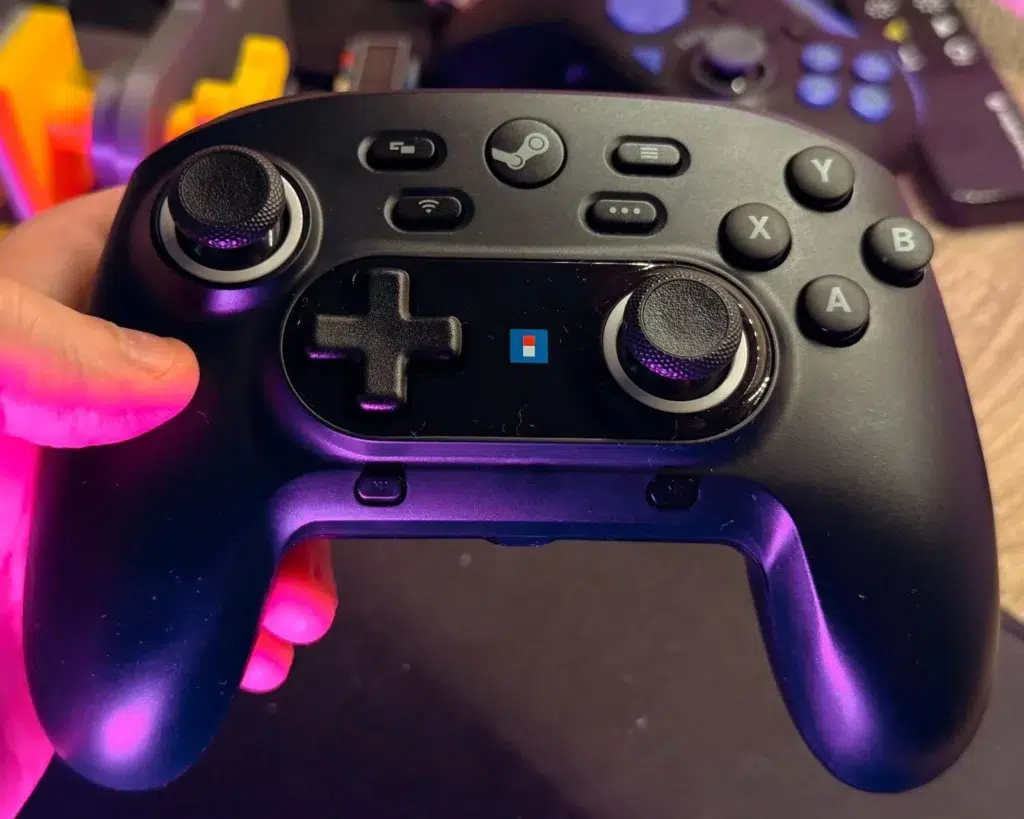
What Makes Valve’s New Controller Different from Traditional Gamepads
Valve’s controller sits between a standard pad and a specialized PC controller. Compared to an Xbox or PlayStation pad, it offers many more built-in inputs: dual haptic touchpads, extra back buttons, gyro sensing, and adjustable thumbstick tech. It also has the magnetic charging/adapter Puck, rather than a simple USB dongle. Unlike most gamepads, it requires Steam to unlock these features – it uses Valve’s Steam Input software to map all buttons and can even emulate a mouse in BIOS mode.
As one Valve engineer noted, it’s designed to be the “exact same layout as the Deck” plus enhancements, meaning its target audience is PC gamers who want mouse/keyboard flexibility on the sofa. In essence, it is more fully featured than a standard console pad (without requiring the custom hardware of an elite controller). However, this also means it isn’t a drop-in replacement for console use – it’s built around Steam’s ecosystem.
Why Valve Focused on Customization Over Audio Features
Valve intentionally built the new controller with hobbyists and tinkerers in mind. The casing is very easy to disassemble (just seven Torx screws, no plastic clips), meaning owners can readily open it to replace parts or swap in custom buttons. Valve even plans to release the controller’s design files – 3D models of the shell and dongle – so that community members can 3D-print their own modifications or mounts. These choices underscore Valve’s philosophy: they prefer to empower user customization and flexibility rather than packing in extra components that many users won’t need (like an audio jack).
In practice, this means engineering effort was directed toward making the controller hackable and software-remappable. For example, where a smartphone maker might remove a headphone jack to save space/cost, Valve instead removed the jack and told press that accommodating it was “very hard to productize” – freeing up design budget to add features like capacitive Grip Sense and TMR sticks instead.

How the Steam Controller Integrates with the Steam Deck Ecosystem
A key selling point is that the new controller is tightly integrated with Steam’s existing hardware ecosystem. Valve has made it so that all the community controller configs built for the Steam Deck “work out of the box” on the new Steam Controller. In other words, any layout, profile or custom mapping you’ve downloaded for the Deck will automatically apply to the controller – Valve even says thousands of titles will have pre-populated Steam Input profiles ready to go.
This seamless compatibility means a Deck owner can pick up the new controller and immediately use their familiar setups. More broadly, the controller is a full member of SteamOS/Steam Input; it works with Windows, macOS, Linux, and Valve’s own Steam Deck and Steam Machine platforms (and even Steam Link streaming to iOS/Android) via either Bluetooth, USB-C, or the Puck. Essentially, Valve built it to be the standard “Steam gamepad” – whenever and wherever you play Steam, your button layouts and profiles follow you.
Is Valve’s $100 Controller Worth It Compared to Competitors?
Opinions vary. Many note that $99 puts this controller well above the price of a standard Xbox or PS pad. In fact, one commenter joked they paid only $2 for the original Steam Controller and will “wait for it to drop” rather than pay full price now. On the other hand, at $99 it undercuts the cost of high-end pro controllers (Xbox Elite Series 2, DualSense Edge, etc.) while offering a richer feature set.
Tech reviewers point out that if you just want a simple plug-and-play pad, cheaper alternatives (even 8BitDo or GameSir controllers around $40–60) will serve most needs. But for those who will exploit its unique PC-focused features – the fully remappable inputs, trackpads, and integration with Steam – the extra cost may be justified. In short, it offers more “bang for the buck” than a basic controller, as long as you value what makes it special.
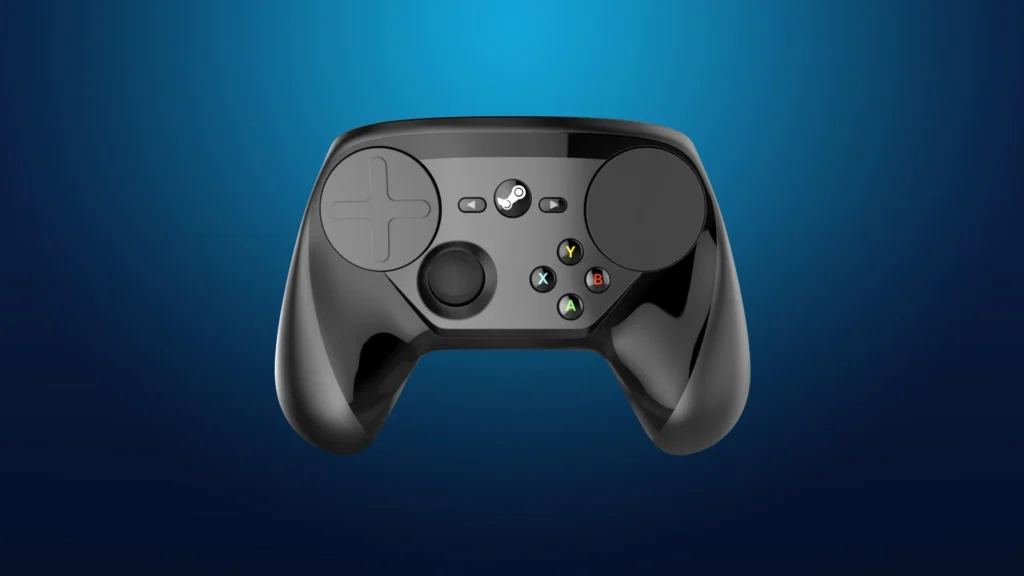
Why Valve Removed the Headphone Jack: Cost and Design Trade-Offs
As discussed above, dropping the 3.5mm jack was an intentional trade-off. By omitting it, Valve saved on internal space, hardware complexity, and cost. Valve engineer Pierre-Loup Griffais told press that adding a headphone jack would require significant audio bandwidth and circuitry, and they chose to focus budget on other features instead. In practice, this means players must use wireless (Bluetooth or USB-dongle) headsets if they want game audio/headset chat while using the controller. Valve clearly knew this would be disappointing to some, but judged that most PC gamers already adopt those solutions, allowing them to simplify the controller’s design.
What the “Phone-Like Ring” Feature Means for Gamers
The “phone-ring” ping is simply a built-in locator. When you select “Ping Controller” in Steam, the controller vibrates and plays a loud ring-tone (an actual retro phone ring) so you can find it in the couch cushions. It doesn’t add any gameplay functionality beyond that – it’s just a practical convenience. Valve embraced the silliness of the sound: as one team member put it, they were fine with the quirky ringtone because it was “funny”. For gamers, it means you have one less reason to lose sleep over a missing controller – if it’s nearby, just ping it and follow the ring.

Release Date, Price, and Availability of Valve’s New Steam Controller
Valve officially launched the new Steam Controller on May 4, 2026, at a price of $99 in the U.S.. It is sold directly through Steam (online only), with the U.S. price at $99 and equivalent pricing in other regions (e.g. £85 in the UK). (The controller is not available in retail stores.) In short, it became available worldwide on May 4, 2026, alongside Valve’s other new hardware, and can be pre-ordered or purchased via the Steam store for $99.
Pros and Cons of Valve’s 2026 Steam Controller Design
- Pros: Reviewers highlight its ergonomic comfort and familiar feel. Kotaku’s editor called it “one of my favorite controllers” thanks to its comfortable shape, grippy buttons, and USB-powered Puck charger. The controller “just works” in terms of hardware quality and input design: Game Developer notes its improved D-pad, well-placed back buttons, and plug-and-play Puck charger as testament to Valve’s careful design. Its extensive configurability (each button, stick, and pad is remappable via Steam) and mod-friendly construction (easy access for repairs or mods) are major strengths. The inclusion of magnetic drift-free sticks and high-definition haptics also add to its durability and premium feel. Finally, being tightly integrated with the Steam ecosystem (compatible with Deck, Steam Machine, etc.) is a plus for Valve fans.
- Cons: On the downside, it lacks features that some gamers miss. Most glaringly, there is no headphone jack. It’s also Steam-only and PC-only (not compatible with consoles), so it doesn’t serve multi-platform use. At $99, it’s considerably more expensive than a standard Xbox or PlayStation controller, which puts it out of reach for casual buyers; some reviewers note that cheaper controllers exist for general use. The controller’s many features also mean a steeper learning curve: if you just want a plug-and-play pad, Valve’s controller can feel overly complex. In summary, its pros are in comfort, build, and customizability, while its cons lie in cost, missing audio features, and platform restrictions.

Community Reactions to Valve’s $100 Controller on Reddit and Beyond
Online response has been mixed. Many players are excited about the feature set but disappointed in the omissions. For example, one Reddit user noted, “Sucks there’s no headphone jack” even while praising the utility of the trackpads. Others pointed out the $100 price tag: one commenter said they “got [their] last Steam Controller for $2” on sale and will wait for a similar deal before upgrading.
At the same time, some have defended the price by comparing it to high-end controllers: one user argued the Steam Controller “should be compared to the DualSense Edge or Xbox Elite” and is actually cheaper than those for the features provided. Overall, the community conversation reflects cautious optimism – fans appreciate the comfortable design and powerful customization, but many are watching to see how Valve supports it (price cuts, accessibility, etc.) post-launch.
Frequently Asked Questions (FAQs)
- What is the price and release date of the new Steam Controller?
Valve released the Steam Controller on May 4, 2026. The MSRP is $99 in the U.S. (roughly £85 in the UK). It is sold exclusively through Steam’s online store. - Does the new Steam Controller have a headphone jack?
No, it does not include a 3.5 mm headphone jack. Valve chose to omit the jack for cost and design reasons. They noted that most PC gamers already use Bluetooth or USB dongle headsets, and adding the audio port would have required extra hardware and complexity. - What is the battery life?
Valve claims 35+ hours of gameplay on a full charge under normal use. The controller has an internal 8.39 Wh battery, and the included Puck can charge it magnetically when docked. Heavy use of features like gyro tracking or high-amplitude haptics may reduce that runtime. - How do I connect the Steam Controller to my PC or device?
You can connect in three ways: the Steam Controller Puck (a USB-C dongle) for proprietary 2.4 GHz wireless, standard Bluetooth, or a wired USB-C cable. To use Bluetooth, hold the “B” button and the right bumper to enter pairing mode. The default method is via the included Puck, which also serves as the charging dock. - What is the Steam Controller “Puck”?
The Puck is Valve’s unique magnetic USB adapter/charger. You plug the Puck into a PC’s USB-C port; it becomes a 2.4 GHz wireless receiver with very low latency and can host up to four controllers. The Steam Controller magnetically docks on top of the Puck to charge. Essentially, it functions like a wireless dongle and charging dock in one. - Can I use this controller on consoles (e.g. PS5, Xbox)?
No. Valve has stated the Steam Controller is not compatible with gaming consoles. On non-Steam platforms (Windows/macOS) it will only function if you run games through Steam; otherwise the system sees it as a generic USB mouse. If you need a controller that works on both PC and consoles, a standard Xbox or PlayStation pad would be better. - What are the controller’s key input features?
It includes two clickable touchpads (for precise cursor/mouse control) and four high-definition rumble motors (one under each touchpad and one in each grip). It also has two analog sticks (with magnetic drift-free sensors), a D-pad, ABXY face buttons, L/R triggers, L/R bumpers, and four rear “grip” buttons. Additionally, a 6-axis gyro provides motion/aiming input, and capacitive grip sensors detect when you hold the controller. In short, it has more inputs than a typical gamepad. - Does the Steam Controller work with non-Steam games?
Yes. Any game you run through the Steam client can be controlled by the Steam Controller. Valve recommends adding non-Steam games to your Steam library (via “Add a Non-Steam Game”) and launching them through Steam to use the controller. In practice, it has been tested working with games from other platforms (like Epic Games Store), though outside of Steam they behave like a generic controller. - Is the Steam Controller customizable or mod-friendly?
Absolutely. Valve designed it to be easy to open and modify: only a simple Torx screwdriver is needed to remove the shell. They even plan to release CAD/3D files of the controller’s casing and dongle, so you can 3D-print custom parts or mounts. Software-wise, Steam Input lets you fully remap every button, stick, and pad to your preference. - How does the “phone-like ring” feature work?
Within Steam’s interface, there is a “Find Controller” option. Activating this makes the Steam Controller vibrate and play a loud ring tone (the sound of a ringing telephone) until you acknowledge it. It’s just meant to help you locate the controller if it’s lost. The sound itself was chosen for its humor and clarity – Valve’s team joked that when they heard the old-school ringtone, “we were all like, that is a good noise and funny” and decided to keep it.
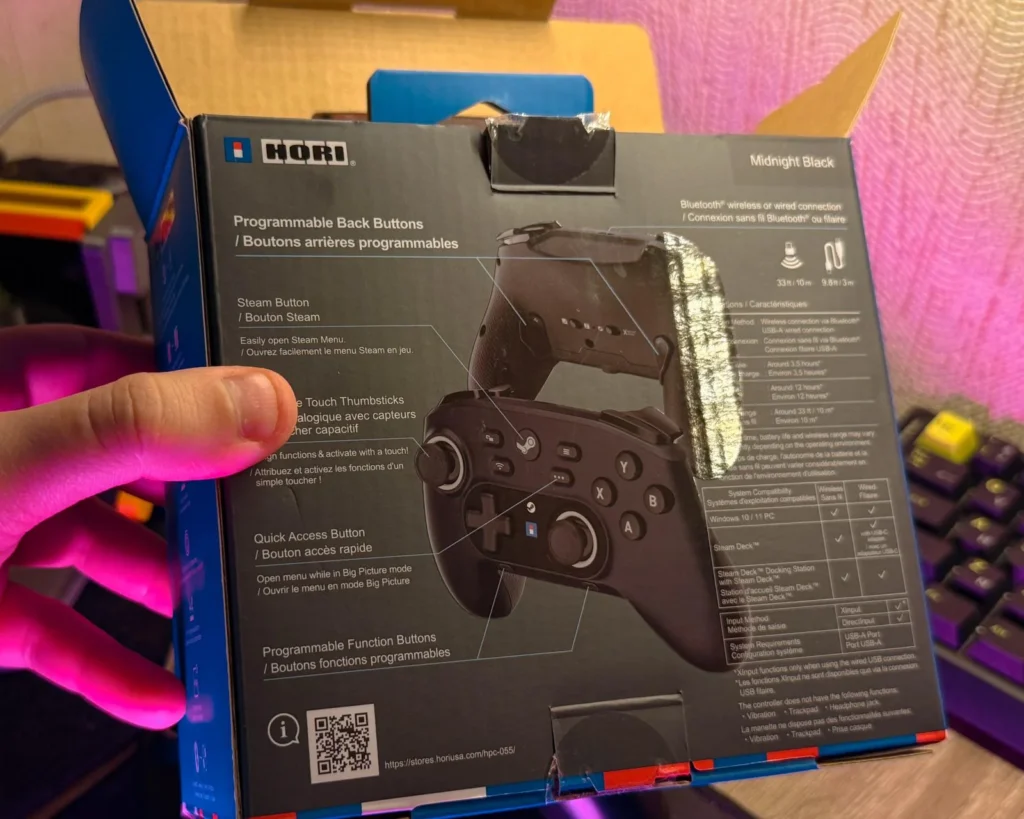
Conclusion
Valve’s new Steam Controller is a major evolution of their original gamepad, built to deliver console-like familiarity with PC-grade flexibility. Early reviews note that it inherits the best of the Steam Deck – responsive inputs, long battery life, and full remapping – while fixing many of the old controller’s ergonomic quirks. Its extras (touchpads, grip buttons, advanced sensors) make it uniquely powerful for PC gaming, especially when used within Steam’s ecosystem.
However, the $99 price and omissions (no headset jack, no console support) mean it’s not the perfect fit for everyone. In the end, it seems poised to delight Steam Deck owners and customization enthusiasts who will take full advantage of its features, while more casual gamers might find a cheaper controller to suit their needs.
Sources and Citations
- Kotaku “Why Valve’s New $100 Controller Rings Like A Phone, Lacks A 3.5 Jack, And Isn’t Called The Steam Controller 2”
https://kotaku.com - Tom’s Hardware “Valve Steam Controller review Every input to PC game from the sofa”
https://www.tomshardware.com - PCQuest “Valve’s new Steam Controller arrives as PC gaming hardware faces a reality check”
https://www.pcquest.com - The Shortcut Substack “Valve Steam Controller $99 May 4 release”
https://www.theshortcut.com - SteamDeckHQ Valve hardware blog “Valve’s second attempt at creating a perfect PC controller”
https://steamdeckhq.com - Game Developer “Millimeters matter Making the Steam Controller just work”
https://www.gamedeveloper.com - WindowsForum thread “Valve Steam Controller 2026 Puck radio Grip Sense and Steam Input parity”
https://windowsforum.com - TechRadar “Valve Steam Controller 2026 review”
https://www.techradar.com
Recommended
- Autodesk Releases 3ds Max 2027: New Features, Release Notes, and What’s New
- Xbox Project Helix Could Be A Make-Or-Break Moment For Microsoft: Release Date Rumors, Specs, Price, And Everything We Know
- Pokopia Metacritic Score Explained: Why It’s 2026’s Highest-Rated Pokémon Game and the Best Pokémon Title of All Time
- Simplifying Camera Control in Blender with The View Keeper Plugin
- Diablo 4: Lord of Hatred Gameplay Reaction – Everything Revealed About Mephisto, New Features, and Release Date
- The iGaming Market in Alberta Will Begin to Be Regulated as Canada’s Next Big Online Gambling Market Opens
- The Ultimate Guide to Hair for Games: Techniques, Tools, and Trends
- How do I create a dolly zoom effect in Blender?
- The Internet Reacts To The First Photo Of Amazon’s God Of War: Ryan Hurst’s Kratos First Look Sparks Memes, Backlash, and Debate
- Marvel Heroes Omega 1.0: What It Is, How It Works, and How Players Are Bringing the Game Back






















































































