





In This Article (9 sections)
Battlefield 6 Season 4 PC Crash Issue and Fix Explained
Battlefield 6 is crashing on PC after Season 4 because the update introduced a rendering workload that exposed a compatibility problem between the game and certain NVIDIA driver configurations. EA’s investigation connected the crashes with maps containing large bodies of water, while reports were especially common on GeForce RTX 50 Series systems. EA did not confirm that every NVIDIA GPU was affected, identify a defective graphics card model, or state that the issue was caused entirely by the game, the driver, or a specific graphics setting.
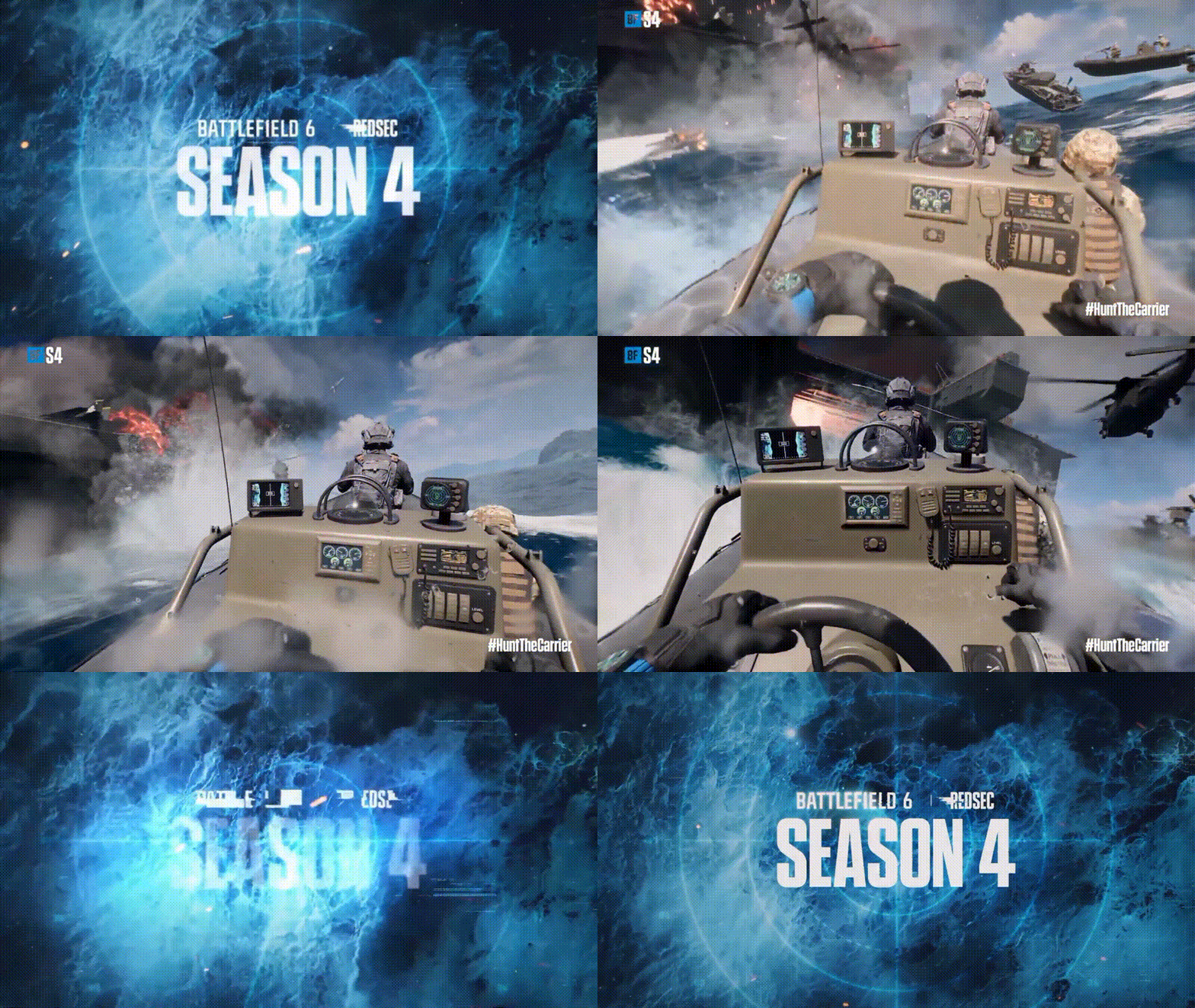
The issue began when Pacific Front launched on July 21, 2026. The required Game Update 1.4.1.0 became available earlier that day, while the Season 4 content, including Tsuru Reef and the dynamic wave system, went live at 12:00 UTC. The update significantly expanded Battlefield 6’s use of water-based gameplay by introducing dynamic waves, revised swimming physics and animations, expanded underwater interactions, changed projectile behavior in water, improved effects created by boats and amphibious vehicles, and added support for several NVIDIA DLSS features.
Tsuru Reef created a particularly demanding scenario because it combines large areas of animated ocean with boats, aircraft, vegetation, islands, explosions, particles, and long-distance scenery. This combination does not prove that the water simulation itself was broken, but it explains why Season 4 created a different workload from previous Battlefield 6 maps. A driver can remain stable during normal gameplay but fail when a new environment introduces a different combination of shaders, reflections, resource-management behavior, frame-generation features, or compute operations.
Affected players reported crashes to the desktop, DirectX errors, frozen frames, temporary black screens, and graphics-driver resets. Tsuru Reef was the map most commonly associated with the problem because it was the new Season 4 battlefield specifically designed around open-ocean combat.
Battlefield Studios confirmed that it was investigating GPU driver crashes on maps with large bodies of water. The company said its available data pointed toward NVIDIA GPUs and that reports were more concentrated among RTX 50 Series cards. However, it did not state that every RTX 50 Series system was affected, that AMD hardware could not experience crashes, or that every crash reported after Season 4 had the same cause. The confirmed issue was a specific pattern involving NVIDIA driver crashes on water-heavy maps.
NVIDIA’s later driver update also indicates that driver-level configuration was part of the resolution. On July 28, NVIDIA released driver 610.88 and later confirmed that it deployed an over-the-air Battlefield 6 application profile for systems using that driver. Application profiles can modify how the driver handles an individual game without requiring a full Battlefield 6 client update. NVIDIA described the profile as a resolution for crashes experienced by some Battlefield 6 players, although it did not reveal the exact setting that changed.
Before the newer driver solution, EA recommended that affected players install NVIDIA driver 596.49, a WHQL Game Ready Driver released on May 12, 2026. Players were also asked to provide their GPU model, installed driver version, affected map, and crash-report information if the problem continued. The earlier rollback recommendation was an interim workaround, while driver 610.88 with the updated application profile represents the newer targeted fix.
The exact cause of the crashes has not been publicly confirmed. While the timing of the issue, the water-heavy Season 4 content, and NVIDIA’s driver profile suggest a compatibility problem involving the updated rendering workload, it remains unconfirmed whether one specific water effect, DLSS feature, shader, RTX setting, or another individual component triggered all cases.

Battlefield 6 Season 4 PC Crashes Explained and Affected Maps
Battlefield 6 is crashing on PC after Season 4 because the update introduced a rendering workload that exposed a compatibility issue between the game and certain NVIDIA driver configurations. EA’s investigation linked the crashes to maps with large bodies of water, with reports especially common on GeForce RTX 50 Series systems. EA did not confirm that every NVIDIA GPU was affected or identify one specific cause involving the game, driver, or graphics setting.
The issue began when Pacific Front launched on July 21, 2026. Game Update 1.4.1.0 added the dynamic wave system, revised swimming physics, underwater interactions, updated water effects, and new NVIDIA DLSS features. Tsuru Reef became the main example because it combines open ocean, boats, aircraft, vegetation, islands, explosions, particles, and long-distance scenery in one battlefield.
EA confirmed that it was investigating GPU driver crashes on maps with large bodies of water and said reports were concentrated among NVIDIA GPUs, especially RTX 50 Series cards. The company did not state that every water map would crash or that all reported crashes had the same cause. Tsuru Reef is the only confirmed affected map because EA specifically named it, although other water-heavy areas could potentially create similar conditions.
The problem does not prove that the water simulation itself was broken. Instead, Tsuru Reef appears to expose a compatibility issue involving how the game and affected drivers handle certain rendering operations. NVIDIA’s Battlefield 6 application profile for driver 610.88 suggests that driver-level changes were part of the solution, although NVIDIA has not revealed the exact setting that was changed.
Players experiencing crashes should record the affected map and conditions. If the issue only happens on Tsuru Reef, it matches the known Season 4 pattern. Crashes across all maps, menus, or other games may indicate a separate driver, hardware, file, or system problem.
The DXGI_ERROR_DEVICE_HUNG message means DirectX could no longer continue sending work to the graphics device. It can appear because of a game issue, driver problem, unstable overclock, corrupted installation, hardware instability, or another compatibility problem. In this case, the timing after Season 4, the water-map pattern, EA’s investigation, and NVIDIA’s driver profile provide stronger evidence of a game-and-driver compatibility issue.
How to Fix Battlefield 6 Season 4 Crashes on PC
The main fix is installing NVIDIA GeForce Game Ready Driver 610.88. After installation, players should restart their PC and remain connected to the internet because NVIDIA’s Battlefield 6 application profile may need to download after signing into Windows. Players should confirm the driver version before testing Battlefield 6 again.
If crashes continue, players can try NVIDIA driver 596.49, which was EA’s original official workaround. Returning GPU, CPU, and RAM settings to default is also recommended because overclocks or undervolts can make troubleshooting more difficult.
Players should close monitoring tools, recording software, overlays, and other applications that interact with the graphics driver. Repairing Battlefield 6 files through the EA app or another platform’s file verification system can also help rule out corrupted game files.
Graphics settings can be used as temporary troubleshooting steps. Disabling frame generation, Multi Frame Generation, overlays, or other advanced features may reduce crashes, while lowering settings or capping the frame rate can reduce pressure on the rendering pipeline. These changes should be treated as temporary tests rather than confirmed solutions.
Until the issue is resolved, players can avoid Tsuru Reef or other water-heavy maps. This does not fix the underlying problem, but it can reduce repeated crashes while testing drivers and system changes.

Battlefield 6 Season 4 Crash Fixes, Driver Rollback, and EA/NVIDIA Response
The Battlefield 6 Season 4 PC crashes led EA and NVIDIA to investigate a compatibility issue involving NVIDIA GPU drivers, particularly on water-heavy maps such as Tsuru Reef. EA recommended NVIDIA driver 596.49 as a temporary workaround while the issue was being investigated, but the company did not consider it a guaranteed solution for every affected player. Players who continued crashing on 596.49 were asked to provide their GPU model, driver version, affected map, and crash details to help identify the cause.
NVIDIA later released driver 610.88 on July 28, 2026, followed by a Battlefield 6 application profile delivered through its driver system. The profile was intended to resolve crashes experienced by some Battlefield 6 players. Because the fix was handled through an application profile, players may not see identical results immediately after installing the same driver. A system that has not yet received the updated profile may behave differently from one that has restarted, signed into Windows, and completed the profile update process.
The current recommended approach is to test driver 610.88 with the updated Battlefield 6 profile first. If the crashes continue, driver 596.49 remains a fallback option. The older driver can help determine whether the issue is related to the newer driver branch, although it does not confirm the exact cause of the crash.
To roll back to NVIDIA driver 596.49, players can use Windows Device Manager by opening Device Manager, expanding Display adapters, selecting the NVIDIA GPU, opening Properties, choosing the Driver tab, and selecting Roll Back Driver. However, this may only restore the previous driver stored by Windows rather than specifically returning to 596.49. If the correct version is not restored, players will need to manually install 596.49 through NVIDIA’s official driver search.
For a manual installation, players should select their GPU model, operating system, and driver type through NVIDIA’s official driver page, then download GeForce Game Ready Driver 596.49. Before installation, Battlefield 6, the EA app, browsers, monitoring tools, overclocking utilities, and other accelerated applications should be closed. During installation, players should choose the custom installation option and enable a clean installation before restarting the PC.
After the rollback, players should confirm that driver 596.49 is installed before testing Battlefield 6. Windows Update or the NVIDIA App may attempt to install a newer driver again, so the version should be checked if crashes return. However, rollback should only be considered a temporary compatibility measure because older drivers may not include newer game profiles, security updates, or performance improvements.
Battlefield 6 Update 1.4.1.0 Issues and How to Report GPU Crashes
Battlefield 6 Game Update 1.4.1.0 launched on July 21, 2026 as the required update for Season 4: Pacific Front. The patch introduced Tsuru Reef, naval combat, the RCB-90 Patrol Boat, the 7.7m NSW RHIB, the dynamic wave system, new weapons, REDSEC updates, Portal additions, and several gameplay changes.
Water received major technical changes in the update. Swimming received new animations and physics, players gained the ability to drag and revive teammates in water, and underwater visibility and spotting systems were revised. Boat and amphibious-vehicle effects were improved, while projectile behavior was changed so bullets lose damage when traveling through water. The update also expanded NVIDIA support with additional DLSS Multi Frame Generation options, Dynamic Multi Frame Generation, and V-Sync support with NVIDIA frame-generation features.
These changes do not prove that a specific feature caused the crashes, but they show that Season 4 introduced several changes to Battlefield 6’s rendering and water systems at the same time. The crash issue should be described as a problem exposed after Update 1.4.1.0 rather than proof that the entire update was broken. Many players continued playing normally, while a specific group experienced repeated driver failures.
Players experiencing crashes should provide detailed information when reporting the issue to EA. A useful report should include the exact GPU model, installed driver version, affected map, game mode, and what was happening before the crash. Details such as swimming, flying over water, driving boats, opening menus, or whether the crash only happens on Tsuru Reef can help identify patterns.
Reports should include the full DirectX error message if available, such as DXGI_ERROR_DEVICE_HUNG, GetDeviceRemovedReason, timeout messages, or driver-related errors. Players should also mention whether the screen went black, whether Windows recovered the graphics driver, and whether a full restart was required.
A DxDiag report can provide additional information about the processor, memory, GPU, driver version, DirectX version, and system errors. Players can create one by searching for dxdiag in Windows, opening the DirectX Diagnostic Tool, allowing the scan to complete, selecting Save All Information, and attaching the file to their support report.
The report should also include Battlefield 6 graphics settings, resolution, DLSS configuration, frame-generation settings, V-Sync status, frame-rate cap, overlays, and any overclock or undervolt settings. Explaining which fixes were tested and whether they changed the results gives EA and NVIDIA more useful information than simply reporting that the game crashed.

Frequently Asked Questions (FAQs)
- What is the main cause of Battlefield 6 Season 4 PC crashes?
The confirmed pattern is a GPU driver compatibility problem affecting some NVIDIA systems on maps with large bodies of water. Reports were concentrated among RTX 50 Series users, with Tsuru Reef identified as the clearest example because of its extensive ocean systems and naval gameplay. However, EA and NVIDIA did not confirm that one specific shader, graphics setting, water effect, or hardware model was responsible for every crash. The issue appears to involve how the game and certain driver configurations interact under specific workloads. - What is the best current fix for Battlefield 6 crashes?
The current recommended fix is to install NVIDIA GeForce Game Ready Driver 610.88, restart the PC, sign in to Windows while connected to the internet, and allow NVIDIA’s Battlefield 6 application profile to download. NVIDIA delivered this profile separately from the main driver update and said it should resolve crashes experienced by some players. If the crash continues, players should verify that the profile has been applied before moving to other troubleshooting steps. - Should Battlefield 6 players still roll back to driver 596.49?
Driver 596.49 should now be considered a fallback option rather than the first solution. EA originally recommended the driver while the companies investigated the Season 4 crashes because it helped some affected systems avoid the issue. However, NVIDIA’s newer 610.88 driver with the Battlefield 6 application profile is the targeted resolution. Players who still experience crashes after confirming that 610.88 is updated should try 596.49 to see whether the problem is related to the newer driver branch. - Is Tsuru Reef the only Battlefield 6 map that can crash?
Tsuru Reef is the only map EA specifically named in its known-issue statement. The company described the problem as affecting maps with large bodies of water, meaning other water-heavy environments could potentially trigger similar crashes. However, EA did not publish a complete list of affected maps, so players should avoid assuming that every water map is affected or that Tsuru Reef is the only possible location. - Does DXGI_ERROR_DEVICE_HUNG mean the graphics card is broken?
No. DXGI_ERROR_DEVICE_HUNG means that DirectX stopped receiving a successful response from the graphics device, causing the game to close. This error can happen because of driver problems, software conflicts, unstable overclocking, corrupted files, or hardware issues. A player who only experiences the error in Battlefield 6 on water-heavy maps after Season 4 should not immediately assume the GPU itself is damaged. - Are RTX 40 Series or older NVIDIA cards completely safe?
No. EA stated that reports were concentrated among RTX 50 Series users, but it did not say that RTX 40 Series or older NVIDIA cards could not experience similar crashes. The available information only shows that RTX 50 Series systems appeared more frequently in reports. Other GPUs may still encounter crashes depending on their driver version, system configuration, graphics settings, and other factors. - Can disabling DLSS or frame generation stop the crashes?
Disabling DLSS frame generation, Multi Frame Generation, dynamic scaling, or other advanced graphics options may reduce the workload on some systems and help determine whether certain settings influence stability. However, these changes are not confirmed fixes, and EA did not identify one specific NVIDIA feature as the universal cause. The official targeted solution remains NVIDIA driver 610.88 with the Battlefield 6 application profile.
- Should players change the Windows TDR registry settings?
Changing Windows TDR settings is not recommended as the first troubleshooting step. Timeout Detection and Recovery exists to reset the graphics system when a GPU workload stops responding, but increasing the timeout only gives the system more time before recovery happens. It does not fix the underlying driver, game, or compatibility issue. Players should first use the official driver fix, test with default hardware settings, and provide crash information if problems continue.
- What should players do if Battlefield 6 still crashes on driver 610.88?
Players should first confirm that driver 610.88 is installed and that NVIDIA’s updated Battlefield 6 application profile has had time to download after restarting Windows. If crashes continue, they should return the GPU and system memory to default settings, close overlays and tuning software, repair Battlefield 6 files, cap the frame rate, and test again. If the issue remains, trying driver 596.49 and submitting detailed results to EA can help determine whether the problem is still connected to the driver branch.
- What information should be included in an EA crash report?
A useful EA crash report should include the GPU model, exact driver version, affected map, game mode, DirectX error message, approximate time of the crash, Windows version, graphics settings, frame-generation settings, overclocking status, and any troubleshooting steps already attempted. Players should also attach a DxDiag report and available Battlefield crash files when possible. Detailed reports help EA and NVIDIA identify whether the crash matches the known Season 4 issue or another separate problem.

Conclusion
The Battlefield 6 Season 4 PC crash problem was a genuine, officially acknowledged issue rather than an isolated collection of unrelated player complaints. The strongest pattern involved NVIDIA GPUs, especially GeForce RTX 50 Series cards, and Battlefield 6 maps containing large bodies of water. Tsuru Reef became the central example because Season 4 designed the map around naval combat, animated waves, open ocean, boats, swimming, and extensive water interactions.
EA initially responded by recommending NVIDIA driver 596.49 as a temporary rollback. That advice was appropriate while the investigation was still underway, but the current troubleshooting order has changed. NVIDIA released Game Ready Driver 610.88 on July 28 and deployed an over-the-air Battlefield 6 application profile intended to resolve the crashes. Players should now install 610.88, restart or sign back into Windows, remain connected long enough for the profile to update, and test Tsuru Reef again.
Driver 596.49 remains a valuable fallback for systems that continue crashing. Players should also test at default hardware settings, repair the Battlefield 6 installation, close overlays and tuning tools, and temporarily reduce optional graphics features while diagnosing the problem. Those actions should be treated as controlled troubleshooting rather than substitutes for the official NVIDIA resolution.
A continuing DXGI_ERROR_DEVICE_HUNG error does not automatically mean the GPU is damaged. It indicates that the graphics device stopped responding to the DirectX workload. The map, driver version, profile status, and repeatability of the crash are essential for distinguishing the known Season 4 issue from unrelated system instability.
Players who remain affected should submit a precise EA Forum report containing the GPU model, driver version, affected map, complete error message, graphics settings, attempted fixes, and a DxDiag file. Detailed reports give EA and NVIDIA the evidence needed to identify any remaining configurations not covered by the 610.88 application profile.
Sources and Citation
- Electronic Arts — “Battlefield 6 Game Update 1.4.1.0,” July 16, 2026
- EA — Battlefield 6 Game Update 1.4.1.0
- This is the official changelog confirming the July 21 launch, Season 4: Pacific Front, Tsuru Reef, Dynamic Wave System, NSW RHIB, RCB-90 Patrol Boat, water gameplay improvements, and related changes.
- Electronic Arts — “Season 4 Roadmap: Everything You Need to Know for Battlefield 6 and REDSEC,” July 17, 2026
- EA — Season 4 Roadmap
- Official roadmap covering Tsuru Reef, naval warfare, open-ocean combat, dynamic waves, boats, water interactions, the July 21 launch, and the later Tsuru Reef expansion.
- EA / Battlefield Game Info Hub — “Known Issue: NVIDIA GPU Driver Crashes on Certain Maps”
- EA Forums — Known Issue: NVIDIA GPU Driver Crashes on Certain Maps
- This is the official Battlefield communication confirming crashes on maps with large bodies of water, including Tsuru Reef, with reports concentrated among RTX 50 Series users. It also records EA’s temporary recommendation to roll back to NVIDIA driver 596.49.
- NVIDIA — GeForce Game Ready Driver 610.88, July 28, 2026
- NVIDIA — GeForce Game Ready Driver 610.88
- Official NVIDIA driver page confirming version 610.88 and its July 28, 2026 release date.
- NVIDIA — GeForce Game Ready Driver 596.49, May 12, 2026
- NVIDIA — GeForce Game Ready Driver 596.49
- Official NVIDIA documentation confirming 596.49 and its May 12, 2026 release date—the driver EA referenced for the temporary rollback recommendation.
- Microsoft Learn — DXGI_ERROR documentation
- Microsoft Learn — DXGI_ERROR
- Microsoft’s official reference defines DXGI_ERROR_DEVICE_HUNG (0x887A0006), DEVICE_REMOVED, DEVICE_RESET and related DirectX graphics errors.
- Microsoft Learn — WDDM Timeout Detection and Recovery (TDR)
- Microsoft Learn — WDDM Support for Timeout Detection and Recovery
- Official technical documentation explaining Windows’ TDR mechanism, including GPU timeout detection, driver/GPU reset and the default two-second timeout.
- EA Help — Troubleshoot Battlefield 6 error messages
- EA Help — Troubleshoot Error Messages in Battlefield 6
- Official Battlefield 6 troubleshooting guide covering corrupted files, pending updates, cache clearing, EA App repair and common error conditions.
- EA Help — PC, PlayStation and Xbox crashing/freezing troubleshooting
- EA Help — Troubleshoot PC, PlayStation and Xbox Crashing or Freezing
- Useful for the general troubleshooting recommendations in your article, including closing background applications, clean boot procedures, reinstalling, repairing game files, and frame-rate/V-Sync testing.
- EA Help — PC graphics troubleshooting
- EA Help — How to Troubleshoot Graphics Issues on PC
- Official guide covering graphics-driver updates and identifying the installed GPU through DxDiag.
- EA Help — DxDiag diagnostic guide
- EA Help — How to Diagnose Game Issues Using DxDiag
- Particularly useful for your reference to DxDiag reports. EA explains how to generate the report and notes that it contains CPU, RAM, GPU, driver version/date, DirectX version and error information.
- Microsoft Support — Clean Boot in Windows
- Microsoft Support — How to Perform a Clean Boot in Windows
- Official Microsoft instructions for isolating background-service and startup-program conflicts that can interfere with games.
Recommendations
- Palworld 1.0 Pal Breeding Combinations
- PikiMov 5: A Free Motion Graphics Tool With 3D Support (Web-Based After Effects Alternative)
- How do I create a bird’s-eye camera view in Blender?
- Turok: Origins Returns with New Gameplay Clip, What the Latest Trailer Reveals About the Dinosaur Shooter Revival
- Top Video Games with Really Good Foley Work: The Best Sound Design in Gaming
- MLB the Show Mobile is Out: Release Details, Features, and What’s Different from Console
- Should You Pick Samurai or Ninja in Nioh 3? Best Choice, Differences, and When to Use Both
- EA Net Bookings Jump 38% to over $3bn Following Battlefield 6 Launch: Q3 FY26 Breakdown
- 99 Nights in the Forest Is Coming to the Big Screen: Another Wildly Popular Roblox Game Is Becoming a Movie
- How to Make Blender Render Higher Quality (Cycles & Eevee): Best Settings for Sharp, Clean Renders



































































































