






In This Article (24 sections)
Toon-Style UE5 Custom Shaders
Toon-style custom shaders in Unreal Engine 5 (UE5) are specialized techniques that replace the standard physically based renderer (PBR) to achieve a non-photorealistic, cartoon-like aesthetic. While UE5 defaults to cinematic realism with complex light interactions, toon shading (cel shading) utilizes flat colors, hard shadows, and stylized highlights to mimic hand-drawn animation or comic art.
Since UE5 has no built-in toon shading model, developers use material tricks, post-processing, or engine modifications to override default shading. These shaders implement lighting ramps to quantize light into discrete bands and add outlines. While challenging due to the engine’s PBR-centric architecture, these shaders allow developers to transform UE5’s visuals into anime or comic styles while retaining the engine’s lighting toolset.
Best ways to make cel shading in Unreal Engine 5
The best approach depends on project needs, such as global vs. per-object control and performance. Primary methods include:
- Post-Process Material (Global): A full-screen material transforms rendered lighting into flat, banded tones by sampling scene buffers. It is easy to set up and ensures consistency but can conflict with reflections, bloom, and emissive materials.
- Material-Based (Per-Object): Stylized logic is built into individual materials using nodes or HLSL. This allows fine-grained control and unique parameters for different objects but can be labor-intensive.
- Custom Shading Model (Engine Modification): Developers can add a new shading mode to the engine source. This provides the best integration with lights, shadows, and Lumen but is complex and requires maintaining a custom engine build.
- Hybrid and Emerging Techniques: UE5.1 introduced Translucent Overlay Materials for effects like outlines. Other methods include “light smuggling” in the forward renderer or using the experimental Substrate system for more flexible shading.
UE5 post process cel shader setup
A post-process cel shader applies a cartoon effect to the entire screen. The typical setup involves:
- Creating a Post Process Material: Setting the domain to Post Process and the Blendable Location to “Before Tonemapping.”
- Accessing Scene Buffers: Using
SceneTexturenodes to dividePostProcessInput0(Scene Color) byDiffuseColorto extract grayscale light intensity. - Quantizing Lighting: Remapping light intensity into bands using “If/Else” thresholds or a 1D Ramp Texture (Lookup).
- Reapplying Shading: Multiplying the quantized light by the original diffuse color and plugging it into the Emissive output.
- Tuning: Using parameters to shift shadow cutoffs or adjust lighting levels.
Limitations include its global nature (affecting the entire scene), potential issues with specular highlights being quantized, and conflicts with screen-space reflections, bloom, or auto-exposure.
UE5 toon outline shader with post process materials
Post-process materials can create black outlines by using edge detection on rendered images or depth buffers:
- Edge Detection: Comparing
SceneDepthorWorldNormalat neighboring pixels to find sharp changes (depth discontinuities or surface creases). - Custom Depth/Stencils: Using the Custom Depth buffer to limit outlines to specific objects, such as characters.
- Rendering: Multiplying the edge mask by a color (usually black) and layering it over the scene using a
Lerpnode.
Applying these before TAA (Temporal Anti-Aliasing) helps smooth the lines. While effective, these outlines are resolution-dependent and can sometimes draw through walls if not masked correctly.
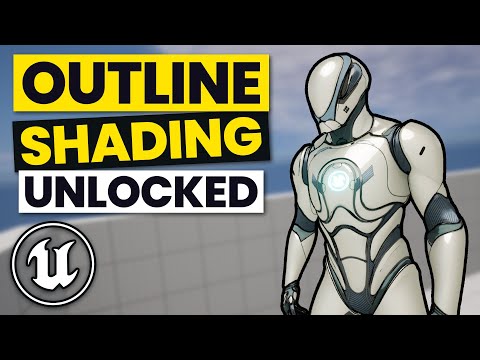
Clean outline shader techniques in UE5
For more stable, high-quality outlines, developers use several techniques:
- Inverted Hull (Mesh Duplication): Duplicating a mesh, inflating it along its normals, and inverting the faces to create a solid-colored silhouette. This is resolution-independent and very clean.
- Translucent Overlay Materials (UE5.1+): Using the engine’s native overlay pass to extrude vertices and apply a constant color, achieving the inverted hull effect without manual mesh duplication.
- Fresnel-based Outlines: Using camera vectors to highlight silhouettes. This is cheap but can be imprecise and may conflict with Lumen.
- Depth-Based Fade: Thinning outlines where an object touches the ground or another surface to prevent them from looking “ungrounded.”
Per-object toon shader material in UE5
This approach involves individual materials computing their own stylized lighting. Methods include:
- Forward Renderer: Accessing lighting data directly via global uniform buffers or specific nodes like
Atmosphere Sun Light Vector. - Single Light Approximation: Manually calculating the dot product between the surface normal and a known light vector (like the sun) to create bands.
- Dual-Material (Overlay): Keeping a standard lit material and applying a translucent overlay that extracts and re-shades the lighting for that specific mesh.
- Custom HLSL: Writing code within the material to fetch light contributions or using Material Parameter Collections to pass light data from Blueprints.
This offers granular control, such as unique shadow colors per character, but is harder to integrate with multiple dynamic lights or global illumination.
Global toon shading vs per-material toon shading in UE5
Global Toon Shading:
- Pros: Uniform consistency, easy application across the whole game, and simple global adjustments.
- Cons: No per-object flexibility, requires masking to exclude specific items, and struggles with colored lighting.
Per-Material Toon Shading:
- Pros: Extreme artistic control per asset, allows mixing of styles (e.g., stylized characters in a realistic world), and modular application.
- Cons: Complex setup, potential for visual inconsistency between assets, and difficulty respecting engine-wide shadows and GI.
A hybrid strategy is often the most effective: using a global post-process for environment consistency and per-material overrides for hero characters to allow for specialized lighting tricks and artistic flourishes.
UE5 toon shader lighting ramps and shadow bands
Toon shading is defined by lighting ramps that map light intensity to discrete shades, creating distinct “bands” or “tone steps” instead of smooth PBR falloffs. In UE5, these can be implemented in several ways:
- Texture Ramp (Lookup Table): A 1D grayscale or colored texture acts as a guide. By sampling this texture using the calculated light amount (N·L), the output is quantized into specific blocks of color. This allows for flexible, hand-painted gradients or stylized curves.
- Mathematical Bands (Threshold): Math functions like
floor()or chainedSmoothstepandIfnodes can carve lighting into discrete levels.Smoothstepis often preferred to soften band edges, making transitions less harsh. - Dynamic vs. Static Ramps: Ramps can be fixed or parameterized. Developers often use material instance parameters to shift thresholds dynamically, allowing artists to adjust shadow width or highlight sizes per material.
- Shadow Color Influence: Unlike PBR, where shadows are the absence of light, toon shaders allow for explicit shadow coloring (e.g., tinting shadows blue or purple). This can be encoded directly into a ramp texture or added via math in the shader.
A major challenge is “crawling” banding artifacts caused by subtle lighting changes. To mitigate this, developers use Smoothstep for slight gradients at boundaries or screen-space dither patterns to break up hard edges.

How to control toon shadows in Unreal Engine 5
In toon shading, shadows are artistic elements requiring direct control over hardness, coverage, and color:
- Shadow Hardness: Artists force hard edges by reducing light source radius to zero or using tight thresholds in the shader ramp. Some custom models map the “Metallic” parameter to a shadow hardness dial.
- Shadow Coverage and Placement: “Shadow masks” painted in UV space can define where shadows are permitted, ensuring consistency on faces or keeping eyes lit regardless of light angle.
- Double Shadows: Styles can incorporate “shadow on shadow” effects using multiple ramp steps or by layering ambient occlusion as a secondary, darker band.
- Colored Shadows: Shadows can be tinted via the material’s ambient term or by explicitly coloring the shadow band in the ramp.
- Independent Control: While engine-level shadows are shared, developers can cheat by using stylized decals for blob shadows or disabling dynamic shadows for specific objects to maintain a cleaner look.
Directional lights are the easiest to manage, whereas point and spotlights add complexity due to distance attenuation. Often, toon shaders are designed to prioritize the most dominant light source to maintain clear shading shapes.
UE5 toon shader specular highlights and rim light
Stylized highlights replace realistic specular glints to maintain the flat cartoon aesthetic:
- Eliminating Physical Specular: Many shaders set Roughness to 1 and Metallic to 0 to prevent PBR highlights from interfering with the toon look.
- Stylized Highlights: These are often simplified white patches calculated using the half-vector or a dot product between the reflection vector and view direction. This results in hard, stable blobs of light.
- Rim Lighting: This creates a silhouette-defining glow, usually implemented with a Fresnel term. It helps separate characters from dark backgrounds and serves as an artistic substitute for complex fill lighting.
- Controlling Intensity: Highlights in toon styles are typically clamped to solid colors rather than high-range HDR values to avoid “blowing out” the aesthetic.
- Special Materials: Items like hair or metal blades may use unique tricks, such as rotating masked textures, to simulate “anime glints” that don’t follow standard physical rules.
Custom HLSL node toon shader in UE5 materials
The Custom HLSL node allows for manual coding within the material graph, offering several advantages for toon shading:
- Efficiency: HLSL can handle complex logic like multi-band thresholds or loops more efficiently than a large network of individual material nodes.
- Engine Internals: In forward rendering, HLSL can sometimes access low-level data like light attenuation buffers that aren’t exposed as standard nodes.
- Logic Encapsulation: It allows for custom lighting calculations, such as manual NdotL math that factors in shadow colors and thresholds in a single block of code.
However, Custom nodes can be difficult to debug, require manual handling of shading permutations, and may carry performance considerations if the logic is not well-optimized.
UE5 custom shading models without engine source changes
While true custom shading models historically required C++ engine modifications, several community workarounds now exist for UE5:
- Hijacking Existing Models: Developers can repurpose unused shading models (like Clear Coat) by replacing the engine’s
.usfshader files. This allows for custom toon logic in the binary “Launcher” version of UE5 without a full C++ recompile. - Forward Renderer Tricks: Techniques like “Light Smuggling” involve minimal engine patches to expose raw light vectors and intensities directly to material custom nodes.
- Substrate (Experimental): UE5’s new Substrate system allows for more flexible layering of BSDFs, which may eventually provide an official path for non-PBR logic within the material editor.
- Shader File Overrides: Some community projects provide modified shader folders that users can drop into their project to enable toon shading models immediately.
These methods lower the barrier to entry, allowing developers to use advanced toon shading without the burden of maintaining a custom engine fork.

EpEpic’s approach to custom shading models in material graphs
Epic Games recognizes the demand for non-photorealistic rendering (NPR) and has introduced several features to increase flexibility without requiring engine source modifications:
- Forward Shading Material Access: Epic has shared techniques for capturing lighting data within the forward renderer. This path serves as a loophole for implementing unique shading equations per pixel, as it avoids the constraints of the deferred GBuffer.
- Substrate (Experimental): Introduced in UE5.2, Substrate replaces fixed shading models with composable BSDF layers. While currently focused on physically-based energy conservation, it represents a shift toward a system where custom BRDF logic might eventually be injected. Currently, hacking discrete lighting into Substrate is non-trivial.
- Art-Driven Workflows: Epic often showcases stylized projects that rely on art-centric solutions, such as custom vertex normals and specific lighting rigs, rather than deep engine changes.
- Future Trajectory: While a “one-button” toon solution does not yet exist, Epic is moving toward allowing more direct shading model plugins or nodes for lighting info within the material graph.
UE5 toon shader compatibility with Lumen
Lumen, designed for realistic global illumination, presents challenges for toon shading due to its continuous output and sampling noise:
- Noise and Flickering: Lumen’s indirect lighting can introduce speckling in flat shadow regions. When quantized by a toon threshold, this noise manifests as noticeable flickering.
- Temporal Stability: Toon post-processing can be unstable with Lumen. Many developers suggest disabling Lumen in favor of static baked lighting or simpler GI methods for stylized scenes.
- Feature Mitigation: If Lumen is required, issues can be reduced by disabling screen traces and short-range AO, which are high-frequency sources of noise.
- Efficiency: Some argue that the high performance cost of Lumen is wasted if the resulting detail is simply “crushed” by a cel-shader.
UE5 toon shader compatibility with Nanite
Nanite is generally compatible with toon pixel shading but presents hurdles for geometry-based outlines:
- World Position Offset (WPO): Traditional “inverted hull” outlines require vertex displacement. While Nanite added limited WPO support in 5.1, significant displacement may break its hierarchical culling.
- Custom Depth and Stencil: Earlier versions of Nanite did not support Custom Depth, but as of 5.2+, this can be enabled per mesh. This allows post-process edge detection to work on Nanite geometry.
- Workarounds: For objects requiring bold geometric outlines, developers often use non-Nanite proxy meshes purely for the outline pass or rely on post-process Sobel filters that detect edges via depth and normals.
UE5 Substrate toon shading workflow
Substrate is the future of Unreal materials, though it remains experimental for NPR:
- Layered BSDFs: Artists can separate materials into layers (e.g., skin vs. clothes), but there is no native “cel diffuse” node.
- Manual Ramping: Since Substrate encapsulates lighting evaluation, developers must often manually enforce ramps on the base color within the material graph or use custom HLSL to approximate toon factors.
- Performance: Substrate is currently heavier than the legacy system, leading to more shader permutations and potentially slower rendering on lower-end hardware.

Common toon shader artifacts in UE5 and how to fix them
- Aliasing: Hard bands can appear jagged. This is fixed with TAA, TSR, or adding dither patterns to transitions.
- Shadow Flickering: Slight lighting or normal map changes can cause thresholds to “pop.” Solutions include smoothing normals, using a “Smoothstep” for transitions, or implementing hysteresis.
- Z-fighting Outlines: Inverted hulls may clip. This is solved by increasing offsets or using depth bias.
- Emissive Light Leak: Post-process division tricks fail on glowing objects. These should be excluded via stencils or clamped.
- Banding in Gradients: Unintended banding in skies or fog can be fixed by excluding those elements from the toon pass.
Performance tips for toon outlines and post process shaders
- Combine Passes: Integrate cel shading and outlines into a single post-process material to reduce full-screen passes.
- Local vs. Global Outlines: Use geometric “inverted hull” outlines for a few key characters to save fill-rate, but use a global post-process if every object in a dense scene needs an outline.
- Simplify Base Materials: Reduce the cost of the base scene (lower roughness, no complex reflections) to leave more GPU budget for stylized effects.
- LODs for Outlines: Use simplified proxy meshes for geometric outlines to reduce vertex count.
- Profile and Prune: Use
ProfileGPUto ensure the outline pass or ramp calculations aren’t creating bottlenecks, and use static switches to disable features on distant objects.
UE5 toon shader plugin options and when to use them
Developers seeking efficient toon shading solutions often utilize established plugins and assets:
- ABC’s Cel Shading Shader: A comprehensive post-process material pack supporting customizable bands and masking. It is ideal for developers who need a robust, out-of-the-box global solution.
- Painterly Cel Toon Outline: Best for artistic, brushstroke-style aesthetics rather than clean vector-like lines.
- Free MToon Shader: A community-led material-based solution designed specifically for anime characters. It provides per-material control without requiring engine modifications.
- Team Falldog’s Custom Shading Model: A high-quality, integrated approach available on GitHub. It involves replacing engine shader files to achieve an efficient anime style that supports multiple lights.
- PixelHair: A library of stylized hair grooms compatible with UE5 and MetaHumans. It allows developers to customize hair as geometry or strands while integrating with toon materials.
- The View Keeper: A Blender add-on that helps maintain consistent camera setups between Blender and Unreal Engine for smoother cinematic workflows.
Best practices for shipping stylized rendering in UE5
Successful stylized games require a fusion of technical and artistic strategies:
- Art and Tech Consistency: Ensure textures are simplified to avoid aliasing and complement flat shading.
- Custom Normals: Smooth vertex normals on character faces to prevent unflattering realistic shadow artifacts.
- Lighting Tests: Validate shading thresholds across different times of day and lighting rigs.
- Performance Budgets: Offer quality toggles (e.g., disabling outlines on low-end hardware) to maintain broad compatibility.
- Lumen/Nanite Fallback: If these features are disabled for stylistic reasons, ensure static baked lighting provides a high-quality alternative.
- Color Precision: Use high-bit backbuffers and consider bypassing the standard tonemapper to keep anime colors saturated and pure.
- UI Integration: Ensure post-processing does not unintentionally blur or stylize the game’s HUD.
- Polish: Fine-tune edge cases like outline gaps or shadow popping on small geometry.
- Accessibility: Consider player options for high-contrast modes or toggling specific stylized filters.

Frequently Asked Questions (FAQs)
1: Why doesn’t Unreal Engine 5 have a built-in toon/cel shading option?
UE5 focuses on PBR realism (Lumen/Nanite). While it lacks a native toon model, developers can achieve the look via custom materials, post-processing, or engine-level modifications.
2: What is the easiest way to add cel shading to a UE5 project?
Using a global post-process material is the fastest method. It quantizes the scene’s lighting into bands without requiring changes to individual object materials.
3: How can I add outlines to my characters in UE5?
Common methods include post-process edge detection (via depth/normals) or the “inverted hull” mesh method. UE5.1+ overlay materials allow for clean geometric outlines without manual mesh duplication.
4: Will using a toon shader break Lumen and Nanite?
Not necessarily, but Lumen can cause flickering in quantized shadows, and Nanite has limited support for the vertex displacement (WPO) often used for geometric outlines.
5: Can I use multiple lights with a toon shader?
Yes, but advanced setups like custom shading models are required to prevent multiple lights from washing out discrete shadow bands.
6: How do I control which areas are lit or shadowed on a character?
Use fixed light direction parameters for faces, shadow masks in textures to bias lighting, and unique ramp thresholds per character.
7: Is it possible to get specular highlights in a toon shader?
Yes, but they are typically stylized using Fresnel or reflection vector math to create hard, non-physical white blobs or rim lights.
8: What’s the benefit of per-material toon shading vs a post-process?
Per-material shading offers granular control (unique shadow colors for different objects) and better integration with forward lighting, whereas post-processing is a uniform, global solution.
9: Are there any ready-made solutions for UE5 toon shading?
Yes, several Marketplace assets (like ABC’s) and community shaders (like MToon) offer drop-in functionality.
10: How do I handle translucent materials (glass, hair) with toon shading?
Translucent objects often bypass post-process shaders. Use masked materials for hair to ensure it receives toon lighting, or use custom depth to include glass in outline passes.
Conclusion
Toon-style custom shaders in Unreal Engine 5 allow developers to transition from photorealism to illustrative, anime-inspired visuals. By utilizing the Material Editor, post-processing, and emerging systems like Substrate, artists can craft distinct identities through lighting ramps, shadow bands, and outlines. While technologies like Lumen and Nanite present technical hurdles, careful tuning and community-driven solutions make high-fidelity stylized rendering achievable. Success ultimately depends on a cohesive balance between art direction, optimized shader logic, and the smart use of Unreal’s evolving toolset.

sources and citation
- Epic Games Wiki Cel Shading Post Process by Arran Langmead
https://nerivec.github.io/old-ue4-wiki/pages/cel-shading-post-process.html - Impromptu Forum Cel Shading With Real Lighting Data Without Post Process
https://impromptu.zone/t/cel-shading-with-real-lighting-data-without-post-process/124 - Medium Breaking the Unreal Look Custom Cel Shading Model in Unreal Engine by Nikhil Maurya
https://medium.com/@nikhil.maurya/breaking-the-unreal-look-custom-cel-shading-model-in-unreal-engine-5 - Unreal Engine Forums UE5 Anime Toon Cel Shading Model Launcher Versions
https://forums.unrealengine.com/t/ue5-anime-toon-cel-shading-model-works-with-launcher-engine-versions/544226 - Unreal Engine Forums Noise in Cel Shade Post Process Effect With Lumen
https://forums.unrealengine.com/t/noise-in-cel-shade-post-process-effect-with-lumen/639280 - Reddit UE5 Substrate Cel Shading
https://www.reddit.com/r/UnrealEngine5/comments/1y0x5v9/ue57_substrate_cel_shading/ - Unreal Engine Developer Community Custom Shading Models in Material Graphs by Abid
https://dev.epicgames.com/community/learning/tutorials/0q4P/custom-shading-models-in-material-graphs - Tom Looman Mesh Outlines Without Post Processing
https://www.tomlooman.com/unreal-engine-mesh-outline-material/ - Unreal Engine Forums Any Good Toon Shading and Outline Tutorial
https://forums.unrealengine.com/t/any-good-toon-shading-and-outline-tutorial/620599 - Superhive PixelHair for Blender and UE5
https://superhivemarket.com/products/pixelhair
Recommendations
- Invincible VS Official Rex Splode Towel Skin Trailer: Price, How to Get the DLC, What’s Included, and Fan Reaction to the “Not Micro” Cosmetic
- The Steam Deck Is Out of Stock – What Does It Mean? (US, Canada & Asia Shortage Explained)
- PlayStation State of Play Chat Was Spammed With Destiny 3 Demands on Twitch: What Happened
- Last Flag Free Weekends Explained: Why the Imagine Dragons Shooter Is Going Free Every Weekend to Boost Player Numbers
- Dead as Disco is the Stylish Rhythm Beat-‘em-up that Mixes Batman Arkham Combat with Rock Star Energy
- Now Yu-Gi-Oh! Is Upset With the White House After It Used Anime Footage Without Permission
- Tomodachi Life Players Can’t Believe The Game Has Basically No Filter (Living the Dream Demo Has No Swear Filter)
- Call of Duty’s Iconic Ghost Shows up in New Fanta Ad, Making People Wonder About 2026’S Call of Duty
- Three Namco-Published NES Games Join Switch Online, Including Game Freak’s First Game (Mendel Palace/Quinty)
- How to Auto Retopology in Blender: A Step-by-Step Guide for Clean 3D Meshes



































































































