






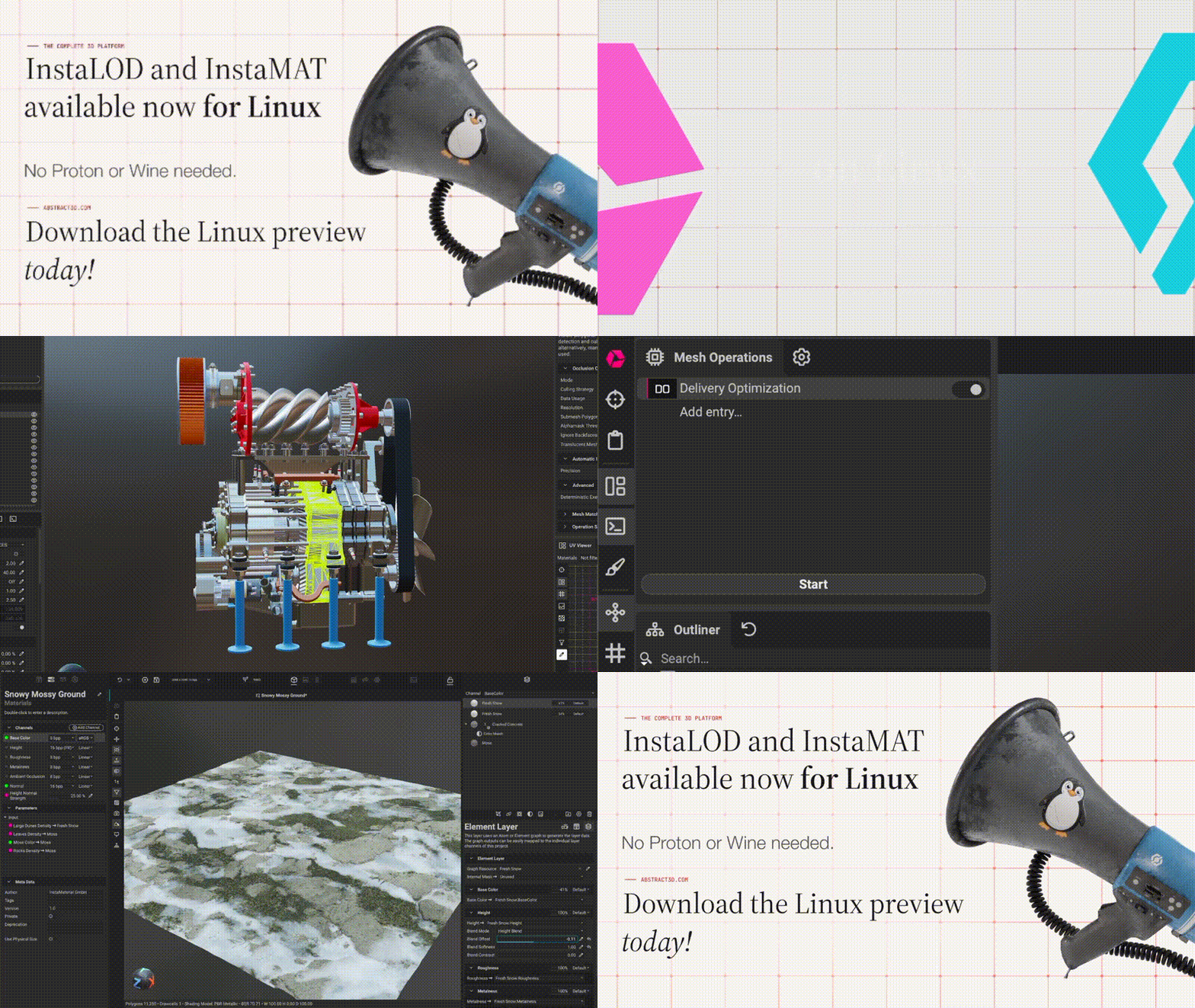
After an April 20, 2026 pre-announcement that Linux builds were arriving “next week,” Abstract rolled out the first public native Linux release of InstaMAT on May 1, 2026, alongside InstaLOD. The launch is significant because it finally places InstaMAT’s material authoring, texturing, and pipeline tooling directly on the RHEL-compatible Linux environments used across many VFX, game, simulation, and enterprise 3D pipelines, without relying on Wine, virtualization, or other compatibility workarounds.
In This Article (19 sections)
InstaMAT Native Linux Edition Release Details
InstaMAT’s native Linux edition officially entered public preview on May 1, 2026. Abstract describes the release as the first time its “full technology stack” runs natively on Linux, positioning the launch as more than a simple workstation port: the company says the same generative material creation, texturing, and automated pipeline tooling used on Windows and macOS now executes directly on Linux, with Linux targeted specifically at the pipelines already standard in professional 3D production. The timing matters because Linux support had been teased on April 20 and then delivered on May 1, creating a clear release window rather than an open-ended roadmap promise.
The release is also framed as a broad ecosystem move, not a one-app exception. Abstract says InstaMAT and InstaLOD are both first-class Linux products in this rollout, and that Linux access is available “from day one” rather than being held back for enterprise-only customers or a separate storefront program. That framing puts Linux at the center of the company’s workstation, DCC, and pipeline story rather than on the fringe of it.
Where to Download InstaMAT for Linux and Install It
The official download path is through the InstaMAT Cloud or License Management web app. Abstract’s documentation says InstaMAT Studio, InstaMAT integrations, and InstaMAT Pipeline are all downloaded from the Home page under Your Files, where the user selects the product, opens the download page, and then clicks the green Download button. For new users, the May 1 release announcement says access begins with an Abstract ID, created with an email address and one-time passcode, after which license confirmation enables download through the licensing application.
Linux installation is currently documented as an archive-based installer that deploys InstaMAT Studio natively through RPM and dnf, not as a Flatpak, Snap, or AppImage workflow. The official instructions are to unzip the archive, change into the extracted directory, and run sudo ./install.sh. Abstract says the installer automatically detects the distribution, enables EPEL on RHEL or Rocky 8 when needed for the Qt 6.5 xcb-util-cursor dependency, imports the Abstract Group signing key, installs the RPM via dnf, and resolves dependencies from official repositories. The same installation guide also notes that Studio can be installed and activated on the same workstation alongside InstaMAT integrations.
For pipeline users, the same download portal also carries InstaMAT Pipeline when a license includes it. The download documentation adds an important operational note: command-line execution that needs the InstaMAT Library should point Pipeline to the Studio installation using the -env argument, which makes the Linux workstation install relevant even for automation-heavy environments.

InstaMAT Linux System Requirements and Supported Distributions
Abstract’s Linux announcement says the native Linux preview is engineered and validated for Red Hat Enterprise Linux 8 and 9, Rocky Linux 8 and 9, and RHEL-compatible variants including AlmaLinux, Oracle Linux, and CentOS Stream. The installation guide is slightly narrower in wording, explicitly stating that the archive installs natively on Rocky Linux, RHEL, and AlmaLinux 8 and 9 via dnf. Read together, the two documents show a clear RHEL-family strategy rather than a broad “all Linux distros” promise, and they do not currently document Ubuntu or Debian as supported InstaMAT workstation targets.
On hardware, the Linux launch materials currently emphasize distro alignment and memory more than a full Linux-specific CPU and GPU matrix. The May 1 press release lists VFX Platform 2023 compatibility and 16 GB of RAM, with 32–64 GB recommended for larger scenes. By contrast, the generic InstaMAT Studio system requirements page still only shows Windows and macOS tables, where the published minimum is 8 GB RAM and the recommended tier is 16+ GB. As of May 5, 2026, the safest interpretation is that Linux guidance is being published first around enterprise distro compatibility and production-scale RAM expectations, while the older cross-platform system requirements page has not yet been fully normalized for Linux.
InstaMAT Linux Preview Release: What “Preview” Means for Production
Abstract is unusually explicit about what “preview” means here. The company says the Linux release ships as a public preview, but also states that the builds are “solid, well-tested, and ready for serious production use.” At the same time, both the press release and release notes make clear that continued real-world pipeline feedback is part of the launch strategy, and the release notes specifically say Linux integration support remains in preview while platform coverage is expanded further. In other words, “preview” does not mean experimental hobbyware, but it also does not mean every Linux-facing integration surface is finished and frozen.
That distinction matters for studio rollout decisions. Teams evaluating the Linux build for serious work can rely on Abstract’s own claim that the core build is production-capable, but they still need to validate DCC plugins, hardware combinations, and automation conventions in their own environment because the company is still labeling those Linux integration layers as preview-stage coverage.
InstaMAT Linux vs Windows and MacOS Feature Parity
Abstract does not describe Linux as a reduced-capability port. The official Linux launch says the platform brings the “same production-ready experience” to Linux environments, while the press materials summarize Linux-specific capability as “broad feature parity with Windows and macOS.” The company also says the Linux builds provide full GPU acceleration, multi-threaded processing, and direct hardware access because they are native binaries rather than translation-layer deployments. That makes the advertised parity claim broad and substantive, especially for workstation-scale material authoring and texturing.
Still, the wording is important: Abstract says broad feature parity, not perfect parity. The release notes and launch materials already document Linux-specific differences, and several older per-product pages still say Windows and macOS in places where the May 1 launch clearly says Linux is now available. So the real parity story is strong at the product-core level, but the public documentation set is still catching up at the page-by-page level.

InstaMAT Linux Limitations: Does it Support GPU Baking
The clearest published Linux limitation is that GPU baking is not currently supported in the Linux preview. That detail appears directly in the May 1 release notes under “Platform-specific considerations for the Linux preview release.” The same notes also say the Python plugin uses Python 3.11 on Linux, which is another Linux-specific implementation detail that may matter for custom integrations or pipeline environments with pinned Python expectations.
This does not mean the Linux version is CPU-only. Abstract’s launch announcement simultaneously says the native Linux builds deliver full GPU acceleration and direct hardware access, so the limitation is narrower: GPU-accelerated baking is missing, not GPU acceleration across the application as a whole. For automation contexts, InstaMAT Pipeline also documents a -software flag that forces CPU execution instead of the GPU-accelerated backend, which gives technical teams an explicit fallback path when they need deterministic software-side execution.
InstaMAT Pioneer Tier on Linux: is There a Free License Option
Yes. The free Pioneer tier is explicitly available on Linux according to the May 1 Linux launch announcement, which says that “even the free Pioneer tier is fully supported on Linux.” That is the most current Linux-specific licensing statement published by Abstract.
The underlying Pioneer license terms remain the same as on other platforms. Abstract’s licensing documentation says Pioneer is available to individuals or businesses with annual revenue or total funding below $100,000. It is genuinely free, and commercial use is allowed, but attribution is mandatory whenever content created under Pioneer is shared, published, distributed, or delivered to a client. The same documentation also says freelancers can use Pioneer only when the customer or final recipient would themselves qualify for Pioneer; otherwise an Indie or Pro license is required.
InstaMAT Linux Pricing and Subscription Plans Explained
As of May 5, 2026, Abstract has not published a separate Linux-only price sheet. Instead, the public InstaMAT pricing page still presents a unified licensing grid: Pioneer is free; Indie is $8 per month billed annually; Perpetual Indie is $489 with two years of updates; Indie Game is $320 per month billed annually for up to 10 developers including external partners; Pro is $36 per month billed annually; Perpetual Pro is $989; AAA Game is $3,333 per month billed annually for up to 150 developers; and Enterprise licensing is customized. The same pricing page also states that Pioneer includes commercial rights but requires attribution, while Pro adds semi-floating use across two devices and virtualization support.
There is, however, a temporary documentation mismatch that Linux buyers should understand. The public pricing cards still label most workstation plans as “Windows & macOS,” while the Linux launch announcement says Linux builds are available now and that the free Pioneer tier is fully supported on Linux. The factual takeaway is that Linux appears to be folded into the same commercial tiers rather than sold as a separate SKU, but some storefront copy has not yet been updated to reflect the May 1 rollout.

InstaMAT for Linux: Substance 3D Alternative for Studios
For Linux-first studios, InstaMAT is now a genuine native alternative in the material-authoring category, but the situation is more nuanced than “InstaMAT has Linux and Substance does not.” Current Adobe documentation shows that parts of the Substance 3D ecosystem also have Linux support in 2026: Adobe’s system requirements pages now include Linux entries for Substance 3D Painter and Substance 3D Designer, and Adobe’s Linux deployment guide documents enterprise access to Linux builds through Adobe Download Access for products including Painter, Designer, and Sampler.
The sharper distinction is packaging, access model, and workflow shape. Unlike Adobe, whose Linux story is split across multiple applications and deployment channels, InstaMAT is presented as a unified platform covering node-based material creation, layer-based texturing and painting, material generation from images, integrations, and pipeline execution. Abstract also says Linux access is available across its standard commercial structure, including the free Pioneer tier, rather than being reserved for a special enterprise-only Linux program. For studios that want one Linux-native material platform with public download availability through normal licensing, that is the real competitive shift.
InstaMAT Blender Integration on Linux: What’s Supported
Linux support for InstaMAT inside Blender is the most clearly documented DCC success case in the current Linux preview. The May 1 InstaMAT release notes explicitly add Linux integration support for Blender 5.1 and warn that some older GPUs may have issues with the EGL OpenGL context on Blender for Linux, in which case switching Blender to its Vulkan backend is the recommended workaround.
The general Blender integration documentation explains what the plugin actually does once installed: it is downloaded from the same Your Files area, installed from disk inside Blender’s Add-ons preferences, and then used in Blender’s Shading workspace through an InstaMAT sidebar tab. The plugin can browse the material library, create material instances, tweak graph parameters such as resolution, execution format, and seed, and export textures in PNG, JPG, TGA, HDR, and EXR.
It also supports preview-oriented update modes to reduce iteration cost during look development. One nuance is that the older Blender docs still describe compatibility in terms of Windows and macOS and list Blender 4.1 through 5.0, so the Linux release notes are the more current source for Linux-specific support status.
InstaMAT Maya Integration on Linux: What’s Supported
The Maya story is more complicated. The current InstaMAT-for-Maya documentation still states, in its compatibility section, that the integration runs on macOS and Windows. Yet the same page also documents a Linux plugin path of $HOME/maya/<version>/plug-ins/, installation steps for InstaMAT_Maya.zip, enabling InstaMAT_MayaIntegration.py in Maya’s Plug-in Manager, and setting the Studio path and user path after install. In functional terms, the docs say the Maya plugin can import library materials, create graph-backed instances inside Hypershade, re-execute when parameters change, offer a preview mode, and export textures as PNG, JPG, TGA, HDR, and EXR.
The Linux launch materials, however, stop short of clearly confirming Linux support for InstaMAT inside Maya the way they do for Blender. The May 1 press release says Linux support extends to Blender and Maya, but specifically phrases it as bringing InstaLOD geometry optimization into both DCCs and InstaMAT directly into Blender. The InstaMAT Linux release notes then list Blender 5.1 under InstaMAT integrations, with no matching Maya item.
The safest production reading is therefore this: Linux-aware Maya installation conventions are documented, but the currently explicit, first-party Linux confirmation for InstaMAT integrations is strongest for Blender, not Maya. Studios standardizing on Maya should verify current entitlement and plugin behavior in their own account before treating InstaMAT-for-Maya on Linux as fully announced parity.

InstaLOD Linux Support Alongside InstaMAT: What Ships Together
The Linux rollout is not just “InstaMAT on Linux.” Abstract’s May 1 launch pairs the native Linux debut of InstaMAT with native Linux support for InstaLOD, positioning the two tools as complementary halves of one Linux-ready production stack: InstaMAT for materials and texturing, InstaLOD for geometry optimization, remeshing, CAD conversion, UV workflows, and automated mesh processing. The same announcement also says Polyverse integrations are available inside both InstaLOD Studio and InstaMAT Studio on Linux.
The Linux integration matrix becomes clearer when the two products’ release notes are read together. InstaMAT’s Linux notes explicitly list Blender 5.1 under InstaMAT integrations. InstaLOD’s Linux notes explicitly list Autodesk Maya 2026 and Blender 5.0 under InstaLOD integrations. The result is a practical Linux bundle for studios: native standalone material authoring plus native standalone geometry optimization, with Linux preview DCC touchpoints that are currently strongest for InstaMAT-in-Blender and InstaLOD-in-Blender/Maya. Downloads for Studio, integrations, and Pipeline continue to come from the same portal structure under Your Files.
InstaMAT Linux Workflow for PBR Material Authoring and Lookdev
In practical PBR workflows, Linux-native InstaMAT now supports the same authoring model that has defined the product elsewhere: create procedural materials in graphs, texture assets non-destructively in layer-based projects, or build PBR materials from a single image. Abstract’s core product docs say Materialize Image can produce the necessary PBR maps from a photo or source image, including base color, normal, height, and ambient occlusion outputs. The layer-based workflow supports deep UDIM handling, multiple materials per asset within one project, and procedural painting that is not locked to UV coordinates in the traditional way. That combination is particularly relevant for lookdev on VFX assets and complex hero meshes.
The Linux workflow becomes stronger when connected to DCC export and downstream scene packaging. Blender and Maya integration docs both say textures can be exported directly in PNG, JPG, TGA, HDR, and EXR. Abstract’s workflow documentation also shows Scene nodes exporting graph-generated scenes as FBX or USD with embedded textures. In other words, the Linux version is not only about authoring materials on a workstation; it is also about moving authored results cleanly into render, layout, engine, or interchange contexts commonly used by studios.
InstaMAT Node-Based Material Authoring Features and Project Types
InstaMAT’s node-based core is the Canvas and Element Graph system. The product documentation describes Canvas as the node-based interface for combining images, meshes, and point clouds into procedural workflows, while the public product site emphasizes a large node and material library, dynamic parameters, loop and branch logic, baking nodes, procedural modeling, export templates, and a library of over 1000 stock materials. That makes the Linux port relevant not just to texture painters, but also to technical artists and pipeline engineers building reusable procedural systems.
Project type breadth is one of InstaMAT’s biggest differentiators. The Studio docs describe Canvas, Asset Texturing, Material Layering, and Materialize Image as core project modes, while the product site adds Pipeline Automation and the C++ SDK as adjacent production surfaces. Asset Texturing brings a layer stack and procedural paint engine; Material Layering turns layered procedural materials into reusable assets that can be dropped into graphs or DCC tools; Materialize Image converts single-source imagery into procedural PBR materials; and InstaMAT Pipeline adds command-line execution and CI/CD integration for scalable automation. Linux therefore inherits not one authoring metaphor, but an entire family of project types suitable for both artists and technical teams.

How Linux-Native InstaMAT Fits into VFX and Game Studio Pipelines
The most important pipeline impact is distro alignment. The VFX Reference Platform exists specifically to reduce incompatibilities between software packages and to ease support burdens in integrated pipelines, and its Linux guidance says Linux remains a primary operating system on artist workstations at many studios. The platform’s history also notes a recommendation for studios to migrate to RHEL, Rocky, or AlmaLinux. That industry context lines up directly with Abstract’s own Linux validation targets for InstaMAT and InstaLOD, which are centered on RHEL-family distributions.
Operationally, the Linux build matters because it removes side-path deployment patterns. Abstract explicitly says Linux users no longer need dual-boot workstations, Windows licensing detours, or containerized workarounds for comparable tooling. The company also says Linux builds slot into existing Bash, Python, and Perl automation, render managers, asset-tracking systems, and CI/CD pipelines.
On the product side, InstaMAT Pipeline documents -env support for loading packages from the Studio installation, and the SDK guidance says official or third-party integrations on Linux should load the runtime from the installed Studio folder. For custom tooling, the SDK/legal guidance also notes that server-side automation or SaaS-style deployment requires a separate Enterprise license, which is important for studios designing headless or cloud-native extensions of the Linux workflow.
Frequently Asked Questions (FAQs)
- Is InstaMAT for Linux officially available now or still unreleased?
It is officially available now, but as a public preview. Abstract announced the rollout on May 1, 2026 after an April 20 pre-announcement, and says the Linux builds are ready for serious production use even though some integration coverage remains preview-stage. - Which Linux distributions are officially supported for InstaMAT Studio?
The official Linux rollout targets RHEL 8 and 9, Rocky Linux 8 and 9, and RHEL-compatible variants including AlmaLinux, Oracle Linux, and CentOS Stream. The installation guide specifically documents nativednfinstallation on Rocky, RHEL, and AlmaLinux 8/9. - Where is the Linux download located?
Downloads are provided through the InstaMAT Cloud or License Management web app underHome>Your Files. Existing license holders download from there directly, while new users first create an Abstract ID and complete license confirmation. - Is there a free Linux license for InstaMAT?
Yes. Abstract says the free Pioneer tier is fully supported on Linux, and the Pioneer documentation still defines it as free for individuals or businesses below the $100,000 revenue or funding threshold. - Does the Linux version support GPU baking?
Not in the current preview. The release notes explicitly list GPU baking as unsupported on Linux right now, even though the native Linux build still advertises broader GPU acceleration for the application overall. - Is Linux feature parity complete?
Abstract’s wording is “broad feature parity,” not absolute parity. The current Linux exceptions explicitly published are missing GPU baking, Python plugin use of Python 3.11, and preview-status integration coverage. - Which Linux DCC integration is most clearly supported today for InstaMAT itself?
Blender is the clearest answer today. InstaMAT’s Linux release notes explicitly add Blender 5.1 support, while the Maya situation is less explicit in current Linux launch materials even though Linux-aware Maya install steps are documented. - Do Blender, Maya, or custom integrations require InstaMAT Studio to be installed on Linux?
Yes. The Blender and Maya docs both require the latest authorized InstaMAT Studio, and the SDK documentation says integrations rely on the runtime supplied by the Studio installation rather than bundling their own runtime copy. - Can Linux studios use InstaMAT in automated pipelines and CI/CD?
Yes. Abstract says Linux builds integrate with Bash, Python, Perl, render managers, asset tracking, and CI/CD tools, while InstaMAT Pipeline documents command-line execution and the-envworkflow for loading Studio packages. Enterprise licensing is required for certain server-side or SaaS-style integration scenarios. - Is InstaMAT now a credible Linux alternative to Substance 3D for studios?
Yes, especially for studios that want a publicly downloadable Linux-native material platform under normal license tiers, including a free entry tier. Adobe also documents Linux support for parts of Substance 3D in 2026, but its Linux story is split across multiple apps and deployment channels, whereas InstaMAT presents a more unified authoring-plus-pipeline product family.

Conclusion
InstaMAT’s native Linux edition is a meaningful production release, not a symbolic checkbox. The strongest confirmed facts are these: the Linux build shipped on May 1, 2026; it targets the RHEL-family distros that dominate many studio and enterprise 3D environments; Abstract is promising broad parity with Windows and macOS; GPU baking is the clearest published Linux limitation; the free Pioneer tier is supported on Linux.
Blender support is the clearest documented Linux DCC path for InstaMAT; and the wider rollout becomes more valuable because InstaLOD, Polyverse integration, Pipeline downloads, and runtime-based custom integration patterns all move alongside it. For Linux-first VFX and game teams, that combination makes InstaMAT newly relevant as both a workstation authoring tool and a pipeline-native platform component.
Sources and Citations
- Abstract press release – “Abstract Rolls Out Native Linux Support: Built for the Pipelines that Power Production”
https://www.abstract3d.com/news/abstract-rolls-out-native-linux-support-built-for-the-pipelines-that-power-production - Abstract news index entry confirming the April 20, 2026 pre-announcement
https://www.abstract3d.com/news - InstaMAT Documentation – Installation
https://docs.instamaterial.com/docs/getting-started/installation - InstaMAT Documentation – Where to Download InstaMAT
https://docs.instamaterial.com/docs/getting-started/where-to-download-instamat - InstaMAT Documentation – Releases and Changes
https://docs.instamaterial.com/docs/releases-and-changes - InstaMAT pricing and product page
https://instamaterial.com/pricing - InstaMAT Documentation – The Free InstaMAT Pioneer License
https://docs.instamaterial.com/docs/licensing/the-free-instamat-pioneer-license - InstaMAT Documentation – InstaMAT for Blender
https://docs.instamaterial.com/docs/integrations/blender - InstaMAT Documentation – InstaMAT for Autodesk Maya
https://docs.instamaterial.com/docs/integrations/autodesk-maya - InstaLOD Documentation – Releases and Changes
https://docs.instalod.com/releases-and-changes - InstaMAT Documentation – InstaMAT Studio
https://docs.instamaterial.com/docs/instamat-studio - InstaMAT Documentation – InstaMAT Pipeline
https://docs.instamaterial.com/docs/instamat-pipeline - InstaMAT Documentation – Integrating the InstaMAT runtime into Third-Party applications
https://docs.instamaterial.com/docs/sdk/integrating-the-instamat-runtime-into-third-party-applications - Adobe official documentation – General system requirements
https://helpx.adobe.com/substance-3d/general-system-requirements.html - Adobe official documentation – Substance 3D Painter system requirements
https://helpx.adobe.com/substance-3d/painter/system-requirements.html - Adobe official documentation – Substance 3D Designer system requirements
https://helpx.adobe.com/substance-3d/designer/system-requirements.html - Adobe official documentation – Substance 3D for Linux (ADA) deployment guide
https://helpx.adobe.com/substance-3d-enterprise/substance-3d-linux-deployment-guide.html - VFX Reference Platform official home page
https://vfxplatform.com - VFX Reference Platform – Linux in VFX
https://vfxplatform.com/linux/ - VFX Reference Platform – Platform History
https://vfxplatform.com/platform_history.html
Recommended
- Star Trek: Starfleet Academy Season 1 Review (2026) — Cast, Story, Ending, and Where It Fits in the Star Trek Timeline
- Nintendo’s New Star Fox Game Lets Players Use AR Character Avatars: Full Features, Gameplay Details, and What it Means for AR Gaming
- Daniel Radcliffe No Longer Cringes at Early Harry Potter Films but Disagrees With Andrew Garfield’s Praise
- Best 3D Sculpting Software: Top Tools for Digital Artists
- How To Heal In Windrose: All Healing Items Explained (Bandages, Potions, Rally, Bonfires)
- Backyard Baseball: Ultimate Guide to the Classic Game, Characters, and the New 2026 Release
- Konami’s eFootball celebrates 1 billion downloads with Master League Sprint, a limited-time PES Master League-style mode
- How to Build and Upgrade the Jotunn Star Wonder Weapon in BO7 Zombies (Totenreich Quest + Surtr’s Ember Upgrade Guide)
- Blender and NVIDIA GeForce RTX 5090: Everything You Need to Know
- How to Make a 3D VTuber Avatar: The Complete Guide for Beginners and Content Creators



































































































