






In This Article (15 sections)
NieR Automata 366GB Steam Installation Bug, November 2026 Language Update, and Storage Requirements
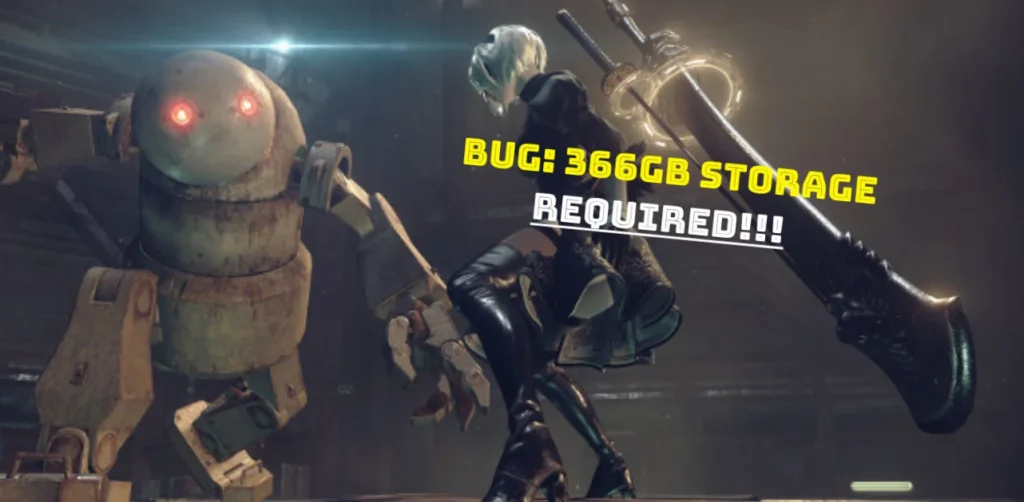
NieR: Automata’s 366GB Steam installation bug turned a language update into an unexpected storage problem. Players attempting to install the game encountered a requirement vastly exceeding its familiar 50GB specification, raising questions about whether the update had downloaded multiple copies of the same content. Although the unusually large figure suggested a substantial increase in the game’s size, reports indicated that the completed installation could remain considerably smaller than the space Steam initially required.
Square Enix has confirmed that the issue is resolved. The publisher updated its earlier announcement on November 9, 2026, and published a separate fix notice addressing the excessive storage requirement introduced by the November 6 update. As of November 10, 2026, the official status is that the problem has been fixed. Understanding what happened requires separating three measurements: the space Steam requested before installation, the amount downloaded, and the size of the completed installation. These figures are not interchangeable, which explains why reports of a 366GB requirement could coexist with reports of a much smaller game folder.
The unusually large requirement appeared after the November 6, 2026, Steam update. Early observations showed individual downloadable content entries displaying sizes comparable to the base game, producing a combined installation requirement of approximately 366GB when everything was selected. RPG Site reported that its author tested the installation process and confirmed that Steam actually required the additional available space. This means the incident was not merely a harmless display error, because an incorrect storage requirement can still prevent installation when the client uses that figure to determine whether a drive has sufficient capacity.
However, the 366GB requirement did not establish that every affected player ended up with a permanent installation of that size. AUTOMATON reported that completed installations could remain around 40GB to 50GB despite the much larger prerequisite. This distinction explains why players checking Steam’s installation requirements and those examining existing game folders sometimes reported different results. The most accurate description is therefore an excessive installation storage requirement associated with the update, rather than a confirmed permanent expansion of the game’s installed size.
Language Update Details and Storage Context
Square Enix’s published patch notes identified three language additions:
- Simplified Chinese: Added interface and subtitle support for players who prefer Simplified Chinese text.
- Traditional Chinese: Added a separate interface and subtitle option using Traditional Chinese.
- Korean: Added interface and subtitle support for Korean speaking players.
The announcement did not describe a new campaign, a major expansion, or a replacement collection of high resolution assets. Its stated purpose was to expand the game’s language options. Consequently, the extraordinary storage figure should not be interpreted as evidence that hundreds of gigabytes of new environments, cinematics, gameplay systems, or other substantial content were introduced. The storage requirement was an unintended problem associated with an update whose announced additions concerned language accessibility.
The update’s release date also requires some context. Square Enix referred to it as the November 6 update using Japan Standard Time, while some reporting and Steam records display November 5. SteamDB records the associated update on November 5 using Coordinated Universal Time. These dates refer to the same release across different time zones rather than two separate language patches. For comparisons with the publisher’s official announcement, November 6, 2026, remains the most appropriate reference date.
NieR: Automata’s Steam store page lists 50GB of available storage under both its minimum and recommended system requirements. That published specification provides the clearest comparison against the abnormal installation prompt. Using the rounded figures, 366GB is approximately 7.32 times the listed 50GB requirement. The difference amounts to 316GB, representing an increase of approximately 632%. Describing the problem as requiring more than seven times the normal available storage is therefore more accurate than simply calling it a large update.
The practical consequences depended on the available space on each player’s storage drive. A computer might have sufficient capacity to accommodate a 50GB game while failing a 366GB installation check. Operating system files, other installed games, applications, and personal data all reduce the space available for additional installations. The original 50GB specification should also be understood as an available storage requirement rather than a guarantee that every completed installation occupies exactly 50GB. Published requirements and measured installation sizes serve different purposes, so a completed folder below the advertised figure is not automatically incomplete.
Repeated DLC Size Anomalies and Platform Scope
Observations involving downloadable content led to speculation that the game or its reported size was being counted repeatedly. Wario64 described the apparent problem as the full game’s size being added to each DLC entry, while RPG Site separately reported downloadable content entries of approximately 40GB each. These observations supported the suspicion that repeated base game sized entries were contributing to the excessive installation requirement. However, the figures alone did not reveal every detail of how the files were packaged or how Steam calculated the required storage.
Square Enix acknowledged the storage problem and later confirmed its resolution but did not publish a detailed technical explanation of the underlying cause. It would therefore be inaccurate to claim that the company confirmed a particular packaging mistake or that every affected player downloaded and retained multiple complete copies of NieR: Automata. The repeated DLC sizes remain important evidence of the problem’s apparent behavior, but the precise internal configuration responsible for the error was not publicly established.
The documented incident concerned the Steam version of NieR: Automata. Square Enix’s temporary workaround depended on Steam’s DLC management settings, and contemporary installation tests were conducted through the Steam client. AUTOMATON also identified Steam as the affected platform while separately acknowledging the game’s availability elsewhere. The reporting did not establish the same 366GB installation requirement on PlayStation, Xbox, Nintendo Switch, or Microsoft Store versions. Players seeking assistance should therefore identify their storefront before applying troubleshooting instructions, since a Steam installation problem does not automatically imply an equivalent issue with another edition.
Voice Acting and Language Option Distinctions
The language additions also have an important distinction concerning voice acting. Steam’s language table lists interface and subtitle support for Simplified Chinese, Traditional Chinese, and Korean, but it does not identify those additions as supporting full audio. English and Japanese remain the languages marked for full audio. Players returning specifically for the update should understand that translated interfaces and subtitles do not automatically include newly recorded dialogue. Simplified Chinese and Traditional Chinese are also separate options, making it more accurate to identify both rather than describing the update only as adding Chinese language support.

Square Enix’s November 9 Fix, Official Storage Bug Timeline, and Temporary Steam DLC Workaround
Square Enix initially acknowledged that the November 6 update had caused installations to require substantially more storage than intended. The publisher apologized, confirmed that the cause was under investigation, and provided a temporary method for installing the base game. This acknowledgment established that the extraordinary storage requirement was unintended and that the update had not legitimately increased NieR: Automata’s system requirements to 366GB. It also gave affected players a practical way to bypass the installation barrier while the company investigated.
The official workaround involved opening NieR: Automata’s Steam Properties, selecting DLC, and unchecking every downloadable content item. This changed which content Steam was being asked to install, allowing players to attempt downloading only the base game without the combined selections associated with the inflated storage requirement. The workaround did not require a separate replacement patch, nor was it presented as a permanent modification to the game. Its purpose was to reduce the installation requirement while Square Enix worked toward a resolution.
AUTOMATON additionally reported that installing the base game first and enabling DLC afterward could allow the additional content to install without encountering the same initial storage requirement. However, this was reported behavior during the incident rather than a mandatory sequence established by the later fix notice. The distinction matters because temporary troubleshooting instructions can remain available long after the problem they addressed has been resolved. Players should not assume that older advice remains necessary simply because it appears in an article or community discussion.
Official Resolution and Event Timeline
Square Enix confirmed the resolution on November 9, 2026. The original problem announcement received a dated update stating that the cause had been identified and the issue resolved. A separate announcement titled “Bug Fix Notice” also addressed the excessive storage requirement introduced by the November 6 update. SteamDB records an associated November 9 update, providing another dated record connected to the repair. These announcements establish November 9 as the relevant point separating coverage of an unresolved problem from confirmation that the publisher had fixed it.
As of November 10, 2026, Square Enix’s official position is that the 366GB installation bug has been fixed. The problem should therefore not be described as an unresolved requirement affecting every new Steam installation. Older screenshots, support discussions, and news reports may still show the abnormal figure, but their continued availability does not establish that the bug remains active. Someone who started installing the game before the correction may also have a different local situation from a player beginning a fresh installation after the fix.
The sequence of events can be summarized through the following timeline:
- November 5, 2026: SteamDB records the language update using UTC, while early reporting identifies the unusually large installation requirement and DLC entries displaying sizes comparable to the base game.
- November 6, 2026: Square Enix’s update date in Japan Standard Time. The publisher acknowledges the unintended storage requirement and recommends temporarily disabling DLC when installing the base game.
- November 7 to 8, 2026: Reporting continues to describe the installation barrier, the difference between requested storage and completed installation size, and temporary methods for avoiding the problem.
- November 9, 2026: Square Enix updates its original announcement and issues a separate fix notice confirming that the storage problem has been resolved.
- November 10, 2026: The relevant guidance is to check the updated Steam installation, review any DLC selections changed during the workaround, and investigate any continuing local storage errors.
This timeline explains why articles published only a few days apart may present apparently conflicting information. A report written while Square Enix was investigating the problem could accurately describe the situation at that time, while a later announcement establishes that the issue has been resolved. Publication dates should therefore be considered alongside the wording of each report. Statements that the company is still investigating the cause describe an earlier stage of the incident and should not override the November 9 resolution notice.
Post-Fix DLC Workaround and Installation Guidance
The temporary DLC workaround also requires reconsideration after the fix. Players who disabled downloadable content should review their selections and enable the items they want installed. The original instruction was intended to bypass the excessive storage requirement, not to establish that DLC must remain disabled indefinitely. An unchecked DLC entry also does not mean the player has lost ownership of the content or must purchase it again. Installation selections and account ownership are separate matters within Steam.
Players who completed an installation during the incident should distinguish between the game’s current installed size and the larger figure previously displayed during installation. A completed game folder measuring around 40GB to 50GB is consistent with the contemporary reports describing normal sized installations despite the abnormal prerequisite. However, a current installation should be checked directly rather than assessed entirely through figures reported before the fix.
A fresh installation displaying an excessive storage requirement after November 9 would deserve further investigation, but it would not independently prove that the original bug remains active for every Steam user. Relevant details include whether Steam has restarted, whether the latest update has completed, which DLC items are selected, and whether the excessive figure appears during a new installation or an existing game’s update. These observations are more useful than assuming that an older screenshot accurately represents the current state of the game.
Square Enix’s announcements did not provide a complete technical breakdown of the storage calculation, and the repair notice should not be interpreted as confirmation of a particular internal packaging failure. The strongest supported conclusion is that an unintended installation storage requirement appeared after the language update, the publisher supplied a temporary workaround, and the issue was officially resolved on November 9, 2026. The abnormal 366GB figure was not established as NieR: Automata’s permanent installation size or its intended new system requirement.

How to Check NieR: Automata’s Installed Size, Steam Updates, DLC Settings, and Remaining Storage Problems
Players who want to confirm the current state of NieR: Automata should begin by checking the installation that actually exists on their computer. Steam’s Storage interface provides information about installed games and library locations, making it a useful starting point for determining how much space the game occupies. This measurement should be distinguished from the drive’s remaining free space and the amount Steam requests for a pending installation or update. Each figure answers a different question, and confusing them can make an ordinary installation appear much larger than it actually is.
To check the installed size through Steam, follow these steps:
- Open the Steam desktop client and select Settings.
- Choose Storage and select the drive containing NieR: Automata.
- Find the game in the list of installed titles and inspect its reported storage usage.
- Confirm that the correct library drive is selected, particularly if the computer uses multiple internal or external storage devices.
- If an installation or update is still running, allow it to finish before treating the displayed figure as the completed installation size.
Windows users can also locate NieR: Automata’s installation directory in File Explorer and inspect the folder’s properties. The measurement should cover the game directory itself rather than the entire Steam library, which may contain many unrelated installations. Comparing Steam’s installed size with the corresponding folder measurement can help establish whether the game is occupying an unexpectedly large amount of space. A completed installation with the intended DLC enabled provides a more meaningful comparison than an unfinished download or an update still performing local file operations.
Checking whether the latest Steam update has been installed is equally important. Open Steam while connected to the internet and inspect the Downloads page, which can also be accessed through the View menu. Look for NieR: Automata and determine whether an update is waiting, paused, scheduled, downloading, or processing. A downloaded update may still require local installation work, so the absence of network activity does not necessarily mean that every stage of the operation has finished.
Post-Update Verification and DLC Management
If the update is pending, allow it to complete before checking the game’s storage requirements again. Players who previously modified Steam’s update behavior should also inspect the game’s Properties and Updates settings. A configuration that updates the game only when it launches can explain why an available patch has not yet been applied. Reading a patch announcement confirms what the publisher released, but it does not establish whether a particular computer has successfully installed that update.
When installed files appear incomplete or the game behaves incorrectly, Steam’s file verification feature provides another useful check. Open the game’s Properties, select Installed Files, and choose Verify integrity of game files. Steam can then examine the installation and identify files that require attention. This process is more targeted than immediately uninstalling the entire game, particularly when the underlying issue may involve an incomplete update or inconsistent local files.
Players who used Square Enix’s temporary DLC workaround should review their downloadable content settings after confirming that Steam is updated. To do this:
- Open the Steam Library and locate NieR: Automata.
- Right click the game and select Properties.
- Open the DLC section to review the additional content associated with the account.
- Enable the DLC items that the player wants installed.
- Return to the Downloads page and allow any resulting installation activity to finish.
- Launch the game after the installation completes and check whether the selected content is accessible.
Steam’s DLC management interface controls the installation of content associated with an account, so disabling an item does not automatically cancel ownership. If content appears missing, players should first verify that their account owns it and that Steam has installed it successfully. They should then determine whether the current point in the game allows access. These are separate checks, and treating them individually can prevent unnecessary purchases or repeated downloads.
For example, the Steam store explains that the 3C3C1D119440927 DLC requires progression through the main story and cannot be accessed during certain parts of the scenario. A player who has enabled and installed this content may therefore be unable to enter the associated activity immediately. That restriction does not necessarily indicate an installation failure. Confirming ownership, installation status, and gameplay requirements provides a clearer explanation than assuming every inaccessible feature is connected to the earlier storage bug.
Troubleshooting Excessive Storage Warnings
If Steam continues displaying an excessive storage requirement, the first step is to identify exactly where the figure appears. An installation dialog, DLC listing, Downloads page, and folder properties window may all describe different measurements. Recording the screen and its label is more informative than simply reporting that the game is still unusually large. Players should also check the selected library drive and confirm how much space is actually available for the operation Steam is attempting.
Restarting Steam and, if necessary, the computer is another reasonable troubleshooting step. Valve includes restarting among its standard recommendations for installation and update problems. If a download remains stuck or behaves inconsistently, clearing Steam’s download cache through Settings and Downloads may help address general download problems. Valve states that this procedure does not remove currently installed games, although users will need to sign back into Steam afterward. These are general troubleshooting measures rather than a special NieR: Automata repair guaranteed by Square Enix.
For an existing installation, verifying the integrity of game files can help determine whether Steam needs to repair or replace content. Players should avoid manually deleting unfamiliar game archives simply because they appear large, since file size alone does not establish whether a file is unnecessary. Legitimate patching can also require additional temporary storage. Valve’s Steamworks documentation explains that updated package files may be built alongside older versions before the originals are replaced. This behavior can explain why some updates temporarily need more free space than their download size, although it does not establish the specific cause of NieR: Automata’s 366GB incident.
Documenting Before Contacting Support
If an excessive requirement persists after completing these checks, players should document the exact error, the available storage on the selected drive, their current DLC selections, and whether the problem occurs during a fresh installation or an update to an existing copy. They should also confirm whether Steam has finished downloading and processing available updates. Providing these details to support makes the issue easier to reproduce and investigate, while distinguishing a continuing local installation problem from the original storage bug that Square Enix confirmed was fixed on November 9, 2026.
Frequently Asked Questions (FAQs)
- Did NieR: Automata permanently become a 366GB game?
No evidence establishes that NieR: Automata permanently increased to 366GB. The incident involved an excessive storage requirement displayed and enforced during the Steam installation process. Contemporary reporting indicated that completed installations could still occupy approximately 40GB to 50GB, even when Steam initially requested much more available space. The game’s published Steam storage requirement remained 50GB, and Square Enix subsequently confirmed that the abnormal installation requirement had been fixed. - Has Square Enix fixed the Steam storage bug?
Yes. Square Enix confirmed on November 9, 2026, that the excessive installation storage requirement had been resolved. The publisher updated its original announcement and issued a separate fix notice addressing the problem introduced by the November 6 language update. As of November 10, the official status is that the issue is fixed. Players experiencing a similar error should check their Steam installation and pending updates rather than assuming the original problem remains unresolved. - Was the 366GB figure only a visual error?
No. Although the displayed requirement did not represent the game’s normal completed installation size, RPG Site reported that Steam actually enforced the excessive available space requirement during installation. This meant players with enough storage for the normal 50GB game could still encounter an installation barrier. The problem therefore had practical consequences beyond an incorrect number appearing on the screen, even though completed installations could remain substantially smaller. - Did the new languages genuinely require hundreds of extra gigabytes?
No evidence supports that conclusion. The November 6 update added Simplified Chinese, Traditional Chinese, and Korean interface and subtitle support. Square Enix did not announce a major expansion, new campaign, or other substantial content additions that would explain hundreds of gigabytes of extra storage. The publisher acknowledged that the excessive installation requirement was unintended and later confirmed its resolution. The abnormal figure should not be interpreted as the actual size of the language additions. - Should DLC remain disabled after the fix?
Players who disabled downloadable content during the incident should review their DLC settings and enable the content they want installed. Square Enix recommended disabling DLC as a temporary workaround while investigating the excessive storage requirement. Since the publisher has confirmed that the problem is resolved, the workaround should not automatically be treated as a permanent requirement. After enabling DLC, allow Steam to complete any necessary downloads and verify that the content is available in the game. - Does unchecking DLC mean it must be bought again?
No. Unchecking DLC through Steam’s Properties menu changes whether the associated content is selected for installation. It does not automatically remove ownership from the player’s account. If an item appears missing, check the account’s DLC ownership information and installation settings before considering another purchase. Some downloadable content also has gameplay progression requirements, meaning installed content may not become accessible immediately after launching the game. - Did the update add Chinese or Korean voice acting?
The update added Simplified Chinese, Traditional Chinese, and Korean interface and subtitle support, but Steam does not list those additions as supporting full audio. English and Japanese remain the languages marked for full audio. Players can therefore use the newly supported languages for written elements without assuming that new voice recordings were introduced. The distinction matters because interface translation, subtitles, and spoken dialogue are separate categories of language support. - Why can an update need more free space than its download size?
Download size and installation space measure different parts of the update process. Steam may need temporary storage to prepare, modify, or replace existing game files while retaining older versions until the operation is complete. Consequently, a relatively small download can sometimes require considerably more available disk space during installation. This explains why temporary storage overhead can occur generally, but Square Enix did not publicly establish that this mechanism caused NieR: Automata’s specific 366GB problem. - Is reinstalling the whole game the first recommended step?
No. Players should first check whether Steam has pending updates, restart the client, review their DLC selections, and verify the integrity of installed game files when appropriate. These steps can help identify incomplete updates or installation problems without requiring a full download. Reinstalling the entire game may consume considerable time and bandwidth, and it may not address an incorrect storage requirement if the underlying problem involves installation settings or pending update operations. - What information is useful if the problem continues?
Players should record the exact error message, the Steam screen where the excessive requirement appears, the selected installation drive, and the amount of available storage. They should also document which DLC items are enabled, whether the problem occurs during a new installation or an update, and whether Steam has completed all pending downloads. These details help support teams distinguish a current installation problem from historical reports of the original bug and make the issue easier to investigate.

Conclusion
NieR: Automata’s 366GB Steam installation bug resulted from an unintended storage requirement introduced alongside the November 2026 language update. Reports suggested that repeated DLC entries displaying sizes comparable to the base game contributed to the excessive requirement. However, Square Enix did not publish a detailed technical explanation confirming every aspect of that theory. Although Steam initially requested substantially more storage than expected, completed installations could remain close to the game’s original 50GB specification.
Square Enix officially confirmed the fix on November 9, 2026, resolving the excessive installation requirement. Players returning after the correction should ensure that Steam has completed all pending updates, review any DLC selections disabled during the temporary workaround, and check the size of their completed installation. These steps provide a more accurate assessment of the game’s current storage usage than relying on outdated screenshots or installation prompts from before the fix.
The incident highlights the importance of distinguishing between storage space requested during installation, the amount of data downloaded, and the size of the files ultimately stored on a computer. Understanding these differences explains why the reported 366GB requirement did not necessarily represent the game’s permanent installation size. It also provides players with a clearer approach to identifying and troubleshooting any remaining local installation problems.
Sources and Citations
- Square Enix / NieR:Automata Steam announcement, “Update Content,” November 5–6, 2026: The official update notes confirm that the Steam patch added Simplified Chinese, Traditional Chinese, and Korean language support. SteamDB records the same build as November 5 UTC, while Square Enix refers to the patch as November 6 JST. Steam Community
NieR:Automata Update Content - Square Enix / NieR:Automata, “Regarding the November 6 (JST) Update,” updated November 9, 2026: Square Enix officially acknowledged that the update caused Steam installations to require significantly more storage than intended. The temporary workaround was to open Steam Properties, select DLC, and uncheck each DLC item. On November 9, Square Enix updated the notice to say that the cause had been identified and the issue resolved. Steam Community
Regarding the November 6 JST Update - Square Enix / NieR:Automata, “Bug Fix Notice,” November 9, 2026: The official fix notice states that Square Enix corrected the issue introduced by the November 6 update that caused the game to require more storage space than intended. This is the clearest official confirmation that the 366GB-related installation problem had been fixed. Steam Community
NieR:Automata Bug Fix Notice - Steam, NieR:Automata store page: Steam lists 50 GB of available storage under both the minimum and recommended PC requirements. The page also reflects the newly supported Simplified Chinese, Traditional Chinese, and Korean languages, while English and Japanese remain the languages with full audio support. Steam Store
NieR:Automata on Steam - RPG Site, Mikhail Madnani, November 5, 2026: Madnani personally tested the update and reported that Steam required roughly 366 GB of free space when the base game and DLC were selected. He specifically noted that this was not merely a cosmetic display error because Steam enforced the requirement during installation. RPG Site
NieR: Automata new Steam update brings in additional language support - AUTOMATON WEST, Carlos “Zoto” Zotomayor, November 6, 2026: AUTOMATON reports that the apparent installation requirement reached 366.56 GB because multiple DLC entries were displaying sizes comparable to the base game. It also reports that the actual completed installation could remain around 40–50 GB, and documents the temporary workaround of installing the base game first with DLC disabled and then re-enabling DLC afterward. AUTOMATON
NieR: Automata developers working on fix after update raises Steam file size to 366GB - AUTOMATON, November 9, 2026 update: The Japanese AUTOMATON report was updated after Square Enix resolved the issue. Its follow-up testing found that the game and DLC could again be installed with roughly 44.59 GB of available space, further confirming that the 366GB figure was an abnormal installation requirement rather than the intended permanent game size. AUTOMATON
AUTOMATON NieR:Automata 366GB storage report and fix update - SteamDB, NieR:Automata update history, November 2026: SteamDB records the November language update, including the build that added Simplified Chinese, Traditional Chinese, and Korean. Its history page also records subsequent changes around November 9–10, providing an independent timeline of the Steam-side update activity associated with the language patch and correction. SteamDB
NieR:Automata SteamDB history - Valve Steam Support, Update & Installation Issues: Valve recommends standard troubleshooting steps including clearing the download cache, repairing the Steam library folder, changing download regions, and verifying local files. These are general Steam troubleshooting measures and should not be described as Square Enix-specific fixes for the NieR incident. Steam Support
Steam Update & Installation Issues - Valve Steam Support, Verify Integrity of Game Files: Valve explains how to open a game’s Properties, select Installed Files, and run Verify integrity of game files to check for missing or corrupted local content. Steam Support
Verify Integrity of Game Files - Valve Steam Support, Clear Download Cache: Valve says clearing Steam’s download cache can resolve some download or launch problems and does not remove installed games, although users must sign back into Steam afterward. Steam Support
Clear Steam Download Cache - Valve Steamworks, “Uploading to Steam”: Valve’s SteamPipe documentation explains why game updates can sometimes require substantial temporary disk activity. When large package files are modified, Steam may need to rebuild or copy significant amounts of data on the client machine, which can increase temporary disk-space requirements. This is useful general context for why patching can need more free space than the download itself, but it does not establish the specific technical cause of NieR:Automata’s 366GB bug. partner.steamgames.com
Valve Steamworks: Uploading to Steam
Recommendations
- Where Winds Meet, Official Imperial Palace Gameplay Trailer Explained: Release Date, Story, Combat Details & Everything We Know
- Diablo 4 3Rd Anniversary Event: Goblins, Massive XP Boost, Free Cosmetics, and Full June 2–9 Celebration Guide
- IO Interactive and Build A Rocket Boy End MindsEye Partnership as Hitman Crossover DLC Is Canceled
- All Anomalies in Animal Hospital Guide: Every Roblox Anomaly Explained
- Every Release Date from Every Event at Summer Game Fest 2026
- First Gameplay Trailer of Silent Hill: Townfall: It’s a First-Person Game and Everything We Know (2026)
- Best New Anime to Watch Right Now: Spring 2026 Picks
- Switch 2 Software Update Adds “Handheld Mode Boost” for Old Games – Performance Upgrade Explained
- We Build LEGO Winnie the Pooh: A 100th Anniversary Set Worth the Hype for Disney and LEGO Fans
- Echoes of Aincrad: Complete Guide to Growth Points (Best Stat Builds & Leveling Tips)



































































































