







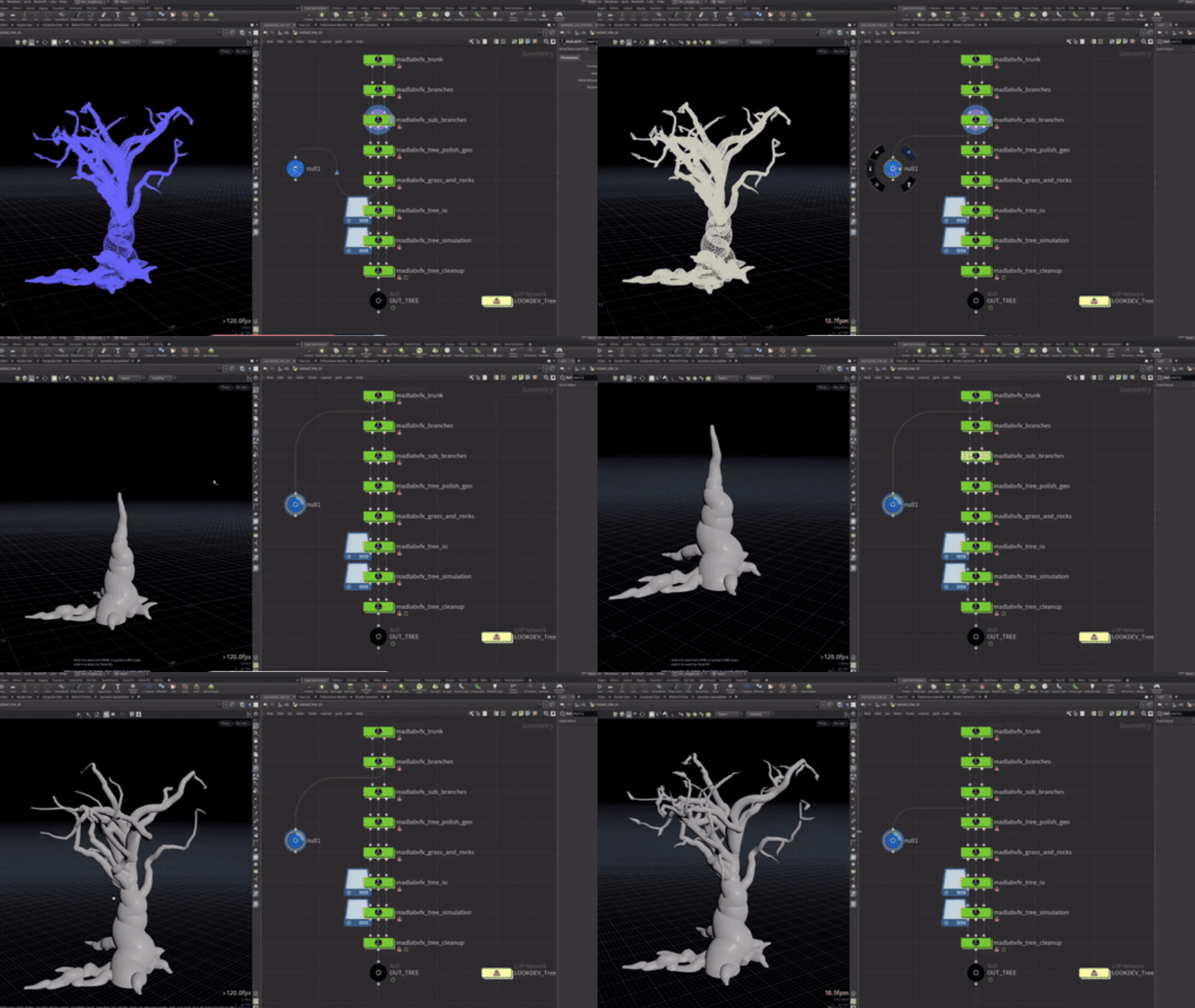
Stylized Trees for Games – How to create stylized procedural trees in Houdini is best approached as a modular pipeline: generate a controllable trunk/branch “skeleton,” shape silhouettes for readability, build low poly game meshes, create leaf cards/clusters, then bake textures/atlases and export with wind-ready data for the target engine. Houdini’s procedural strengths (attributes, instancing, and non-destructive iteration) make it ideal for producing large libraries of consistent, art-directable stylized trees—without sacrificing runtime performance.

How to make stylized procedural trees in Houdini for games
A reliable production workflow for stylized procedural trees in Houdini typically follows six stages:
- Define the target style and constraints: silhouette language (chunky vs wispy), trunk taper rules, leaf mass shapes, color palette, expected camera distance, and platform budgets.
- Generate a controllable “growth” structure: create trunk and branch curves first (using Labs Tree tools or L-systems), then convert curves to mesh with predictable topology and UV seams.
- Lock a readable silhouette early: for stylized assets, silhouette readability matters more than botanical accuracy. Use curve deformation, “tropism”-like bending, and pruning controls to create big, legible shapes.
- Produce game-ready geometry: reduce polycount while preserving the silhouette; keep leaf geometry as cards/clusters rather than fully modeled leaves.
- Bake to atlases and pack UVs: bake normals/AO/ID/gradient masks to textures; atlas leaves/branches to minimize materials and draw calls.
- Export with engine-specific data: LODs, pivot/wind data (Pivot Painter), collision, and naming conventions—then validate in Unreal with the intended lighting and shader model.
This structure keeps the Houdini network clean, makes parameterized variation easy, and supports batch generation with seeds for large tree sets.
SideFX Labs Tree Generator tutorial for stylized game trees
SideFX Labs includes a dedicated Tree toolset designed around procedural control and iteration, and the official Tree Generator tutorial shows how the toolset can be used to create multiple tree shapes and bake outputs for game use.
In a stylized context, the most valuable takeaways from the Labs Tree workflow are:
- Global artistic control via a controller node that drives consistent growth/deformation behaviors across trunk, branches, and leaves.
- Layered shaping: start with broad trunk and primary branches, then add secondary branching and foliage distribution later so you can keep the silhouette stable while refining detail.
- Baking-friendly outputs: the Labs approach is commonly used to generate high detail “source” shapes and then bake them down to optimized meshes and textures.

Houdini L-System trees vs Labs Tree tools for procedural trees
Houdini’s L-System SOP generates organic branching structures using rewriting rules (grammar), making it powerful for research-style procedural growth and rapid generation of diverse branching patterns.
However, for stylized game trees, Labs Tree tools often provide faster art direction because they are built as a purpose-made toolset with dedicated parameters for trunk/branch placement, shaping, pruning, and leaf generation.
Practical comparison for game production:
- L-System strengths: rapid exploration of branching grammars, strong “growth logic,” and the ability to encode structural rules (helpful when you need species-like variation or research-driven generation).
- L-System limitations for stylization: can require more custom rule authoring to hit specific silhouette goals; mesh conversion/topology control is often more manual.
- Labs Tree strengths: interactive and parameter-driven shaping, branch placer controls, and built-in foliage workflows that map cleanly to typical game asset steps.
- Labs Tree limitations: while extremely flexible, “naturalism” can still require custom noise/deformation layers; for highly specific growth grammars, L-systems can be more expressive.
A common hybrid approach is using L-systems to prototype branching logic, then rebuilding the final game-authorable tree with Labs Tree tools for predictable art direction and export.
Low poly stylized tree trunk modeling in Houdini
A stylized trunk should communicate character through taper, curvature, and chunky form breaks while staying efficient for games. The Labs Tree Trunk Generator is designed to generate a trunk from a line/curve, making it a strong procedural starting point.
Key techniques:
- Curve-first trunk design: build a single curve that defines the trunk’s spine; drive radius/taper along curve length (e.g., base thickness and stylized pinch near the crown).
- Controlled “lumpiness”: apply low-frequency noise to radius and silhouette, then clamp to avoid micro-detail that will alias in motion.
- Topology planning: prefer ring-based topology that supports LOD reduction cleanly; avoid excessive subdivisions that don’t affect silhouette.
- Anchor points for branches: create attributes on trunk curves/segments to define branch zones; this keeps branch placement consistent across variations.
For game shading, reserve vertex colors or masks on the trunk for gradients, moss/dirt masks, and stylized hue shifts (discussed later).
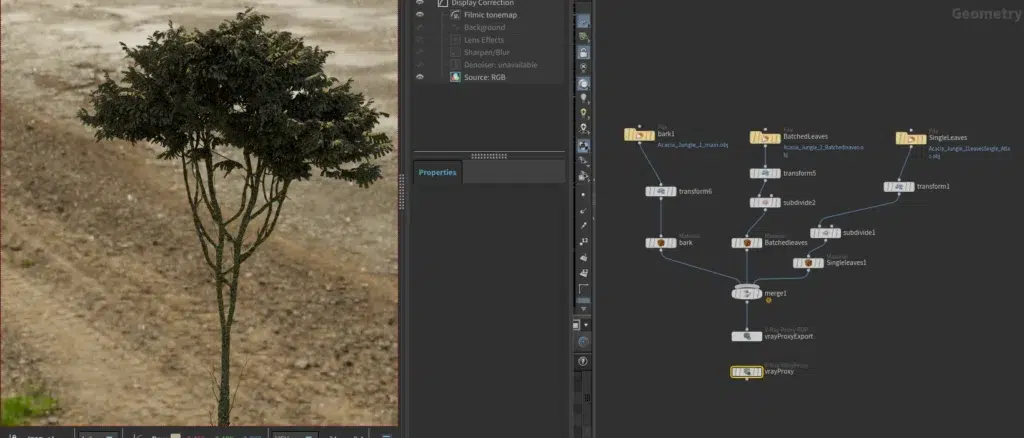
Procedural branch generation and pruning controls in Houdini
Branches determine the tree’s readability and volume. Labs Tree Branch Placer provides both parameter-driven and interactive controls for placing and shaping branches, with options for bending, radius, tropism-like behavior, and refinement.
Branch workflow essentials:
- Primary vs secondary branches: generate a small number of strong primaries first, then add secondaries with tighter pruning so they support the silhouette instead of cluttering it.
- Pruning as silhouette design: pruning should enforce the intended “crown” shape (sphere, teardrop, umbrella, windswept). Prefer pruning based on height, angle, and distance-from-trunk to keep stylization consistent.
- Radius and taper control: stylized branches often taper more aggressively than realistic ones; keep taper consistent across species variants to maintain a unified art style.
- Attribute-driven variation: store branch level (depth), parent id, and normalized length attributes so leaf density and wind strength can vary by hierarchy later (critical for Pivot Painter and LOD logic).
How to create stylized leaves in Houdini with leaf cards and clusters
For real-time games, stylized foliage is typically built from leaf cards (simple planes with alpha) and cluster “clumps” (small groups of cards) to create volume efficiently. The Labs Tree Leaf Generator is built to distribute leaves along branches from the Labs Tree toolset and supports procedural variation and pruning.
Recommended leaf-card strategy:
- Design 3–8 leaf card shapes: include broad, narrow, and asymmetrical silhouettes; ensure alpha edges are clean and readable at distance.
- Build clusters as reusable modules: create small “bouquets” (3–12 cards) oriented around a local pivot; clusters reduce overdraw compared to single-card spam while reading fuller.
- Use distribution rules: concentrate leaves near branch tips; thin out near the trunk to preserve trunk readability and reduce alpha overdraw.
- Normalize orientation: align leaf normals to a stylized “billboard-ish” direction (not full camera-facing) to avoid lighting popping in motion.
- Prune for performance: expose parameters for leaf count, cluster scale, and minimum spacing, so the same asset can target multiple platforms.
Making tree shape variations in Houdini using seeds and parameters
Variation should be controlled, not random noise. Labs Tree nodes and controllers support randomization via seeds and parameters, enabling consistent families of trees with predictable style.
Best practices for controlled variation:
- Use a single “master seed” that drives sub-seeds (trunk, branches, leaves) so each generated tree is reproducible.
- Expose only meaningful dials in your HDA: trunk lean, crown width/height, primary branch count, branch curl, leaf density, and leaf clump scale.
- Constrain ranges to maintain art direction: stylized libraries look cohesive when variation stays within a controlled silhouette language.
- Create variation tiers: “hero,” “midground,” and “background” presets that adjust branch complexity and leaf density while keeping the same style DNA.

Baking branches and leaves to texture atlases in Houdini
Texture atlases are central to game-ready stylized trees because they reduce material slots and enable batching/instancing. SideFX Labs Simple Baker is a SOP-based baking tool that wraps game baking workflows, while Houdini’s Bake Texture ROP supports baking shader exports to texture maps.
A practical atlas workflow:
- High vs low inputs: treat “high” as your detailed source tree (or detailed branch/leaf clusters) and “low” as the simplified in-game mesh/cards.
- Bake the maps you actually use:
- Normal map (optional for stylized, but useful for trunk detail)
- AO (helps ground foliage clusters and trunk creases)
- Albedo/basecolor (if you’re baking hand-painted or procedural color)
- Mask/ID maps (for gradients and material variation)
- Atlas by component: commonly, trunks/branches share one atlas, leaves share another (or combined if budgets require). The goal is fewer materials, not necessarily a single atlas for everything.
The Labs Tree Generator tutorial also highlights baking outputs down for game usage scenarios, including simplified representations.
UV unwrapping and packing for stylized trees in Houdini
Stylized trees benefit from UVs that are stable, predictable, and easy to bake—especially when using atlases. Houdini’s UV Flatten tool supports seam cutting and flattening workflows, while UV Layout tightly packs islands into tiles for efficient texture usage.
Core UV guidelines for stylized trees:
- Trunk/branches: favor cylindrical unwrap logic where possible; place seams on visually hidden sides; keep texel density consistent along trunk length.
- Leaf cards: use planar UVs aligned to the card; pack many leaves into a single atlas tile.
- Padding and mip safety: leave adequate island padding to prevent bleeding at distance (especially for alpha cards).
- Consistent scale: consistent texel density across a tree set makes shared shaders and color gradients behave predictably.
Stylized tree materials for games: gradients, vertex color masks, and shaders
Stylized vegetation materials often rely on a small set of reusable shading ideas:
- Vertical gradients (darker at base, lighter at tips)
- Hue variation (subtle shifts per instance or per-branch level)
- Vertex color masks (to blend moss, bark variation, edge highlights, or leaf color variation)
- Simple lighting models that avoid noisy detail and emphasize readable form
Houdini can author vertex color (Cd) directly on geometry using the Color SOP and attribute workflows.
In Unreal, vertex color can be consumed in materials to drive blends and masks.
A production-ready stylized tree shader commonly includes:
- Trunk: base color + gradient (world/object position) + vertex mask for moss/dirt + optional baked AO.
- Leaves: atlas base color + subsurface/two-sided foliage shading (engine dependent) + per-instance hue shift + wind deformation.
- Shared parameters: season tint, wetness, and health/dryness sliders implemented as material instance parameters.

Optimizing stylized trees for games: polycount, draw calls, and instancing
Optimization for trees is a balance of silhouette quality, alpha overdraw, and render state cost:
- Polycount: keep polygons where they preserve silhouette; remove interior branch loops that will be hidden by foliage.
- Materials and draw calls: trees can become expensive due to multiple materials. Reducing materials (via atlases) is often a bigger win than shaving a few hundred triangles.
- Instancing: reuse the same meshes/materials across many placements. In Unreal, Instanced Static Mesh Components reduce draw calls by batching identical meshes.
Practical rules that consistently improve performance:
- Prefer leaf clusters over many single cards to reduce overdraw.
- Keep material slots minimal (ideally 1–2 for an entire tree).
- Use instancing for repeated trees and repeated sub-meshes (clusters, rocks, props).
- Build background impostors (or billboards) for distant forests when needed.
How to create LODs for procedural trees in Houdini
Trees need robust LODs because foliage dominates screen coverage and can tank performance at distance. Houdini provides multiple ways to generate LODs, including the PolyReduce SOP for controlled polygon reduction.
For Unreal, LODs can be imported as part of a static mesh workflow.
A practical LOD strategy for stylized trees:
- LOD0 (hero): full silhouette fidelity; controlled leaf density; best trunk detail.
- LOD1: reduce secondary branches; simplify leaf clusters (fewer cards per cluster); preserve crown silhouette.
- LOD2+: aggressive leaf reduction; consider merging leaf clusters into fewer cards; reduce trunk segments while keeping outline stable.
- Impostor/billboard: for far distance, switch to baked impostors if the project requires massive forests.
Critical detail: always validate LOD transitions under wind animation, because leaf motion can reveal silhouette pops more strongly than static assets.

Exporting Houdini trees to Unreal Engine with Houdini Engine (HDA workflow)
Houdini Engine for Unreal allows artists to use Houdini Digital Assets (HDAs) inside Unreal, exposing parameters and inputs so tree variations can be generated without opening Houdini.
A robust HDA workflow for stylized trees:
- Promote only key parameters: crown size, seed, branch density, leaf density, LOD preset, and baking/export toggles.
- Support Unreal-friendly outputs: separate outputs for trunk and leaves (if needed), collision meshes, and LOD variants.
- Use naming and grouping conventions: consistent mesh names, material slots, and UV sets.
- Decide “authoring vs runtime” generation: most teams use Houdini Engine to author and bake assets during development, then ship static meshes (not live procedural generation at runtime).
If the project uses Unreal’s PCG framework, a complementary approach is generating point clouds/placement data in Houdini and exporting to Unreal PCG for instancing and world building.
Unreal Pivot Painter setup for Houdini trees and wind animation
Pivot Painter encodes per-element pivot and orientation data so Unreal materials can animate complex hierarchies like branches and leaves. Epic’s Pivot Painter 2.0 documentation describes storing pivot/rotation data for interactive animation workflows.
SideFX Labs provides an Unreal Pivot Painter SOP that can output Pivot Painter data for Unreal, supporting PP1 (vertex data/UV channels) and PP2 (textures) workflows.
A stable Pivot Painter approach for stylized trees:
- Define hierarchy levels: trunk → primary branches → secondary branches → leaf clusters.
- Set consistent pivots: pivots should be placed at branch joints and cluster attachment points, not at mesh centers.
- Encode wind weights: store per-level “stiffness” (e.g., trunk stiff, leaves flexible) via attributes so material wind affects parts differently.
- Validate decoding: use Unreal’s provided material functions for Pivot Painter 2.0 to decode textures and drive vertex animation.
Wind quality depends as much on good pivots and hierarchy as it does on shader math; incorrect pivots produce twisting artifacts and unnatural bending.
Procedural forest scattering in Houdini: placing trees on terrain for games
A procedural forest pipeline typically separates placement generation from asset generation:
- Placement: scatter points on terrain with density masks (slope, height, curvature, biome maps).
- Instantiation: copy/instance trees onto points with scale/rotation variation.
- Export: either export baked placements (as meshes/instances) or export points/attributes for engine-side spawning.
Houdini’s Scatter and Align SOP is designed for scattering points and supporting variation attributes for copies/instances.
Copy to Points supports instancing behaviors and reads point attributes like pscale for per-instance scaling.
For terrain workflows, Houdini includes heightfield scattering guidance and nodes that support large-scale environments.
Game-oriented export options:
- Export meshes for a “baked world” approach (simple, but less flexible).
- Export point data (CSV/Alembic with attributes) for Unreal PCG workflows, allowing level designers to iterate on scattering inside Unreal while keeping Houdini as the generator of rules and distributions.
FAQ questions and answers
- What is the fastest way to get stylized trees for games in Houdini?
Use SideFX Labs Tree tools for trunk/branch/leaf generation, then bake to atlases and export game-ready meshes; Labs is built to support this workflow directly. - When should L-systems be used instead of Labs Tree tools?
Use L-systems when you need grammar-driven growth logic or research-like branching behavior; use Labs when you need faster art direction and game-focused controls. - How do I keep a stylized tree readable from far away?
Prioritize big silhouette shapes, reduce noisy branch detail, and rely on gradient-driven shading and carefully designed foliage clumps rather than fine geometry. - What is the most common performance problem with stylized trees?
Alpha overdraw from dense leaf cards and too many materials. Leaf clustering and atlases usually provide bigger wins than small triangle reductions. - How many materials should a game tree have?
As few as possible—often 1–2 total (e.g., one for trunk/branches, one for leaves). Atlasing supports this goal and helps reduce draw calls. - What Houdini tools are best for baking stylized tree textures?
Labs Simple Baker (SOP-based) and Houdini’s Bake Texture workflow are commonly used for baking normals/AO/masks to low poly meshes. - How should UVs be handled for trunks vs leaves?
Use stable unwraps for trunks/branches (seams placed strategically), and planar UVs for leaf cards; pack all islands efficiently with UV Layout. - What is Pivot Painter, and why use it for trees?
Pivot Painter encodes per-part pivot/rotation data so Unreal materials can animate branches/leaves hierarchically for wind and interaction. - How do I make many unique trees without rebuilding the network?
Expose a master seed and a small set of silhouette-critical parameters (crown size, trunk lean, branch count, leaf density), then generate variants by changing seeds within constrained ranges. - Should forests be scattered in Houdini or Unreal?
Both approaches are common: scatter in Houdini for rule-driven generation, or export points to Unreal PCG for engine-side iteration and designer control.
conclusion
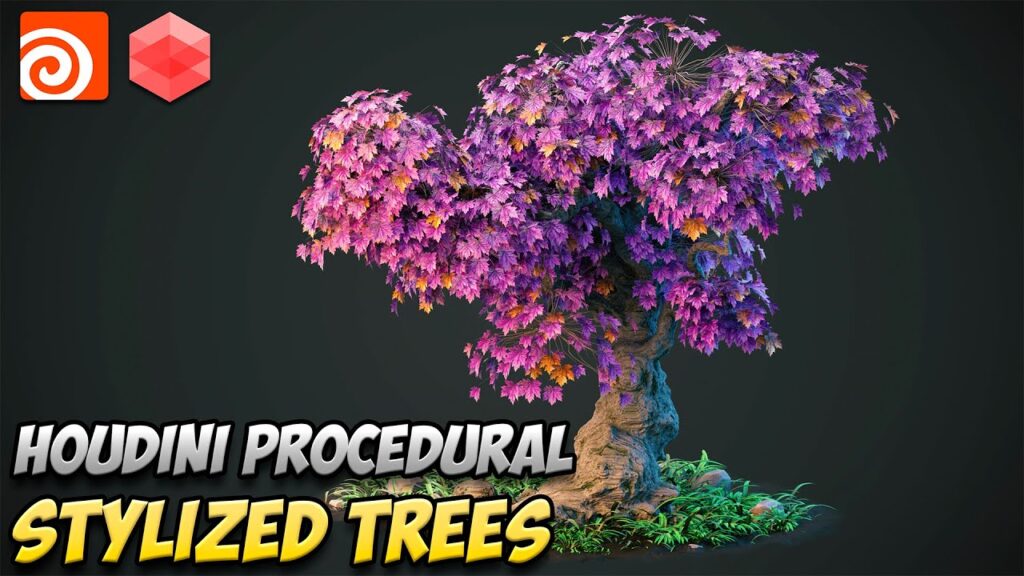
Stylized procedural trees for games succeed when the pipeline is designed around silhouette readability, controlled variation, and export-ready optimization. Houdini excels at building modular tree systems where trunk, branches, and leaves are generated procedurally, tuned through a small set of art-directable parameters, and then baked into efficient atlases with clean UVs. SideFX Labs Tree tools provide a production-friendly baseline for this workflow, while L-systems remain valuable for growth-logic exploration. Final quality and performance are determined by disciplined material/atlas decisions, smart LODs, and engine-specific export steps—especially Pivot Painter for wind animation in Unreal.
sources and citation
- SideFX Labs Tree Generator tutorial (Tree toolset and baking overview) https://www.sidefx.com/tutorials/tree-generator/
- Houdini L-System SOP documentation https://www.sidefx.com/docs/houdini/nodes/sop/lsystem.html
- SideFX Labs Tree Trunk Generator documentation https://www.sidefx.com/docs/houdini/nodes/sop/labs–tree_trunk_generator.html
- SideFX Labs Tree Branch Placer / Generator documentation https://www.sidefx.com/docs/houdini/nodes/sop/labs–tree_branch_generator.html
- SideFX Labs Tree Leaf Generator documentation https://www.sidefx.com/docs/houdini/nodes/sop/labs–tree_leaf_generator.html Labs
- Simple Baker 2.0 documentation https://www.sidefx.com/docs/houdini/nodes/sop/labs–simple_baker.html
- Houdini Bake Texture ROP documentation https://www.sidefx.com/docs/houdini/nodes/out/baketexture.html
- Houdini UV Flatten documentation https://www.sidefx.com/docs/houdini/nodes/sop/uvflatten.html
- Houdini UV Layout documentation https://www.sidefx.com/docs/houdini/nodes/sop/uvlayout.html
- Unreal Engine Instanced Static Mesh Component documentation https://docs.unrealengine.com/5.0/en-US/instanced-static-mesh-component-in-unreal-engine/
- Unreal Engine LOD documentation (Creating/Using and Importing Static Mesh LODs) https://docs.unrealengine.com/5.0/en-US/creating-and-using-lods-in-unreal-engine/
- Houdini PolyReduce SOP documentation https://www.sidefx.com/docs/houdini/nodes/sop/polyreduce.html
- Houdini Engine for Unreal introduction https://www.sidefx.com/docs/houdini/unreal/intro.html
- Epic Games Pivot Painter 2.0 documentation https://dev.epicgames.com/documentation/en-us/unreal-engine/pivot-painter-tool-2-0
- SideFX Labs Unreal Pivot Painter SOP documentation https://www.sidefx.com/docs/houdini/nodes/sop/labs–unreal_pivotpainter.html
- Houdini Scatter and Align SOP documentation https://www.sidefx.com/docs/houdini/nodes/sop/scatteralign.html
- Houdini Copy to Points SOP documentation https://www.sidefx.com/docs/houdini/nodes/sop/copytopoints.html
- Houdini packed primitives / instancing reference https://www.sidefx.com/docs/houdini/model/packed.html
- Unreal Engine vertex color materials documentation https://docs.unrealengine.com/5.0/en-US/vertex-color-materials-in-unreal-engine/
- Houdini Color SOP documentation (Cd attribute) https://www.sidefx.com/docs/houdini/nodes/sop/color.html
Recommended
- How to Create a Sci-Fi Metahuman in Unreal Engine 5: A Step-by-Step Guide
- What Is Film Grain? Understanding Its Role in Cinematic Aesthetics
- The First Berserker: Khazan: Neople Announces Restructure of Dev Teams — What It Means for Updates and Nexon’s Plans
- The Original Final Fantasy 7 Gets a New Re-release for PC on Steam: New Features, Free Upgrade, and Known Issues
- Camera Transitions Made Easy in Blender Using The View Keeper
- How To Create Hexagon Fans Blender: Step-by-Step Hexagon Fan Grill (Honeycomb Fan Cover) Tutorial
- Hit Manga Chainsaw Man Will End Soon, Viz Media Confirms
- GIMP 3.2 Introduces Link Layers and Vector Layers: How to Use Non-Destructive Linked Assets and Editable Shapes
- The Devil In Me Game Dev Celebrates Star’s Win At The Oscars: Jessie Buckley’s Best Actress Victory Explained
- Nova Roma – Official Early Access Launch Trailer Reveals Roman City Builder Gameplay, Features, and Early Access Details





























































































