










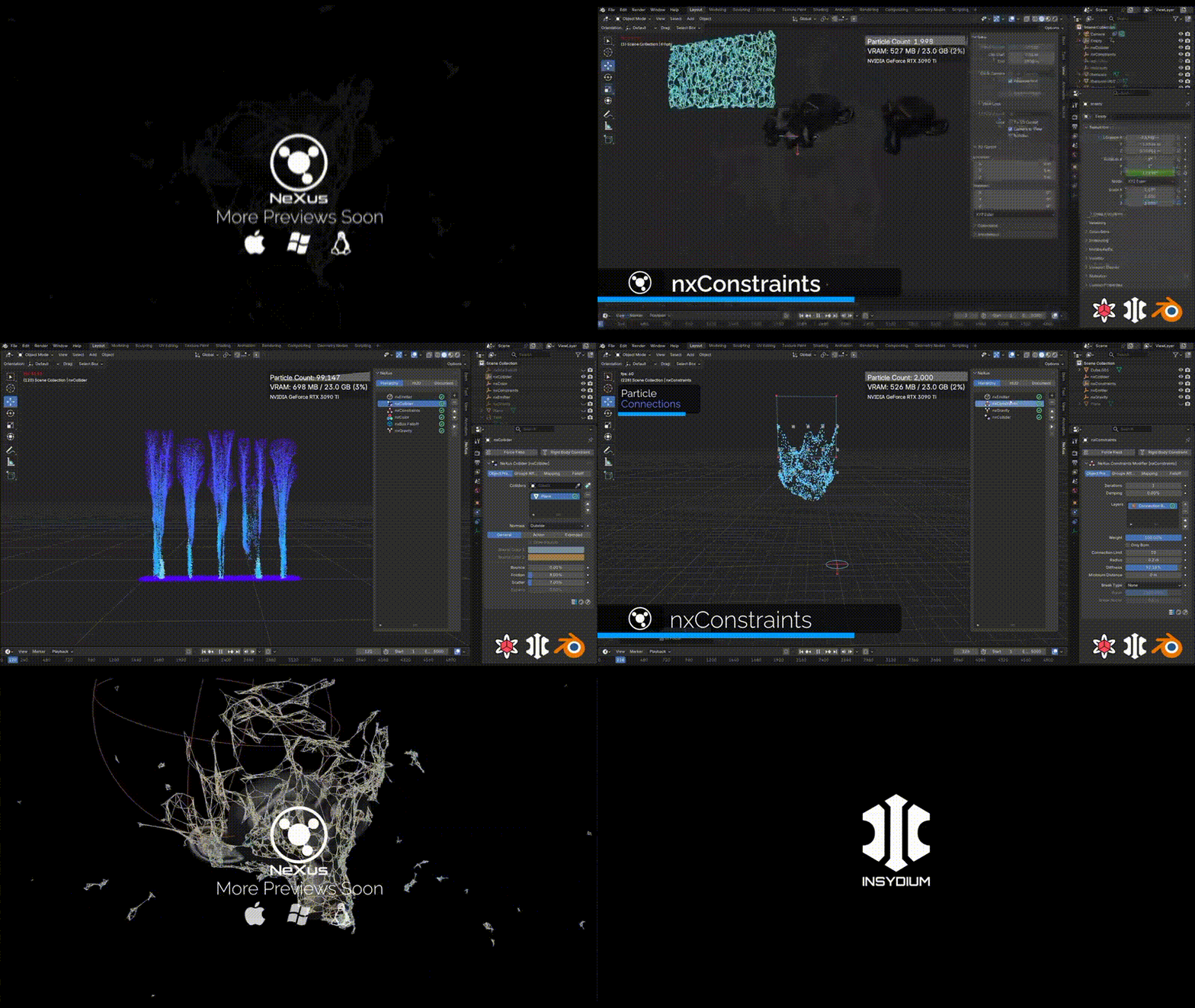
NeXus for Blender, Insydium’s popular particle and fluid simulation tool is coming to Blender, and the announcement matters because it brings one of Cinema 4D’s best-known GPU simulation ecosystems into a wider open-source 3D workflow. For years, Blender artists have relied on native systems like Mantaflow, Geometry Nodes, modifiers, third-party FLIP tools, and external simulation apps to build particles, liquids, smoke, fire, grains, and procedural motion graphics. NeXus for Blender promises a different kind of workflow: a real-time, GPU-driven simulation environment designed for faster iteration, instant viewport feedback, and high-performance particle and fluid effects.
INSYDIUM describes NeXus as a Vulkan-powered, cross-platform particle simulation framework that brings fluids, grains, constraints, and particle modifiers onto the GPU. The company has also previewed NeXus for Blender as a rebuilt version rather than a basic port, with a workflow designed around Blender’s viewport, scene tools, and real-time simulation feedback.
NeXus for Blender Release Date and Beta Timeline
The official NeXus for Blender release date has not been locked to a specific public day yet. Current public reporting says the Blender edition is due “soon,” while some previews and coverage point toward a summer release window. INSYDIUM has been publishing preview videos and social posts showing NeXus running inside Blender, suggesting that the software is already far enough along for public demonstrations.
The timeline is important because NeXus for Blender was not a sudden announcement. INSYDIUM previously announced plans to bring NeXus beyond Cinema 4D, including Blender, Maya, and 3ds Max editions. Those earlier plans were expected around 2023, but the Blender version only reappeared in public preview form in 2026. That gap makes the new previews more significant because they show a working Blender-focused build rather than a distant product promise.
For artists waiting on NeXus for Blender, the safest interpretation is this: INSYDIUM is actively previewing the Blender edition, the release appears close, but the company has not yet confirmed a final stable release date. Until INSYDIUM publishes a launch post, store page, or download page with an exact date, any specific day should be treated as unconfirmed.
NeXus for Blender Price, Licensing, and Subscription Details
INSYDIUM has not announced a standalone final price for NeXus for Blender at the time of writing. However, current reports indicate that active Fused users with NeXus included in their license will receive access to the Blender edition at no extra cost when it launches. The Blender version is also expected to be available separately, which is important for Blender users who do not own Cinema 4D or the full INSYDIUM Fused bundle.
This matters because INSYDIUM’s ecosystem has historically been tied closely to Cinema 4D through products like X-Particles, NeXus, Taiao, TerraformFX, MeshTools, and other tools bundled under Fused. Blender users may not want a full Cinema 4D-centered bundle, so a separate NeXus for Blender purchase option would make the tool more accessible.
The licensing picture appears to include both subscription access through Fused and separate purchasing options. Reports also note that INSYDIUM has supported perpetual licenses for individual products, meaning NeXus for Blender may not be subscription-only. Still, buyers should wait for INSYDIUM’s official store listing before making decisions based on price, edition limits, maintenance terms, upgrade rights, or platform restrictions.
What is NeXus for Blender and What Does it Do
NeXus for Blender is a GPU-accelerated particle and simulation tool designed to bring INSYDIUM’s NeXus simulation framework into Blender. In practical terms, it is built for effects such as particles, fluids, grains, constraints, smoke, fire, particle modifiers, liquid meshing, procedural motion, and real-time simulation workflows.
The main value of NeXus is speed and interactivity. Instead of forcing artists to wait through slow CPU-only simulation passes, NeXus pushes simulation work onto the GPU using Vulkan. That allows artists to adjust emitters, forces, collisions, particle behavior, fluid settings, and visual feedback more quickly inside the viewport.
For Blender users, NeXus could become especially useful in motion graphics, product animation, stylized effects, abstract simulations, advertising visuals, music videos, VFX shots, and design-driven animation. It is not just about realistic water or smoke. The broader promise is a procedural simulation workflow where particles, fluids, modifiers, and scene objects can respond quickly enough for creative exploration.
NeXus vs X-Particles: Key Differences and Performance
NeXus and X-Particles are closely related in INSYDIUM’s ecosystem, but they are not the same thing. X-Particles is the long-running Cinema 4D particle and multiphysics system known for particles, cloth, fluids, grains, smoke, fire, dynamics, and procedural effects. NeXus is the newer GPU-accelerated simulation framework designed to move more of that simulation work onto modern graphics hardware.
The simplest difference is this: X-Particles is known as the broader CPU-based particle and multiphysics workflow, while NeXus is the Vulkan-based GPU simulation framework built for speed, real-time feedback, and modern hardware acceleration. NeXus has been described as a GPU-accelerated counterpart to X-Particles, especially for users who want faster particle and fluid interaction.
For performance, NeXus for Blender may have an advantage over the Cinema 4D edition because INSYDIUM has reportedly said the Blender add-on keeps more work on the GPU. That could reduce overhead and improve scaling, especially on larger simulations. Public previews have also shown the tool running on an NVIDIA GeForce RTX 3090, which suggests INSYDIUM is not only targeting the newest workstation GPUs.
GPU-Accelerated Particle Simulation in Blender with NeXus
The biggest selling point of NeXus for Blender is GPU-accelerated particle simulation. Blender already has particles, Geometry Nodes, physics tools, and several simulation workflows, but NeXus is designed as a specialized GPU particle system for fast creative iteration.
GPU acceleration matters because particle simulations can become expensive very quickly. Millions of particles, fluid-like behavior, collisions, forces, turbulence, attraction, repulsion, meshing, and viewport display can all become bottlenecks. By using Vulkan and modern GPU compute, NeXus aims to let artists preview and adjust simulations more interactively.
For Blender motion designers, this could make NeXus attractive for effects such as particle trails, abstract swarms, force-driven animations, procedural reveals, magical effects, sand-like motion, stylized liquid splashes, object-based emissions, and collision-driven animations. The key benefit is not only final output quality, but also the ability to experiment without breaking the creative flow.
Real-Time Viewport Simulation Workflow in NeXus for Blender
NeXus for Blender is being promoted around real-time workflow, rapid iteration, and immediate viewport feedback. This is one of the most important parts of the tool because simulation work often becomes slow when artists must repeatedly bake, cache, preview, adjust, and simulate again.
A real-time viewport simulation workflow means artists can make changes and see results quickly. Emitters, modifiers, particle behavior, collision objects, fluid properties, and display options can be adjusted with less waiting. In production, that can save time during look development, client revisions, previs, and effect design.
This is especially important in Blender because artists often use the viewport as the central creative space. A simulation tool that responds inside the viewport fits Blender’s interactive design philosophy. If INSYDIUM delivers the workflow shown in previews, NeXus could feel less like a separate simulation engine and more like a live creative system inside Blender.
NeXus FLIP Fluids in Blender: Liquid Simulation Features
NeXus includes liquid simulation tools, and one of the most important areas to watch is FLIP fluids. FLIP is a common simulation method used in dedicated liquid solvers because it can handle more dynamic liquid behavior than simpler particle-based approaches. INSYDIUM has previewed FLIP and APIC liquid solver development for NeXus, expanding the system beyond earlier PBD and SPH approaches.
For Blender users, NeXus FLIP fluids could be useful for water splashes, pouring liquids, waves, stylized motion graphics fluids, product shots, liquid reveals, and VFX-style effects. The advantage would be the combination of liquid simulation and GPU acceleration within a Blender workflow.
However, Blender users should understand that FLIP is not automatically “better” for every job. FLIP can be stronger for larger, more realistic liquid motion, while PBD-style fluids can be faster and easier for smaller, art-directed effects. NeXus becomes interesting because it can potentially offer multiple fluid approaches under one GPU-driven system.
NeXus PBD Fluids and Granular Simulations for Blender
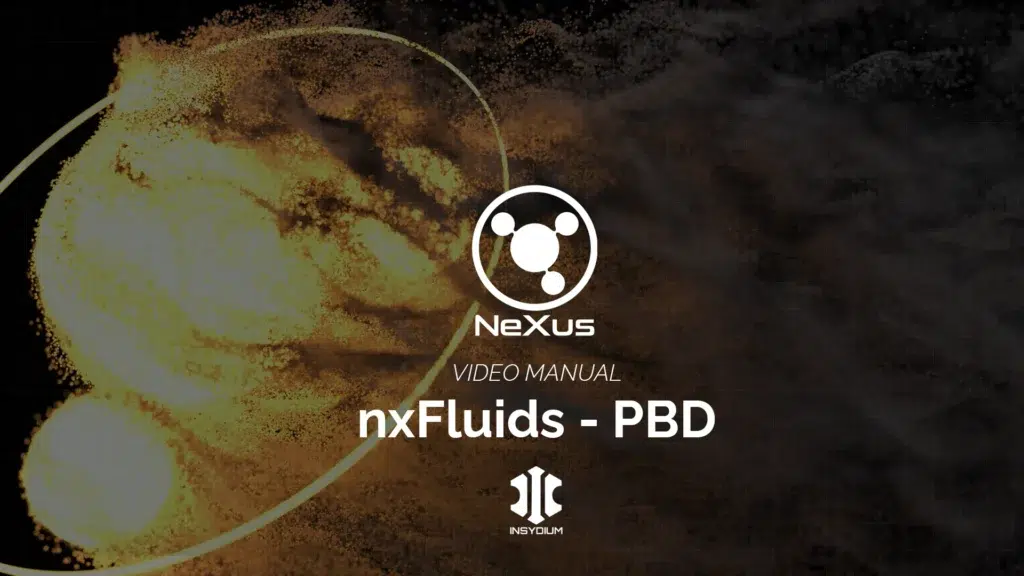
PBD stands for Position Based Dynamics, and it is commonly used for interactive, stable, and controllable simulations. In NeXus, PBD fluids are especially important for real-time liquid-style effects, smaller fluid setups, quick visual experiments, and art-directed motion.
NeXus PBD fluids in Blender could help artists create liquid-like effects without needing the heavier setup or longer simulation times associated with full production-scale FLIP sims. PBD is often useful when the goal is responsiveness, directability, and speed rather than maximum physical realism.
Granular simulations are another major part of the NeXus appeal. Granular materials can include sand, grains, small particles, powder-like motion, beads, debris, and other particle-based materials that behave like loose matter. For motion graphics and VFX, this opens the door to effects where objects dissolve into particles, sand pours through obstacles, logos form from grains, or abstract materials respond to forces.

NxMesher in NeXus: GPU Liquid Meshing for Blender
nxMesher is one of the key NeXus tools because fluid particles often need to become renderable surfaces. A liquid simulation is not complete if it only produces particles. For many shots, the artist needs a smooth mesh that can be shaded as water, paint, slime, lava, mercury, syrup, or another liquid material.
A GPU liquid meshing workflow can make this process faster and more interactive. Instead of waiting for slow mesh generation, artists can preview how particle fluids become surfaces and adjust the look more efficiently. That is especially useful for product visuals, splash effects, liquid logo reveals, and stylized fluid animation.
For Blender users, nxMesher could become a major selling point if it connects smoothly with Blender materials, lighting, rendering, and caching. The final usefulness will depend on how well it integrates with Blender’s render pipeline, whether artists can export or cache meshes cleanly, and how stable it remains during production-scale scenes.
NeXus Smoke and Fire Simulation Tools (GPU Volumetrics)
NeXus also includes GPU smoke and fire simulation tools through nxExplosiaFX. INSYDIUM describes nxExplosiaFX as a GPU-powered smoke and fire system built for effects ranging from candle smoke to large explosions. It supports emission from objects, splines, vertex maps, shaders, and particles, with controls for particle advection, data channel mapping, emitters, collisions, and forces.
For Blender, GPU volumetrics could be highly valuable because smoke and fire simulation can be one of the slowest parts of a 3D workflow. If NeXus brings responsive smoke and fire tools into Blender, artists could use it for explosions, magical smoke, dust bursts, fire trails, atmospheric effects, product steam, sci-fi energy effects, and stylized volumetric motion.
The big question will be how final rendering works. Viewport responsiveness is important, but production artists will also care about volume quality, caching, export options, render engine compatibility, shader controls, and whether NeXus volumes can be used effectively with Blender’s rendering workflow.
NeXus Modifiers for Blender: NxAttract, NxAvoid, NxPush and More
NeXus is not only about solvers. Its particle modifiers are a major part of the creative workflow. Tools such as nxAttract, nxAvoid, nxPush, nxTurbulence, and other modifiers allow artists to direct particle motion in ways that are easier to art-direct than pure physics.
nxAttract can pull particles toward targets or regions, making it useful for logo formation, object reveals, magnetic motion, and clustering effects. nxAvoid can help particles move away from objects or zones, which is useful for collision-like design effects, procedural masking, and interactive motion. nxPush can drive particles outward or through space, helping create bursts, shockwaves, flowing trails, and organic movement.
These modifiers matter because most artists do not want simulations that are only physically correct. They want simulations that are controllable. NeXus for Blender could become especially strong if these modifiers work naturally with Blender objects, curves, geometry, materials, vertex data, and animation tools.

NeXus for Blender System Requirements (GPU, Vulkan, Supported Hardware)
The official NeXus system requirements center on GPU support. INSYDIUM states that NeXus uses Vulkan and supports modern NVIDIA, AMD, and Apple M Series GPUs with at least 4GB of VRAM, Vulkan support, suitable compute capability, and up-to-date stable drivers.
This makes GPU choice important. Since NeXus is built around GPU simulation, users with stronger GPUs and more VRAM should expect better performance and larger simulation capacity. Users with older graphics cards, weak integrated GPUs, outdated drivers, or limited VRAM may face restrictions.
Public reports also indicate that NeXus is GPU-accelerated across AMD, Apple Silicon, Intel, and NVIDIA hardware, although final Blender-specific compatibility should be confirmed from INSYDIUM’s official documentation when the product launches. The previews also show Windows, Linux, and macOS platform logos, suggesting broad OS support, but final platform details should be verified from the release page.
NeXus for Blender Download and Installation (what to Expect)
The NeXus for Blender download process has not yet been fully detailed in a public final product page. Based on typical Blender add-on workflows, users can expect an installer, add-on package, account-based download, or INSYDIUM license-managed setup. Since NeXus is a commercial GPU simulation tool, installation will likely involve downloading from INSYDIUM, activating a license, enabling the add-on in Blender, and checking GPU compatibility.
Artists should expect to verify their Blender version, operating system, GPU driver, Vulkan support, and license status before using NeXus. Since GPU simulation tools depend heavily on drivers and hardware, clean installation and updated drivers will likely be important for stability.
When NeXus for Blender launches, the most important pages to check will be the official INSYDIUM product page, documentation, licensing page, release notes, and support articles. Those sources should clarify compatible Blender versions, installation steps, activation rules, known issues, hardware recommendations, and update procedures.
NeXus for Blender vs Mantaflow: Which Blender Fluid System to Use
NeXus for Blender and Mantaflow will likely serve different users and production needs. Mantaflow is Blender’s native fluid simulation system, used for liquids, smoke, and fire. It is built into Blender, requires no third-party purchase, and remains the default choice for many users who want native fluid tools.
NeXus, by contrast, is a commercial GPU-accelerated simulation framework focused on particles, fluids, grains, modifiers, and fast viewport feedback. If a Blender artist needs a free, built-in solution, Mantaflow is the obvious starting point. If the artist needs faster iteration, GPU-driven particle workflows, INSYDIUM-style modifiers, granular simulations, liquid meshing, and a broader procedural simulation toolkit, NeXus may become the stronger choice.
For beginners, Mantaflow may still be the better learning path because it is already included in Blender. For motion designers, VFX artists, and studios that value speed, interactivity, and specialized particle-fluid tools, NeXus for Blender could become a serious upgrade. The best choice will depend on budget, hardware, project type, required realism, and how well NeXus integrates into the final Blender production pipeline.

NeXus for Blender Roadmap and Future Updates
The NeXus for Blender roadmap appears to be focused on bringing the full NeXus feature set into Blender while maintaining GPU-driven performance. Public reporting suggests INSYDIUM has said the Blender edition will include the existing NeXus functionality available in Cinema 4D, while also being reimagined for Blender rather than simply copied across.
Future updates may expand performance, caching, export options, Geometry Nodes interoperability, particle conversion, meshing workflows, smoke and fire tools, fluid solvers, and support for larger GPU simulations. Reports also suggest INSYDIUM has tested NeXus beyond Blender and may consider other host applications depending on user feedback.
For Blender users, the roadmap matters because the first release may only be the beginning. If INSYDIUM supports NeXus for Blender with regular updates, documentation, tutorials, and production-focused fixes, it could become one of the most important commercial simulation tools in the Blender ecosystem.
Frequently Asked Questions (FAQs)
- What is NeXus for Blender?
NeXus for Blender is INSYDIUM’s GPU-accelerated particle and simulation framework rebuilt for Blender. It is designed for particles, fluids, grains, modifiers, liquid meshing, smoke, fire, and real-time viewport simulation workflows. - is NeXus for Blender the Same as X-Particles?
No. X-Particles is INSYDIUM’s well-known Cinema 4D particle and multiphysics system, while NeXus is the newer GPU-driven simulation framework. NeXus is closely connected to the INSYDIUM ecosystem but is built around Vulkan GPU acceleration. - When is NeXus for Blender Coming Out?
INSYDIUM has not confirmed an exact final release date. Current public previews and reports say NeXus for Blender is coming soon, with some coverage pointing to a summer release window. - Will NeXus for Blender Be Free?
NeXus for Blender is not expected to be a free tool. Reports say active Fused users with NeXus included should receive access at launch, and the Blender edition is also expected to be available separately. - Will NeXus for Blender Have a Perpetual License?
Reports indicate that NeXus for Blender is expected to be available separately and not only through subscription access. However, final license terms should be confirmed from INSYDIUM’s official store page when the product launches. - Does NeXus for Blender Use the GPU?
Yes. NeXus is built around GPU acceleration using Vulkan. INSYDIUM describes it as a cross-platform simulation framework that brings fluids, grains, constraints, and particle modifiers onto the GPU. - What GPU Do I Need for NeXus for Blender?
INSYDIUM’s NeXus information says users need a modern NVIDIA, AMD, or Apple M Series GPU with at least 4GB of VRAM, Vulkan support, suitable compute capability, and stable up-to-date drivers. - Can NeXus for Blender Simulate Fluids?
Yes. NeXus includes fluid simulation tools, including PBD fluids, granular simulations, and newer FLIP/APIC liquid solver development in the NeXus ecosystem. - Can NeXus for Blender Simulate Smoke and Fire?
Yes. NeXus includes nxExplosiaFX, a GPU smoke and fire simulation system designed for effects ranging from small smoke wisps to large explosions. - is NeXus Better than Mantaflow?
NeXus is not automatically better for every user. Mantaflow is free and native to Blender, while NeXus is a commercial GPU simulation tool focused on speed, particles, modifiers, fluids, and real-time viewport feedback. NeXus may be better for artists who need fast GPU-driven simulation and advanced procedural control.

Conclusion
NeXus for Blender, Insydium’s popular particle and fluid simulation tool is coming to Blender, and its arrival could reshape how Blender artists approach particles, fluids, grains, smoke, fire, and real-time simulation design. The biggest promise is not simply that Blender is getting another simulation add-on. The bigger story is that INSYDIUM is bringing a Vulkan-powered, GPU-driven workflow into Blender with the kind of particle and fluid tools that made its Cinema 4D ecosystem popular.
The most important features to watch are GPU-accelerated particles, real-time viewport feedback, PBD fluids, FLIP liquid simulation, granular tools, nxMesher, nxExplosiaFX, and art-directable modifiers such as nxAttract, nxAvoid, nxPush, and nxTurbulence. If these tools work as smoothly as the previews suggest, NeXus for Blender could become a major option for motion designers, VFX artists, simulation artists, and Blender studios that need faster iteration than traditional simulation workflows.
However, buyers should still wait for official launch details before making final decisions. The release date, exact standalone price, license terms, supported Blender versions, installation process, caching options, render compatibility, and production limitations still need final confirmation from INSYDIUM. What is clear is that NeXus for Blender is one of the most important Blender simulation tools to watch in 2026.
Sources and Citations
- INSYDIUM official NeXus product page
https://insydium.ltd/products/nexus/ - INSYDIUM official website
https://insydium.ltd/ - CG Channel, “Sneak peek: NeXus for Blender”
https://www.cgchannel.com/2026/05/sneak-peek-nexus-for-blender/ - CG Channel, “Sneak peek: NeXus for Blender” April 2026 coverage
https://www.cgchannel.com/2026/04/sneak-peek-nexus-for-blender/ - 80 Level, “INSYDIUM Teases NeXus For Blender”
https://80.lv/articles/insydium-teases-nexus-for-blender - CG Channel, “Sneak peek: the new FLIP fluid solver in Insydium’s NeXus”
https://www.cgchannel.com/2025/11/sneak-peek-the-new-flip-fluid-solver-in-insydiums-nexus/ - Digital Production, “INSYDIUM Fused 2025.4: Faster NeXus, New GPU Sims, And a Procedural Animation Toolkit”
https://digitalproduction.com/2025/12/12/insydium-fused-2025-4-faster-nexus-new-gpu-sims-and-a-procedural-animation-toolkit/ - INSYDIUM NeXus Blender Preview, nxFluids PBD
https://www.youtube.com/watch?v=237qLRuBZlA
Recommended
- Forza Horizon 6’s Xbox Series X|S Quality and Performance Modes Explained: 4K/30 vs Dynamic 4K/60 (and Series S 1440p/30 vs 1080p/60)
- Impossible Mission 3 Release Date Confirmed for May as Classic Commodore 64 Series Returns After 38 Years
- Assassin’s Creed: Black Flag Resynced July 2026 Rumor: Release Date, Remake Details, and What Ubisoft Has Teased
- My Voice Zoo: What it Is, How the Voice Recording Game Works, Platforms, Features, and Safety Tips
- Nintendo Developers Obsessed Over Getting Farting Right in Tomodachi Life Here’s Why It Took Years
- Lego Batman: Legacy of the Dark Knight PC Requirements Demand Lots of RAM (Minimum & Recommended Specs Guide)
- Disney Lorcana TCG: Stitch Edition Starter Set Guide – Coolest Card, Contents, Price & Why It’s Perfect for Beginners
- Lego Batman: Legacy Of The Dark Knight Samurai Armor Explained
- Nintendo Blocks Tomodachi Life Phone Sharing, But These Workarounds Still Exist
- The Best Bearded Video Game Characters: Iconic Facial Hair and Their Impact on Gaming






















































































