






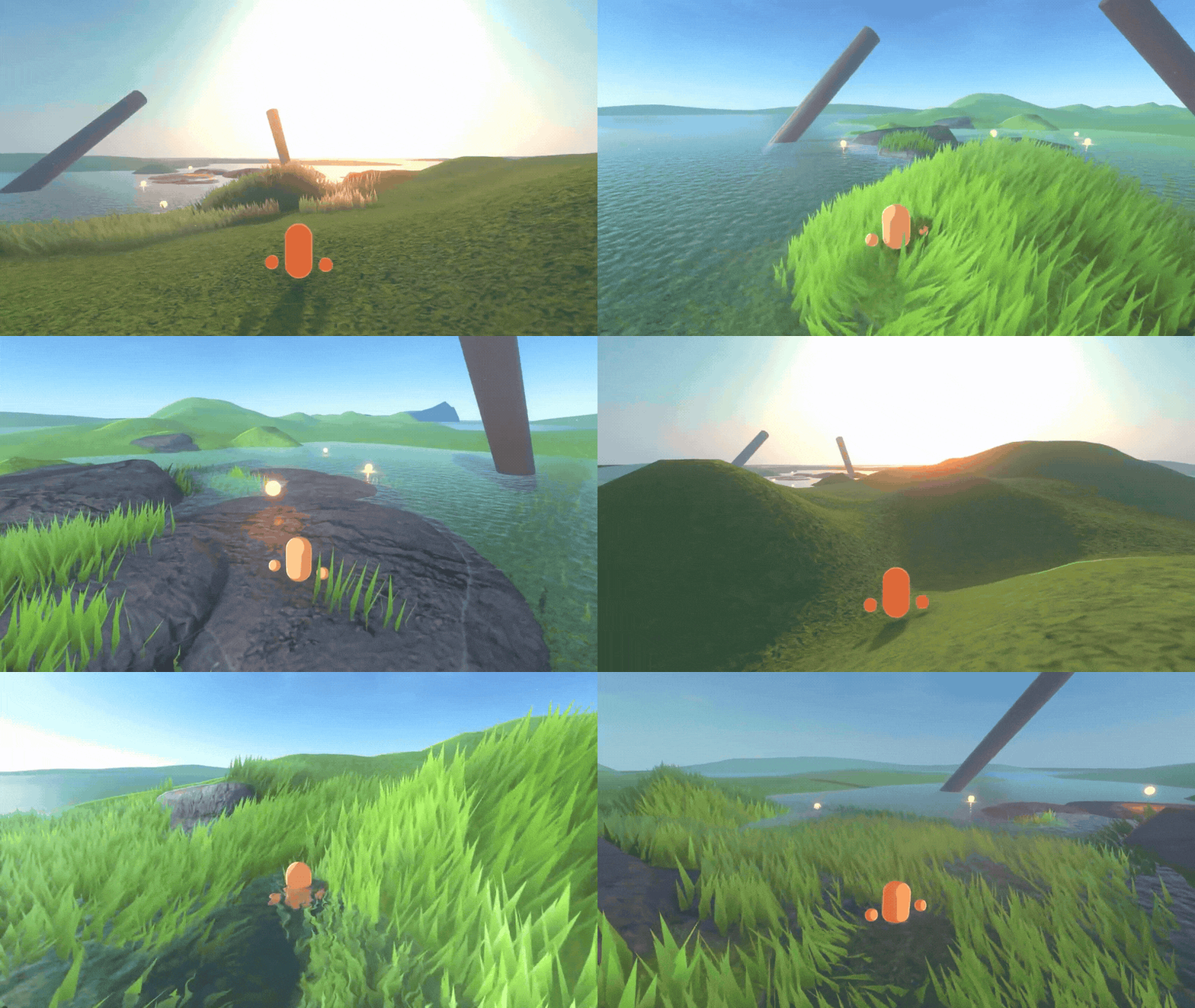
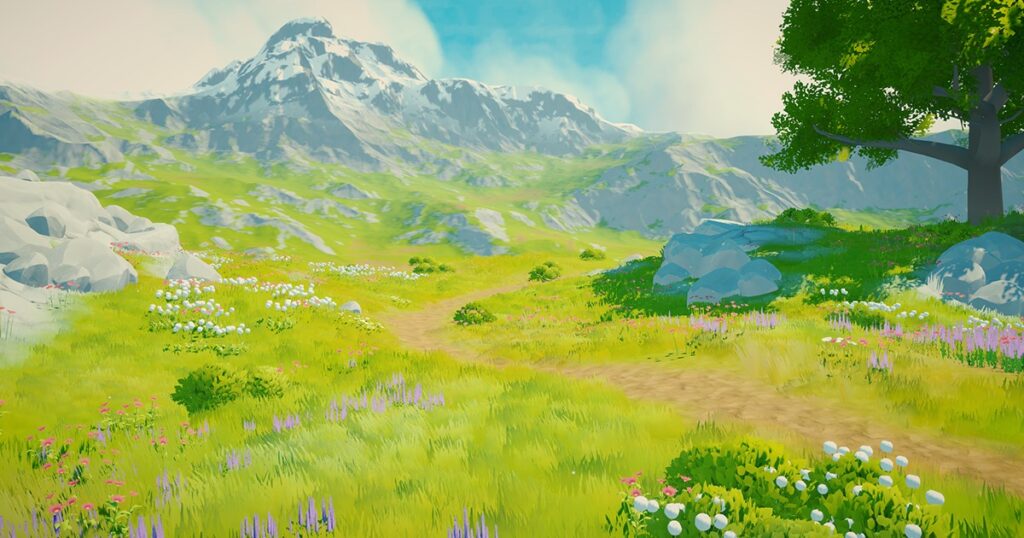
A stylized grass shader in Unity is a specialized rendering system designed to simulate grass that is visually appealing, lightweight, and optimized for real-time performance. Unlike fully realistic grass systems that rely heavily on high-density geometry, stylized grass shaders focus on artistic representation while maintaining efficiency across different platforms.
At its core, a grass shader manipulates vertex positions, lighting response, and surface shading to simulate grass blades without necessarily using thousands of individual mesh objects. Instead, it relies on shader logic to “fake” complexity using textures, vertex displacement, noise functions, and color gradients.
In Unity, these shaders typically operate within the Universal Render Pipeline (URP) or High Definition Render Pipeline (HDRP), leveraging Shader Graph or HLSL to control animation, wind movement, and lighting behavior. The result is a visually rich environment that remains performant even on lower-end hardware.
Best Practices for Creating Stylized Grass in Unity Game Development
Creating high-quality stylized grass requires balancing aesthetics and performance. One of the most important practices is using layered textures instead of relying solely on geometry. This allows developers to simulate density without increasing draw calls.
Another best practice is to design grass with a clear artistic direction. Stylized grass should not aim to perfectly replicate real-world vegetation but instead enhance the game’s visual identity. This includes exaggerating colors, smoothing transitions between terrain and grass, and simplifying blade shapes.
Developers should also ensure that grass density is dynamically controlled based on camera distance. This technique, known as level of detail (LOD), significantly improves performance in large environments.

How to Build a Real-Time Grass Shader in Unity Using Shader Graph
Unity Shader Graph is one of the most accessible tools for building real-time grass shaders. It allows developers to visually construct shader logic without writing complex code.
A basic stylized grass shader includes:
- Vertex displacement to simulate wind
- Color gradients based on height or slope
- Texture blending for variation
- Normal manipulation for lighting response
By using Shader Graph nodes such as Time, Noise, and Simple Gradient, developers can create procedural movement and variation in grass blades. The system can be extended with custom functions for more advanced behavior.
Real-time shaders also rely heavily on optimized sampling to avoid performance bottlenecks, especially when applied across large terrain systems.
Stylized Grass Shader Optimization Techniques for Mobile and PC Games
Optimization is critical when working with grass shaders, especially for mobile platforms. One key technique is reducing overdraw, which occurs when multiple transparent layers overlap.
Another optimization method is baking static grass into textures for distant terrain while reserving real-time shaders for close-up areas. This hybrid approach ensures visual fidelity without sacrificing performance.
Developers should also minimize the use of expensive mathematical operations in fragment shaders and instead shift computations to vertex shaders whenever possible.
Unity Shader Graph vs HLSL for Stylized Grass Effects
Shader Graph offers a visual workflow that is ideal for beginners and rapid prototyping, while HLSL provides deeper control and performance optimization.
Shader Graph is best used for:
- Rapid iteration
- Stylized visual effects
- Non-complex shader systems
HLSL is better for:
- Advanced wind simulation systems
- Highly optimized rendering pipelines
- Custom GPU calculations
Many professional Unity projects combine both approaches, using Shader Graph for base development and HLSL for performance-critical enhancements.

How to Add Wind Animation to Stylized Grass in Unity
Wind animation is essential for bringing stylized grass to life. This is typically achieved using sine waves, noise functions, or directional wind vectors applied to vertex positions.
A simple wind system involves:
- Time-based oscillation
- World-space noise distortion
- Directional wind control parameters
More advanced systems simulate gusts of wind by layering multiple noise frequencies, creating natural and unpredictable motion patterns.
Performance Tips for Large Open Worlds Using Grass Shaders in Unity
Large open-world environments require careful optimization strategies. One of the most effective methods is chunk-based rendering, where grass is divided into grid sections that load dynamically based on player position.
Other key performance techniques include:
- Frustum culling for off-screen grass
- Distance-based fade-out systems
- GPU instancing for repeated grass meshes
- Reducing shader complexity for distant objects
These strategies ensure smooth performance even in expansive environments.
How to Create Vertex Displacement for Realistic Grass Movement in Unity
Vertex displacement is the foundation of realistic grass movement. It works by modifying vertex positions based on mathematical functions such as sine waves, noise, and directional vectors.
In Unity, this is typically done in the vertex shader stage, where each grass blade is slightly offset to simulate wind and environmental interaction.
Combining multiple displacement layers creates more natural movement, especially when simulating wind gusts and terrain-based variation.

Lighting Techniques for Stylized Grass Shader in Unity URP and HDRP
Lighting plays a major role in stylized grass rendering. In URP and HDRP, developers can use custom lighting models to control how grass reacts to sunlight, shadows, and ambient light.
Common techniques include:
- Gradient-based lighting for stylized shading
- Subsurface scattering simulation for soft edges
- Rim lighting to enhance silhouette visibility
- Shadow attenuation for depth realism
Proper lighting ensures that grass integrates naturally into the environment.
Common Mistakes When Creating Grass Shaders in Unity and How to Fix Them
One of the most common mistakes is overusing transparency, which leads to performance issues. Another is ignoring LOD systems, resulting in unnecessary rendering overhead.
Developers also often forget to align grass shading with the overall art style, causing visual inconsistency.
Fixing these issues involves:
- Reducing alpha blending
- Implementing proper LOD transitions
- Matching color grading with the environment
- Avoiding excessive shader complexity
How to Use Noise Textures to Improve Stylized Grass Appearance in Unity
Noise textures are essential for breaking repetition in grass systems. Without them, grass appears artificial and uniform.
By applying Perlin noise or simplex noise, developers can introduce:
- Height variation
- Color randomness
- Wind distortion differences
This adds natural irregularity, making grass fields appear more organic and visually appealing.

GPU Instancing vs Shader-Based Grass Rendering in Unity Explained
GPU instancing allows multiple copies of a mesh to be rendered efficiently using a single draw call. This is extremely useful for dense grass fields.
Shader-based rendering, on the other hand, uses procedural logic to generate grass appearance without relying heavily on geometry.
Best practice is to combine both:
- GPU instancing for base grass structure
- Shader logic for animation and variation
How Indie Developers Optimize Stylized Grass for Open World Games
Indie developers often face strict performance constraints, requiring creative optimization strategies.
Common approaches include:
- Using simplified grass meshes
- Limiting grass rendering distance
- Baking grass into terrain textures for far distances
- Using lightweight Shader Graph setups instead of complex HLSL
These methods allow indie studios to achieve visually appealing environments without high-end hardware requirements.
Stylized Environment Design: Combining Grass Shaders with Terrain Systems in Unity
Stylized grass must integrate seamlessly with terrain systems. Unity’s terrain tools allow blending grass shaders with height maps, slopes, and biome zones.
Effective environment design includes:
- Matching grass color with terrain palette
- Using slope-based grass density control
- Blending transitions between biomes smoothly
This creates cohesive and immersive worlds.

Advanced Stylized Grass Shader Techniques Used in AAA Unity Games
AAA studios often implement highly advanced grass systems that combine multiple technologies.
These include:
- Procedural biome-based grass generation
- Multi-layer wind simulation systems
- Compute shader-based grass rendering
- Dynamic interaction with player movement
These techniques push Unity’s rendering capabilities to achieve cinematic-level environments.
Frequently Asked Questions (FAQs)
- What is a stylized grass shader in Unity?
It is a shader system that simulates grass visually using optimized rendering techniques instead of heavy geometry. - Is Shader Graph enough for grass shaders?
Yes, for most stylized projects Shader Graph is sufficient, though advanced systems may require HLSL. - How do you make grass move in Unity?
Using vertex displacement driven by sine waves, noise functions, or wind vectors. - What is the best pipeline for grass shaders?
URP is commonly used for performance, while HDRP is used for high-end visuals. - Does GPU instancing improve grass performance?
Yes, it significantly reduces draw calls for repeated grass meshes. - How do you optimize grass for mobile games?
By reducing overdraw, using LOD systems, and baking distant grass. - What makes stylized grass different from realistic grass?
Stylized grass focuses on artistic representation rather than physical accuracy. - Can grass shaders interact with players?
Yes, advanced shaders allow bending or displacement when characters move through grass. - What is the role of noise textures in grass shaders?
They add randomness and variation to prevent repetition. - Are grass shaders performance-heavy?
They can be, but proper optimization techniques make them efficient.
Conclusion
Stylized grass shaders in Unity are a powerful tool for creating visually appealing and performance-optimized environments. By combining Shader Graph, vertex displacement, noise functions, and GPU instancing, developers can build immersive worlds that run efficiently across platforms. Whether used in indie projects or AAA productions, mastering grass shader techniques is essential for modern real-time game development.
Sources and Citations
- Unity Shader Graph Documentation
https://docs.unity3d.com/Manual/shader-graph.html - Unity URP Overview
https://docs.unity3d.com/Packages/com.unity.render-pipelines.universal@latest - Unity HDRP Documentation
https://docs.unity3d.com/Packages/com.unity.render-pipelines.high-definition@latest - GPU Instancing in Unity
https://docs.unity3d.com/Manual/GPUInstancing.html - Real-Time Rendering Techniques (Game Dev Resources)
https://learnopengl.com/Advanced-Lighting/Deferred-Shading
Recommended
- Unveils LightWave 2026: Advanced Placement, MotoRig Vehicle Auto-Rigging, RIPR 2, and New VFX Tools
- A Surprise Teaser for Alien: Isolation 2 Rekindles Hope: What “False Sense of Security” Reveals 12 Years After the Original
- How to Make Hair in Blender
- My Voice Zoo: What it Is, How the Voice Recording Game Works, Platforms, Features, and Safety Tips
- Dark Horse’s The Lord of the Rings Animated Figure Set Celebrates the Classic 1978 Film With Frodo, Aragorn, and Samwise
- Project Hail Mary Has Out of This World Start at the Box Office With $140 Million Opening Weekend
- Avatar Ty Lee Voice Actor Comments on Leak: Reacts to Aang Movie Footage Leak and Calls for Theatrical Release
- Bloodborne Remake Reportedly Shot Down By FromSoftware As Bluepoint Games Scrambled For Ideas (Bloomberg Report, Bluepoint Shutdown, What Happens Next)
- Dungeons & Dragons Left Impressed After Astronaut Shows How to Roll a D20 in Zero-G, Proving Roleplaying in Space Is Absolutely Possible
- “The Release is Almost Here”: Resonance (A Plague Tale Legacy) Could Be Only Months Away — Trailer Breakdown and Everything We Know






























































































