






The April 2026 Affinity 3.2 update from Canva is a workflow-heavy release rather than a narrow feature patch. Official Affinity materials frame the update around brand-system access, direct handoff to Capture One, native .af support in DaVinci Resolve, and new AI automation with Claude, while the April 2026 release notes add new photo filters, RAW mask types, vector blob drawing, page-layout bullets, and improved OpenType and color-font controls.
What makes Affinity 3.2 strategically important is that it reduces the number of export, relink, and rebuild steps across still imaging, vector illustration, publishing, video finishing, and repetitive production work. In practical terms, Affinity is being pushed further as one app for professional design, photo editing, and page layout, with optional ecosystem features layered around it.
Canva Releases Affinity 3.2: What’s New in the Latest Update
Affinity 3.2 bundles together four major categories of change. First, it expands connected workflows with Brand Kit integration, DaVinci Resolve import, Capture One round-tripping, and Claude-based automation. Second, it upgrades photo editing with the Texture filter, a new Fine Detail mode in Multi Band Sharpen, and a broader RAW-processing refresh. Third, it extends vector drawing with the Vector Blob Brush and Vector Erase Brush. Fourth, it strengthens page layout and typography with custom image bullets and better OpenType and color-font handling. Official Affinity pages also continue to position the product as a free, all-in-one app for design, photo, and layout work, with optional Canva-linked AI features layered on top.
The broader pattern is that Affinity 3.2 is designed to keep more of the creative chain “live.” Instead of flattening graphics early, rebuilding masks by hand, or leaving brand standards outside the design tool, the release aims to keep layer structure, approved assets, and reusable automation closer to where the work actually happens. That is the clearest through-line across the official release notes and Affinity’s April 2026 product update.

Affinity 3.2 DaVinci Resolve Integration: How .af Files Work as Titles and Overlays
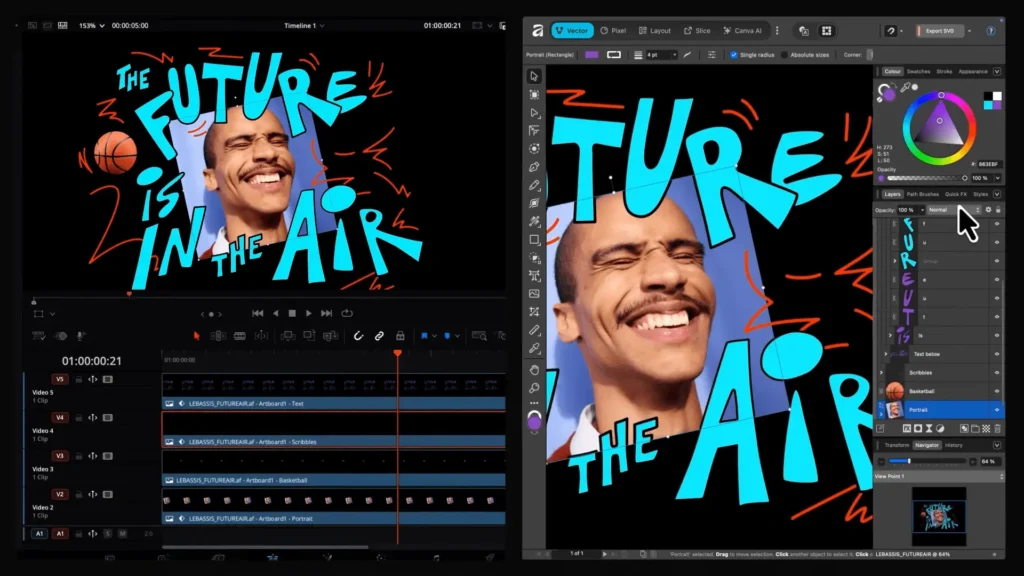
Affinity’s own release notes describe the new DaVinci Resolve link as a way to import Affinity content “for pro-level overlays and end cards,” while Affinity’s April 2026 product update says native .af support lets designs drop directly into professional video editing. Documentation from Blackmagic Design then explains the exact mechanics: DaVinci Resolve 21 can decode Canva Affinity .af files natively in the timeline, importing them to the Media Pool as flattened and rasterized images by default, similar to other still-image assets. Put together, that means .af files are now practical timeline graphics assets for use cases such as title cards, overlays, and end-card graphics, even though layered control remains available after import.
DaVinci Resolve 21 Importing Affinity Files: Workflow for Live Updating Graphics
The live-update workflow is unusually direct. The documented sequence is to import the .af file into the Media Pool, place it on the timeline, and then use “Split Layers in Place” to expand grouped layers onto separate tracks. Blackmagic’s guide says that if the original Affinity file contains nested groups, Resolve can split the first grouping level and then split deeper again as needed. From there, individual layers can be edited, animated, or recombined into a compound clip inside Resolve.
The more important production benefit is that the .af file stays linked. Affinity’s product update says Resolve refreshes automatically after the designer updates and saves the file, eliminating re-export and relinking for normal iterative changes. Blackmagic’s own guide adds one critical caveat: major changes to layer grouping or hierarchy in Affinity may not reflect correctly in Resolve, in which case the updated .af file should be re-imported. That nuance matters because it separates truly live graphic revisions from structural document rewrites.
Affinity 3.2 Capture One Export to .af: Preserving Masks, Metadata, and Layers
On the Affinity side, the official April 2026 product update describes the new Capture One link in strong workflow terms: with Capture One’s .af support, “your full edit carries through,” including layers, masks, metadata, annotations, overlays, guides, and more. According to Capture One support and release documentation, the round-trip works through Export, Edit With, or Open With, and .af export can retain image data, color profiles, basic metadata, guides, overlays, annotations, watermarks, and masks as alpha channels. Capture One also supports 8-bit and 16-bit .af files in this workflow.
The nuance is in what gets preserved where. Capture One’s documentation is explicit that importing finished .af files back into Capture One treats them as rendered, flattened images rather than preserving Affinity’s layers, adjustments, live filters, and masks as editable elements inside Capture One. So the “preserving masks, metadata, and layers” headline is directionally right for the handoff into Affinity and for document richness during export, but the finished return leg is still a flattened result inside Capture One. There is also a platform restriction: the feature is currently available only on macOS systems with Apple Silicon, and it requires Affinity 3.2 or later.

Affinity 3.2 Texture Filter Explained: Enhancing Midtone Detail in Photos
The official release notes position the new Texture filter as a detail tool rather than a brute-force sharpening option. Affinity describes it as enhancing fine surface detail without harsh contrast, balancing detail before sharpening, and maintaining realism while refining image quality. That language strongly suggests a midtone-detail role: the filter is intended to reveal texture and material character without pushing edges into the brittle, over-sharpened look that often comes from aggressive clarity or global sharpening passes.
In practice, that makes the Texture filter most relevant where surface character matters more than hard-edge crispness: product surfaces, landscape textures, architecture, fabric, and other images where tonal separation inside the midtones is more important than simply increasing acutance. Because the release notes explicitly frame it as a balancing step “before sharpening,” the most defensible workflow reading is that Texture should often come earlier than final sharpening in the retouching chain. That is an inference from the official positioning rather than an extra vendor claim, but it fits the way the feature is described.
Affinity 3.2 Multi Band Sharpen Fine Detail Option: When to Use It
Affinity 3.2 also adds a new Fine Detail option to the Multi Band Sharpen filter. The release notes do not overspecify the mathematics behind the mode, but the naming and placement are revealing: this is a sharpening refinement inside a frequency-aware sharpening tool, and it appears in the same update as the Texture filter. That means Affinity is separating broader texture enhancement from more focused micro-detail sharpening rather than treating all “detail” as one operation.
For photographers, the plainest reading is that Fine Detail is the better choice when the image already has its basic tonal and color work settled and still needs crispness in smaller structures. Texture can handle smoother midtone presence; Fine Detail can then serve as the more surgical finishing pass. The official sources do not prescribe a universal rule for every image, but they clearly set up a two-step logic: texture balance first, then fine-detail sharpening where needed.
Affinity 3.2 RAW Processing Improvements: What Changed for Photographers
The RAW-processing changes are some of the most useful parts of the release for working photographers. Affinity’s April 2026 release notes list four core improvements beyond the new mask types: a choice of tone-curve methods when opening RAW files, remembered sharpening and tone-curve settings, panorama/merge/stacking operations that now use the currently set develop process, and a focus-peaking visual aid for evaluating focus and sharpness. Affinity also ties these updates directly to the RAW stage rather than treating them as later-stage fixes.
That combination matters because it makes RAW development more repeatable. A remembered tone-curve and sharpening state means fewer resets between files, while panorama, merge, and stacking operations using the currently selected develop process should make composite outputs more consistent with the photographer’s chosen RAW treatment. Focus peaking adds an evaluative aid at the stage where capture quality decisions still matter. In other words, Affinity 3.2 does not just add isolated RAW features; it makes the Develop process more coherent and less disposable.

New Affinity 3.2 Masking Tools: Object Selection, Luminosity, Hue Range, and Compound Masks
The release notes place the new masks squarely inside RAW image processing, and the underlying help documentation explains what each mask type actually does. In Develop Studio, masks are used to mark areas for localized edits. The Object Selection Mask adds an ML-based selection mask using the Object Selection Tool. Hue Range masks automatically target regions based on a chosen hue. Luminosity-style masking is documented in Affinity’s live mask help as a graph-based mask tied to brightness values. Compound Mask support combines multiple masks non-destructively using Boolean operations such as add, subtract, intersect, and xor.
That set of masks meaningfully broadens first-pass local adjustment control in RAW development. Object Selection accelerates subject targeting, luminosity-based masking targets tonal zones, hue-based masking isolates color families, and compound masks let those decisions be stacked into more exact selections without flattening the workflow. The value here is not just precision; it is speed toward a usable mask structure at the earliest editable stage.
Affinity 3.2 Astrophotography Tool Updates: What’s Improved for Night Sky Edits
Affinity 3.2’s astrophotography updates are narrowly targeted but production-relevant. The official release notes call out new Auto Stretch options that preserve important highlights and detail, optional disabling of Tone Stretch when stacking FIT files, automatic color mapping of layers, and the ability to assign color mapping in the Stacked Images panel. Those improvements sit alongside the broader focus-peaking and RAW-process upgrades, which is important because astrophotography is particularly sensitive to tonal handling, stacking consistency, and channel organization.
The practical implication is greater control over what often goes wrong in night-sky work: blown highlight structure in bright stars, tone mapping that is too aggressive during stacking, and cumbersome layer-color interpretation in multi-image or multi-channel composites. Affinity is not presenting these as flashy AI shortcuts; it is presenting them as workflow controls for people who already understand stacking, stretching, and post-capture image assembly.
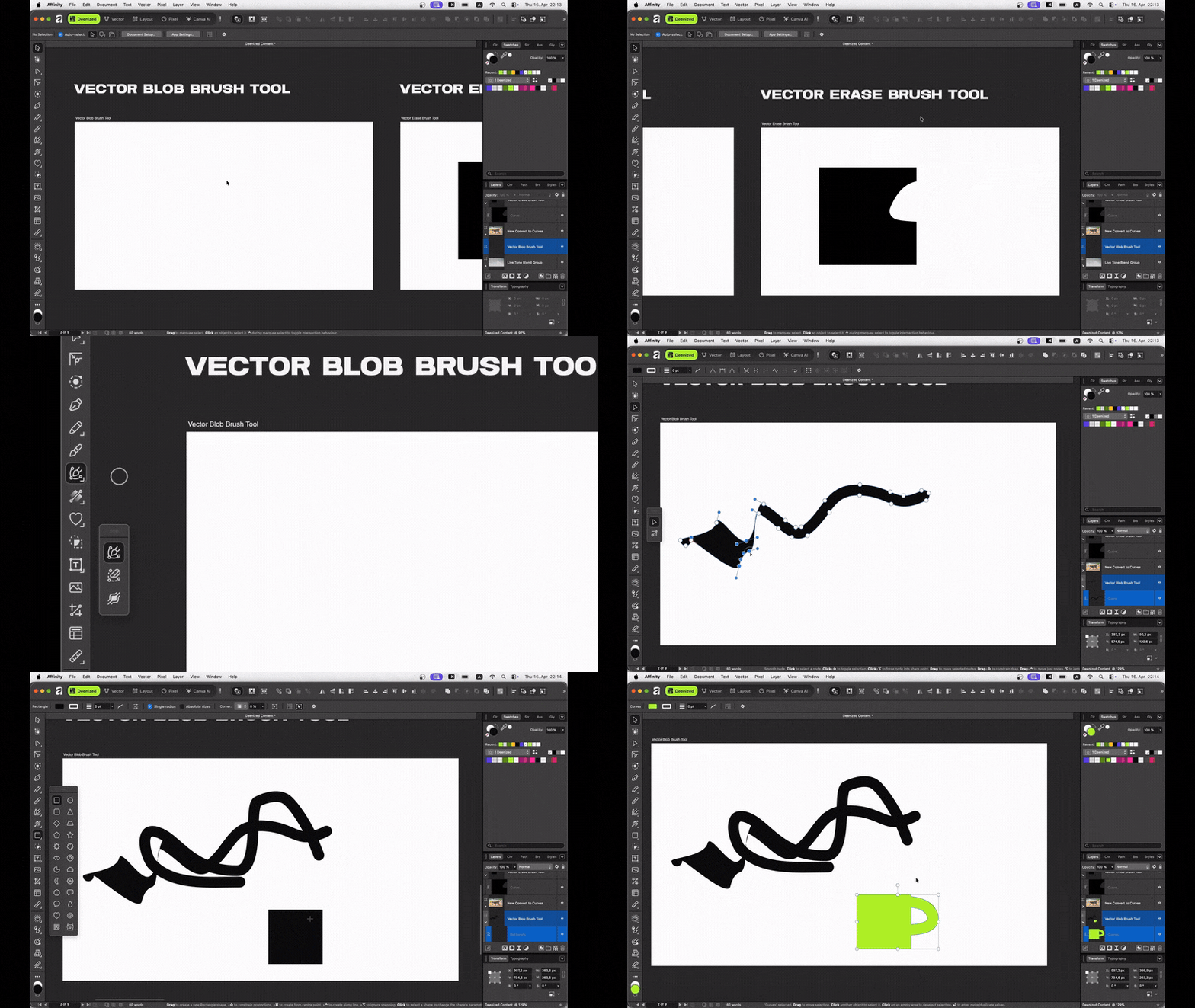
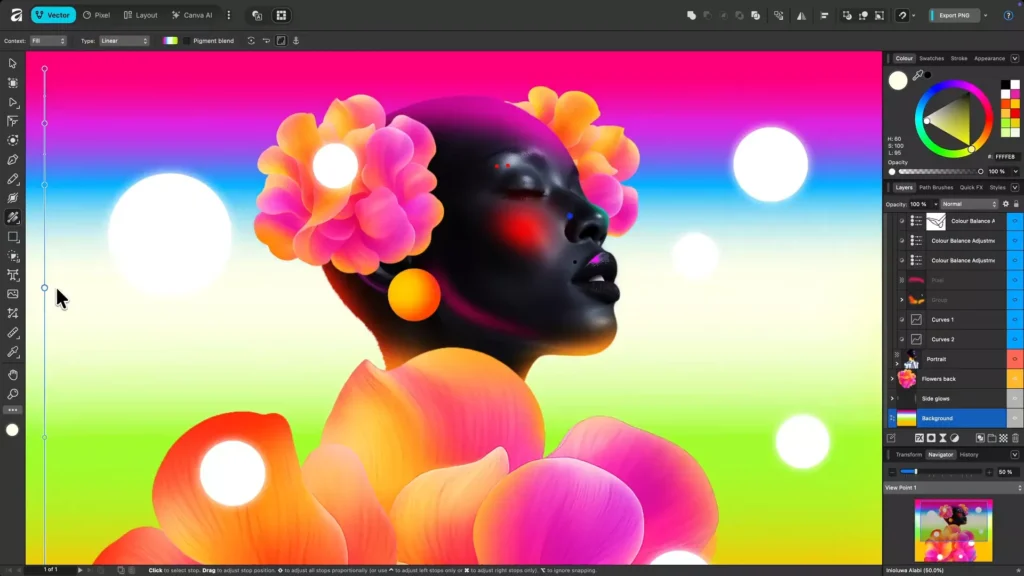
Vector Blob Brush in Affinity 3.2: Creating Filled Vector Shapes Faster
The Vector Blob Brush is one of the clearest examples of Affinity 3.2 reducing tool friction. Affinity’s help documentation says the Vector Blob Brush Tool draws filled vector curves directly, without first drawing an outline, and the release notes add that it can build new shapes from brush outlines, add to existing geometry, and use pressure support. A related help page further explains that when strokes intersect the selected object, they are added to it, forming a single curve.
That means the new brush is not just a decorative freehand pen; it is a shape-construction tool. For illustrators and logo sketchers, the speed gain comes from collapsing two decisions into one gesture: drawing and filling become the same act. Instead of stroking a path and then converting or expanding it into a filled form, the brush produces filled vector geometry as the primary result. That is why it genuinely is faster for rough shape ideation and organic vector blocking.

Vector Erase Brush in Affinity 3.2: How the New Eraser Differs from Standard Tools
Affinity documents the Vector Erase Brush as subtracting areas from filled vector curves directly, and a related help page says the Blob and Erase brushes offer a brush-based approach to building vector shapes. In the release notes, Affinity calls it “the erase equivalent” of the Vector Blob Brush. Together, those descriptions make the distinction from standard cleanup tools clear: this is not merely a convenience eraser for strokes, but a direct subtractive geometry tool for filled vector forms.
That distinction matters in actual drawing workflows. Traditional vector cleanup often relies on node editing, Boolean operations after the fact, or shape-builder corrections. The new Vector Erase Brush shifts that subtraction into brush behavior itself, making vector construction feel more sculptural. It is best understood as part of the same shape-building system as the Blob Brush, not as a separate utility for late-stage correction only.
Affinity 3.2 Custom Image Bullets: New Page Layout Feature for Publisher-Style Documents
The new image-bullets feature is more substantial than it first sounds. Affinity’s release notes say image bullets let users replace a standard bullet glyph with an image file, with support for object defaults and text styles, any placeable image type, scale and offset controls relative to font size, vector retention on export where possible, and SVG support through currentColor. Affinity’s bullets-and-numbering help page additionally notes that the image is automatically scaled to match the list’s font size.
For page-layout work, that opens up branded editorial list design without manual inline-object workarounds. Publisher-style documents such as reports, brochures, educational content, and marketing collateral can now use icon bullets, logo bullets, or themed SVG bullets while still behaving more like text formatting than ad hoc decoration. Because export preserves vector bullets where possible, the feature is especially relevant for print and PDF workflows that need crisp output at different sizes.
Affinity 3.2 OpenType and Color Font Support: What it Means for Typography
Affinity 3.2 upgrades typography in two linked ways. The release notes say improved OpenType support is available through the Character panel and Text Style Editor, and that users can apply either a font-supplied palette or a custom palette to color fonts, then recolor those fonts with color, hue, or alpha blends. Affinity’s font help further explains that color-palette fonts can be applied through the Text Style Editor by enabling multicolor font settings.
What this means in practice is that Affinity is treating modern font behavior more like a live design system than a static text object. Designers can access more of a font’s built-in behavior from text controls instead of destructively outlining type too early. That is particularly important for branding, infographics, editorial display typography, and any workflow where color fonts or alternate OpenType behavior need to remain editable across revisions.
Canva Brand Kits Inside Affinity 3.2: How to Access Brand Colors, Fonts, and Assets
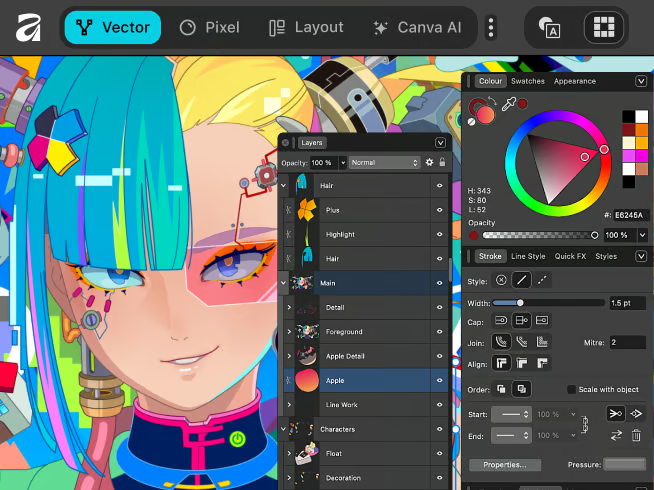
Affinity’s April 2026 product update says Canva Brand System is now inside Affinity, letting creators tap into approved colors, fonts, imagery, and brand voice while they work. Affinity’s release notes summarize the same change as Brand Kit integration, with the ability to leverage centralized Brand Kits in Affinity, build on-brand assets there, and export directly back to Brand Kits. Canva’s own help documentation explains what Brand Kits hold: official logos, colors, fonts, and other assets organized in one place.
So, from a workflow standpoint, “accessing Brand Kits inside Affinity 3.2” means drawing approved brand inputs directly into the Affinity workspace rather than checking a separate brand portal first and then manually reapplying those decisions later. It also means that finished assets can be pushed back into Canva’s brand-controlled environment for broader distribution and template use. Since Canva presents Brand Kit as part of its Pro brand tooling while Affinity itself is positioned as free for individuals, creative teams should read this as a bridge between the free core app and Canva’s paid brand-governance layer.
Affinity 3.2 AI Automation with Claude Desktop: Automating Repetitive Design Tasks
Affinity’s release notes describe the Claude connection in very concrete terms: no coding knowledge required, describe repetitive production tasks in plain language to Claude Desktop, work with both existing and new documents, and save the resulting automations to the Scripts panel for reuse. Affinity’s April 2026 update adds that you describe a process once and Claude builds a reusable script, with examples ranging from batch editing to print prep. Affinity’s integrations page further frames the feature as an MCP integration and gives examples such as naming layers and batch image edits, while noting the AI Connector is free during beta.
According to Anthropic documentation, MCP is an open standard that lets Claude connect to external tools and data sources, and Claude’s desktop tooling is available through a desktop app environment. That matters because it explains what Affinity is actually shipping: not generic “AI design,” but a tool-connected automation layer that interprets natural-language instructions and turns them into reusable workflows. The practical upside is repetitive execution, not artistic decision-making by default. Affinity 3.2’s Claude integration is therefore best understood as automation infrastructure for tedious production steps, rather than a replacement for design judgment.
Frequently Asked Questions (FAQs)
- Is Affinity 3.2 free to use?
The core Affinity app is positioned by Affinity as free for individuals and as an all-in-one app for design, photo, and layout work, but Canva’s broader premium ecosystem still applies to some connected features such as Brand Kit and certain AI services. - Can DaVinci Resolve 21 open .af files natively?
Yes. Blackmagic’s DaVinci Resolve 21 guide says Canva Affinity .af files can be decoded natively in the timeline, with flattened import by default. - Do Affinity edits update live inside DaVinci Resolve?
Yes, normal saved changes update automatically in Resolve, although major hierarchy or grouping changes may require re-importing the .af file. - Can Resolve split Affinity layers after import?
Yes. Resolve can split the imported .af clip into layer groupings on the timeline using “Split Layers in Place,” and deeper group levels can be split again if needed. - What does Capture One preserve when exporting to .af?
Capture One says .af export can preserve image data, color profiles, metadata, guides, overlays, annotations, watermarks, and masks as alpha channels, with 8-bit and 16-bit support. - Does Capture One keep Affinity layers editable when the file comes back?
No. Capture One’s import behavior for finished .af files is rendered and flattened, so Affinity layers are not preserved as editable elements inside Capture One on re-import. - Are the new Object Selection, Luminosity, Hue Range, and Compound masks part of RAW processing?
Yes. Affinity lists those mask types under RAW image processing, and the Develop Studio help documentation explains them as localized-edit masks inside the RAW workflow. - What is the fastest new vector workflow addition in Affinity 3.2?
The strongest case is the Blob-and-Erase pair: the Blob Brush draws filled vector curves directly, and the Vector Erase Brush subtracts from those filled curves directly. - What changed for layout and typography teams?
Affinity 3.2 adds image bullets that can use placeable images as bullets and improves OpenType and color-font work through the Character panel, Text Style Editor, font palettes, and multicolor font settings. - Is the Claude Desktop automation feature finished or still evolving?
Affinity says the AI Connector for Claude is free during beta while the company continues to develop and expand its capabilities.
Conclusion
Affinity 3.2 is best understood as a connective update. Its individual additions are useful on their own, but the real story is how they reinforce one another: RAW masks and sharpening make early image decisions better, blob-based vector tools make drawing faster, image bullets and color-font controls make layout more flexible, and external integrations keep .af files, brand systems, and automation scripts active later in the workflow.
The result is not that Affinity suddenly becomes every tool; it is that Affinity 3.2 reduces the handoff penalties between tools that creative professionals already use. That is why the DaVinci Resolve bridge, the Capture One round-trip, the Brand Kit connection, and the Claude automation layer are just as significant as the new in-app filters and brushes.
Sources and Citations
Official documentation was prioritized throughout this article, with secondary industry coverage used only where it clarified public-facing framing such as “title cards,” “overlays,” or broader launch context.
- Affinity Help Center release notes
https://www.affinity.studio/help/release-notes/ - Affinity April 2026 product update
https://www.affinity.studio/blog/affinity-update-april-2026 - DaVinci Resolve 21 New Features Guide
https://documents.blackmagicdesign.com/SupportNotes/DaVinci_Resolve_21_New_Features_Guide.pdf - Capture One 16.7.7 release notes
https://support.captureone.com/hc/en-us/articles/35279291925277-Capture-One-16-7-7-release-notes - Capture One Affinity .af file support
https://support.captureone.com/hc/en-us/articles/35250575485725-Affinity-af-file-support-in-Capture-One - Affinity Help Center specific tools
https://www.affinity.studio/help/ - Canva Brand Kit help page
https://www.canva.com/help/brand-kit/ - Canva Brand Kit assets help page
https://www.canva.com/help/brand-kit-assets/ - Anthropic Model Context Protocol announcement
https://www.anthropic.com/news/model-context-protocol - MCP official documentation
https://modelcontextprotocol.io/docs/getting-started/intro - Claude MCP tooling documentation
https://code.claude.com/docs/en/mcp - Affinity integrations page
https://www.affinity.studio/integrations - Canva Create 2026 launches
https://www.canva.com/newsroom/news/canva-create-2026-launches/ - PetaPixel secondary reporting
https://petapixel.com/2026/04/16/capture-one-and-davinci-resolve-now-natively-support-affinity-files/ - Digital Camera World secondary reporting
https://www.digitalcameraworld.com/photography/photo-editing/affinity-photo-editor-gets-seamless-capture-one-and-davinci-resolve-integration-should-adobe-be-worried
Recommended
- Hellblade 2 and Unreal Engine 5: What Makes the Sequel a Visual Breakthrough
- Rumor: Nintendo Is Working on an Ocarina of Time Remake and a New Star Fox for Switch 2
- Windrose: 17 Minutes of Early Access Pirate-Survival Gameplay Reveals Open-World Combat, Ships, and Co-Op Adventure
- Top 20 Hottest Video Game Characters: Icons of Beauty and Aura in Gaming
- Players Keep Finding Veronica Easter Eggs In Resident Evil Requiem as Code: Veronica Remake Rumors Grow
- Fortnite Adding Ability to Create Your Own Star Wars Games: Star Wars Toolset Coming to UEFN (March 19, 2026)
- What You Need To Know About The New Fortnite Arenas Boxfight Map (Epic’s Official Ranked 1v1 & 2v2 Island)
- What You Need To Know About The New Fortnite Arenas Boxfight Map (Epic’s Official Ranked 1v1 & 2v2 Island)
- How to Get a Free Fortnite Skin and Car in the Rocket League Crossover Event (Rivals & Rockets Guide)
- Palworld Horror-Themed Dating Sim Spinoff Is Real: What We Know About More Than Just Pals
- Best 3D Sculpting Software: Top Tools for Digital Artists






























































































