











Building a custom fishing rod controller for a chaotic party game in Unreal Engine requires more than placing electronics inside a convincing prop. The controller must translate physical movement into predictable input, preserve the game’s existing controls, and recover safely when a player stops moving or the wireless connection disappears. The central engineering challenge is maintaining meaning across several layers. A turning handle becomes an angular measurement, firmware converts that measurement into controller data, a receiver delivers the data to the operating system, and the game interprets it as an action. A mistake at any point in that chain can make a mechanically smooth reel feel unreliable during play.
Chop Chop Together provides a useful case study for examining that process. The game is a cooperative party experience for one to four players, with its Steam description emphasizing time pressured jobs, unpredictable hazards, and teamwork. Fishing involves more than simply catching fish because players also need to process ingredients and deliver orders, while warehouse activities include packing, sorting, and shipping.
That wider gameplay loop means the controller has to support movement and interaction alongside the headline fishing action rather than functioning only as a specialized reel. Dango Dynamics detailed the Unreal Engine 5 controller project in an 80 Level interview published on September 30, 2026, providing the documented hardware choices that form the starting point for understanding how the Custom Fishing Rod Controller prototype works.
For an alternative controller, the surrounding gameplay is therefore just as important as the fishing mechanic itself. A realistic crank is not enough when the player still needs to walk between stations, pick up objects, complete tasks, and respond to teammates. The design challenge is to make fishing feel more physical without making every other action unnecessarily difficult. The controller should preserve the flexibility required for the full gameplay sequence while still giving the reel a clear physical purpose.
The most useful way to evaluate such a controller is consequently not by its resemblance to real fishing equipment alone. It should also be judged by whether an unfamiliar player can comfortably complete an entire gameplay sequence, including everything that happens before and after reeling. That means assessing whether physical motion is translated consistently into game input, whether ordinary controls remain accessible, and whether the system behaves predictably when movement or wireless communication stops. Chop Chop Together demonstrates how a successful alternative controller depends on the complete interaction chain, from the mechanical reel through firmware and input delivery to the final Unreal Engine response, rather than on the physical prop alone.

In This Article (8 sections)
Why Dango Dynamics Built the Chop Chop Together Fishing Controller and How to Prototype It
Dango Dynamics built its custom fishing rod controller for Gamescom after taking inspiration from an interactive exhibition video. The idea has an immediate practical appeal: a physical fishing reel gives spectators something recognizable to watch and understand. Instead of needing an explanation of an unusual button combination, a visitor can see a player turning a handle and connect that motion directly with the fishing action shown on screen.
That makes the controller well suited to an exhibition environment where people may encounter the game for only a short period. However, this should be treated as a design opportunity rather than proof of a specific marketing result. Booth attendance, sales conversion, and social engagement would require separate evidence. The controller’s more directly testable value is whether it makes Chop Chop Together easier to demonstrate, inviting to use, and enjoyable after the initial novelty wears off. 80 Level
For developers planning similar hardware, the starting point should be the contribution each physical movement makes to an existing mechanic. A crank has an obvious relationship to reeling, while a swing can correspond naturally to casting. Other motions should be included because playtesting shows they improve the experience, not simply because additional sensors are available. A strong exhibition controller should communicate its basic operation quickly, invite people to participate without lengthy instruction, and remain comfortable enough to use once the novelty of holding a custom prop has passed.
The safest way to prototype that interaction for a Custom Fishing Rod Controller is to begin with the smallest complete signal path rather than immediately building the finished enclosure. Mount the crank, connect the angle sensor, read its values, and confirm that turning the reel produces the intended response in the game. The first meaningful milestone is a repeatable interaction, not a polished physical shell. A useful prototype should also expose intermediate values such as raw reel angle, processed rotation, movement axes, and button states. Developers can then observe what happens when the reel turns slowly, reverses direction, crosses the angle boundary, or stops completely.
Measurement units need to be established before gesture thresholds are written. Adafruit’s LSM6DS3TR-C Arduino example reports acceleration in meters per second squared and gyroscope measurements in radians per second. Thresholds written under the assumption that the sensor uses different units could produce unreliable behavior even when the hardware is functioning correctly. The prototype should therefore include explicit acceptance tests. A stationary reel should not produce useful reeling speed, a continuous rotation should not create a sudden jump when the measured angle wraps around, movement should return to neutral when the thumbstick is released, and a disconnected receiver should not leave an action permanently active. Adafruit Learning System
Enclosure work should become the main focus only after those behaviors are reliable. Otherwise, electrical problems, firmware errors, mechanical misalignment, transport issues, and game integration faults can become mixed together, making failures harder to diagnose. Separating these stages allows developers to confirm the interaction first and then build the physical controller around a working input system.
ESP32 Hardware, 3D Printed Fishing Rod Design, Reel Tracking and Casting Gestures
The final Chop Chop Together hardware used an Adafruit ESP32 Feather V2 inside the rod and a LILYGO T-Dongle-S3 as the receiver, with a KY-023 providing thumbstick input. The handheld controller and receiver perform different jobs. The rod collects sensor measurements and transmits them, while the receiver communicates with the computer through an appropriate USB device implementation. This separation makes the capabilities of the selected microcontrollers important rather than treating every board with a USB connector as interchangeable. 80 Level
Espressif documents a TinyUSB based USB device stack for the ESP32-S3 that supports HID and other USB device classes. By comparison, the ESP32-C6 includes a fixed function USB Serial/JTAG controller that cannot simply be reconfigured into a USB HID gamepad. A USB connector therefore does not automatically mean that a board can function as a programmable game controller. The Feather also requires attention to pin selection.
Adafruit warns that its classic ESP32 cannot use ADC2 analog inputs while Wi-Fi is operating because ADC2 is shared with the radio hardware, so ADC1 pins are more appropriate for analog movement input. The STEMMA QT connector also uses a switched power supply that must be enabled, something supported board software normally handles but which should still be checked when a sensor fails to appear. Espressif Systems, Adafruit Learning System
Battery selection for a Custom Fishing Rod Controller requires similar care. Adafruit specifies a compatible lithium battery with a 3.7 volt nominal voltage and a 4.2 volt full charge for the Feather battery connector and warns about reversed connector polarity. A new controller should therefore use an appropriately protected, professionally assembled battery rather than an improvised pack made from loose cells. Voltage, polarity, charging compatibility, and physical protection all need to be checked before the battery is installed inside a handle that will be moved repeatedly during play. Adafruit Learning System
Dango adapted its in game fishing rod asset in Blender and divided the physical design into printed segments joined with bayonet connections. Converting a visual game asset into a physical enclosure requires a separate mechanical design pass because an attractive exterior does not automatically provide enough internal space for circuit boards, sensors, fasteners, moving parts, wiring, or future maintenance. Blender’s Solidify modifier can add thickness to a mesh, while the 3D Print Toolbox can help identify geometry problems that may interfere with slicing. These tools assist preparation but do not replace mechanical validation. 80 Level, Blender Documentation
For a similar design, the grip and reel assembly should be established first. Hand positions, thumbstick reach, reel clearance, and access to components that may require adjustment should all be tested before the complete shell is printed. Small fit samples containing a joint, screw boss, or sensor mount can reveal tolerance problems without consuming the time and material needed for the full controller. The sensor mount should also remain mechanically separable from the decorative shell where practical, allowing alignment changes without requiring the entire outside of the rod to be redesigned. Maintenance needs to be considered from the beginning as well. A removable panel is only useful if the battery, wiring, and fasteners can genuinely be reached through it.
The AS5600 magnetic rotary encoder provides the reel measurement for the Custom Fishing Rod Controller. It is a contactless angle sensor designed to determine the absolute angle of an on axis diametrically magnetized magnet, making it appropriate for measuring the orientation of a rotating reel shaft. Seeed’s documentation describes 12 bit measurement across 4,096 positions per revolution, which corresponds mathematically to about 0.0879 degrees per count across 360 degrees. That number describes nominal resolution rather than guaranteed real world accuracy once the sensor, magnet, enclosure, and reel mechanism are assembled. Infineon, Seeed Studio
The distinction between absolute angle and continuous rotation is particularly important. The sensor reports where the magnet is within one revolution, but firmware must compare successive values to reconstruct ongoing turning. A movement from 359 degrees to 1 degree should normally be interpreted as a small forward movement rather than an apparent reverse movement of 358 degrees. The software therefore needs to wrap the difference into the smallest signed angular change before calculating accumulated rotation or speed. Developers should keep raw angle, accumulated rotation, and calculated speed available as separate diagnostic values so that a small sensor problem can be distinguished from a timing or gameplay mapping error.
Mechanical alignment should be corrected before relying heavily on digital filtering. Seeed specifies that the centers of the sensor and magnetic field should align and provides guidance about the distance between them. An unstable or poorly aligned physical mount should therefore be fixed mechanically instead of hidden beneath excessive smoothing that may introduce delay or make the reel feel less responsive. Seeed Studio
Casting introduces a second input problem because the controller uses an LSM6DS3TR-C inertial sensor containing a three axis accelerometer and three axis gyroscope. STMicroelectronics describes these as complementary measurements: the accelerometer reports acceleration, while the gyroscope measures angular rate. Raw accelerometer readings also include the effect of gravity, so a system that needs gravity compensated linear acceleration must account for that instead of assuming every measured acceleration represents a casting motion. 80 Level, STMicroelectronics, Adafruit
A practical casting detector for a Custom Fishing Rod Controller could require acceleration and angular rate conditions to occur within the same defined time window, followed by a cooldown or quiet state before another cast can be accepted. That type of logic needs to be tested against normal handling rather than only against deliberate casts. Developers should record real casting motions alongside walking, turning the rod, adjusting the grip, and setting the controller down, then compare those signals to determine which movements should trigger an action and which should not.
Thresholds also need to work across different players. A value tuned around a forceful exhibition swing may reject a smaller, more comfortable motion from another person. Requiring large swings as the only dependable way to cast can also become impractical when several players are standing near one another. The goal is therefore not simply to detect the biggest movement, but to identify a deliberate gesture reliably while keeping the interaction comfortable, predictable, and safe.

ESP NOW Wireless Communication, USB HID and Unreal Engine Input Mapping
Dango reported that the Chop Chop Together controller transmitted 20 byte ESP NOW packets at 50 Hz, with inputs neutralized after a 300 millisecond communications timeout. At 50 Hz, successive transmissions are nominally 20 milliseconds apart. Espressif defines ESP NOW as a connectionless Wi Fi communication protocol that supports both unicast and broadcast communication, meaning broadcasting is an implementation choice rather than a requirement of the protocol.
Devices can communicate directly without requiring a router to forward the data. The 20 millisecond transmission interval should not be presented as total controller latency because sensor acquisition, filtering, receiver processing, USB delivery, game input handling, and rendering all contribute additional delay. Establishing total latency for the Custom Fishing Rod Controller would require an end to end measurement.
A reliable packet format should clearly define the meaning, size, signedness, and order of every field rather than assuming that two independently compiled structures will always use an identical memory layout. The packet should also contain enough information to reject malformed, duplicated, or outdated input. Espressif distinguishes successful reception at the radio MAC layer from successful delivery to the application and recommends sequence numbers where necessary.
It also advises keeping send and receive callbacks short and moving substantial processing into another task. The receiver needs an explicit stale input policy as well. When valid updates stop arriving, movement should return to neutral and active actions should be released rather than continuing indefinitely with the last received state. Recovery should require fresh valid input instead of accidentally replaying an earlier button press.
The receiver exposed four unsigned eight bit axes and eight buttons through USB HID. A USB HID report descriptor defines how those reports should be interpreted, and Microsoft’s documentation explains that applications and HID parsers rely on the descriptor to locate controls and understand the values contained in each report.
The transmitted report bytes and descriptor therefore need to describe the same structure. In Unreal Engine, the RawInput plugin can be enabled and the device configured through Raw Input project settings. Epic documents identification by vendor and product IDs, with configurable axes and buttons that can be enabled, disabled, inverted, or offset. The input index reported by the hardware does not need to match the number assigned to an Unreal generic controller axis.
Each input should be verified independently before testing the complete game. Move one axis, inspect its reported range, establish its neutral position, and repeat that process for every remaining axis and button instead of assuming that familiar HID labels will automatically appear in the expected positions. Normalization should also be based on observed values.
For example, an unsigned range from 0 to 255 has a mathematical midpoint of 127.5, so firmware that uses 128 as neutral must be interpreted consistently by the receiving software and any dead zone calculations. The packaged application should then be tested on the intended operating system because recognition by a controller testing utility only proves that one part of the input chain works. It does not establish that Unreal Engine has registered and mapped the device correctly.
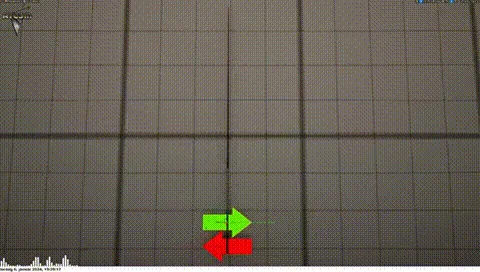
Dango mapped player movement to the left stick, reeling to the right stick, and interactions to buttons. The game’s fishing system reads reel angular speed and direction rather than treating the reel as an absolute stick position. This creates a useful abstraction for a Custom Fishing Rod Controller: the physical crank does not need to behave mechanically like a thumbstick as long as its output produces the information the existing reeling calculation expects. One possible representation places the crank angle on a virtual circle using the coordinates x = r cos θ and y = r sin θ. Rotating the handle moves that virtual point around the circle, while reversing the handle reverses its angular progression.
Mapping these values to familiar gamepad style axes does not automatically make the device an XInput controller. Microsoft notes that applications supporting only XInput do not recognize legacy DirectInput devices, so physical input, USB transport, operating system recognition, and application support remain separate concerns. For a new Unreal project, gameplay actions can be defined independently of hardware through Enhanced Input actions and mapping contexts.
Movement and reeling can remain separate two dimensional actions even if their physical implementations differ. Button processing also needs reliable state handling because mechanical switches may bounce rapidly between states. For short press and long press behavior, timing should begin only after a stable press is detected, the long action should fire once, and the short action should occur on release only when the long action has not already been triggered.
Fishing Reel Rotation, Wireless Calibration and Input Stutter Handling
Calculating reel speed and direction for a Custom Fishing Rod Controller requires recovering angular movement from successive input vectors. For a nonzero vector, its angle can be calculated with atan2(y, x). The previous angle is then subtracted and the result wrapped so that crossing the angular boundary produces a small change instead of almost an entire revolution. Epic’s FMath API includes FindDeltaAngleRadians for finding the smallest angular difference between two headings. An equivalent mathematical expression for a wrapped difference d is atan2(sin d, cos d), with the resulting signed value indicating angular movement along the shorter arc.
Angular velocity is calculated by dividing that angular change by the elapsed time between the measurements. If the difference is expressed in radians, revolutions per minute can be calculated by multiplying angular velocity by 60 and dividing by 2π. A quarter turn completed in 0.25 seconds, for example, corresponds to one full revolution per second or 60 RPM. The timing denominator must match the observations being compared. If two sensor samples are being used, the interval between those samples should be used rather than an unrelated rendering frame duration.
Initialization also needs special handling. The first valid observation establishes a baseline and cannot provide a speed measurement by itself. After a long interruption, the baseline should be established again instead of treating the entire gap as a normal sampling interval. A zero length vector has no meaningful geometric direction either, so values within the selected dead zone should be rejected or handled specially before their angle is calculated. Shortest angle comparison also assumes that actual movement between observations remains below half a revolution. If the reel can move farther than that between valid samples, the result becomes ambiguous, requiring a higher acquisition rate, preserved accumulated rotation upstream, or an explicitly documented operating limit.
Dango’s controller also provided a browser based wireless calibration interface and stored settings in flash. A comparable tuning interface for a Custom Fishing Rod Controller should display the relevant measurements and decision states together, including acceleration, angular rate, reel movement, detector state, and the thresholds controlling them. Calibration should include both intentional and accidental movements because adjusting thresholds using successful casts alone does not reveal whether normal handling will create false positives.
Temporary adjustments should remain separate from saved settings. Slider changes can be applied to working memory while testing, followed by a deliberate save operation once the behavior is satisfactory. Espressif’s Arduino Preferences library stores small values in nonvolatile storage and retains them through restarts and power loss, making it suitable for thresholds, calibration offsets, and configuration flags. A configuration version and recovery path to known defaults are also useful when firmware updates change the meaning or valid range of stored values.
Wireless calibration must account for the radio configuration as well. Espressif notes that a device connected to Wi Fi operates on that network’s channel, so a calibration interface and ESP NOW link need compatible channel settings rather than allowing an unrelated network connection to disrupt controller communication. The calibration workflow should also remain separate from normal play so settings cannot be changed accidentally during a demonstration.
Dango encountered another input problem with the Custom Fishing Rod Controller when the reel vector was held during pauses. The studio eventually introduced a 500 millisecond recentering timeout to prevent continued camera rotation. The underlying conflict came from two different interpretations of the same vector. An angular velocity mechanic responds to changes in direction, so holding a vector stationary produces no angular change and therefore no reel speed. A camera look mechanic may instead interpret the same off center vector as a continuing request to rotate the view.
Immediately returning the vector to the center creates its own difficulty because the center is not another valid point on the circumference. Its direction is undefined, and blindly comparing that state with the previous angle can generate a false rotation. A more deliberate implementation can distinguish active rotation, a brief pause, and genuine idle input. During active rotation, the angle is updated normally. During a short pause, continuity can be preserved where appropriate. When the controller enters an idle state, the angular baseline can be invalidated so that the next movement does not create an artificial jump.
Enhanced Input provides another way to prevent conflicts because mapping contexts can be dynamically added, removed, and prioritized. This allows the project to stop a fishing action and a camera action from consuming the same control in incompatible ways. A timeout can still be a useful compromise, but it should not replace correct state management. Before adding additional smoothing or delays, the developer should determine whether the problem originates from sensor noise, angular calculations, transitions into idle, or competing input mappings.

Frequently Asked Questions[FAQs]
- What are the main components of a custom fishing rod controller? A comparable custom fishing rod controller needs several parts working together rather than a single special sensor. The physical reel provides the main interaction, while an angle sensor measures its rotation. A microcontroller reads that sensor along with movement and interaction controls, then converts the information into data the game can understand. Wireless versions also need a receiver to pass that input to the computer. An AS5600 can provide precise angular measurements for the reel, while hardware based on an ESP32-S3 can handle the USB HID side when paired with the appropriate USB device stack.
- Can the AS5600 measure continuous fishing reel movement? The AS5600 can measure the angular position of the reel throughout a full revolution without relying on the sliding electrical contact used by a conventional potentiometer. However, one reading only tells the software where the magnet is within that revolution. To follow continuous reeling across multiple turns, the firmware must compare successive readings and correctly handle the transition from the end of the angle range back to the beginning. Continuous rotation tracking is therefore created through software processing rather than being contained in one raw sensor value.
- Can an ESP32-C6 act as a USB HID gamepad through its integrated USB controller? Not through the ESP32-C6’s integrated USB Serial/JTAG peripheral. Espressif describes that interface as a fixed function controller intended for serial communication and JTAG debugging rather than arbitrary USB device classes such as a programmable gamepad. A project that needs to appear to the computer as a native USB HID controller should therefore use hardware with a suitable programmable USB device peripheral, such as an ESP32-S3 based design.
- Why use both an accelerometer and a gyroscope for casting? The two sensors describe different parts of the same physical gesture. An accelerometer measures acceleration related forces and also includes the effect of gravity, while a gyroscope measures how quickly the controller is rotating. Combining both measurements gives the casting detector more information about whether the player actually performed a deliberate swing instead of simply moving or repositioning the rod. Even with both sensors, the detection thresholds still need to be tested against ordinary handling and different players to reduce accidental casts and missed inputs.
- Does ESP-NOW require a router or internet connection? No. ESP-NOW allows compatible devices to communicate directly, so a router does not need to forward the controller data and an internet connection is not required for the link itself. That makes it useful for a dedicated wireless controller and receiver setup. However, direct communication does not remove the need to configure the radios correctly or test what happens when packets are delayed or lost. A reliable controller should still neutralize stale inputs and recover cleanly when fresh communication resumes.
- Will a custom USB HID fishing controller work in every game supporting Xbox controllers? No. A device being recognized as a generic USB HID controller does not automatically make it compatible with every game that supports Xbox controllers. Microsoft distinguishes generic or legacy DirectInput devices from XInput controllers, and applications that support only XInput may ignore a functioning generic HID device. Compatibility therefore depends on how the game reads input, how the controller presents itself to the operating system, and whether the necessary mappings are available.
- Does Unreal Engine need completely separate gameplay logic for the rod? Not necessarily. Unreal Engine’s RawInput system allows a custom device’s axes and buttons to be mapped into game inputs, which means the hardware can be translated into existing gameplay actions instead of requiring an entirely separate version of the fishing mechanic. A well structured setup keeps the rules for movement, reeling, and interaction independent from the exact electronics used to produce those inputs. The device still needs dedicated configuration and interpretation, but the underlying gameplay logic can remain shared.
- Why can a smoothly turning reel produce stuttering gameplay? A smooth mechanical motion can still produce poor gameplay if the angle calculations are wrong. Problems such as incorrect wrapping when the reel crosses the end of its angular range, comparing an invalid centered vector with a previous direction, or using inconsistent timing intervals can create sudden jumps in calculated speed. Those errors may look like wireless lag or a faulty reel even when the physical mechanism is working correctly. Testing the angle mathematics with known values and known time intervals is therefore an important step before blaming the radio connection or hardware.
- Do unique device IDs prevent wireless interference? No. Unique IDs help the receiver determine which messages belong to which controller, but they do not stop multiple devices from transmitting within the same radio environment. Two correctly identified controllers can still compete for airtime or experience interference if several devices are communicating nearby. Espressif specifically notes interference as a consideration when multiple broadcast devices are present, so multiplayer testing should examine both correct message identification and the actual reliability of the wireless link under realistic conditions.
- How should calibration settings survive a power cycle? Validated calibration settings should be stored in nonvolatile memory so they remain available after the controller restarts or loses power. Espressif’s Arduino Preferences library is designed for storing small configuration values such as thresholds, offsets, and flags across power cycles. A practical implementation should also keep known default values, reject settings that fall outside valid ranges, and separate temporary adjustments from values the user has deliberately chosen to save for future sessions.

Conclusion
Building a custom fishing rod controller for Chop Chop Together illustrates a broader engineering principle: unusual hardware works best when its physical actions are translated into clear, consistent input meanings.
The most important decisions concern the boundaries between components. The sensor must provide trustworthy measurements. Firmware must preserve timing and handle angle wrapping. Wireless transport must reject stale data. USB reports must match their descriptors. Unreal Engine must interpret the resulting controls without unintended conflicts.
For developers building comparable controllers, the strongest approach is to validate one complete interaction early, keep intermediate measurements visible, and expand the design only after the signal path behaves reliably.
A convincing enclosure and a satisfying crank can make the experience distinctive. Correct idle behavior, dependable player assignment, recoverable communication, and comfortable gestures are what make it usable. The goal is not simply to create a controller that looks like a fishing rod, but one whose behavior remains understandable throughout a chaotic multiplayer session.
Sources and Citations
- 80 Level, Dango Dynamics Developer Interview, September 30, 2026 : David Jagneaux’s interview explains how the team built a physical fishing rod controller for Chop Chop Together’s Gamescom demonstration. It covers sensor selection, wireless communication, Unreal Engine integration, calibration, diagnostic displays and the printed enclosure, providing the original developer account of the project’s design decisions and practical problems. 80 Level
Citation: Building Custom Fishing Rod Controller for Chaotic Party Game. (80 Level) - Steam, Chop Chop Together Official Store Page : Official listing identifying Dango Dynamics as developer and Dango Dynamics and Phoenix Games as publishers, with a September 8, 2026 release date. It describes cooperative play for up to four players, timed orders, fishing and warehouse jobs, alongside competitive activities, supported languages and technical requirements. This establishes the game context separately from the custom controller’s construction. Steam Store
Citation: Chop Chop Together on Steam. (Steam) - Epic Games, Unreal Engine RawInput Plugin Documentation : Official guide explaining how to support controllers that are not properly handled by XInput. It covers identifying devices through vendor and product IDs, configuring axes and buttons, adjusting offsets and inversion, and mapping inputs to gameplay controls. This provides the engine reference for accepting the custom receiver’s controller data. Epic Games Developers
Citation: RawInput Plugin in Unreal Engine. (Epic Developer Community) - Epic Games, Enhanced Input and Debugging Documentation : Official explanation of Input Actions, Mapping Contexts, Modifiers and Triggers, including contextual controls and processing analogue values. It also documents the
showdebug enhancedinputandshowdebug devicescommands, providing references for inspecting action mappings and connected devices while troubleshooting the connection between physical controls and gameplay. Epic Games Developers
Citation: Enhanced Input in Unreal Engine. (Epic Developer Community) - Epic Games, FMath and Angular Calculation References : Official API documentation identifying functions that calculate the smallest difference between headings in radians or degrees, alongside the related Atan2 function reference. These support the mathematical explanation of converting a rotating input vector into an angle and measuring changes across the rotation boundary, without establishing the exact source code used by Dango Dynamics. Epic Games Developers
Citation: FMath API Reference and Atan2 API Reference. (Epic Developer Community) - Microsoft, Interpreting HID Reports : Official Windows documentation explaining how applications and drivers extract control information from human interface device reports. It distinguishes scaled values, unscaled values and button information, providing background for understanding how a controller’s reported axes and buttons are interpreted rather than assuming that raw transmitted bytes already represent usable game actions. Microsoft Learn
Citation: Interpreting HID Reports. (Microsoft Learn) - Microsoft, Windows Raw Input Overview : Official explanation of the Windows input system used to receive data from devices beyond standard keyboards and mice. It covers the Raw Input model, device registration and reading incoming input, establishing the operating system layer beneath Unreal’s plugin. This distinguishes Windows device handling from the game engine’s subsequent action mapping. Microsoft Learn
Citation: Raw Input Overview. (Microsoft Learn) - Microsoft, XInput and DirectInput Compatibility : Official comparison explaining the capabilities and limitations of these controller interfaces. It explicitly states that games supporting only XInput will not recognise legacy DirectInput devices and describes supporting both interfaces together. This supports the distinction between Windows detecting a controller and a particular game being able to use it. Microsoft Learn
Citation: Comparison of XInput and DirectInput Features. (Microsoft Learn) - Espressif Systems, ESP-NOW Communication Documentation : Official protocol guide explaining connectionless wireless transmission, peer registration, broadcast communication, encryption and radio channel requirements. It specifies that a broadcast destination must still be registered before transmitting and that configured channels must match the local radio channel. This clarifies why eliminating a user pairing screen does not eliminate firmware configuration requirements. Espressif Systems
Citation: ESP-NOW: ESP-IDF Programming Guide. (Espressif Systems) - Espressif Systems, ESP32-S3 USB Device Support : Official documentation explaining how the ESP32-S3 can implement programmable USB functions through a device stack built around TinyUSB. It lists support for HID and other device classes, custom functions and composite devices. This establishes the hardware and software basis for a receiver presenting itself to a computer as a USB input device. Espressif Systems
Citation: ESP32-S3 USB Device Stack. (Espressif Documentation) - Espressif Systems, ESP32-C6 USB Limitations : Official guide confirming that the ESP32-C6’s built-in USB controller supports serial communication, flashing and JTAG debugging through fixed hardware. It explicitly states that this controller cannot be reconfigured for other USB functions. This corrects the interview’s suggestion that the C6 offers the same programmable USB device capability as the S3. docs.espressif.com
Citation: ESP32-C6 USB Serial and JTAG Controller Console. (Espressif Documentation) - Espressif Systems, Persistent Configuration Storage : Official Arduino ESP32 reference explaining how the Preferences library stores small configuration values in nonvolatile memory so they survive restarts and power loss. It documents named storage areas, keys and methods for reading, writing and deleting values. This provides an implementation reference for preserving calibration settings, rather than confirming which storage library the controller’s firmware uses. Espressif Systems
Citation: Preferences: Arduino ESP32 Documentation. (Espressif Documentation) - Infineon Technologies, AS5600 Magnetic Angle Sensor : Official component page describing contactless measurement of a rotating magnet’s absolute angle, with 12 bit resolution and analogue, PWM and I²C interfaces. It also documents programmable angular ranges and operating characteristics. This supplies the sensor specification behind the reel measurement approach, separately from the firmware that calculates rotation speed and direction. Infineon Technologies
Citation: AS5600 Magnetic Rotary Position Sensor. (Infineon Technologies) - Seeed Studio, Grove AS5600 Module Documentation : Practical module guide explaining the sensor’s 4,096 positions per revolution, I²C communication, selectable outputs and magnetic alignment requirements. It includes connection instructions and Arduino examples, providing an accessible reference for obtaining angle measurements. These module details complement the component specification without establishing that this exact breakout board was used in the finished controller. Seeed Studio
Citation: Grove AS5600 Magnetic Rotary Position Sensor and Encoder. (Seeed Studio Wiki) - STMicroelectronics, LSM6DS3TR-C Motion Sensor Documentation : Official component overview confirming the combination of a three axis accelerometer and three axis gyroscope, with selectable acceleration and angular rate ranges. It also documents I²C and SPI communication and embedded motion functions. This establishes the measurements available for detecting a casting gesture, rather than supplying the complete gesture recognition algorithm. STMicroelectronics
Citation: LSM6DS3TR-C Accelerometer and Gyroscope. (STMicroelectronics) - Adafruit, ESP32 Feather V2 Hardware and Pinout Guide : Official board documentation covering connections, power management and peripheral support. The pinout guide specifically warns that ADC2 cannot provide analogue readings while WiFi is active and explains the power control for the STEMMA QT connector. These details support checking the thumbstick wiring and sensor power requirements described in the project account. learn.adafruit.com
Citation: Adafruit ESP32 Feather V2 Overview and Pinouts and Peripheral Power. (Adafruit Learning System) - Adafruit, Magnetic Angle and Motion Sensor Guides : Official breakout guides providing wiring references and Arduino, Python and CircuitPython resources for the AS5600 and LSM6DS3TR-C. They distinguish absolute rotational position from acceleration and angular motion, while documenting the boards’ interfaces and electrical provisions. These are supporting component guides, not a complete wiring diagram for Dango Dynamics’ controller. learn.adafruit.com
Citation: AS5600 Magnetic Angle Sensor Guide and LSM6DS3TR-C Accelerometer and Gyroscope Guide. (Adafruit Learning System) - Blender, Modeling and 3D Print Analysis References : Official manual and extension references covering Boolean mesh operations and preparation for 3D printing. Indexed descriptions identify checks for nonmanifold geometry and a hollowing tool for consistent wall thickness. The pages were located, but their full text could not be retrieved during verification, so these descriptions are limited to indexed official material. Blender Documentation
Citation: Boolean Modifier, 3D Print Toolbox Manual and 3D Print Toolbox Extension. (Blender)
Recommended
- Sanitarium Enhanced Edition Brings the Horror Classic Back in 2026
- Neon Genesis Evangelion Gets Brand New Anime Penned by Nier Automata’s Yoko Taro: What We Know So Far
- Dragon’s Dogma 2: Dark Arisen Lets You Explore the Snowy Region of Norgan (Everything We Know)
- Clair Obscur: Expedition 33 – Sales Milestones, Developer Insights, and Community Reactions
- Pokemon Pokopia: Bubbly Basin – How To Get The Starmie Doll‘
- The Mandalorian and Grogu Box Office Collapse: Why the Star Wars Film is Struggling
- RAM Crisis Triggers Nex Playground $50 Price Hike: Why the Kids Console That Outsold Xbox and PS5 Is Jumping to $299 on April 1, 2026
- EU Games Industry Hit €24 Billion With 6,600 Studios and 95,000 Workers
- Soccer Kid Returns: 16-Bit Cult Football Platformer Re-Releasing for the 2026 World Cup



































































































