






In This Article (8 sections)
Romestead Fast Travel System, Altars, and Why Teleportation is Locked Early
Romestead’s fast travel system is designed around a network of interconnected altars that function as teleportation anchors across the world. Each activated altar becomes a travel node that can connect with other discovered altars, allowing players to move rapidly between important locations such as settlements, mines, quest areas, and developed bases. Fast travel is therefore closely tied to exploration, base expansion, crafting progression, and efficient resource gathering rather than functioning as an unrestricted map shortcut from the beginning.
Once the system becomes available, it can substantially reduce repeated travel through previously explored areas and make distant objectives easier to manage. The network also includes restrictions such as activation costs, cooldown periods, and upgrade requirements, which means players still need to think carefully about when and where teleportation is most useful.
Fast travel is not available immediately because the early game is structured around manual exploration and survival progression. During this stage, players learn the layout of the terrain, identify dangerous enemy zones, discover important resource locations, and become familiar with the routes connecting their base to the wider world. Requiring players to travel manually also ensures that combat, gathering, crafting, and environmental awareness remain important before teleportation begins reducing those journeys. If unrestricted fast travel were available from the start, players could bypass many of the systems intended to establish the game’s basic progression loop. Delaying access therefore makes the eventual teleport network feel like a meaningful upgrade rather than a convenience that has always been available.
Unlocking fast travel is connected to early progression tasks, base development, and crafting milestones. This structure gives base building additional importance because improving the settlement does more than provide storage or production facilities. It also contributes to the systems that eventually make long-distance movement more efficient. Players initially have to weigh the risks and costs of traveling into unfamiliar regions, gathering supplies, and returning safely with useful resources. Once altar-based teleportation becomes available, those same journeys can be reorganized around a growing network of known locations rather than repeated entirely on foot.
The altar network becomes increasingly valuable as more of the map is explored. Activating additional nodes can shorten trips to distant resource areas and make it easier to move between specialized bases or important quest locations. Strategic placement and activation matter because a poorly connected network can still leave long stretches of manual travel between useful destinations. Costs, cooldowns, and upgrade requirements also prevent the system from removing every logistical decision, since players may still need to decide whether a teleport is worth using for a particular trip. Efficient progression therefore depends on developing the network around locations that are visited frequently rather than activating travel points without considering how they connect to the player’s routine.
For beginners, the most important principle is to treat manual travel as preparation for the later fast travel system rather than as wasted time. Early exploration reveals which areas contain valuable resources, which routes are dangerous, and which locations would benefit most from quick access once teleportation is unlocked. Keeping track of mines, settlements, quest hubs, and difficult regions makes it easier to build an efficient altar network later.
The transition from manual travel to teleportation changes how players interact with the world, turning previously time-consuming routes into manageable connections between established points. Romestead’s fast travel system is therefore best understood as a progression reward that builds on knowledge gained during the early survival phase rather than replacing exploration altogether.
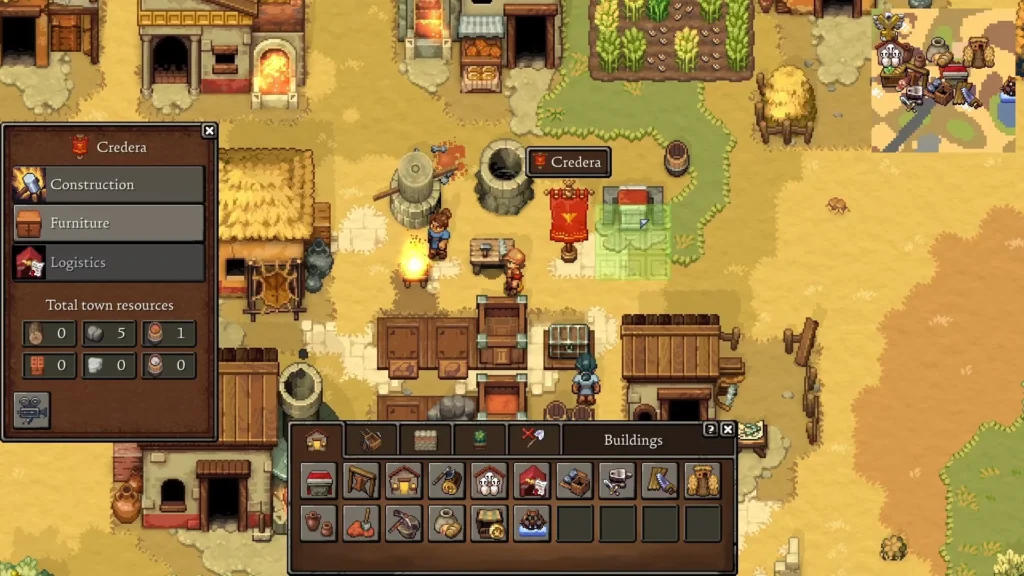
Romestead Fast Travel Unlock, Carpenter Building, Altars, and Teleportation Network
Unlocking fast travel in Romestead requires progressing through several connected systems rather than activating teleportation immediately. The process begins with establishing the first base shelter, unlocking the Carpenter Building, gathering the materials needed for altar construction, completing the “Resonance Core” questline, and building the first functional altar. Once that altar is active, fast travel becomes available on a limited basis, with broader network access developing as additional altars are constructed across the world. Early resource gathering is therefore important because stone, timber, and essence shards are required before the first travel infrastructure can become operational. Players who prepare those materials while completing early progression tasks can reduce delays once altar construction becomes available.
The Carpenter Building is a key part of this process because it provides the crafting infrastructure needed to develop functioning altars. Basic altar frames cannot progress far without the components produced there, making the building a major mobility milestone rather than simply another crafting station. Players can use it to produce wooden altar frames, reinforcement beams, teleportation conduits, and activation seals, all of which contribute to the construction process. Upgrading the Carpenter also unlocks more advanced blueprints, including improved altar cores designed to reduce teleport cooldowns and improve network stability. Early fast travel research is tied to this building as well, reinforcing its importance to long-term movement and base development.
Altar construction requires several different material types, each serving a specific role in the teleportation system. Stone blocks provide the structural foundation, refined timber supports the frame, essence shards act as the teleport energy source, binding crystals stabilize the network, and iron fittings reinforce the overall structure. More advanced altars require rarer components such as Arcane Resin and Void Glass, which are typically found in dangerous regions or dungeon areas. Because one missing material can delay the entire construction process, resource management becomes increasingly important as the network expands. Gathering common components in advance while reserving rarer materials for higher-tier altars can make expansion more efficient.
Altars form the core of the fast travel network by functioning as individual teleportation nodes. When an altar is activated, it becomes registered within the world network, synchronizes with nearby active altars, and can support bidirectional travel once a connection is established. These nodes also require power and maintenance, meaning an altar without sufficient energy can become inactive and stop supporting teleportation. Players may need to supply essence regularly or improve stabilization cores to keep important travel points functioning reliably. Strategic placement near resource hubs, quest areas, and developed bases therefore has a direct effect on how useful the network becomes.
Once two or more altars are active, bases can be connected through a shared teleportation interface. Traveling between nodes consumes energy, triggers cooldown timers, and can be affected by distance-based efficiency and network overload limits when too many altars are operating at once. Linked bases effectively form a fast travel chain, allowing players to cross large sections of the map without retracing every route manually. This makes the design of the network almost as important as the individual altars themselves. A poorly organized system may still require unnecessary movement or create inefficient cooldown usage even if many nodes have been constructed.
Advanced players can improve efficiency by planning routes around repeated travel patterns instead of placing altars randomly. Circular or interconnected networks can provide alternative paths when one route is affected by cooldowns, while carefully spaced nodes can reduce the cost of moving between distant regions. Important bases, frequently visited mines, quest hubs, and dangerous zones are stronger candidates for altar placement than locations visited only once. The combination of Carpenter upgrades, resource preparation, altar maintenance, and network planning determines how quickly fast travel evolves from a limited early convenience into a reliable world-spanning system. Romestead’s teleportation mechanics therefore reward both progression and infrastructure planning, making mobility another system that players gradually develop rather than simply unlock once.

Romestead Altar Upgrades, Base Teleportation, Travel Strategy, and Common Fast Travel Mistakes
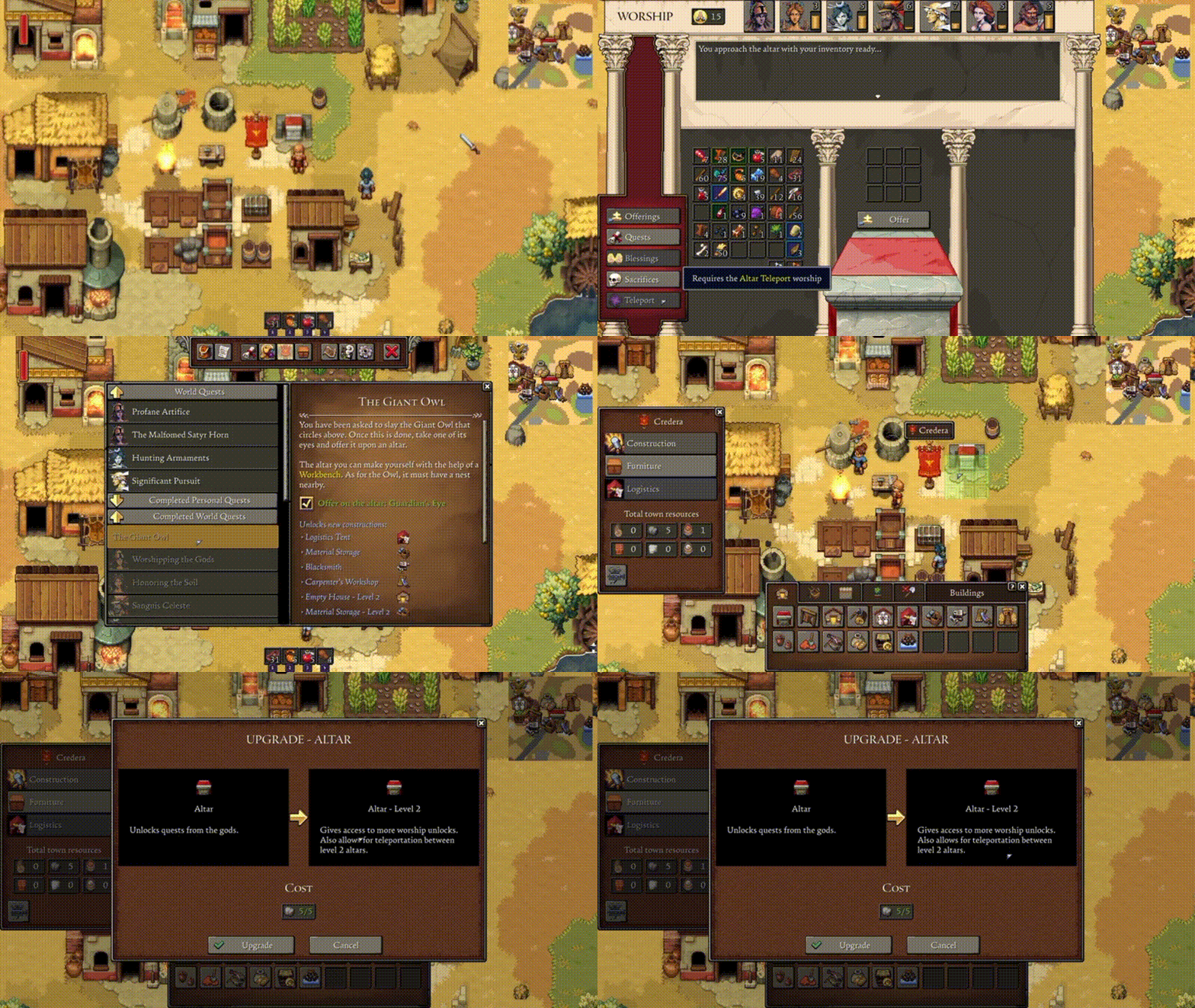
Upgrading altars is one of the main ways to improve Romestead’s fast travel network, particularly for players expanding across several bases or outposts. Level 2 altars are described as offering faster teleport activation, lower energy consumption, greater connection range, and stronger resistance to environmental disruption. Reaching that tier requires upgraded essence crystals, iron bindings, a secondary resonance core, and a synchronization ritual performed during the night cycle. These upgrades make individual nodes more reliable while also improving the efficiency of the wider network. Players planning multiple settlements benefit most from strengthening important altars early rather than leaving every node at its basic level.
Building a second altar is the step that turns limited teleportation into a functional base-to-base route. The process begins by selecting a suitable new base or outpost, ensuring enough resources are stored nearby, placing the altar foundation on stable terrain, and installing an activation core produced through Carpenter Building recipes. Once both altars are active, they can be linked through the network interface to establish the first proper teleport connection. Second altars are particularly useful near mining areas, quest-heavy regions, or settlements that require frequent revisits. Careful placement reduces unnecessary backtracking and makes later network expansion easier to organize.
Fast travel does not replace ordinary map travel because the two systems serve different purposes. Manual travel consumes time and stamina but remains important for exploration, discovering new regions, encountering enemies, and finding resources or loot along the route. Fast travel instead provides instant or near-instant movement between activated altars, consumes energy resources, and reduces the risks associated with crossing already known territory. This makes teleportation most useful for repeated journeys rather than first-time exploration. New areas still need to be reached and understood manually before the altar network can make them easier to revisit.
The most efficient overall strategy is therefore to combine both forms of movement rather than rely entirely on one. A strong network places altars near major settlements, connects important resource zones early, and uses a central hub base to organize movement between distant regions. Manual travel can then be reserved mainly for unexplored territory, new objectives, and areas where useful resources or encounters remain undiscovered. High-value destinations should receive priority over rarely visited locations because every altar requires materials, energy, and maintenance. A well-planned network can substantially reduce repeated long-distance travel and make resource collection, quest completion, and base management more efficient.
Several common mistakes can prevent the system from delivering those benefits. Ignoring Carpenter upgrades can delay access to stronger altar components, while placing nodes on unsuitable terrain can undermine their usefulness. Failing to gather enough essence shards, forgetting to link activated altars correctly, or expanding into too many bases before the network can support them can also create an inefficient setup. Building more nodes is not automatically better if they consume resources without connecting locations the player actually needs to revisit. Fast travel works best when altar upgrades, settlement placement, resource planning, and network design all support the same travel pattern.
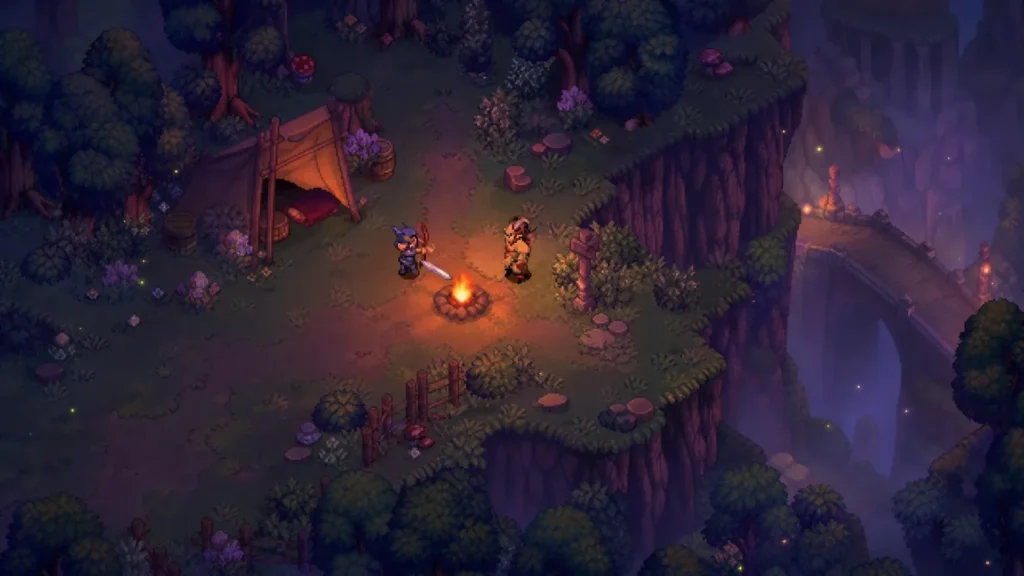
Romestead Fast Travel Troubleshooting, Network Expansion, and Advanced Optimization Tips
Fast travel problems in Romestead can occur when an altar or part of the teleport network is no longer meeting the conditions required for stable operation. Possible causes include insufficient altar energy, a damaged resonance core, network desynchronization, missing upgrade requirements, or environmental corruption affecting a node. The first troubleshooting step should be to check the altar’s energy supply and refill its reserves if necessary, followed by inspecting the structure for damage or missing components. If the altar itself appears functional, re-synchronizing its network connections or rebuilding a corrupted node may restore communication with other travel points. Players should also review Carpenter-related upgrades because an outdated or incomplete system can prevent higher-tier travel components from functioning as expected.
Regular maintenance becomes increasingly important as the teleport network expands across multiple bases and resource regions. A single unreliable node can disrupt an otherwise efficient route, especially when several important settlements depend on the same connection chain. Repairing structural damage, maintaining energy reserves, and periodically checking synchronization can reduce unexpected failures during longer travel sequences. When one altar repeatedly creates problems, rebuilding or repositioning it may be more practical than repeatedly repairing the same unstable setup. Treating fast travel infrastructure as an active system rather than a permanent one-time unlock helps keep the network dependable as the world becomes more developed.
Base expansion should therefore be planned together with teleportation rather than treating the two systems separately. A strong strategy begins with a central hub base and expands outward toward important settlements, quest areas, and high-yield resource zones. Radial growth can make the network easier to understand while reducing the need for redundant altars that connect locations already served efficiently by existing routes. High-value areas should receive priority because every additional node requires construction materials, energy, and maintenance. Linking the places visited most frequently before expanding into less important regions creates a network that supports progression instead of consuming resources without providing meaningful travel benefits.
A well-designed network can eventually make movement between established areas feel almost immediate while leaving manual exploration for new or uncertain territory. Resource zones can be connected back to the main hub so gathered materials can be transported quickly, while important settlements can function as secondary travel points for nearby objectives. Redundant placement should be avoided unless an alternate route provides a clear benefit, such as reducing dependency on one overloaded connection.
Expansion should also remain proportional to the player’s ability to maintain the network because adding more nodes than available resources can support may create additional instability. The most effective network is therefore not necessarily the largest one, but the one whose connections reflect how the player actually moves through the world.
Advanced community discussions also reference concepts known as Pixelhair and the View Keeper when describing attempts to optimize Romestead’s fast travel system. Pixelhair techniques are associated with fine adjustments to altar placement angles, terrain alignment, teleport latency, and visual synchronization during travel transitions. The View Keeper concept is linked with preserving map visibility between connected altars, improving route prediction, and reducing the influence of fog-of-war when selecting teleport destinations.
These ideas are not described as officially documented game mechanics in the supplied material, so they should be treated as community terminology rather than confirmed systems. Their practical value lies in the broader principle that careful placement, terrain awareness, and map organization can make an already functional travel network easier to use.
Players experimenting with these advanced ideas should still prioritize the confirmed fundamentals of network maintenance and efficient placement. Fine adjustments cannot compensate for an altar that lacks energy, contains damaged components, or has not been synchronized correctly. Likewise, route optimization provides little benefit when the network includes unnecessary nodes or ignores the settlements and resources visited most frequently. Community strategies can therefore supplement a strong network design, but they should not replace basic troubleshooting and infrastructure planning. The most reliable approach combines maintained altars, a carefully expanded hub structure, efficient links to valuable regions, and cautious use of unofficial optimization techniques where they produce a noticeable practical benefit.
Frequently Asked Questions (FAQs)
- How do I unlock fast travel in Romestead?
Fast travel becomes available after you progress far enough to build and activate your first altar. The process involves establishing your early base, unlocking and upgrading the Carpenter Building, gathering the required construction materials, and completing the early progression steps tied to the teleportation system. Once the first altar is active, travel remains limited until additional altars are constructed and linked. Building a second altar creates the first proper base-to-base teleport route. From there, the network expands as you establish more connected nodes across the map. - Why can’t I use fast travel at the start?
Fast travel is locked during the early game so players first learn Romestead’s exploration, survival, gathering, and combat systems. Manual travel helps you understand terrain, dangerous enemy zones, important resource locations, and the routes connecting settlements and bases. If teleportation were available immediately, many of those systems could be bypassed before they become meaningful. The restriction also gives base development and crafting progression more value because improving your settlement eventually unlocks more efficient movement. Once fast travel becomes available, it feels like a progression reward rather than a feature that removes exploration from the beginning. - What is required to build an altar?
Altar construction requires several resource types that support different parts of the structure and teleport network. Stone blocks form the structural foundation, refined timber is used for framing, essence shards provide teleportation energy, and binding crystals help stabilize the connection. Iron fittings are also used as reinforcement components in the broader altar construction process. Higher-tier altars can require rarer materials such as Arcane Resin and Void Glass. Gathering the basic resources early helps prevent construction delays once altar blueprints become available. - How many altars do I need for fast travel?
You need at least two functioning altars to establish full teleportation between separate locations. A single altar can activate the system locally, but there is nowhere else to teleport until another node is built and connected. Once the second altar is active, both can be linked through the network interface to create the first proper travel route. Additional altars expand that network and can connect bases, resource areas, settlements, and quest-heavy regions. The usefulness of the system therefore increases as the number of strategically placed nodes grows. - Can altars break or stop working?
Yes. Altars can become unavailable if they run out of energy, suffer structural damage, become desynchronized from the network, or are affected by corruption. A damaged resonance core or missing upgrade requirement can also prevent a node from operating normally. Troubleshooting usually begins by checking energy reserves, repairing damaged components, and re-synchronizing the affected connection. In more severe cases, a corrupted node may need to be rebuilt or repositioned. Regular maintenance becomes increasingly important as the network expands and more routes depend on the same infrastructure. - How do I upgrade an altar?
Upgrading an altar requires stronger materials and additional components beyond those used for the basic version. A Level 2 upgrade involves gathering upgraded essence crystals, reinforcing the structure with iron bindings, installing a secondary resonance core, and performing a synchronization ritual during the night cycle. The improved altar provides faster activation, lower energy consumption, greater connection range, and better resistance to environmental disruption. Those benefits make upgrades especially useful for players managing several bases or frequently used routes. Strengthening important hubs early can improve the stability of the wider teleport network. - What is the Carpenter Building used for?
The Carpenter Building is a major progression structure because it unlocks the components needed for altar construction and fast travel development. Players can use it to craft wooden altar frames, reinforcement beams, teleportation conduits, and activation seals. Upgrading the Carpenter also provides access to more advanced blueprints, including stronger altar cores that improve cooldowns and network stability. Early fast travel research is tied to this building as well. Without progressing the Carpenter Building, altar construction cannot advance far enough to support a reliable teleport network. - Does fast travel cost resources?
Yes. Teleportation consumes essence energy, so using the network is not completely free. Travel can also involve cooldown timers, distance-based efficiency effects, and network overload limits when many altars are active. This means players still need to think about when teleportation is worth using rather than relying on it for every short journey. Maintaining energy supplies becomes more important as the number of connected bases increases. Upgraded altars can reduce some of these costs and make frequent long-distance travel more practical. - Is map travel still useful?
Yes. Manual map travel remains important because fast travel only connects locations that have already been reached and supported with active altars. Exploring on foot allows you to discover new areas, locate resources, encounter enemies, find loot, and identify places worth adding to the teleport network later. It is also useful when traveling through regions that do not yet have a nearby altar. Fast travel is best for repeated journeys across familiar territory, while ordinary travel remains essential for discovery. The two systems are designed to complement each other rather than replace one another completely. - What is the best fast travel strategy?
The strongest approach is to build a central hub and expand the altar network outward toward major settlements, high-value resource zones, and frequently visited quest areas. Prioritize destinations you return to often rather than spending resources on redundant nodes that offer little practical benefit. Keep important altars upgraded, supplied with essence, and properly synchronized so one failing connection does not disrupt the wider network. Manual travel should be used mainly for unexplored regions, while established routes can gradually shift to teleportation. A carefully planned network reduces backtracking and makes base management, resource gathering, and quest progression much more efficient.
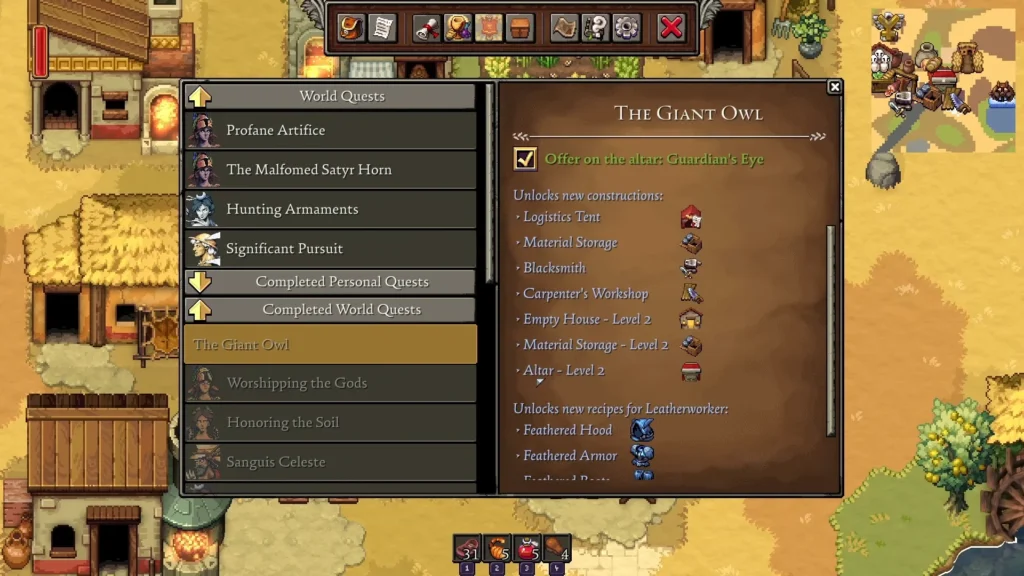
Conclusion
Romestead’s fast travel system is a deeply integrated mechanic that transforms how players interact with the world. From altar construction and Carpenter upgrades to strategic network expansion, mastering teleportation is essential for efficient progression. While early game restrictions may slow movement, unlocking and optimizing the system dramatically improves gameplay efficiency. Players who invest in proper altar placement, resource management, and network design will gain a significant advantage in both exploration and survival.
Sources and Citations
- Source: Digital Humanities Quarterly, academic research examining crafting systems, resource requirements, recipe progression and player advancement across survival and sandbox games.
Citation: https://www.digitalhumanities.org/dhq/vol/11/4/000339/000339.html - Source: Game Developers Conference, The Design of Subnautica, developer presentation examining survival crafting, exploration, player progression and sandbox gameplay structure.
Citation: https://gdcvault.com/play/1026273/The-Design-of-Subnautica - Source: Game Developers Conference, Level Design Workshop, professional analysis of open-world mission design, non-linear progression, exploration and difficulty scaling.
Citation: https://www.gdcvault.com/play/1023140/Level-Design-Workshop-360-Approach - Source: Solace Crafting, official developer press kit explaining base building, resource gathering, crafting progression and player-created fast travel networks in an open-world survival RPG.
Citation: https://solacecrafting.com/solace-crafting-press-kit/ - Source: Cataclysm: Dark Days Ahead, official open-source gameplay design documentation covering survival progression, base camps, crafting systems, resource management and fast travel concepts.
Citation: https://docs.cataclysmdda.org/design-balance-lore/design-gameplay.html - Source: Game Developer, June 2026, analysis of survival game design explaining resource management, time management, exploration pressure and progression systems.
Citation: https://www.gamedeveloper.com/design/resource-management-survival-games-are-about-time-management- - Source: Game Developers Conference, Pacific Drive Under the Hood, developer presentation examining survival fundamentals, crafting systems, resource scarcity and progression design.
Citation: https://gdcvault.com/play/1035732/-Pacific-Drive-Under-the - Source: Game Developer, How to Write a Game Design Document, general reference covering gameplay mechanics, progression systems, player interaction and implementation planning.
Citation: https://www.gamedeveloper.com/design/how-to-write-a-game-design-document - Source: GDC Festival of Gaming, Designing Points of Interest for The Outer Worlds 2, professional analysis of open-world navigation, exploration, player progression and location design.
Citation: https://schedule.gdconf.com/session/designing-pois-points-of-interest-for-the-outer-worlds-2-visual-psychology-and-intuition/913728 - Source: Game-Ace, RPG Game Development Guide, comparative overview of character progression, inventory management, crafting, open-world navigation and fast travel implementation.
Citation: https://game-ace.com/blog/how-to-make-an-rpg-game/
Recommendations
- Fire Emblem: Fortune’s Weave Four Story Routes Explained
- Life Is Strange: Reunion’s Entire Premise Goes Against the Original Game’s Message
- The Cut Content Of Ghost Of Yotei: Every Scrapped Feature Explained
- Stalker 2: Cost of Hope Expansion – Everything You Need to Know Before Release
- The Christophers Review (2026): Cast, Plot, Ending Explained & Why Steven Soderbergh’s Art Drama Is a Must-Watch
- GIGABYTE Announces New Gaming Monitors Including a 27-Inch 5K Mini LED Display
- PlayStation Pulse Elevate wireless speakers November 12, preorder September 1
- One Piece: Grand Gourmet Review: Fan Service Versus Depth
- Stranger Than Heaven: Mikinobu Abe and Yu Shirota Explore Identity
- DONIC Robot Controller and BiHOI Dataset Explained