








Creating Interactive Water in Godot 4 (2D vs 3D Approaches)
Interactive water in Godot 4 differs significantly between 2D and 3D implementations. In 2D, water is typically represented as a deformable surface such as a line or polygon, simulated using spring physics or shaders. These approaches are lightweight and suitable for side-scrollers or top-down games.
In contrast, 3D water uses meshes (usually PlaneMesh) combined with shaders to simulate waves, reflections, and transparency. This involves more computational cost but allows for greater realism through lighting, environment mapping, and advanced rendering techniques.
Although Godot 4 introduced Vulkan rendering and renamed several nodes (e.g., KinematicBody2D → CharacterBody2D), the core concepts from Godot 3 still apply. Developers simulate wave motion and render it using materials and shaders.
Godot Interactive Water Tutorial for Beginners
Beginners should start with simple implementations. In 2D, a common beginner project involves creating a water surface made of points connected by springs. These points react to interactions such as objects entering the water, producing ripples.
In 3D, beginners can create water using a PlaneMesh with a basic animated shader. Tools like the Visual Shader Editor allow wave animation using sine functions without complex math.
Key learning areas include:
- Updating node properties per frame
- Using signals for interaction (e.g., splash detection)
- Creating basic shaders for visual effects
Starting simple and gradually adding complexity helps build understanding.
Godot 4 Water Effects Checklist (Ripples, Splashes, Foam, Buoyancy)
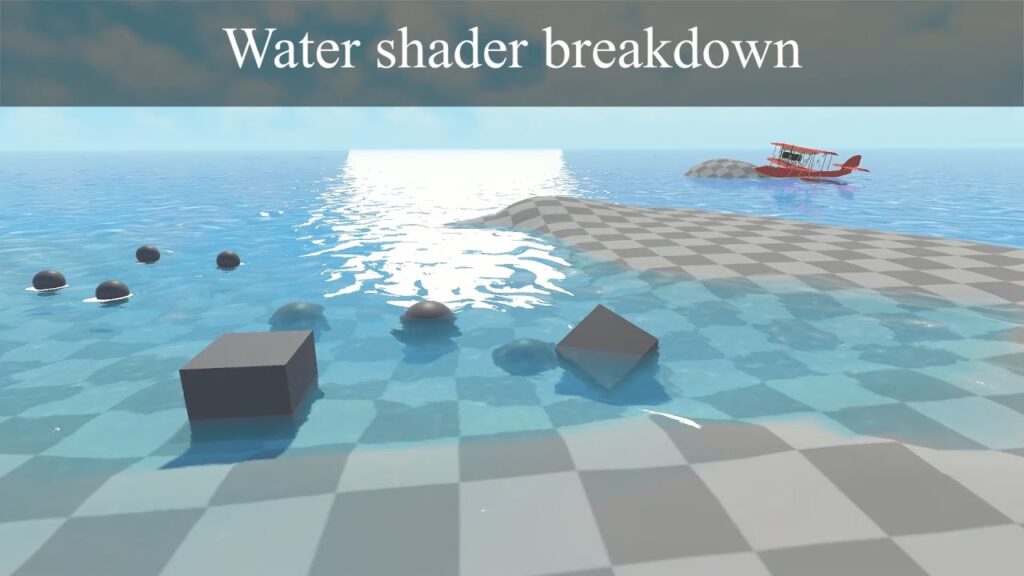
An interactive water system can include several features:
- Surface Ripples: Created by disturbances using physics or shaders
- Splashes: Triggered when objects hit the water, often using particles
- Foam: Appears at wave peaks or edges using shader blending
- Buoyancy: Allows objects to float using physics calculations
Additional enhancements include:
- Reflections and refraction
- Depth-based transparency
- Caustics (light patterns underwater)
Developers should implement features incrementally, starting with basic ripples and adding complexity over time.
How to Make 2D Water with Springs in Godot
Core Water Simulation Techniques
A classic technique for 2D water is simulating a row of springs. Each point on the water surface behaves like a spring connected to its neighbors.
Implementation steps:
- Represent the surface as multiple points
- Apply spring forces (Hooke’s Law) toward a rest position
- Include neighbor influence for wave propagation
- Apply damping to simulate friction
Rendering is done using Line2D or Polygon2D.
Advantages:
- Efficient and interactive
- Natural ripple propagation
- Easy to trigger disturbances
Godot 4 Line2D Water Surface Simulation
Line2D is used to visually connect simulated water points into a continuous wave.
Steps:
- Add a Line2D node
- Update its points array each frame
- Optionally fill beneath using Polygon2D
Important considerations:
- Enable antialiasing for smooth lines
- Ensure physics updates run in
_physics_process
This method is ideal for lakes, ponds, and side-view water.

How to Add Splash Interactions to 2D Water in Godot
Splash interactions are implemented using Area2D:
- Create an Area2D covering the water
- Detect body_entered signals
- Apply force to nearby water points
Enhancements include:
- Emitting custom splash signals
- Adding particle effects (GPUParticles2D)
This approach separates detection from simulation and improves efficiency.
Fixing Object.connect Errors in Godot 4
Godot 4 changed signal connection syntax. Old syntax like:
connect("signal", self, "method")
must be replaced with:
signal.connect(self.method)
or:
connect("signal", Callable(self, "method"))
Common issues:
- Missing or misnamed methods
- Signals not firing due to collision settings
Ensuring correct syntax and setup resolves most errors.
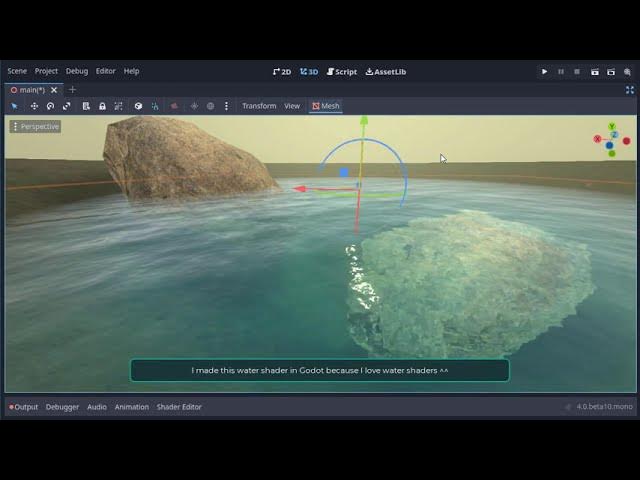
Godot Water Ripple Shader Using Viewports
An alternative to physics-based ripples uses render textures:
- Create a Viewport to capture ripple data
- Draw disturbances (e.g., circles) into the texture
- Feed texture into a shader
- Use it to displace water surface
Benefits:
- Realistic ripple patterns
- Supports complex interactions
This method is more advanced but powerful.
## Multiple Iterations per Frame for Water Simulation
To improve wave propagation speed:
- Perform multiple simulation iterations per frame
- Use viewport chaining or compute shaders
This enhances realism but increases performance cost.
How to Make a Simple 3D Water Shader in Godot 4
Steps:
- Use PlaneMesh with subdivisions
- Apply ShaderMaterial
- Displace vertices using sine waves
- Set color, transparency, and reflections
Optional improvements:
- Normal maps for detail
- Depth-based transparency
- Reflection effects
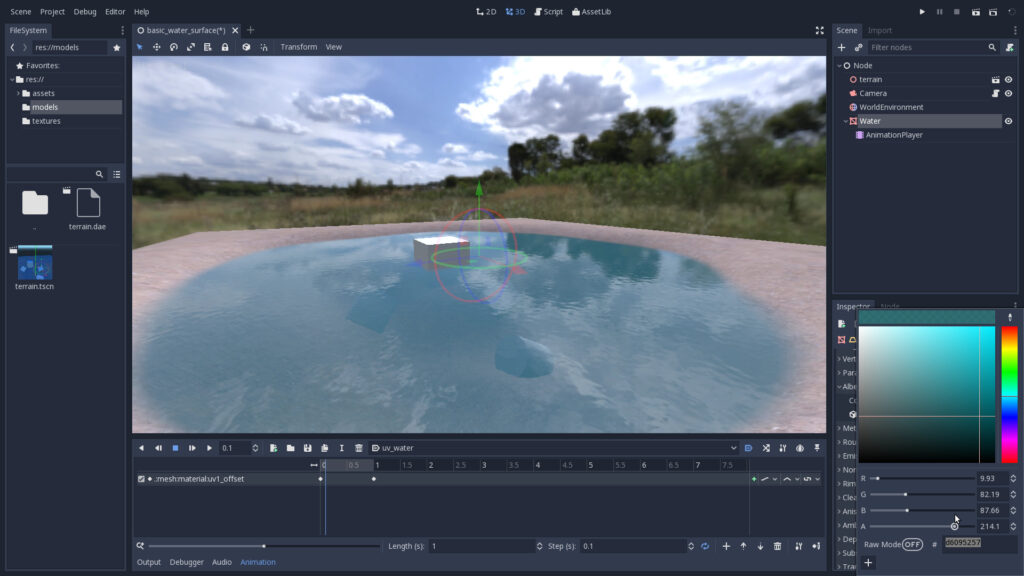
Godot 4 Visual Shader Water Material Tutorial
Visual Shader allows node-based shader creation:
- Use sine functions for vertex displacement
- Set color and transparency
- Add Fresnel effects
Advantages:
- Beginner-friendly
- Real-time tweaking
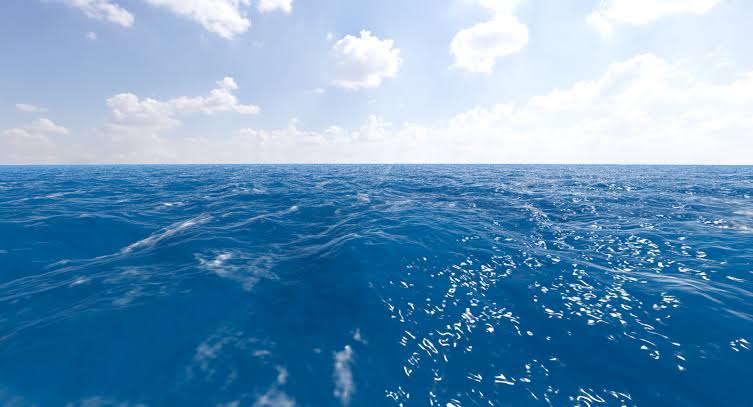
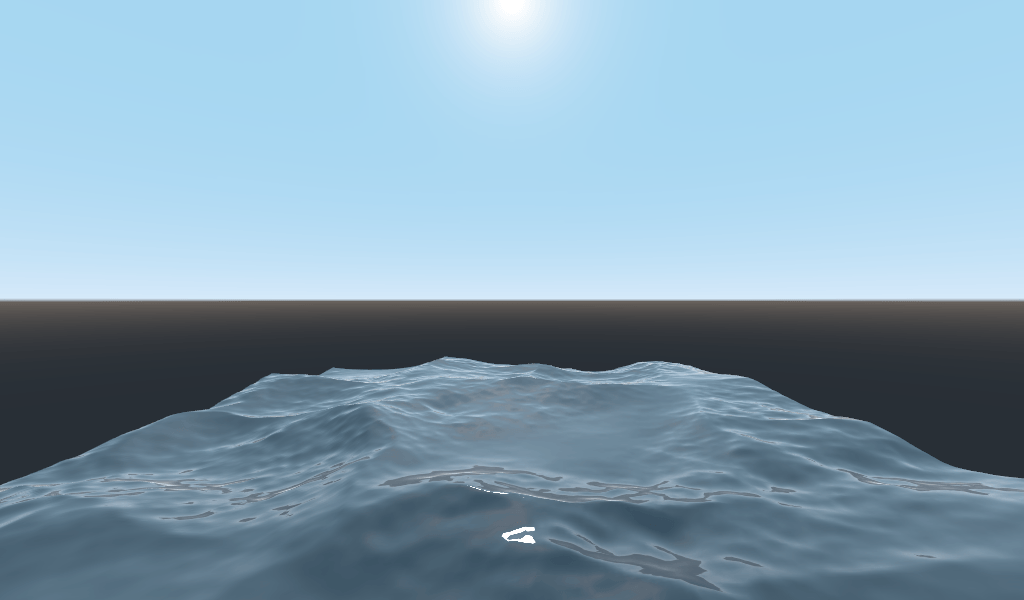
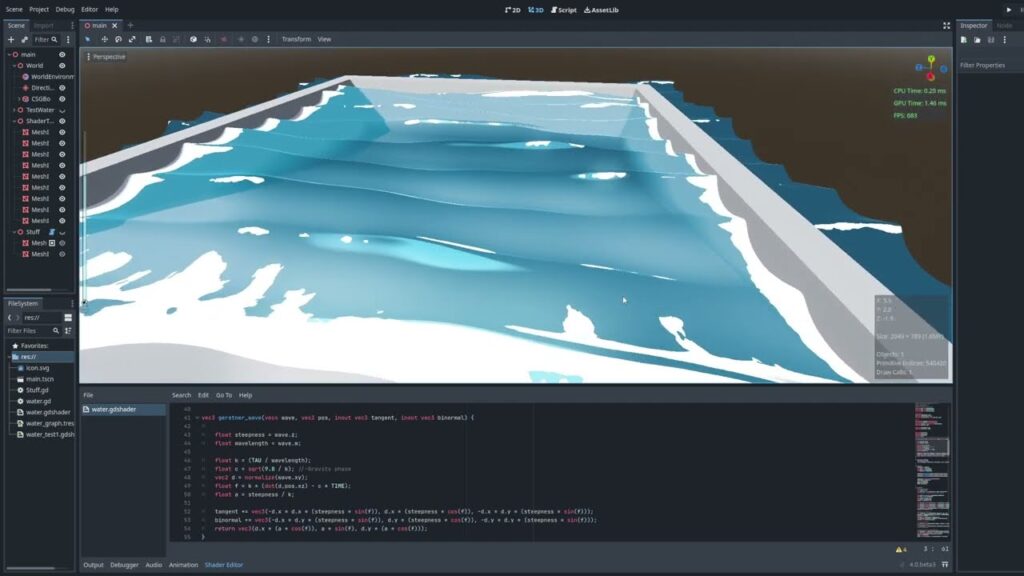
Gerstner Waves Water Shader in Godot 4
Gerstner waves produce realistic rolling waves:
- Include horizontal and vertical displacement
- Controlled by amplitude, wavelength, speed, direction
- Multiple waves can be combined
Requirements:
- High mesh subdivision
- Parameter tuning
Provides realistic ocean-like motion.
How to Add Buoyancy to Water in Godot
Approaches:
- Area-based buoyancy: Adjust gravity inside water
- Custom physics: Apply upward forces based on submersion
- Shader-based height sampling: Match object position to wave height
For stability:
- Use multiple sample points
- Apply damping for realism
How to Make CharacterBody3D Float on Water
Since CharacterBody3D is kinematic:
- Detect water entry with Area3D
- Continuously apply upward velocity
- Override gravity while in water
Floating must be applied every frame to prevent sinking.
Passing Parameters from GDScript to Shaders
Use:
set_shader_parameter("name", value)
Applications:
- Adjust wave speed
- Change color or amplitude
- Control animation timing
Use instance uniforms to avoid affecting multiple objects.
Depth Texture Water Intersection Ripples
Depth textures allow detection of object-water intersections:
- Compare scene depth with water depth
- Trigger ripples where they match
Useful for:
- Character interactions
- Dynamic surface effects
Shoreline Foam Shader Setup
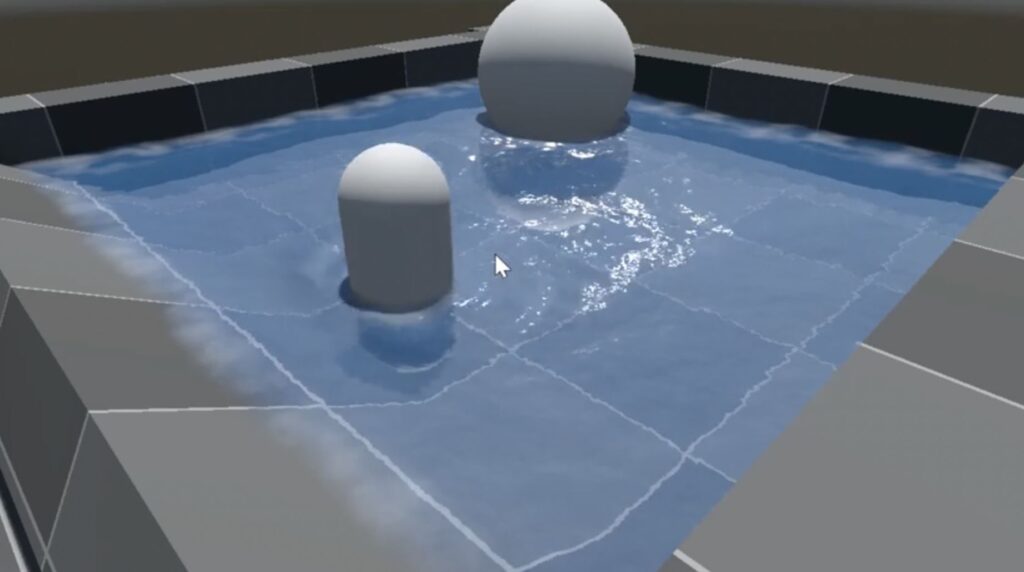
Foam is created by detecting shallow areas:
- Use depth difference
- Blend foam textures near edges
Enhances realism at water boundaries.
Pixel Art Water Shader in Godot
Pixel shaders use texture channels to encode:
- Outline (red channel)
- Foam (green channel)
- Depth (blue channel)
Rendered via SubViewport for seamless effects.
SubViewport Tilemap Water Workflow
Steps:
- Render tilemap into SubViewport
- Use ViewportTexture in shader
- Apply effects uniformly
Benefits:
- Seamless tile blending
- Advanced shader effects
Water Caustics Shader Effects
Caustics simulate light patterns:
- Use animated textures
- Apply additively to surfaces
Enhances underwater realism.
Infinite Ocean Technique
Create endless water by:
- Moving water mesh with camera
- Using world-based wave calculations
Optional:
- LOD systems
- Fog for horizon blending
FFT Ocean Waves in Godot 4
FFT-based water:
- Uses compute shaders
- Simulates realistic wave spectra
- Supports foam and large-scale oceans
Best for high-end applications.
Best Godot 4 Water Addons
Popular tools include:
- Boujie Water Shader (advanced 3D water)
- Godot Ocean Waves (FFT simulation)
- FloatableBody (buoyancy system)
- Fluid Water Physics 2D (fluid simulation)
- Pixel Art Water Shader
Optimizing Water for Mobile and Web
Tips:
- Simplify shaders
- Reduce texture resolution
- Limit particles
- Disable reflections
- Use LOD and batching
Balance visuals with performance.
Common Water Shader Problems and Fixes
- UV Stretching: Fix mesh UVs
- Seams: Use world coordinates
- Jitter: Improve filtering or precision
- Z-fighting: Adjust depth settings
- Transparency issues: Manage render order
Careful setup resolves most visual artifacts.
In This Article (5 sections)
Frequently Asked questions(FAQS)
1: Can Godot simulate realistic water physics (like objects buoyantly bobbing and waves affecting them)?
Yes, with some work. Godot doesn’t have built-in water physics, but you can script buoyancy or use community addons. For 2D, a spring-based surface can push objects up. For 3D, you typically calculate forces based on how submerged an object is. Assets like FloatableBody provide ready-made buoyancy for Godot 4. While Godot can’t do fluid dynamics out of the box, you can achieve convincing buoyant objects and wave interactions through Area nodes and custom forces.
2: How do I create underwater effects in Godot (like foggy blue tint and slower movement)?
Underwater effects are usually done by combining a few techniques. Visually, you can use a ColorRect or WorldEnvironment with fog to tint the screen blue when the camera/player is underwater. Godot 4’s environment volumes can smoothly blend to an underwater fog and adjust light scattering. You might also overlay caustic light shadows on the camera. For movement, you’ll script it: e.g., increase character’s linear damping when in water (to feel drag) and maybe muffle sounds. There isn’t a single toggle for “underwater mode,” but by using Area3D triggers, you can change environment and physics parameters when the player goes under.
3: What’s the easiest way to add reflections to water in Godot 4?
The simplest is using Screen Space Reflections (SSR) if your project is 3D and not on mobile. In Godot 4, SSR is available in the WorldEnvironment; just enable it and water with low roughness will reflect the scene. For planar reflections (like a perfect mirror lake), Godot 4 doesn’t have a built-in planar reflection probe yet, but you can fake it by placing a Camera upside-down under the water and using a RenderTexture (though that’s expensive).
For cubemap reflections, add a ReflectionProbe, though that gives static environment reflection (good for sky). SSR is usually the quick fix for real-time reflections but note it only reflects what’s on screen and can have artifacts at grazing angles.
4: My 2D water waves look good, but how can I add a splash effect when the player jumps in?
Use a combination of a particles and a ripple in the simulation. When the player enters the water (detected via Area2D), emit a CPUParticles2D or GPUParticles2D node with a splash sprite (water droplets) upwards. At the same time, apply an impulse to your water surface simulation at the collision point (e.g., drop one spring point to create a wave). This dual approach gives both a visual splash and a physical ripple. Ensure your particles layer is above the water so they’re visible.
5: Is it possible to create flowing water (like a river) in Godot 4?
Yes. For 3D, you can model a river as a deformable plane following a path. Godot doesn’t have a specific river tool built-in, but plugins like Waterways can generate a river mesh with UV flow maps.
The shader then scrolls a texture in the flow direction to simulate movement. In 2D, you can animate the texture of a river tilemap or use shaders to move the pixels (UV manipulation) to give the appearance of flow. Physics-wise, flowing water could push bodies: you’d detect objects in the river Area and apply a sideways force to mimic current. So, it’s definitely possible, with a mix of mesh/shader for visuals and areas for physics.
6: My water is transparent, but I don’t want to see the bottom of the skybox through it – how can I only see submerged objects or terrain?
This is a rendering order issue with transparent objects. A trick is to use render_mode depth_draw_alpha_prepass in the water shader. This makes the water write to depth buffer even if transparent, preventing objects behind (like sky) from showing through. Another way: You could fade out the transparency with depth – i.e., make water opaque after a certain depth so the background doesn’t show. Many water shaders use depth-based opacity (clear near the shore, opaque in deep ocean). That way, the far-away water just reflects sky color instead of showing what’s below.
7: What’s the difference between using an AnimatedSprite for water (with frames of waves) and a shader-based water?
An AnimatedSprite (or animated texture) is a much simpler approach: you hand-draw or precompute frames of water animation and just play them. It’s easy and cheap performance-wise, but not interactive – it won’t respond to characters or forces. A shader-based water is procedural: waves are generated by math (sine, noise, etc.) and can respond to input (like ripples from splashes).
Shaders also scale to large areas better (you don’t need a huge sprite sheet for an entire ocean). So, use AnimatedSprite for small decorative water with fixed animation (like a Zelda-style 2D water tile). Use shaders for large, dynamic water that needs interactivity and randomness.
8: How can I stop my Gerstner wave ocean from popping when the camera teleports or when I reposition the water plane?
The popping likely comes from a discontinuity in the wave phase. If you reposition the plane or teleport, and your shader uses TIME for wave progression, a sudden jump in camera doesn’t actually affect wave continuity – unless you were resetting something. Make sure you’re using world position in the wave calculation (so waves are spatially tied, not dependent on object origin).
If you reset TIME or offset uniforms incorrectly on teleport, avoid doing that. In other words, waves should be purely function of absolute position and a continuously running time. Then even if the camera jumps, the water pattern is the same at any world coordinate at that time, preventing pops.
9: Why does my water look jagged/pixelated at shallow angles (glancing angle)?
This can happen due to aliasing or lack of tessellation. At shallow view angles, the triangle edges of a low-poly water mesh become visible. Solutions: increase mesh subdivisions (more polygons to smooth the curve of waves) or implement a form of normal interpolation.
Another factor is aliasing in the normal map or reflection – using MSAA or enabling smoother filtering on normal maps might help. In Godot 4, you could also try enabling FXAA/TSAA post-process for the scene. If it’s due to the normal map resolution, consider using a higher-res normal or a tileable one with more detail. Essentially, more geometry or better AA is the fix for jaggies at edges.
10: Can I use Godot’s Visual Shaders to create everything in the water shader (waves, foam, etc.) without writing code?
Yes, you can do virtually everything via Visual Shader nodes. Visual Shaders in Godot 4 are quite powerful – they have noise textures, Fresnel node, derivative functions, etc. You might find some things like looping easier in code (Visual Shader has no “for-loop” node; you’d manually duplicate nodes for multiple waves or use an approach like array uniforms which VS might not handle well).
But many community tutorials demonstrate water in Visual Shader. For example, you can construct Gerstner wave by summing a few sine wave node networks. It’s a bit laborious but possible. So if you’re not comfortable with shader code, you can achieve the water effects with the visual scripting of shaders, albeit with a lot of nodes. Keep in mind performance is identical between visual and code shaders – it all becomes GLSL in the end – so it’s just a matter of preference and effort.
Conclusion
Interactive water in Godot 4 is a rich topic combining physics, rendering, and often a bit of creativity. We’ve explored how 2D water can be made with spring simulations for waves, reacting to splashes via signals and areas. We delved into 3D water techniques from simple plane shaders to advanced Gerstner and even FFT-based oceans, including how to handle shader parameters and special effects like depth-based ripples and foam. Throughout, a theme is clear: Godot provides the building blocks (Nodes, ShaderLanguage, Signals) that allow developers to craft custom water systems suited to their game’s needs, whether it’s a retro pixel art pond or an endless, turbulent sea.
Keep optimization in mind – adjust quality for mobile and be mindful of performance hotspots. Take advantage of the Godot community’s contributions: many high-quality water shaders and scripts are freely available to study or use, which can drastically speed up development. With careful integration, you can achieve water that not only looks great with ripples, splashes, and foam, but also plays great – floating objects, responsive buoyancy, and all.
Godot 4’s advancements (like compute shaders and better visual shader tools) have opened new possibilities for water simulation that were difficult in Godot 3. This means you can push fidelity further if you need to, or stick to tried-and-true simple methods for a lightweight solution. Interactive water is often the “WOW” factor in a scene – and with Godot, even an indie developer can implement impressive water effects with some effort and understanding. Dive in, experiment, and soon your game’s water will be making waves!
Sources and Citation
- Godot Q&A and tutorials on 2D water springs
- Reddit discussion on connecting signals in Godot 4 (splash signal issue)
- StackExchange answer describing spring-based water and waves
- Pixelipy’s 2D water simulation comments (Godot 3 to 4 update advice)
- Reddit tutorial following issue for 2D water (signal connection fix)
- Reddit thread on water ripples via viewports and compute shaders (upint_’s project)
- Godot Shaders reference for a 3D water shader with Gerstner, foam, caustics
- Godot forum on UV stretching and wave continuity issues (waterfall shader)
- Pixel Art Water shader by ruemart (Godot shader port)
- Godot Asset Library entry for FloatableBody (buoyancy script)
- Godot Asset Library entry for Boujie Water Shader (infinite ocean tool)
- GitHub README for GodotOceanWaves (FFT ocean by 2Retr0)
- Reddit discussion “Why do water shaders consume so much performance” (optimization)
- Reddit answer about CharacterBody floating (signal vs continuous force)
- Various Godot documentation and community answers on using DEPTH_TEXTURE and shaders
Recommendations
- Noir-Style Mixed-Media Animation Created Using Blender: How Il Baracchino Blends 3D, 2D & Stop-Motion
- How to Create Large Scale Water FX in Houdini: a Complete Guide for Realistic Simulations
- Stars Reach MMO: Ultima Online Designer Raph Koster’s New Sandbox Sci-Fi MMO
- What is Romestead? Dark Fantasy Cozy RPG Explained
- Unreal Engine 5.8 Preview is Here: Mesh Terrain, MegaLights, MetaHuman Crowds, and Performance Upgrades
- Roblox Announces Robust Growth for the First Quarter and Adjusts Its Annual Forecast in Light of New Safety Measures
- What is the View Keeper?
- MS Flight Sim Adds Water-Bombing Mission in Australia to Honor Local Firefighters: World Update 21 Details, NSW RFS Collaboration, and How to Play
- Battlefield 6 Season 2 New Maps, More Guns, And LTMs: Release Date, Roadmap, Contaminated & Hagental Base, VL-7 Modes
- Destiny 2 Ends After 9 Years: Bungie Community Lead Thanks Fans as Support Winds Down



































































































