






Roblox mandatory age-gated account tiers explained
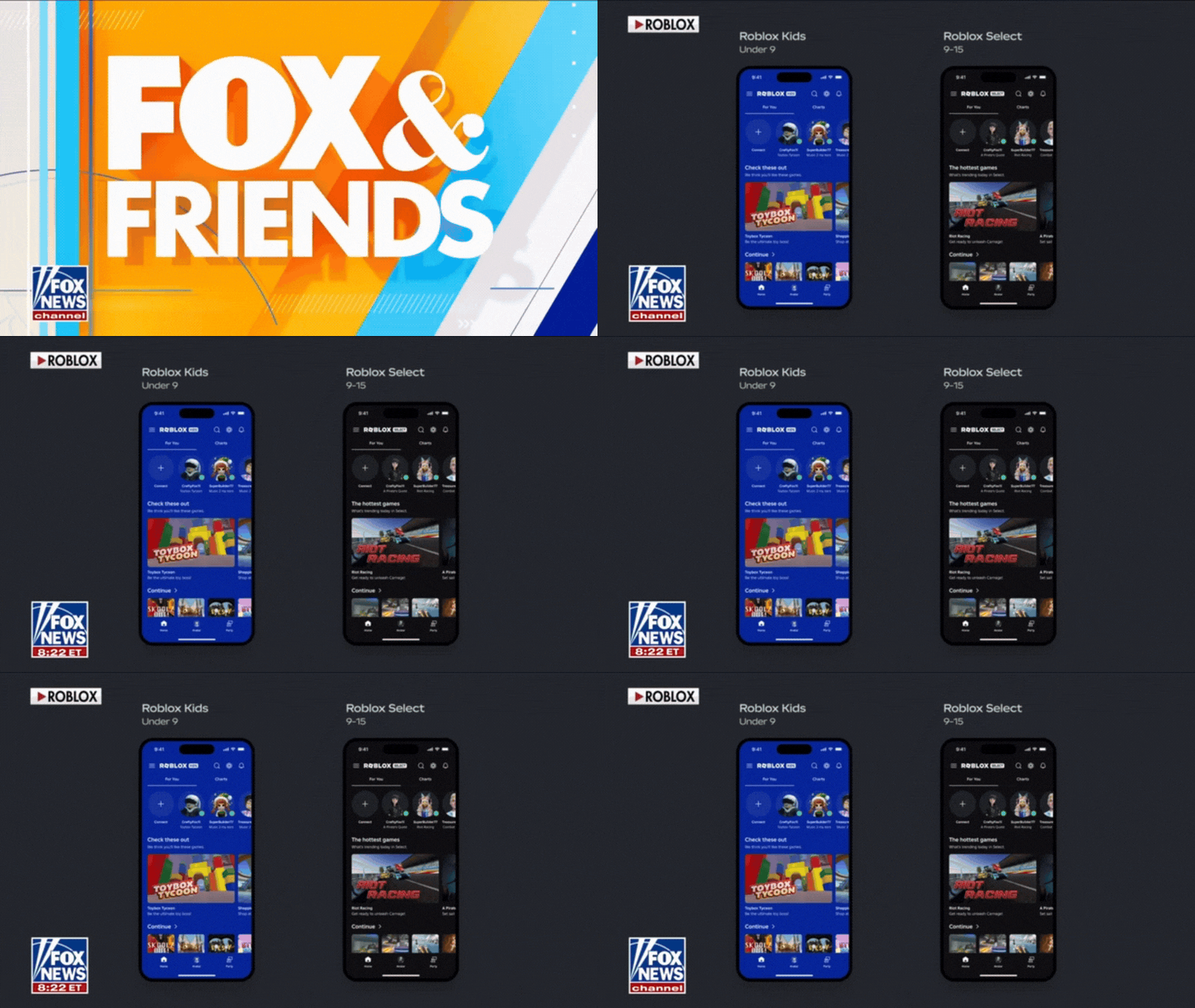
Roblox is introducing mandatory age-gated account tiers in 2026 as part of a broader push to improve safety, compliance, and age-appropriate experiences across its platform. The system segments users into clearly defined categories based on verified age ranges, primarily focusing on younger audiences.
The two core tiers being introduced are:
- Roblox Kids (ages 5–8)
- Roblox Select (ages 9–15)
These tiers determine what content users can access, how they interact with others, and what safety features are enforced. Unlike previous optional parental controls, these tiers are mandatory, meaning all users within these age brackets must comply with the assigned restrictions.
This change aligns Roblox with increasing global regulatory pressure around child safety, data protection, and online content moderation.
Roblox Kids account features and restrictions (ages 5–8)
Roblox Kids accounts are the most restrictive tier, designed specifically for early childhood users.
Key features and restrictions include:
- Access limited to “Minimal” content only
- No open chat functionality (pre-set phrases only or disabled entirely)
- Strict friend request limitations
- No access to user-generated content that hasn’t passed enhanced screening
- In-game purchases heavily restricted or disabled without parental approval
The goal is to create a closed, curated environment where young children are protected from inappropriate content and interactions.

Roblox Select account features and restrictions (ages 9–15)
Roblox Select accounts provide a more flexible experience but still enforce strong safety controls.
Key features include:
- Access to Minimal, Mild, and some Moderate content
- Filtered chat system enabled by default
- Ability to add friends and join multiplayer experiences
- Controlled access to user-generated content
- Parental oversight options still available
Compared to Roblox Kids, this tier balances social interaction with safety, allowing pre-teens and teens to engage more freely while maintaining protective safeguards.
Roblox age verification: selfie age estimation vs government ID
To enforce these tiers, Roblox is introducing two main age verification methods:
- Selfie-based age estimation (AI-driven)
- Government ID verification (for higher assurance)
Selfie estimation is designed for quick onboarding, especially for younger users. Government ID verification may be required for:
- Accessing certain features
- Correcting age classification errors
- Unlocking higher trust levels
This dual approach allows Roblox to balance accessibility with accuracy.
How Roblox facial age estimation works (and what happens to your data)
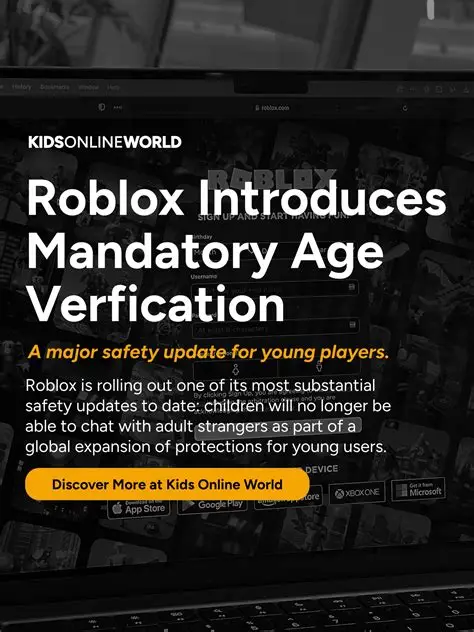
Roblox uses machine learning models trained to estimate age based on facial features. Users take a selfie, which is analyzed to determine an approximate age range.
Important details:
- Images are processed securely and not stored long-term in raw form
- Data may be anonymized and used to improve AI models
- The system provides a confidence score, not an exact age
Roblox states that privacy protections are in place to comply with global data protection laws such as COPPA and GDPR.
Roblox parental verification: how to link a parent account
Parents can link their accounts to a child’s profile to gain oversight and control.
Steps include:
- Parent creates or logs into a Roblox account
- Links the child account via verification prompts
- Completes identity confirmation (often via ID or payment method)
Once linked, parents can:
- Monitor activity
- Adjust permissions
- Approve or block content and purchases
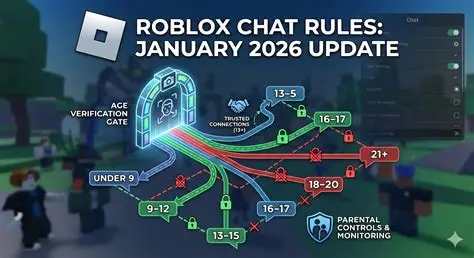
Roblox chat changes by age group (default settings and permissions)
Chat functionality varies significantly across tiers:
- Roblox Kids (5–8):
- Chat disabled or limited to pre-approved phrases
- No free-text communication
- Roblox Select (9–15):
- Filtered chat enabled
- AI moderation scans for inappropriate language
- Restrictions on private messaging depending on settings
These changes aim to reduce exposure to harmful interactions and online risks.
Roblox content maturity labels explained: Minimal, Mild, Moderate, Restricted
Roblox now uses a structured content labeling system:
- Minimal: Safe for all ages; no violence or mature themes
- Mild: Light cartoon violence or mild themes
- Moderate: More intense action or thematic elements
- Restricted: Mature content not accessible to minors
Each experience is tagged, and access is automatically controlled based on account tier.

What content is blocked on Roblox Kids and Roblox Select accounts
Content restrictions include:
- Roblox Kids:
- No Moderate or Restricted content
- No unverified user-generated experiences
- Limited multiplayer interaction
- Roblox Select:
- No Restricted content
- Some Moderate content allowed depending on classification
- Certain social features gated
This ensures users only encounter age-appropriate material.
Roblox game screening process for kids: what developers must do
Developers must comply with stricter guidelines for games accessible to younger audiences.
Requirements include:
- Submitting content for manual and automated review
- Avoiding prohibited themes (violence, gambling, explicit content)
- Ensuring compliance with labeling standards
Games targeting Roblox Kids must pass enhanced screening before being listed.
Roblox creator requirements for age checks, 2FA, and compliance
Creators are now required to meet higher security and compliance standards:
- Mandatory two-factor authentication (2FA)
- Identity verification for developers
- Adherence to age-based content guidelines
- Regular compliance audits
Failure to meet these standards may result in:
- Content removal
- Account restrictions
- Monetization bans
New Roblox parental controls: how to block specific games until age 16
New parental control features allow granular restrictions:
- Block specific games or categories
- Set age-based unlock thresholds (e.g., allow at 16)
- Restrict chat, purchases, and social interactions
This gives parents more control over their child’s experience beyond default tier settings.

Roblox rollout timeline for age-gated tiers (June 2026 launch details)
The rollout is scheduled for June 2026, with phased implementation:
- Early rollout to select regions and accounts
- Gradual enforcement across all users under 16
- Mandatory compliance after full deployment
Users will be prompted to verify age during login or account updates.
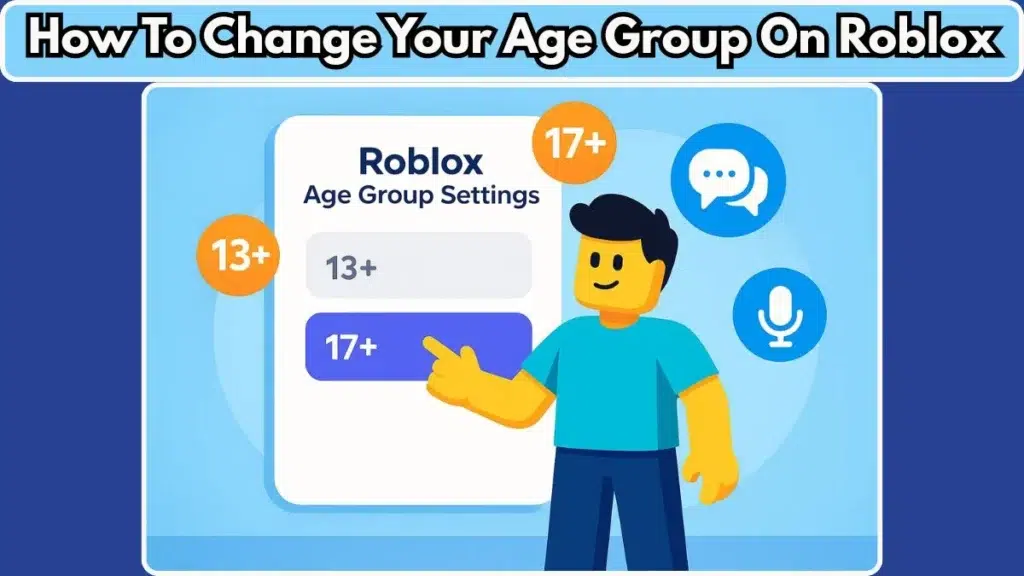
Roblox age check wrong? how to redo verification and fix your age group
If a user is incorrectly classified, they can:
- Reattempt selfie verification
- Submit government ID for correction
- Contact Roblox support for manual review
There may be cooldown periods between attempts to prevent abuse.
Roblox age gate bypass concerns: fraud detection and repeat verification triggers
Roblox has implemented anti-fraud systems to prevent bypassing age restrictions:
- Detection of repeated verification attempts
- Monitoring for inconsistent data signals
- Triggering additional verification steps when suspicious activity is detected
Accounts flagged for potential abuse may face temporary restrictions or permanent penalties.
Frequently Asked Questions (FAQs)
- What are Roblox age-gated account tiers?
They are mandatory account categories that restrict content and features based on a user’s verified age. - What ages fall under Roblox Kids and Roblox Select?
Roblox Kids covers ages 5–8, while Roblox Select covers ages 9–15. - Is age verification required for all users?
Yes, especially for users under 16 as part of the 2026 rollout. - Can Roblox guess your age from a selfie?
Yes, Roblox uses AI-based facial age estimation to approximate age ranges. - What happens if the age verification is wrong?
Users can redo verification or submit ID for correction. - Can parents control what games their child plays?
Yes, new parental controls allow blocking games and setting age-based access. - Is chat completely disabled for young users?
For Roblox Kids, chat is either disabled or heavily restricted. - What content is considered “Restricted”?
Mature content not suitable for minors, including intense violence or adult themes. - Do developers need to follow new rules?
Yes, developers must comply with stricter content and security requirements. - When will these changes take effect?
The rollout begins in June 2026 with full enforcement afterward.

Conclusion
Roblox’s introduction of mandatory age-gated account tiers marks a significant shift in how the platform manages safety, content access, and user interaction. By separating users into Roblox Kids and Roblox Select tiers, implementing advanced age verification systems, and enhancing parental controls, Roblox is aligning itself with global safety standards while reshaping the user experience. Although concerns around privacy, accuracy, and bypass attempts remain, the overall direction signals a more controlled and age-appropriate ecosystem for millions of young players worldwide.
Sources and Citations
- Roblox Safety and Civility Initiative Updates
https://corp.roblox.com/newsroom/ - Roblox Age Verification and ID Requirements Documentation
https://en.help.roblox.com/hc/en-us/articles/203313410 - COPPA Compliance Guidelines (FTC)
https://www.ftc.gov/business-guidance/privacy-security/childrens-privacy - GDPR Overview (European Commission)
https://commission.europa.eu/law/law-topic/data-protection_en - Online Safety and Child Protection Trends (Industry Reports)
https://www.ofcom.org.uk/online-safety
Recommended
- Netflix Joins Blender: What Netflix Animation Studios Funding Means for Blender and the Community
- Hasbro CEO Promises No Generative AI in Its Video Games as Chris Cocks Draws a Line on AI
- Nacon Subsidiaries Enter Insolvency Proceedings: Spiders, Kylotonn, Cyanide, and Nacon Tech Explained
- DualSense Touchpad Support in UE5: Setup, Input Mapping, and Troubleshooting Guide
- The Director Of The Next Resident Evil Movie Has Already Beaten Requiem Twice – What It Means for the Film
- Camera Movements: A Complete Guide to Cinematic Motion in Film and Video
- MoCap Online: Top Motion Capture Resources, Tools, and Animation Packs for Game Developers and Animators
- All katsu curry recipes in Romeo Is a Dead Man: complete list, ingredients, buffs, and how to unlock them
- How To Create Hexagon Fans Blender: Step-by-Step Hexagon Fan Grill (Honeycomb Fan Cover) Tutorial
- Sparseal Launched New 3D Texturing App For iPad: Wafer Brings Stylized PBR Texture Painting to iPad
























































































